
🧱 I’m Mete, a product designer and builder with 10+ years of experience at companies like Netflix and Peloton. I build real products with AI to see how far the tools can go, then share what works, what breaks, and where craft still matters. I write for people who sweat the details and refuse to settle for good enough. If that sounds like you, you’re in the right place.
I’ll bet that anyone who works with or actively tinkers with agentic AI has already had their “personal software aha moment” - the moment some internal tool or app they’ve been dreaming about for years materialized in 30 minutes after they hesitantly typed up the idea with 99% skepticism and 1% curious hope. And voila - it actually worked (wtf?!).
My own “aha moment” came pretty soon after ChatGPT came out in 2022 when I vibe-coded (which wasn’t yet a coined term) a macOS native app for tracking the status of your immigration cases and actually sold it for a few years on the Mac App Store (back when you had to tell ChatGPT to “keep going” after it would cut off long responses and paste it back and forth to Xcode). The addiction set in quickly, and soon I was churning out apps at work and at home non-stop.
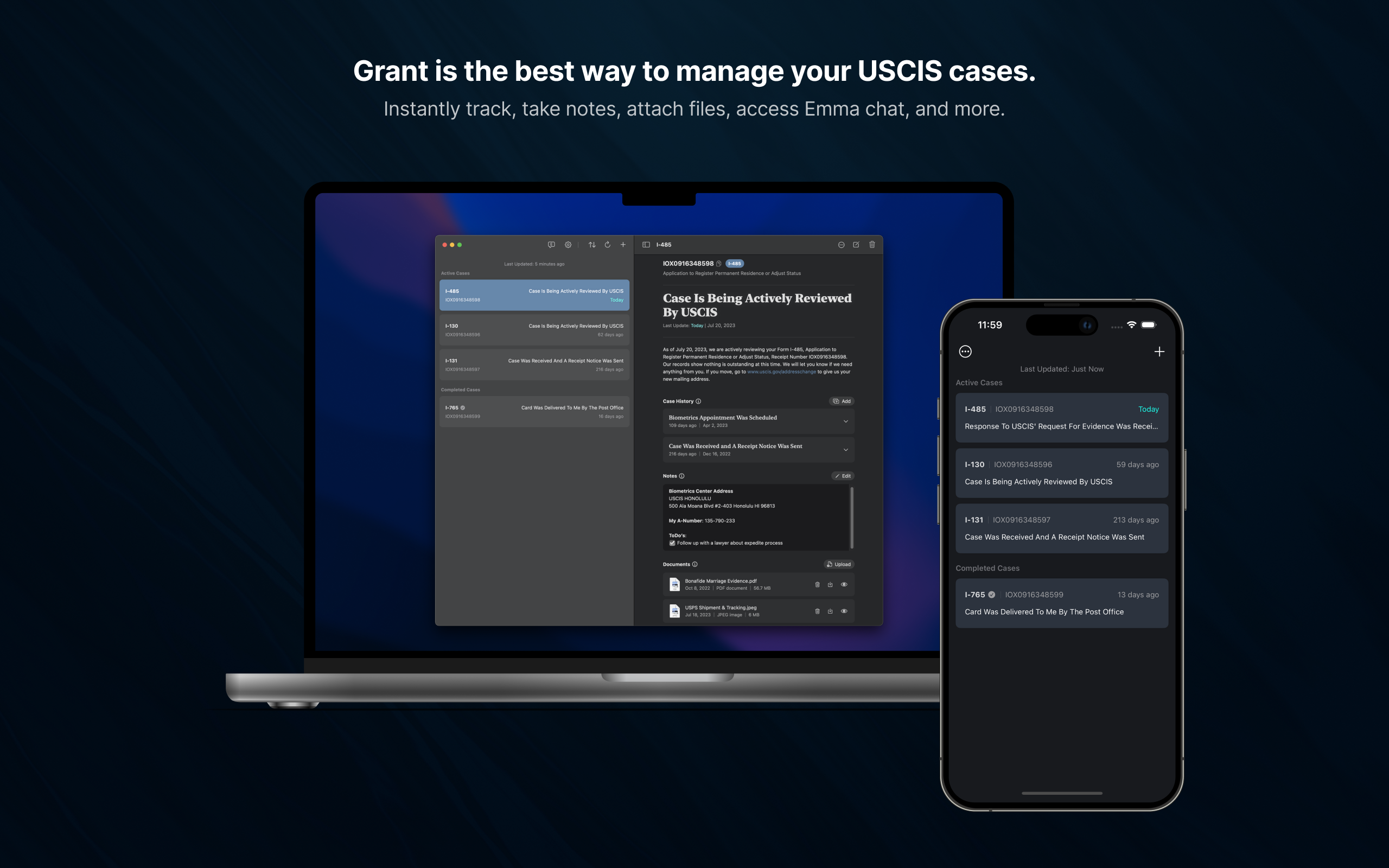
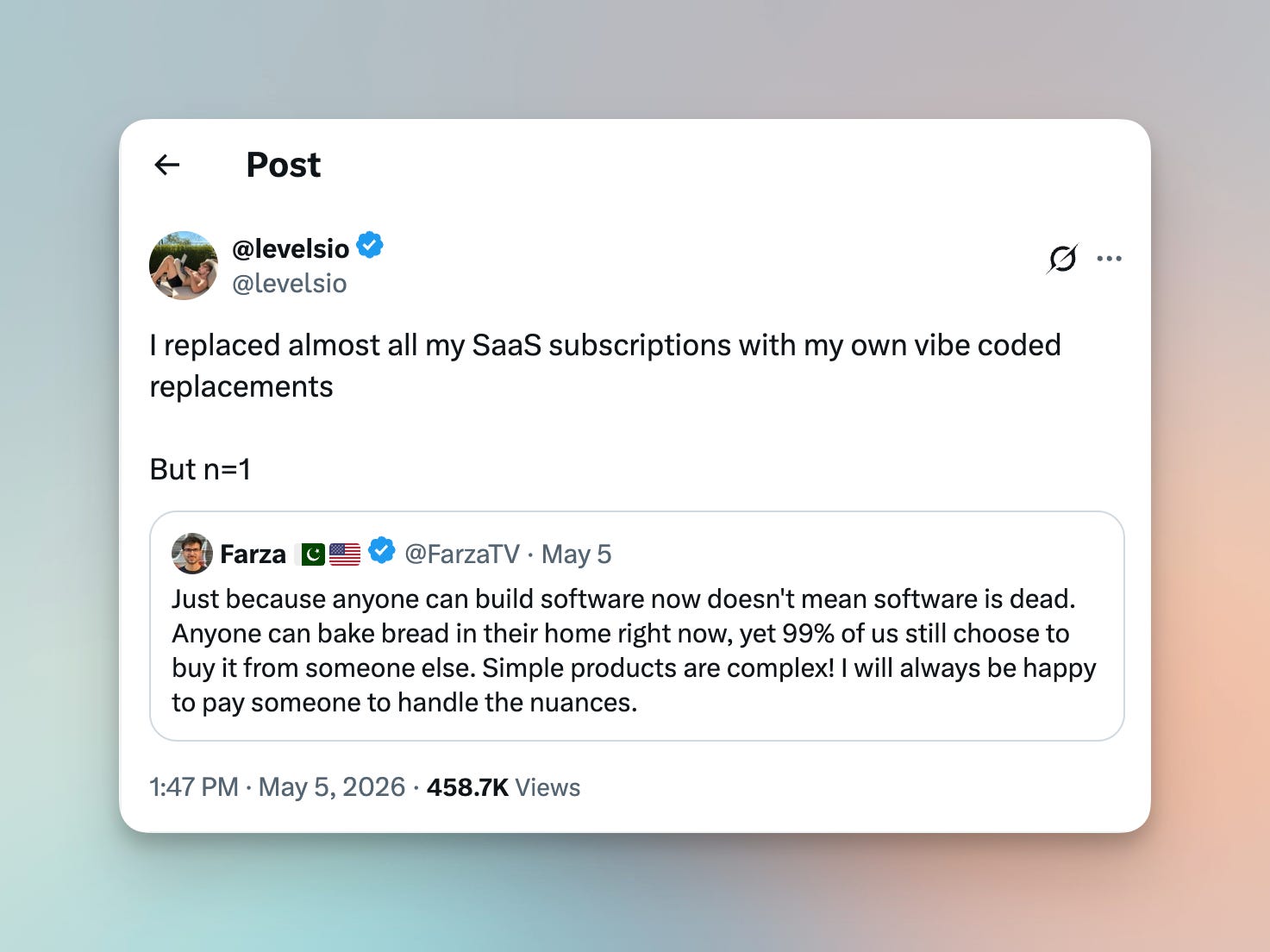
There’s an interesting debate on whether personal software will ever become a mainstream activity or stay a niche prosumer activity. What I can say with conviction is - it’ll remain niche short-term and nobody will be vibe-coding their own Salesforce or Stripe long-term. Everything in the middle is to play for.
But today I’m not wearing a pundit hat - I’m clad in a full tinkerer onesie (yes, they wear onesies instead of hats). And I want to share how my personal software journey evolved: from a standard SaaS consumer to a sprawling mess of vibe-coded single-use apps, to an organized self-hosted agent-maintained library. I’ll talk in depth about my current setup, tech stack, process, and share a full set of templates to get you started. And, finally, I’ll share some musings on where I think this is all going in the future.
Wherever you are in your own AI tinkering journey, you’ll likely find something useful here. If you’re just starting out, it’ll give you a good idea of what’s possible (also check out my magnum opus on Hermes here). If you’re somewhere in the middle drowning in a sea of vibe-coded tools spread around disparate folders on your computer, this may provide a useful framework to organize your tinkering. And if you’re way ahead of me, vibe-coding your orchestration harness that orchestrates other harnesses with agents spawning other agents, tell me about it and I promise I won’t judge you.
In the past few years, I’ve slowly gone from using and paying for SaaS apps for most of my (niche) needs to creating bespoke agentic workflows using Hermes & Obsidian, and now to creating bespoke agentic mini-apps hosted on my own Mac mini and accessible from anywhere. While “personal software” hasn’t replaced all software for me (and never will), it has been a meaningful shift in my relationship with software.
Now, whenever I have a problem in need of solving, I can unleash a bunch of agents with a stroke of a keyboard or a quick voice note in Telegram to write me a mini-app that fits my needs, host it locally on my Mac mini using Docker and Cloudflare Tunnel, and add it to my personal web home launcher sitting behind a personal login page, accessible to me from anywhere on any device.
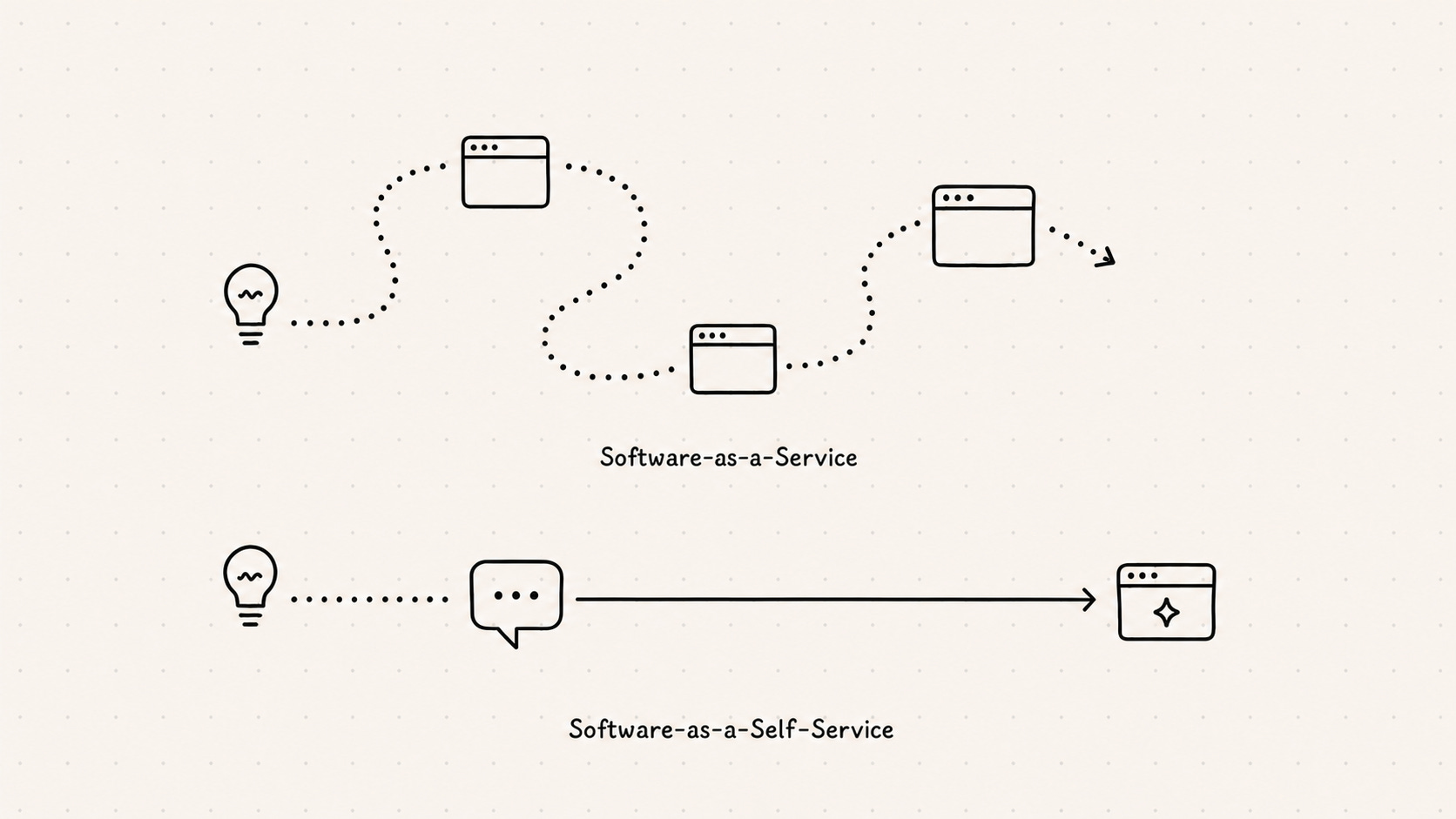
The ability to get exactly what you want also shifts your thinking. In the past, you develop a need and an idea of what you want to solve it; you then go out shopping, deciding on which areas you’re more ok to compromise - cost, interface, privacy, ecosystem lock-in, etc. Software used to be hard, and we’ve accepted that we can get maybe 70% of what we want and that’s good. With personal software, you can now get dangerously close to 99%. So when I now get an idea in my head, I reach for my agent and not for the app store.
As I wrote in my in-depth overview of my Hermes & Obsidian setup, I effectively use Obsidian as an agent canvas. If I ask my fitness agent to create me a workout, it’s a note in Obsidian. If I ask it to save something to my wishlist, it’s a note in Obsidian. You get the idea. But as some of you may know, Obsidian is fairly limited both visually and functionally. So the next step of the evolution was asking my agent to spawn an app for my recurring needs that would benefit from a richer and more interactive interface.
I was already in the habit of spinning up a new tool for every little problem I have. But most of them never graduated past a folder on my computer and, at best, a git repo. It was still a thing I had to build locally anytime I wanted to use it. Hermes made this problem much more acute because “local” now meant a remote headless Mac mini. So not only were my apps scattered across my system, I now also couldn’t really run them locally.
The solution space here is plentiful - I can deploy these with zero effort to Vercel and other similar agent-friendly hosting solutions (more below on why I didn’t take that route). But that’s also when a lightbulb went off - my Mac mini is already a remote server. Now, every engineer reading this will probably roll their eyes - this may be so obvious to some that it borders on cringe. And in retrospect, it was obvious - it’s already “hosting” my Hermes agent and my remote media library. Why can’t it host my apps?
Before diving further into the technicalities, let me actually show you the final product. Here’s my “home” - where my agent drops the new apps, HTML artifacts, and much more:
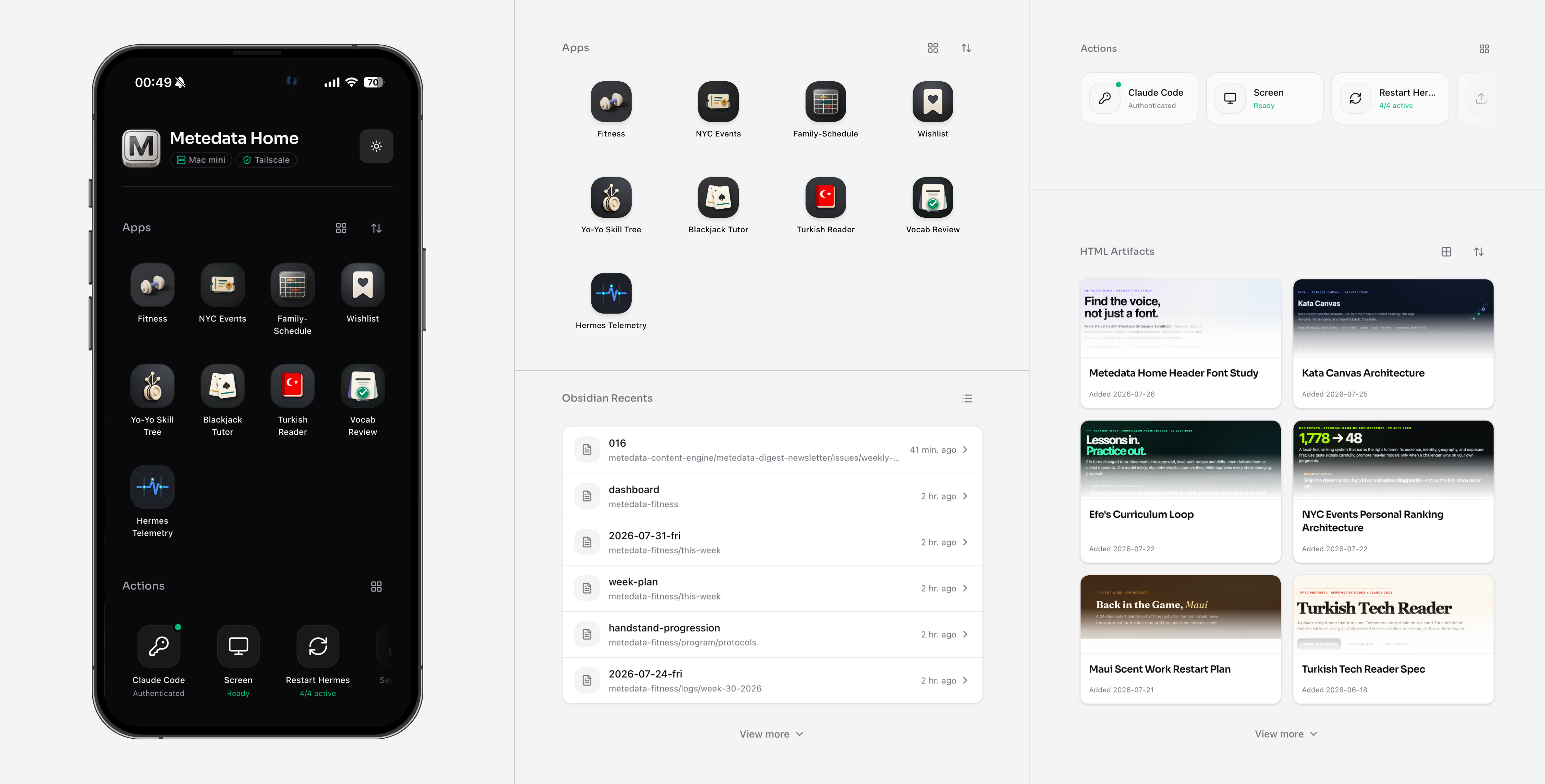
You’ll notice right away that this is not simply an app list - this is a broader launchpad for every surface and process I share with Hermes outside of Telegram. Let’s quickly walk through each section one by one:
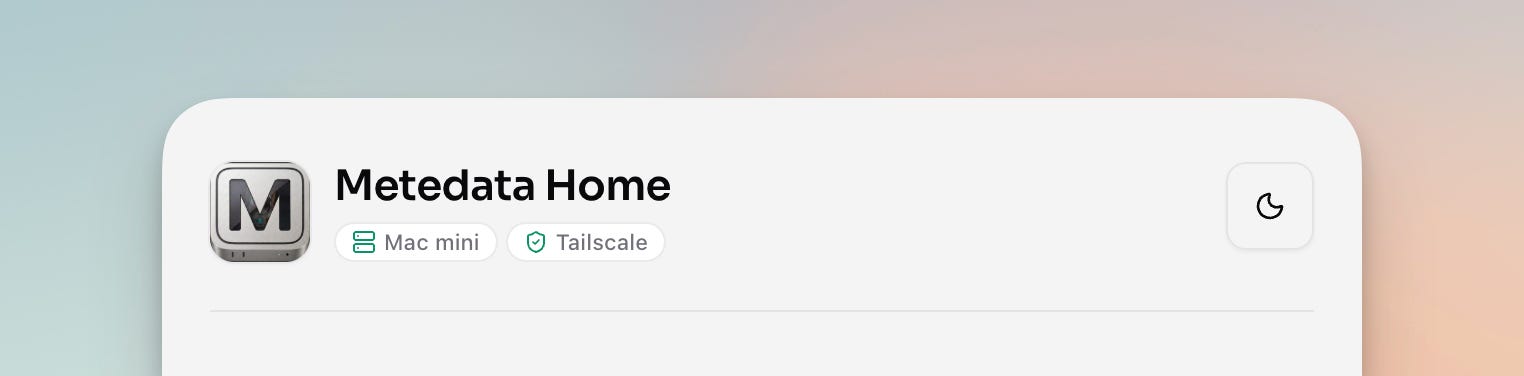
Not a ton going on here, but worth mentioning. It contextualizes the page, gives me at-a-glance status tags for my Mac mini and its Tailscale connection, and lets me toggle between light & dark modes. I had some fun and got Hermes to create a classic-style isometric icon (that works well in browser favorites & when added to the iOS home screen) and chose a custom font (Sora).
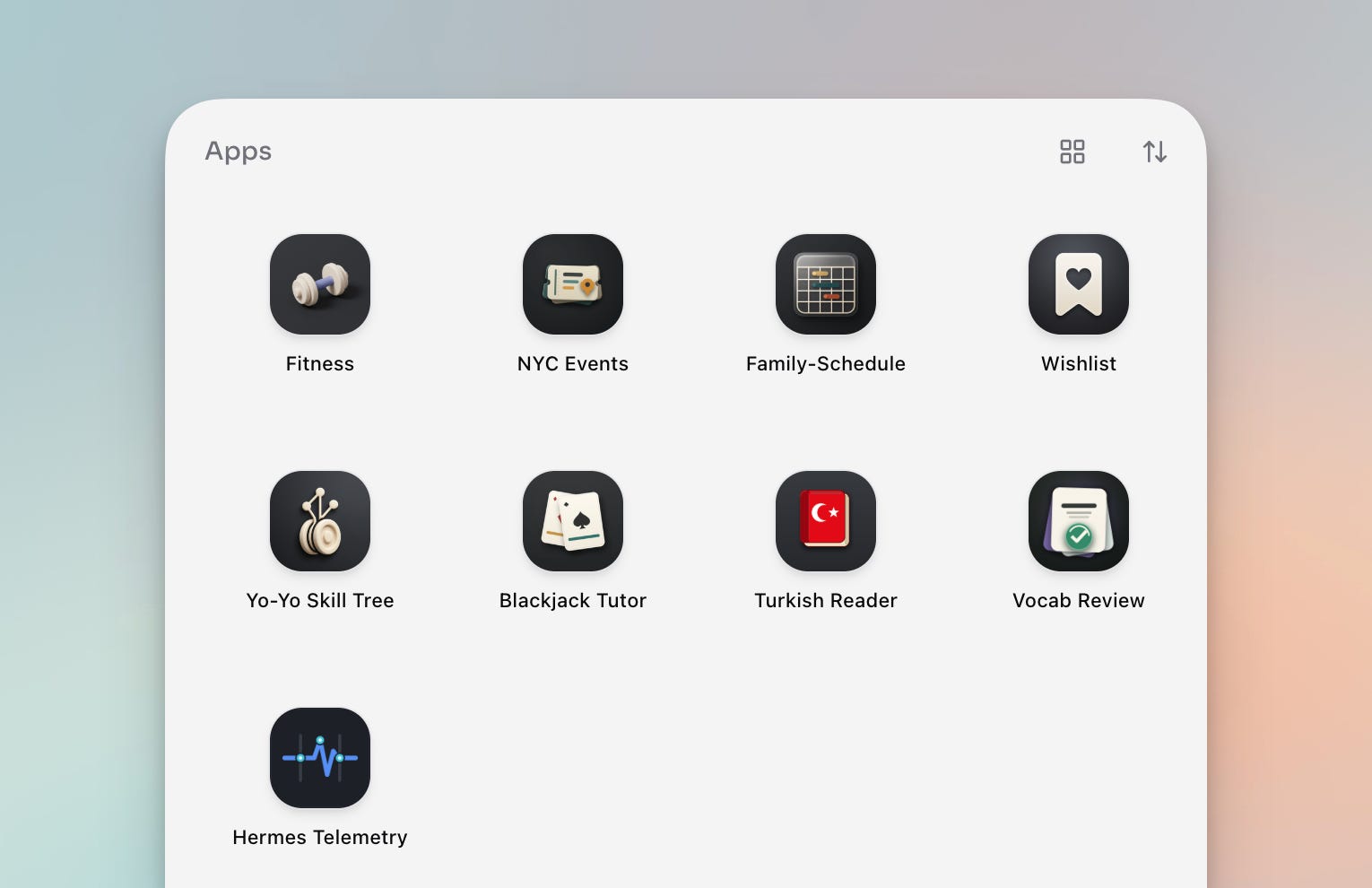
This is where most of the magic happens and where the dream of generative just-in-time UI is starting to manifest itself through messy experiments. Some of these, like the Fitness and Turkish Reader apps, are true shared canvases between me and the agent where whatever we discuss acquires a more structured and interactive shape. Others, like Family Schedule and Wishlist, are just better visualizations of the information I need to keep track of and want presented in a specific way.
For the sake of your curiosity or my own indulgence, I think it’s actually worth quickly running through each app here to give you an idea of the process:
Fitness
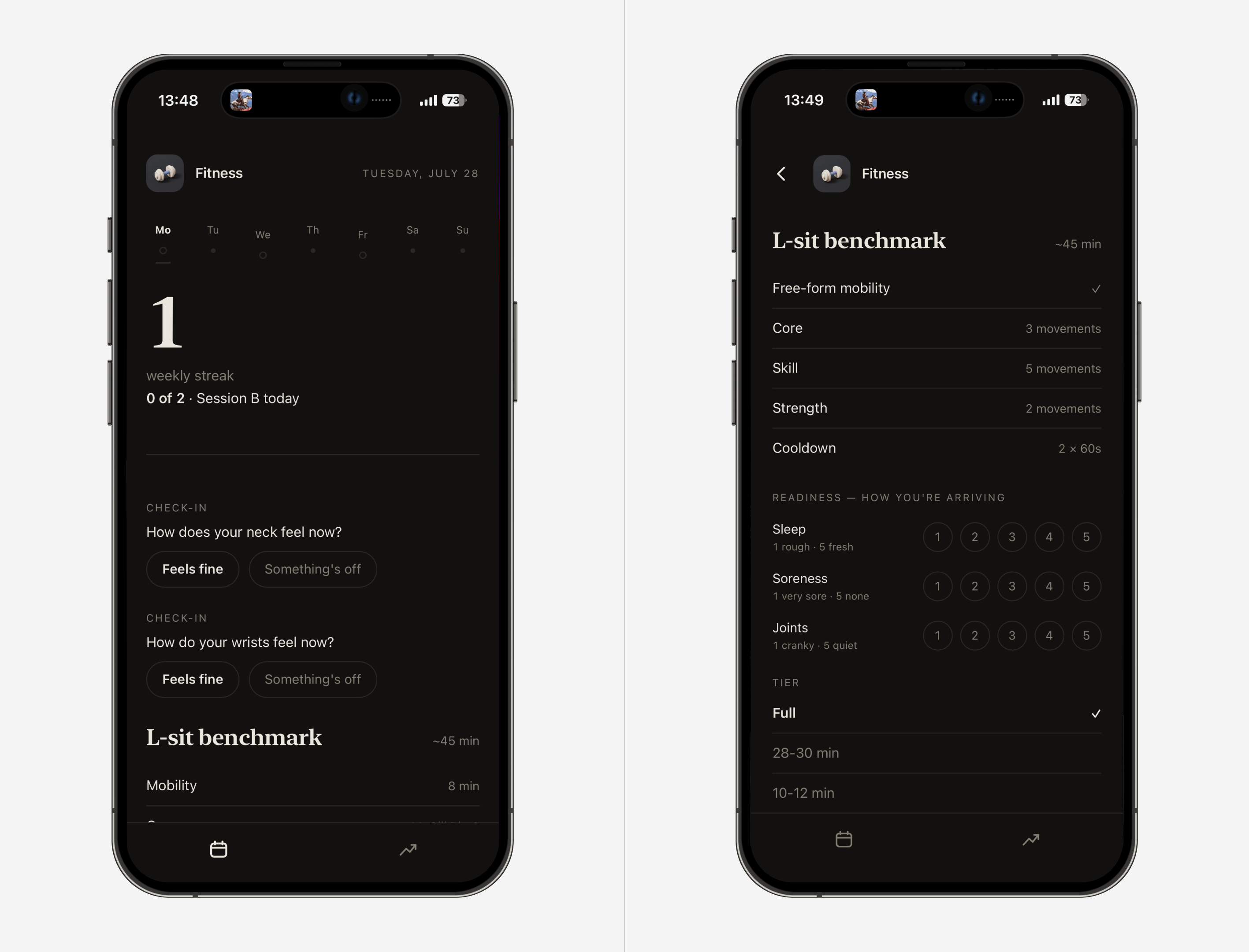
I covered in my Hermes & Obsidian setup article that I’m experimenting with a dedicated fitness coach agent. This is a work-in-progress extension of this experiment and an attempt to take it beyond Obsidian with a generative UI interface, so my agent can effectively drive the UI based on what we discuss and program together.
NYC Events
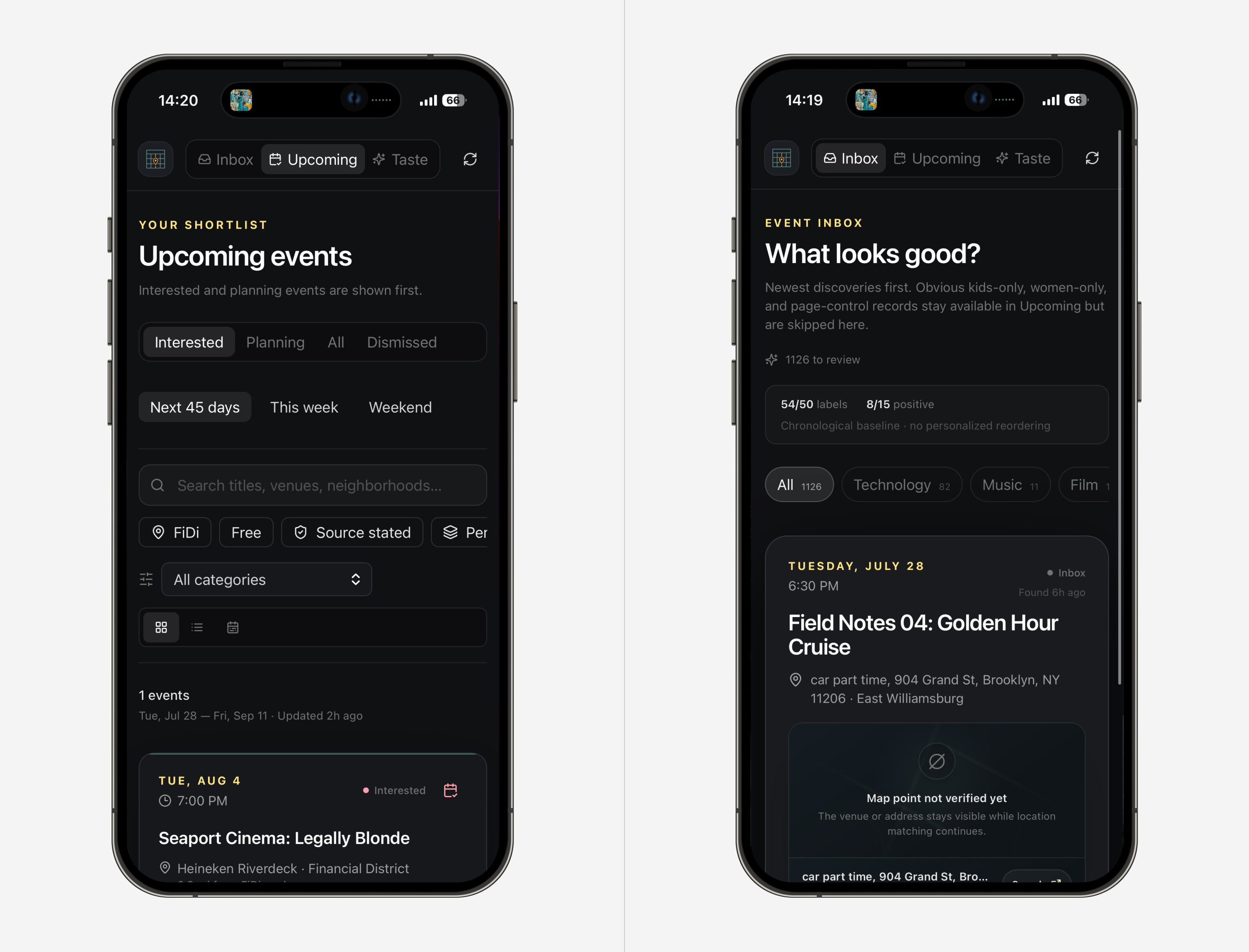
NYC has a thousand things going on every single day, and discovering them is an art in itself - email newsletters, Instagram accounts, separate apps, etc. I got Hermes to build an entire scraping engine to record as many upcoming local events as possible. Now, I’m working with Fable 5 on how to cleanly sort through them and recommend the most relevant ones. Purely experimental for now.
Family Schedule
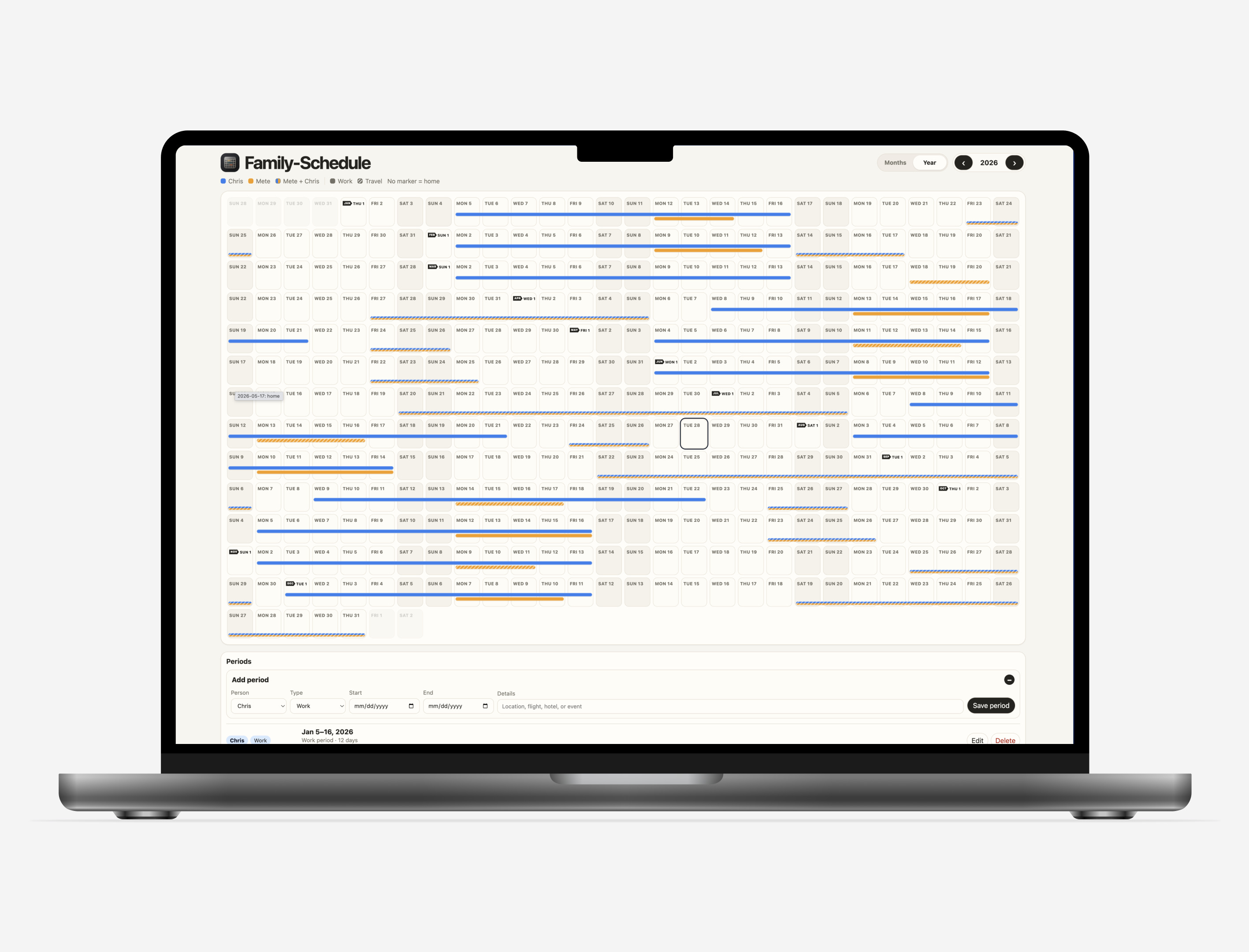
My wife is a pilot who works a 2-week on/off schedule plus random week swaps, overtime, family travel, weddings, etc. I needed an at-a-glance yearly calendar that my agent can drop things into, so I can either check it when I need it or just ask “Are we home on X date?” I stole the idea for the year view from this.
Wishlist
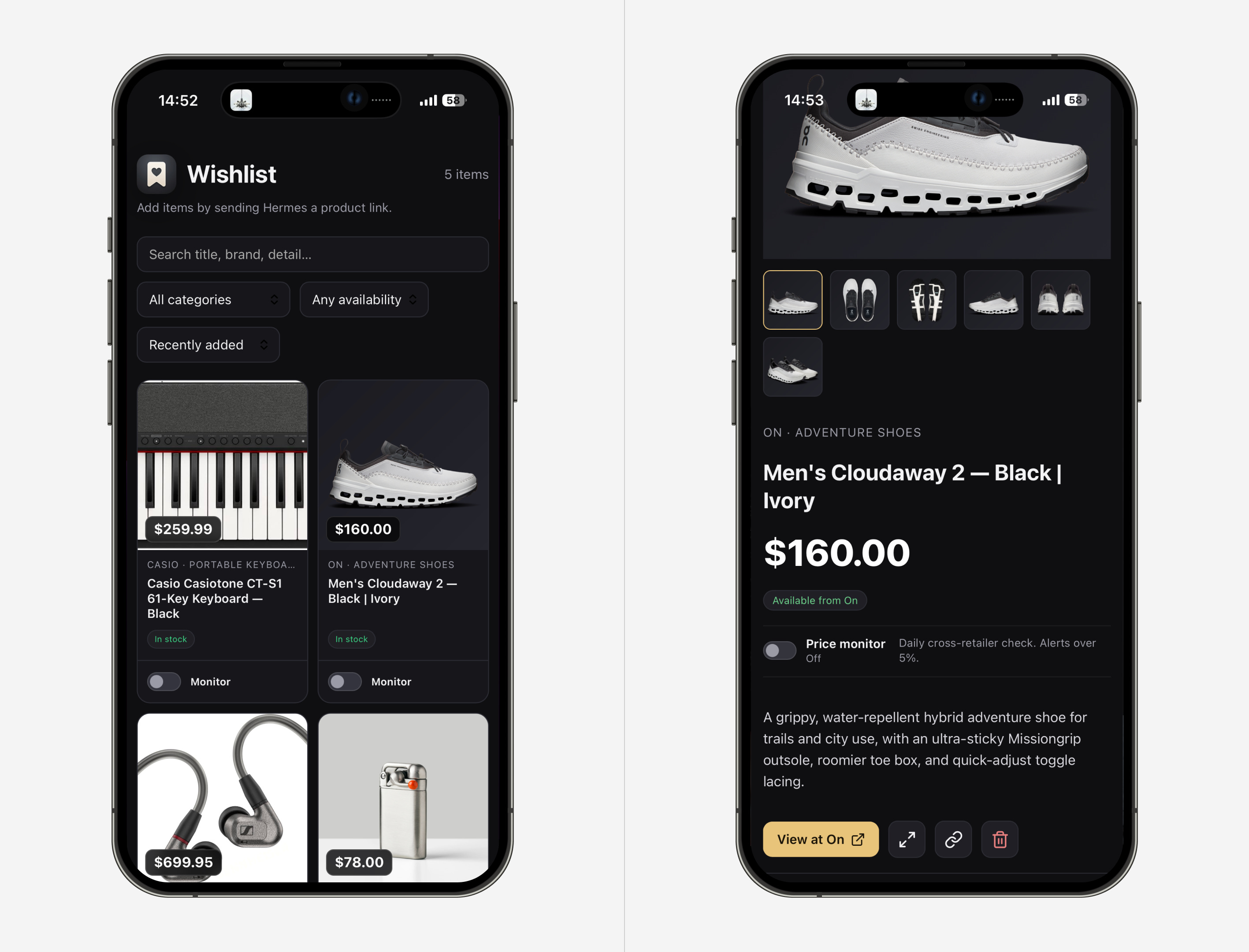
Sometimes wishing for things is more fun than having them, so I built a nicer wishlist. Obviously, this can be accomplished with a bookmark folder, a note, and many other ways. But I like to have it presented nicely with all the metadata. For some of them I also ask the agent to occasionally check price or availability changes.
Yo-Yo Skill Tree
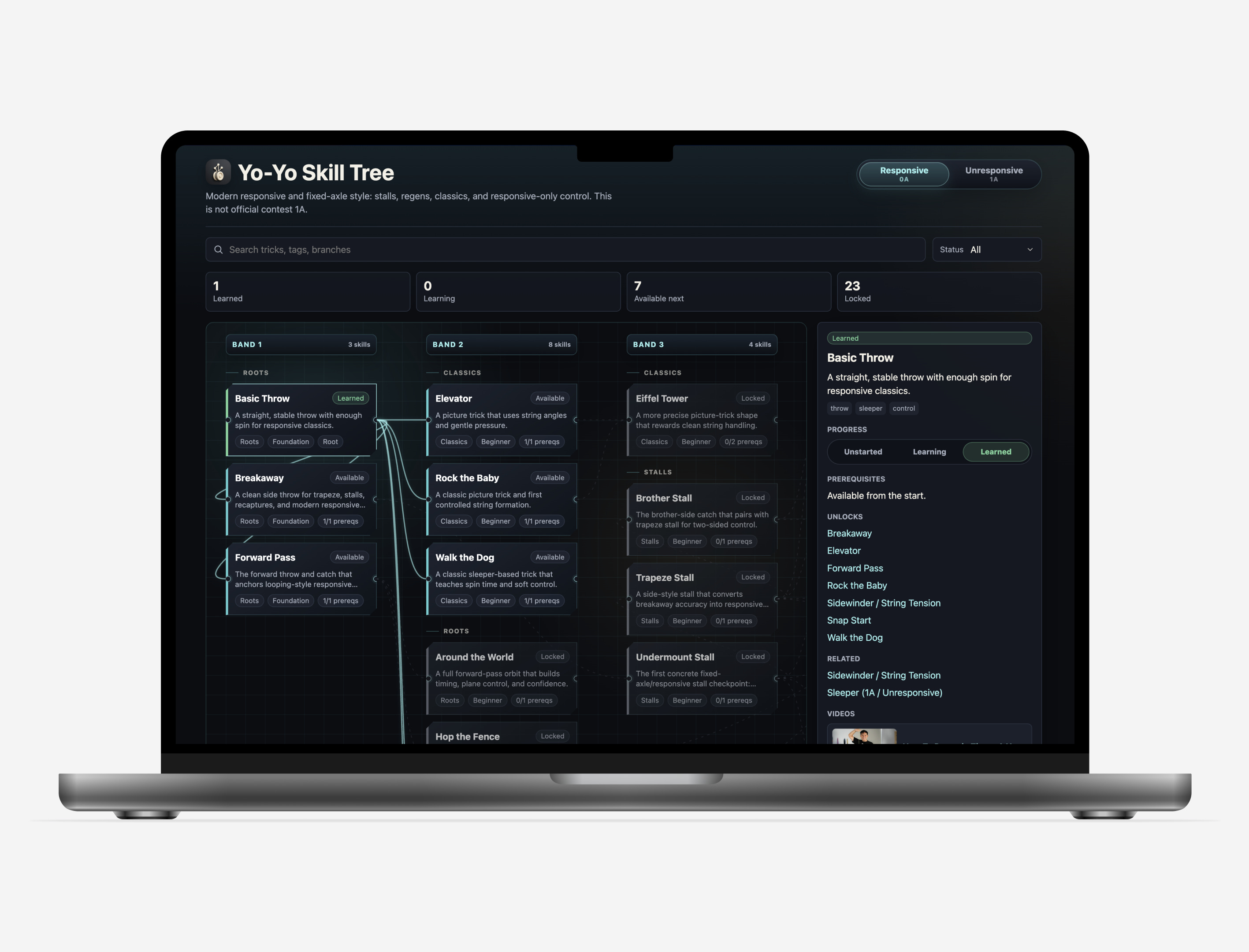
I like to yo-yo but have taken an extended break. As I was coming back to it, I just asked my agent on a whim to create an app with a skill tree with links to YouTube videos so I can keep learning new tricks.
Blackjack Tutor
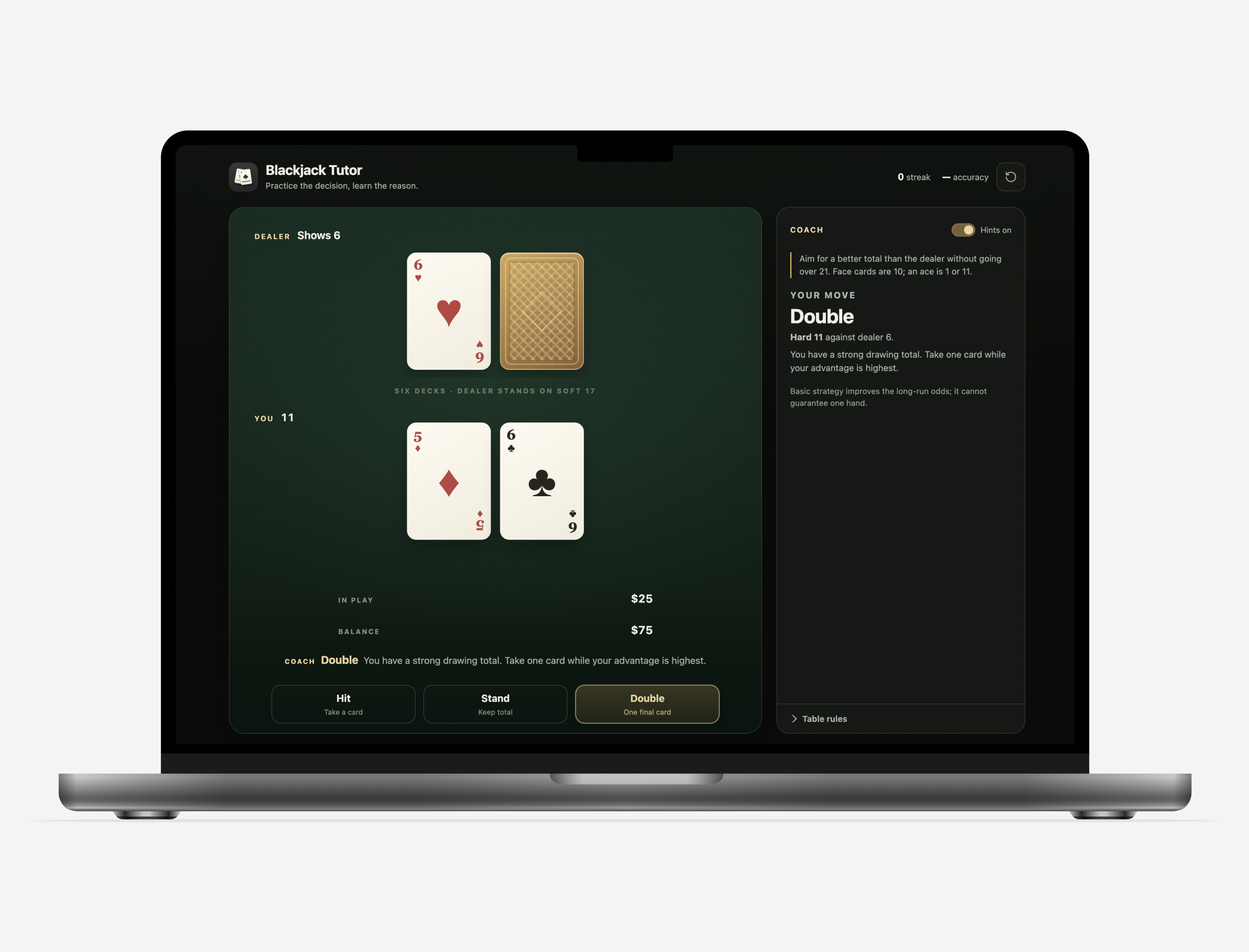
I was visiting Vegas for a few days recently and needed to honor the gambling gods, so I needed a refresher on the game. Sent one voice note asking for a game with coaching cues and a style reference I liked and got a very decent result. Shows that you can pretty easily get classic games thrown together if you want to create your own Sudoku, word puzzles, etc.
Turkish Reader
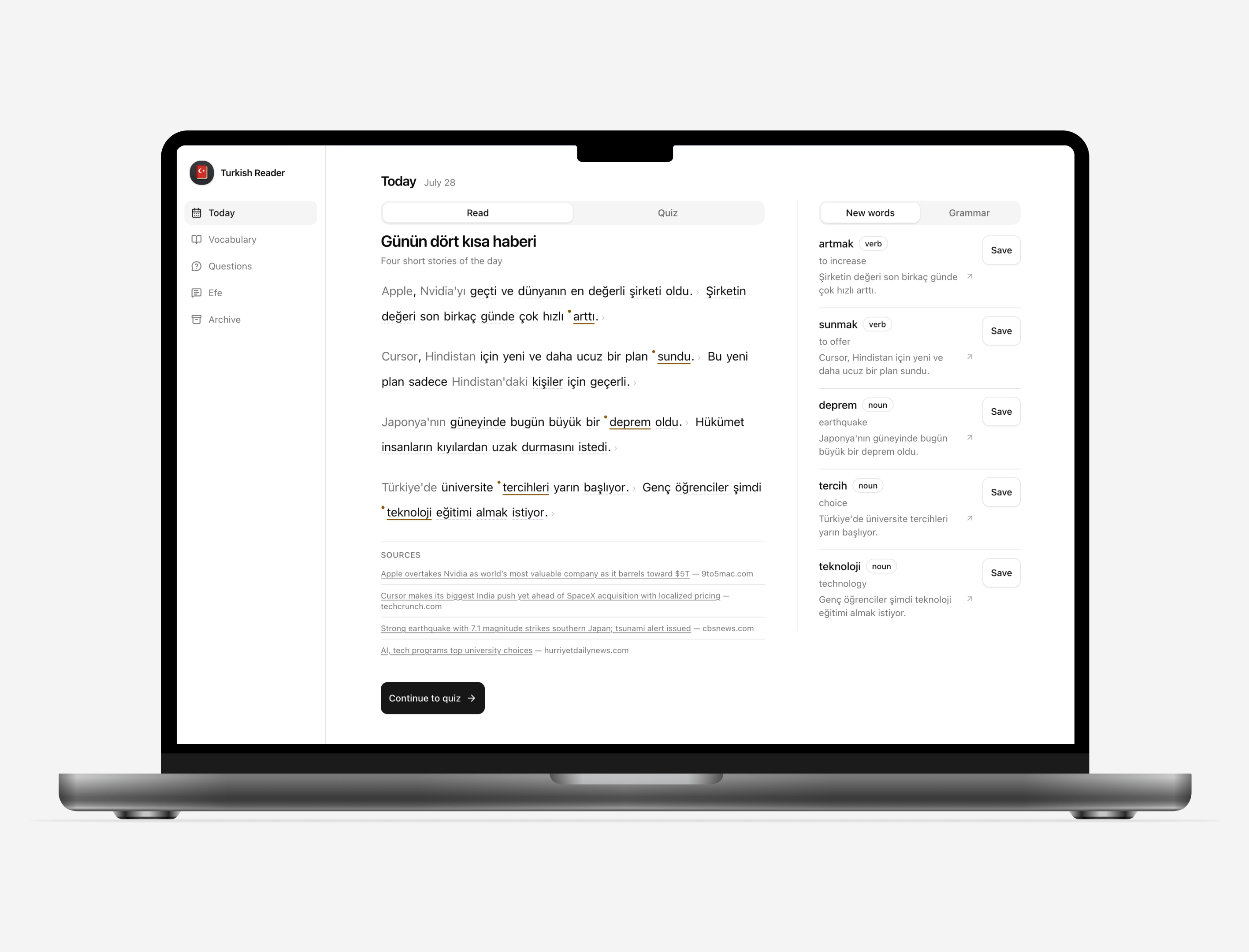
I’ve been trying to learn Turkish on and off for 10 years. I’m currently in my most intense phase of learning so I wanted to build new tools to help me with immersion and comprehensible input. So I built a general app that can load any Turkish text and let me get word / full sentence translations with detailed grammar breakdowns, ways to save vocabulary, and write down questions to ask my real tutor. Right now, I use it for 2 things:
Every day, my Turkish tutor agent creates a short summary of the day’s news in Turkish geared to my current basic level. After that, there’s a simple 3-question quiz.
All messages between me and the Turkish AI tutor are mirrored into a dedicated tab where I can translate his messages and see corrections for mine.
Vocab Review
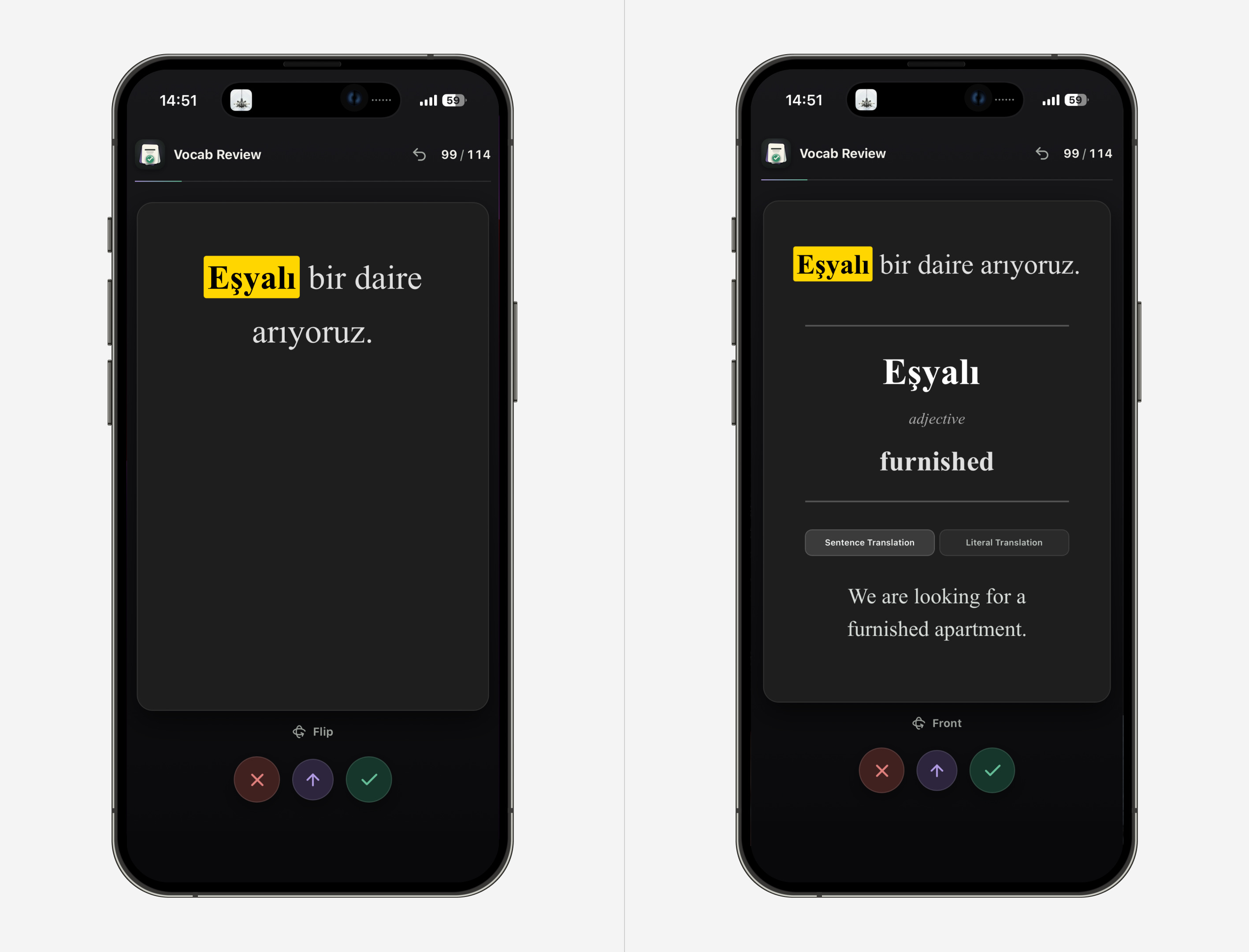
My real Turkish tutor uses Google Docs for our lessons, so I have the agent scan the docs for new vocabulary that I haven’t yet studied and propose new cards for Anki (flashcard software). If I approve them, they get added to the deck.
Hermes Telemetry
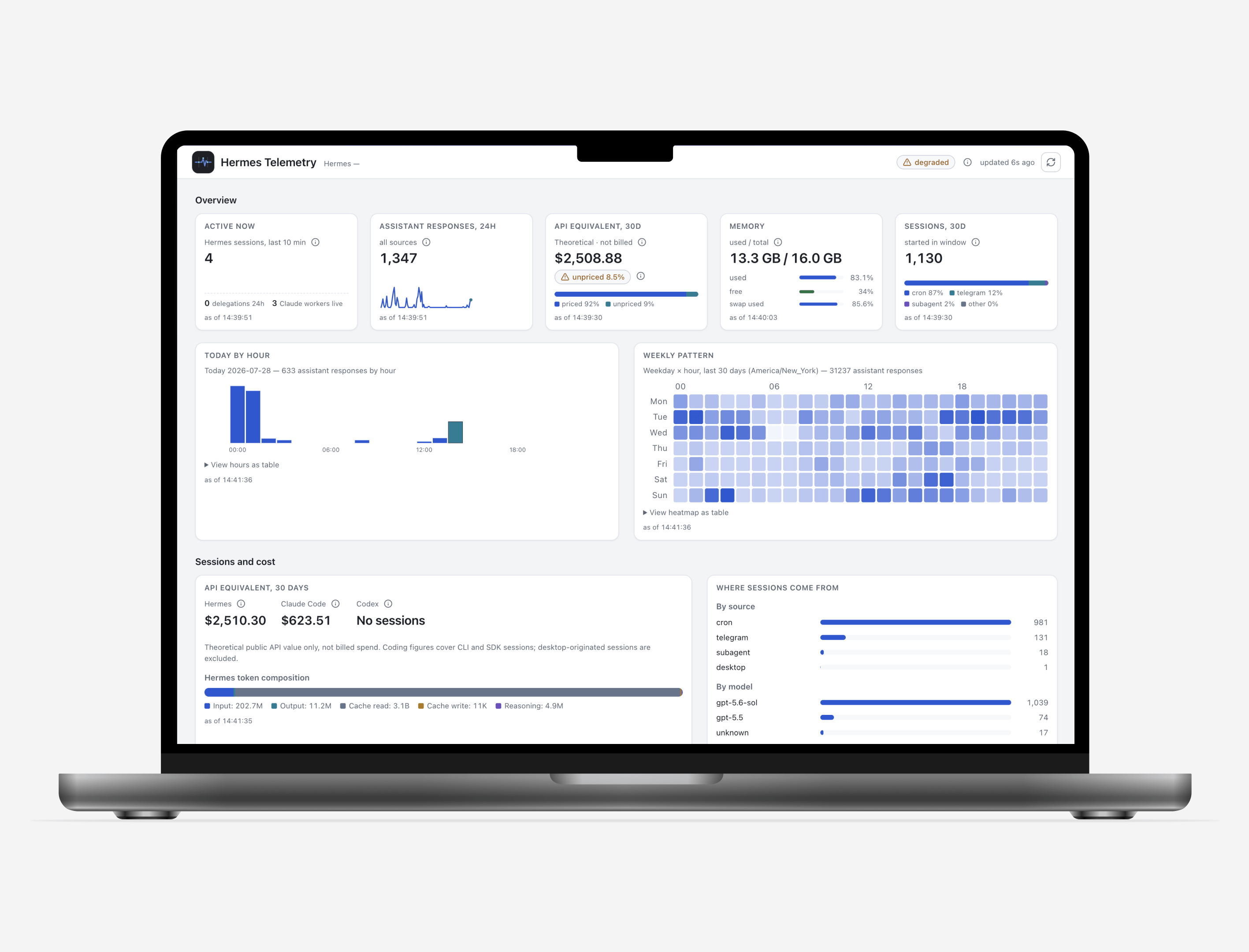
Mostly a fun experiment to see if I can get some visibility into the agent stats like theoretical API costs (I use the ChatGPT subscription but it’s fun to see how much use I get out of it), time-based breakdowns of when I use it most, list of cron jobs, skills, MCPs, etc.
As you can see, it’s filled with a ton of niche apps - some I use daily, some weekly, some will be discarded if they don’t catch on. Many of them also have a shared design system (more info below) so I can spend less time steering these away from sloppy looks and focus more on the functionality I need.
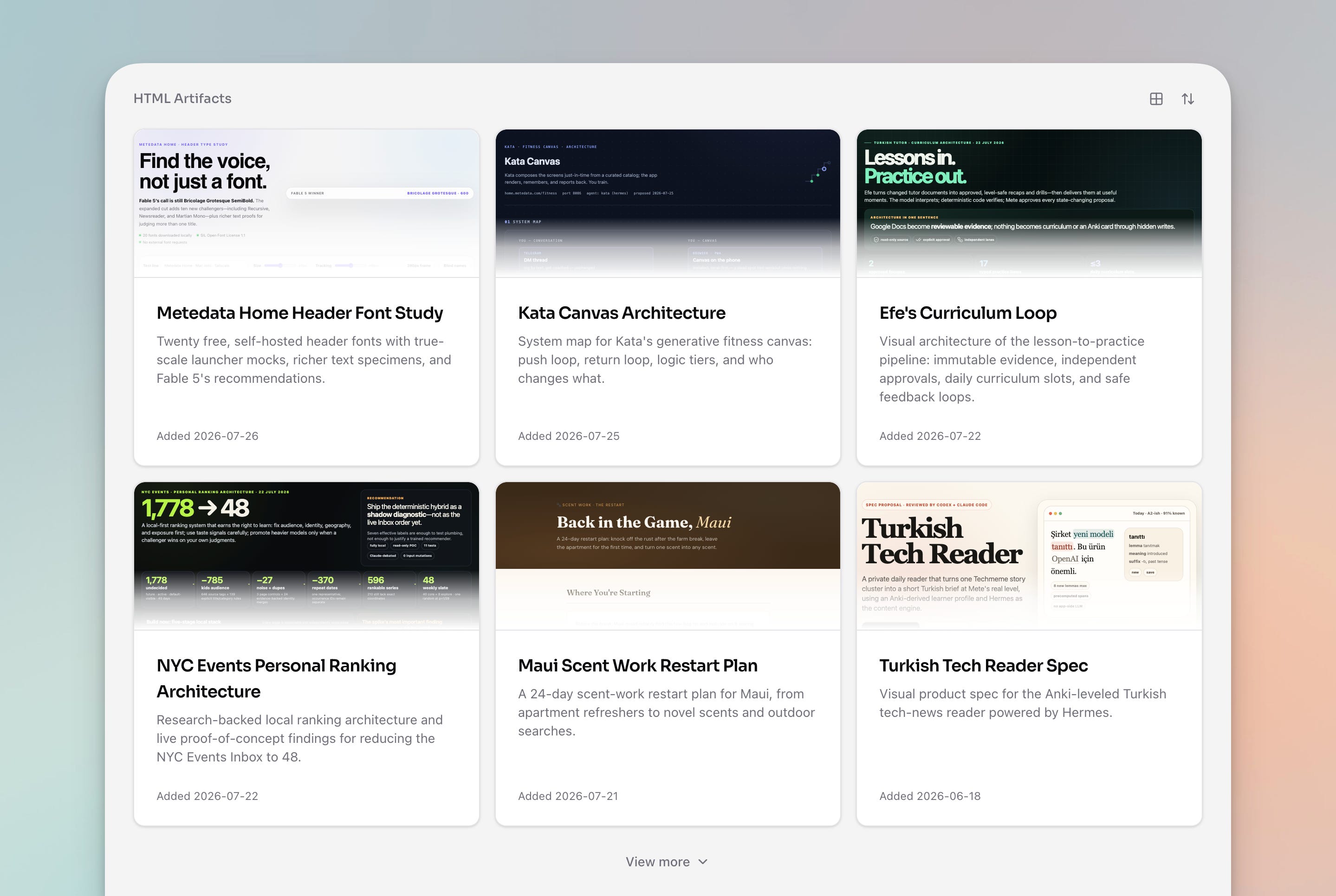
I’ve been leaning more and more on HTML artifacts as a way to visualize and understand more complex architectures and ideas that I discuss with my agent. This is a workflow popularized by Thariq, which I initially had a hard time adopting because these artifacts ended up scattered in AI chats and temporary folders. Now, when I ask Hermes or Codex / Claude Code to generate an HTML artifact, it’s all dropped into this shared home where I can access it easily from any device at any time.
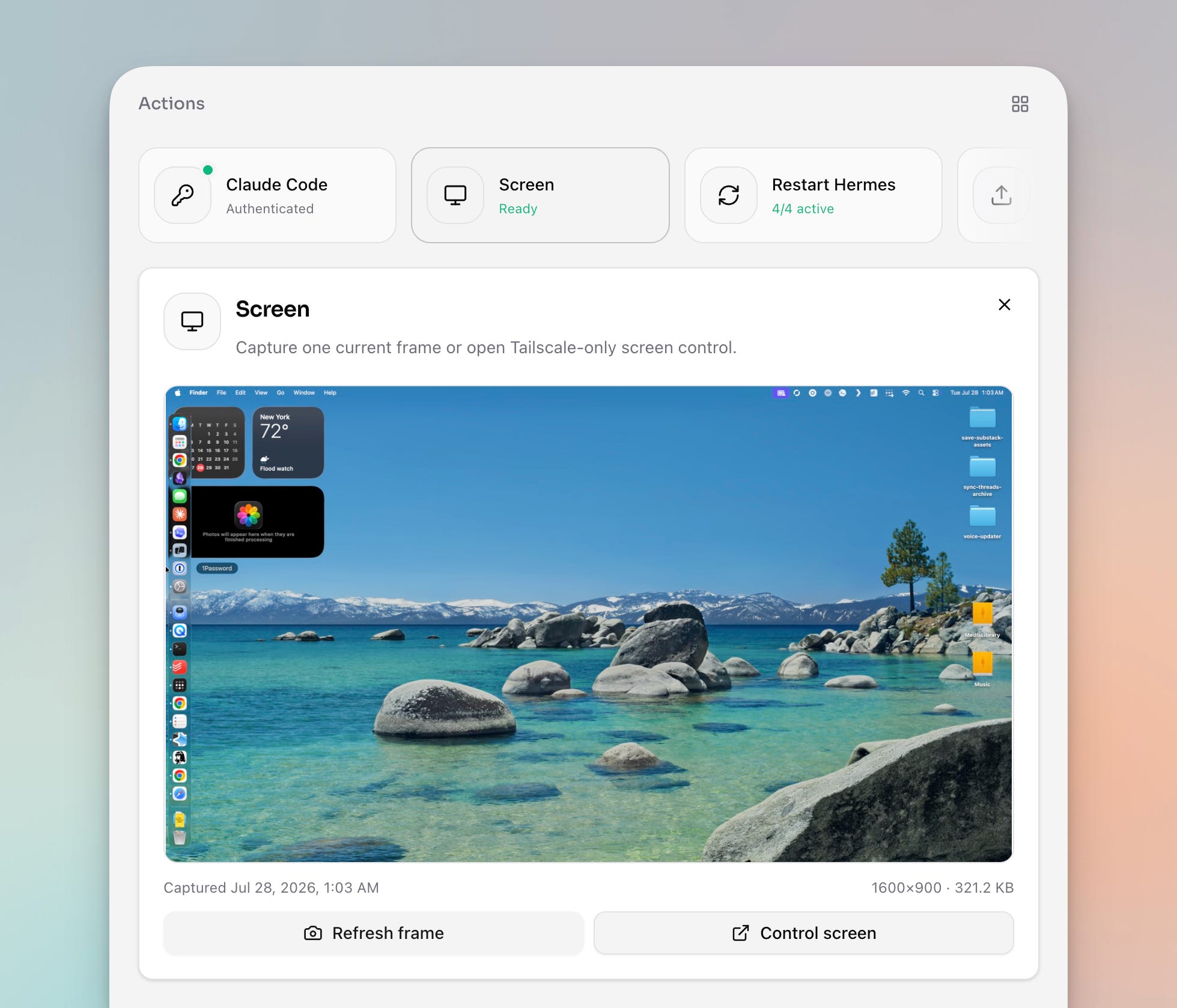
Since all of this is hosted locally on a Mac mini, I occasionally need direct access to the machine to resolve something the agent can’t. So I created a row of quick actions that help me streamline these things and avoid having to juggle a bunch of different apps. This row is also gated behind an additional sign-in and a bunch of other security layers.
Claude Code - I very often ask Hermes to build things using Fable 5 in Claude Code, so it needs to be signed in. Well, Claude Code constantly signs me out, so I built a flow where I can authorize through this homepage (it passes the URL to me and I pass back the token). Before this, I had to manually ssh into my Mac mini from my phone, which I hopefully never have to do again.
Send File - my agents are as cordoned off from my own accounts as they can be, so we don’t share the same filesystem. I have a bunch of things set up, like shared folders, but I also wanted a quick way to send a larger file (Telegram is not always reliable for this).
Restart Hermes - things happen, agents crash. I needed a way to restart them easily without ssh’ing directly.
Screen Share - I like to see what’s going on on the Mac mini “screen” (it’s technically headless but has a ghost HDMI dongle so it outputs an image). If there are some permission prompts or CAPTCHAs, I can take over directly in the browser or native screen sharing.
Credential - I use 1Password for storing credentials for me & Hermes, but it often requires me to directly approve things right on the Mac mini screen. When I’m not at my laptop, I sometimes need to quickly pass some temporary token or cookie value for the agent to do what it needs, so this is a secure gateway to pass it along.
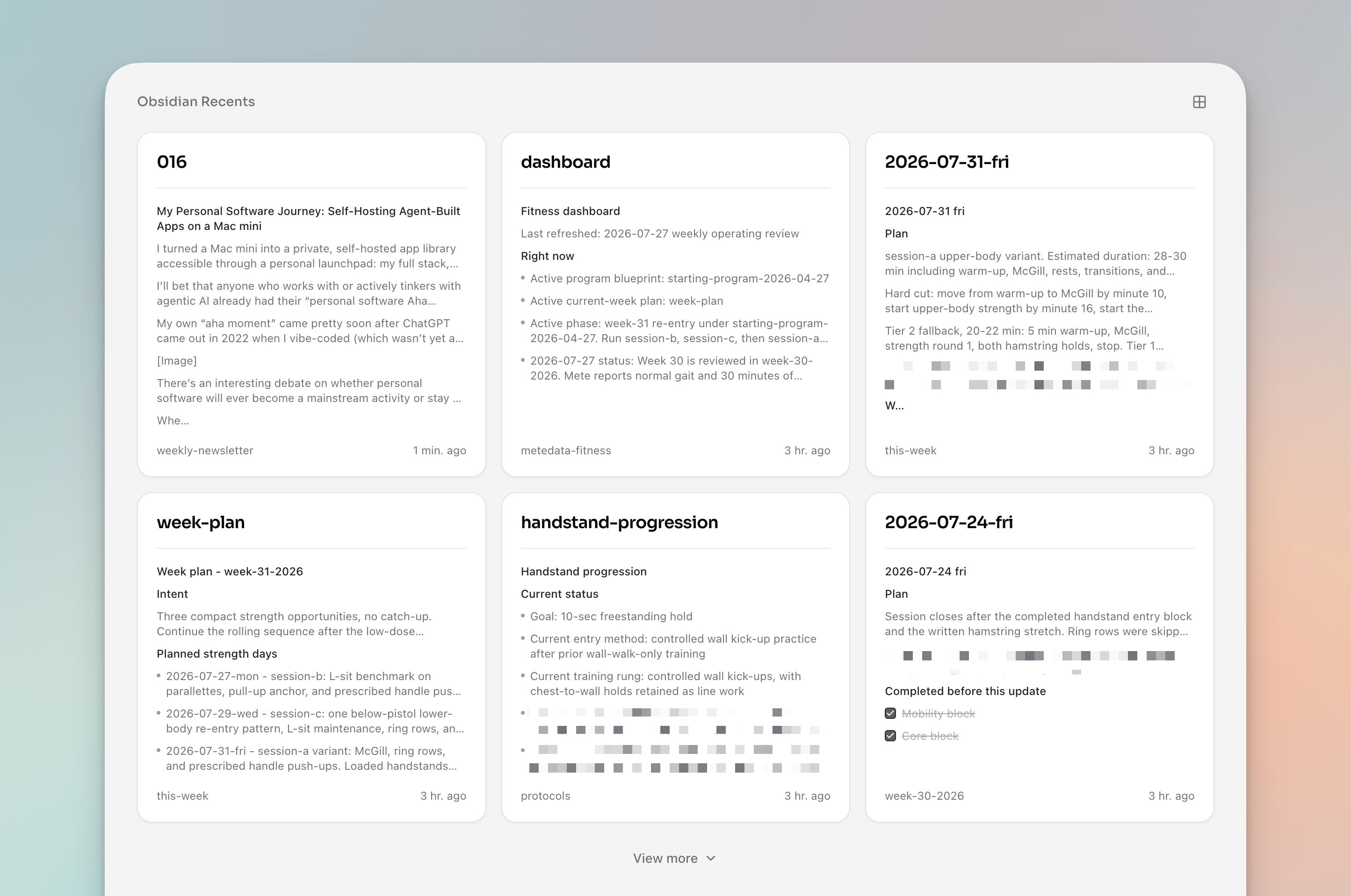
I still use Obsidian quite a lot as a shared canvas with my agents. I asked it to add a quick list of recent notes it touched. Clicking or tapping one of them deeplinks me to the note on my own device, which is super convenient.
If you want to create a similar home for your agent apps and artifacts, Vercel is probably the most convenient starting default. They have a generous free tier, and you could probably hack together something similar pretty easily. And initially this is what I used as well, mostly for one-off previews. But I eventually committed to creating a local solution for a few key reasons:
I can use my own existing domain gated by a Cloudflare sign-in page. You could roll this up with Vercel, but you’ll now be paying monthly for the privilege of using your own domain. If you stick with a free tier, you’ll be swimming in a sea of random and disposable preview URLs.
Hermes and the apps share the same filesystem. This is important because many of these apps don’t have “traditional” backends. In many cases, the backend is a mix of Obsidian notes, local SQLite databases, and Hermes-owned cron jobs. The point is that there’s minimal friction between the agents and the interactive canvas (see my discussion of this principle as it relates to note-taking) - since the agent lives on the same machine, it can access and modify anything seamlessly without auth, structured access, or network roundtrips. The goal is to minimize the friction of accessing the canvas for both the agent and myself, and this local setup accomplishes that.
Some of the apps and actions are interfaces to the machine itself. The Hermes Telemetry app mirrors processes happening directly on the machine. Vocab Review syncs cards to Anki’s desktop app installed on the Mac mini (there wouldn’t be a way to do this from a server). The actions let me control and interact with the Mac directly.
I own the key pieces of the stack. I’m not beholden to random pricing & plan changes outside of auxiliary services like Cloudflare and Tailscale. It also provides an increased fun factor - it’s infinitely hackable and can work exactly as I want it to.
Do you need a Mac mini to accomplish this? Not exactly. You could probably hack this with a VPS (Virtual Private Server) and/or more convenient hosting like Vercel. But the above 4 considerations drove me towards this setup, and I’m pretty happy with it.
All this obviously comes at the cost of some convenience. You need to want to tinker to get this working for you in the way you want. If this sounds like a nightmare, this is probably not for you - hosted, consumer-friendly versions of this will exist in no time. But they’ll always be walled gardens, more expensive, more restrictive, and trailing behind in capabilities. If you wish to push the capabilities and experiment with novel agentic workflows and architectures, then this is for you.
Here’s a brief overview of the stack that’s enabling this:
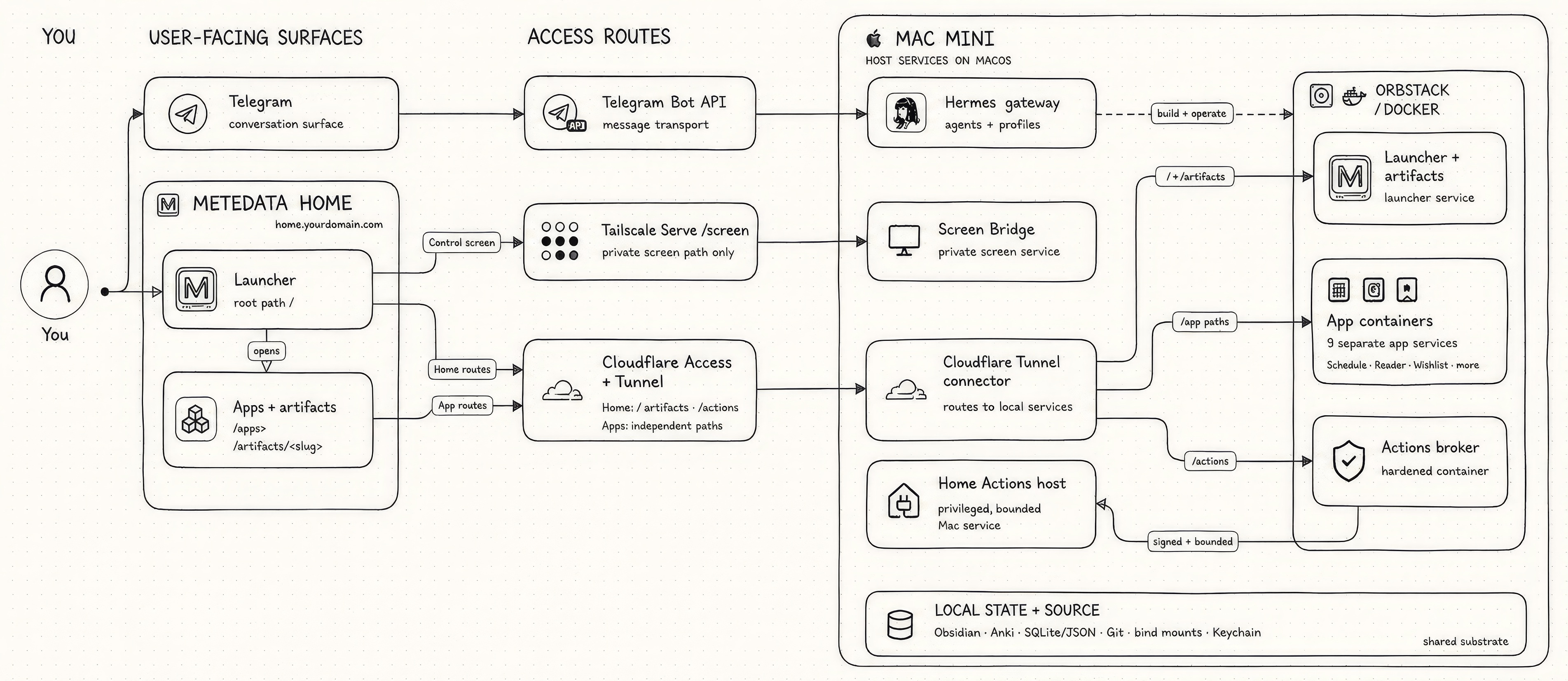
Below are some of the key parts of the stack:
Access routes
Cloudflare Tunnel: outbound-only connector from the mini to Cloudflare’s edge. Zero open ports at home.
Cloudflare Access: Zero Trust login in front of every route, pinned to my email. Actions get their own dedicated Access app.
Tailscale Serve: exposes the screen bridge inside my private tailnet and nowhere else. Also how I SSH in.
Telegram Bot API: message transport between the Telegram app and Hermes.
The Mac mini
OrbStack: Docker on macOS without the overhead. Runs the launcher and nine app containers, all bound to loopback.
Docker Compose: one folder, one app, one compose file. Deploys are boring on purpose.
ClamAV: sandboxed scan on every file upload before it touches Downloads.
ScreenCaptureKit: powers the single-frame screen peek. One frame, no history.
noVNC: browser client for full remote control, bridged to macOS Screen Sharing.
Agents
Hermes: my homegrown agent living on the mini. Gateway, profiles, cron jobs, skills. It built most of what’s above and operates all of it.
Claude Code: assistant builder for more complex tasks. I ask Hermes to use Fable 5 for the most gnarly work.
Codex CLI: the second opinion. Rescue and review passes when a session needs fresh eyes.
ElevenLabs: text-to-speech behind Turkish Reader’s audio.
App fabric
Vite + React + TypeScript: the default stack for every app UI.
Tailwind CSS: styling for all of it.
shadcn/ui: the baseline design system. Ten small surfaces that feel like one product.
fal.ai: image generation behind every app icon.
Better Icons: MCP + CLI the agents use to search Iconify‘s icon sets and drop exact SVGs into the UIs.
Local state + source
Obsidian: the notes vault, on the mini where agents can reach it.
SQLite: app and agent state, with plain JSON where a database is overkill.
GitHub: one private mono-repo, one folder per app, direct commits to main.
This is the current state of my setup. And this article is just a snapshot in time. What’s harder to communicate here is that it’s extremely fluid. Don’t like some UI element? Just ask to change it. Have an idea for a new app on a whim? Just ask the agent to try it. Want to re-architect all of it overnight? No problem. In some ways, this is certainly a form of productive procrastination - build more workflows and more apps to avoid doing the real work. But in this haze, there’s a pretty strong signal of what’s to come - the era of personal software has just begun.
Some are just starting to dip their toes with a little Claude artifact here and there. Some are completely replacing their entire stacks with their own vibe-coded software. I’m somewhere in the middle, but the value of personal software to me is undeniable. And this is my first attempt at organizing it in some form of a rudimentary personal operating system.
This type of prosumer tinkering is often a preview of what will hit the mainstream in the coming years (not always though… VR, 3D printing… ahem). I see most consumer products moving towards the world of just-in-time generative UI with agents as the primary interface - most interfaces will be generated on the fly for tasks at hand. And I’ll keep pushing my own agent setup towards more flexible and generative canvases that can enable novel use cases.
The reality is that this setup took me months of tinkering and back-and-forth sessions with my agent. If you feed this article to your agent, you could easily cut that time to a few days of dedicated tinkering.
If you want to get started in minutes, you can grab the entire setup as a template here or by becoming a paid subscriber to my publication. From there, just hand it to your agent and personalize it for yourself.
The Home template includes:
A one-line agent handoff. Unzip it, open your coding agent in the folder, paste a single line. The agent scans your machine, asks only what it can’t detect, and walks you through the setup milestone by milestone. Steps only a human can do (account sign-ins, DNS, seeing your login wall with your own eyes) come with exact instructions.
The launcher from this post, working out of the box. Same design system, dark and light themes, empty and ready for your apps and artifacts.
Three ways in. Local-only in 10 minutes with zero accounts, Tailscale for all your devices (free, no domain needed), or the full Cloudflare + custom domain setup you’ve seen here.
Security guardrails your agent treats as law. Loopback-only rules, an auth gate before any real data goes in, verifier scripts, etc.
Every playbook my agents follow. The new-app checklist, the deploy loop, backend patterns for resident agents like Hermes and OpenClaw, a skill you drop into your own agent, and the full blueprint for the Actions row.
Metedata Subscription
All my core content will remain free and value-packed. If you do become a paid subscriber, here are some additional value you can expect:
Access to agentic templates, skills, and workflows I use to build and design with AI.
Access to subscriber-only chat for more detailed Q&A with me and an opportunity to connect with like-minded builders.
Draft previews and the roadmap of things I’m exploring and diving deeper into before they turn into more detailed posts.
Influence the direction of this publication. You’ll be coming in on the ground floor of this community.
If this sounds interesting to you, I hope you consider subscribing.
No posts
Comments
Nothing yet. Say the first thing.
Sign in to join the conversation.