
0:00
-0:17
Hi I’m Melanie, a LinkedIn consultant & strategist who turns insider knowledge and sharp strategy into measurable results for ambitious professionals.
Before we get into it, a quick “hello”.
Something I want to do more of here is bring you into the process, rather than publishing at you. You are the reason The Link Tank exists, and your replies shape what I write next.
Here is a poll before you read on. One tap, no wrong answer, and you will see the results build as other readers vote. It tells me where you are actually stuck, which is how I decide what to write next.
Whatever you tapped, it tells me what you need next, and I will write towards it. Today’s piece is for everyone who chose no. 1.
There is a free feature sitting on your profile that answers exactly that problem and many otherwise well-built profiles leave it unused
Here is what brought it to mind this week…
A friend messaged me last month, frustrated. She had spent a year building a respectable LinkedIn presence. Steady posts, a tidy profile, a few hundred new connections. She had almost nothing to show for it. No enquiries, no work coming in from any of it.
I looked at her profile for about thirty seconds and found a major problem. Nowhere on it did she tell anyone she was available to hire or how they would go about it.
This is the failure at the centre of most people’s LinkedIn. They treat the profile as a CV. A record of where they have worked, tidied up and left to sit there. A CV tells people what you have done. It does not tell them you are open for work, and it does not give them a way to start the conversation. That gap is where enquiries go to die.
There is a section built into LinkedIn that closes the gap. Almost nobody turns it on. It is free, it takes about ten minutes, and it does the one thing a CV cannot. It tells the right person you are available, and it hands them a button to contact you.
It is the Services section. Here is why it works, and how to set it up so it actually earns you something.
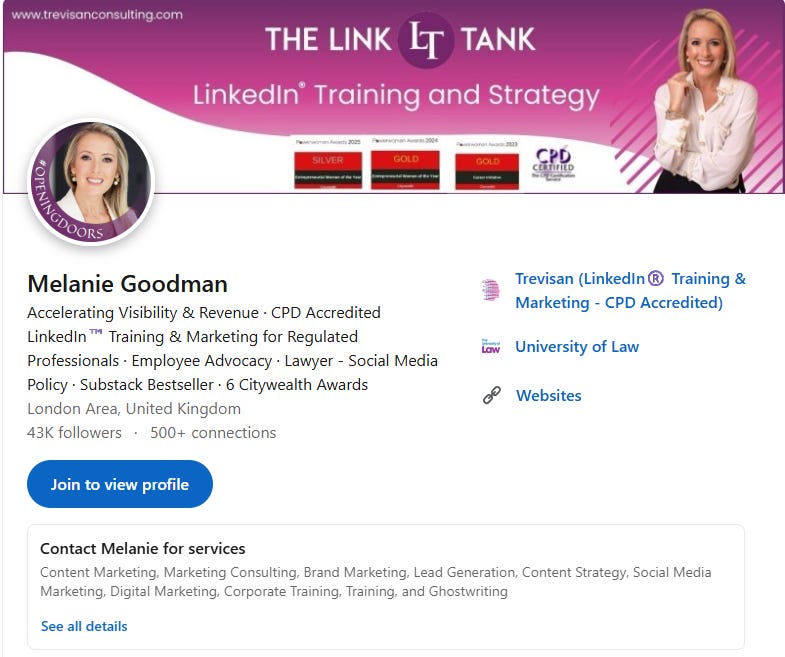
When you add Services to your personal profile, LinkedIn builds what it calls a Service Page. LinkedIn displays a Services module on the profile, though exact placement and labels can vary by device and interface. A panel appears near the top of your profile, above your work history, listing the services you offer.
A “Providing services” line shows under your name.
The feature is free. You do not need LinkedIn Premium, Sales Navigator, or a Company Page to use it.
This is not a feature for everyone. If you are looking for a permanent role, focus first on making your experience, headline and Open to Work settings clear.
But if somebody can hire you - whether you are a consultant, coach, freelancer, trainer, agency owner or fractional specialist - this belongs on your profile. It gives a buyer a route to make contact at the moment they decide they need help.
A Services section is not a magic lead machine. It will not rescue a vague offer, compensate for a profile that gives no reason to trust you, or replace the work of building visibility and relationships.
Think of it as the conversion point, not the whole marketing system. Your content, comments, profile, recommendations and network create interest. The Services section makes it easier for that interest to become an enquiry.
Two things make it more than another box to fill in.
The first is contact. Someone can send you a service request or a message straight from that panel, and in many cases they can do it without being connected to you. That matters more than it sounds. Normally, a stranger who wants to hire you has to send a connection request, wait, hope you accept, and only then work up the nerve to ask. Most of them never get past the first step. The Services section removes every part of that wait and replaces it with a button.
The second is discovery. LinkedIn uses the services you list to surface you when members go looking for that kind of help. I cannot give you a precise number for how much extra visibility this buys you, and I would be suspicious of anyone who claims one. The mechanism is real and it costs you nothing to switch on.
Think about the last time you needed to hire someone. You did not want their CV. You wanted the answer to two questions.
Does this person do the thing I need and are they available right now?
A profile with no Services section leaves both questions hanging. The reader has to guess your availability from your headline, assume you take on this kind of work, then decide whether it is worth the mild embarrassment of asking a stranger. Most people, faced with that much friction, simply move on. Not because they were not interested. Because you made them do the work.
“Providing services” answers both questions before anyone has to raise them. It says: this person is open, and here is exactly what they do. You have taken away the doubt that stops the enquiry before it starts. Far more work is lost in that doubt than in any lack of demand.
Go to your profile. Depending on your layout, start from Open to, Add profile section, or the Services prompt in your intro area and find the option to provide services.
Choose your service categories from the list LinkedIn gives you. Pick the ones closest to what you genuinely sell, and be specific. A consultant should choose consulting and the exact areas they cover, not a scattergun of everything vaguely adjacent. Specific is what gets you found by the person who needs that one thing.
Write the description in plain language. You get room to say what you offer, so use the words a client would use to describe their problem, not the words you would use to describe your process. Nobody searches for your methodology. They search for their headache.
Set your location or mark yourself as remote, so LinkedIn and any human reader can see who you serve and where.
Then turn on the request button. This is the step people skip, and it is the whole point. The value sits in giving someone a direct route to reach you. If the button is off, you have built a shop window with the door locked.
That is the entire job. You now have a working enquiry channel that most of your competitors have left switched off.

Choose services based on what clients buy
Do not choose categories because you can do them. Choose them because you want to be hired for them.
Use this quick test: if someone sent an enquiry for this service tomorrow, would you be pleased to receive it, clear on what to sell them, and able to deliver it well? If the answer is no, leave it off.
Start with your core offer, the two or three adjacent services that naturally lead into it, and the language your best clients already use.
Use this description formula
I help [specific type of client] achieve [commercial or professional outcome] through [your service].
Best suited to [type of project / stage / problem].
Typical support includes [three concrete deliverables or areas].
To discuss a project, send a request with [what you need / timeframe / objective].
Example 1 LinkedIn Coach: I help consultants and professional service firms turn LinkedIn into a clearer route to visibility, credibility and qualified conversations. Support includes profile positioning, LinkedIn strategy, content systems and team training. When you enquire, tell me what you are trying to achieve, who you need to reach and when you want to begin your campaign.
Example 2 - Financial Planner: I help professionals, business owners and families make clearer, more confident financial decisions for the life they want to build. Support includes cash-flow and wealth planning, retirement planning, investment strategy, protection and long-term financial decision-making.
When you enquire, tell me what you want your money to enable, the financial decisions you are facing and when you would like to begin.
Example 3 - Business Coach
I help founders, consultants and service-business leaders build more focused, profitable and sustainable businesses. Support includes business strategy, offer development, pricing, sales and marketing systems, leadership support and accountability.
When you enquire, tell me what you want to improve, where the business feels stuck and when you want to begin.
OR
I help ambitious business owners move from reactive day-to-day work to clear priorities, stronger leadership and sustainable growth. Support includes strategic planning, decision-making, team leadership, commercial focus and practical accountability.
When you enquire, tell me the outcome you are aiming for, the main challenge you are facing and when you would like to get started.
➡️ Set a response rule before you publish
Do not switch this on and check it once a month. Decide now that you will review new requests every working day and reply within one business day where possible.
A simple first reply is enough:
“Thanks for getting in touch. I’d be happy to explore this. Before I suggest the right next step, could you tell me your goal, deadline, budget range and who will be involved in the decision?”
The feature gets the conversation started. Your follow-up determines whether it becomes work.
Setting it up, then forgetting it exists.
Treat reviews as evidence, not decoration
Ask for a review when the client has just experienced the outcome - not six months later, when the detail has faded.
Make the request easy to answer. Instead of “Would you leave me a review?”, ask:
“Would you be happy to leave a short LinkedIn service review? It would be especially helpful if you could mention the problem we started with, the work we did together and the result or change you noticed.”
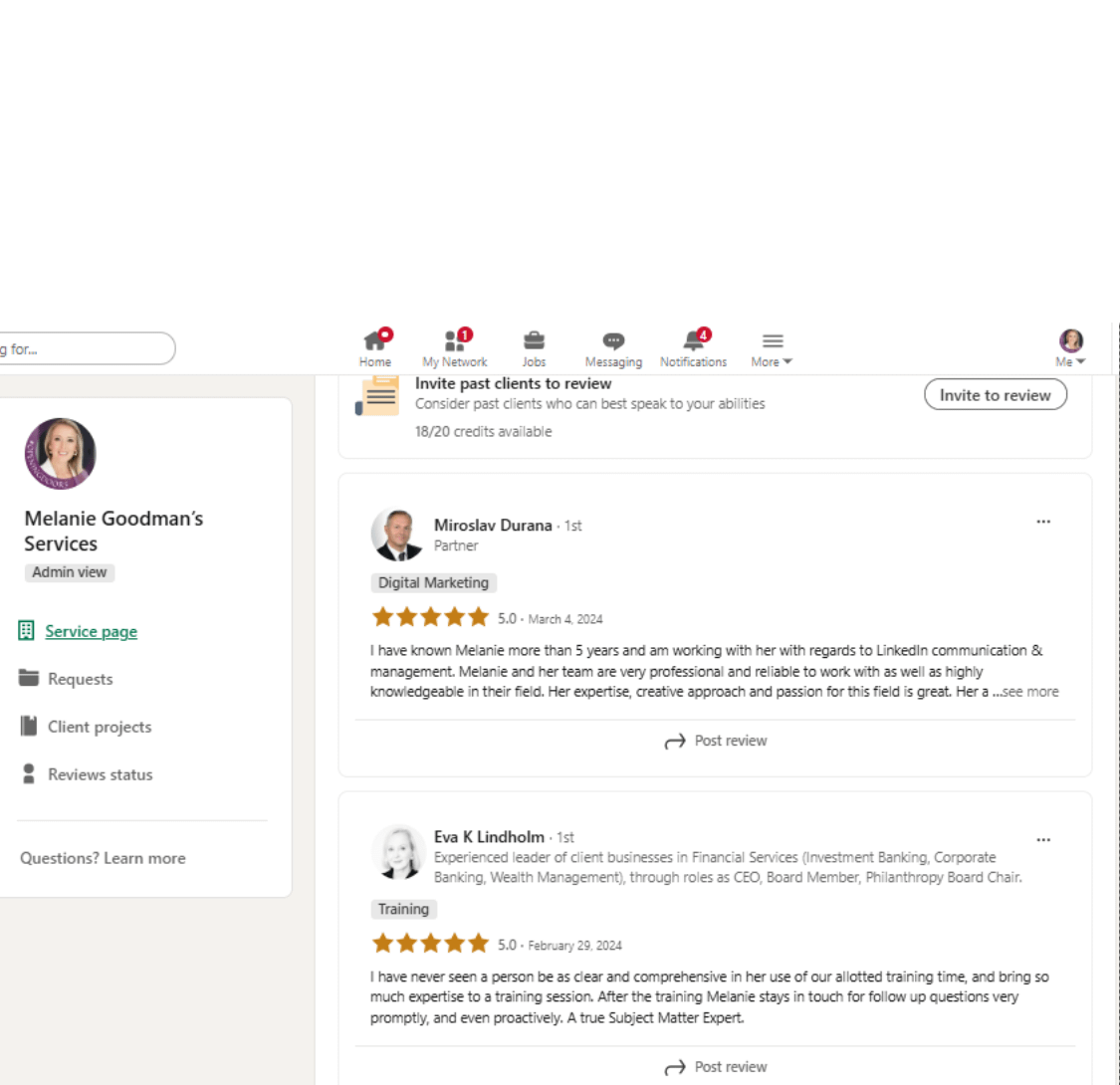
They are other people saying they trusted you and were glad they did, which is the only proof a prospective client actually believes.
An empty Services section still helps, because the “Providing services” signal keeps working in the background regardless. A Services section carrying real reviews closes the deal while you sleep. The habit to build is small. Finish a job, ask for the review while the work is fresh, move on.
LinkedIn keeps inventing features that ask for your money. This one asks for ten minutes and gives you a standing line for enquiries in return. It is sitting on your profile right now, switched off, doing nothing for you.
My friend turned hers on that afternoon. She had her first enquiry through it within the fortnight, from someone she had never met and would never have reached through posting alone.
Go and turn yours on this week. Then watch who walks through the door you just unlocked.
If reading The Link Tank has you thinking about your own LinkedIn, there are two ways forward. Do it yourself, using everything I share here or have it done for you.
Luminaries is the done-for-you route. My team and I build your thought leadership strategy, write and publish three posts a week in your voice, and grow your network with the right people. You stay focused on your work while the right opportunities start to find you.
No ad spend. No gimmicks. Everything grows from your own profile.
We are onboarding for September and places are limited because the work is hands-on.
Comments
Nothing yet. Say the first thing.
Sign in to join the conversation.