
With LinkedIn data entered and the headaches of Apple Contacts sync gone, the focus shifted from “keep two systems in step” to “make this one system actually useful.” Over the next ten days we built out the interactions and follow-up layer, which has turned out to be the piece that makes this feel like a real CRM rather than a contact list.
Every meeting, call, email, and text with a contact now lives as a row in an `interactions` table with a type, a direction, a timestamp, and a source. The `follow_up` data hangs off that with tasks linked to a contact, optionally linked back to the interaction that spawned them, and with due dates, priority, and a status descriptor. The `relationship_strength` field on contacts (0 to 5) drives an auto-reconnect system that generates follow-ups for people going stale based on how close the relationship is: a 5 deserves a nudge every few weeks, a 2 can go a quarter.
Three pollers feed the interactions table. A daily calendar poller scans the last seven days of calendar events and imports any that have a contact id tag in the title or notes and by putting it in my lunch and meeting titles my calendar becomes the source of truth for scheduled contact lunches, meetings, and zooms without any duplicate data-entry. A daily iMessage poller reads the Messages database directly and logs outbound 1:1 texts as interactions; a second job prunes text rows older than 90 days since chat.db is authoritative and I don’t need a second copy of the whole history. An hourly Gmail BCC poller watches a dedicated `+crm` address. If I BCC that address on an important email and the poller matches the To: address against the CRM it creates an interaction record. Email campaign sends (see the next section) also get logged into interactions, so the activity report shows a unified timeline across messages, emails, and email campaigns.
Claude built a reporting layer on top of it all as well. There are twelve markdown reports generated, each invokable from a macOS Shortcut that writes a timestamped file to the Desktop: Dashboard, Contacts-by-company, Contacts-by-tag, Contacts-by-strength, Stale-contacts, New-contacts, Activity, Text-summary, Follow-ups, Campaigns, Replies, and Last-contact.
It’s a pretty comprehensive system, and when I think of something else needed, it’s a matter of minutes to add.
On Day-3 of the project (my birthday) we began work on a CRM “email campaign” system. The core of the system was seven tables providing definitions of the campaign (people to send to, email templates, etc.) with enough structure to model recurring or fixed-date campaigns with per-date templates, deduplication send logging, and inbound reply attribution. To get out into the world, Claude built a Gmail API sender with authentication and custom message headers; the headers let the system do reply detection later to find the thread.
The same day Claude added the operational pieces around it, including a daily runner which figures out which campaigns are due today, finds the right template (date-specific first, default fallback), renders merge fields per recipient, sends via Gmail, logs the send, and emits a Mail.app alert if anything looks off. Then the system reads back the inbox via the Gmail API and matches threads against my logged messages, populating `campaign_replies`. Two timed background processes schedule them: the runner at 8 AM, the reply checker at 10 AM. There is a command line interface for everything else: create a campaign (recurring weekly/monthly/quarterly, or a list of fixed dates), add recipients by tag or by company or by individual contact ID, set templates, preview the rendered output before sending, activate/pause, view stats. By that night I had the full lifecycle covered without ever opening a database tool.
Two later integrations folded the campaign system into the rest of the CRM. Claude added a campaign id column to the interactions table and changed the runner to log each successful send. Claude also added a `replies` report.
In summary, we added a seven-table schema for campaigns, built a Gmail API sender with authentication, wrote a campaign runner, a reply checker, and background processes plists for scheduling. The first test blast went out the afternoon a week after I first prompted Claude, and I actually got some nice replies. Success!
With the system stable and with the potential to generate email campaigns, I spent several days on data cleanup. We split `email` into `work_email` and `personal_email`, and Claude wrote reusable DBeaver SQL scripts for common operations (change company, update email, delete-and-merge), and standardized company names. I also did my first full browse audit of every contact, page by page (71 pages of them) merging duplicates, fixing garbled names, and converting things like “East Hampton Grill” from a contact to a company where they belonged. Frankly, this week was a grind.
The next week we imported 56 Substack subscribers, tagged them, and moved on. Then I requested and Claude built a “quality of life tool” to make the day-to-day operation of the system more straightforward: a SwiftUI macOS app called “CRM Lookup” so I could look up contacts without opening a front-end GUI tool or burning up tokens in Claude.
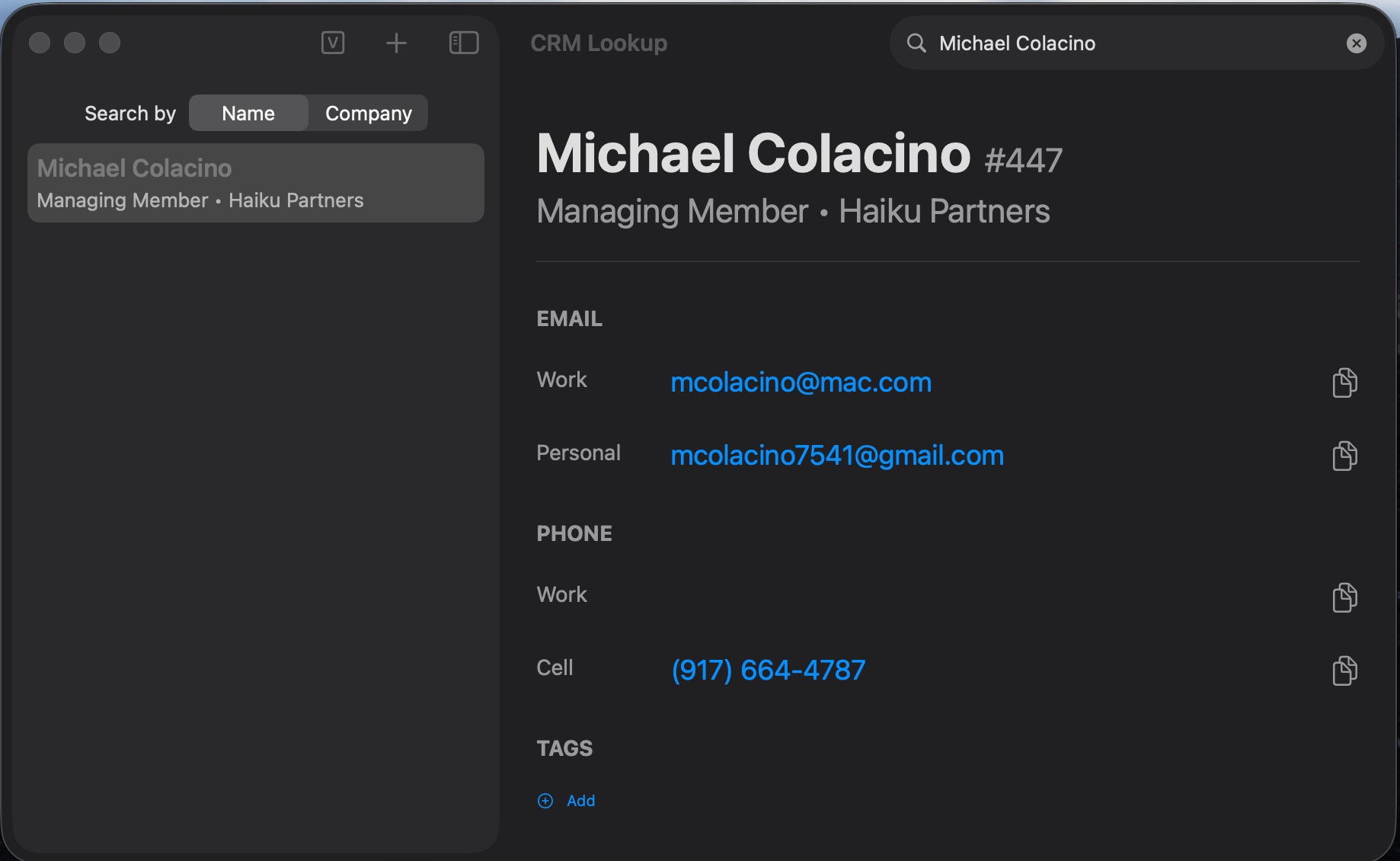
While it is great to have a nifty Swift application to find contacts and companies quickly, by far the most powerful part of the system is: I can talk to it.
Almost every operation that I would like to perform on my CRM data can be entered or requested directly through Claude Desktop or Claude Code. To accomplish the former task Claude built a custom MCP server with high-level CRM tools so Desktop Claude could call a tool-chain with things like `change_company` and `get_contacts_by_tag`. So I can just enter the chatbot and say “please add the following v-card” and it does all the steps needed including extracting the contact, connecting him/her to the company, and getting ready to track interactions with that person via calendared meetings, email campaigns, important emails, and texts.
While adding great new features happened quickly along the way, there were several data cleanup steps that absorbed time and tokens. One of the things that needed to happen on my messy data was to reconcile nicknames. We created and ran a nickname duplicate finder: “Jim” and “James,” “Bob” and “Robert,” maiden names, credentials like “MAI” hanging off last names, and did multiple merge passes, to consolidate a hundred contacts took an entire evening.
This brings up a fundamental limitation that needs to be understood about LLMs: they are not connected to the world, but only to the vast corpus of probability-weighted text out on the internet. So a human would immediately see that Jon Vandelay and John Vandelay are probably the same person, but without explicitly setting up a transliteration table, Claude doesn’t immediately see that.1 And the same goes for maiden names, hyphenated names, European multiple last names, etc. This means that using Claude as a data cleaning agent (which many feel is a great use for an LLM) is much more complex and painful than it might at first appear: lesson learned.
Over the past four weeks Claude and I built a system for keeping track of the people in my professional life. It pulls together everyone I know from three places I had them scattered (my old Airtable contact list, my Apple address book, and my LinkedIn connections) into one organized, searchable place. More importantly, it remembers things for me: every meeting, call, text, and email is logged automatically, so when I sit down to write to someone I can see at a glance when I last talked to them and what we discussed.
The system:
Finds anyone in seconds. I can search by name, company, phone, or email through a small Mac app or just by asking Claude in plain English.
Remembers every interaction. Every meeting, text, and email gets quietly logged against the right person, automatically. The question “when did I last talk to Jon?” gets answered instantly.
Tells me who I’m losing touch with. Each person has a closeness rating, and the system suggests reach-outs based on how close the relationship is.
Tracks my to-dos with people. “Call Sarah next Friday,” “send Bob the document” all attached to the right contact, sorted by what’s due when.
Orchestrates lightweight email campaigns. Personalizes, sends through Gmail, watches for replies, reports back on who got it and who responded.
Generates reports on demand. A dozen different views such as who I’ve contacted recently, who’s overdue, who’s at a particular firm, how a campaign performed. And adding reports takes a minute.
Cleans up after itself. A built-in quality check looks for duplicate people, missing names, and mistyped emails, and flags them for review.
After removing duplicates and cleaning out junk (out-of-business companies saved as people, voicemail accounts that aren’t really contacts, that kind of thing), I’m left with 3,674 people and 2,092 companies in one tidy, organized list.
The initial port of the data went smoothly, but two days in, a script Claude wrote to add foreign-key constraints used a command which destroyed the junction tables that held tags and company relationships. There was no backup; the database wasn’t kept in version control because it contains personal data, so the live working file was the only copy. Recovery was only possible because we had kept the original Airtable JSON exports. Claude re-ran the whole migration and we lost about a day’s worth of post-migration cleanup work in the process.
Although my contact records came across from Airtable to the personal CRM, there was lots of reformatting that had to be done, and lots of holes in the data that I just hadn’t kept up over the years. Records had been entered with first and last names in the wrong fields, with full names crammed into a single field, or in a few cases with no real name at all, just a guess pulled from the email address. This wasn’t a failure of the project; it was a failure of expectation which ran head-on into my lax data hygiene over the years. The software wasn’t the weak link: I was.
The Apple Contacts port was more problematic, and eventually I abandoned the bidirectional sync entirely. Two things made it intractable. The first was the same problem as Airtable, only worse: my contact data had been kept loosely for years, with no audit tool to tell me how bad it had become, and the Contacts app’s data model didn’t match the structure I needed for the CRM.
The second was that Apple’s own stack fought us. Records that lived in both iCloud and Google appeared once in the interface but existed twice underneath; my writes raced against Google’s background sync; and the system couldn’t tell the difference between a field I had never set and a field I had deliberately cleared, so manual cleanups would silently revert on the next sync. After many hours of trying to make it converge, I accepted that the CRM was going to be the only home for this data, and Apple Contacts was going to be a passive autocomplete store for Mail and Messages.
While on balance the port of the LinkedIn data goes strongly in the win column, it had an Achilles heel. LinkedIn is famously stingy about sharing connection email addresses: only 70 of my 2,576 connections came with one (less than 3%). Over the past few weeks I’ve raised the email coverage on the LinkedIn imports from that meager 3% to roughly 38%, partly through clever guessing.
This article began with a question about the transformation of the software world from generic to individualized. Did the project support the idea that this is happening right here and right now? The honest answer is: yes, but with some caveats.
One of the things holding back that transformation is a paradox built into the idea of bespoke. In all software development there is “scope creep” and by doing ultimate customization and being both the user and project leader, the scope is going to creep a lot.
In the case of this project what began as a simple port of a hacked together Airtable CRM turned into a miniature version of something like HubSpot. This isn’t necessarily a bad thing, as each new feature mapped the software into my way of working, and in fact added things I’ve been missing. So the escalation of the project from a weekend to a month should be broken into several parts:
Some of it was underestimation of the quality of the data or lack thereof.
Some of it was finding weaknesses in the LLM’s ability to do common-sense data cleanup.
Some came from errors that Claude made, which doesn’t reduce the amazing amount of work done and the remarkable and beneficial evolution of the design that occurred.
And a lot of the escalation was traditional scope creep: when I saw that I could get Airtable data into a relational database, I thought “how about Contacts?” and so we tried that. Then I thought “what about LinkedIn?”, and so we did that.
We all know that there are a lot of corporate CRM initiatives out there, in the real estate space that I inhabit as well as many other sectors. Many of these efforts are only partially successful, and this is particularly true in real estate.
To the extent that CRM enhances one’s workflow, it has achieved wide adoption. To the extent that it is seen as something that just helps the enterprise and absorbs one’s time, it has been less successful. The project we undertook here points to a way to synthesize personal productivity and corporate needs. By building a completely bespoke CRM, individuals could map their productivity directly to software. This solves a central challenge of enterprise-wide CRM, which is “how do I get them to enter the data?”
Once systematized, CRM data could then be transferred with little effort to a corporate system to enable its processes. By capturing the data without friction, the bespoke process (as seen in this project) opens a route to frictionless enterprise CRM.
Let me summarize what Claude did for me. Across four weeks the project produced a SQLite database with a 17-table normalized schema, a Python data layer of seven modules, roughly 20 standalone scripts for imports, polling, campaigns, audits, and reporting, a custom MCP server so Claude can drive the CRM in natural language, a SwiftUI macOS app for GUI browsing and lightweight editing, seven scheduled backround jobs that keep interactions and follow-ups current automatically, 146 regression tests in a dedicated test harness, and eight markdown reference documents covering schema, conventions, architecture, and operating procedures.
That’s the kind of effort that in 2023 would have taken a team of pretty good programmers months to accomplish.
An important point—perhaps the most important point—is that with this project I have codified a tremendous amount of information about how I work (and how I would ideally like to work) inside of the Claude Code project. That information is well-organized, won’t be forgotten by Claude and therefore will always be accessible to me, and can scale in any orthogonal dimension that I think of as I continue to work going forward. My use of this tool is advancing rapidly, and Claude Code is advancing even more rapidly.
Will a world of totally bespoke software without “breakdown” be a 2026 phenomenon and if so, how will it change the end of software?
One of the most articulate critics of LLMs and their limitations in understanding the world is Yann LeCunn. If you would like to hear his ideas about world models and AGI, you could take a look at this YouTube video:
No posts
Comments
Nothing yet. Say the first thing.
Sign in to join the conversation.