
This month’s macro gives you a quick way to check your editing progress.
Have you ever been deep into a project and wondered how far you've come—or sometimes, when will it be over? CountRemainder tells you. It shows how many words you've edited and how many remain.
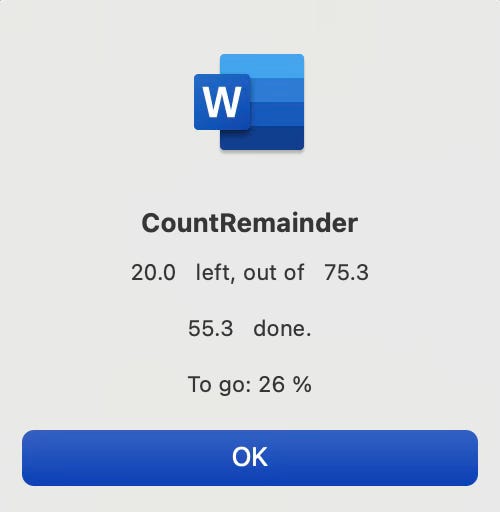
Run CountRemainder any time you want to check your progress. It generates a pop-up with four pieces of information calculated based on where your cursor is currently placed:
Words edited (above the cursor)
Total words in the document
Words remaining (below the cursor)
Percentage remaining
Tip: I like to run this macro with a shortcut—because when I want to know, I want to know now. But if you don’t mind waiting a few seconds, you can easily run it from a custom ribbon, or you can run it from the Macro dialog box if speed isn't a concern.
By default, CountRemainder displays word counts in a condensed format, for example, “23.5” instead of “23,521.” If you prefer the full number, you can change the results by changing one line of code at the top of the macro:
Find the line that reads
altDisplay = FalseChange
FalsetoTrue
Have a question or want to suggest a macro for a future newsletter, or just want to say hi? Reply to this email.
Happy macroing,
Jennifer
ps: When was the last time you backed up your macros and keyboard shortcuts? If you can’t remember, now is a good time.
Comments
Nothing yet. Say the first thing.
Sign in to join the conversation.