
Boop that little heart if you love art supplies!
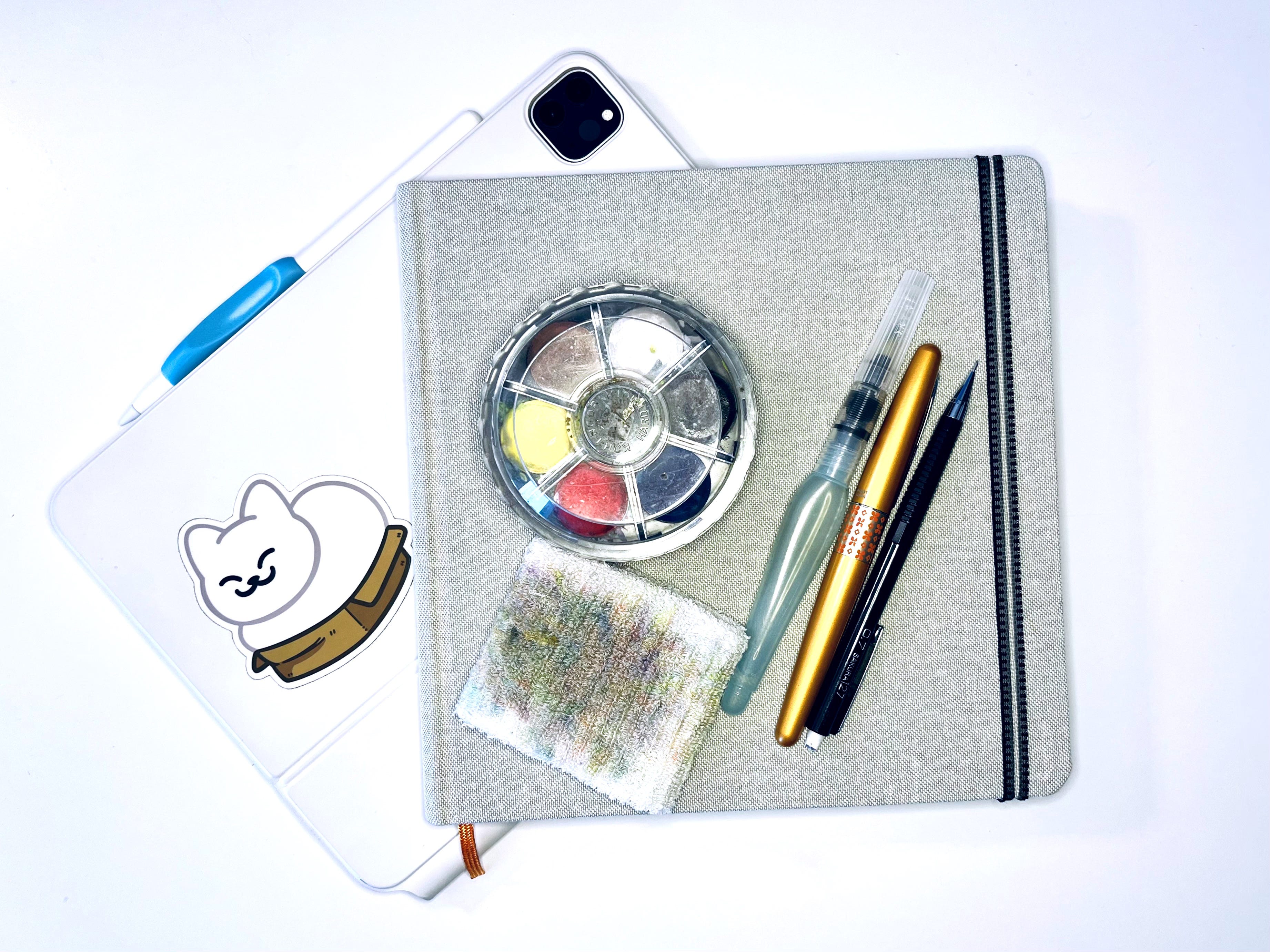
Friends! Last week I made the big (if slightly predictable) announcement that #Selfietember 2026 is coming—in fact, we’re just a few weeks away from the start of our 30-day self-portrait challenge! WOO HOO!!
This is the fourth annual #Selfietember challenge, and as I teased, we’re doing something a li’l different this time. Chillax, sweet ones; you’ll find out soon enough. First, you have to ponder a very important question, one of the most important decisions you will make in the history of—well, #Selfietember. In other words…
It’s time to talk tools, my friends. Art supplies. Art candy! What drawing media do you want to use for this year’s collection of self-portraits?
Both analog and digital have their pros and cons. I don’t have a favorite, and I use both: I go analog when I feel like it, and I start analog and then go digital to create my comic, WRASSLIN’ CENTAURS. I don’t compare the two; while makers of digital brushes and iPad screen savers go to great lengths to re-create the look and feel of analog art supplies, I think of analog and digital as two separate things. Burgers and pizza are both great, but I don’t ask burgers to be pizza, and vice versa. (Though I do love a pizza burger. Yum!)
Having gotten that New York Times-worthy opinion out of the way (ahem), let’s go through the pros n’ cons of each. And then, my friends, I’m going to tell you which I’m using—and try to persuade you to use the same. ← gasp
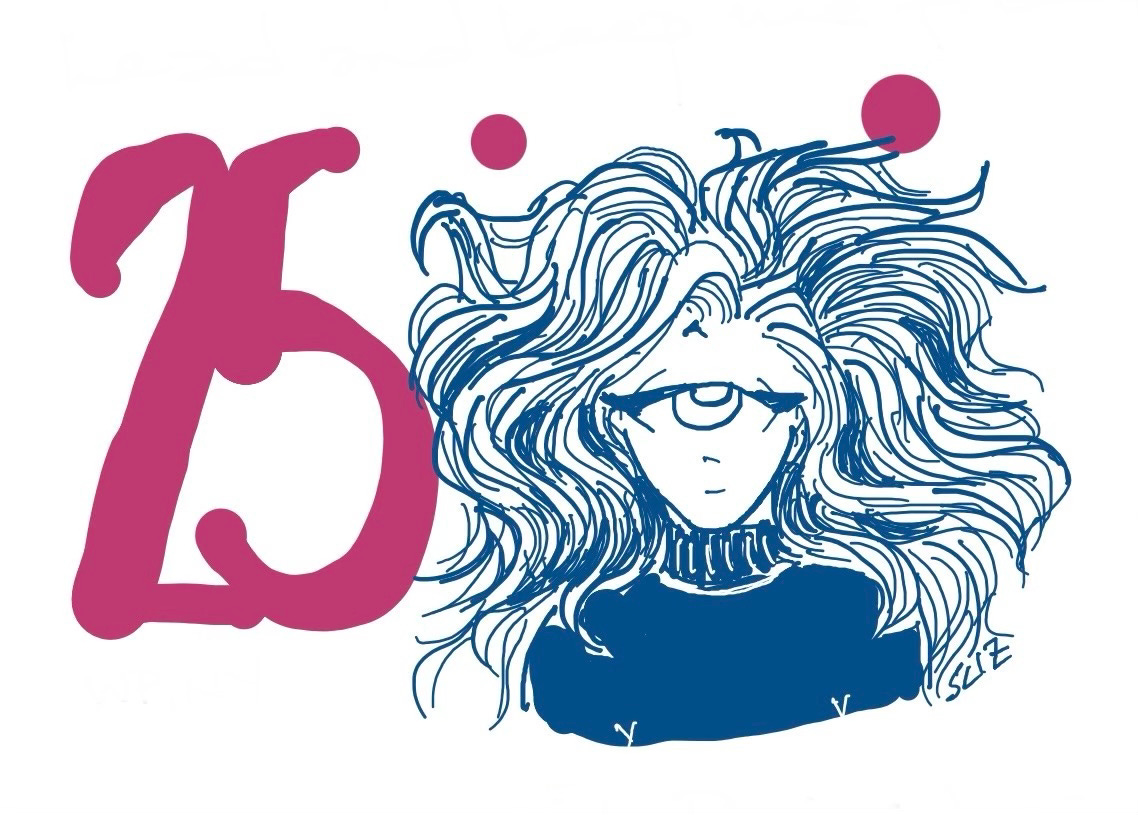
Let’s discuss.
Digital Pros:
Everything will be in one place—your “sketchbook,” all your selfies, all your art supplies, your entire art studio, if you will
You can add cool colored backgrounds and effects in a snap
And undo them in a click
No messy watercolor spills or ink stains
Digital Cons:
The temptation to use the “undo” function is hard to resist; we can fix everything, resulting in overworked drawings and too much time spent on a single drawing
If you have a ton of brushes, you may spend more time choosing your art tools than actually drawing
Your iPad batteries run out and you can’t draw until it charges up again
Analog Pros:
Analog stuff we hold in our hands feels good, like touching the smoothness or tooth of the paper, holding different sizes of pens and pencils, hearing the sounds of the tools on the paper
You can use up art supplies that aren’t currently in rotation during #Selfietember, which is better than having a lot of art supplies that aren’t being used
You can use #Selfietember to fill up or finish a sketchbook
You don’t have to wait for a sketchbook to boot up or recharge, or worry about it shutting down unexpectedly
Analog Cons:
You may have a hard time choosing which tools you want to use (same problem as digital tools, and I have a solution for that below)
You may not like using the tools you’ve chosen (again, solution coming up)
Um… ? I don’t think there are (m)any more cons to analog art supplies
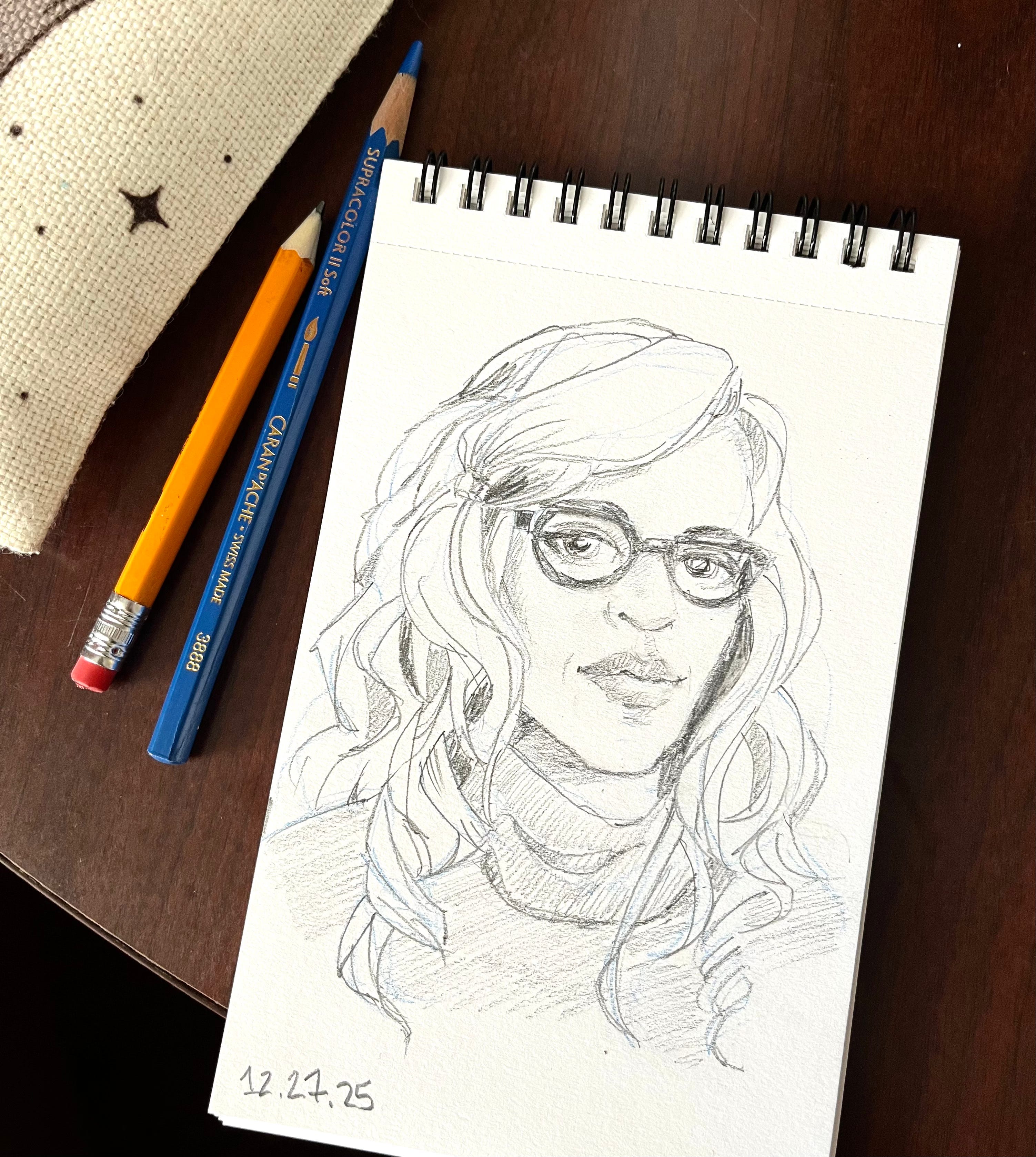
I didn’t have to think about this for too long, friends. I did #Selfietember 2025 in Procreate, and even though I had a great time with it, I knew I wanted to switch things up this year. Also, there’s that “undo” function; ugh, just too tempting. I was correcting “mistakes,” trying one background color after another… I lost the true spirit of #Selfietember, which is having FUN.
Also, I’m just on devices too much. It’s not uncommon for me to be watching TV on a big screen while drawing on my iPad while texting with Mariko on my phone, all at the same time. I just broke the habit of looking at my phone first thing in the morning. I need a break from devices and screens—and having a real, paper sketchbook and a pencil in my hands is like a breath of fresh air for my brain. I feel so much calmer when I’m working with analog art supplies (except when I draw my comic, which takes much less time when done digitally).
No surprise, my pick of tools for #Selfietember this year is ANALOG! Bring on those watercolors, colored pencils, actual markers, and my paper sketchbook!
If you decide to go digital, no shade whatsoever; I want you to have fun with whatever tools you choose to use for #Selfietember. I love Procreate and my iPad! I’m just keeping them for comics now while I use up some under-loved analog art supplies.
So, which will you choose for your month of self-portraits this year?
Whichever you chose, analog or digital media, now’s the time to get your supplies organized so we can start #Selfietember prepared—and do a test-drive or two.
If you’re going digital: If you’re in love with digital drawing, here are a few tips to get ready for #Selfietember.
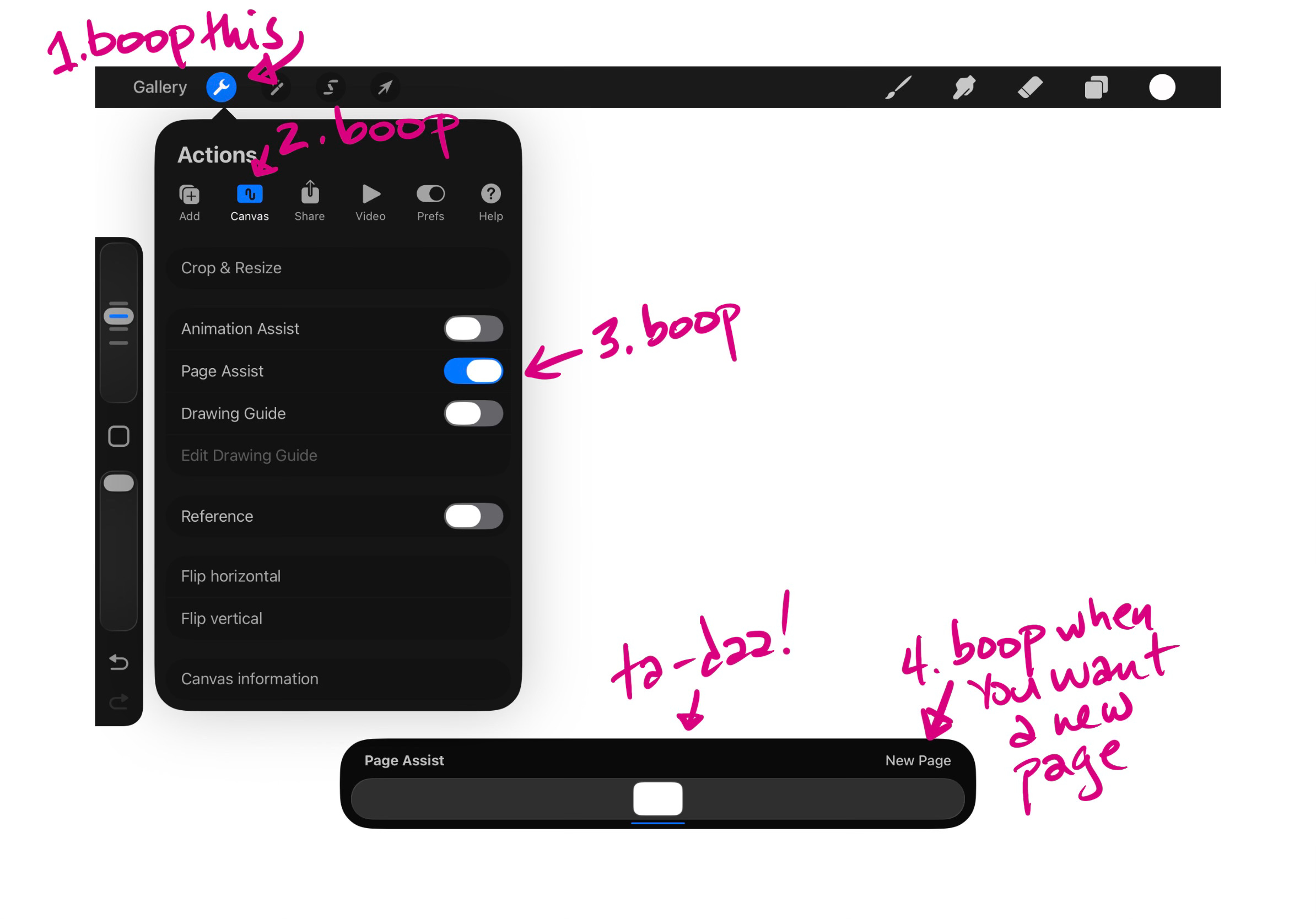
Create a sketchbook. Did you know you can make a sketchbook in Procreate? Yep, that’s what Page Assist is about! Go to the little wrench icon in the upper left corner, click Canvas, and toggle on Page Assist. You’ll see a bar appear on the bottom of your screen. Tap New Page, and that’s what you’ll get! (There are more things you can do with Page Assist, like each page can have its own layers, and you can group those layers and keep them separate from other pages, but we’ll keep it simple for now.)
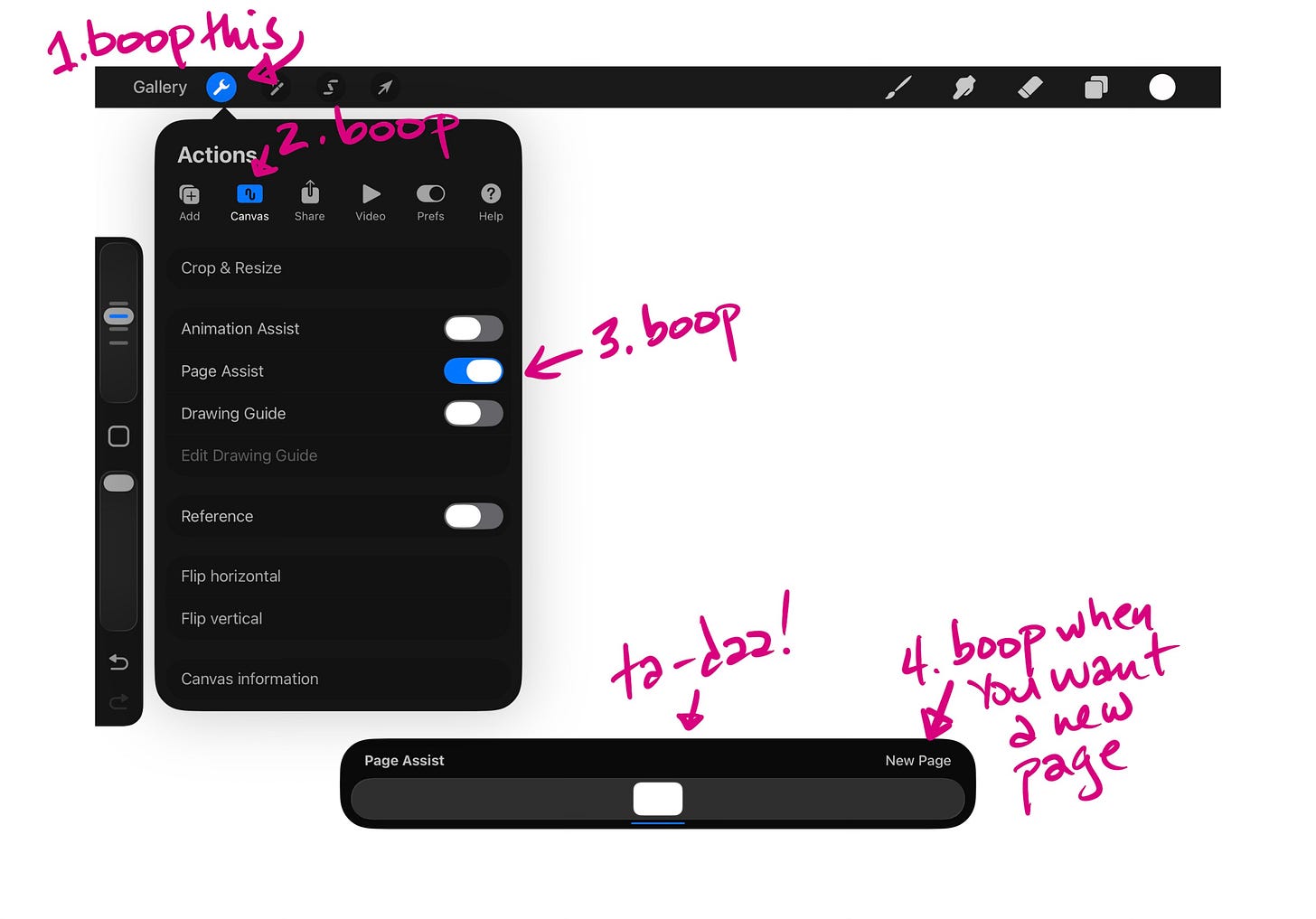
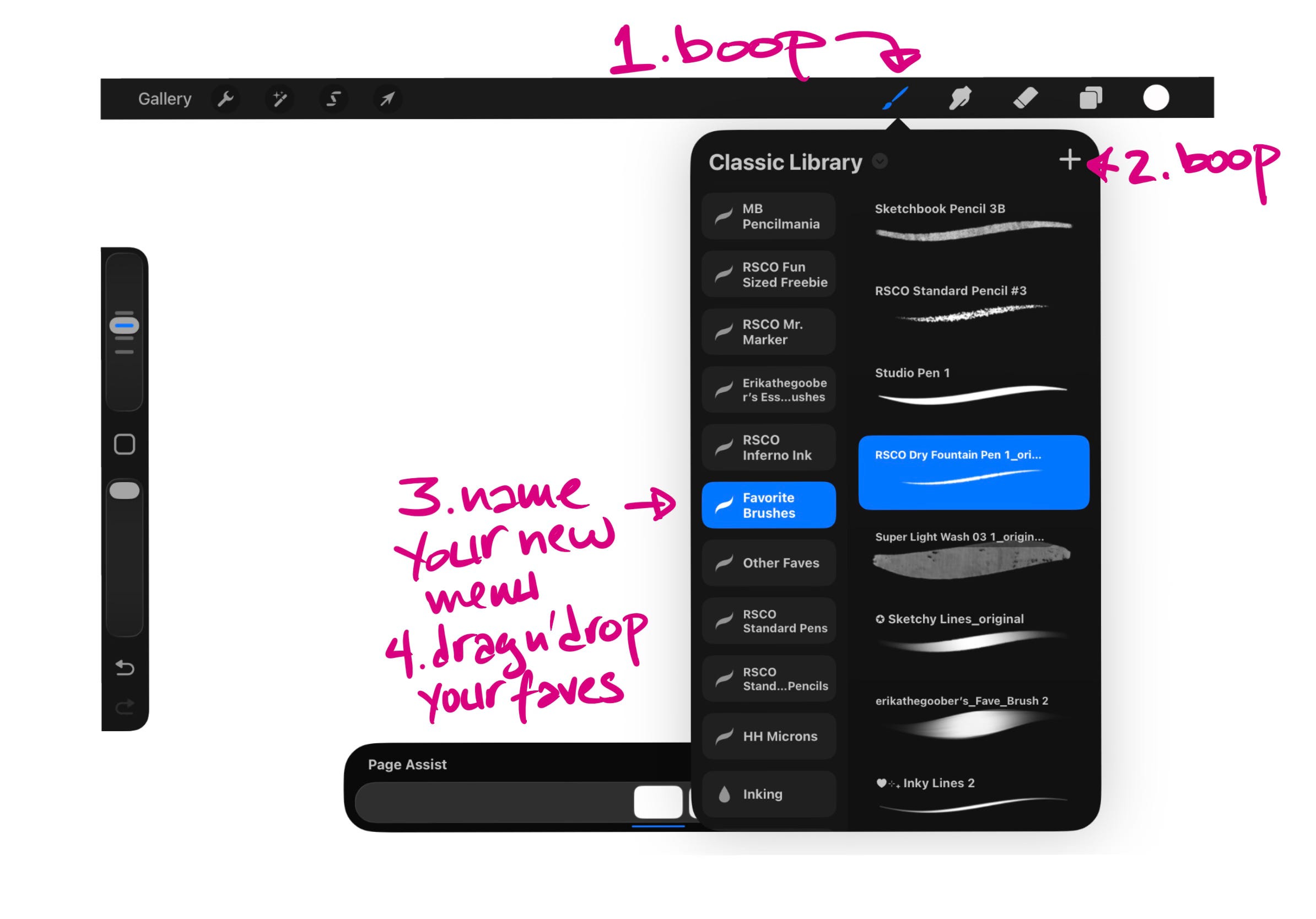
Go to the little wrench tool, boop Canvas, toggle on Page Assist, and you’ve got yourself a digital sketchbook! Make a “Favorites” menu. Go to the paintbrush icon on the upper right, where all your brushes live. Yes, the hundreds of brushes you bought, plus the Classic Library, the brushes in the Procreate Library… Ugh, sooooo many brushes. Now go to the + sign in the upper right of the Library menu and tap Create New Set. Rename that set “Favorites” or “Selfietember Tools” or some more clever title. Now start either dragging and dropping your favorite tools into that menu, or duplicate them (swipe toward the left, choose Duplicate) and drag the dupes into your new Favorites.
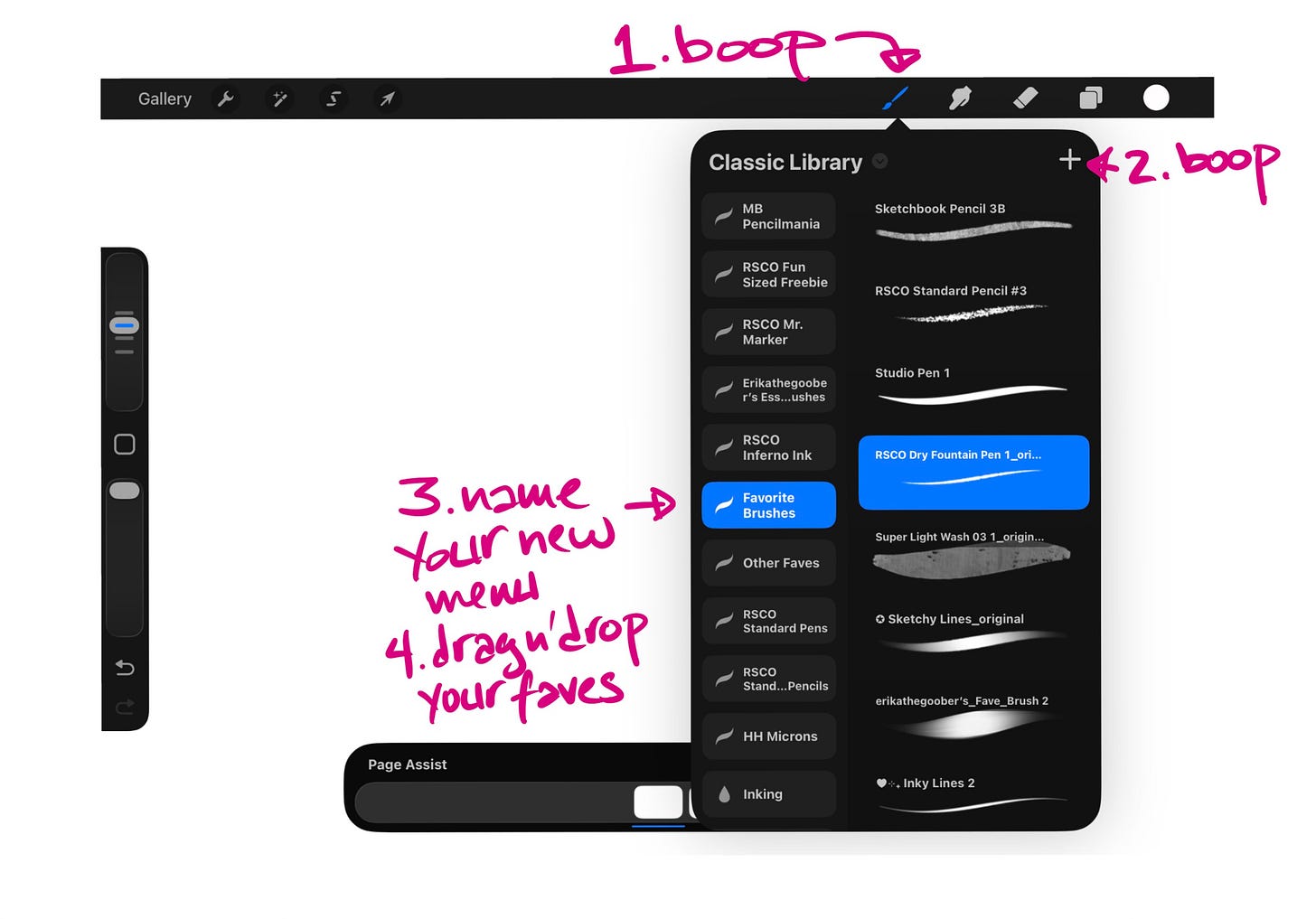
How to create a menu of your favorite brushes in Procreate. These are my faves. Set some boundaries. You want to draw, not figure out what you’re going to use to draw. Put about 6 or 7 brushes into the Favorites menu, including a couple of pencils, markers, inky things, and watercolor brushes. That takes care of art supply overwhelm. Next, set an intention to limit the amount you will mess around with backgrounds, and maybe even refuse to use the undo button. Now, if you want to do digital but you want a little less choice and undo-ableness, check out my article on when I did #Selfietember in Microsoft Word—yes, the writing program. That was fun, and I still do it every day when I journal.
If you’re going analog: Yes!! I still have the power of persuasion! Or you were going to do analog all along and were like, “Huh-DUH, what else, ya nut?” Some of the same suggestions for digital will apply here.
Pick a sketchbook. Your sketchbook choice for this year’s #Selfietember should be for mixed media, unless you’re really against watercolors, you love the look of marker bleed-through on the next page, or you’re set on using one tool for the whole month (totally fine! Nice creative choice!). My sketchbook choice this year is a Handbook Journal Co. Fluid Watercolor Journal by Speedball. They come in a variety of sizes; I’m using a roomy-page 8.23” x 8.25” square. I also love their Drawing Journals, especially this tiny 3.5” x 5.5” sketchbook, which is perfect for portraits and very portable. Both take wet media really well, especially the Fluid Watercolor Journal, as its name would suggest. How does it work with various pens? See pic below. If you’re looking for something more inexpensive, Canson Mix Media sketchbooks are always a great choice.
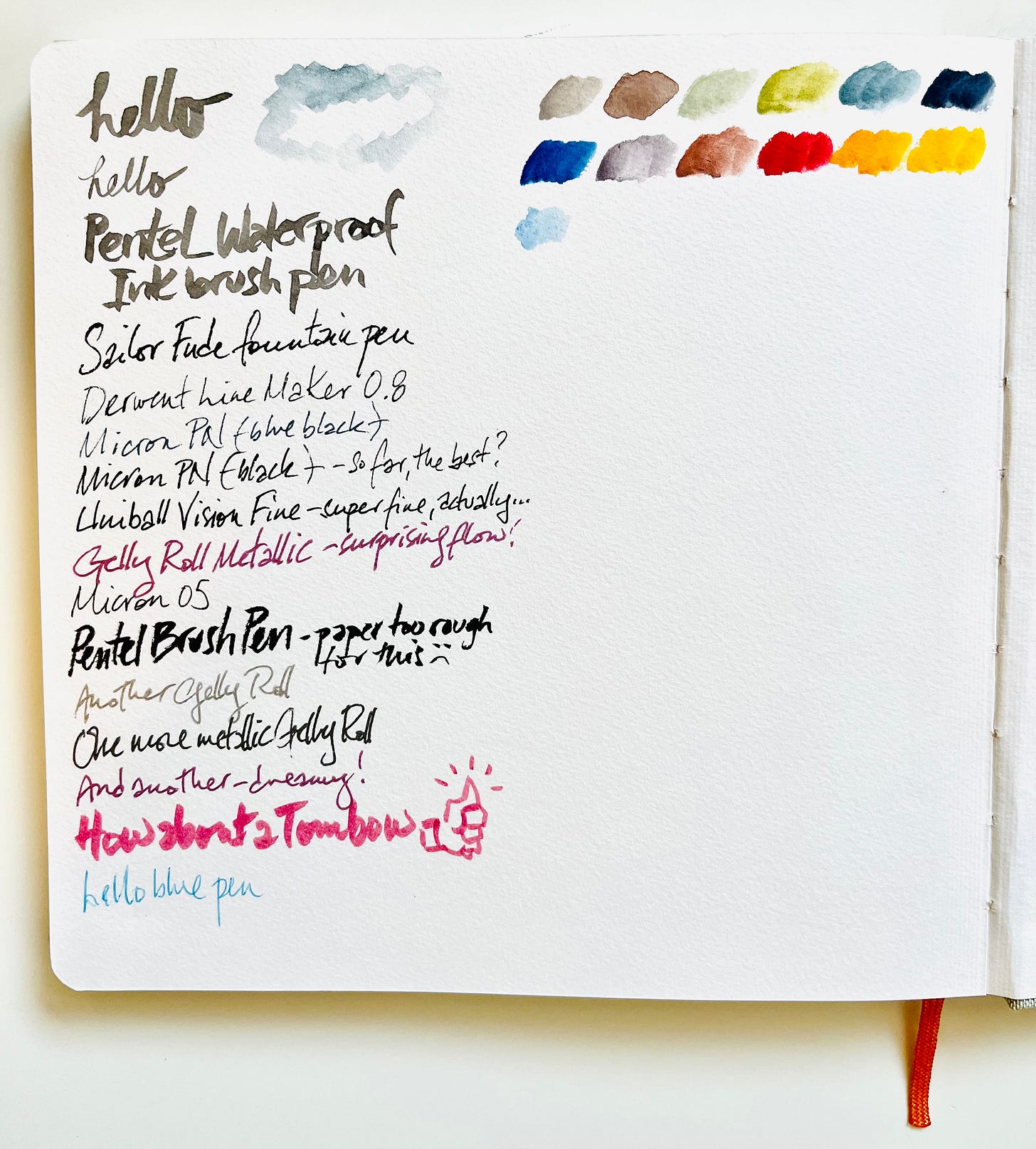
Pen and watercolor tests on the back page of my Handbook Journal Co. Fluid Watercolor Journal. I always use the last page of a new sketchbook to test a wide variety of media. One watercolor palette to rule them all. I have a lot of watercolor palettes. This year, I’m working with one circular stacking set (in the first pic) that I never used before. (There’s no brand name on it or I’d share.) #Selfietember is a perfect time to use art supplies that rarely see the light of day.
Colored pencils, pens, markers, etc. These tend to come in sets, so rather than limiting to, say, 6 of each, grab a set and use those. Besides, who can choose one pen? ← not me
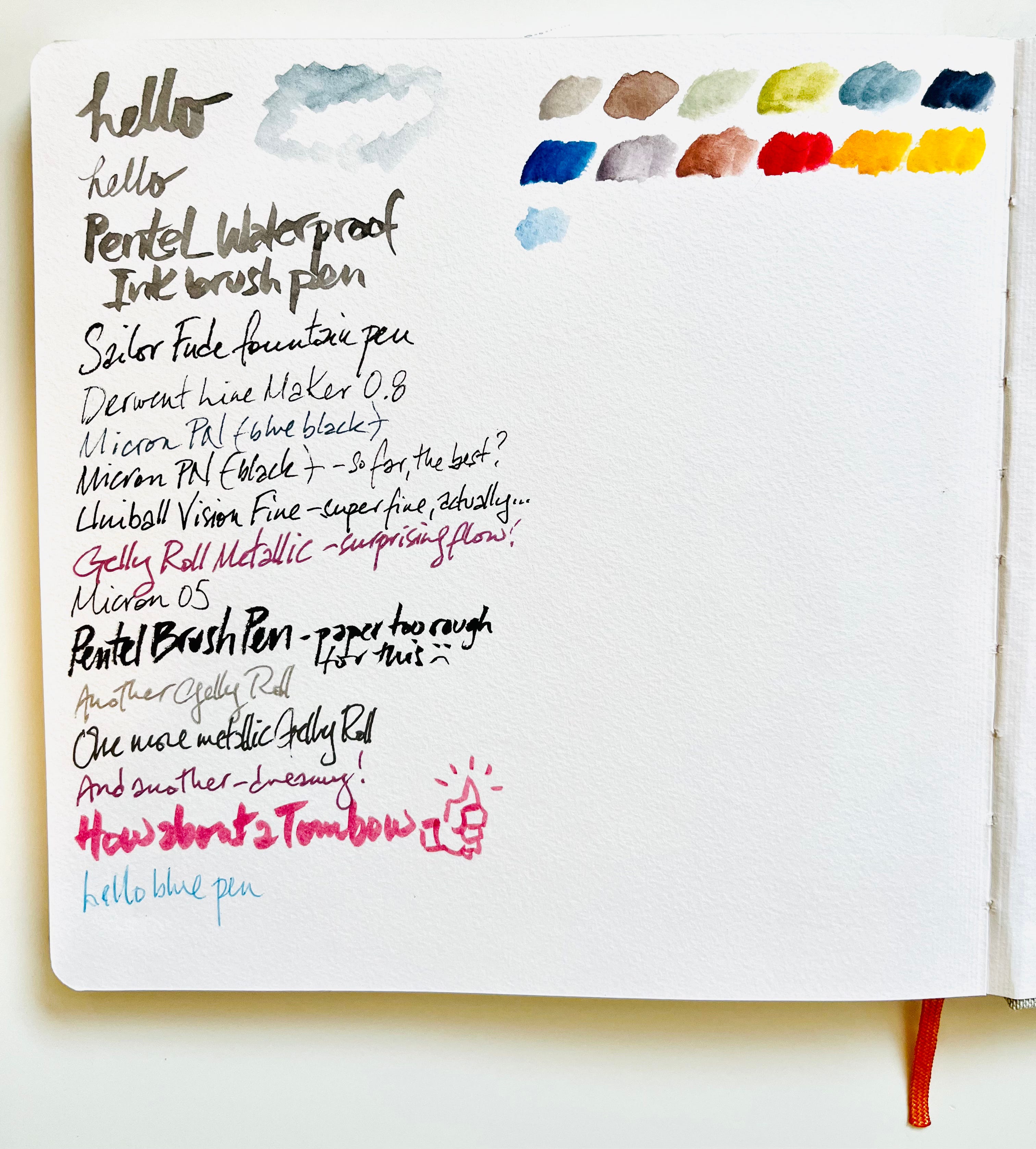
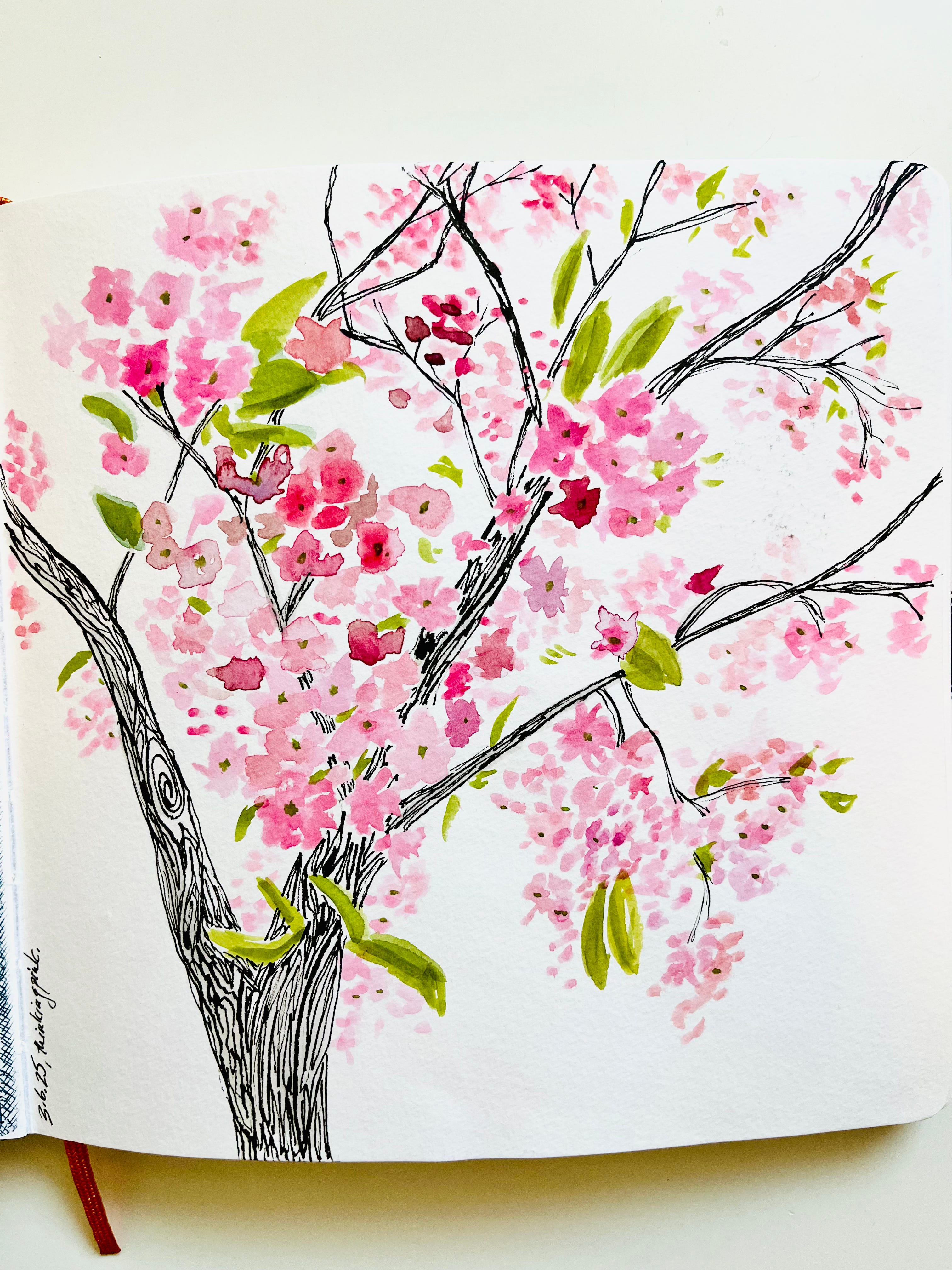
Whichever sketchbook you get, take it for a test-drive with your chosen art supplies to see how it works. That way, if your chosen tools don’t work, you can switch them up before you get started. In this sketchbook, I used an ink marker and watercolors to make sure there was no bleed-through to the next page. Nope! All good.
That’s all for now, friends—stay tuned as I continue to hint at what this year’s #Selfietember prompts may be! Which will it be for you this year, digital or analog—or both? What’s your favorite sketchbook? Share in the comments!
#Selfietember is more fun with a friend. Share this post!
#Selfietember and WRASSLIN’ CENTAURS are free, but if you’d like to help keep these good things going, you can upgrade to a paid subscription, or you can buy me a coffee here.
There are no affiliate links in this newsletter. I don’t make any money from my recommendations, and nothing was given to me for free. I just share stuff I like that works for me.
No AI was used to generate any part of this newsletter, or any other part of my newsletters, and never will be EVER EVER EVER. #unplugskynet
Comments
Nothing yet. Say the first thing.
Sign in to join the conversation.