
Most teams don’t think about browser extensions until something breaks.
I’ve seen this play out differently across companies.
At early-stage startups, browser extensions are often a complete free-for-all.
At more mature companies, they’re almost entirely locked down.
What I’ve seen far less often (but increasingly believe is necessary) is a thoughtful middle ground. That middle ground matters much more now than it did even a few years ago.
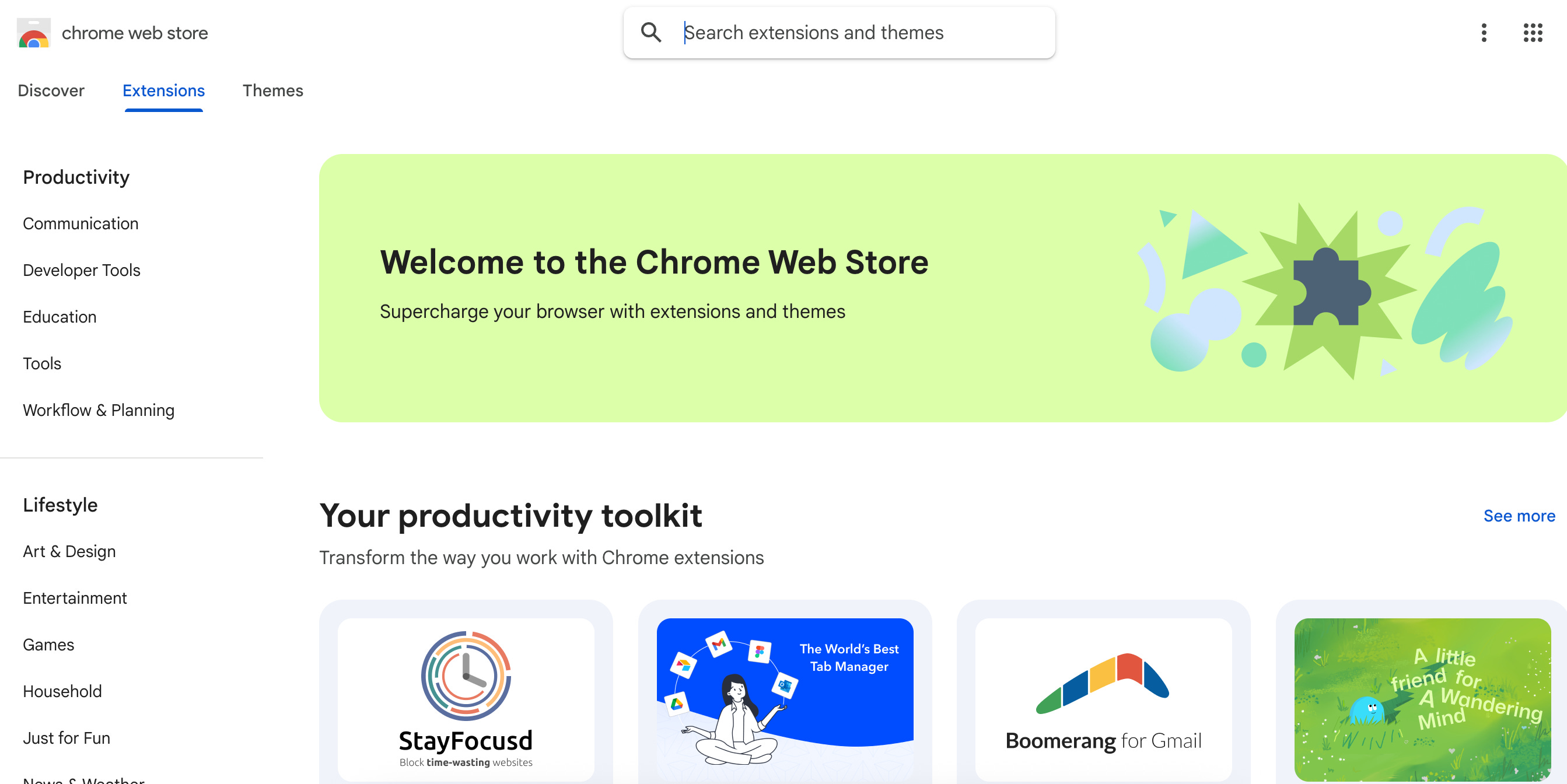
A browser extension is a small piece of software that runs inside a web browser like Chrome, Edge, or Firefox.
Unlike traditional desktop applications, extensions sit directly in the flow of a user’s day-to-day work. They can see the pages someone visits, modify content in real time, capture inputs, interact with sessions, and communicate with external services.
That means browser extensions often have deeper visibility into user behavior than the enterprise tools employees formally log into.
This level of access isn’t inherently problematic — many extensions are genuinely useful — but it is powerful.
And in a legal context, power without governance is where risk tends to surface.
(1) At smaller or earlier-stage companies, extensions are often treated as personal productivity tools.
Employees install whatever they want, when they want, with little to no oversight.
This usually isn’t because anyone is being careless. It’s because IT resources are thin, security attention is focused elsewhere, and browser tooling doesn’t feel like an enterprise concern.
The problem is that extensions don’t respect organizational boundaries. A single over-permissioned or malicious extension can access internal tools, capture credentials, or move sensitive data outside the company without any meaningful audit trail.
From a legal and compliance perspective, that’s unbounded exposure paired with very little accountability.
(2) At the other end of the spectrum are organizations that block almost everything.
Only a small number of pre-approved extensions are allowed, and anything outside that list requires a formal request and review.
I’ve seen companies where employees were limited to two or three extensions total.
This approach is defensible and easy to explain to regulators.
But it’s also blunt. It slows teams down, frustrates employees, and often drives people toward workarounds and shadow IT.
(3) The more interesting approach sits between those extremes.
Instead of asking whether extensions are allowed at all, these programs focus on which extensions are appropriate, what permissions they require, and what visibility the company has into their behavior over time.
In practice, this starts to resemble how companies already think about SaaS vendors, APIs, and internal tools. The browser just took longer to get the same treatment.
What’s changed is not just the volume of extensions, but their function.
Browser extensions are no longer limited to simple productivity helpers. Increasingly, they act as AI-powered assistants that operate directly inside a user’s browsing experience.
Tools from companies like OpenAI and Perplexity offer browser extensions that can read the page you’re on, summarize content, answer questions contextually, and assist with drafting or research as you move across the web.
That means the browser has effectively become a live data ingestion layer for AI tools.
Sensitive information can be processed in real time, often with broad permissions that users rarely revisit.
This is why some researchers are increasingly describing browser extensions as a distinct and growing attack surface, rather than a convenience feature that can be safely ignored.
This risk isn’t hypothetical. Earlier this year, researchers documented a large-scale browser extension compromise that is particularly relevant precisely because everything appeared legitimate on the surface.
The extensions involved were well known, widely used, and hosted in official browser extension stores. They carried verification badges, had clean reputations, and in some cases had been trusted for years. There was no obvious red flag for users or companies relying on store-level trust signals.
Rather than releasing new malicious extensions, attackers compromised the developers or their update mechanisms and pushed malicious code through routine updates. Because users had already granted permissions, the updated extensions were able to monitor browsing activity, inject scripts into live sessions, and exfiltrate data…all without any user interaction and without triggering traditional endpoint security tools.
There was no phishing email. No employee mistake. No one “clicked the wrong link.” Trust was the exploit.
The scenario is unsettling because it breaks many of the assumptions underlying existing policies. Users didn’t violate any rules. The extensions were previously approved, at least implicitly. And common trust indicators like verification badges failed to provide meaningful protection.
This is the same pattern compliance teams have seen repeatedly with compromised SaaS vendors and software supply-chain attacks. A company can take reasonable steps, act in good faith, and still find itself exposed because a trusted third party changes overnight. Browser extensions now belong firmly in that category.
When companies do think about browser extensions, they tend to focus on what is installed at a particular moment in time.
The harder problem — and the one highlighted by the incident above — is that extensions can change without notice.
An extension that was safe yesterday can become unsafe tomorrow through an automatic update. That’s not a user behavior issue. It’s a governance issue. And it’s why relying solely on signals like “verified,” “popular,” or “longstanding” is no longer a defensible legal position on its own.
The question isn’t whether browser extensions should be allowed.
It’s whether the organization understands and governs what is happening inside its browsers.
In 2026, the browser is not just a window to the internet. It’s a workspace, an API surface, an AI interaction layer, and a live data processing environment.
Treating it as consumer-grade infrastructure is increasingly out of step with how work actually gets done.
The goal doesn’t need to be perfection. A reasonable starting point is simply to ask what visibility exists today:
Do our security or IT teams know which extensions are in use?
Are AI-powered browser tools already embedded in business daily workflows?
Are extensions treated more like personal preferences, or more like third-party vendors?
Avoiding both extremes — total free-for-all and total lockdown — is often where the most durable governance lives.
Browser extensions are one of those risks that seem small until they aren’t. And, like many modern risks, the issue isn’t necessarily the technology itself. It’s the lag between how the technology is actually used and how it’s governed.
I hope you enjoyed reading it as much as I enjoyed writing it.
-Rachel
Thanks for reading Legally AI. This post is public so feel free to share it.
Comments
Nothing yet. Say the first thing.
Sign in to join the conversation.