
I’ve never felt so empowered as a marketer. Claude Code unlocked a software engineering technical skillset I never could have imagined. Not even a few months later and Claude Design has me feeling like da Vinci. Okay.. maybe not da Vinci, but still, it feels like I’m collecting Infinity Stones out here.
Note: I filmed an entire video lesson track on Claude Marketers that goes over everything I’m about to cover in this essay in the case that you prefer to learn visually.
So, what exactly am I covering? After reading this, you’ll learn:
→ Why it’s important to setup a brand design system
→ How to build beautiful landing page designs
→ How to create full bespoke HTML designs
→ A rapid way to create new social posts/ grids
Let’s get artsy, ya’ll.
Setting up brand design system
The most important step before you get started in Claude Design is setting up your brand design system. There are a couple of ways to do this:
Upload your brand elements (icon, colors, fonts, etc)
Upload an HTML version of your website
Link your Github repo
For the purpose of this tutorial, I’ll walk you through how to load in a few brand assets so that Claude can create your design system. It’s as simple as a few button clicks. First click “Design systems” and then “Create” to get started.
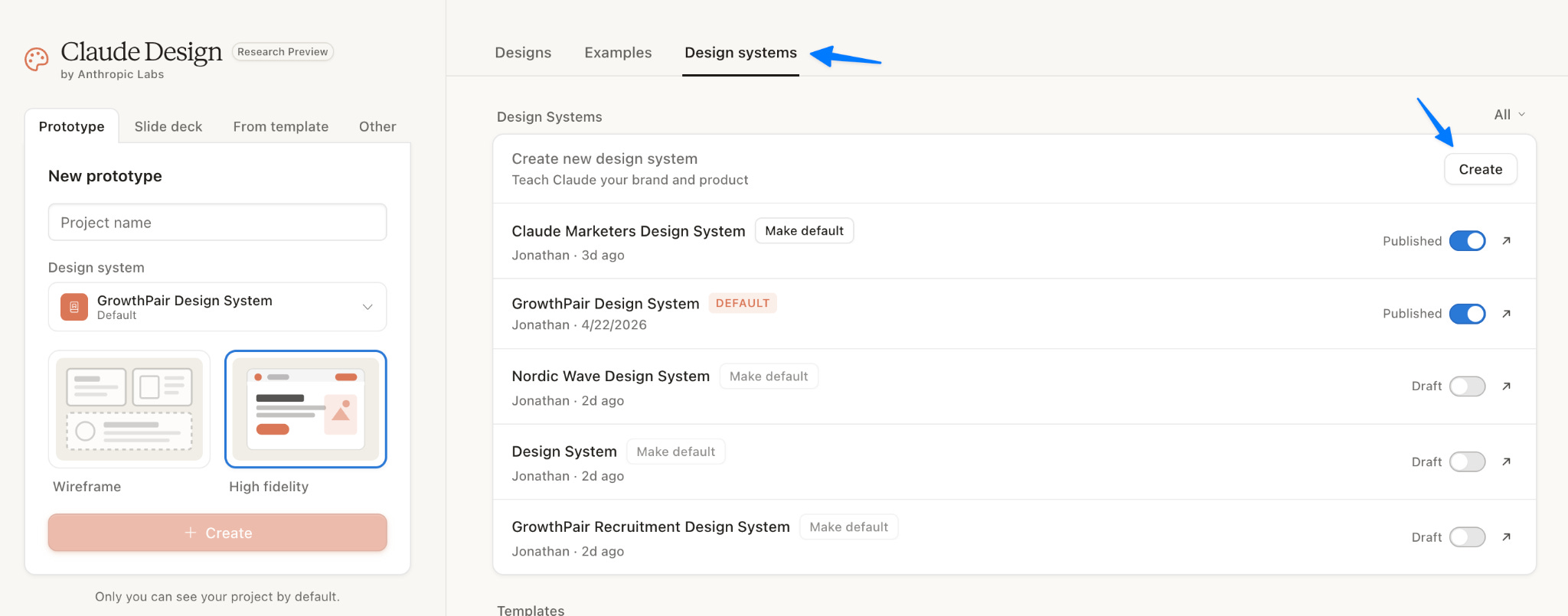
After you click “Create” you’ll be prompted to start loading in assets from your brand, like a logo and typography. The more assets you upload, the stronger your design system will be.
Here’s what the GrowthPair (my startup) design system looks like:
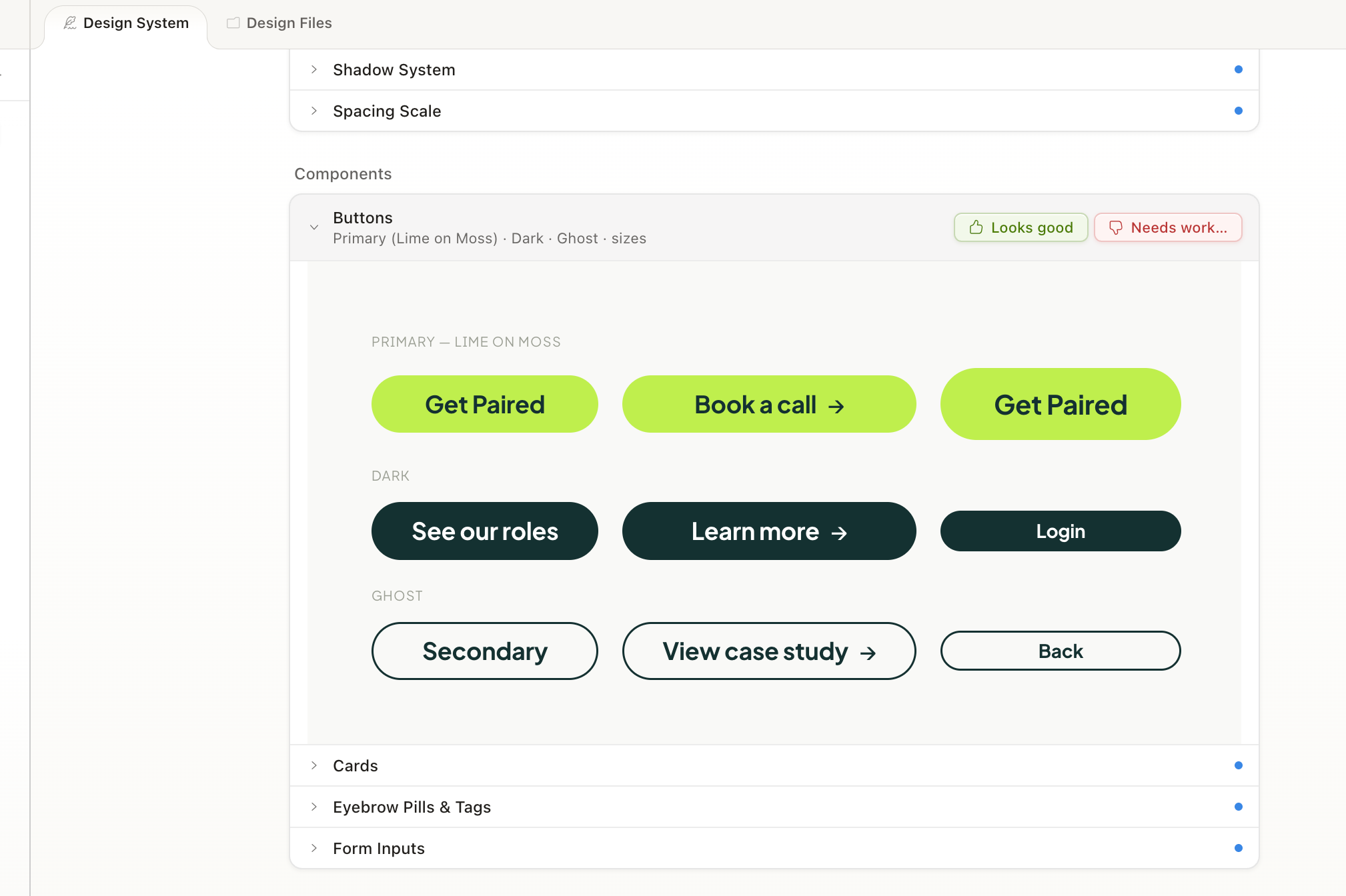
This now becomes the basis for all the designs you create for your brand going forward. When you go to create a new presentation, landing page, etc, you select the design system you created:
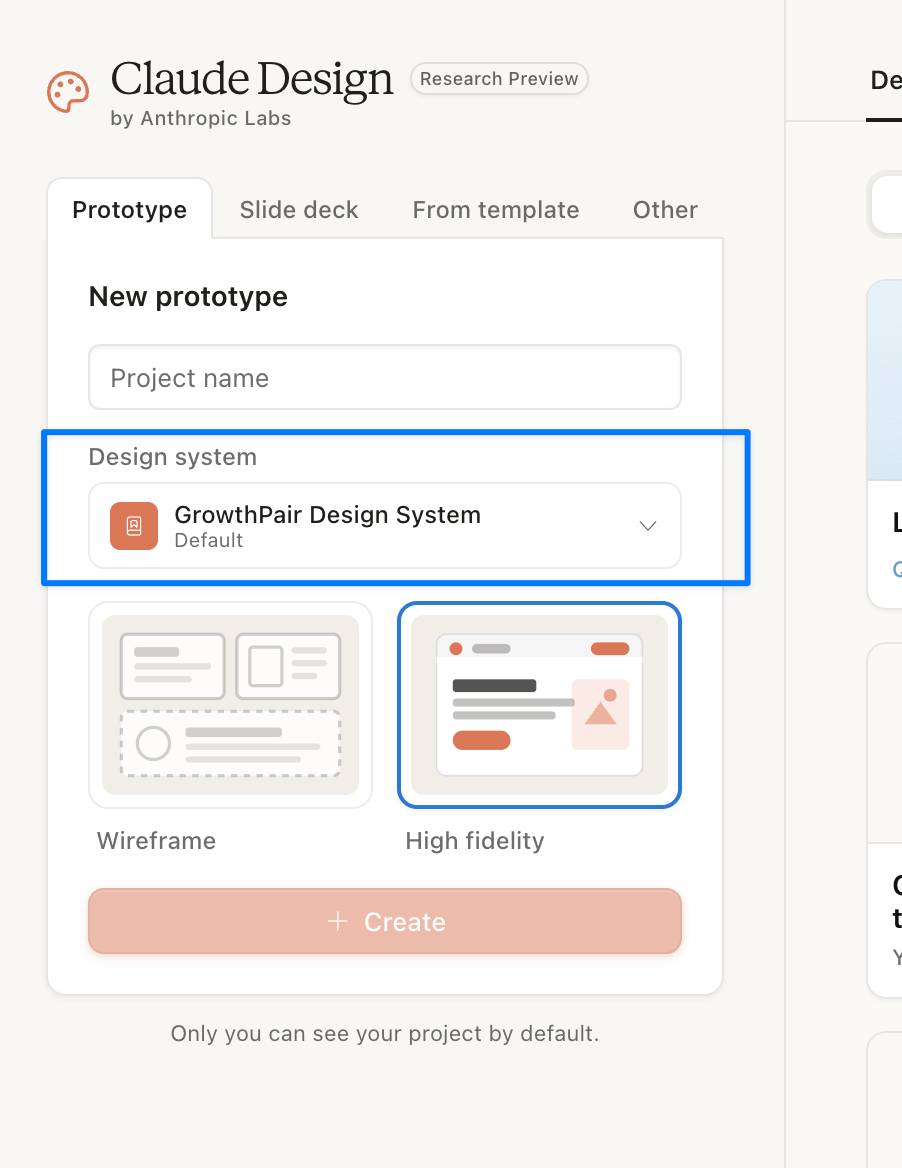
It’s important to build this as detailed as possible because everything you create with Claude will use this system as the instructions.
Landing page design
I wanted to see how Claude could do against the GrowthPair site that cost about $15,000 and 2-3 months to build. So I gave it this prompt:
I’d like to create a website designed for GrowthPair. Use all of the brand files that you have to make this a beautiful website that converts. Our ICP are marketing executives looking to scale their team with high-quality global marketing talent. Make it amazing.
This is what it came back with after about seven minutes:
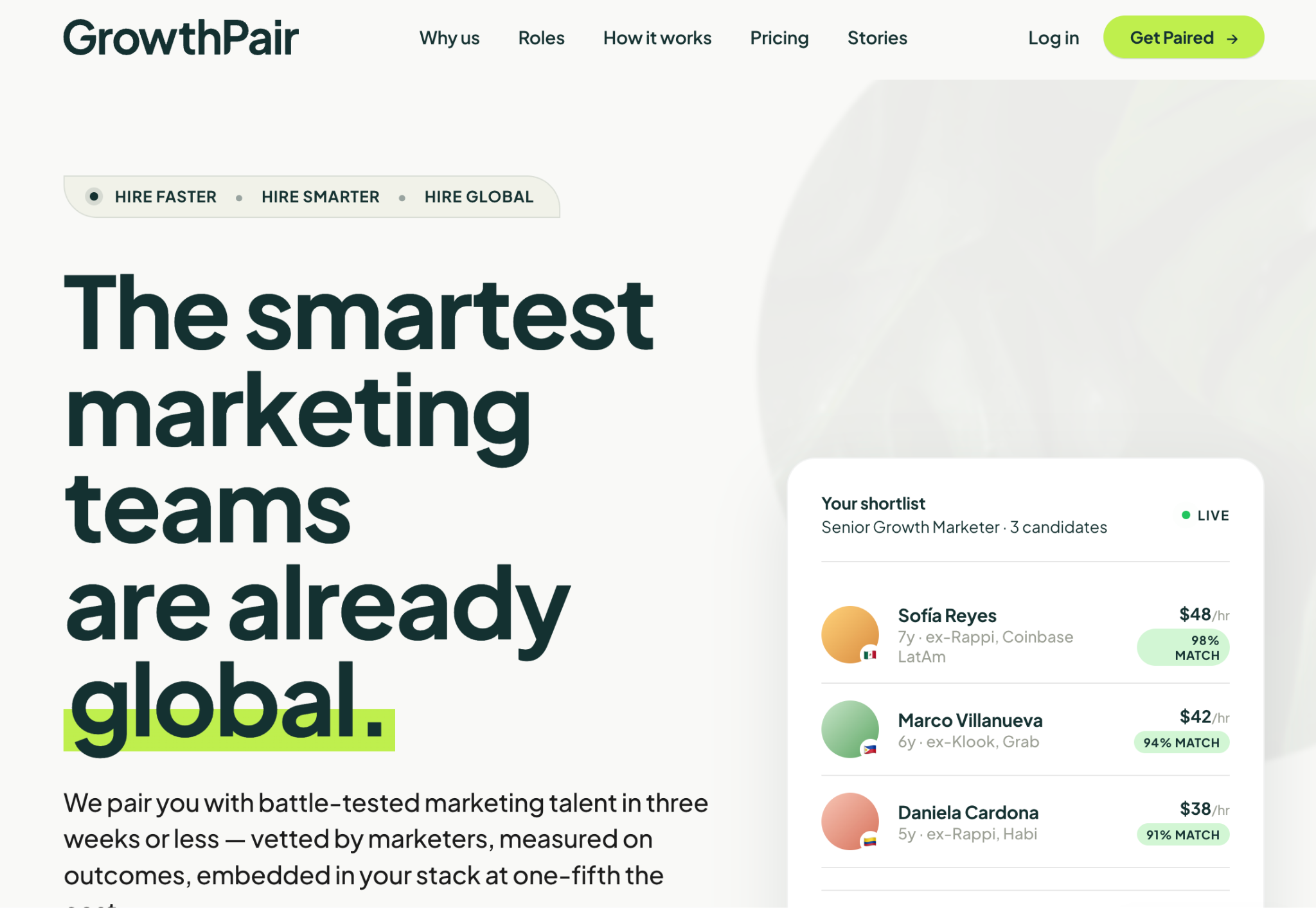
Pretty dang good.
What surprised me the most with Claude Design and Opus 4.7 is how witty and natural the web copy felt. As an example, instead of using “See what our clients are saying” above the testimonial slider, it used the copy “The proof is in the pairing.” I genuinely let out a “wow” when I read that copy– how clever. (p.s. it’s a play on the phrase “the proof is in the pudding”).
I’m hoping that Claude Design doesn’t create the same design for everyone over the next 6-12 months and it becomes the new “AI slop.” An element I’ve seen it really like to use is highlighting of text like it did with “global” in the screenshot above.
Pro Tip: Ask Claude Design to create a file for you that you can load into Claude Code. This’ll allow you to port the new design over to your actual website very easily.
Email and social design
Now, let’s see how Claude will do with email and social designs. Here’s the prompt that I used to create new email designs:
I’m looking to create a couple of new emails for GrowthPair. These emails go out to prospective clients and should have a very nice design. I’ll be using these email designs within Beehiv, which is where we send out emails. Make the designs fun and make sure that they are able to be ported into Beehiv.
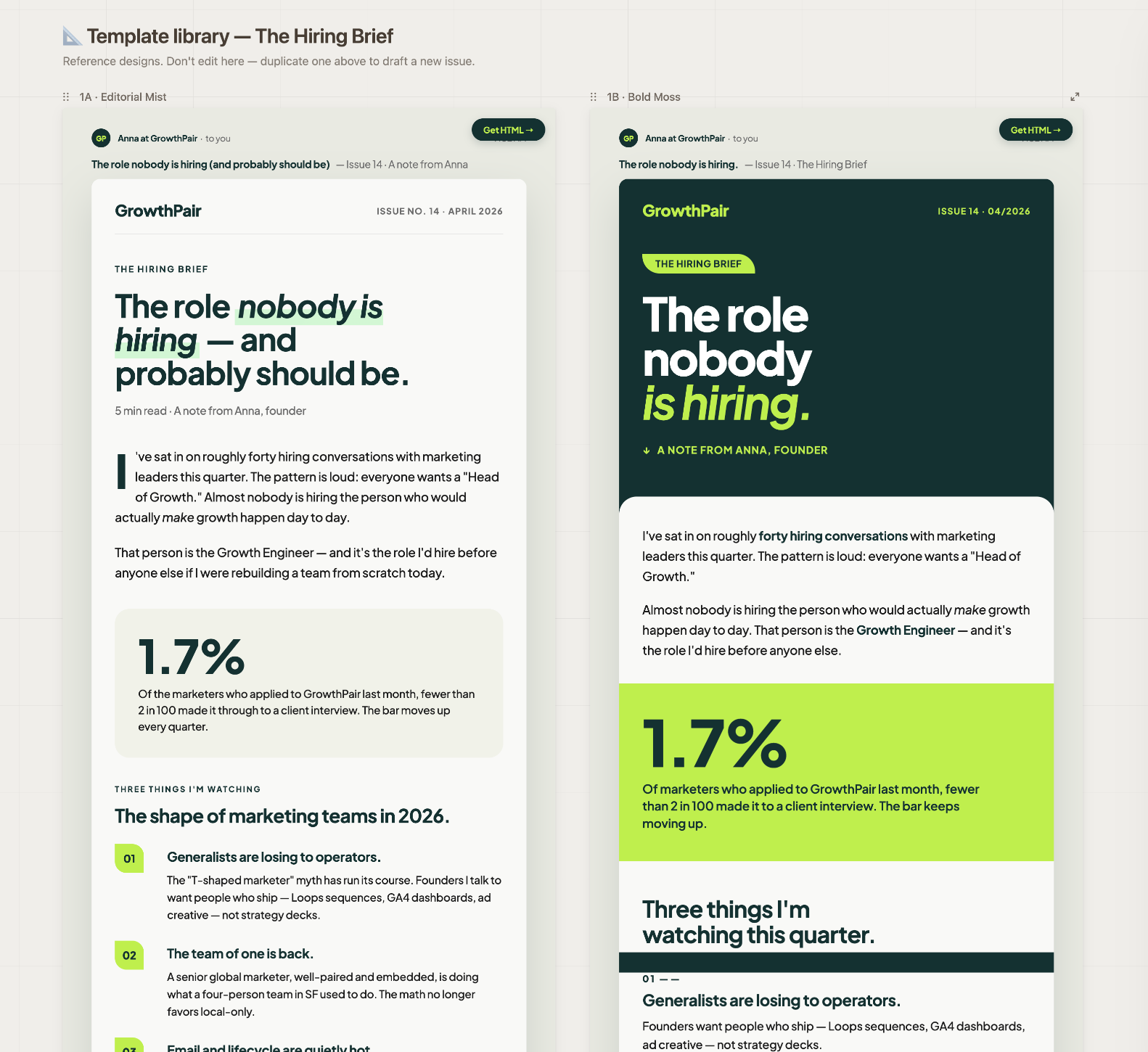
For email design, a couple of tips that’ll save you tons of time:
Ask Claude to provide HTML copy/ paste code so that you can paste into your preferred ESP (i.e., Beehiv)
Ask Claude to ensure the designs are mobile-responsive (super important)
When creating your newsletter, make a copy of the design template so you always have that as the basis for new emails with that design
On the social front, here’s what Claude designed:
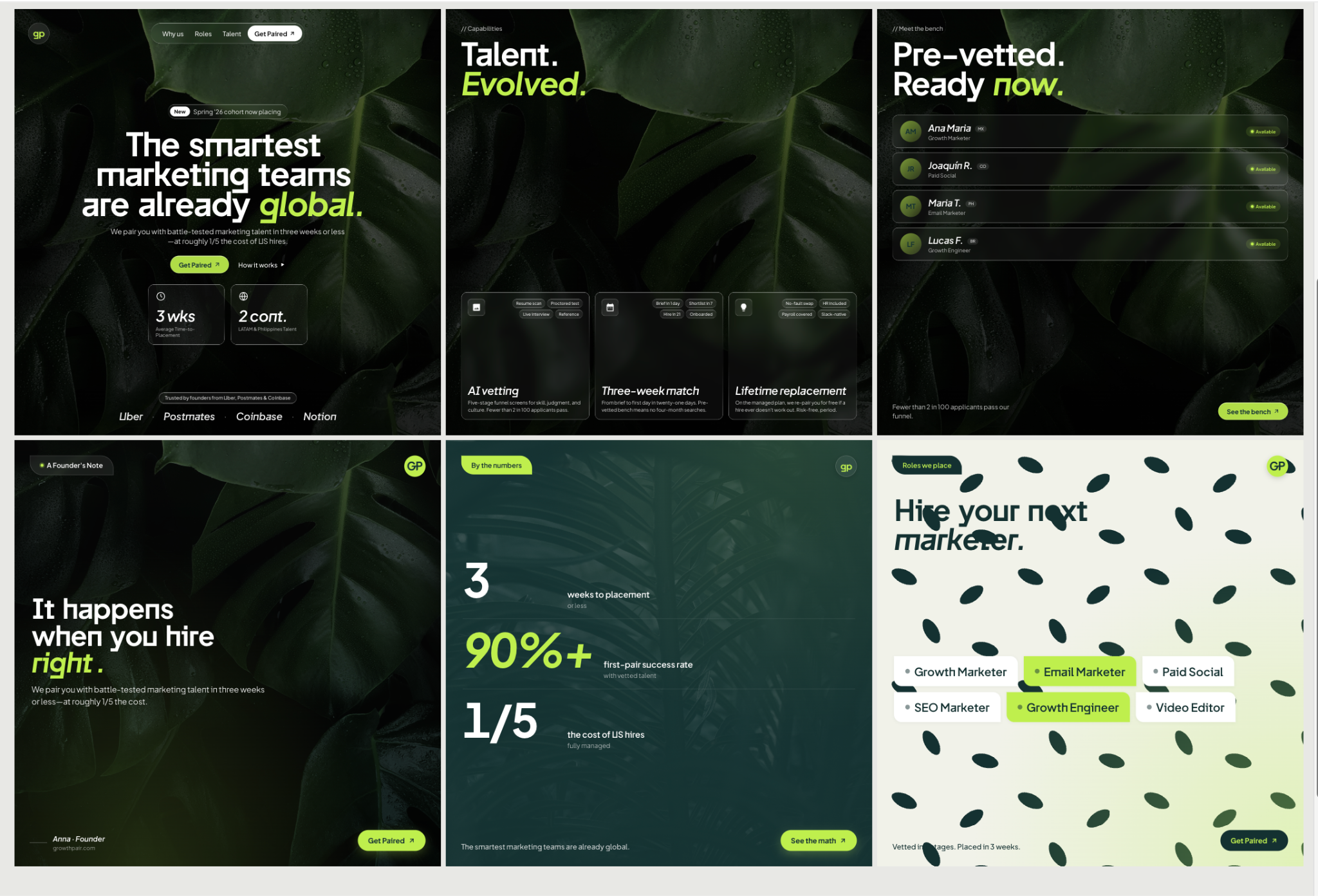
Something I noticed when designing these social posts, along with everything else is that Claude Design will often get the font style wrong even though I’ve loaded font (Jakarta Sans) into the design system. If this happens to you, you’re not alone. I’m sure this’ll be fixed, but it’s an issue I keep running into. The quick fix is to just ask Claude to fix the font to your brand’s font.
Referencing inspiration files
For marketers that don’t have all the design ideas in their head (like me lol), but are now armed with Claude Design, I have the biggest hack for you.
Simply head over to the following websites:
Dribbble
Mobbin
ReallyGoodEmails
MotionSites
Within these sites you’ll get Pinterest boards with all sorts of marketing collateral like email and web design inspiration. All you have to do is take a reference inspiration, screenshot it and ask Claude to design something similar. You’ll be surprised at how close it gets to the reference file you’ve attached. It’s almost 1:1 close.
To showcase this, I took a reference website that had a “liquid glass” hero section styling from MotionSites.ai and asked Claude to create social posts with a similar design.
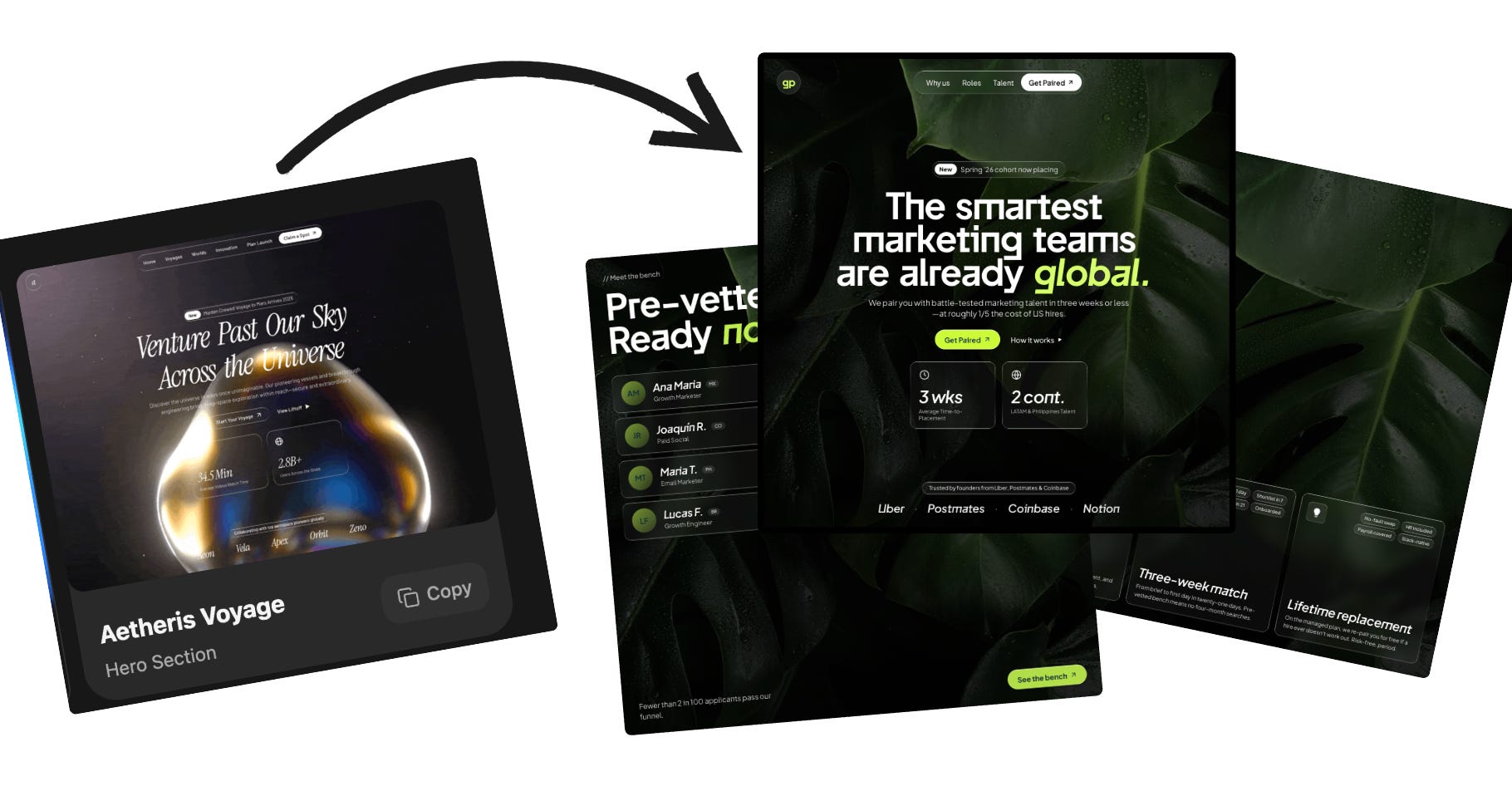
The options are really endless when you have a sea of inspiration living on websites like Dribbble to build from as a starting point.
After testing Claude Design for about 20 hours, I’ve realized that there are clearly still some limitations, but it’s a real powerful tool to get marketing designs off the ground. I’d be totally comfortable shipping some of the designs I’ve created with Claude Design, or at the least, sending over to designers so they have reference points on what I’d like to create.
As I say over at ClaudeMarketers.. Claude on and until next time,
Jonathan - your AI whisperer
No posts
Comments
Nothing yet. Say the first thing.
Sign in to join the conversation.