
**Public Sandbox is now available at: https://appsforeducation.ai/ai-framework/**
A framework of three open source tools can be deployed together to enable safe and measurable AI for an educational institution on a budget. Institutions can set up approved models, guardrails, and budgets and give their users AI access within those constraints. Institutions may choose this route if they want to protect their resources and remain AI flexible.
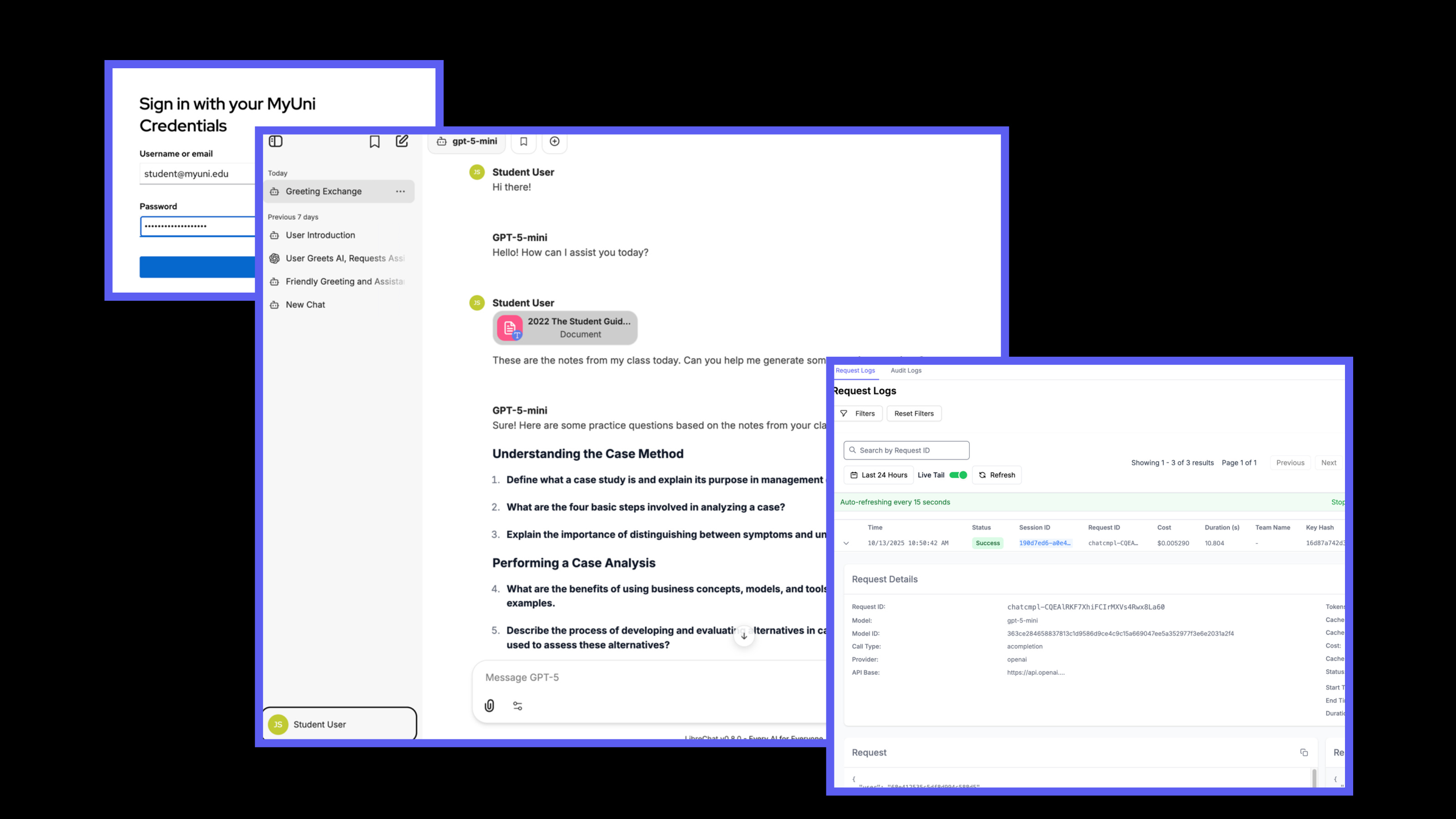
Three years after the AI “tipping point”, artificial intelligence in schools is still a wild west landscape of home-grown solutions, instructor-driven experiments, and mostly private usage of the major LLMs (HEPI 2025). An estimated 92% of students are using AI in their studies, and 2/3 of them are using ChatGPT. As importantly, students use an average of 2.1 different AI tools. University policies, tools, and training have been slower to adapt, leaving a scenario where many students and faculty feel as if they are finding their own way in this landscape (Digital Education Council).
There are myriad reasons why educational institutions have been slower to adapt, but most reasons stem from a lack of resources rather than a lack of desire. A 2025 study of higher education institutions showed that 57% of respondents want to prioritize AI (Educause, 2025), but they lack the capabilities and resources to begin (Educause, 2025). AI enablement requires buy-in from leadership, IT, faculty and students. It requires a foundation of policies and technology that everyone has a basic literacy with. And it requires all of this before schools even start looking at the vast world of new AI tools for education that exist in 2025. In short, it’s a big task—particularly for smaller institutions already struggling to attract students and retain faculty.
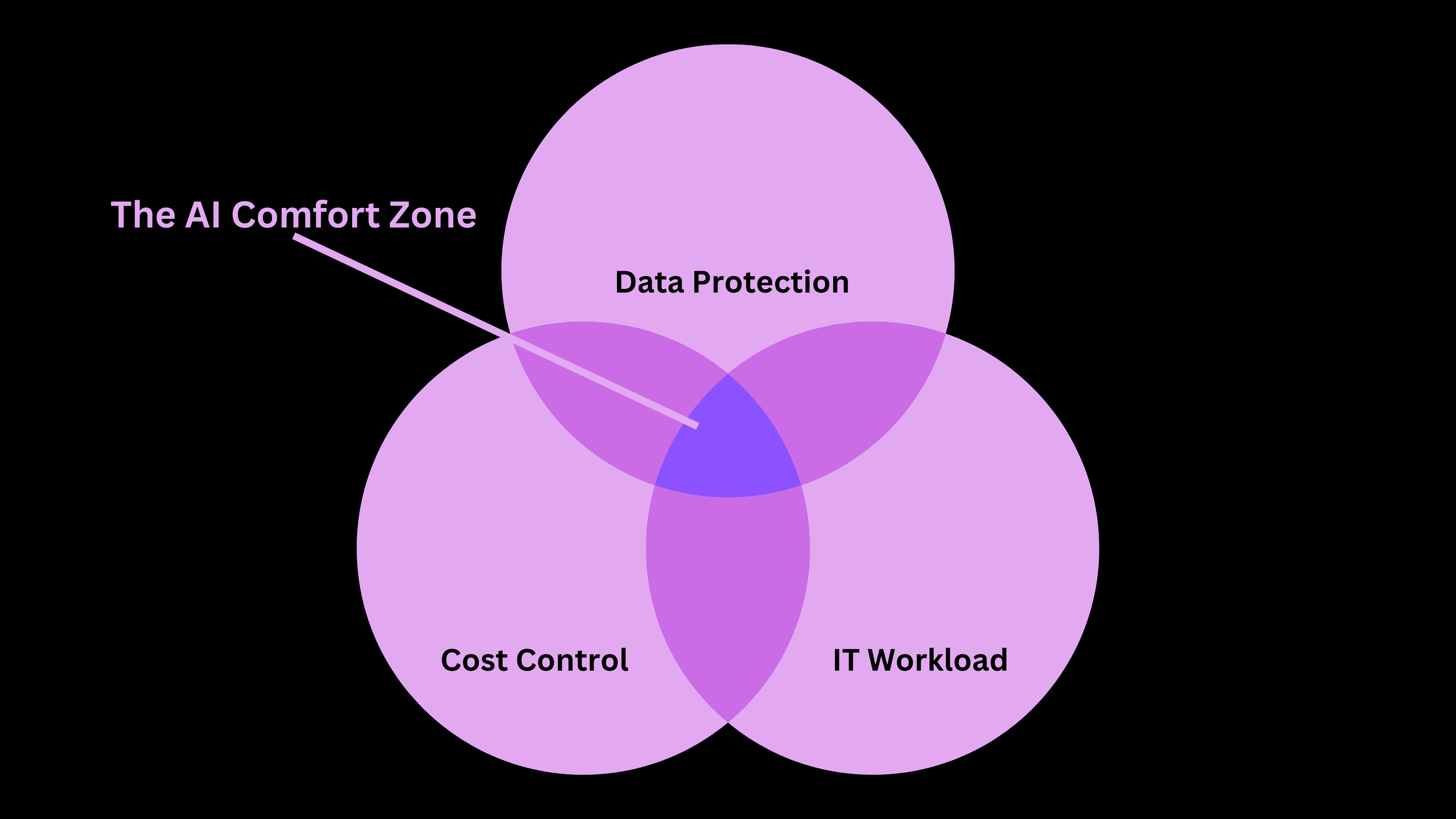
Schools have a few consistent needs when it comes to AI adoption. Consistently, schools want to:
Control costs
Protect their data
Work within existing IT resources
I’ve seen enough deployments to also think that schools should also:
Remain “AI flexible” and not lock into one AI provider or solution at this point.
Adopt AI gradually. Start small, learn from initial pilots, and scale when ready.
Remaining AI flexible is important at this stage because of how much churn still exists in a fast-changing AI landscape. Models come and go, and have different strengths and weaknesses depending on the context. Additionally, the major LLM players are fundamentally tech companies that operate on the model of VC subsidies in the short term to establish a user base, and then raising prices once users are locked in (think of the cost of your Uber from when you started using it to today).
Starting small helps with institutional readiness and the ROI problem. For ROI, I’m not aware of any large scale experiments that attempted to measure success for large scale enablement. CSU adopted ChatGPT for all their students based mainly on a equity argument. And Yale’s near-immediate investments in AI seem to be based on a strategic priority to gain a first-mover advantage as a thought leader. Neither of these are traditional ROI arguments and would be considered a luxury for many smaller schools. But examples of a “low hanging fruit” for AI ROI abound. For example, AI is being used to perform initial screens of medical school applications, filtering out applications that don’t meet baseline criteria and leading to significant, measurable savings in reviewer hours. These low hanging fruit deployments with highly measureable ROI can provide the justification and institutional know-how for further AI enablement.
A framework for AI enablement—small scale or large scale—consists of the same three pieces that, when configured to work together, enable most schools to solve their major AI challenges. These pieces are an Authorization Manager, an AI Gateway, and an Application Layer.
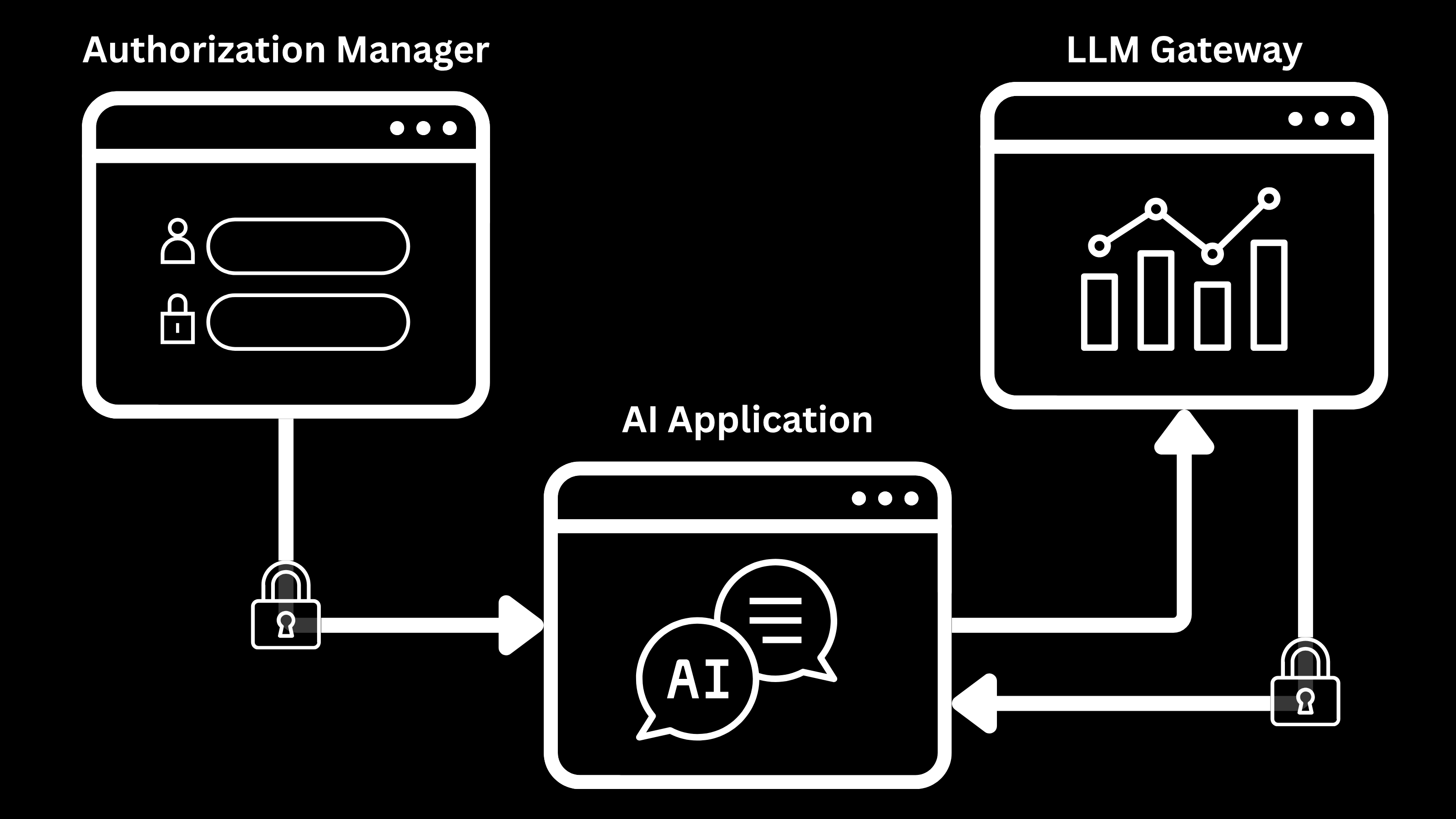
Authorization Manager - Allows role-based access and provides traceability to users.
AI Gateway - Allows institutions to provide access to hundreds of LLMs through one central access point, optimizing for cost or use case.
Application Layer - Provides end users access to the AI.
All of these tools have mature, community-supported Open Source versions. I use Keycloak, LiteLLM, and LibreChat.
Working together, the user workflow for this setup looks like this:
A user now has an “approved” tool with the benefit of more institutional data (e.g. a faculty could create a “syllabus agent” that they might not otherwise create as a custom GPT), and the flexibility to use more models than a free service allows.
An administrator can monitor AI usage for harmful behavior or data mismanagement.
An average user might use $1-$2 [Appendix A] of AI credits versus a flat fee of $16-$20. And when AI usage is down as in during the off periods, the cost goes down with usage.
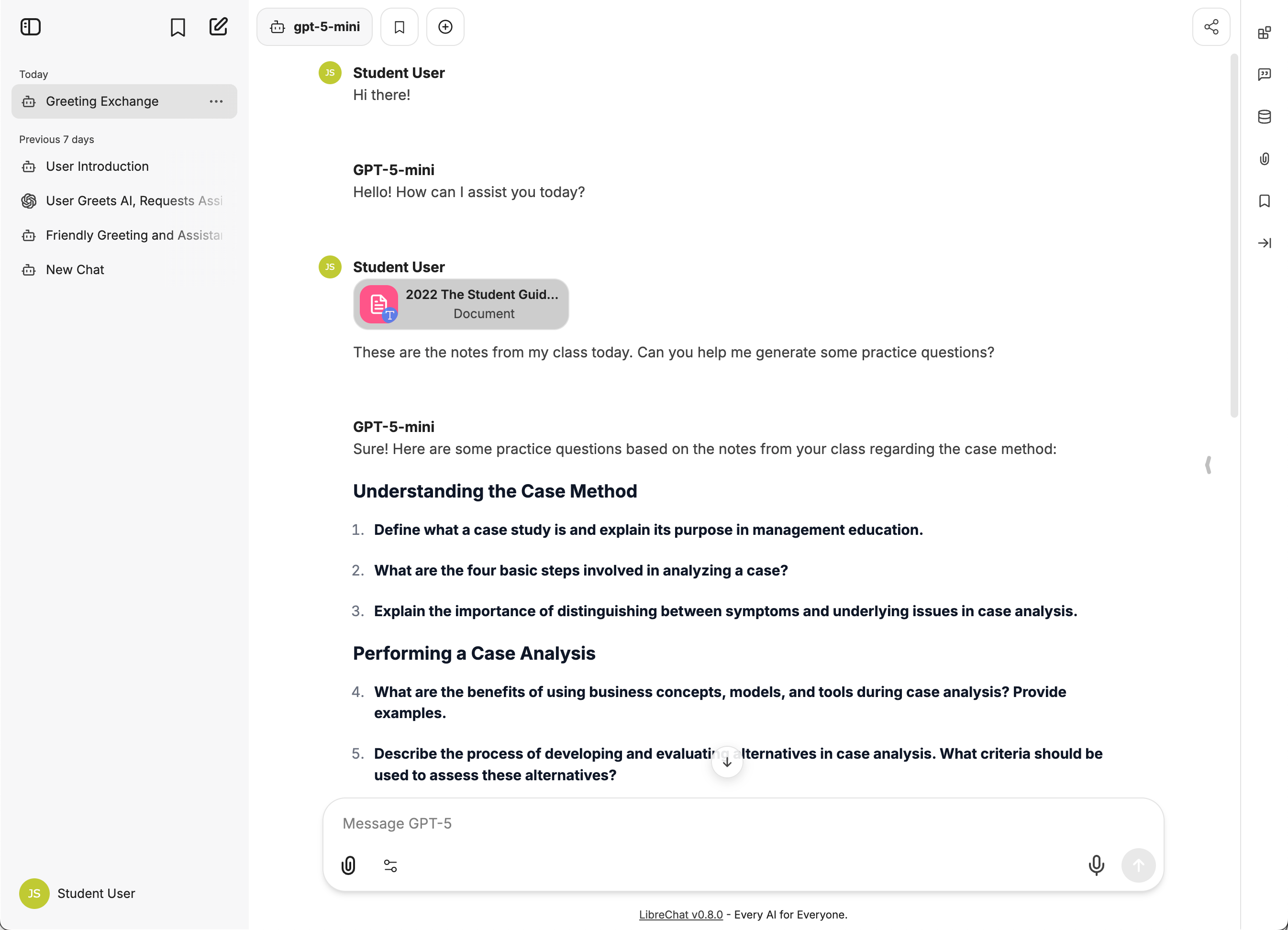
To be clear, this can be any application that uses APIs to access an AI chat service. A familiar application would be a GPT clone like LibreChat that behaves just like a familiar chatbot but allows the user to choose any model available to them, and do extra things like share chats and create simple agents.
The application layer configures:
Appropriate connections to institutional data.
User identity via authorization manager
AI access via LLM gateway
An LLM Gateway configures the following:
What models to make available (This could include self-hosted Models)
Budget controls for different users
Model restrictions for different users
Guardrails
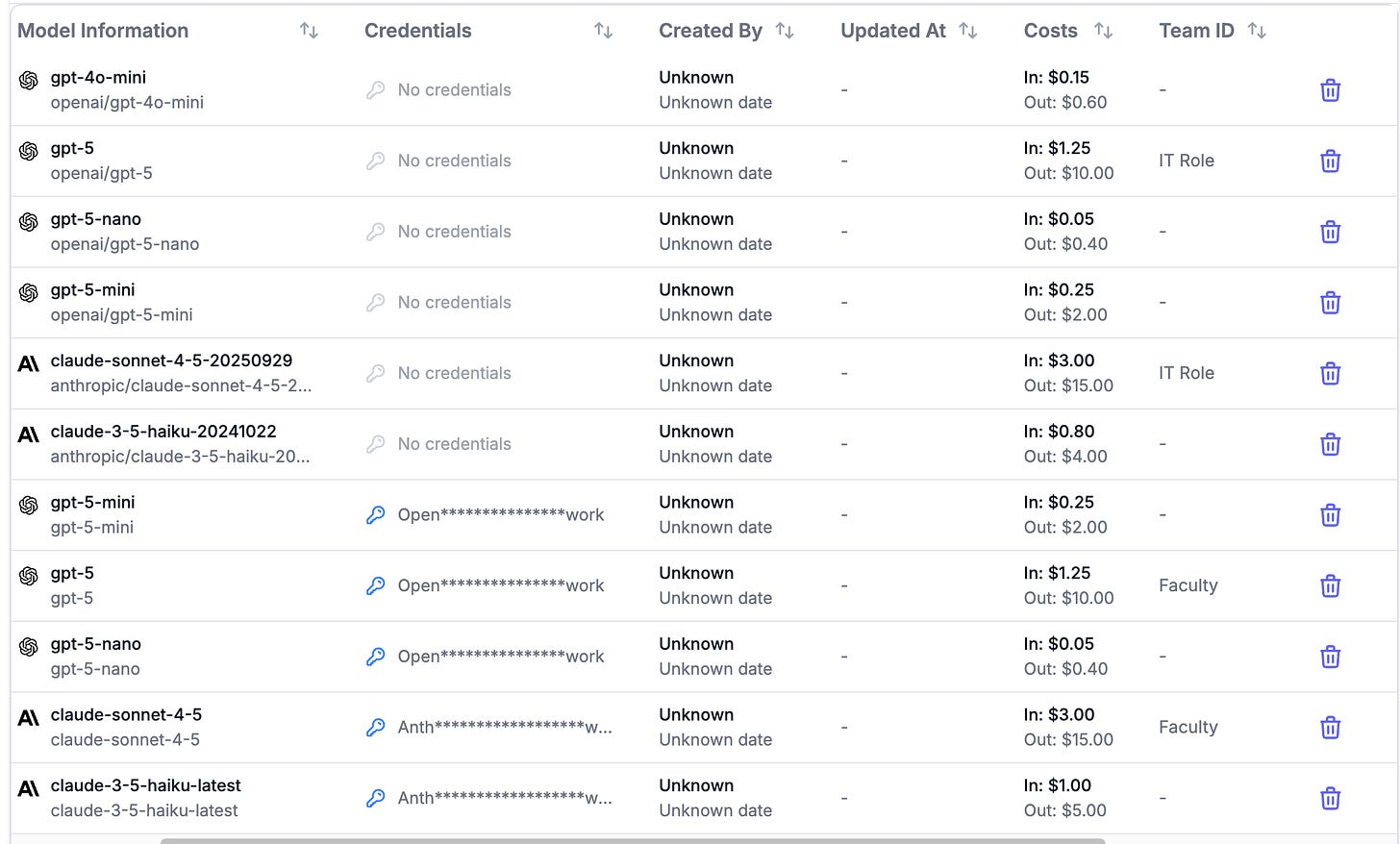
An LLM Gateway with OpenAI and Anthropic models available to different groups
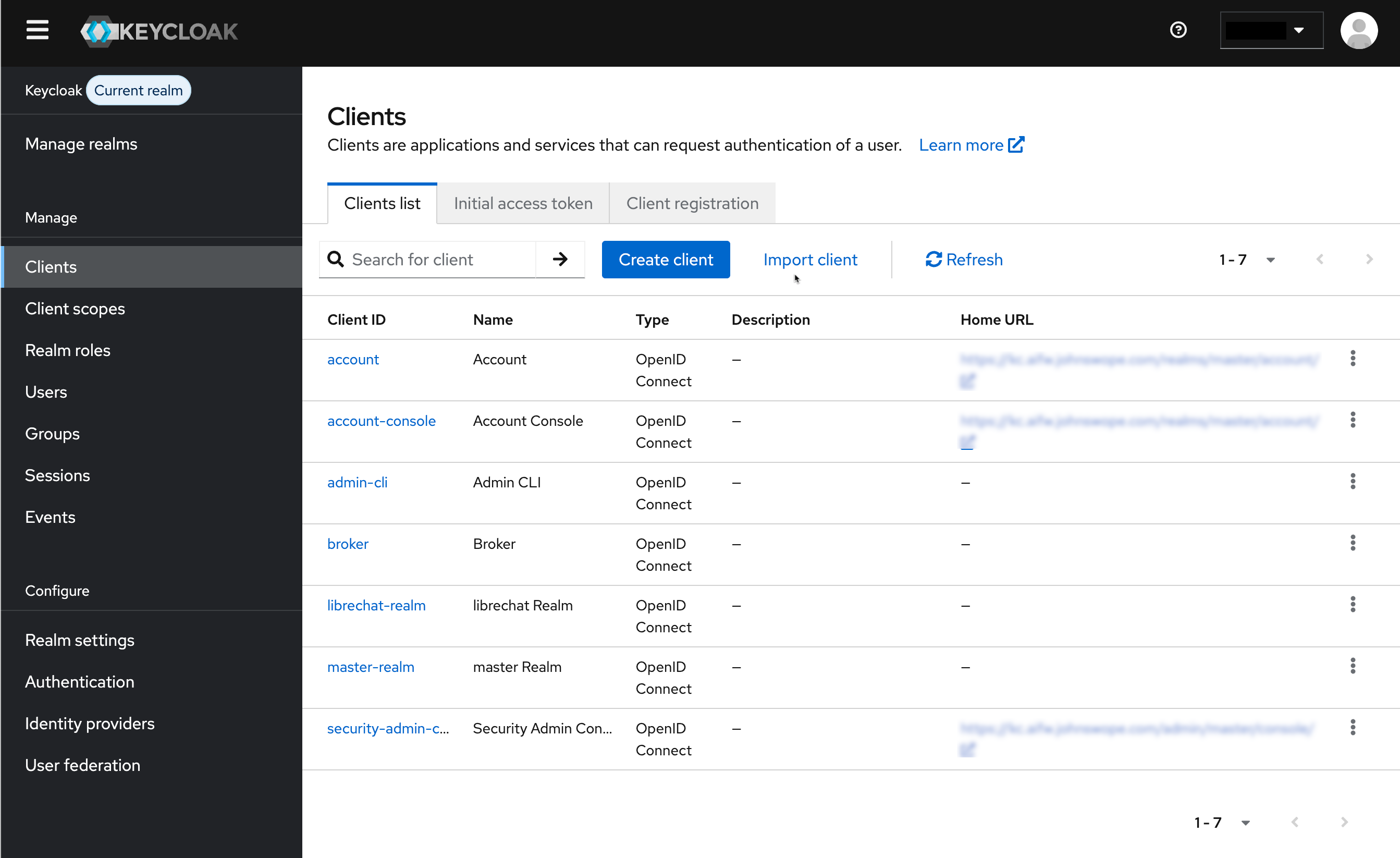
An authorization manager configures:
Integration with the institutions existing identify management system.
Identity and role details to gather for each user.
This article is not a “how-to” guide. First of all, I’m still in the learning phase with each deployment. And deployments do vary depending on which AI application(s) you are using and how you set up access in LiteLLM (e.g. access by role vs access by application vs a hybrid). But if you are tasked with AI deployment or AI enablement at your institution, this is a framework that I recommend you start experimenting with.
Next, I plan to create a public sandbox to demonstrate the user experience and some of the admin experience. Subscribe to get that update when it releases.
An estimate of $1-$2 per month was arrived at by estimating # of conversations per month, tokens per conversation (input and output) and cost per token (input and output) for the flagship GPT-5 model.
\(\frac{\text{conv}}{\text{month}} \times \left(\frac{\text{tokens}_{\text{in}}}{\text{conv}} \times \frac{\$}{\text{token}_{\text{in}}} + \frac{\text{tokens}_{\text{out}}}{\text{conv}} \times \frac{\$}{\text{token}_{\text{out}}}\right)\)
Average Conversations per Month
Source: How people are using ChatGPT
700 million users
18 billion messages per week
4.2 weeks/month = 75 billion messages/month
107 messages per month/user
107
Average Tokens per Conversation
I quantified tokens for a conversation in OnMicro.ai where I uploaded a 15 page PPT presentation, and asked it to summarize the PDF, provide key insights, and generate 10 MCQs. Then averaged the tokens for input & output.
Average Input Tokens/conversation = 4,500 tokens
Average Output Tokens/conversation = 400 tokens
Cost per Token
Cost per token was simply gathered from ChatGPT’s GPT-5, their frontier model at the time of writing. Source: OpenAI API Pricing
Cost/Token Input = $1.25/1 Million tokens
Cost/Token Output = $10/1 Million tokens
Total cost calculation becomes:
\(107 \times \left(4{,}500 \times \frac{1.25}{1{,}000{,}000} + 400 \times \frac{10}{1{,}000{,}000}\right) = 1.03 \)
$1.03 per user per month.
Or if you wanted to use a mid-tier model like gpt-5-mini you could bring it down to less than a quarter per month.
\(107 \times \left(4{,}500 \times \frac{0.25}{1{,}000{,}000} + 400 \times \frac{2}{1{,}000{,}000}\right) = 0.206\)
$0.21 per user per month.
No posts
Comments
Nothing yet. Say the first thing.
Sign in to join the conversation.