
All models hallucinate.
All of them.
And that’s a problem if you use them for stock analysis.
A hallucination is when an LLM generates a confident-sounding answer that isn’t grounded in real data. It makes up the answer. For stock analysis, that’s the difference between a real revenue figure and a fabricated lie.
Here’s the Artificial Analysis hallucination benchmark data:
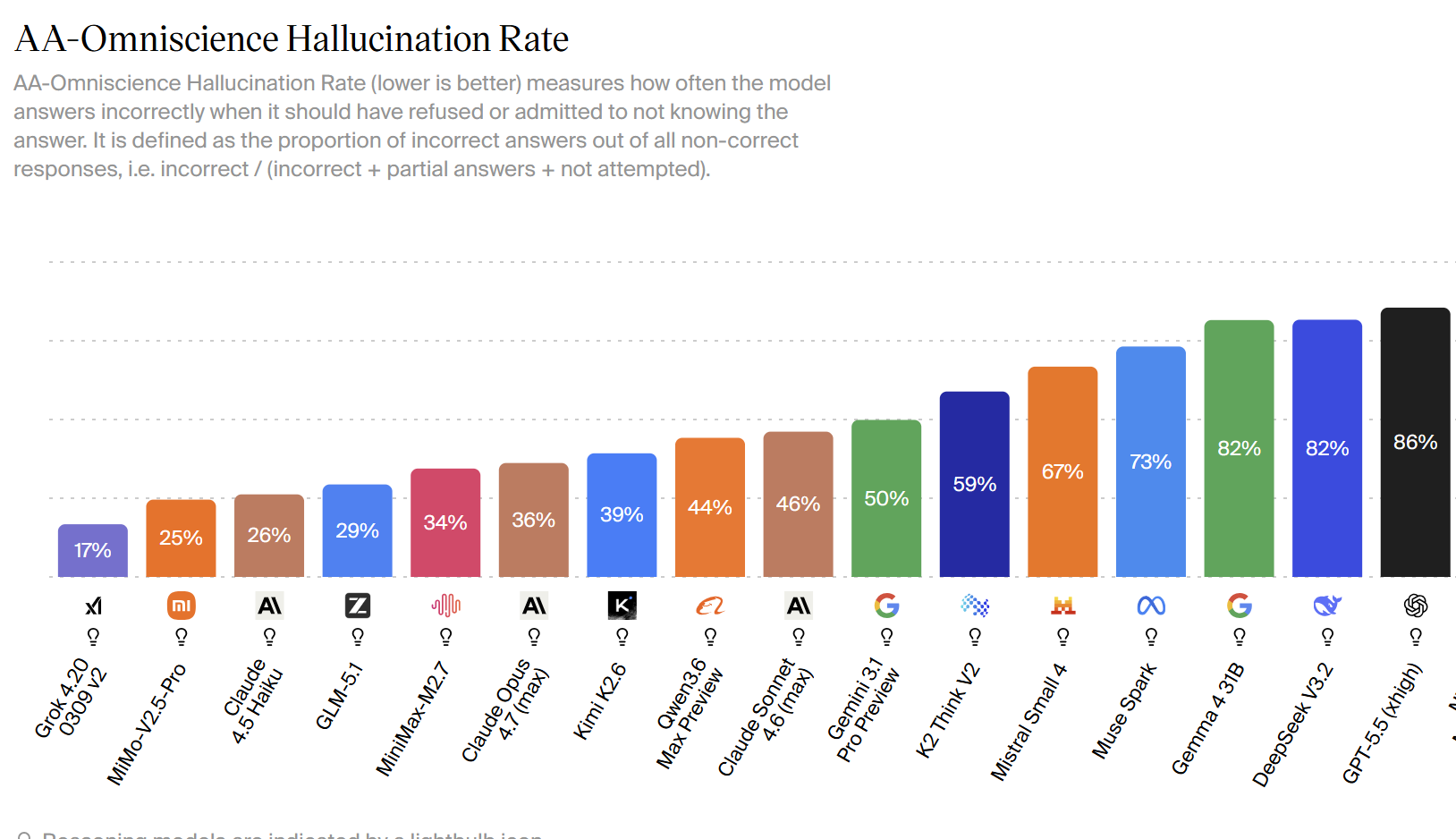
Grok 4.2 scores best. In 17% of the questions asked, the response should have been omitted rather than made up.
GPT-5.5 has a high score of 86%. (That’s pretty bad!)
And something that might surprise you: Claude 4.5 Haiku with reasoning hallucinates less (26%) than Opus 4.7 in adaptive mode (36%).
But how is it even feasible to use these models if a quarter of the time, they are just making stuff up?
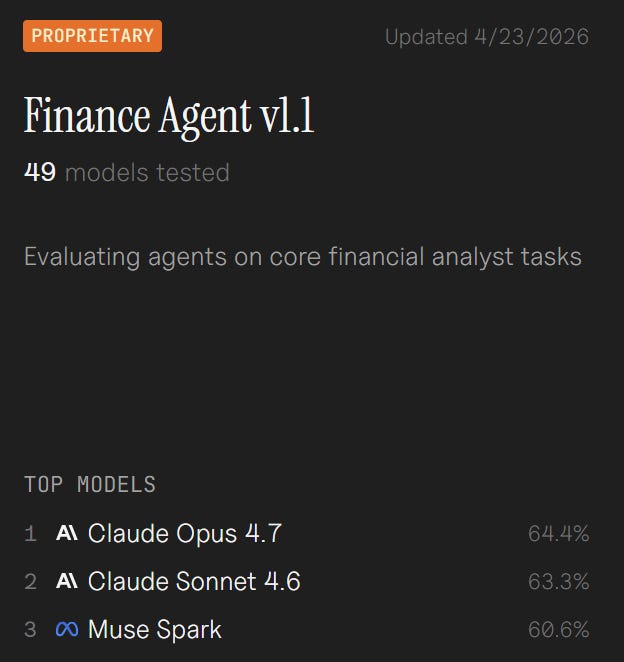
Before diving into what you can do. GPT5.5 and Opus 4.7, from a pure intelligence standpoint, are the strongest models today.
For complex financial analysis, use a frontier model. When it comes to finance tasks, Opus still reigns supreme:
Secondly, this hallucination-rate test covers 6000 questions, in which the LLM answers based on its pretraining. That’s an important nuance!
Here are 6 things you can do to reduce the hallucination rate. We’re going to use Claude as an example, but you can apply these principles to any model you use.
TL;DR: six ways to cut LLM hallucinations for stock research:
1. Load full context (Claude Projects, CSV/markdown over PDF)
2. Hardcode “don’t fabricate” in system instructions
3. Always run reasoning mode
4. Demand sources for every claim
5. Color-code outputs by data confidence
6. Run two models in parallel (”Council mode”) and reconcile
Make sure you give it all the context it needs (don’t let it respond based solely on its pre-training).
The bad scores above are largely due to this.
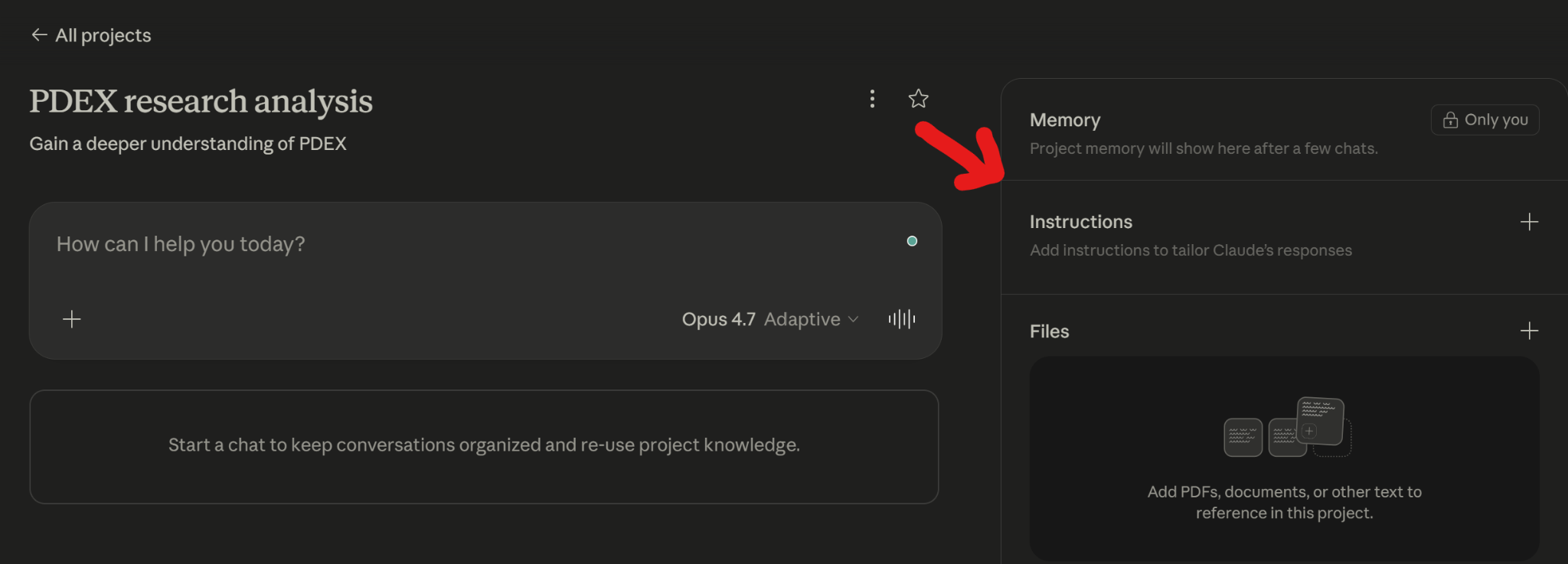
Use Claude Projects. Or just upload your data into a chat. Here are some basic rules:
LLMs have trouble with PDFS.
LLMs love CSVs, text files, or markdown files.
So it’s not only what data you provide, but it’s also how you provide that data.
For example, when I research a microcap, I drop the last five annual reports as markdown plus a single CSV with five years of P&L. Claude reads that combination and stops inventing numbers.
Hardcode it in its instructions (for the project or general instructions) that it cannot fabricate stuff. If it doesn’t know, you prefer it tells you that.
Always use reasoning mode
Claude now has adaptive mode, so based on the question and context, it will switch between fast and reasoning modes. That means in your prompt, you need to ask it to reason.
The trigger phrase that activates reasoning is asking Claude to “think step by step” or “reason through this carefully.” Adaptive mode picks up that cue and switches.
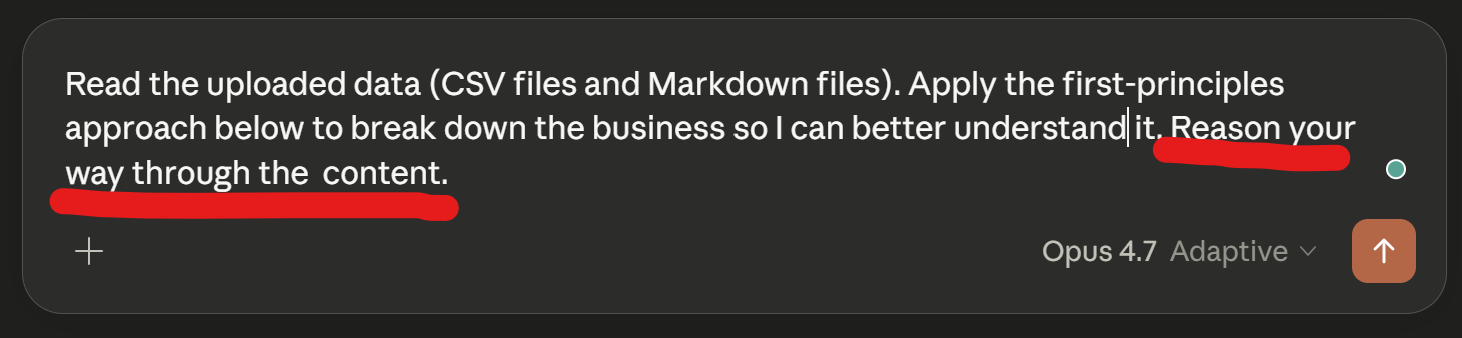
Too bad Claude had to push this adaptive form upon us. I preferred selecting the thinking mode myself.
In the instructions, ask for sources
When the LLM produces a result, it should always be explicit where it got its data. Ask this explicitly in the system prompt or the single prompt you use.
If the model gives you a weird answer, at least you can fact-check it.
Reject any answer where the source is “general knowledge” or unspecified. Treat that as the model guessing.
Color coding
The output needs to be presented in a certain way.
Ask the LLM to cross-check any data pulled from an annual report with the financial data you got from a database. Green means up to 3% accurate. Yellow means more than 10% drift. Red means danger: Possible error.
Add this to the prompt or to the project instructions.
It’s a simple visual hack.
We already mentioned Council mode, in which the same problem is presented to 2 models that analyze it independently. Then you compare the similarities and the differences.
Council mode = giving the same prompt to two independent models, then comparing the two answers for agreement and contradictions. Where they agree, you trust. Where they disagree, you dig deeper.
Perplexity Pro can do this automatically, but it will cost you 100 USD/month.
Here’s an example of what the output looks like:
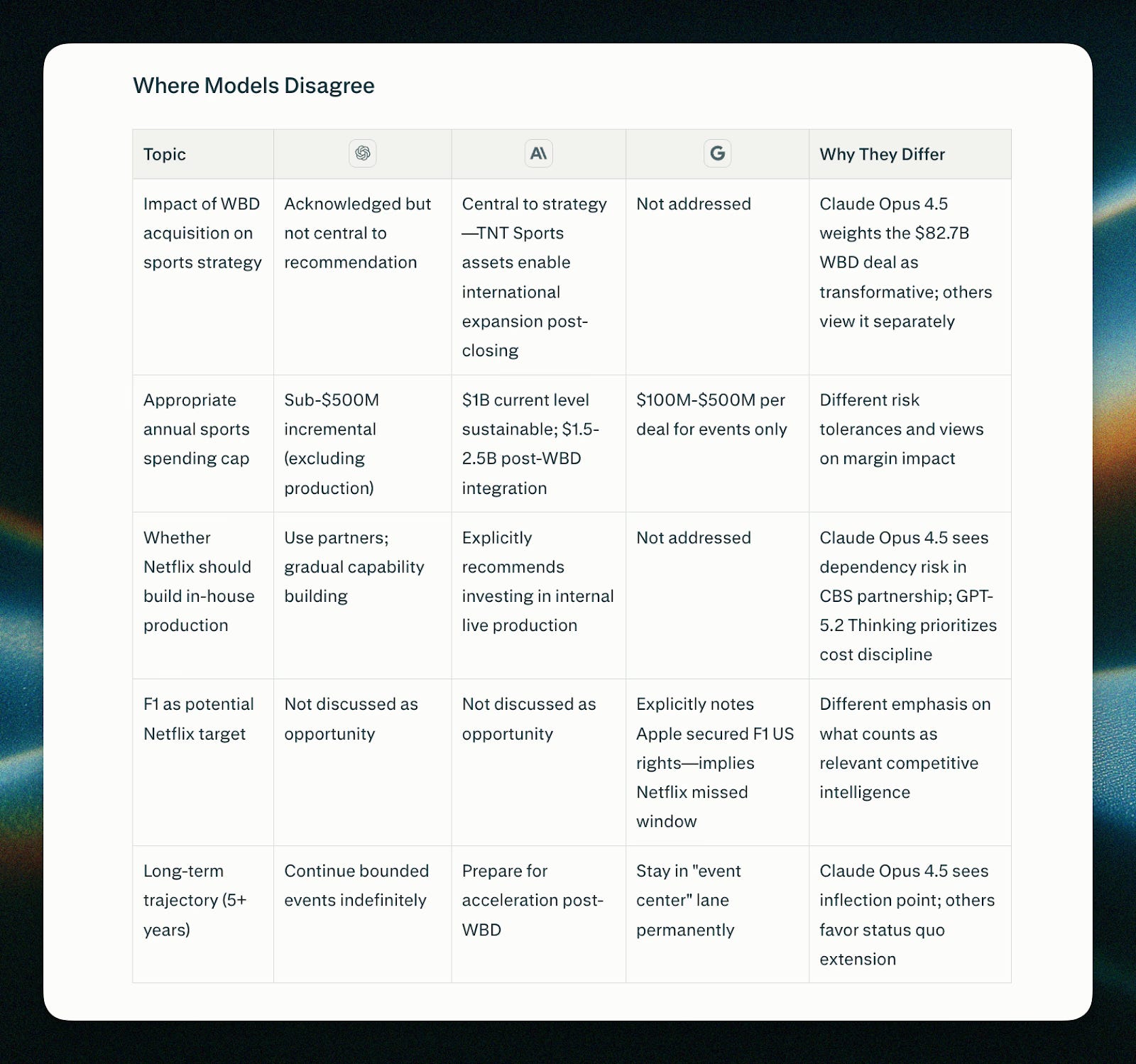
But if you have a 20 USD ChatGPT subscription and a 20 USD Claude subscription, you can prompt them the same way, or create a project in both, and then you’ll have 2 outputs.
Copy paste 1 output into the other chat window, and ask the LLM to spot the differences. You can even add the output above from Perplexity to it so that the LLM knows what kind of format you want it to give you.
This last method is still the best way.
I’m building a skill on this to make it easier for you, so stay tuned.
Keep learning AI. Keep building!
Kevin
No posts
Comments
Nothing yet. Say the first thing.
Sign in to join the conversation.