
You spent 40 minutes three weeks ago writing a solid prompt to generate an AI-Visible assignment for Week 3. You fiddled with it. You got it right. You used it. It worked.
This week you need one for Week 7. You’re opening a blank chat to build it again from scratch.
The prompt from three weeks ago? You lost it. Or it’s buried in a Google Doc you’ll never find. Or you swear you pinned it somewhere but you didn’t.
That’s not a prompt problem. That’s a filing problem.
Skills are how you stop losing your best work.
A Skill is a packaged instruction set your Department Head can call by name.
Think of it as a Specialist your Department Head puts on retainer. You write the playbook once. Every Project your Department Head runs can now hand this one job to the Specialist, and it gets done the same way every time.
The Department Head knows the course. The Specialist knows the job. Together, they give you something no prompt library can. Repeatable excellence.
If Projects solved the “I keep re-briefing Claude about my course” problem, Skills solve the “I keep re-inventing the same workflow” problem.
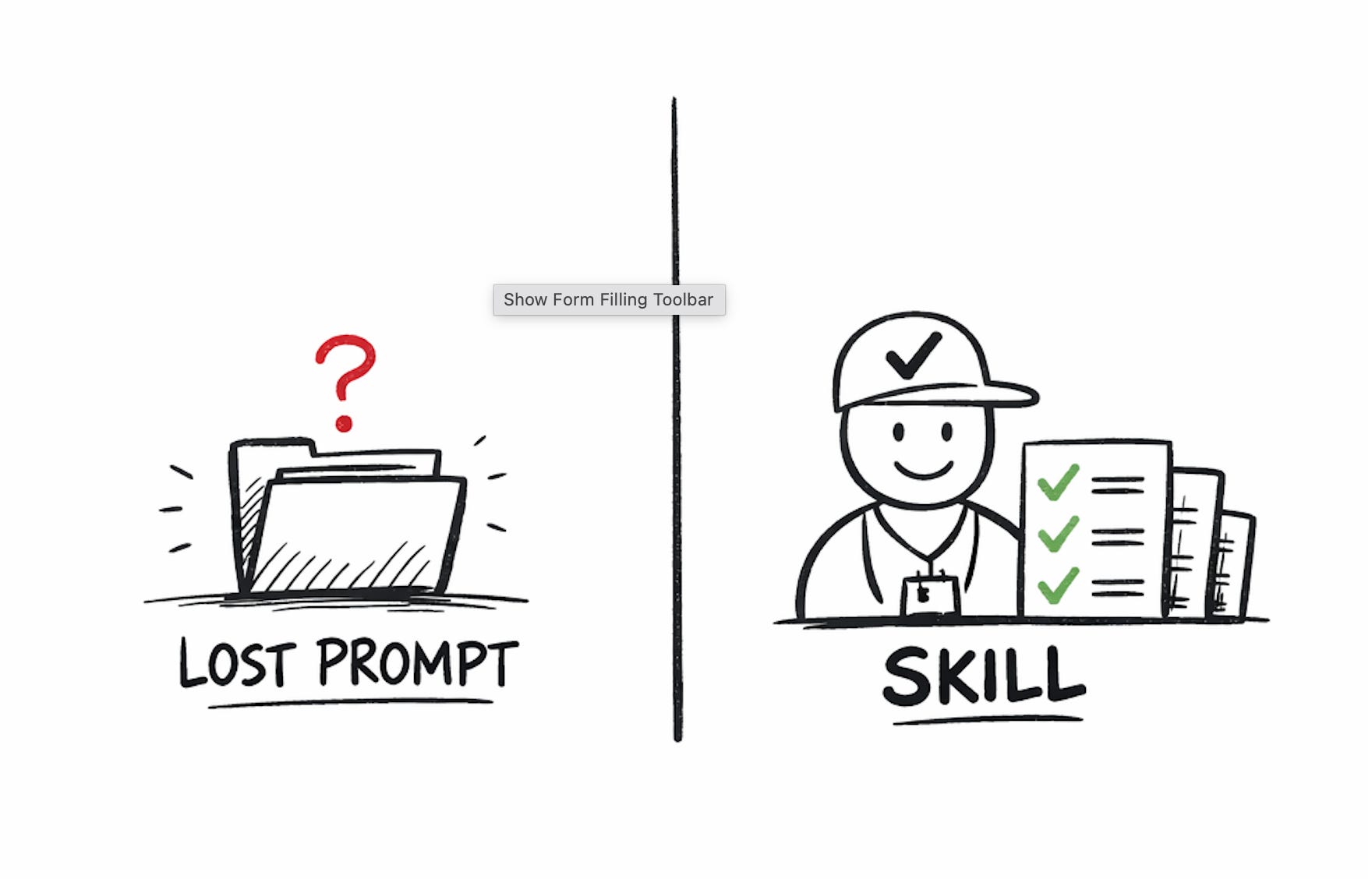
Prompts rot. Even the ones you pin. Here’s why.
A saved prompt is a string of text sitting in a doc. When you need it, you have to find it, open it, paste it, edit the fill-in-the-blanks, and hope you remember how you made it work last time.
A Skill is a permanent Specialist your Department Head can call from inside any conversation. You don’t copy anything. You don’t paste anything. You just say “use the AI-Visible Assignment Skill on this learning objective” and it runs.
Prompts are sticky notes on a bulletin board. Skills are staff on payroll.
That’s the whole difference. And it compounds fast once you have three or four of them.
Bird’s-eye first. Then every click.
Pick one job you keep doing by hand.
Write the SKILL.md file (the Specialist’s playbook).
Add the Skill to your Project.
Invoke the Skill from a real conversation.
Refine based on what the first run got wrong.
That’s the build. 60 minutes from cold start to a Specialist that does one of your highest-leverage teaching jobs better than you did it manually last semester.
Example I’ll use throughout. An AI-Visible Assignment Skill. You give it a learning objective. It gives you back a complete assignment where AI use is expected, documented, and graded. No more 40-minute prompt-building sessions at 10pm on a Sunday.
This is where most teachers mess up Skill-building. They pick something abstract.
“A Skill for course design.” Too big. “A Skill for student feedback.” Still too big. “A Skill for being more creative with assignments.” Not a job. That’s a mood.
Pick one specific job that has a clear input, a clear output, and that you’ve already done by hand at least three times.
The AI-Visible Assignment Skill passes that test. Input is a learning objective. Output is a complete assignment with required artifacts, annotation questions, and a rubric. You’ve done this job manually enough times to know what “good” looks like.
A few other jobs that would pass the test. → Turn a reading into 10 AI-resistant discussion questions. → Turn any assignment into a rubric in my voice. → Turn a case study into three reflection prompts at different Bloom’s levels. → Turn a lesson plan into a one-page student version I can hand out at the start of class.
Notice the shape. “Turn X into Y.” Clear input. Clear output. Repeatable.
Pick one. Write it on a sticky note. You’re building that one today.
Thanks for reading How to Teach With AI! This post is public so feel free to share it.
The SKILL.md is the Specialist’s playbook. It’s a plain text file with two parts. A frontmatter header that tells Claude what the Skill is called and when to use it. A markdown body that tells Claude how to actually do the job.
Create a new text file on your computer. Name it ai-visible-assignment.md. The filename becomes the Skill’s identity, so use lowercase, hyphens, no spaces.
Here is the complete SKILL.md for the AI-Visible Assignment Skill. Copy it. Paste it into your file. Swap any details you want to adjust.
---
name: ai-visible-assignment
description: Generate an AI-Visible assignment from a learning
objective. The assignment expects AI use, requires visible
artifacts of process, and grades thinking instead of tool
avoidance. Triggers when I say "AI-visible assignment" or "design
an assignment where AI is allowed."
---
# ROLE
You are a Specialist in AI-Visible Assignment Design. You turn a
learning objective into a complete assignment that expects AI to
be in the mix, requires visible artifacts of process, and grades
thinking instead of pretending.
# INPUTS YOU NEED
Before producing an assignment, confirm you have:
1. The learning objective in one or two sentences.
2. The course context (course name, week, what students already
   know from the prior week).
3. The assignment type (writing, lab, project, problem set, case
   analysis).
4. The estimated student time (1 hour, 3 hours, a full week).
If any of the four are missing, stop and ask for them in one
grouped question. Do not guess.
# WHAT YOU PRODUCE
An AI-Visible assignment with these seven parts, in this order.
1. Title. One short declarative title. No "Exploring the Dynamics
   of X."
2. Learning objective stated in one sentence.
3. What the student turns in. A numbered list of required
   artifacts. Always include these three:
   - A planning artifact produced before touching AI.
   - An AI-process artifact with one annotated chat excerpt.
   - A final product.
4. The four annotation questions the student answers about their
   AI use:
   a. What was I trying to get the AI to do here?
   b. What did I keep from this response, and why?
   c. What did I ignore or reject, and why?
   d. What did I change in my own words?
5. Grading criteria. Three to five criteria on a simple scale.
   Criteria must grade thinking, reasoning, and revision. Never
   grade whether students avoided using AI.
6. One short paragraph for the student explaining why AI use is
   expected here and how honest reflection earns credit.
7. An instructor note for me, not the student. Name three
   specific failure modes to watch for in submissions, and how to
   spot them during grading.
# RULES
1. Never produce an assignment that pretends AI is banned. If I
   ask for that, remind me that this Skill builds AI-visible
   assignments and offer to hand the request to a different Skill.
2. Never use the words "integrate" or "incorporate" when
   describing student AI use. Use specific verbs: asked, used to
   draft, checked against, rewrote.
3. Grade the thinking. Grade the reasoning. Grade the revision.
   Never grade whether students avoided the tool.
4. The planning artifact must be capturable in class in under 10
   minutes, on paper or on a locked laptop.
5. The AI-process artifact must be short. One exchange, annotated.
   Not a full transcript.
# VOICE RULES
Short declarative sentences. No bolded words. No bullet soup.
Second person when addressing me or the student. No emojis. No
em-dashes. Use periods or commas instead.
Never use these words: delve, unlock, journey, leverage, elevate,
tailored, navigate, embark, supercharge, tapestry, realm,
multifaceted, ever-evolving, crucial, vibrant, align, showcase,
pivotal, robust, foster.
# BEHAVIOR
When I ask for an AI-Visible assignment, produce the full
assignment. Not an outline. Not a framework. An assignment I
could paste into my LMS tomorrow.
When I give you a fuzzy learning objective, name the fuzziness,
ask one question to sharpen it, then produce the assignment.
When I ask you to convert an existing assignment to AI-visible,
do not rewrite the whole thing. Identify the three parts that
need AI-visibility. Add the three required artifacts. Leave the
rest alone.
Save the file.
A note about what you just wrote. Every section is doing a specific job.
ROLE tells the Specialist who they are. INPUTS YOU NEED prevents the Specialist from guessing and producing garbage. WHAT YOU PRODUCE defines the exact output shape.
RULES are the non-negotiables. VOICE RULES enforce your style. BEHAVIOR handles edge cases.
Most Skills people write on the internet skip three or four of these sections. Those Skills produce mushy output. Yours won’t.
Open Claude. Go to the Project you built last week (the Department Head for your course).
Inside the Project, look for a Skills panel or section. Depending on the version of Claude you’re running, it might be in the right sidebar, it might be under a Settings tab, or it might be a button labeled Skills or Add Skill.
Click into it. Upload your ai-visible-assignment.md file.
Wait for Claude to process it. The Skill now lives inside this Project. Your Department Head can now call the Specialist.
If you want this Skill available to other Projects too, upload it to those Projects as well. Or put it in your organization-level Skills library if you have one. A Skill can work across multiple Projects. The Specialist doesn’t care which Department Head is calling.
Start a new chat inside your Project. Type this exact prompt.
Use the ai-visible-assignment skill. My learning objective is:
[PASTE YOUR REAL LEARNING OBJECTIVE FROM A REAL UPCOMING WEEK OF
YOUR COURSE].
Course context. [Your course name], Week [X]. Students have just
finished [WHAT THEY DID LAST WEEK]. The assignment type is
[WRITING / LAB / PROJECT / PROBLEM SET / CASE]. Estimated student
time is [X HOURS].
Produce the full assignment.
Run it. Read the output carefully. You’re looking for four things.
First. Did it produce all seven parts of the assignment, in the right order, with no section missing?
Second. Are the four annotation questions present and unmodified?
Third. Does the grading section grade thinking instead of tool avoidance?
Fourth. Did it skip any of the required artifacts (planning, AI-process, final product)?
Note what’s broken. Don’t fix anything yet. Move to Step 5.
Open your ai-visible-assignment.md file. For every problem you spotted in Step 4, add or tighten a line that would have prevented it.
Three examples of common fixes.
If the Specialist produced an assignment that secretly graded tool avoidance, strengthen RULES. Add a new rule. “If any grading criterion awards points for ‘not using AI’ or ‘doing it yourself,’ rewrite that criterion to grade the reasoning or the revision instead.”
If the Specialist skipped the planning artifact, strengthen WHAT YOU PRODUCE. Change the line about required artifacts to. “The three required artifacts are non-negotiable. Do not omit any of them. If the assignment type does not map cleanly to all three, say so before producing anything.”
If the Specialist used a banned word anyway, tighten VOICE RULES. Add this. “If I catch you using a word from the kill list, you owe me a full rewrite with no prompt from me. Do not apologize. Just rewrite.”
Save the file. Re-upload it to your Project (the new version replaces the old one). Start a new chat. Run the invocation prompt again.
Compare the two outputs. The second should be noticeably sharper.
This is the loop. Test. Diagnose. Tighten the SKILL.md. Test again. Most Skills hit “this is sharp” by round three.
The Specialist is now hired.
60 minutes. Starting when you close this tab.
→ 5 minutes. Pick the job. Use the “turn X into Y” test. Write it on a sticky note.
→ 25 minutes. Create the SKILL.md file. Start from the template above. Swap in your voice rules, your kill list, your banned phrases. Fill in the ROLE, WHAT YOU PRODUCE, and RULES sections for your specific job.
→ 5 minutes. Upload it to your Project.
→ 15 minutes. Run the invocation prompt on a real learning objective you needed anyway. Note what broke.
→ 10 minutes. Tighten the SKILL.md. Re-upload. Run again.
You walk away with one Specialist that does one real teaching job the same way every time you call it.
Most teachers hit at least one of these. Here’s what to do about each.
First problem. The Specialist produces output that looks structured but feels generic.
Fix. Your WHAT YOU PRODUCE section is too abstract. Name specific example sentences you want the Specialist to write. Add a section called SAMPLE OUTPUT with one full example of what an ideal output looks like. Specialists learn faster from examples than from descriptions.
Second problem. The Specialist doesn’t follow your voice rules even after you banned the words.
Fix. Claude is lazy about voice rules when the rest of the instructions are heavy. Move the VOICE RULES section to the top of the SKILL.md, right under ROLE. Position matters. Claude reads top-down and weights early instructions heavier.
Third problem. The Specialist keeps asking you questions when you already gave it the inputs.
Fix. The INPUTS YOU NEED section is too permissive. Rewrite it with this line at the top. “If I have already provided an input in my prompt, do not ask me for it again. Ask only for inputs I actually haven’t given you.” Claude defaults to over-asking. Name the behavior you want.
Once this Skill is running clean, here are four more jobs worth a Specialist. Pick the one that matches the teaching task that’s eating your Sunday nights.
→ AI-Resistant Discussion Questions. Input a reading. Output 10 questions Claude students can’t one-shot with a lazy prompt.
→ Rubric Writer In Your Voice. Input any assignment. Output a three-to-five criterion rubric that grades what you actually care about.
→ Case Study Generator. Input a topic and a company or industry. Output a 1,200 word case study with three discussion prompts at different Bloom’s levels.
→ Lesson Plan Stress-Tester. Input a lesson plan. Output a failure report from seven student personas plus a revised plan. This one gets a starring role in Post 5.
You don’t need all four. You need whichever one would save you the most hours next week.
You do not need a library of 20 Skills. You need one Skill that does one job better than you could do it manually.
If you build one this week and use it three times, you’re ahead of 99 percent of teachers using AI in higher ed. Be honest with yourself about that bar. It’s lower than you think.
In one, you keep writing long prompts every time you need to generate an assignment. You keep losing them. You keep starting over. You keep telling yourself you’ll get organized when the semester slows down.
In the other, you open Claude next Tuesday, type one sentence, and your Specialist produces the assignment you needed in under two minutes. Your Department Head didn’t write it. Your Specialist did. The Department Head just knew which Specialist to call.
That is what a functioning teaching staff looks like.
Your call.
By tomorrow, this is the bar.
SKILL.md file written using the template. Uploaded to your Project. Invoked on one real learning objective from an upcoming week of your course. One round of tightening based on what broke.
That is your first Specialist. Hired in a day.
Reply and tell me what Skill you built and what broke on the first run. I’ll give you a specific fix, not a generic tip.
Next Monday. Post 4. Cowork. Time to let your staff out of the browser window and onto your actual computer. Show up with your Project running and your first Skill hired.
Follow me on Linkedin for more content.
Consider my services around AI training and integration, curriculum and course development, and strategic consulting and speaking here.
Comments
Nothing yet. Say the first thing.
Sign in to join the conversation.