
If you’ve been around youth baseball, you know that no two fields are exactly alike.
At the Major League level, the environment is controlled. Uniform lighting, turf, and chalk lines all laid with laser precision. Every variable managed.
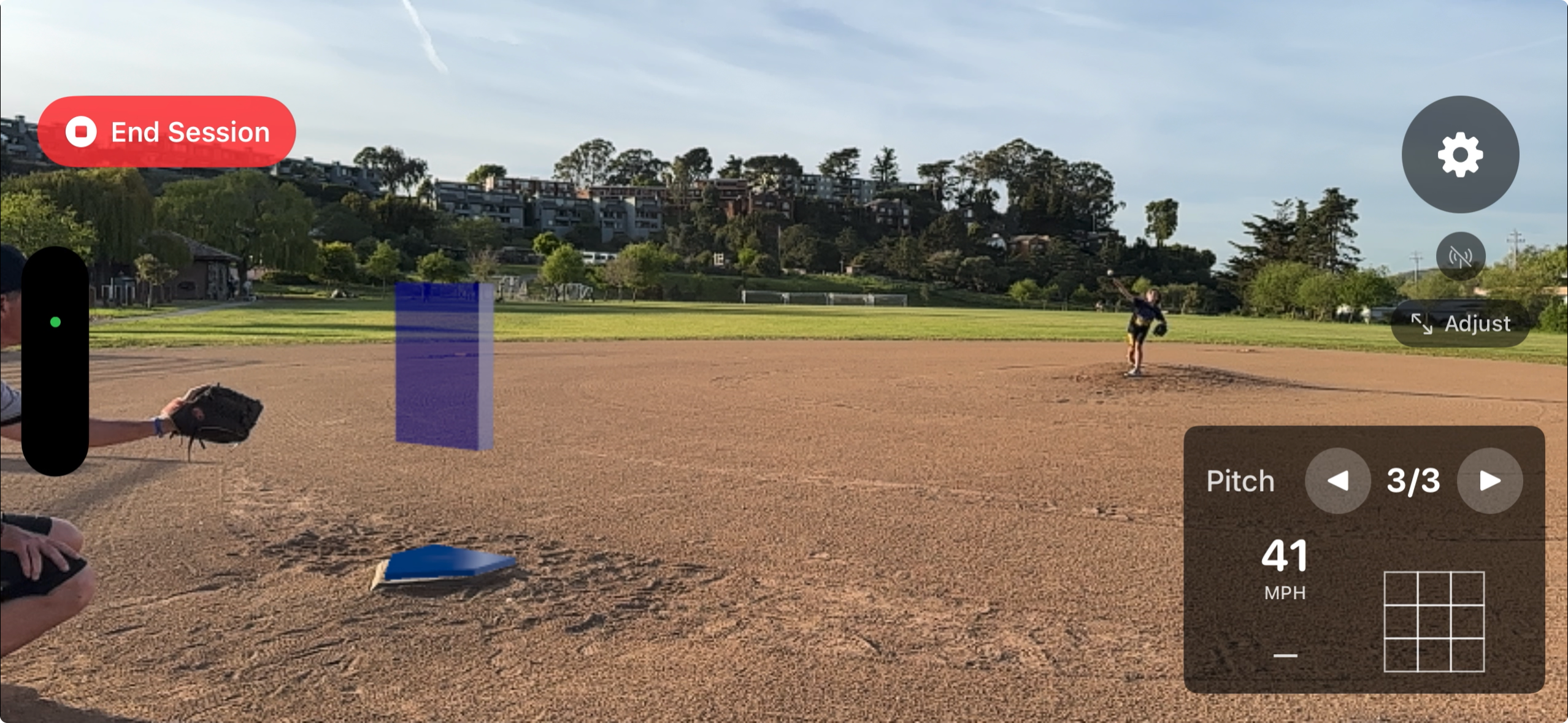
Youth baseball is the opposite. Dirt infields. Faded lines—or none at all. Chainlink fences inches behind the umpire. A 5:00 PM sun cutting straight across the mound.
In our last post, I wrote about “AccuracyCore”—the major-league-grade math that delivers sub-1-inch accuracy in the lab. That core is our shock absorber for the real world. But to truly calibrate it, the app needs to learn from real fields. Not just ours. Yours.
We just rolled out a major update to our beta testers, designed specifically to handle the chaos of real-world environments.
The Pitch Tunnel. When you open the app, you’ll now see two cyan vertical lines. Think of this as the pitch tunnel—the app only looks for baseballs inside these lines, ignoring distractions on the far left or right. The left line is your anchor. Align it with home plate, and the engine does the rest.
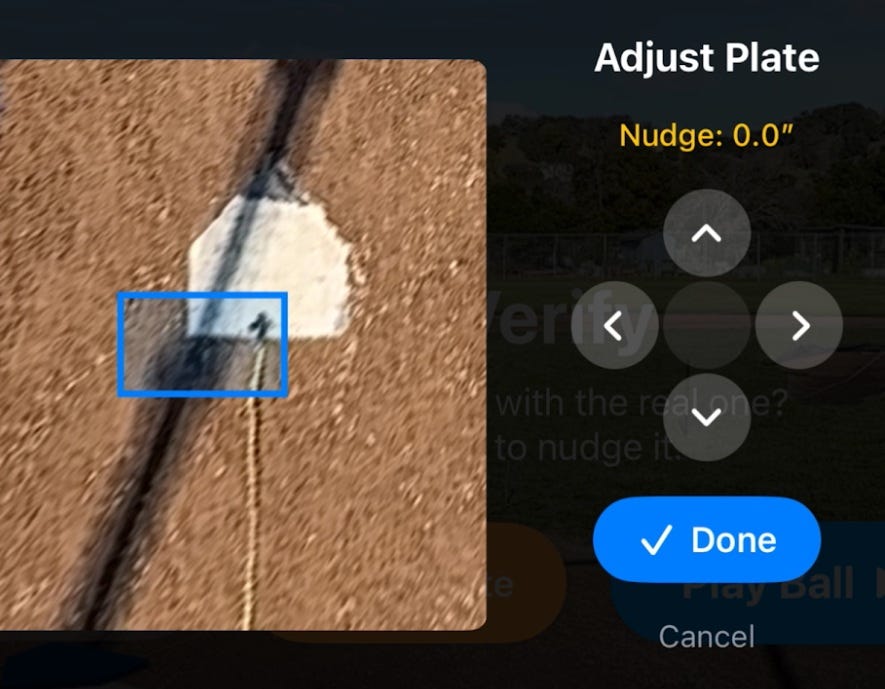
Overhead Plate Adjustment. Before you tap “Play Ball,” you now get a bird’s-eye view showing exactly where the digital plate sits versus the real one. Nudge it left, right, forward, back, or rotate it until it’s perfectly aligned
.
Mid-Session Fixes. Realized your alignment is slightly off in the middle of a bullpen? Tap “Adjust Plate.” It pauses detection, opens the overhead view, and lets you fix alignment without losing any pitch data.
We are at a stage where we are flying blind on the endless variations of local parks and practice facilities.
When you run a HeyBLU session—even just 5 to 10 pitches—the app quietly saves a data file that tells us exactly how it performed on your specific field. Did it see the ball clearly? Did it really understand home plate vs the dirt around it? How far off were the calls?
We can diagnose all of that from one log file—but only if you send it to us.
And to be clear: we don’t need perfection. A session where the app struggled is just as valuable to our engineering team as one where it nailed every pitch. Every field you test on fills in a blank spot on our map of what works and what doesn’t.
If you have access to the beta, here’s what we’re asking:
Run a short session at your field.
When you’re done, tap the red “End Session” button.
Tap the very top center of your iPhone screen three times quickly. This opens our debug view. This is the “triple tap” method to see under the hood of our app.
Tap the small blue document icon, save the “session_multitrack” file, and email it to support@heyblu.ai.
In the email, just tell us the field name and whether it’s dirt, turf, or mixed. That’s it.
The more fields we hear from, the faster we get this dialed in for everyone.
We picked you to be on our team. So, let’s play ball. Beta Testers Wanted!!!
No posts
Comments
Nothing yet. Say the first thing.
Sign in to join the conversation.