
Here we go again! Today we will be talking about SSL Pinning Bypass in Android. Due the recent cybersecurity congress that I have assisted, specifically, the last weekend (BSides Vienna) where one of the talks was related to SSL Pinning Bypass, I found my self inspired to make my own post explaining this technique. The main reason/motivation to do it is, that I got documented the process of the technique on my notes.

However, first things first. We will need to know some basics about SSL Pinning and why we need to perform a Bypass. Also, I would like to inform you that the screenshots that I will show during the process will be blured because were taken during a CTF.
SSL/TLS Pinning (or Certificate Pinning) is an additional security measure implemented by mobile applications (and some desktop clients) to mitigate Man-in-the-Middle (MITM) attacks.
Normally, when a device connects to a server via HTTPS, it checks the server’s certificate against a large list of trusted Root Certificate Authorities (CAs) installed in the operating system’s trust store. A penetration tester typically uses a proxy tool (like Burp Suite or OWASP ZAP) which installs its own CA certificate on the device. Since this CA is now trusted by the OS, the tester can intercept the application’s traffic.
SSL Pinning bypasses the reliance on the device’s trust store. Instead, the application itself contains a list of expected public keys or X.509 certificates (the “pins”) for its backend server.
When the application attempts a secure connection:
It performs the standard TLS handshake.
It then performs a second, internal validation against its hardcoded pins.
If the presented server certificate does not match one of the stored pins, the application immediately terminates the connection, regardless of whether the operating system officially trusts the certificate. This makes standard traffic interception techniques ineffective.
The primary purpose of performing an SSL Pinning Bypass is simple: to restore visibility into the application’s network communications.
In an ethical penetration test, this step is crucial because:
API Analysis: Pinning prevents security researchers from examining the contents and structure of the underlying API calls that the mobile application makes to the server.
Security Vulnerability Identification: Without intercepted traffic, it’s impossible to check for common API vulnerabilities such as:
Insecure data exposure in requests/responses.
Broken Object Level Authorization (BOLA) flaws by modifying user IDs or parameters.
Hardcoded secrets or sensitive information passed in HTTP headers or body.
Improper session management or token handling.
In essence, bypassing the pin converts the secure tunnel back into a transparent channel for detailed security analysis.
By successfully implementing the SSL Pinning bypass, we achieve full, unhindered interception of all TLS/HTTPS traffic for the target application through our preferred proxy tool.
This means we will be able to:
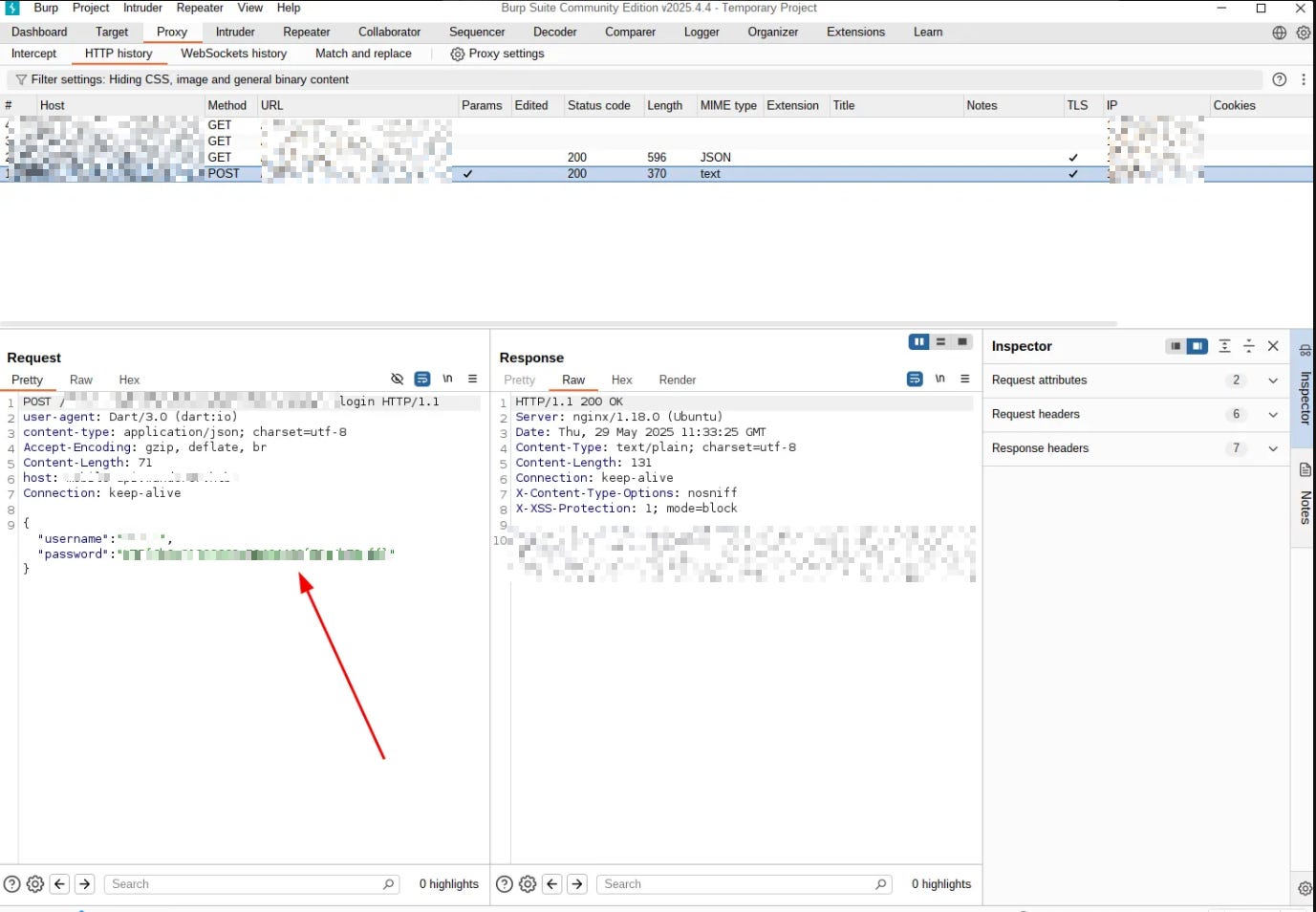
View all requests and responses in plaintext, including POST data, JSON/XML payloads, and response bodies.
Modify outgoing requests on the fly (e.g., tamper with authentication tokens, input parameters, and business logic data) to test the server’s resilience against malicious input.
Analyze the application’s true behavior and data handling protocols, providing a complete picture of its security posture from the client’s perspective.
The result is a fully transparent environment necessary to complete a thorough security assessment of the mobile application’s backend API.
The actual bypass technique (often involving runtime instrumentation) requires a specific set of tools to set up the testing environment and interact with the target device.
ADB is the versatile command-line tool that acts as a bridge for communication between your testing machine and the Android device/emulator.
Frida is a powerful, open-source dynamic instrumentation toolkit that allows you to inject snippets of JavaScript or your own library into native apps on Windows, macOS, Linux, iOS, Android, and QNX. It’s the go-to tool for SSL Pinning bypass because it can hook into the running application’s process and modify its behavior in real-time.
Once, we have set up our android phone on our Android studio. The first thing we will need to do is upload the CA certificates of Burp Suite. We will use the ADB tools to do that:
Upload CA:
adb push 9a5ba575.0 /tmp/9a5ba575.0Access the emulator via terminal:
adb -s emulator-name shellMove to the correct directory and change rights of the CA certificate:
mv /tmp/9a5ba575.0 /system/etc/security/cacerts/chmod 644 /system/etc/security/cacerts/9a5ba575.0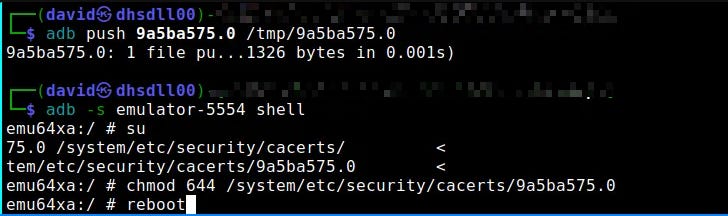
Reboot the system to add the new certificate:
rebootThe next step will be to download the correct frida version compatible with out Android version:
Get frida core as agent from our linux:
wget https://github.com/frida/frida/releases/download/17.0.5/frida-core-devkit-17.0.5-linux-x86_64.tar.xzDecompress the file:
tar -xf frida-core-devkit-17.0.5-linux-x86_64.tar.xz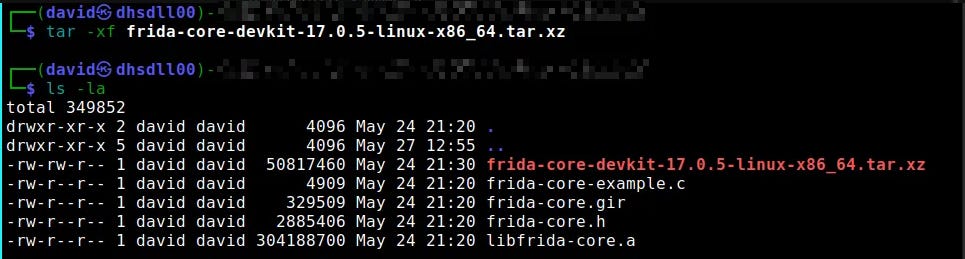
Install frida tools to be able to interact from our attack machine:
pip3 install frida-tools --break-system-packages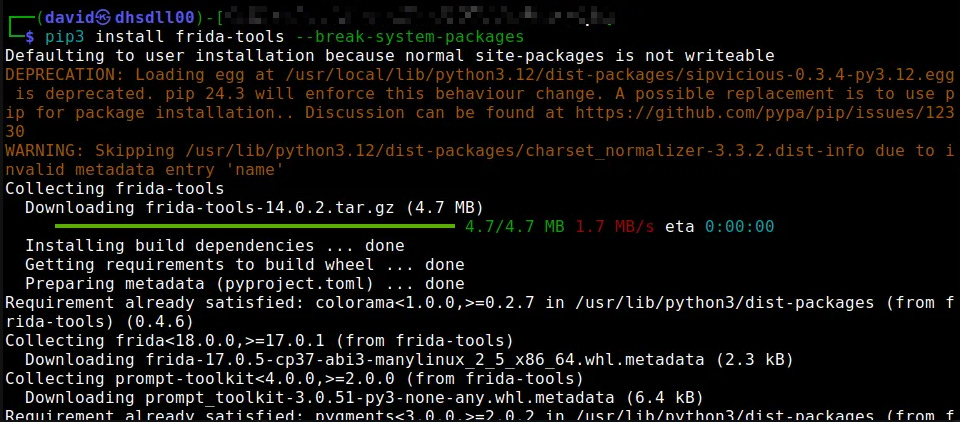
Upload frida server in to our emulated Android:
adb -s emulator-name push frida-server /data/local/tmp
Change the privileges of it:
adb -s emulator-5554 shell “chmod 755 /data/local/tmp/frida-server”
Through a root shell execute the server:
./frida-server &
Get the application ID name:
pm list packages -f
As I mentioned before, frida accepts to use JavaScripts Hooks to bypass SSL Pinning, in this case this application was wroten with Flutter. So, we will use a specifc JS Hook to be able to bypass it:
frida -U -f application_ID_Name --codeshare TheDauntless/disable-flutter-tls-v1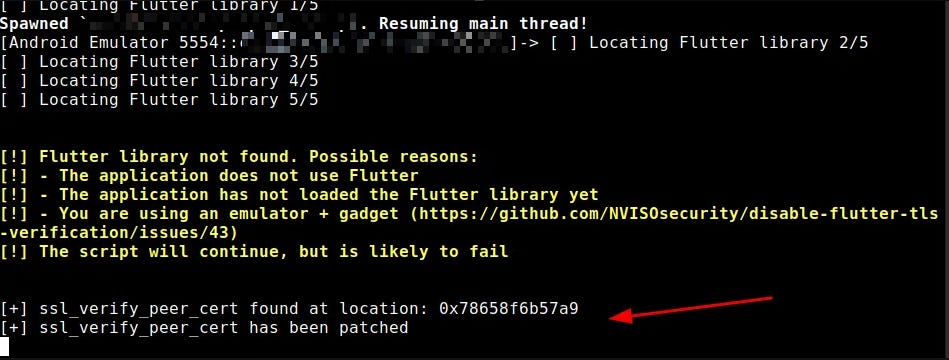
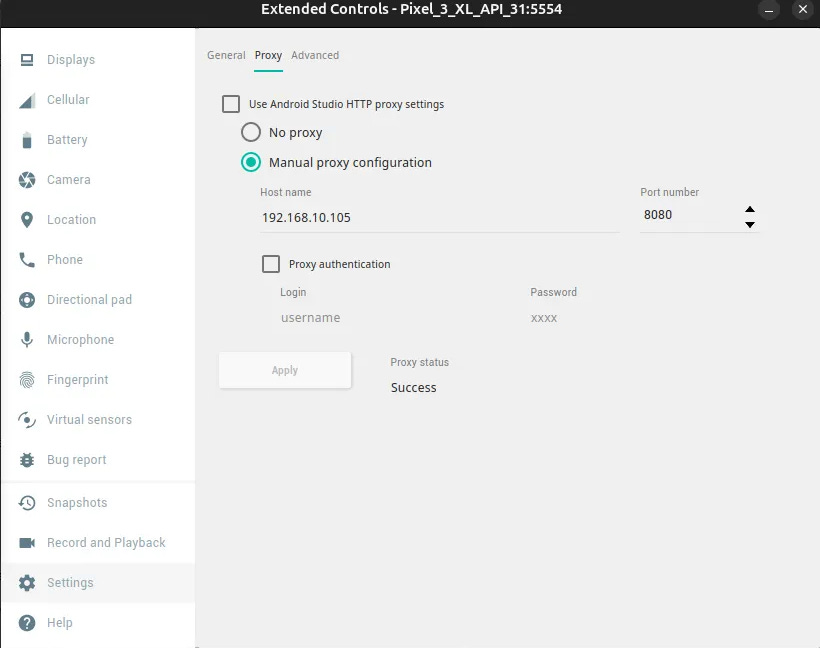
It is necessary to enbale the proxy on our Android pointing to our Burp Suite:
Then, once we interact with the application we will start to receive all the requests:
I hope you liked this post! & Remember that you can find more intersting posts on the blog section.
Happy Hacking!
Thanks for reading Hardsoft Security Newsletter! This post is public so feel free to share it.
No posts
Comments
Nothing yet. Say the first thing.
Sign in to join the conversation.