
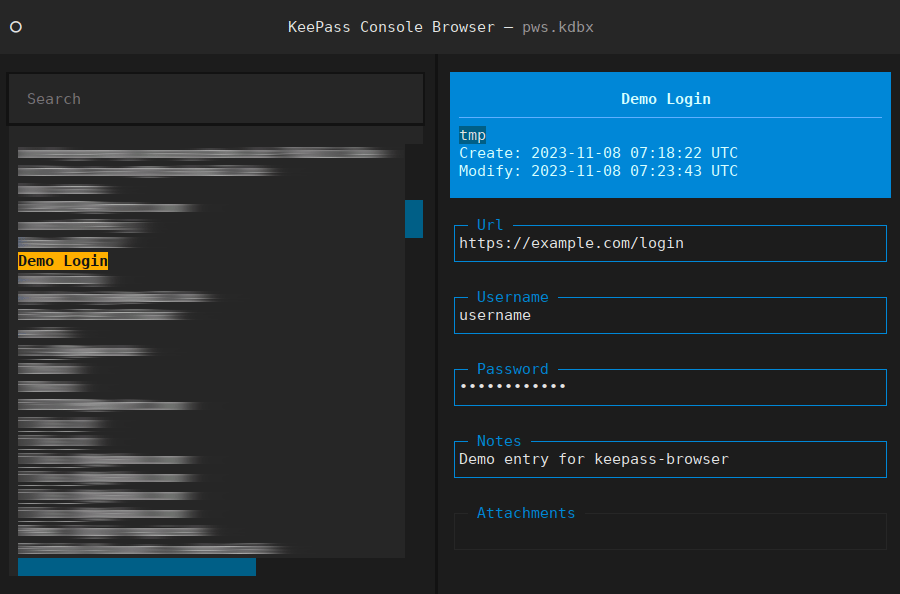
Textual interface for the KeePass password manager databases. Provides convenient console access to KDBX files, as alternative to the lacking CLI support.
The KeePassXC password manager stores secrets in a local KDBX file. These encrypted databases can be synced across multiple systems at will, not necessarily involving cloud hosting or a third party. While the application is cross-platform, there is little support for console-based clients, as fallback or for a quick password lookup without installation from anywhere via SSH.
The keepass-browser console CLI script combines the
pykeepass and
textual Python libraries,
providing read-only access to KDBX3 or KDBX4 databases with an effective but convenient TUI.
Usage
Simply invoke the Python script with the KeePass database, optionally also providing a key file when needed. The password for unlocking will be prompted for.
usage: keepass-browser [-h] [--keyfile db.key] database.kdbx
KeePass Console Browser, providing a read-only TUI for KeePass databases.
positional arguments:
  database.kdbx     KeePass database to read
optional arguments:
  -h, --help        show this help message and exit
  --keyfile db.key  KeePass database keyfile
Navigation and scrolling by mouse is supported – in addition to the standard bindings via arrow keys, (Shift+)Tab, and Enter. For mouse text selection and copy, see the textual FAQ.
The search field allows live (case-insensitive) filtering by title, path, tags, url, username, notes, and attachment filenames.
Escape returns to the previous state, i.e., a cleared search field, locked database password prompt, or exited program. Ctrl^C at any time for quick exit.
Installation
The extracted tarball should contain all information needed for a “proper” install via pip:
sudo pip install .
keepass-browser -h
As the single Python script is self-contained, it can also be invoked directly if all dependencies are met. In order to avoid global installs, for development, or just for trying out, a corresponding virtual environment can be an alternative:
make deps
venv/bin/python3 -m keepass_browser -h
Comments
Nothing yet. Say the first thing.
Sign in to join the conversation.