
Every AI product hits the same ceiling.
It works when someone uses it.
The user opens the app, submits a request, gets a result. Clean. Fast. Impressive in a demo.
Then the user closes the tab.
And the product stops existing.
A truly useful AI product does not wait for input. It runs on a schedule. It pulls fresh data, processes it, and delivers results, whether the user thought to ask or not.
That is the difference between a tool and a service.
This issue builds the service version.
BEFORE YOU BUILD: CLAIM YOUR FREE $25 IN RENDER CREDITS
Everything in this issue runs on Render. If you have not claimed your credits yet, do it now.
Sign up for Render using the link below.
Go to your Render Dashboard and log in with your email.
Open a new tab and claim your code here: 👉 CODE LINK
Back inside Render go to: Billing → Add Credits → Redeem Code
Paste your code. Credits appear automatically. Takes two minutes. Valid until 2027.
👉 Claim your free $25 Render credits

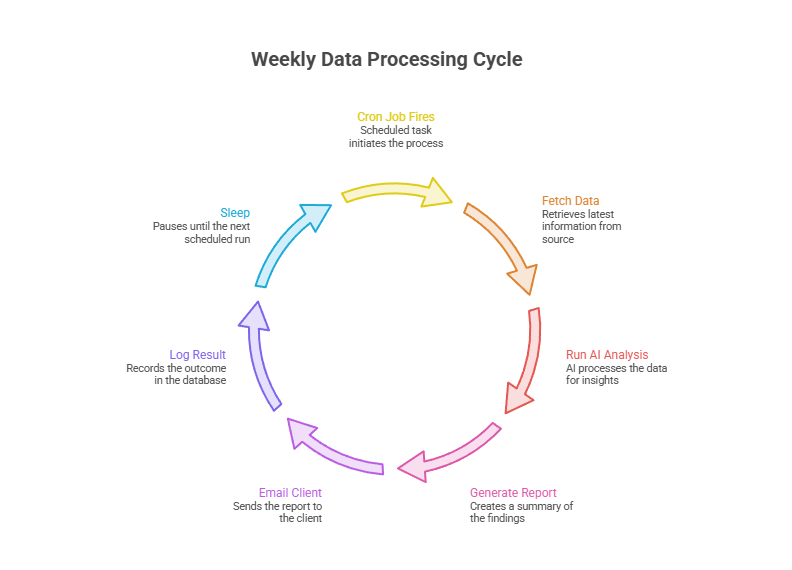
Every Monday at 8am the system:
Pulls the latest data from your configured source — Shopify orders, ad spend, CRM entries, whatever the client connected.
Runs it through the AI analysis layer from issue 2.
Generates a structured weekly report with trends, anomalies, and recommended actions.
Emails it directly to the client.
Logs the run, stores the result, and waits for next Monday.
Nobody triggers it. Nobody checks on it. It just runs.
Most tutorials stop at “run a script on a schedule.”
That works on a server you manage. It breaks in every other context.
The script has no retry logic. If the LLM call fails at 8:01am, the report doesn’t get generated. Nobody knows. The client just doesn’t receive anything that week.
There’s no execution history. You can’t see which runs succeeded, which failed, or why.
There’s no parallelism. If you have ten clients, you’re running ten sequential jobs in the same process.
There’s no separation from your web server. If the cron script crashes, it can take your API down with it.
Render Workflows solves all of this. Your scheduled jobs run as isolated tasks with automatic retries, full execution logs, and independent scaling. The cron layer triggers the workflow. The workflow handles the execution.
Add a cron service to the render.yaml from issue 2. This is the only infrastructure change.
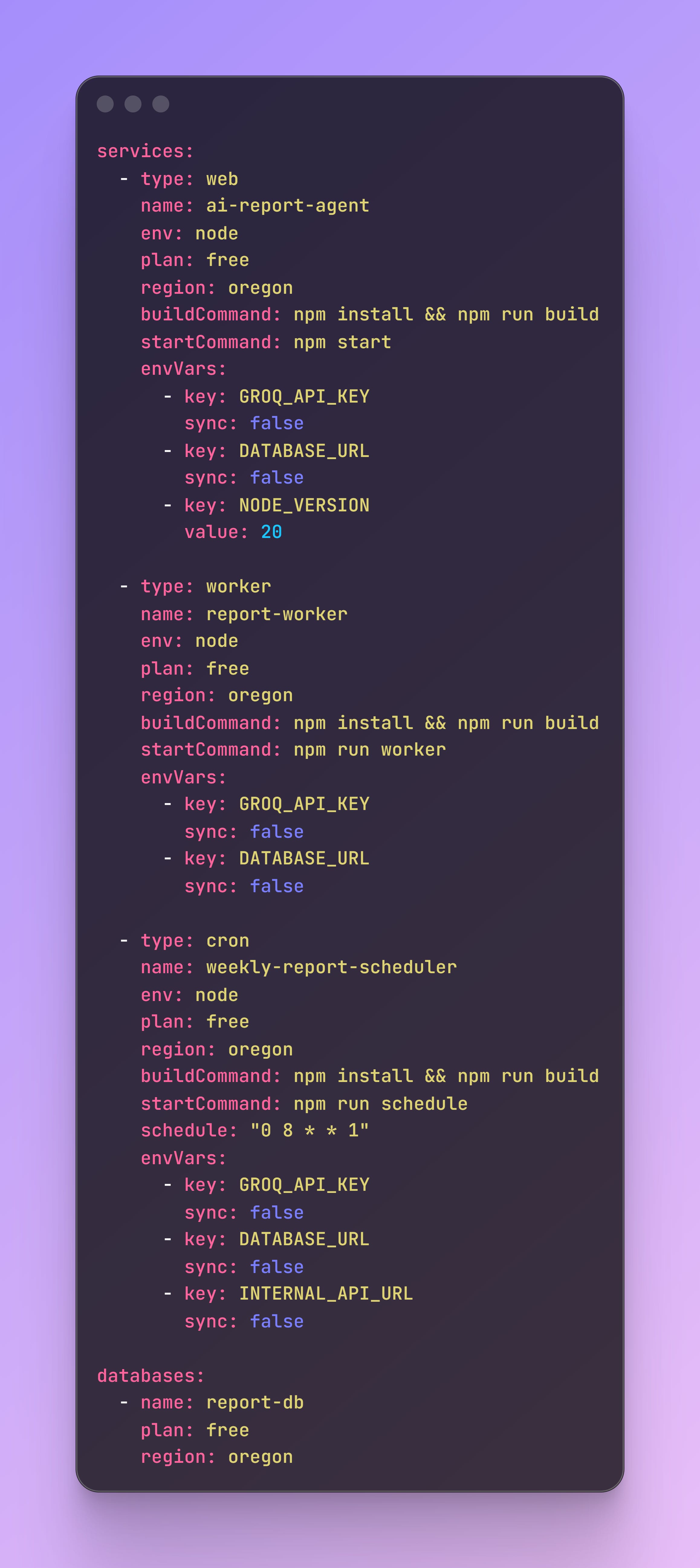
Three services. One file. Push to GitHub, Render handles everything else.
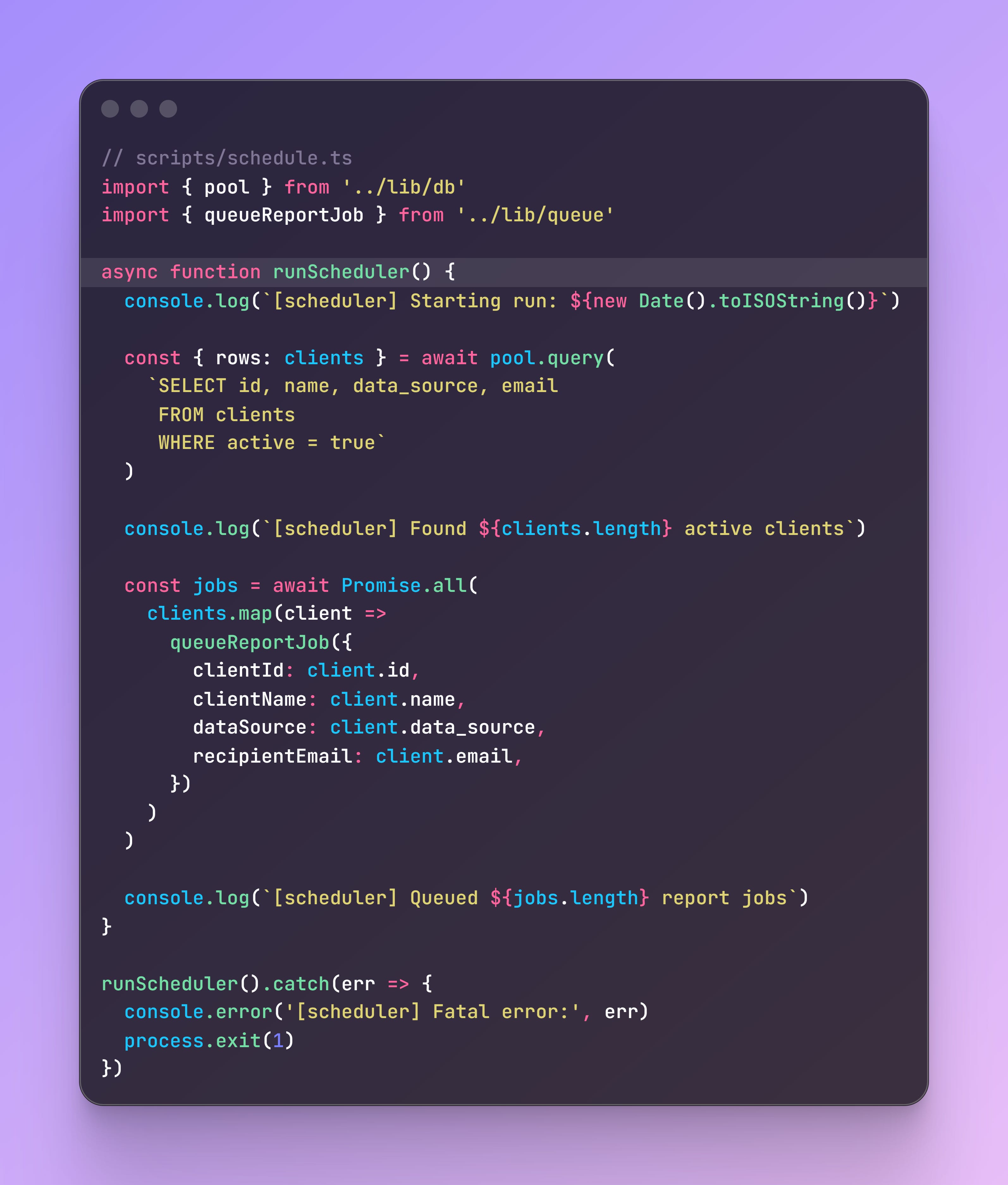
When the cron fires, this runs. It fetches all active clients and queues a report job for each one.
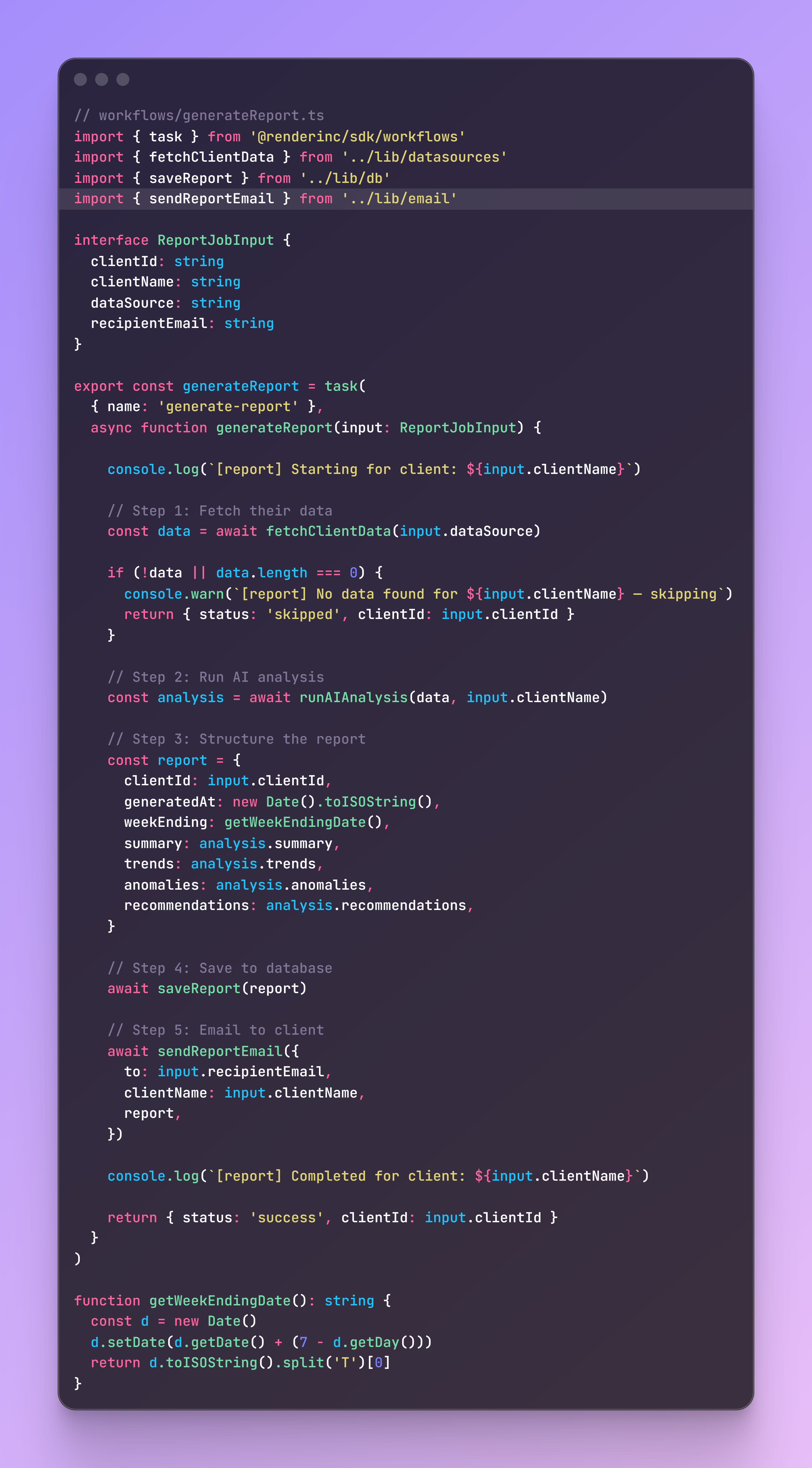
This is the Render Workflow task that actually does the work. It gets called once per client per scheduled run.
Same Groq + LLaMA pattern from the previous issues. This time the prompt is built around weekly business reporting.
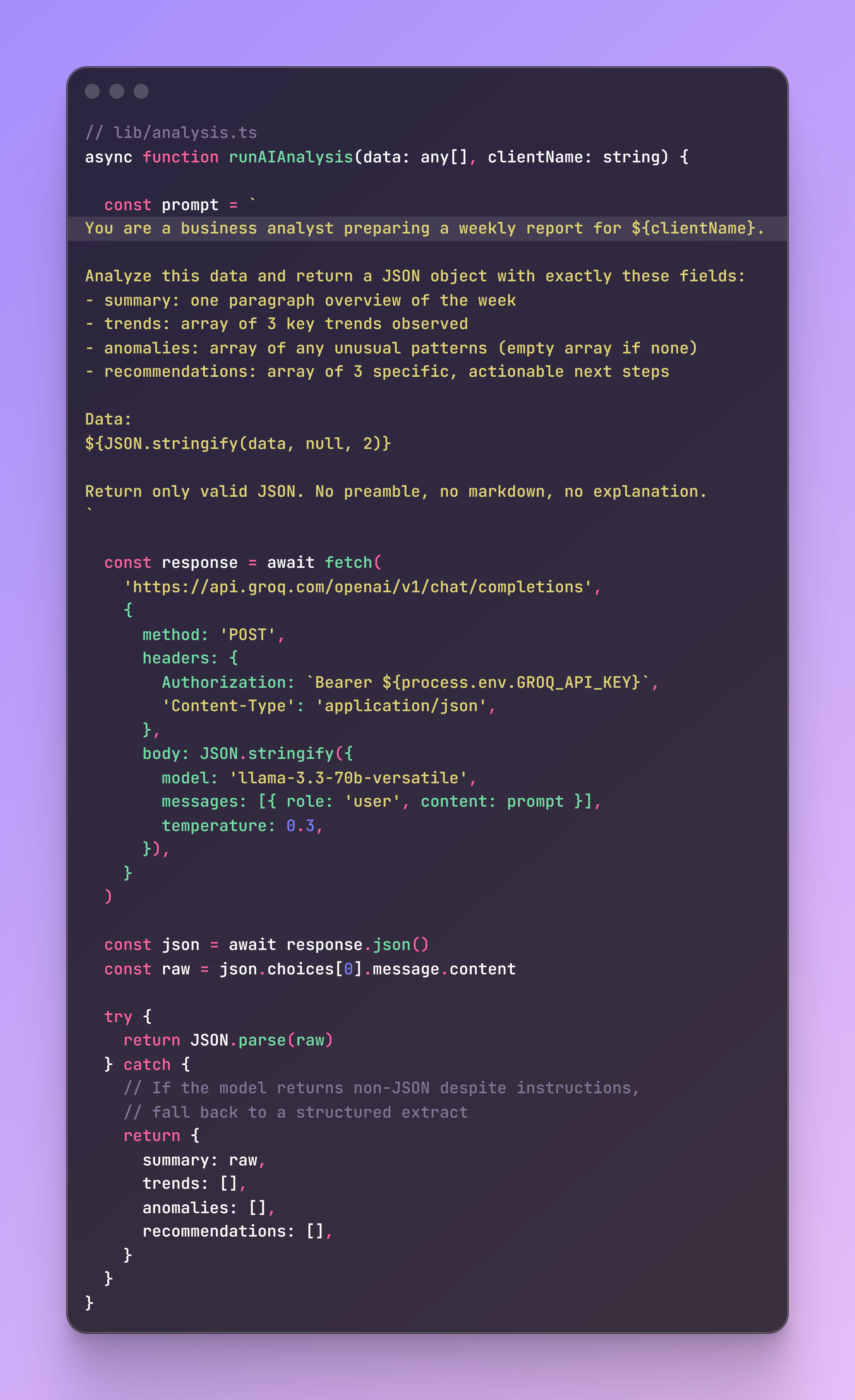
Use Resend. Free tier covers 3,000 emails a month, more than enough for early clients.
Three tables. Clients, reports, and job logs.
(I’m not hand-feeding you every line of code, cry all you want into your mechanical keyboard, but hand-holding won't help when a client asks how your backend actually works. Time to fly, little bird.)
Now Just Deploy :
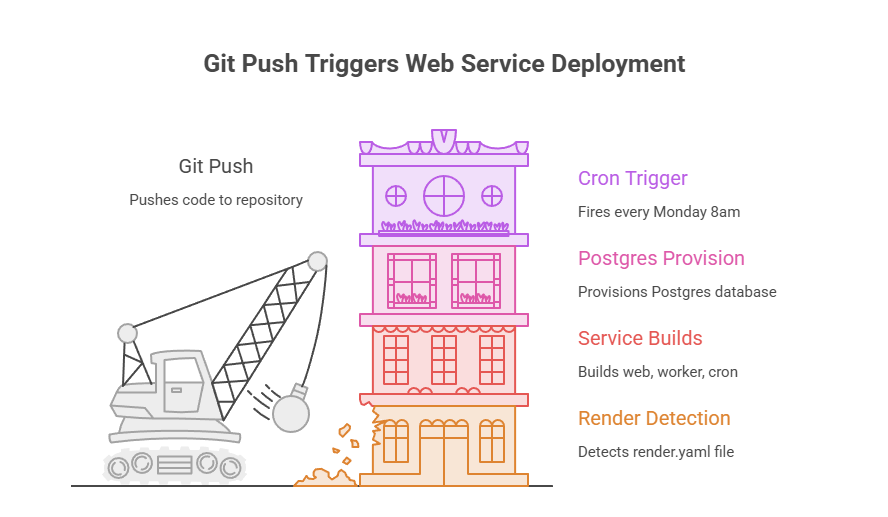
Push to GitHub. Render reads the yaml and provisions three services and a database automatically.
The one-month code-testing nightmare has officially reached its season finale, meaning I can finally stop pretending I know what a stack trace is.
I was annoyed the entire time, but seeing the subscriber base vacuum up all those Render cloud credits made it almost worth it.
Two quick rules before I go take a nap:
If you learned nothing from this series, seek medical attention.
If you actually learned something, forward this email. Let the world know Daddy Deadpool delivers.
Clock’s ticking on those free cloud credits to build resume-worthy apps or launch your startup. Hit the link below and grab them now before the paywall goes up and they demand your credit card info.
👉 Claim your credits here

(I’m fighting for Andrew’s TASM3 on Instagram, you can join and tag sony )
📩 If this landed in Promotions, drag it to Primary.
No posts
Comments
Nothing yet. Say the first thing.
Sign in to join the conversation.