
Although you have set up an Amazon Fire TV Stick on your mom’s TV and subscribed to Netflix, Prime Video, and YouTube Premium Lite (No Ads) for her, she frequently calls you to ask how to use the Amazon Alexa Remote or how to say the Alexa commands for a specific TV show. Even the Amazon Basics Remote Control has proved difficult for her.
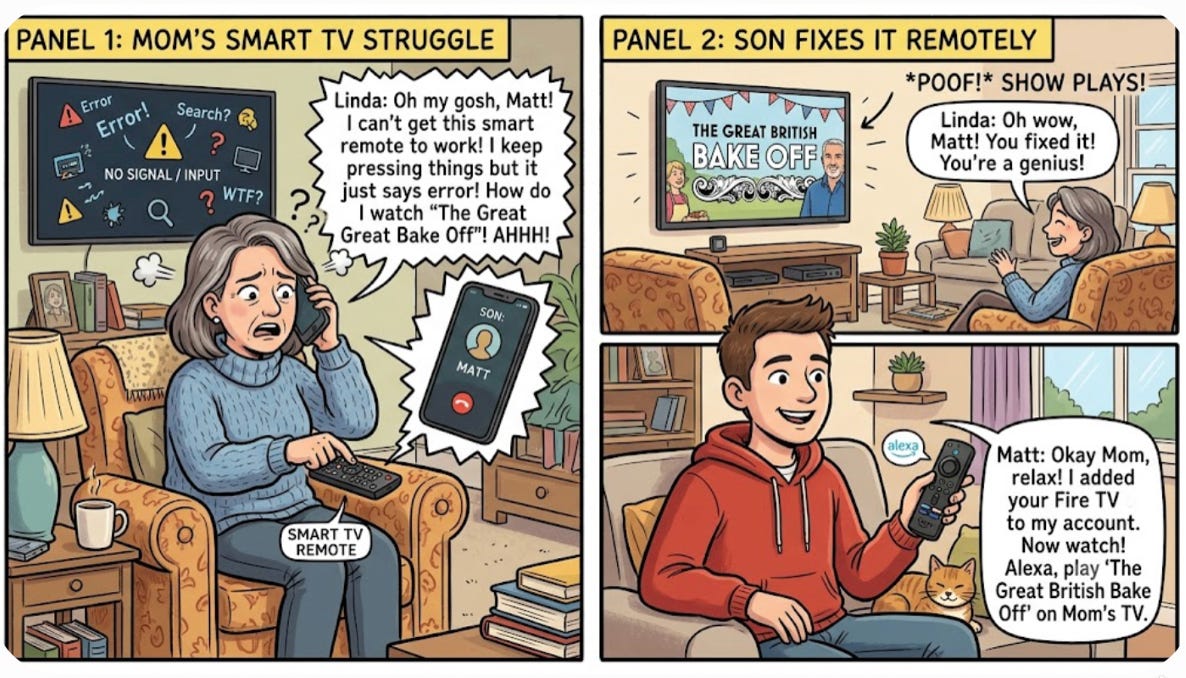
One of the great features of Amazon Fire TV and Amazon Echo devices is that they can be controlled over the Internet by using the same commands you would use when speaking directly to the device with Alexa voice commands.
The simplest way to set this up is to move mom’s Fire TV Stick to your Alexa account instead of hers. That way, you can speak Alexa commands to your smartphone just like the Fire TV Stick was in your house, connected to your TV.
For example, you could say, “Alexa, play Clarkson’s Farm on Prime Video on mom’s Fire TV,” and it would start playing on mom’s TV. This works because mom’s Fire TV Stick is part of your Alexa account.
The downside to this approach is that since the Fire TV Stick is now on your account, anything that your mom says to Alexa on her Fire TV remote could affect devices in your home or even make purchases on your Amazon account.
If this is a concern, you can keep the Fire TV Stick on your mom’s Alexa account and add an Amazon Echo Dot to your Wi-Fi at your house. You can configure your new Echo Dot so that the Alexa Commands you speak to it will be sent to your mom’s Fire TV Stick using the “Linked Alexa Devices”feature. That way, your Alexa account remains isolated.
At your house, using your mom’s Alexa app, assign your newly added Echo Dot to your mom’s Alexa account as a “Linked Device”
To do this at your house, you will need to log out of your Alexa app on your smartphone, log in as your mom, and then perform this step
Settings-> All Devices-> Mom’s Fire TV->Linked Alexa Devices-> Your Echo Dot
Fire TV commands that you speak to this new Echo Dot will be sent to your mom’s Fire TV Stick over the Internet
Note: Remember to log back in to your Alexa account on your smartphone
In the remainder of this solution, I will be describing the simpler approach below:
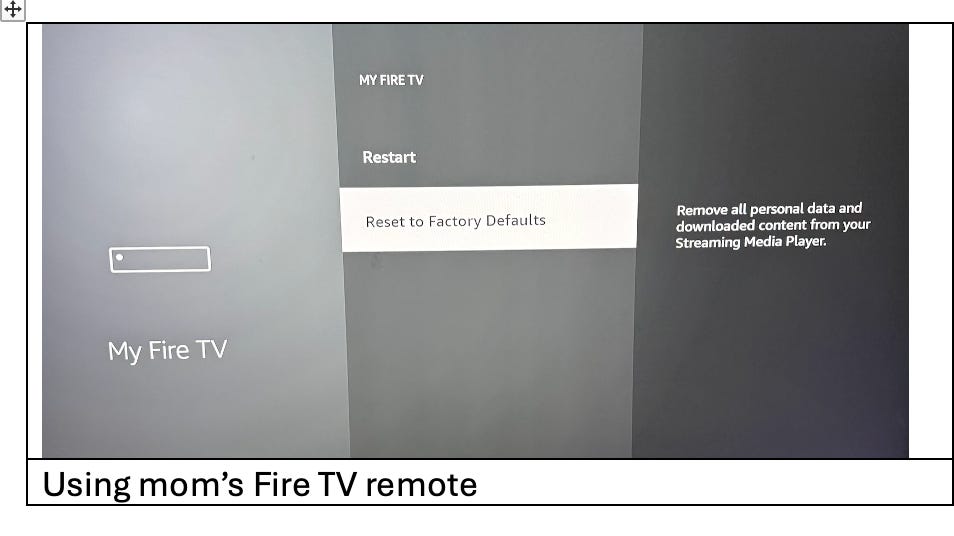
· Settings-> My Fire TV-> Reset to Factory Defaults
o Reset
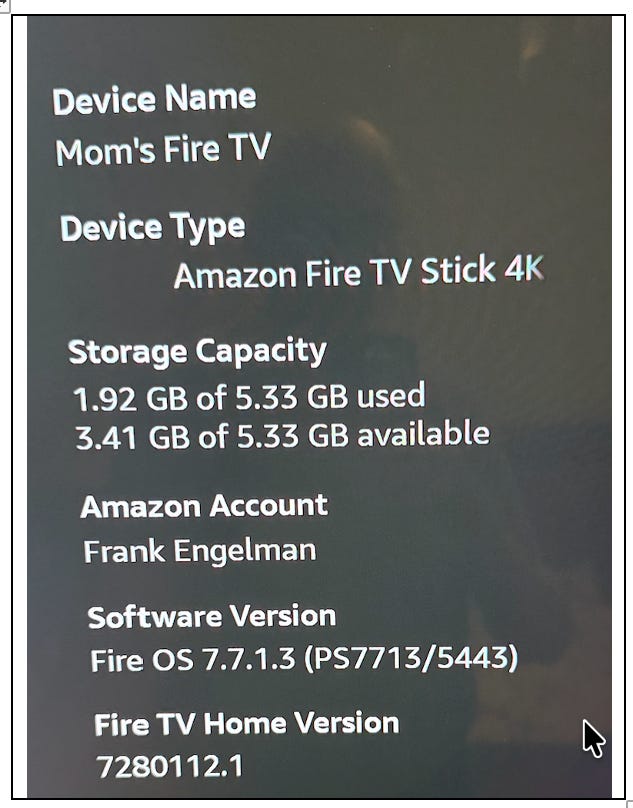
Using mom’s Fire TV remote at her house, add the Fire TV Stick to your Alexa account, but using mom’s Wi-Fi
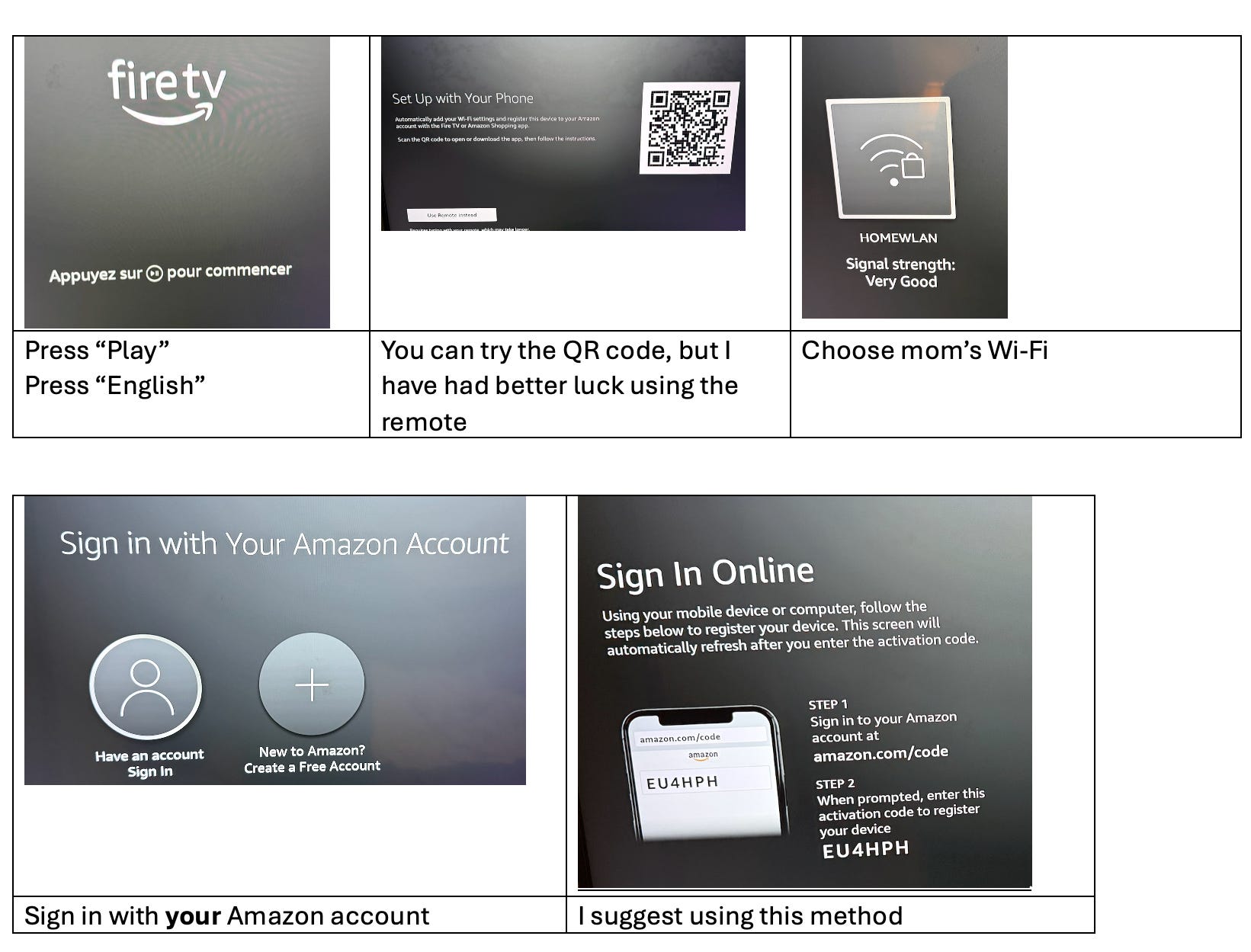
Complete the rest of the Amazon sign-in process, making mom’s Fire TV Stick part of your Alexa account
While you are still at mom’s house, you can test that this works over the Internet by dropping the Wi-Fi connection on your smartphone and just using the cellular data connection
Use the Alexa app on your smartphone to send a command to your mom’s Fire TV Stick
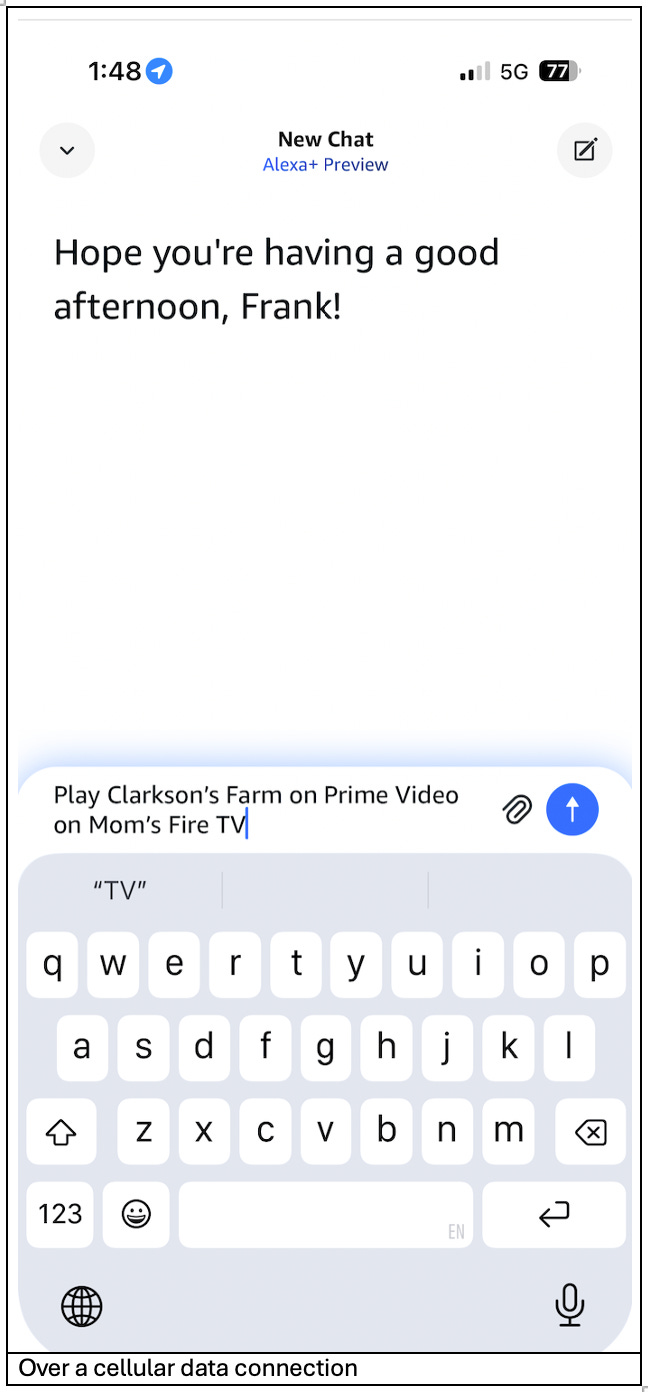
You can type or speak an Alexa command to the Alexa app on your smartphone and see that the TV show appears on your mom’s Fire TV
“Alexa, play Clarkson’s Farm on Prime Video on mom’s Fire TV,’ (assuming you called it mom’s Fire TV)
If you would like to use a proactive rather than a reactive approach when mom wants to watch a TV show, you could schedule it using Alexa Routines. This is just like other Alexa Routines you may have for devices in your own home. Look at article #77 “How to Set Up Relaxing Videos on Mom’s TV”. Instead of using a button to trigger the Alexa Routine, schedule the routine to run at a convenient time for your mom.
No posts
Comments
Nothing yet. Say the first thing.
Sign in to join the conversation.