
Making a good pitch video goes a long way towards pitching your game well. There’s still research to do and the actual pitch to send, but for some game designers, the video is the big stumbling block. It’s not rocket science, but I’ve done it dozens of times now, and I’ve learned a process that works well for me.
(I promise I’m not creating a rhyming scheme on purpose BTW)
When making a pitch video, my goal is to show the game’s fun in a short period of time. It is not a rulebook, the full teach of the game, a ‘how to play’ video, or anything so complete.
My audience is publishers (and more specifically, the publishers I’m trying to pitch, not necessarily every publisher on the planet), and to some extent fellow designers and players like yourselves.
Beyond those two basics, my goal is to shoot these in a way that enables me to make them with clear video and audio without needing a ton of extra equipment. Videos are shot with my phone and things I already own (with one exception, which I’ll get to later). I’m shooting in my office, not some fancy studio.
With the goals out of the way…
You might be thinking “Well, I want to show the entire game off, complete with all 27 dice, all 250 cards, and of course all 58 tokens…”
Let me dissuade you of that for a couple of reasons.
At any given time, most of those pieces will not actively be in use on camera. That means the action is only happening with a small number of pieces or in a small number of places. Focus on those.
Also, showing all of the pieces on camera means having to zoom out with whatever camera you’re using, or setting it up so it shows a wider angle / a wider field. It makes the part that’s actually showing the action a smaller portion of the screen, which makes it harder to see.
As an example, observe how the board would look if I was setting up my game, Downward Facing Panda, with everything on the table in its ready-to-play sort of look:
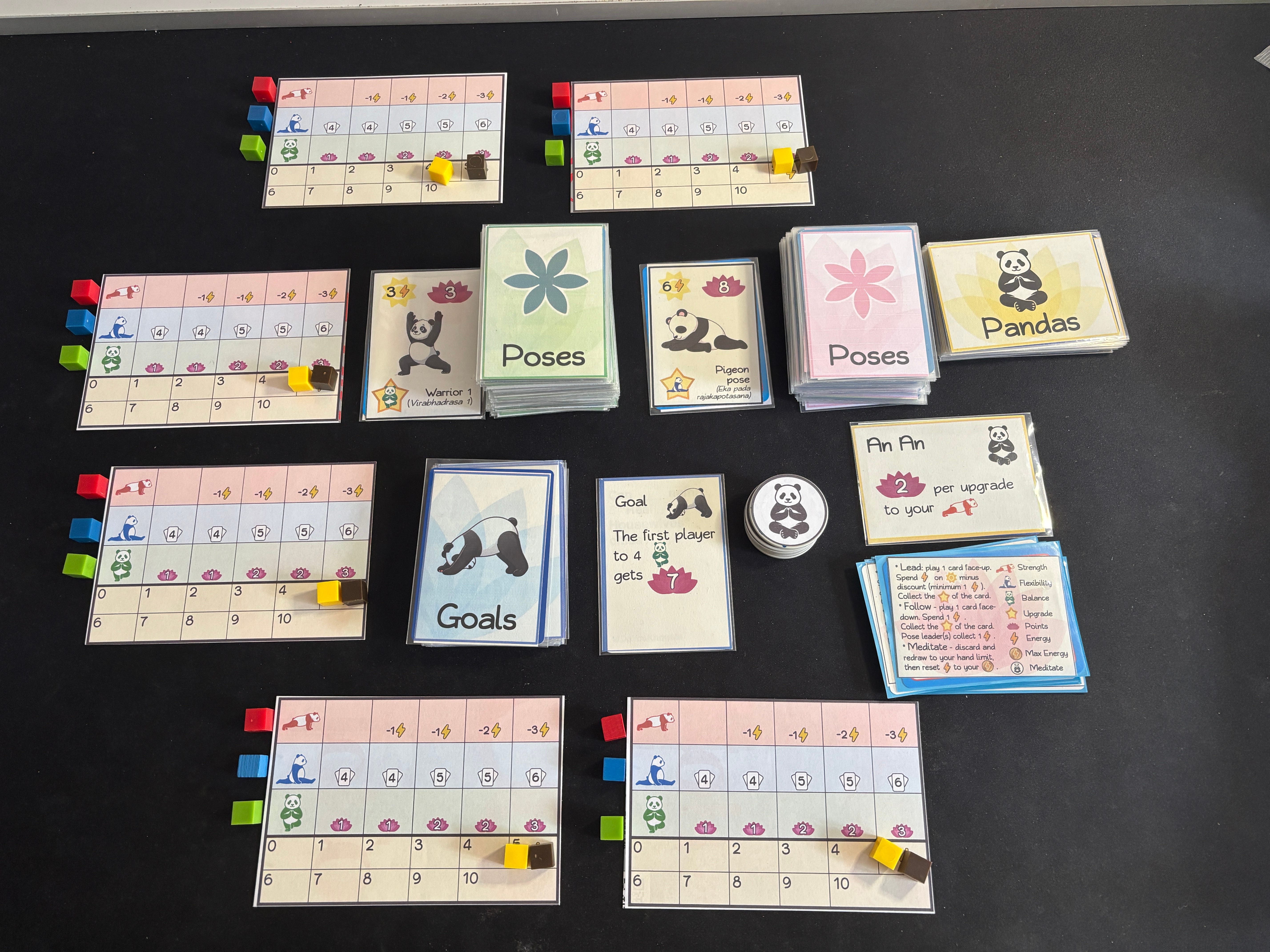
A decent enough table shot, but it’s hard to know what to look at, even if I gesture well. I’d have to pick up cards to bring them closer to the camera, which risks disrupting everything and having to reset things between takes. The less that has to change / move, the better.
Now here’s a freeze frame of the opening setup from my pitch video for that game:
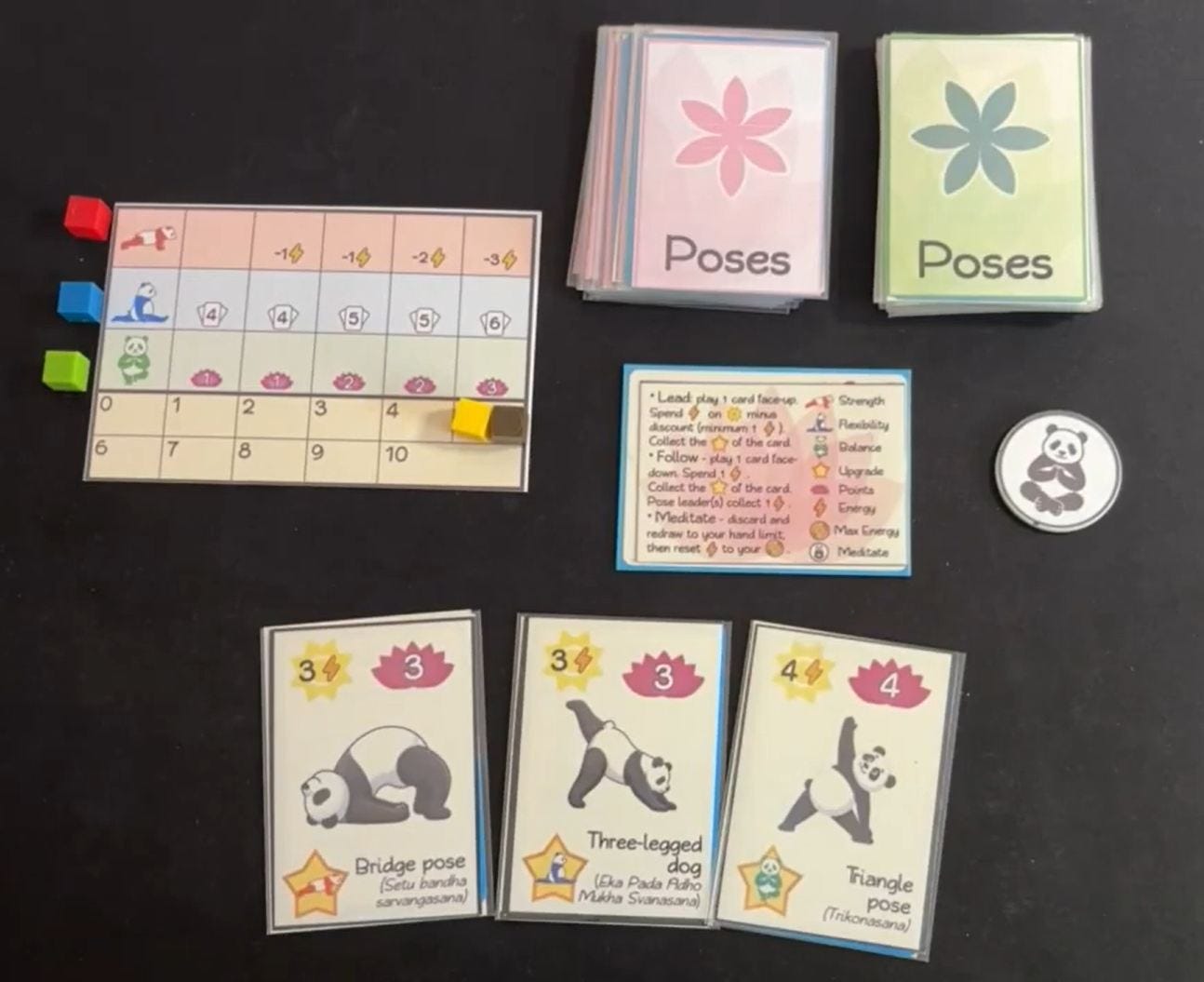
Hey, you can actually make out the details now. Awesome! The eagle-eyed will also note I’m not showing every single card in the game here. The decks aren’t the full deck, but a demonstrable pile of cards, followed by a selected few cards face-up to show what they look like. (The rulebook and sell sheet both have exact component count, for anyone curious enough to get there.)
It goes without saying that the action can shift from one set of cards or player boards to other pieces. That’s when you change the shot. We’ll come back to that in a future step. For now…
The average human can speak about 150 words per minute. That means in a two‑minute video, you have about 300 words. For most games and most pitches, I’d recommend a one to two minute video for the best chances of using it near universally. There are exceptions, of course: some mass‑market companies want videos to be on the 1-minute-or-less side, while larger games might need significantly longer.
Personally, I script every every video I make these days. Since you have about 300 words or so for a two‑minute video, script, sculpt, and consider that your budget of words. You’re not going to teach the full game in that time, which is good because it’s not the point (see step 0). Showing the hook, what’s unique about the game, and a general sense of the type of game it is will be all you’ll have time for. Think about the decisions you make or what happens on your turn.
Once you’ve written it, make it extremely easy to see as you speak it. You might have the script on a second monitor, a tablet, or you might want to print it off and attach it to the wall. Resist the temptation to ad lib. If you find yourself stumbling over your script, go back and rewrite your script.
If you want to shoot the video and then record the voiceover, that’s always an option as well. (I don’t do this personally since it requires a fair bit of coordination between how long the video clip is and what you want to say. It then requires you to pair them up in post-production.)
You’ve probably heard the advice ‘You don’t need anything fancy to shoot’. I’ll agree with that, but I’ll definitely encourage you to spend at least a few bucks.
Behold, my ‘game-making table’:
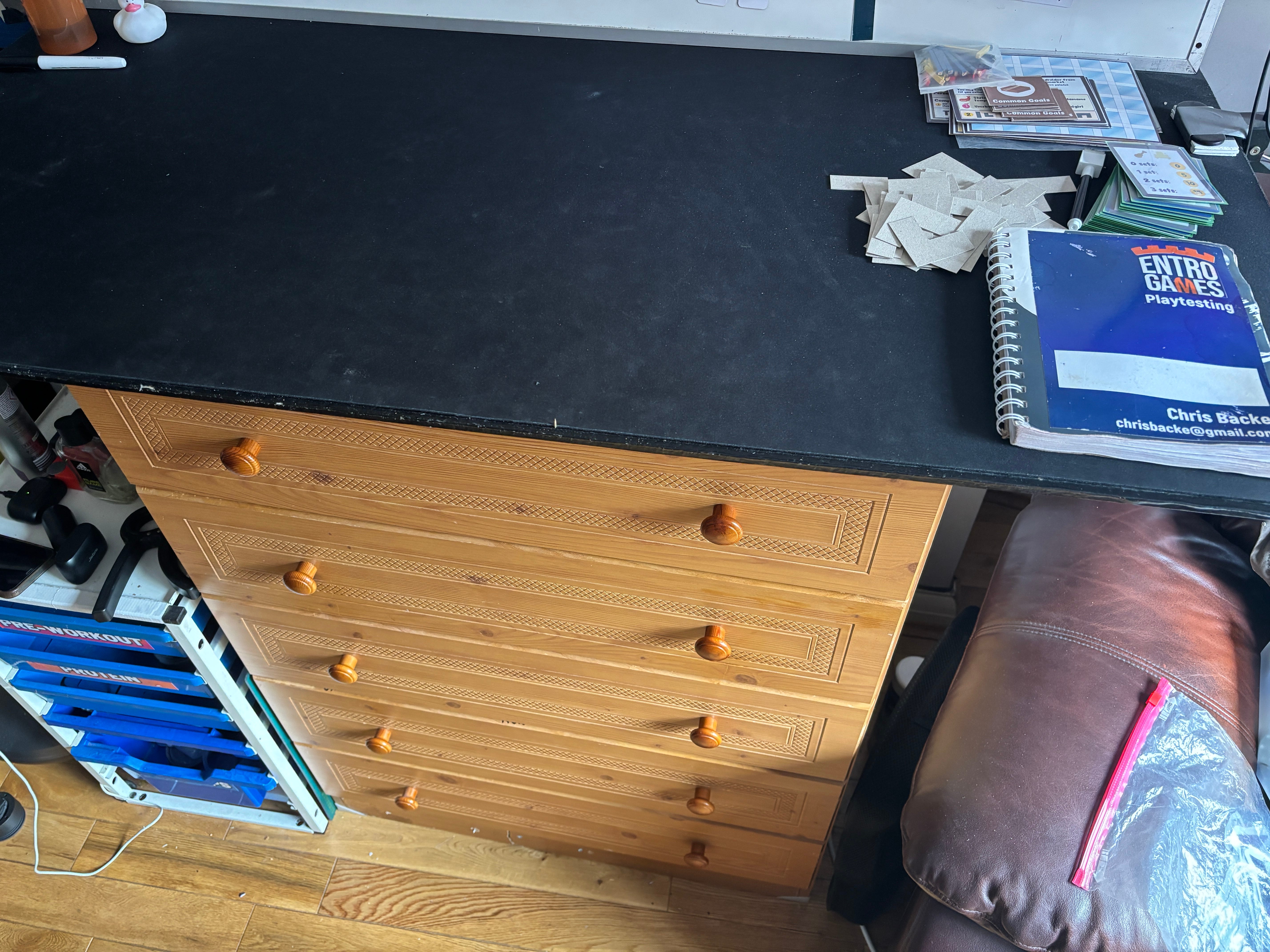
This is essentially the top of my dresser, just with a board purchased from a hardware store and a black neoprene mat put on top of it. If I’m self-playtesting a game or want to lay a game out to take pictures or do videos, this is my dedicated space for that. Even if you don’t have a dedicated space for making games, a neoprene mat still goes a long way to making a thing easier to look at and work with.
The only other elements that I use to make a video are the following:
Smartphone: for recording video and audio. Protip: put your phone on airplane mode before you start recording so notifications and calls don’t interrupt a take. The built-in mic has been good enough for dozens of pitch videos, but keep reading for more about audio.
Let there be light: A gooseneck clip-on selfie / influencer sort of LED lamp – it’s clipped onto the right side of the board. You can get fancy or keep it low key here. It should be white light and not the more yellowish, incandescent sort of light so it shows the colors of your game off well.. If you’re looking at light bulbs at the store, it’s usually referred to as ‘cool white’ as opposed to ‘warm’.
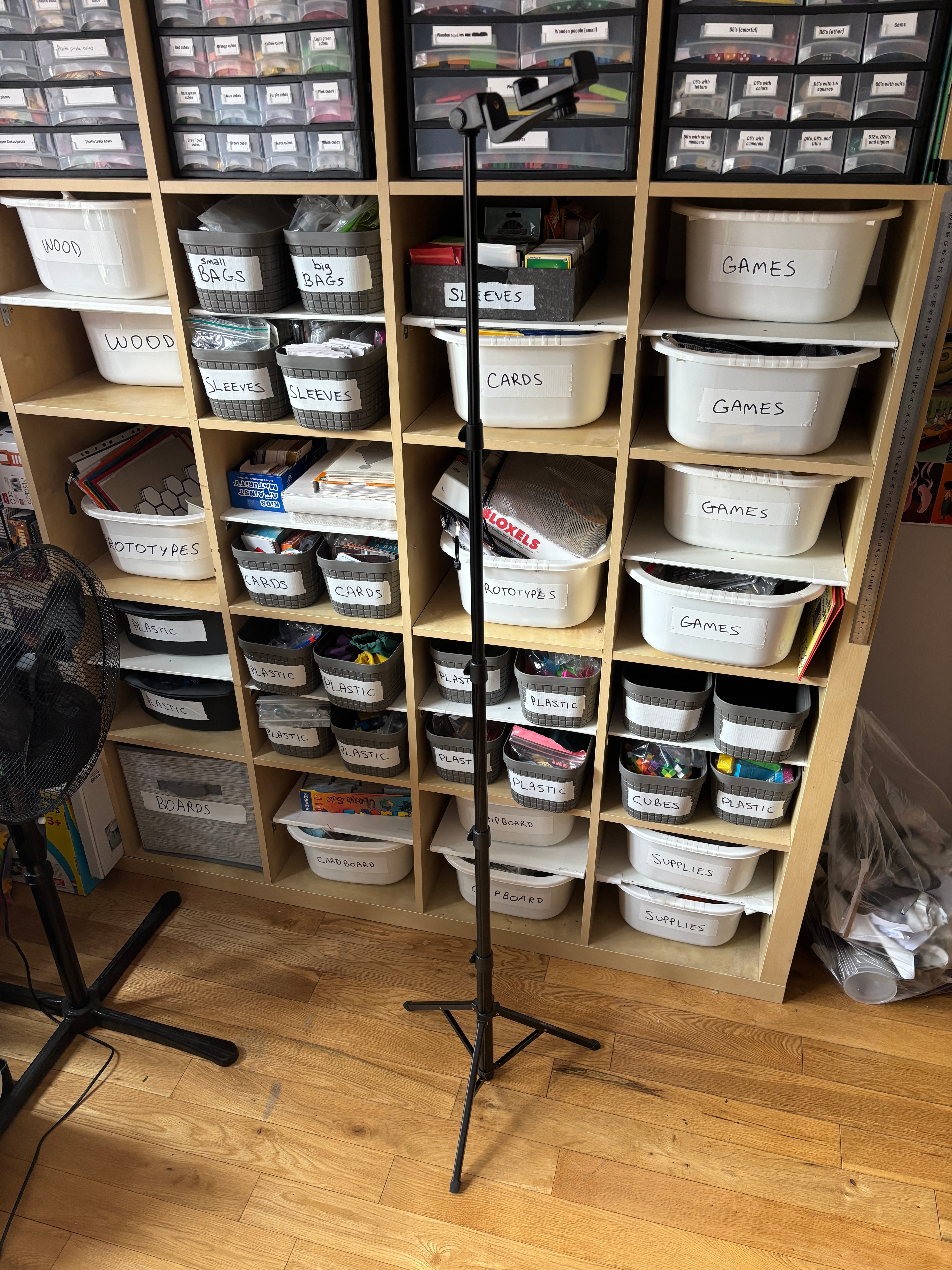
My three-legged friend: a tripod tall enough to get the overhead / mostly top-down view:
After making the last batch of pitch videos, I realized I might have benefited from another thing found on influencers: a wireless lav mic. These are typically paired with a receiver that physically plugs into your phone. DJI and RODE are two of the big brand names, but there’s no shortage of similar tech for a fraction of the price.
I know you’d like to think your shots will go perfectly in one take and won’t require any post‑production editing. I’d like you to wake up from that dream right now. Yes, it can happen. Some of my videos are one‑take wonders. Part of that comes from having carefully scripted what I want to say and having very little motion happening on camera.
You can make your editing job a lot easier by doing a few things beforehand:
Record in the order of the script. Don’t skip around.
If you flub a take, delete it from your phone immediately and try again. Don’t save it for later, or think there’s a piece of it you might use. Picture that junk drawer you have with all of the tools, cords, and so on.
Get the take and move on. Hollywood will do multiple takes and multiple cameras and then consider which one was better. You don’t have time for that. If the audio is good, the video is good, you delivered what the script says, good job, move on.
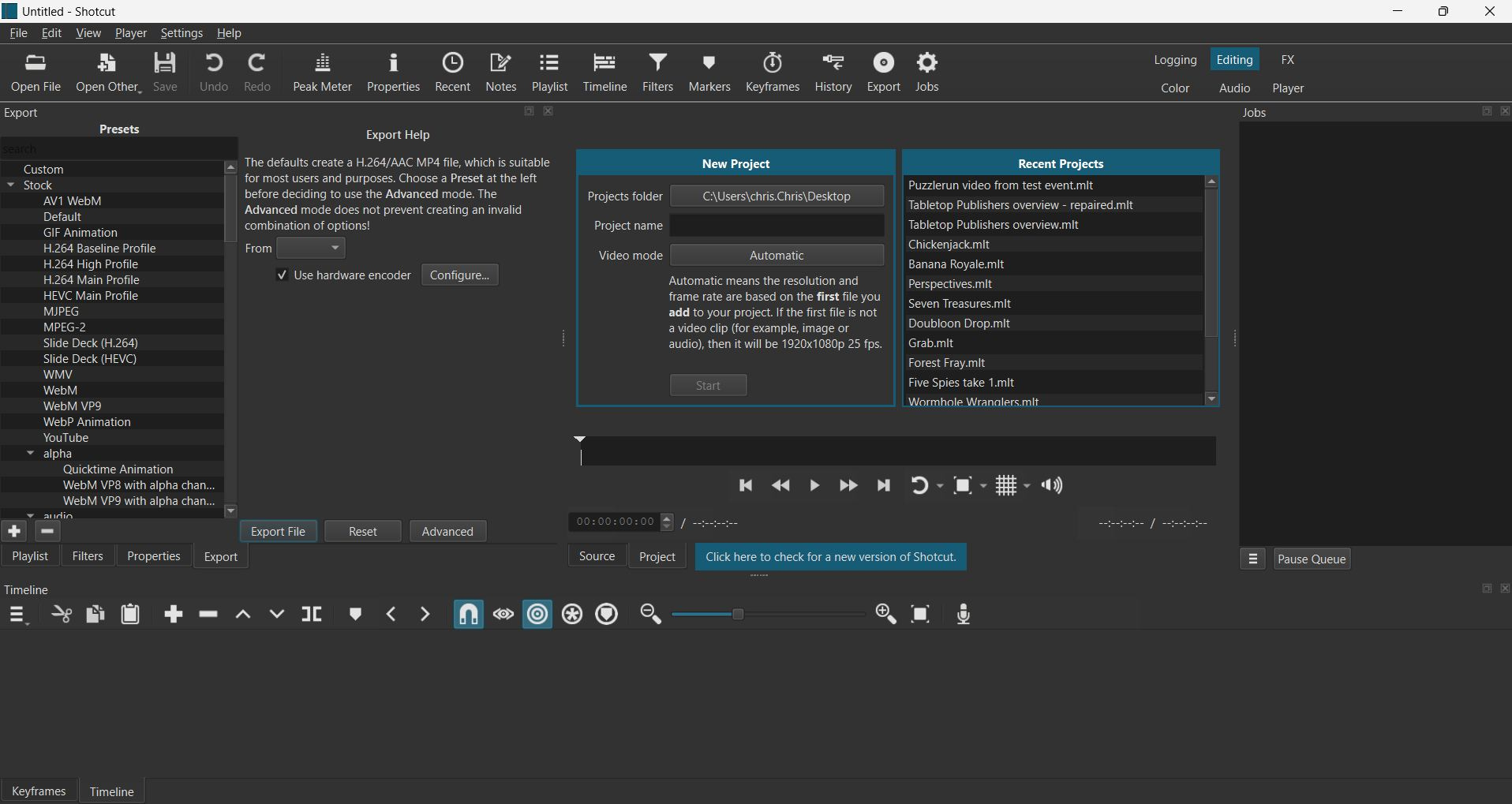
My main tool here is a program called Shotcut. It’s a free, open-source video editing tool that has more tools than I’ll ever use. All I’m typically doing in it is putting different takes into the main film strip and carefully dragging them together to make a built-in transition, then exporting. In the past, I’ve also superimposed text in some cases.
Again, come back to the tools influencers are using these days. CapCut is a solid tool from everything I’ve heard, and there are tons of free browser-based tools.
I’ll assume you’ve used YouTube before and can create a channel if you haven’t already. Don’t worry too much about branding for the moment. Just know that this channel is where you’ll be uploading your pitch videos. You can then embed them in your website or share to social media as you like. By all means feel free to use Vimeo or some other hosting service if you like, but YouTube is a solid standard.
While the video is uploading, take a few minutes to fill out the text description. You don’t need to put your contact information out there if you’re not comfortable with that, but at a minimum, add a one paragraph description of your game, the player count, the age, and the play time in minutes. (If you’re still waiting, take a moment to confirm your channel has the correct links to your website and social media, along with your email address.)
Once it’s up, copy and paste the link into your notes or wherever you track your pitching video information. It may be worth taking a moment to bookmark it somewhere on your computer so it’s easier to access.
These things have a shelf life, either because the game will change over time, or because a pitch video from 5 years can scream ‘no one’s interested’ or ‘I haven’t actually pitched this at all’. Research and approach publishers, then be ready to follow up with rules, a demo, or a prototype.
Want some help figuring out who to pitch? I can help with researching:
Comments
Nothing yet. Say the first thing.
Sign in to join the conversation.