
Ever been in the middle of writing a JoggrDoc, stepped away for the day, only to forget to commit and push your work?
Now when you create a new JoggrDoc, your work will be automatically saved as a draft. Once you are ready you can publish (aka git commit & git push) your work to a GitHub repository of your choice.
This allows you to:
Write and save your work without having to open a draft pull request in GitHub
Don't lose your work when you forget to commit and push
Hide a super-secret doc until you're ready to share it 🙈
Check it out below 👇
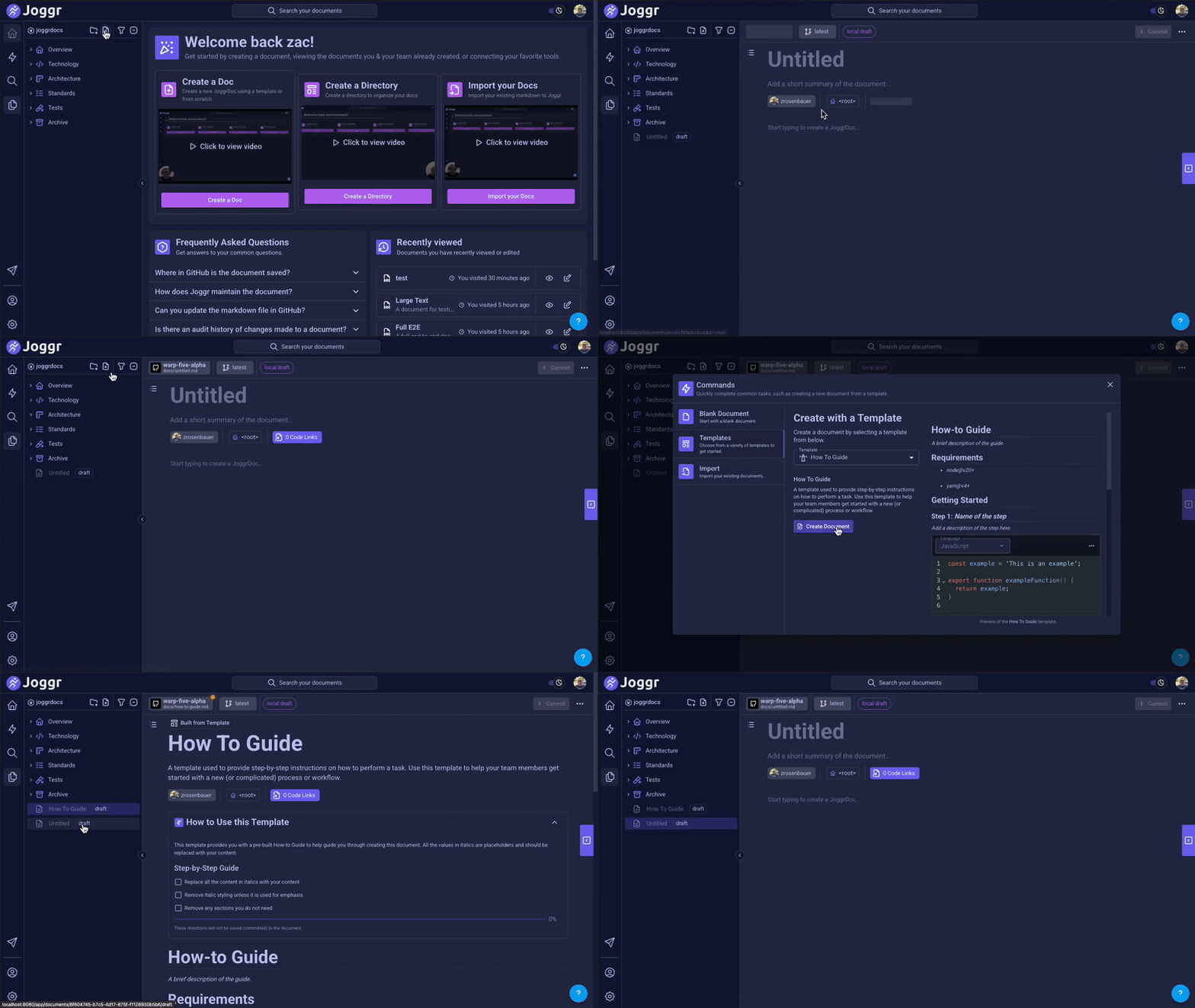
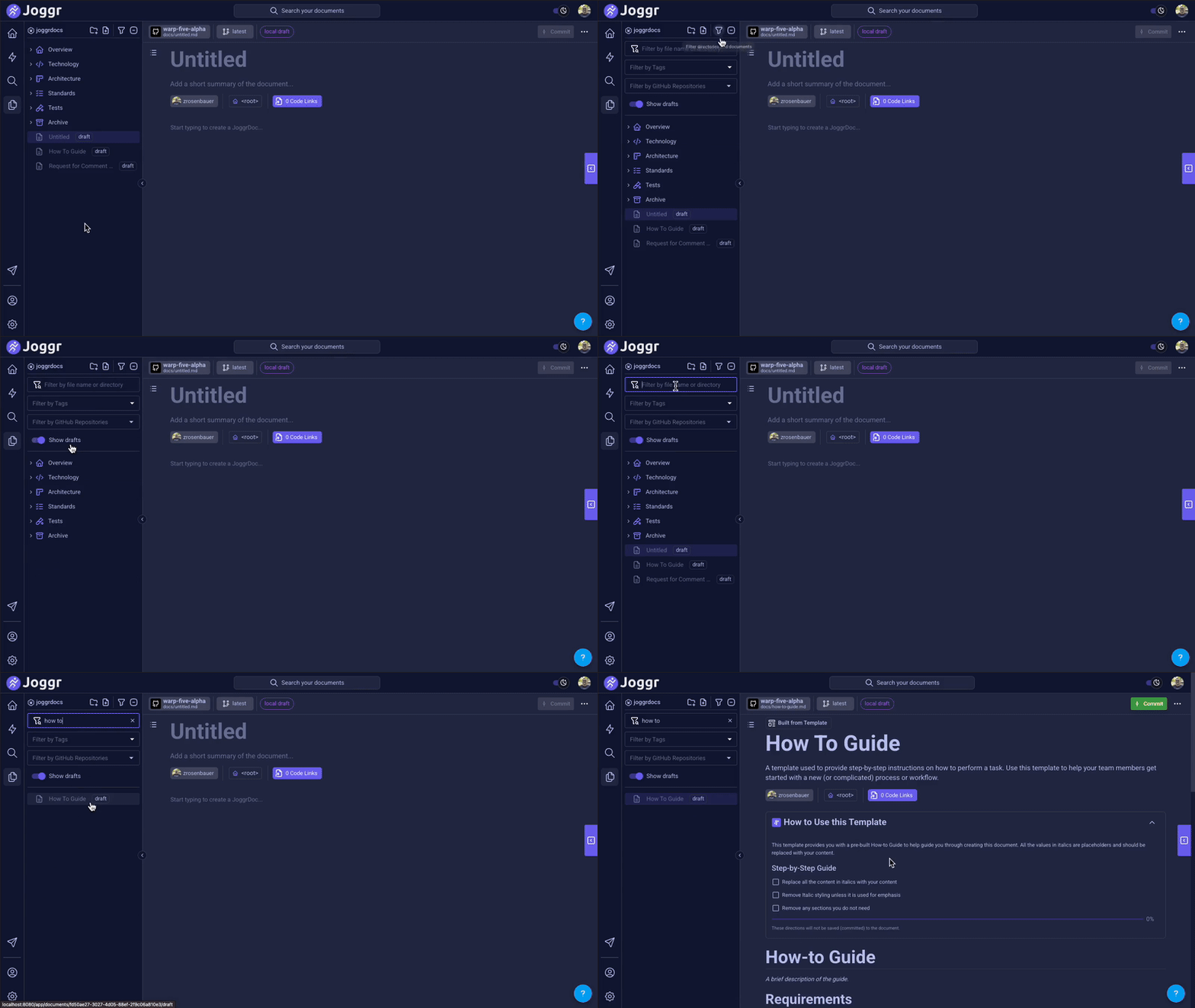
Once you create a draft you will see your drafts in the Directory Explorer. If you want to hide drafts, you can show/hide drafts using the built-in toggle in the filters bar (they are shown by default).
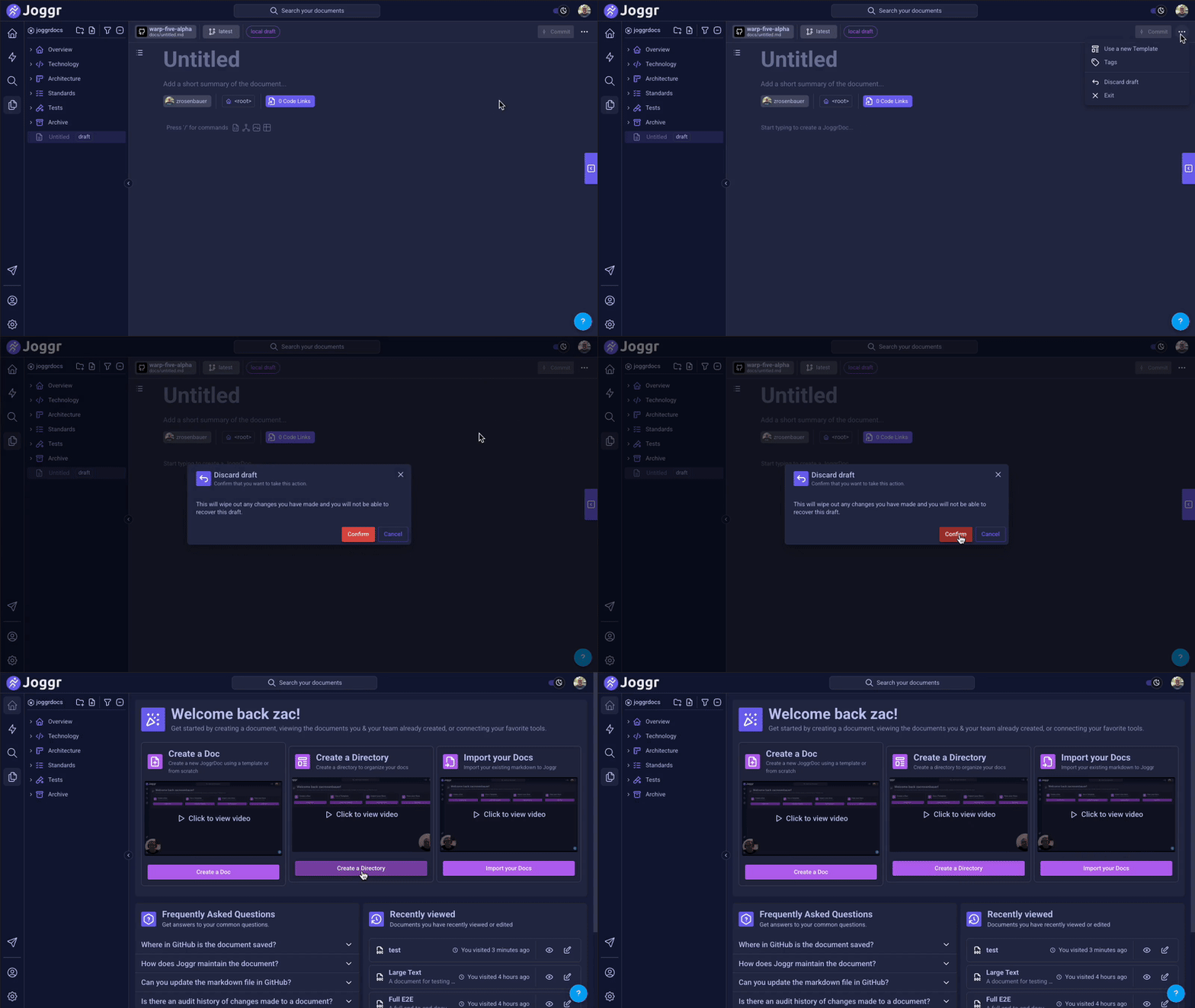
If you decide that you don't want to continue working on a draft, you can discard it. To discard an unwanted draft click into the menu in the top right corner of the draft JoggrDoc and select Discard Draft.
You are now ready to draft away:
Never lose your work when you forget to commit and push (please do commit & push often)
Skip opening a draft pull request in GitHub
Manage your drafts in the Directory Explorer (discard, publish, hide... you get the idea)
Let us know what you think of drafts!
Comments
Nothing yet. Say the first thing.
Sign in to join the conversation.