
Sometimes there is a lot of content in a document, and you don't want to overwhelm your reader with an endless stream of information. With the new collapsible sections feature, you can now hide sections of a document that you don't want to show by default.
For example, you can use this to:
Build a long step-by-step guide without overwhelming your reader
Hide the answers to questions in a FAQ section or a Troubleshooting section
Hide the code examples for a portion of a code walkthrough
Hide a 🦆 in your documentation (you never know when they'll come in handy)
To get started just add a Details block using the / command (i.e. /details) and start typing.
Check it out below 👇
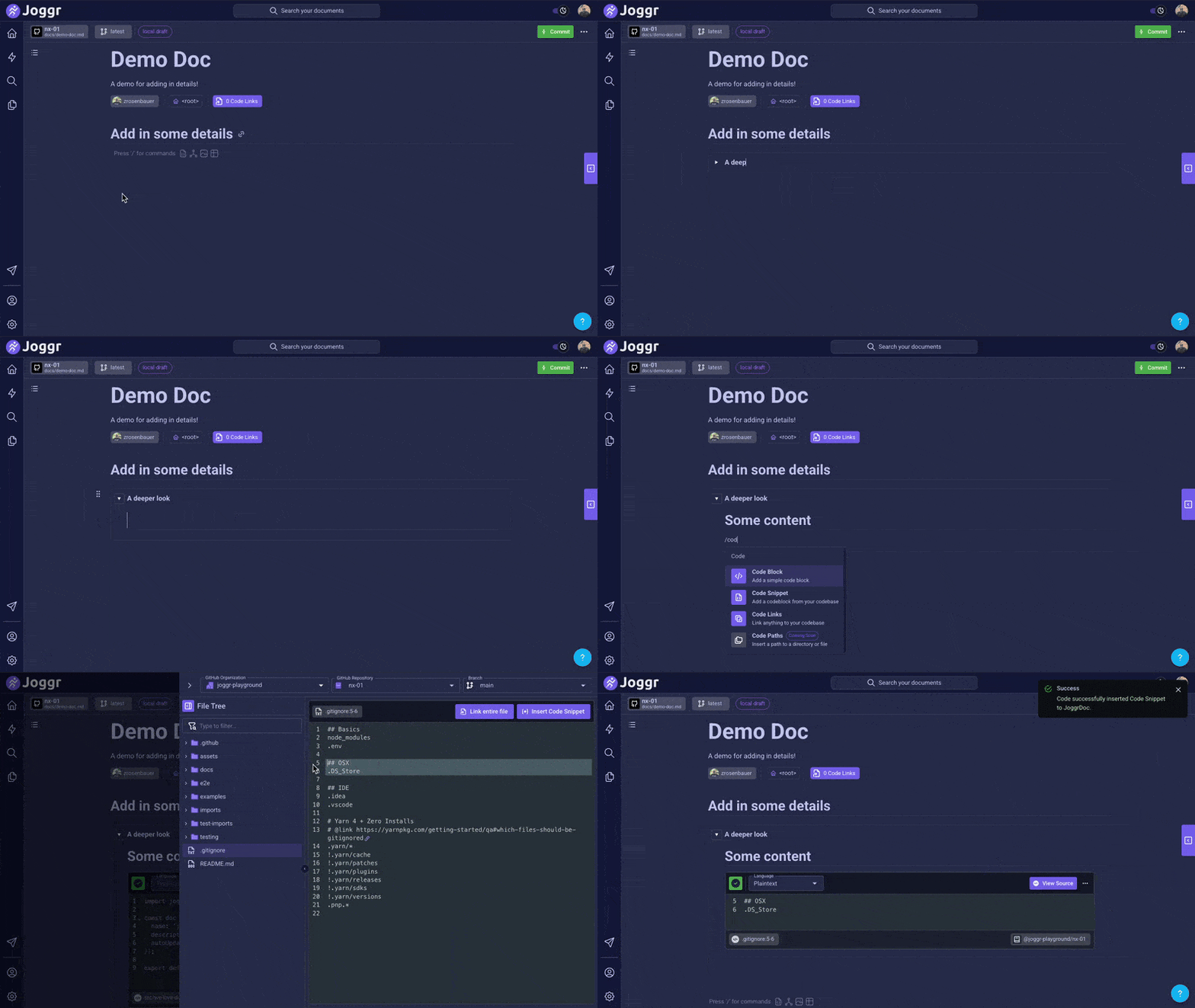
For the detail oriented (pun intended)... this feature allows you to:
Collapse sections of a JoggrDoc so your user doesn't get overwhelmed
Natively convert <details> tags to collapsible sections in Joggr during imports
Drag-and-drop your collapsible sections allowing you to easily reorder your sections
Check it out and let us know what you think!
Comments
Nothing yet. Say the first thing.
Sign in to join the conversation.