
Embedding designers into cross-functional teams has plenty of upsides: Designers have a home, developers know who to go to, and there’s an opportunity for Design (as a function) to be involved in the early stages of problem definition.
When the cross-functional team becomes a designer’s ‘first team’, the design practice takes a back-seat role. This isn’t something to fret over, but it reframes the purpose of the practice and supporting organization. As a second place, the design practice no longer dictates the designer’s time and next steps, but guides and supports the process while the designer works independently with their team.
Experienced designers can be wildly successful embedded in a team; they can bring about elegant, user-oriented solutions in a transparent and collaborative fashion. The trick then becomes how to establish common quality and practice expectations across cross-functional teams.
In ye olden days, when designers sat next to each other in offices, expectations were set through group critique, discussion, and asking the designer across the table for help. When designers don’t sit with peers, scheduled critiques only take the goals of consistency and practice so far.
Reference documentation (and tools) for designers, especially in this remote, cross-functional era, can’t replace design practice and leadership. However, they become important reference points that designers can self-serve throughout their projects.
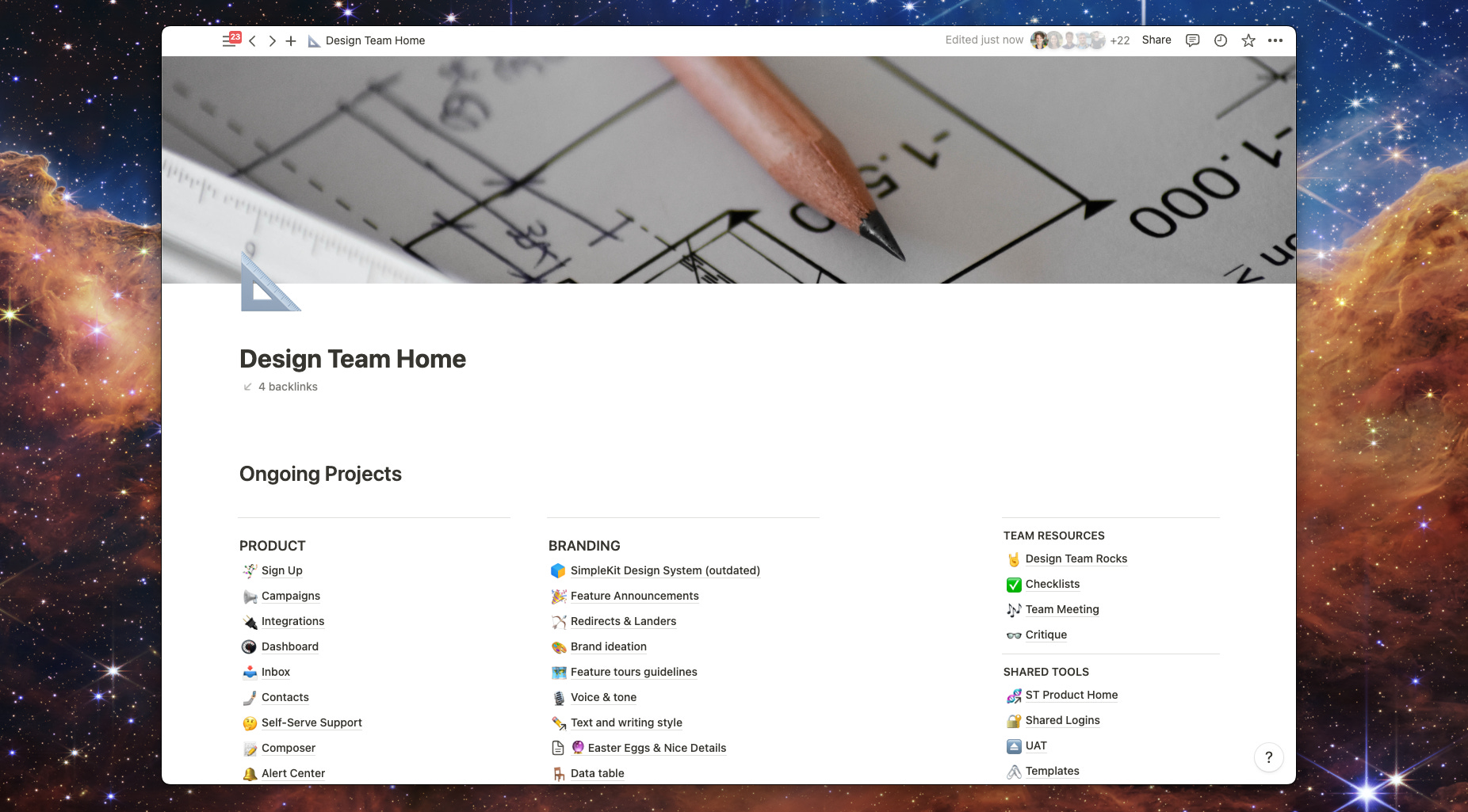
Setting up a design team at SimpleTexting at the height of the pandemic gave me an opportunity to explore and experiment with the kinds of self-serve documentation that would help to level-up our design quality.
Note: This was in the pre-GPT era. I’m excited even thinking about building GPTs to support designers.
At ST, our core tools were Notion, Figma, Miro, and Slack. Like the rest of the business, our function used Notion as our home base. The Design team Notion served mainly as a wiki, covering both product details and design operations.
The challenge of practicing Product Design is its’ breadth. In our practice at ST, I expected designers to do everything from user research to design QA. This reach was incredible for the sense of ownership it created, both for the designer as an individual, and for the cross-functional team.
However, the challenge of breadth is always depth. We found that it was easy to miss the ‘little’ things when focusing on the whole scope of the problem. After eating our shorts a couple of times, I drafted checklists to cover account states, user types, and billing statuses, so that everyone could be more thorough when drafting and refining their solutions.
Designers regularly reviewed their work with the team, gathering feedback and edge cases. And while I embrace product team feedback (so often from a QA), it’s best to cover as many states and cases before review.
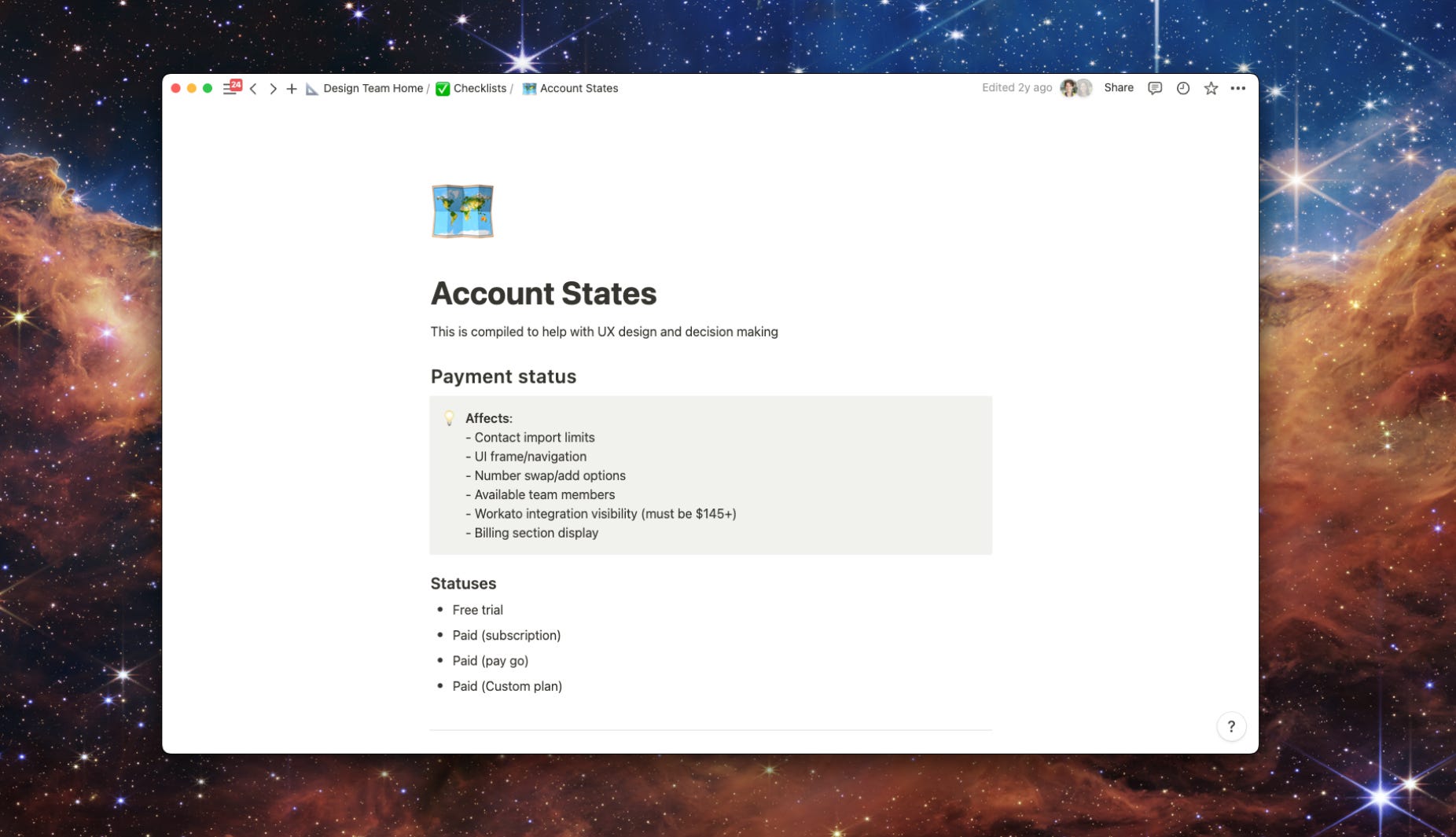
Payment status
User count
User role type
At SimpleTexting we also looked at Integrations (type, count), Message history, Numbers (much like sub-accounts), and available credits.
And for any user experience, there’s always:
Zero or empty states
Form (page + inline) errors
Confirmation experience
Breakpoints/screen size
Seeing the breadth of scenarios to cover can be overwhelming. On the flip side, the ‘sushi menu’ process can be less intimidating than memorization. Lists like these allow the designer to focus on which scenarios are the most valuable to ‘get right’ for a feature. They’re helpful for leading discussions to evaluate priority.
Participating in QA is both about ownership and quality. Designers will be the most picky about how interactions work in their live state and have the trained eye to spot differences between the desired outcome and the observed state.
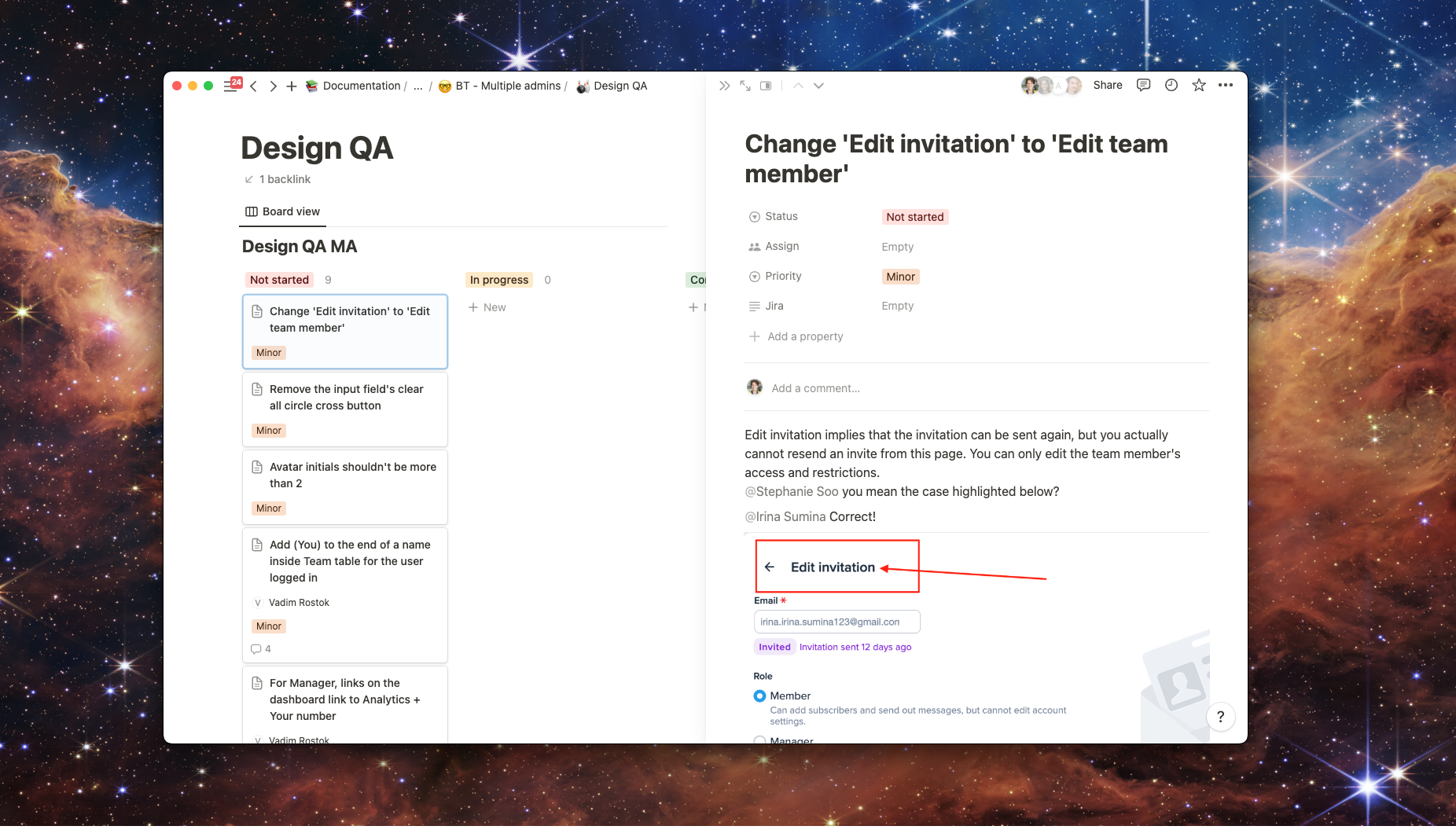
To support designers in the QA process, we relied on templates shaped through collaboration with Product and Engineering.
The key with collaborative QA is role awareness. In our process, everyone was welcome to create bugs, document UI differences, and behavior issues. However, it was the responsibility of Product to make the final call for what would make it into a pre-release vs. post-release sprint.
Type
Copy
UI
Bug
New functionality
Noting the type became helpful when delegating work. For example, copy changes may be delegated to someone from Marketing, then changed in a single branch. New functionality (yes 🔥 this comes up and is still valuable), requires more discussion by the group, and of course the requisite time to build it.
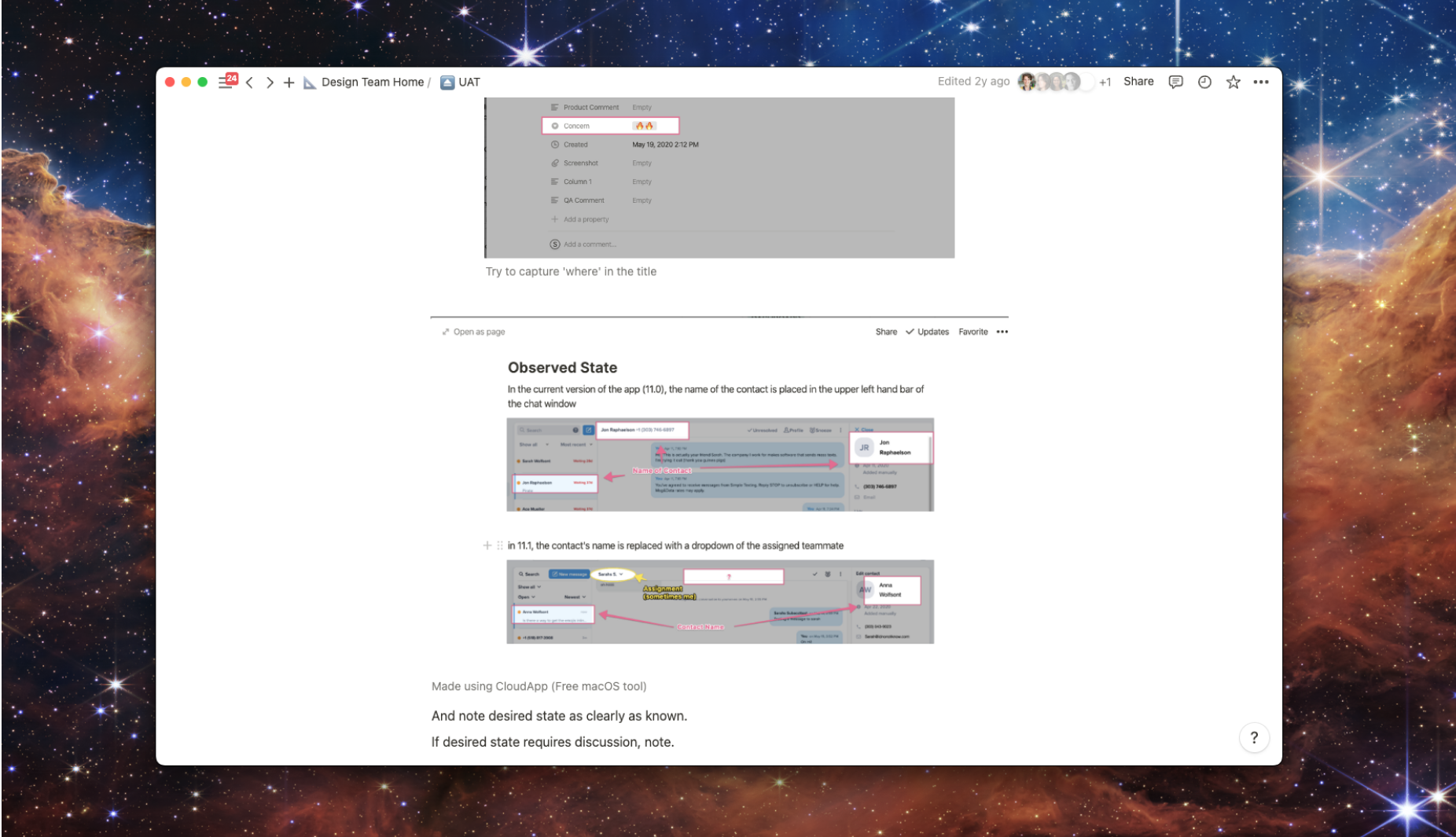
Priority, Status
We chose to use the MoSCoW method to evaluate which items would be prioritized for release. You could use anything here, the key being a transparent mechanism that allows the team to see what’s on their to-do list for a given period.
For Status, anything can work. We tracked if it was in a design backlog, already groomed, ready for development, or completed.
Having an established template with fields (observed, desired, MoSCoW) creates consistency (all the better to prioritize with, my dear), and lowers the bar for entry. Sure, this looks like a classic ‘acceptance’ step, but it’s also more accessible to the wider org. Taking into consideration concerns from tech support or marketing can be key, depending on the feature.
Maybe it’s the name, but I find designers are still intimidated by performing user research. Regardless of the why, this is a key area where the Design Practice should be working to build up designers’ confidence.
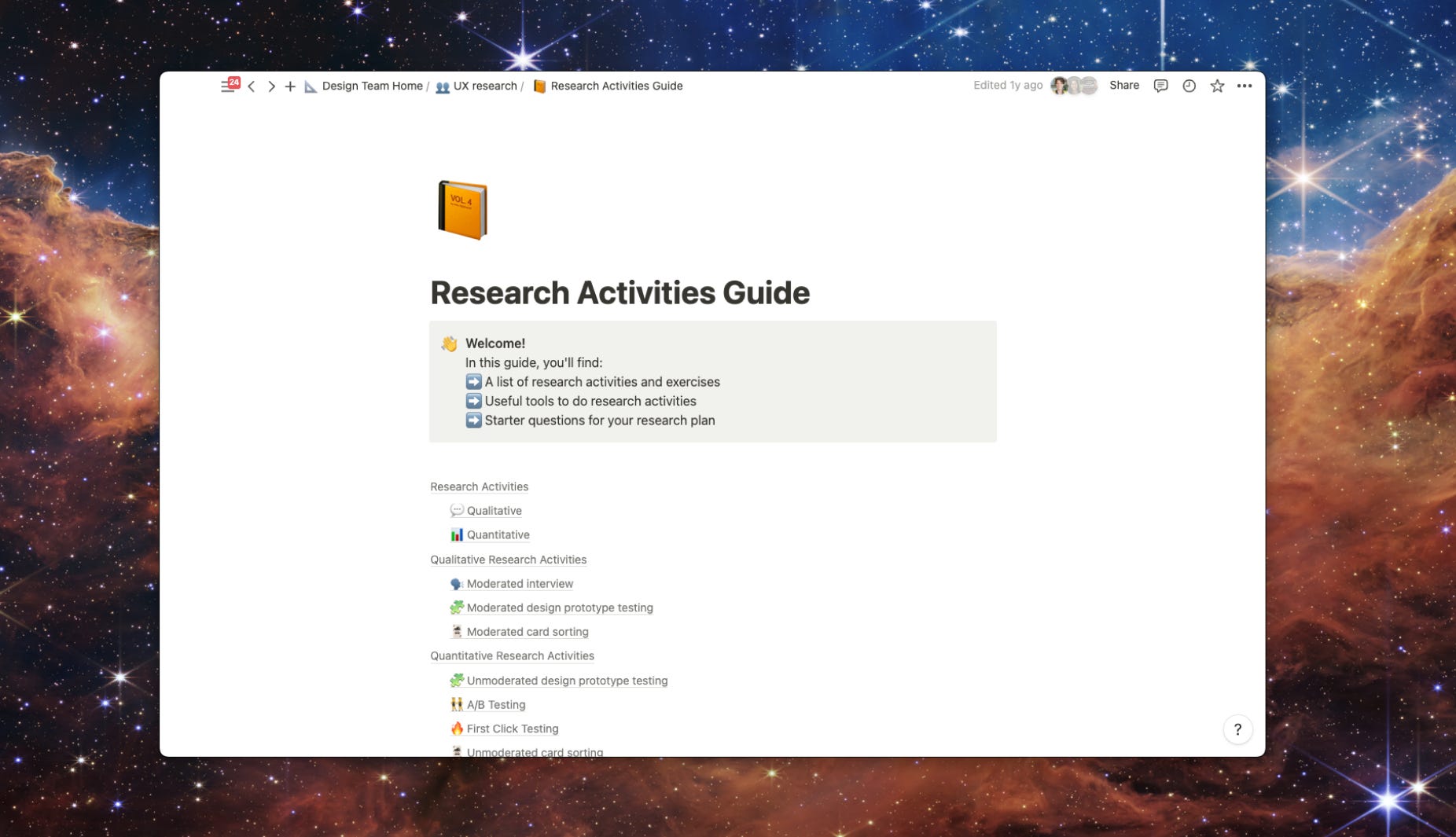
Creating a guide to types of research isn’t anything new, but adding your product’s context can be a helpful differentiator. Now that a designer knows what ‘first click testing’ is and what it may teach them, how do they do it?
Not all products are instrumented to enable every type of research, which is why making the connect between “how we do it here” and “how it should be done” is a powerful next step.
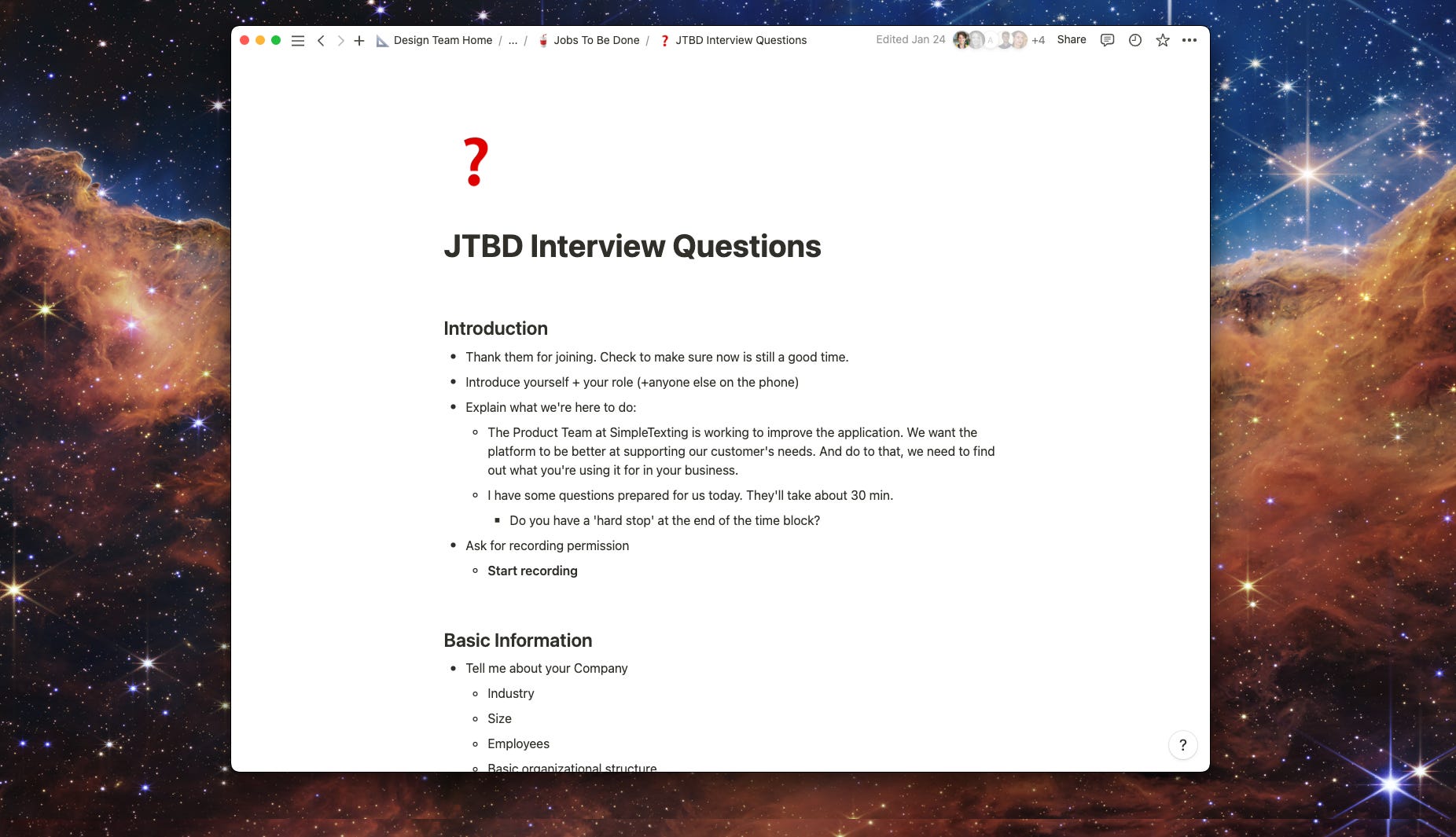
Specifically, I’ve found pre-made interview guidelines especially helpful, within both Design and Product.
Pre-made questionnaires and guides don’t need to be exhaustive. They serve more as a head-start and a nudge to ensure that people are thorough even when they’re doing something new. Asking Designers to do research is not with the goal of perfection. It’s to build confidence in the solutions they propose and humanizing their work. Design research professionals still serve a valuable role, but often more as experts and guides.
When designers have cheat-sheets, it takes the responsibility of recall off their shoulders. They can better focus on the problem at hand, and lean on their tools to ensure that the solutions they propose are thoroughly thought-through. And when tools shared (and used) by a group of embedded designers, it can also nudge towards more consistent output, which is of a benefit to both the users and the builders of the product.
No posts
Comments
Nothing yet. Say the first thing.
Sign in to join the conversation.