
16th of September 2025
Recently I replaced my router with an OPNsense mini-PC. One little thing I had trouble with was how DNS was provided to connecting devices. In my environment I have a local Pi-hole system to handle DNS, so I wanted clients to use this, and therefore have DHCP tell devices to use a specific IP for DNS.
Default Scenario
On recent installs of OPNsense, it seems to use Dnsmasq by default for DHCP and DNS. From what I could tell, this looks like a recent change, meaning documentation and guides are somewhat slim for this option. By default, I think this is used as a relay, so DNS goes through OPNsense and is sent to the DNS servers configured for OPNsense. While this should work fine in most cases, I found it could result in some issues for DNS responses resolving to a local IP, which would just get blocked. This extra relay could also make it harder to understand what DNS server a client was using.
Instead I wanted to just advertise specific DNS IPs for devices to use directly, instead of acting like a relay. It took a while, but I eventually found that this was possible via DNSmasq, using options:
Config Steps
In OPNsense, go to Services > Dnsmasq DNS & DHCP > DHCP Options. Click on the plus to create a new entry, then use settings like so:
- Option:
dns-server [6] - Value:
<your-DNS-server-ips>- You can add multiple by seperating with commas.
You can tweak any other options to your prefence, like interface if you only want this set for devices on a specific interface.
Here’s an example:
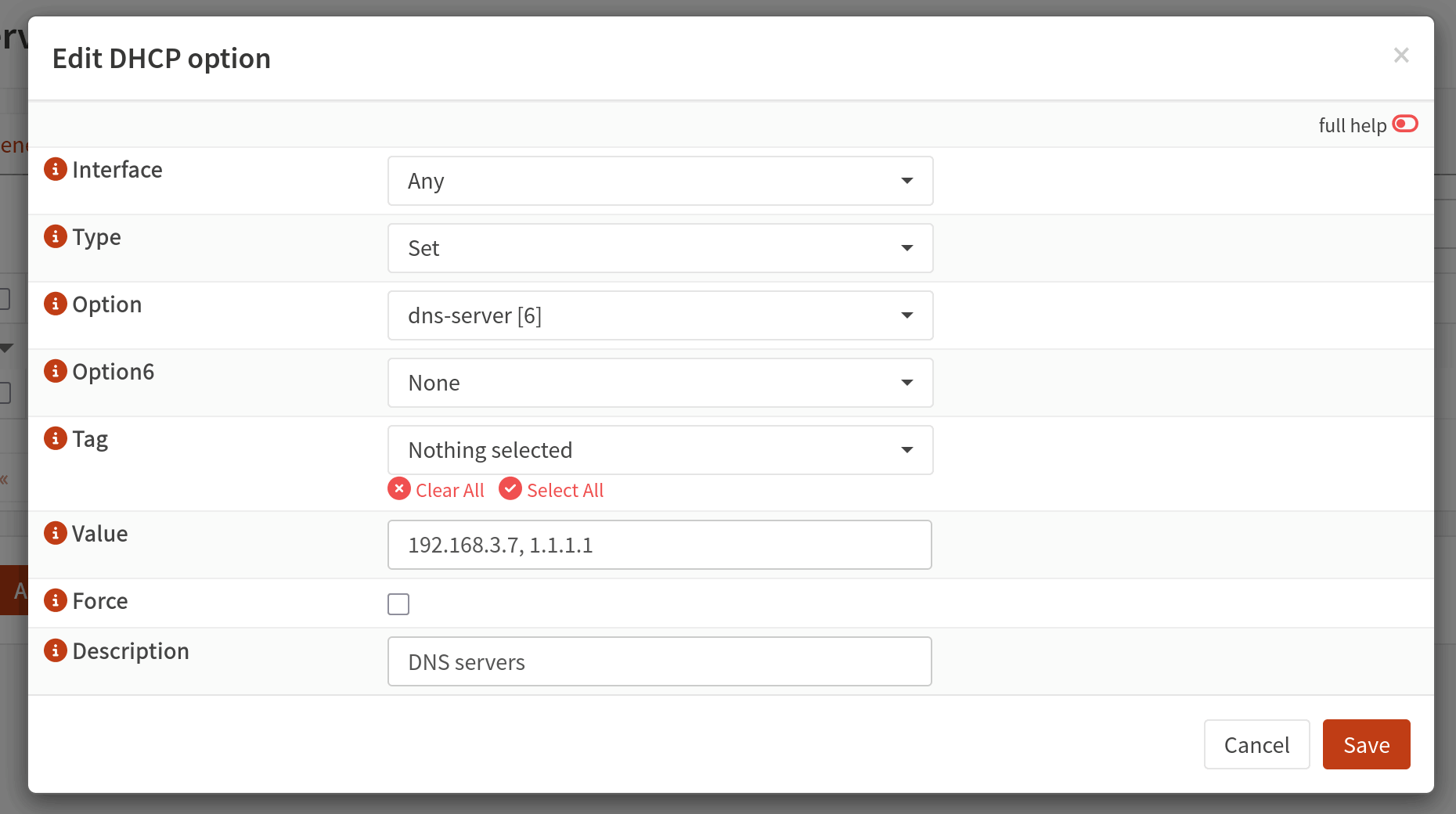
After setting, press Save, then Apply. The configured DNS IPs should now be sent to clients.
Comments
Nothing yet. Say the first thing.
Sign in to join the conversation.