After years of using a classic mouse, then a vertical one, I recently switched to a trackball: the Kensington SlimBlade Pro.
I wanted to give trackballs a try, and I quickly decided to narrow my search to a center-ball design. During my research I have found three models that looked interesting:
The Ploopy was my favorite, but it’s very expensive and costly to ship to Europe. The Kensington Expert is the most popular trackball, but the Kensington SlimBlade Pro has a more ergonomic shape.
In the end, I went for the Kensington SlimBlade Pro, and I have to say that I love it. The first few hours were awful and I almost returned it. But after that, I completely got used to it, and I now can’t imagine going back to a mouse.
I just have one complaint about this trackball: there is a small buzzer that makes a very annoying noise when scrolling. And the buttons make a very loud click sound.
After waiting for a few months, I never got used to this noise (neither did my coworkers), so I decided to open the trackball and try to fix it myself.
The process is straightforward:
- You remove the silicone pads on the bottom
- You unscrew the 7 screws hidden under the pads
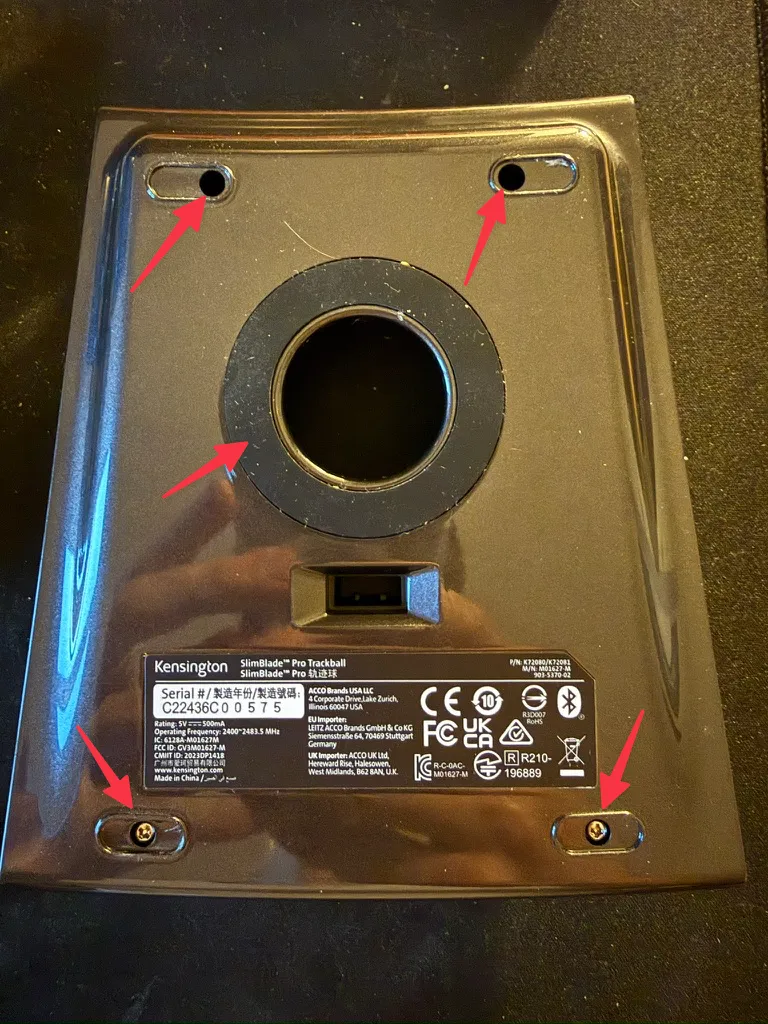
- You open the case carefully, without forgetting to disconnect the two ribbon cables and the battery connector
- You locate the buzzer and the buttons
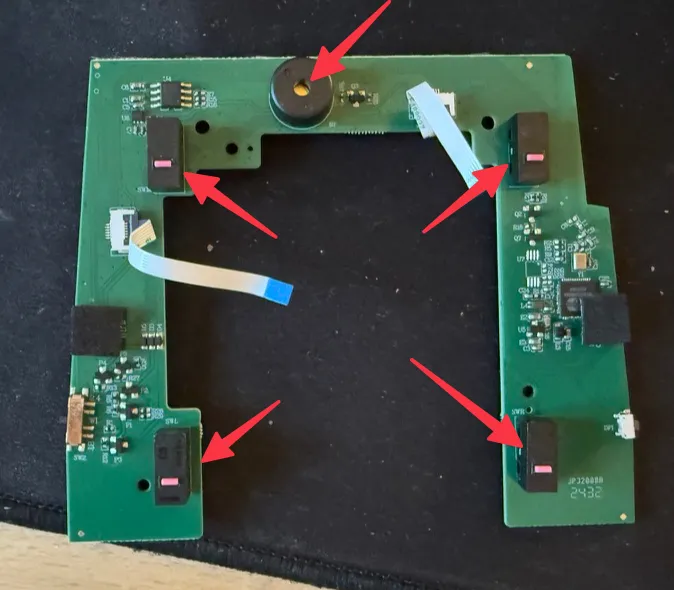
- You unsolder the buzzer and the buttons
- You solder in some silent buttons (here are the ones I used: silent micro switch)
- You reassemble everything
In less than one hour, I was done, and now my trackball is silent! And now the SlimBlade Pro is perfect for me.
Comments
Nothing yet. Say the first thing.
Sign in to join the conversation.