
Using Kubernetes without a cheat sheet is frustrating. You know kubectl get pods, but kubectl rollout undo deployment/my-app or kubectl logs my-pod -c container-name can feel like guessing. It costs you time and breaks your rhythm.
That’s why I created a kubectl CLI Cheat Sheet with the commands you’ll actually use. It’s free, and you can download it as a PDF file from my Gumroad store.
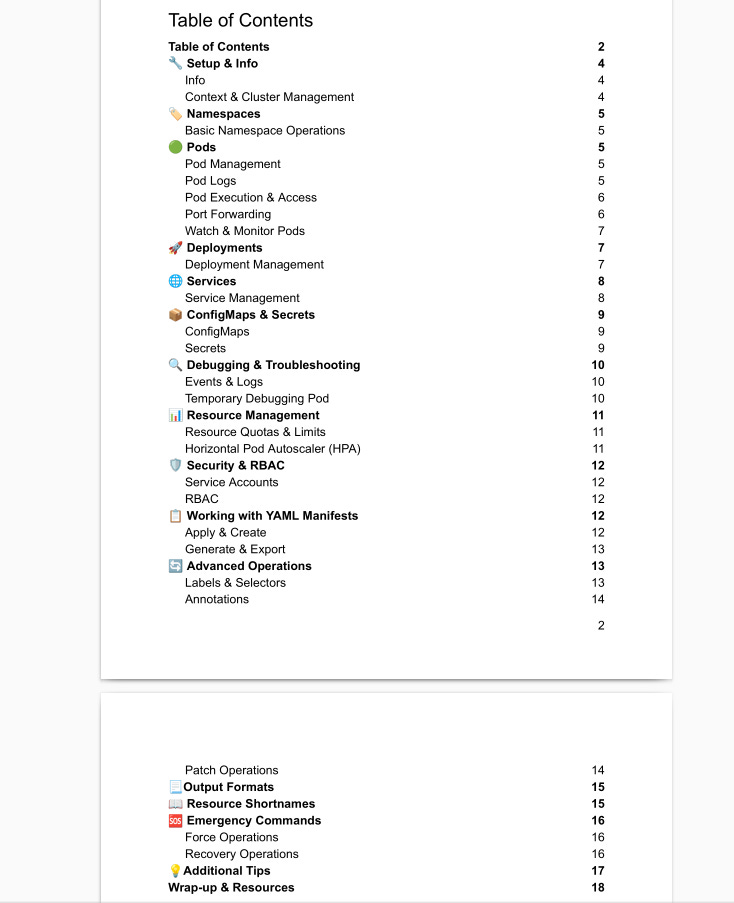
It contains a curated list of kubectl commands organised by topics. For example, let’s say you’re searching for scaling down deployments. You’ll find commands related to deployment management:
# List deployments
kubectl get deployments
kubectl get deploy # shorthand
# Get deployment details
kubectl describe deployment <deployment-name>
# Create deployment from image
kubectl create deployment <deployment-name> --image=<image-name>
# Scale deployment
kubectl scale deployment <deployment-name> --replicas=<number>
7# Update deployment image
kubectl set image deployment/<deployment-name>
<container-name>=<new-image>
# Rollout status
kubectl rollout status deployment/<deployment-name>
# Rollout history
kubectl rollout history deployment/<deployment-name>
# Rollback deployment
kubectl rollout undo deployment/<deployment-name>
# Rollback to specific revision
kubectl rollout undo deployment/<deployment-name>
--to-revision=<revision-number>
# Restart deployment (rolling restart)
kubectl rollout restart deployment/<deployment-name>For more information, check the Table of Contents or just visit the Gumroad link I provided above:
I hope you’ll find the cheat sheet use, and it will save you time and energy!
Thanks for reading Curious Devs Corner! This post is public so feel free to share it.
No posts
Comments
Nothing yet. Say the first thing.
Sign in to join the conversation.