
I live and breathe web coding. I call myself a “web Swiss-army knife” for crying out loud! But, like the mechanic whose car is always broken, my websites are all crap because I never take the time to play. Good news! Today is Day 3 of my holiday, and I choose to play. Better news, I choose to invite everyone who reads this to play with me!
My father-in-law has a celebratory milestone birthday coming up. My mother-in-law is planning a huge party. As with most events of this kind, we want to feature on the centre stage a slideshow of photos of Dad’s life and times.
But wait, you ask—why not just use some kind of presentation software like Keynote, Google Slides, or ~gasp~ PowerPoint to design this slideshow? Well, while I could do that, while talking with the family over dinner last night, I thought there must be a better way! And then I went and over-engineered the start of a solution. So indulge me as I share my engaging tale of late-night vibe-coding with GitHub Copilot and Perplexity.ai!
CAUTION: This post is not as organized as I would like, since I’m journalling my process after the fact. Also, the content might change as I detail my working process of building this app from proof-of-concept to something manageable.
Last updated: 2025-06-03 22:30h
I use the enterprise version of GitHub Copilot in Visual Studio Code all the time at work. It’s because of Copilot that I was quickly able to learn the different technologies we used to rebuild our technical documentation site. And my colleague showed me that Perplexity.ai offered him better results for similar queries. I knew that whatever project I built next, I wanted to play with these automated assistants.
To start this web project, I opened Perplexity.ai and asked my first prompt:
I want to build a slideshow app. What's the easiest example of a web server application that reads a folder of photos and displays them on a timer with simple transitions to fade between photos? The app should occasionally refresh the folder list to account for new photos that might have been uploaded recently
Perplexity suggested code for a basic Python Flask backend and an HTML/CSS/JavaScript frontend (see response). While the answer wasn’t quite plug and play, I understood enough to get the frontend working.
I copied the code into separate HTML, CSS, and JavaScript files. Then I connected them together in a way that made sense. While the code looked promising, I hadn’t yet connected the backend. A JavaScript function uses the fetch() method, which was going to have trouble accessing information from the files on the server.
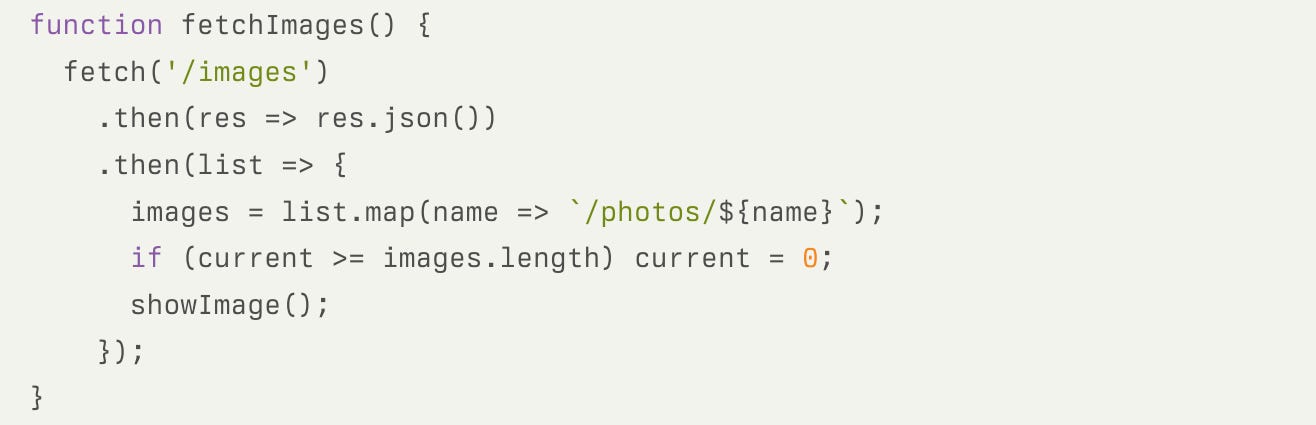
fetchImages() function provided by Perplexity.aiAt work, I’ve written node.js scripts that used fetch() to read files and folders on the same server. However, client-side scripts running in the browser can’t read file systems, which is why the answer suggested a Python backend. The call to /images is the endpoint in the backend service that returned a list that the script would eventually turn into a slideshow from the /photos folder.
But, I didn’t want to learn Python and the Flask framework for a kludgey little app like this. I wasn’t even sure that my shared web host would even let me deploy it. However, I have PHP experience and I know my web host allows that!
Enter VS Code and Copilot.
I created an empty slides.php file and then wrote the following prompts line-by-line as comments. After each line, I paused, and Copilot wrote code that I could work with.
// read file list from images folder
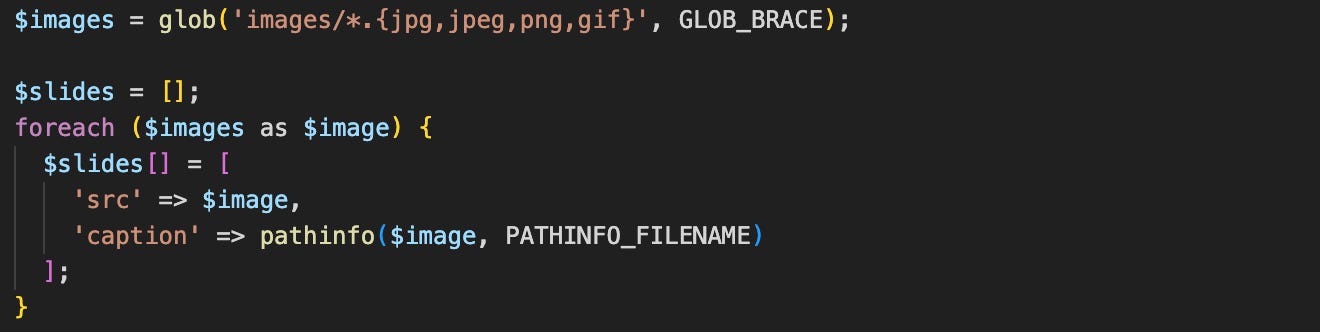
// return the list to the client as a JSON response

The backend code shown in the screenshot that serves the images is now complete for a POC. After the first prompt I wrote a few iterations to ensure:
The images could be found. On my first attempts, I kept seeing
undefinedin my console logs. After much poking and prodding, I discovered that the way my service packaged the JSON array was different than the way the JavaScript expected to read the array.After I figured out what the JavaScript wanted, I wanted the
$slides[]array to contain the path to the file and the filename to use for the caption. Because, why maintain a separate file for captions when I don’t have to?
Next came the HTML page to display the image. The snippet that Perplexity.ai provided only showed one line:

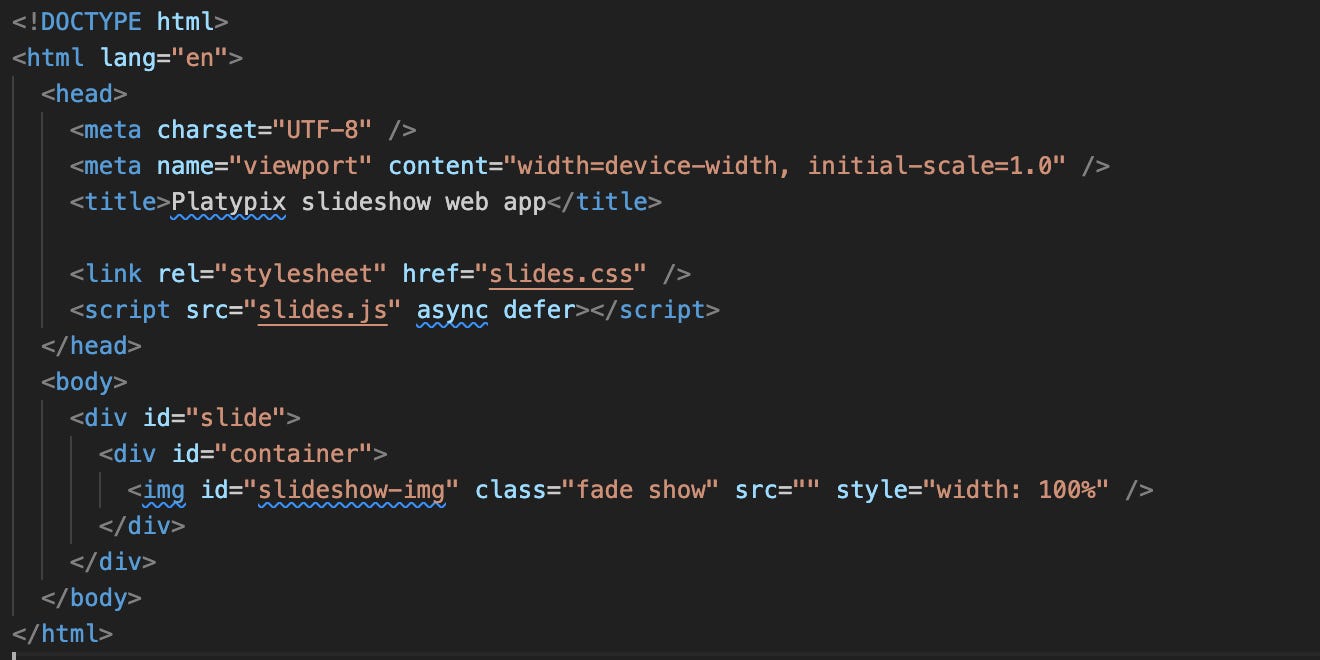
In the index.html file, I typed html:5 and started a template, which I wrapped around the one-line snippet. I added references to the CSS and JavaScript files, and ended with a complete web page.
Finally, it was time to work more on the slides.js JavaScript file. The original Perplexity.ai snippet didn’t describe the inner workings of the code samples it provided. But, I like that I can just talk to my tools to help build my understanding so I could make the necessary changes. And seriously, this is where the tool really shone.
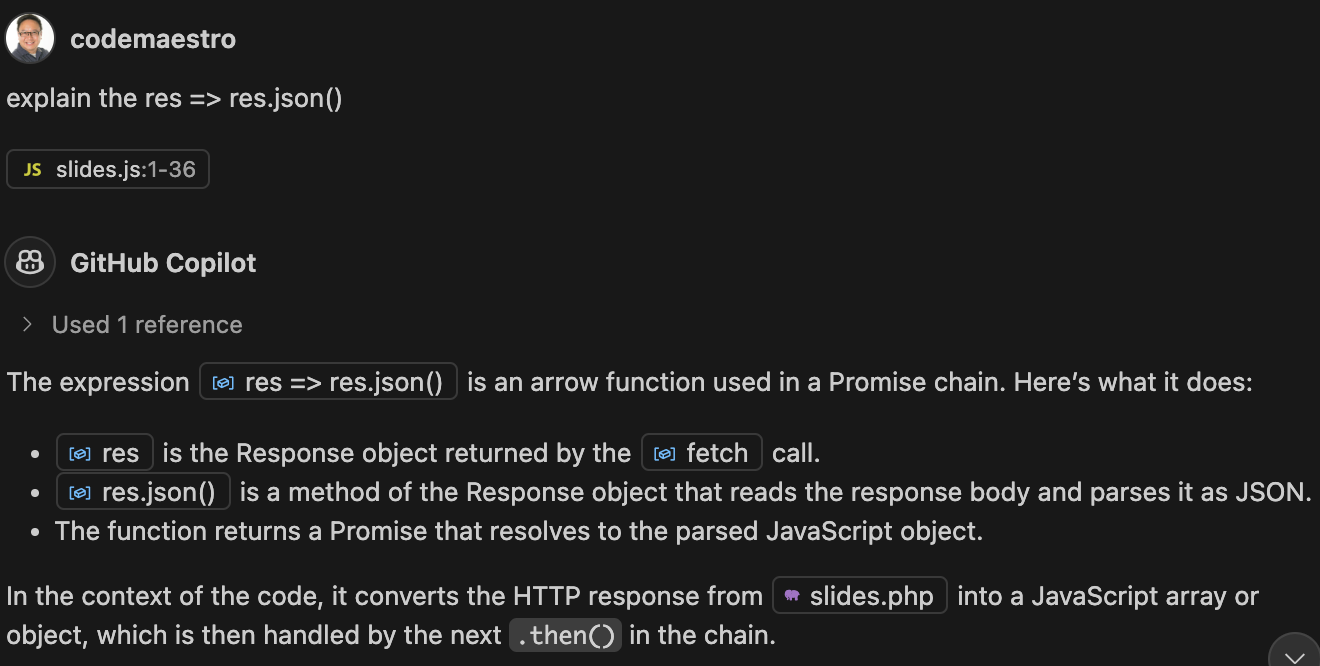
From this example, I learned how fetch() passes an object to .then(), which uses arrow functions to process the elements of the objects in some way, and passes the result to the next .then(). But then I wasn’t sure how I could customize the list.map() to populate two properties and not just one.
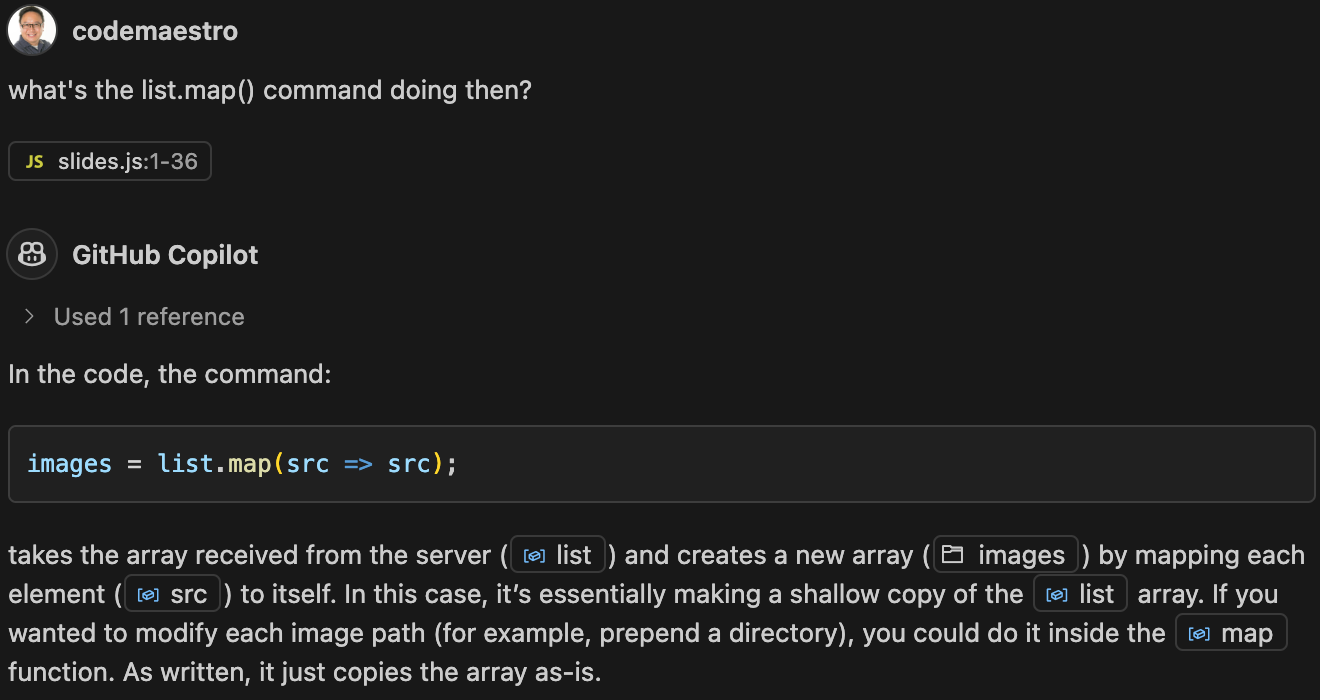
images becomes an array where each item would have a src propertyI see. The list.map() shorthand produces an images array with a structure that looks like this:
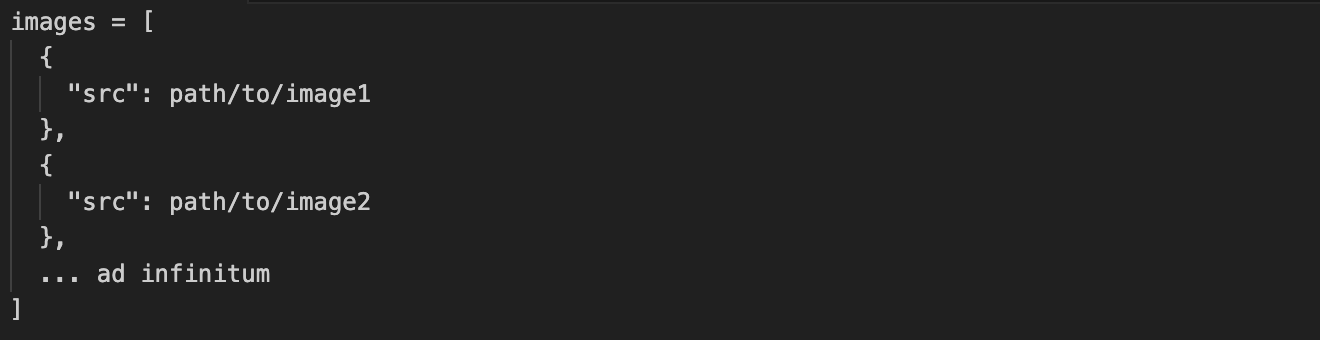
images array only contains a src propertyBut then…
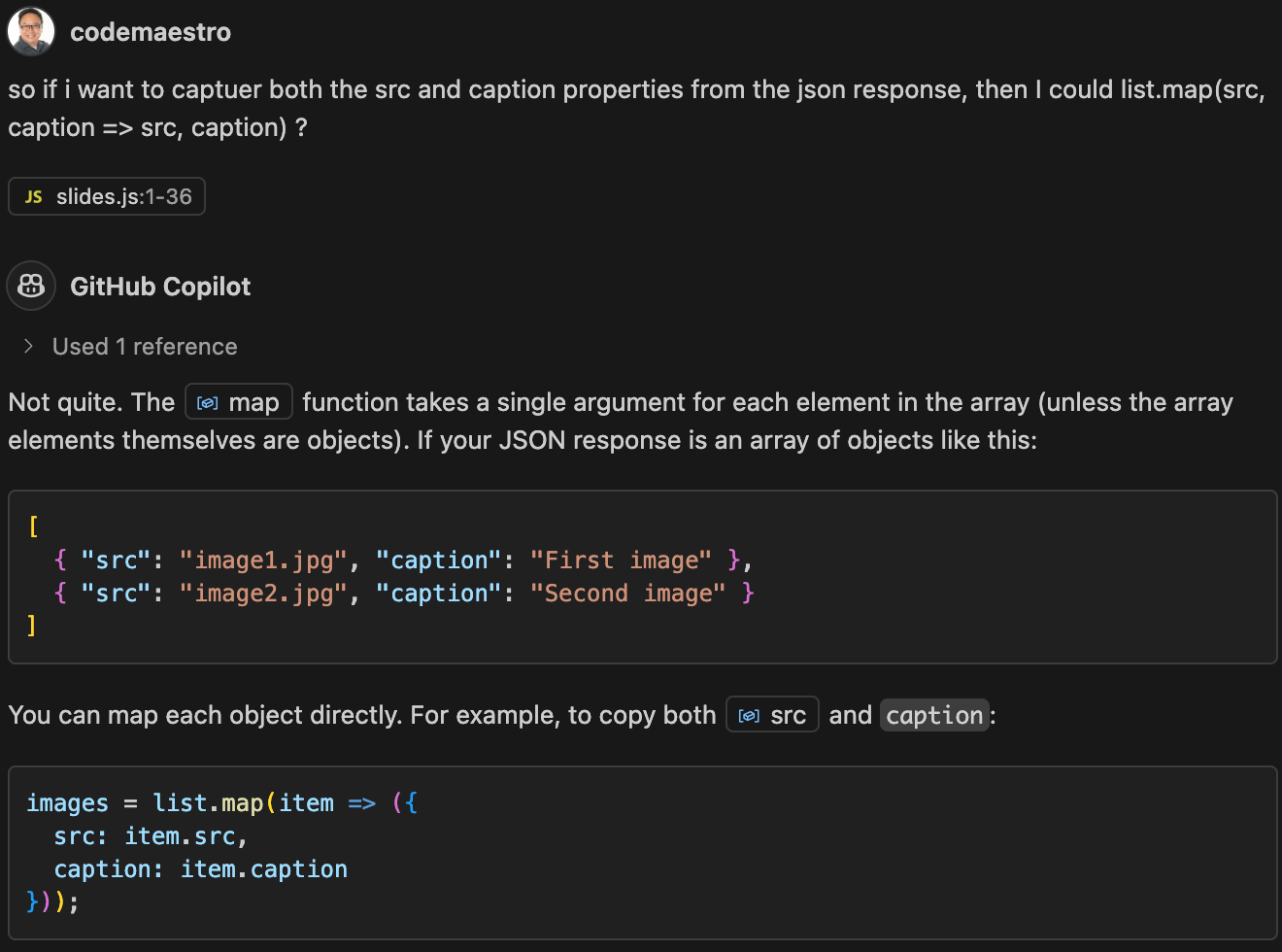
After a few more iterations of the code, I copied a few photos into the /images folder, started my Five Server, which supports minimal PHP, and ran the code from my local machine. Now we have a working app!
Visit the GitHub project to test platypix yourself on your own web server!

Available for iOS and Android
Comments
Nothing yet. Say the first thing.
Sign in to join the conversation.