
In Part 1 of this series I wrote a short Python program that printed sample tables with Unicode border characters. In Part 2 I get to the central purpose of this series: writing a function to print a table with actual headings and data.
The files for this series live in their own GitHub repository. In Part 2 we add a couple more files:
tableizator.py
tabledemo.py
The code to generate a table is in the tableizator.py file. The process consists of four main steps, each of which is carried out by a function call in tableize. The steps are:
Calculate the column widths from the longest item in each heading/column
Create four types of horizontal border string
Print the headings
Print the data
As tableizator.py is fairly long I’ll look at it piece by piece.
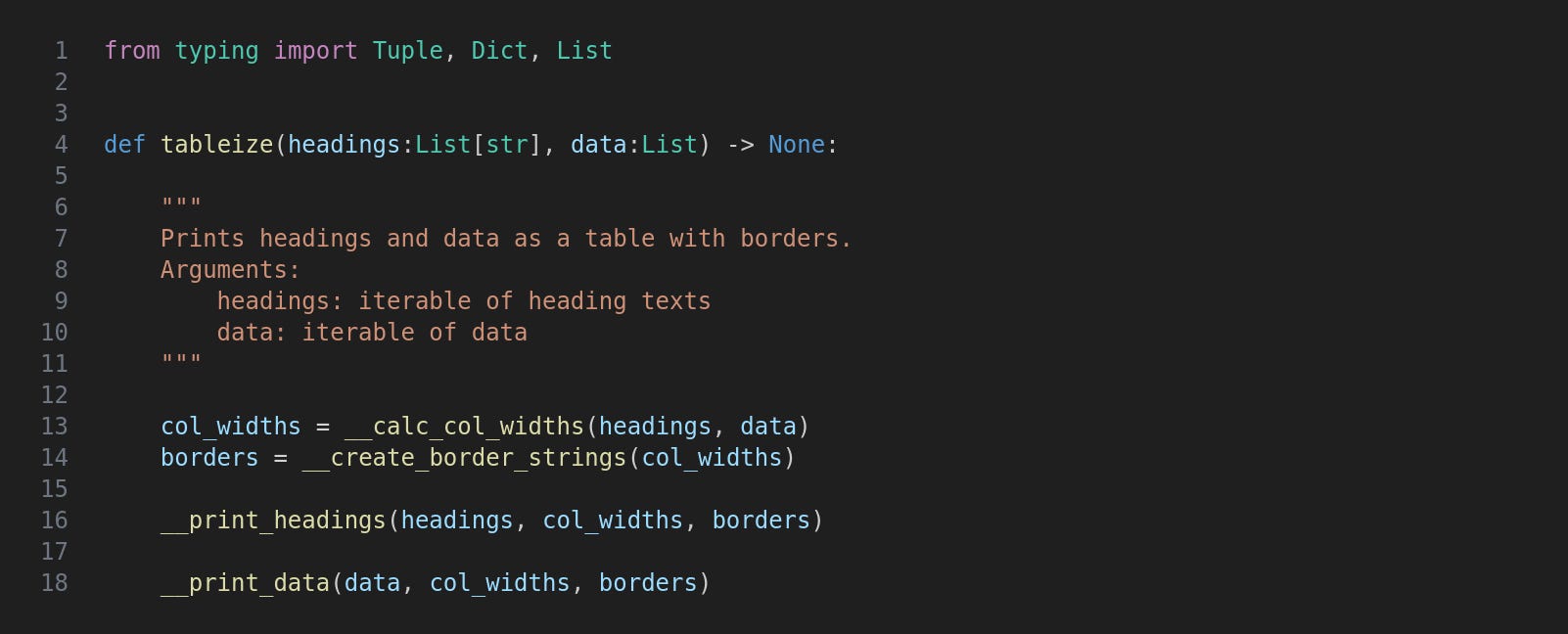
After importing a few members of the typing module four functions are called in tableize, as described above.
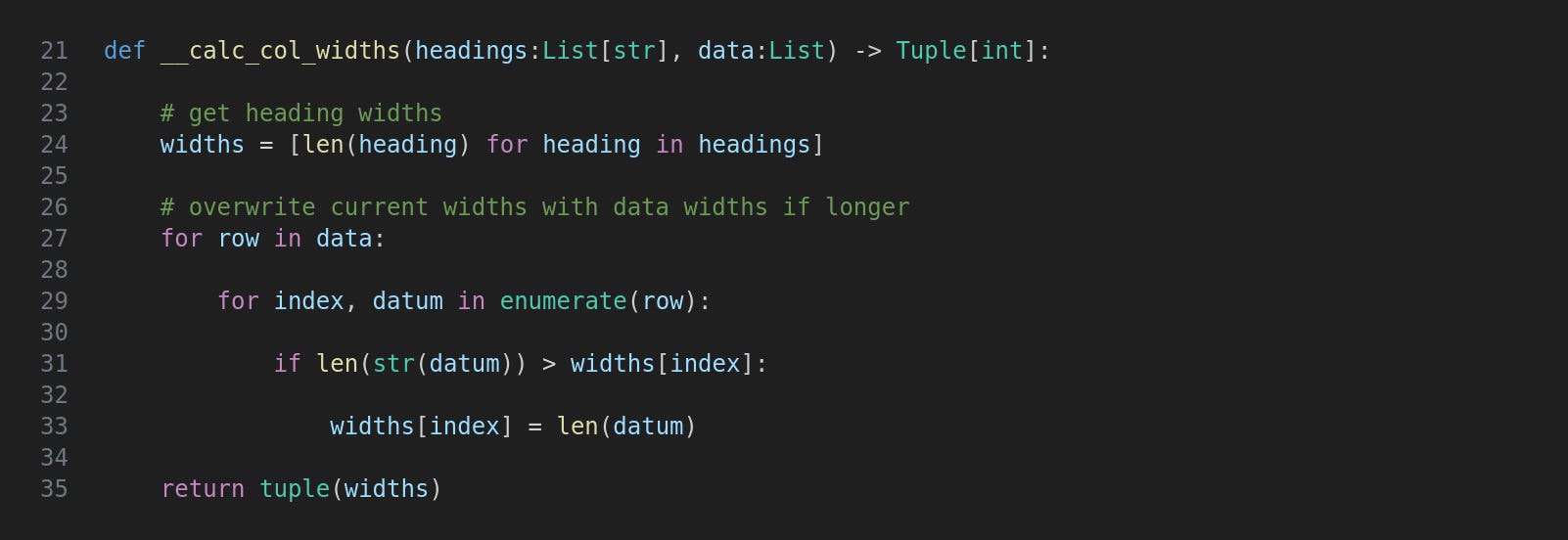
Firstly the heading widths are obtained with a list comprehension and then within a nested loop these are overwritten if any data is longer than its heading. This means that for each column we know the widest value. The list is returned as a tuple.
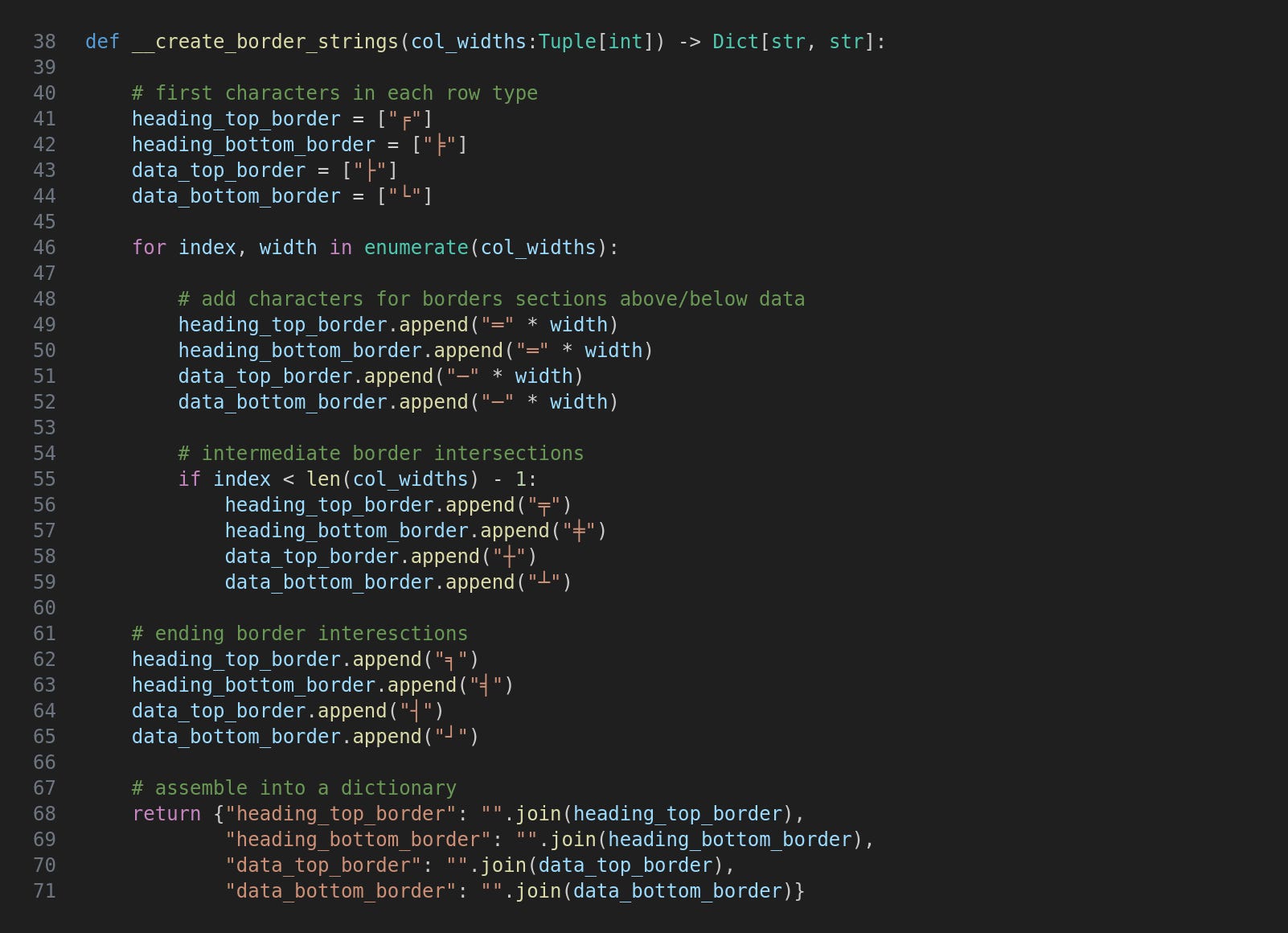
This function is a lot simpler than it looks because it has to do everything four times. I’m not entirely satisfied with this and may revisit the code one day and try to streamline it.
For each of the four types of horizontal border we need to carry out four tasks:
Add the leftmost character
Iterate the columns and append the appropriate number of characters which go above or below each item
Append an appropriate intersection character
Append the appropriate end-of-row character
Having done that the strings are returned as a dictionary.
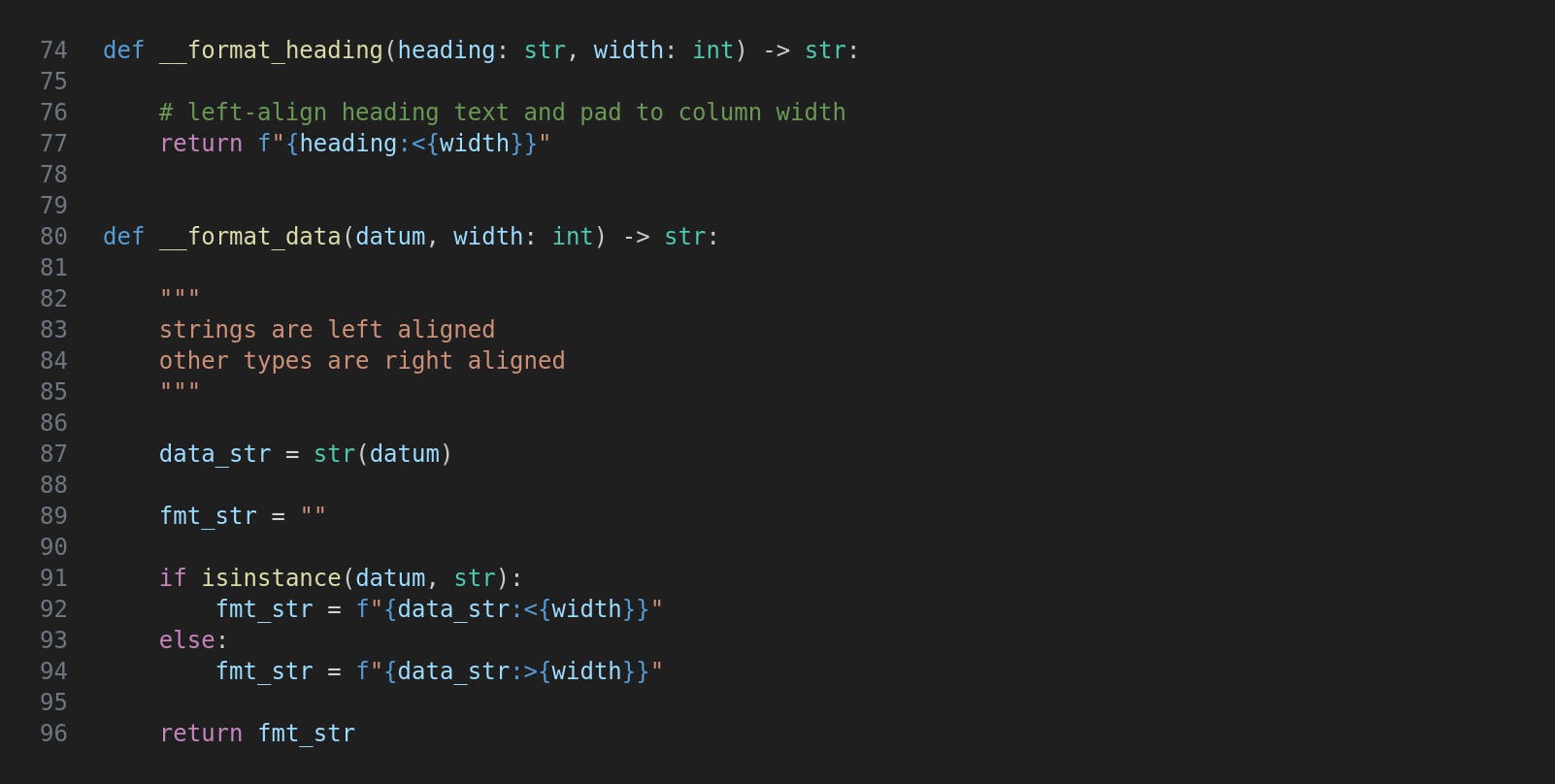
The __format_heading function is just a single line but I felt it was worth putting in a separate function to allow for more complex enhancements without cluttering up the __print_headings function.
The __format_data function is a bit more involved as the alignment depends on the data type, and again this could expand to something more sophisticated.
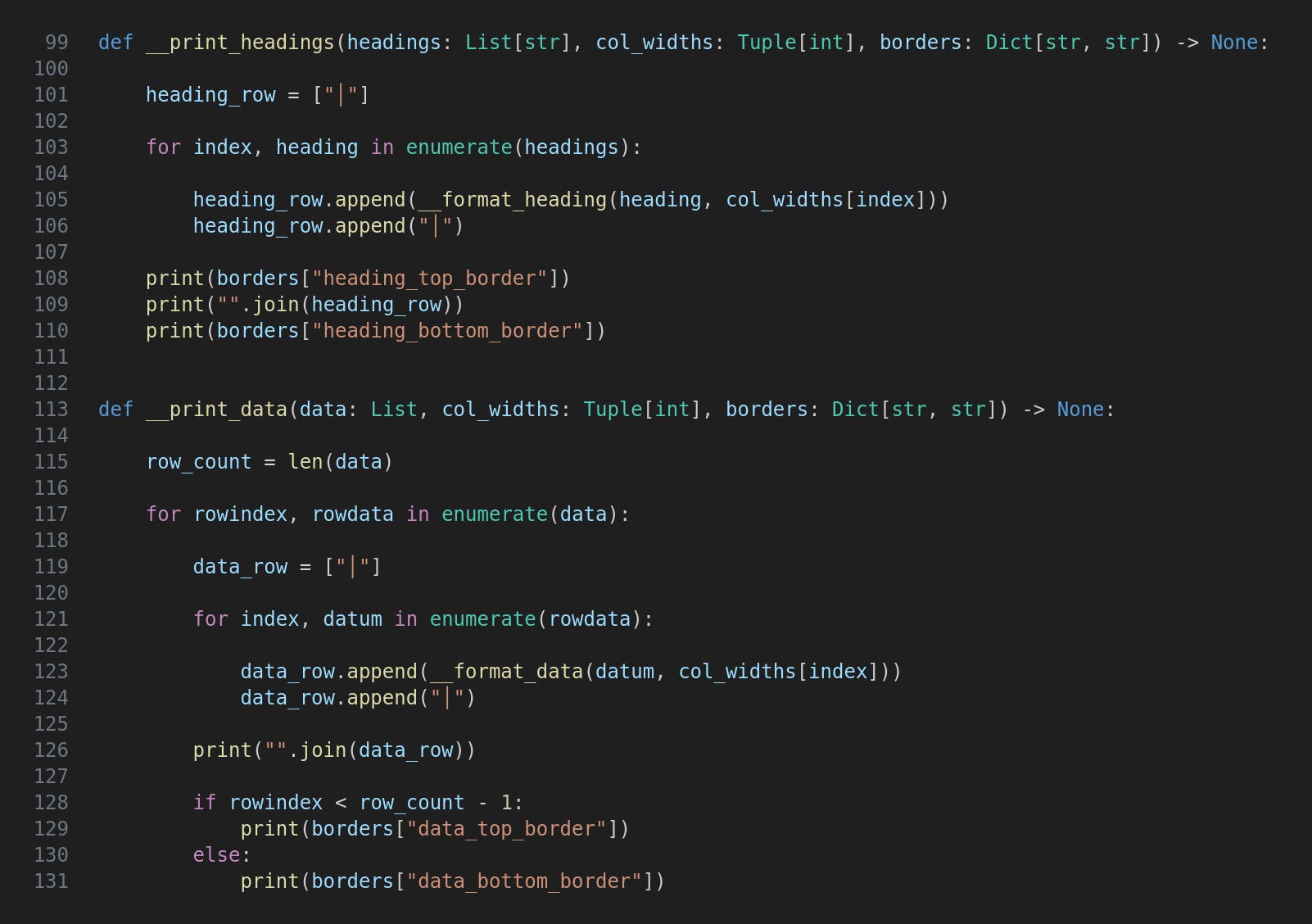
The __print_headings function assembles a single string for the headings and their border characters and then prints it sandwiched between heading_top_border and heading_bottom_border, these retrieved from the dictionary created by __create_border_strings
The __print_data function is basically the same but of course has to iterate rows as well as columns. The border string printed in each iteration depends on whether the last row has been reached.
This is a simple bit of code to try out our Tableizator. It just creates list of headings and data and throws it to tableize to do its stuff.
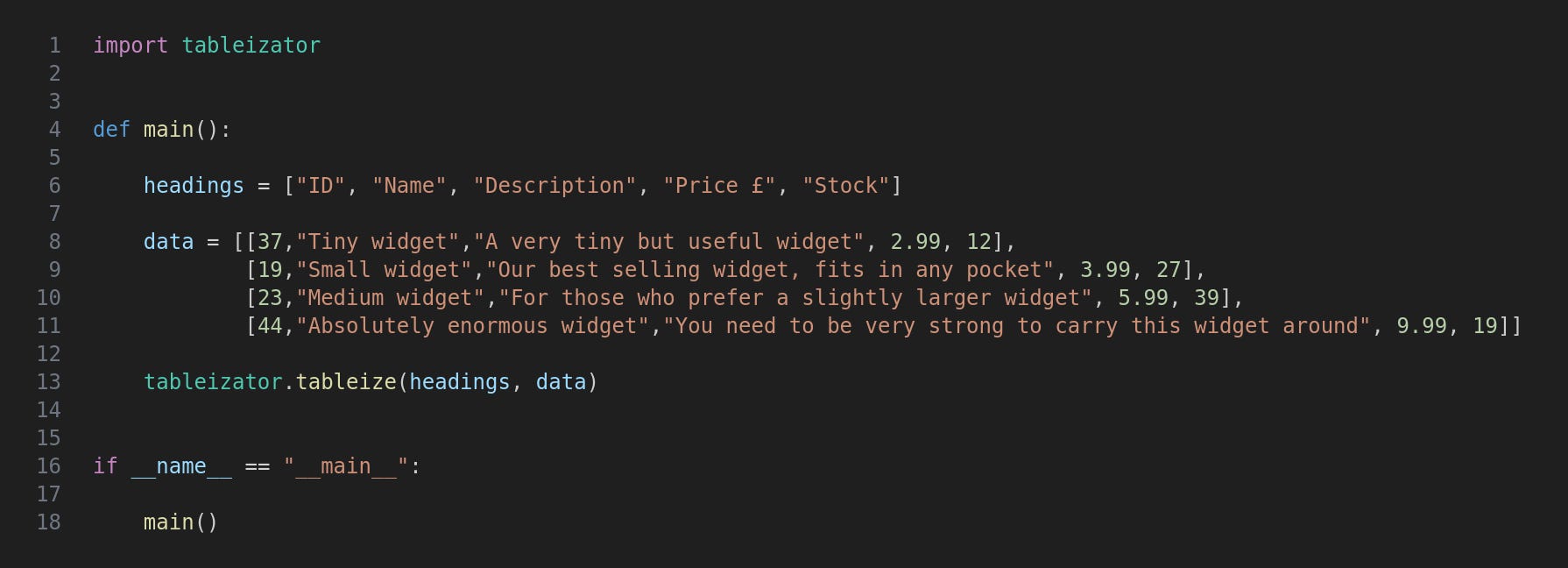
Run the program with this command:
python3 tabledemo.py
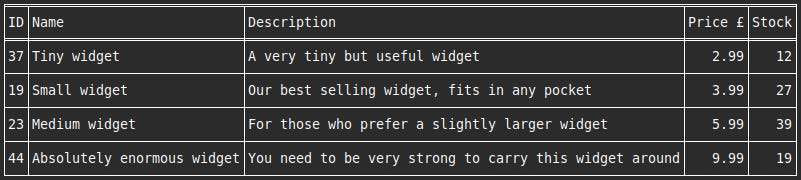
This is the result.
I am aware that this little project is very minimalist and that there is a potentially huge number of enhancements. A few that spring to mind are:
More sophisticated formatting
Specifying actual or maximum column widths
Specifying which columns to include from a larger data set
Alternative border characters (various options were shown in Part 1)
A curses version with colours and other formatting
If anyone wishes to fork the project and enhance it then please go ahead. I’d be very interested to see what you come up with.
For updates and random ramblings please follow me on Bluesky.
No AI was used in creating the code, text or images in this article.
Comments
Nothing yet. Say the first thing.
Sign in to join the conversation.