
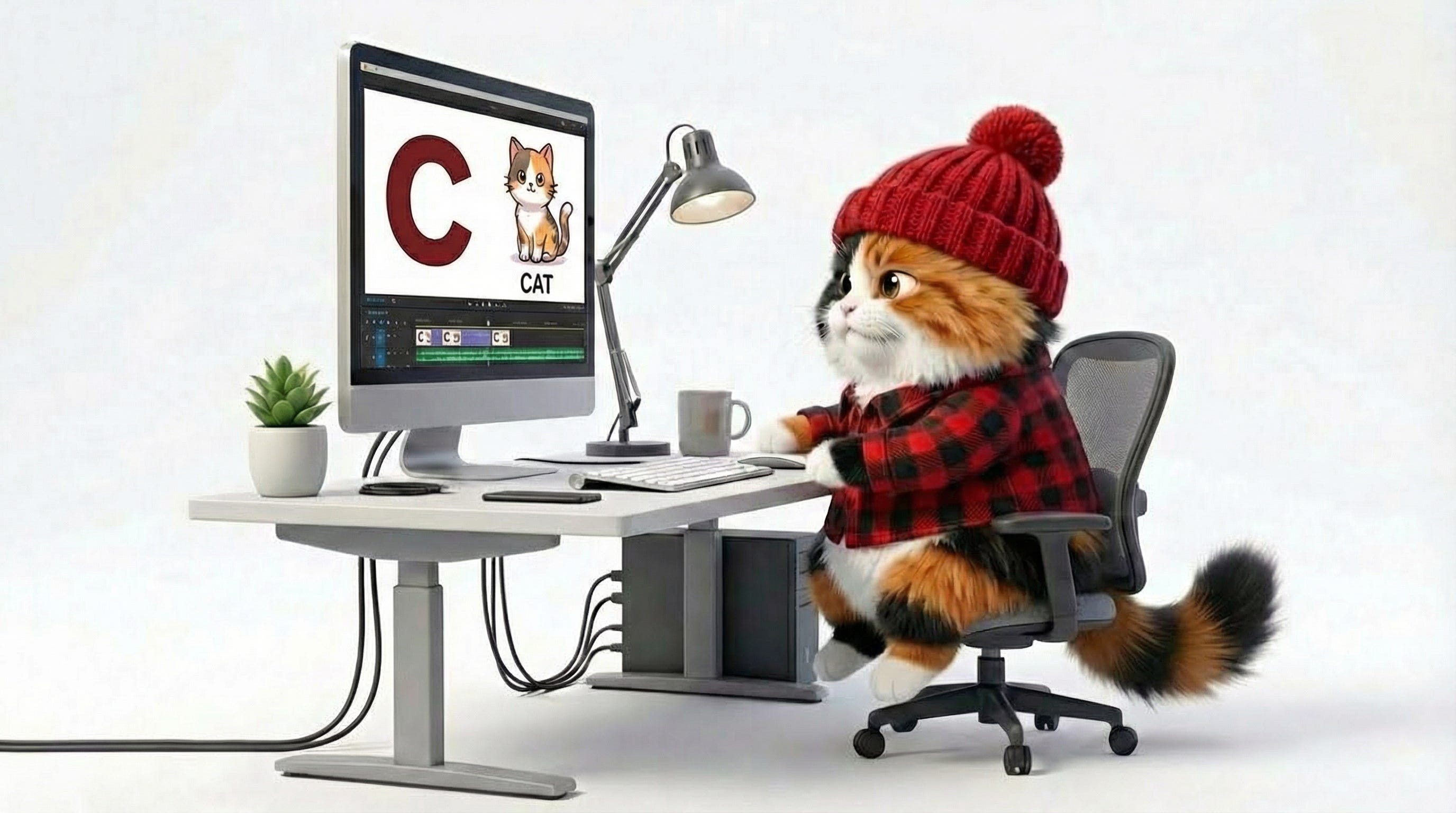
This is the written companion to my workshop on 3/2/26. The video is available on YouTube.
Would you rather learn how to make AI videos for kids from a faceless dude with X’s for eyes, or from someone with 25 years at Sesame Street, Netflix, and PBS Kids?
There’s a guy on YouTube right now, hood up, X’s over his eyes, teaching people how to make “faceless kids videos” for passive income.
Most of the videos out there promise you numbers like $900 a day. Let’s do that math. YouTube kids content generally pays around $1 RPM, which is per thousand views. It’s low relative to other RPM because they can’t do personalized advertising.
To hit $900 a day, you need 900,000 views a day. In a day. PBS Kids did 2 million views on February 25th. So this guy is promising you’ll do half of what PBS does. Daily.
If he’d cracked the code, he would not be making a video that exposes the secretys. He’d be making the kids videos.
I’ve spent 25 years making children’s media at places like Sesame Street and Netflix. I now make AI-powered educational videos at Hippo Polka. I believe the same tools that enable slop at scale can enable education at scale. The difference is who’s behind the wheel.
Here’s everything I covered.
I’ve been collecting collecting examples of slop. It’s not pretty.
There are AI-generated alphabet videos with letters that are in nonsense order. Beautiful 3D-rendered animals with six legs. A math video where the lyrics say “eight” but there are ten forks on screen. An “ABCs at Breakfast” video where a photorealistic baby bites into an apple and a red substance that looks exactly like blood starts flowing out of its mouth. An alphabet video where “J is for Jelly” shows a photorealistic woman pulling a bank note out of Jell-O with her teeth, with coins embedded in it.
You can read more about my writing on slop here, here, and here. And check out this NY Times investigation as well. I’ve also written about how to recognize slop.
When I worked at Sesame Street, we wouldn’t make content that showed kids interacting with pots and pans as drums because a child might imitate it and pull a hot pan off the stove. That was the level of care. Now we have channels posting new kids videos every 30 minutes with no human ever watching them.
That’s why I’m teaching this. I’m not willing to cede the space to bad actors. I’d rather be out here talking about how to do it right.
I teach these first, before anyone opens a single app, because the ethical frame matters more than the tech stack. When creating content with AI for kids, please consider the following.
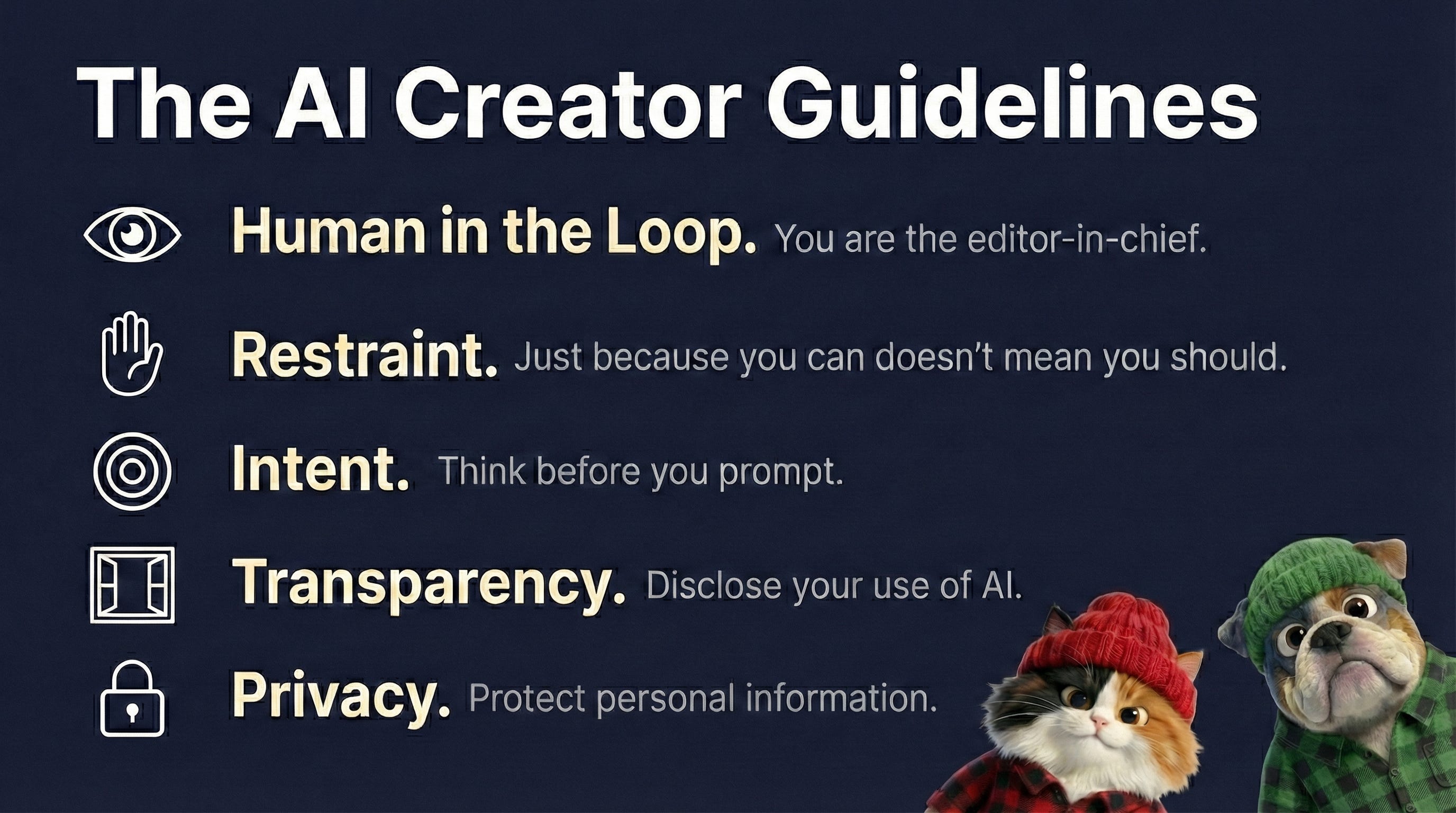
You are the editor-in-chief. AI generates. You review every single thing, every single time.
Just because you can doesn’t mean you should. Just because you can add all sorts of decorative elements or mix IP together doesn’t mean you should. Just because you can post a new video every 30 minutes doesn’t mean you should.
Generate with purpose. This applies to the environmental concerns with AI as well. If you’re creating with intent, you’re not the problem when it comes to the carbon footprint of AI creation. The problem is thoughtless generation at scale.
YouTube says you don’t need to disclose AI use if you’re creating “fantastical, clearly non-realistic” content. I think that’s a mistake, especially when kids are the audience. Disclose it. Parents deserve honesty. I disclose in every video description and on my channel page. Other creators are starting to do this too, and I think it’s going to build the kind of trust that helps you stand out.
Don’t put personal information into AI tools without explicit consent, like names or photos, especially of children. I’ve seen teachers upload class photos and generate cartoons from them without thinking about where that data goes. I use my dog and my cat as subjects. I don’t put my daughter into these systems.
A lot of people ask me what tools to use, which models. What about aggregator tools like InVideo or Steve.ai. (InVideo is a particular favorite of the slop creators because it’s promises to create from a single prompt. You can guess the quality of the results…)
Across the tools, the quality range across tools is enormous. Some deliver. Others are impressive demos that fall apart when you try to build anything repeatable. The credits-based pricing can get expensive fast. Midjourney gives you one kind of credits. Claude gives you another. Suno gives you another. It’s Club Penguin and Roblox virtual currencies nightmares on steroids.
Things also change quickly. A tool I’d have recommended eight months ago might not be my pick today. I’ve tried every video generation tool and models out there. Kling, Sora, Runway, Luma, Seeddance. ComfyUI.
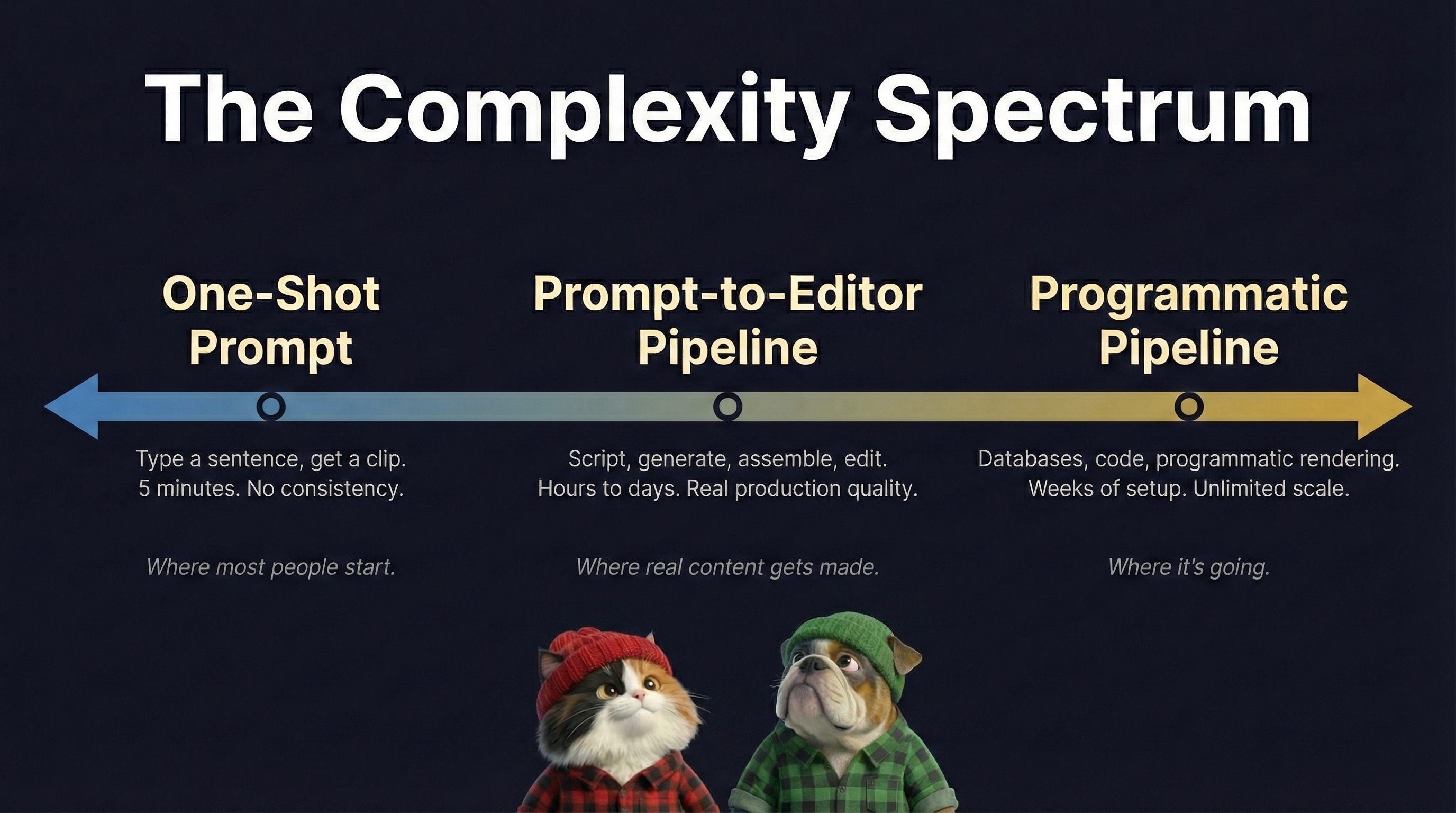
The range of complexity is wide!
On one end, you've got one-shot prompt tools where you type a sentence and get a clip five minutes later. On the other end, you've got programmatic pipelines with databases of assets, code-based rendering, and automated assembly. Most of what I teach lives in the middle, where you're working with a handful of tools, pulling down the assets you need, and assembling by hand. That's where you learn. The extremes come later, if you want them.
And one-shot prompts don’t work. Tools like InVideo, where you type “make me a children’s video about manners” and it goes and whirs for five minutes, are a large part of why we have so much slop. You might get something interesting once. You won’t get consistency across a series. Building your own prompt system is the real skill. Everything else follows from that.
Claude for scripting and strategy.
Google Imagen and Nano Banana for images.
Suno for music. ElevenLabs for voiceover.
Google Veo via Flow for video.
DaVinci Resolve and Remotion for editing.
VS Code with Claude Code for building custom pipelines.
The service I’d start with right now (and what I teach) is to get a subsrciption for Google AI Pro. Image generation, video generation with sound, and the Gemini LLM, all in one subscription. Education pricing available. If you want a single starting point rather than juggling five subscriptions, this is it.
I think about learning AI animation as a climb. There are six levels. We’re going to focus on the first four today, because they’re achievable and they’ll tell you whether you want to keep going. If you’re not enjoying yourself by level four, do not continue to five and six.
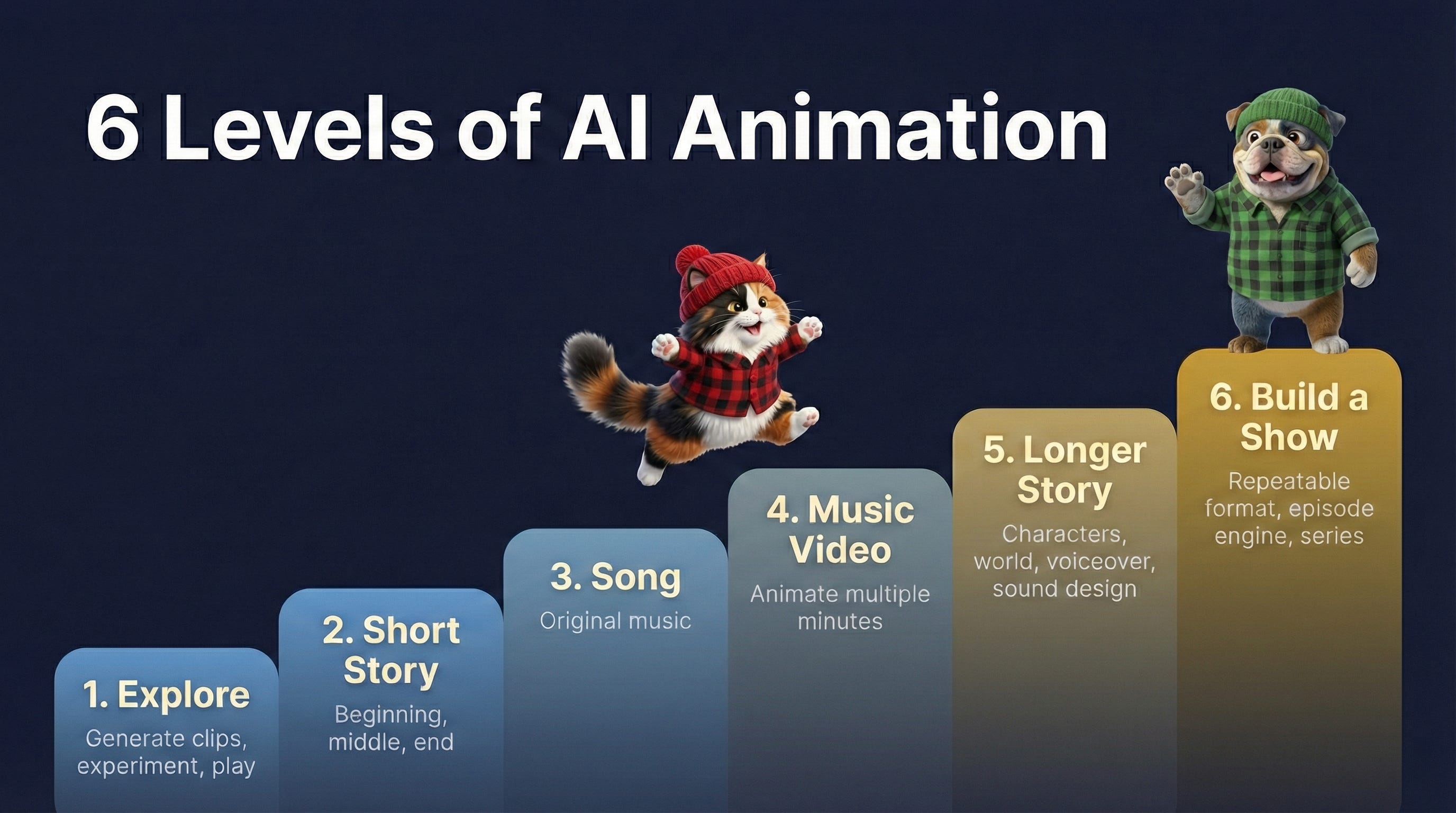
This is where I started. Following wonderment and curiosity. What happens if I make things?
A lot of people I talk to have this hesitation about jumping in. They think they need to compete with established creators right out of the gate. No. You need to play first.
Go to Google Flow and experiment. Make yourself laugh. Make something for a friend. Somebody’s having a rough day? Make them a ridiculous image. It’s a great way to experiment and see what the tools can do.
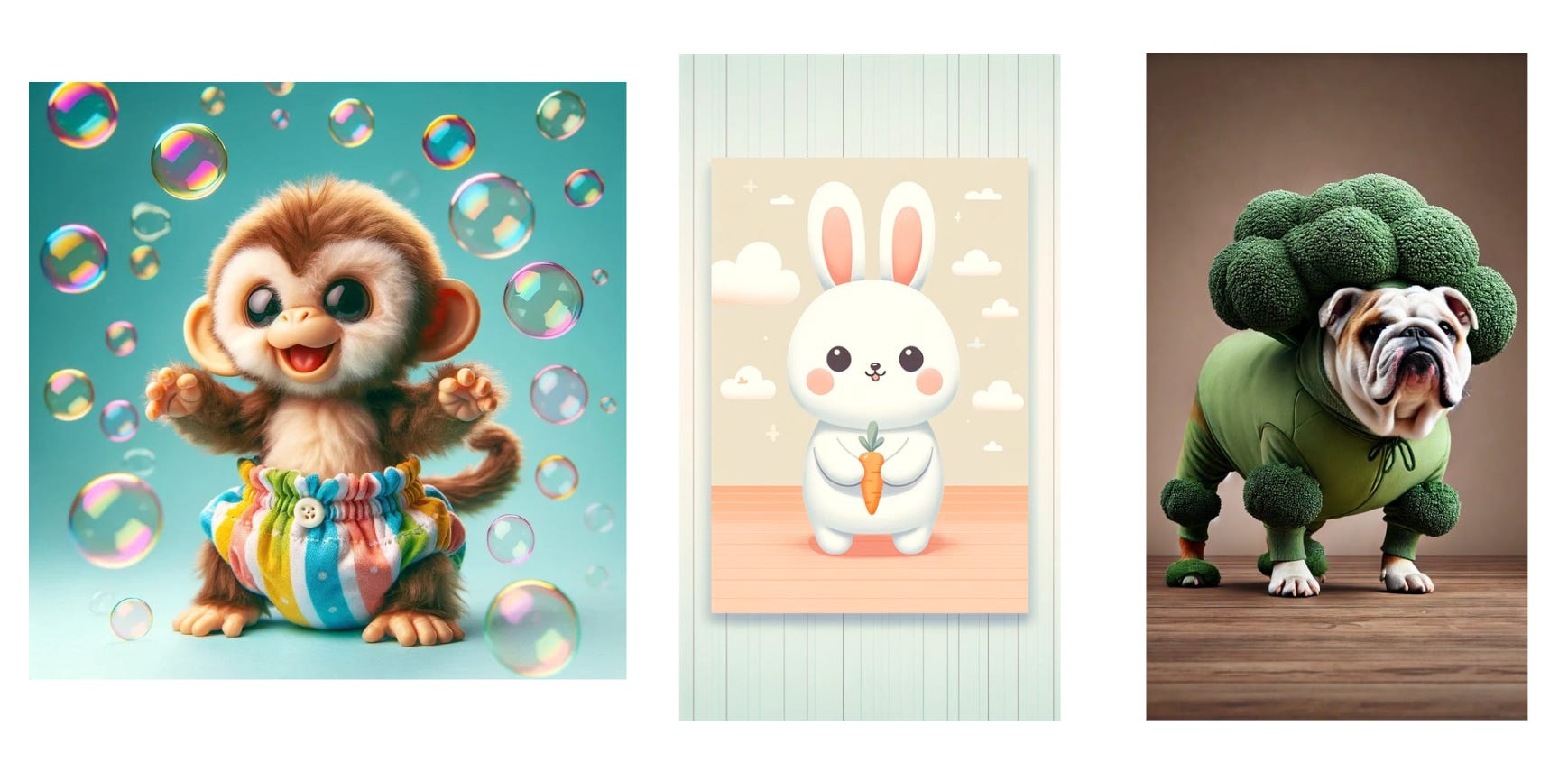
These are literally the first three images I made with AI. I was messing around. Make me a monkey in a colored diaper with bubbles. Put a bulldog in a broccoli costume.
Start with things that make you laugh. Or would make a friend laugh.
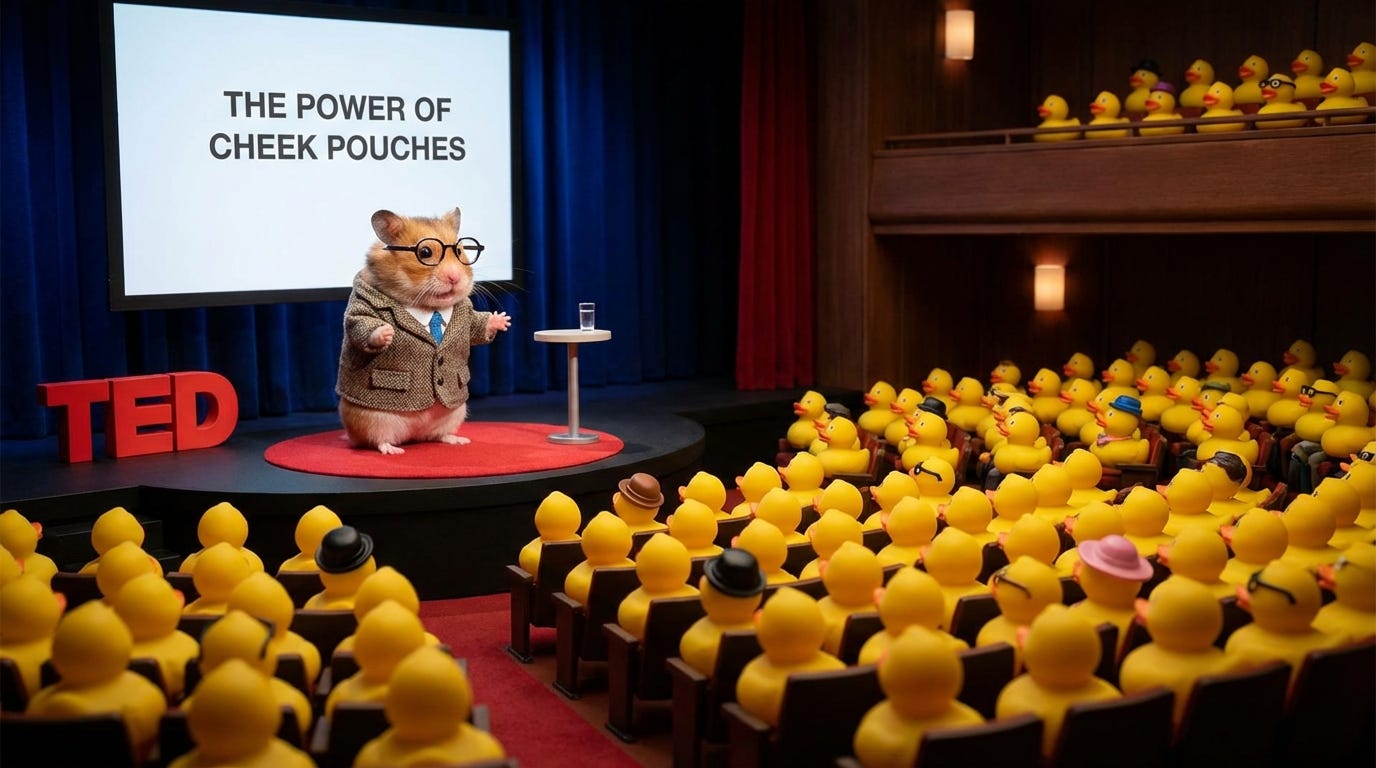
> A hamster giving a TED talk to an audience of rubber ducks.
I didn’t specify “the power of cheek pouches” as the talk topic. The model added that. Sometimes less information is more.
Try different styles.
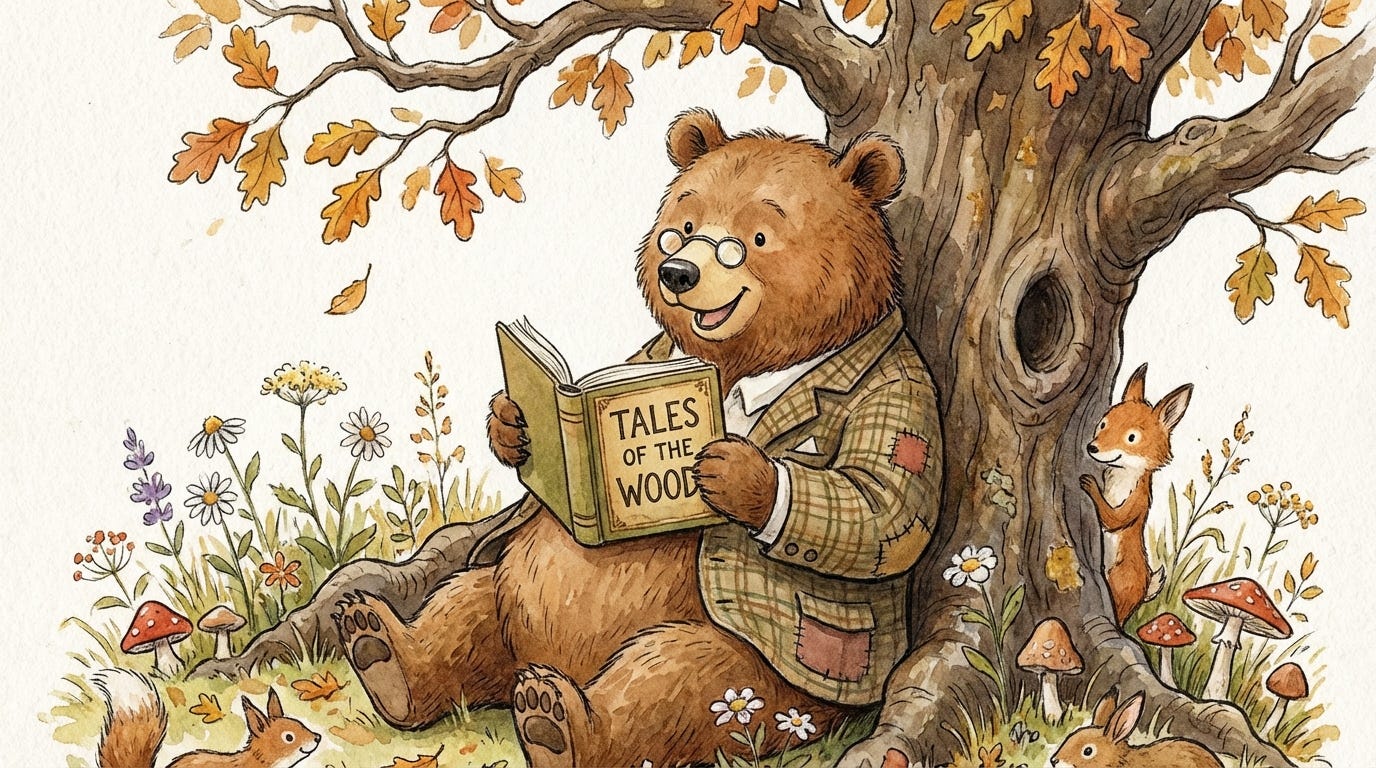
> A friendly bear reading a book under a tree, watercolor storybook illustration.
Try things that can be more complex for AI, like specific numbers of things.
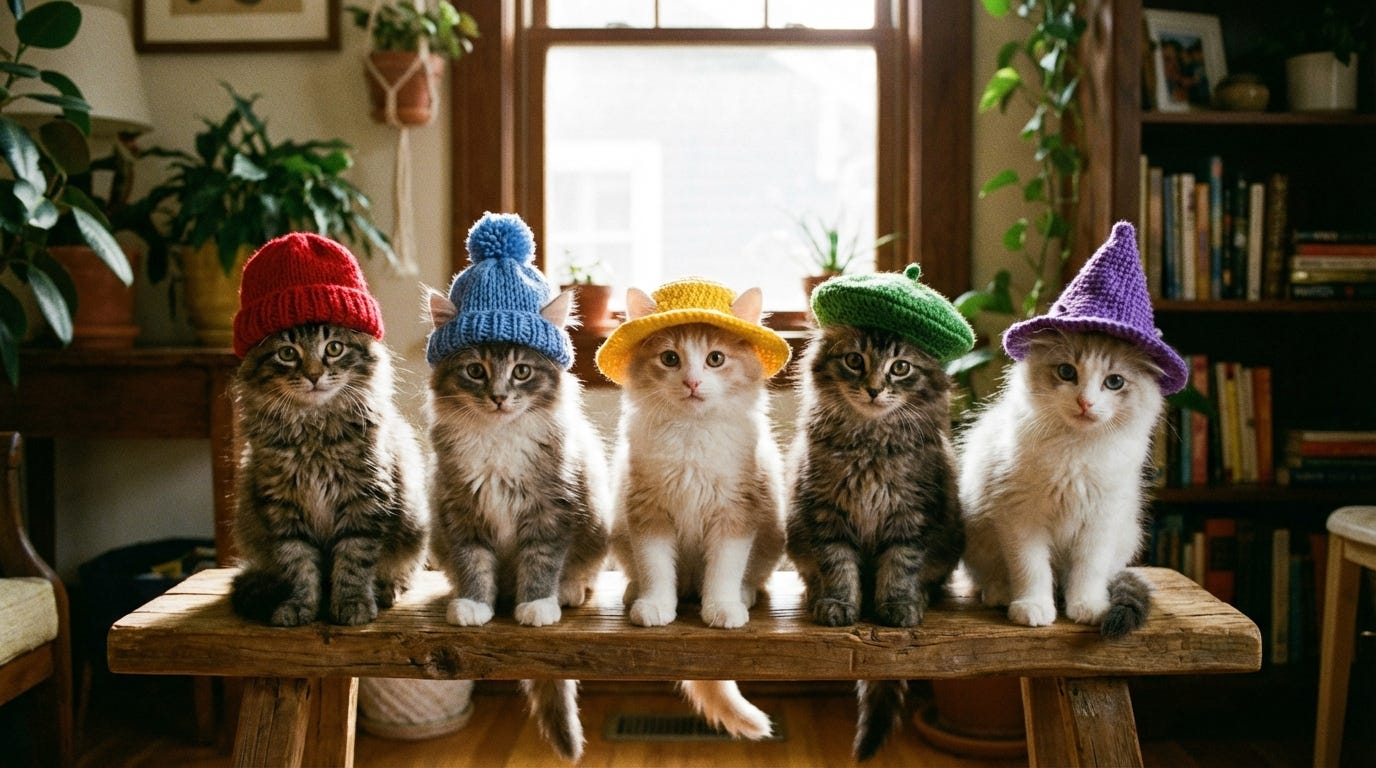
> Five kittens sitting in a row, each wearing a different color hat.
None of these are educational content. That’s the point. At Level 1, you’re learning the vocabulary of the tool. What does “watercolor storybook illustration” actually get you? What does “photorealistic” versus “3D CGI” versus “animated” mean in real output? You need to develop an eye before you can direct with intention.
Push the limits. Try specific numbers of objects (the models are notoriously bad at this). Try advanced physics like spinning or gymnastics. Try text on screen. You’ll start to learn where the tools break and where they shine.
Then try a birthday card exercise.
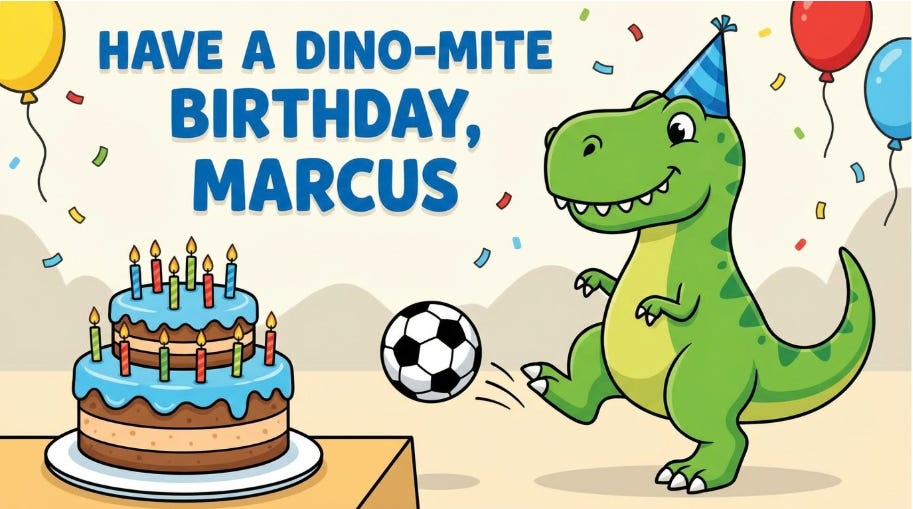
> A friendly cartoon T-Rex wearing a party hat, kicking a soccer ball. The soccer ball is flying toward a birthday cake with lit candles. Bright, cheerful colors. Simple background with confetti. Text at the top reads “Have a dino-mite birthday, Marcus” in large, bold, easy-to-read letters. Style: Fun children’s book illustration, clean and simple.
Why does this work? It specifies subject, action, style, and text. “Friendly” does real work. One clear subject. One clear action. Simple background. Nothing left to chance.
Then start exploring with video. You can try the exact same image prompts and see what it gives you for animation.
The point is to just play and learn. No pressure. Create smiles.
Once you can generate individual clips, the next step is stringing them into something with a beginning, middle, and end. I’m not talking about a children’s book story. I’m talking three or four scenes. Simple cause and effect.
For example, tell a joke or riddle.
That’s four scenes. That’s it.
This is my bulldog Lily as Julia Child. Or as I call her, Droolia Child. This started from a daily challenge on Runway’s Discord. I went overboard and made about eight scenes. I also have Droolia doing the turkey dance parody, and I have a tutorial of all the outtakes from that, because one of the fun things about this process is the outtakes are hilarious. Save them.
That one took about a hundred generations and roughly five hours with Runway, a year ago. Getting the cat to fly out the window was extremely hard. But it’s eight scenes strung together, and it works.
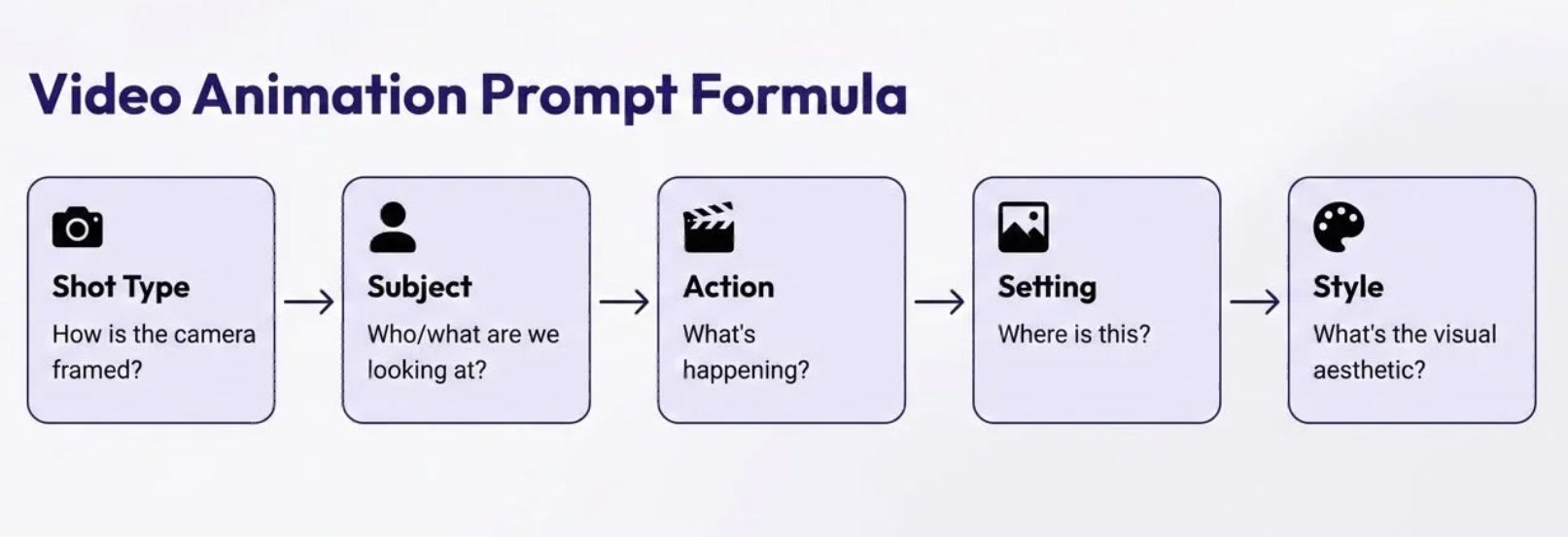
When you’re creating prompts for any of these tools, you want to hit five things:
1. Shot type (medium, close-up, wide, drone)
2. Subject (who are we looking at?)
3. Action (what are they doing?)
4. Setting (where are they?)
5. Style (3D CGI, watercolor, photorealistic, hand-drawn)
Plus audio direction if needed.
With Veo specifically, you can put in dialogue (”the character says...”), but it sometimes assigns the wrong voice to the wrong character or switches accents mid-scene. For the hamster TED talk, I got British Female on one clip and British Male on another. That’s something you fix in editing.
Once you start to establish a prompt style, build a master prompt. You give this to your LLM, along with your story or lyrics, and it generates all the individual scene prompts for you.
***
I am creating a short animated story for young children using [Veo / your video tool]. I need one animation prompt per scene. I will give you my story outline and you will write one prompt per scene.
Each prompt must describe ONE simple scene with
Camera framing (wide shot, medium shot, or close-up)
Subject (one character or object, clearly described)
Action (one simple verb, like walking, sitting, looking, reaching)
Setting (simple, uncluttered, like a grassy field, a kitchen, a bedroom)
Style and lighting (pick one and keep it the same for every scene)
Rules
One subject, one action, one scene per prompt
No extra characters, no background clutter, no decorative effects
Keep it simple. The story does the work, not the spectacle.
Output: One short paragraph per scene, ready to paste into a video generation tool.
Example: Wide shot of a small brown rabbit sitting in a sunny meadow, looking up at the sky. The rabbit is centered in the frame. Green grass, blue sky, a single white cloud. Warm afternoon sunlight. Soft watercolor storybook animation style, gentle and calm mood.
My story: [DESCRIBE YOUR STORY IN 3-5 SENTENCES AND SCENES]
***
I took the hamster and broke it into three scenes. Scene 1 was the original animation description.
Scene 2, the audience reacts.
> Pan across three yellow rubber ducks sitting side by side in the audience, their painted eyes wide and fixed forward as if in amazement. They cheer and bounce, excited by the speaker. Soft warm light falls across their shiny surfaces. Photorealistic animation style, soft natural lighting, gentle and calm mood.
Scene 3, the hamster continues with a baby photo.
> Medium shot of the golden hamster at the podium, one paw placed over his chest as he looks slightly upward, mid-speech. Behind him, the large screen shows a single image of a tiny baby hamster with oversized cheeks. Warm stage lighting from above. Photorealistic animation style, soft natural lighting, gentle and calm mood.
Notice what both prompts have in common: one subject, one action, one mood. The constraint is the thing that makes the output usable.
For editing at this level: CapCut. I used it for about eight months before switching to DaVinci Resolve. CapCut has a built-in voice changer, free options, and no steep learning curve. There are tons of tutorials on YouTube.
Since Veo generates clips with audio, it can be both great and terrible. There will be inconsistencies. That hamster TED talk gave me a British female voice on one clip and a British male on the next. CapCut's voice changer can fix that, or you can strip the audio entirely and lay in your own narration or a track from Suno. At this level, the edit is simple. Cuts, maybe a transition or two, and making sure the audio tells one continuous story even if the visuals shift a bit between clips.
You can easily pull clips in, trim them, add a voice, and you’ve made a short video.
These are two of my early videos where I was just playing around to see what AI could do.
Songs are where kids content clicks. You don’t need consistent characters across scenes. The music carries the repetition kids need. The visuals can vary because the ear is doing the continuity work. Educational goals map onto song structure naturally.
I use Suno, which has a free tier available. I’ve tried other music generation tools. I keep looking. I haven’t found one that compares.
That’s a tongue twister that my improv team uses as a warm-up. I threw it into Suno to see what would happen. It took a bunch of generations, but it nails every word, including “seven thousand Macedonians in full battle array.”
Don’t bother with Simple mode. Use Custom. Simple is where you get slop. You type “nursery song for kids,” it writes terrible lyrics, picks a generic style, and you’ve made something nobody needs.
In Custom mode, two things matter: the lyrics and the style.
On lyrics: Space them out. Specifically label [Chorus], [Verse], [Bridge]. The more structure you give it, the smoother the generation. These are computers. Concrete instructions get better results.
On style: Be specific. Don’t name artists directly (it’ll reject it or produce weird results). Do describe what you want. Some examples:
Funk, slap bass, male vocal, playful and precise, tight horns, 95 BPM, groovy but not chaotic
Indie pop, female vocal, bright and articulate, synth and acoustic guitar, 110 BPM
Bluegrass, banjo and fiddle, female vocal, bright and twangy, 105 BPM, front porch energy
Do not say “children’s song” unless you specifically want that nasally, high-pitched, cheesy sound. Even if you make it “80s rap children’s song,” that voice is going to show up. There’s a whole world of styles that work for kids without sounding like what you think a kids song sounds like.
It will take iterations. I usually generate at least 10 times before I get what I want. Listen for garbled lyrics in the chorus. That’s a dealbreaker for educational content. Listen for tempo. Too fast and a toddler can’t process the language. Music and language share the same limited processing bandwidth in young children. Your song’s job is to pace information in a way the brain can actually handle.
Spell out words phonetically when needed. For my Dinosaur Road Trip song, Suno kept pronouncing “dino” as “deeno.” I had to write it as Die-no in the lyrics. The raw text looked morbid. The output was correct.
Clap your lyrics out before you submit them. Rhythm and meter matter more than you think, and LLMs are bad at it. Claude and ChatGPT have a rough concept of syllable count, but they don’t understand rhythm. If your generation keeps coming out weird, it’s probably because the meter is off.
Copyright issues will show up in unexpected places. Modern lyrics, obviously. But I’ve had Twinkle Twinkle Little Star throw a copyright error, even using the public domain version of the poem. You’ll need to work around things.
On ownership: Always check the terms of service to understand your commercial rights.
As you collect lyrics that you’ve created, you can use master prompts like these to help guide the brainstorming process with an LLM.
***
You are helping me write a short educational song for children ages 2-5. I will tell you what I want to teach. You will write the lyrics.
Rules for word choice
Use concrete nouns a child can point to (ball, cat, sun; not bravery, adventure, happiness)
Use the most common sound for each letter (hard C as in cat, hard G as in go)
Avoid consonant blends and digraphs (no frog, truck, star; use fish, car, sun)
One clear word per concept. If you have to explain it, pick a simpler word.
Rules for structure
Short, singable lines with a steady rhythm
A simple intro that welcomes the child
A repeating structure (verse-chorus or call-and-response)
A warm outro that wraps up the lesson
Rhyming is nice but don’t force it. Clarity beats cleverness.
Rules for tone
Playful, upbeat, and warm
Written to be sung, not read. Test the rhythm.
No sarcasm, irony, or wordplay a child won’t get
Once you write it, review to make sure it makes sense and is pedagogically sound.
What I want to teach: [DESCRIBE YOUR LEARNING OBJECTIVE]
***
Even with master prompts like these, you can get mixed results. That’s why you have to be the human in the loop to review and guide things.
Sometimes an LLM will tell you “X is for fox” and then apologize that there’s no good X word. Every time I generate an alphabet, unless I give it a vocabulary list, it puts abstract concepts where concrete nouns should be. The fastest way to produce slop is to assume the LLM got it right.
This is where everything you’ve learned so far comes together. Lyrics, animation prompts, and production editing in sequence.
A storyboard is standard in animation. It’s very useful as you start building larger projects. I use a spreadsheet. Lyrics go down one column, animation prompts go in the next, and I have a notes column for what to watch for in generation.
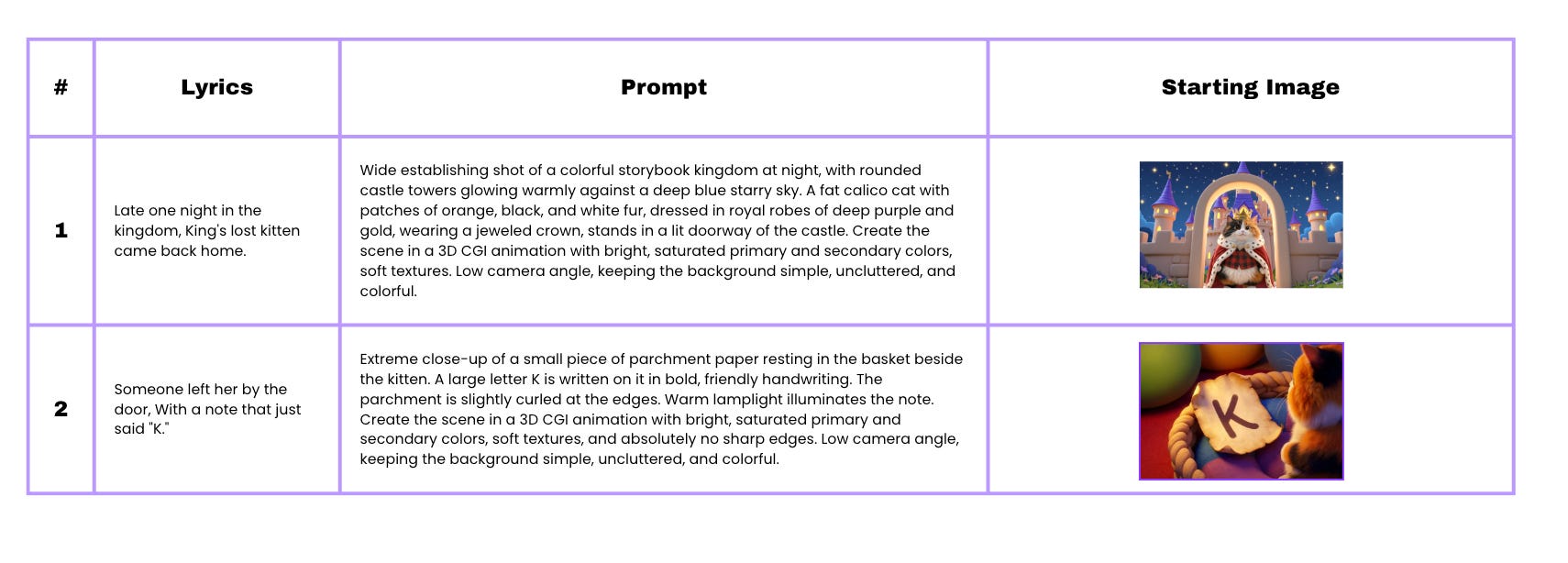
This can also help guide your overall process with test images and animations, before you commit to a full project. Some scenes fail repeatedly. Some concepts that look good in writing are extremely hard to generate.
A teacher friend asked me for a scissor grip video. I said yes. I regret it. I could not get characters to hold scissors correctly. I got dangerous stabby outtakes of characters handing scissors point first. I got one left-handed shot by accident. Every time I prompted for left-handed usage, it gave me right hands. That tells you what the training data looks like.
She also asked for a pencil grip video. I have not done that one yet.
The main production challenge with AI video right now is consistency. A character who looks one way in scene one looks different in scene three. The workaround: design around that limitation. Narrated stories, where a voiceover carries continuity instead of a recurring character, are forgiving. The visuals can vary because the voice is the thread.
For keeping characters consistent, I do two things.
I generate character sheets of what the characters look like. My calico cat and my bulldog have established character sheets now, so I can reference them across videos.
I also frequently use starting frames. I generate the image first, then use that as the starting frame with the animation prompt. Veo’s “ingredients to video” mode can also work well for this.
I’ll do additional workshops on specifics of how to make things educational, because it’s a big topic. A few tips to get you started.
If you’re working in a subject matter that you’re not as familiar with, ask your LLM to research best practices. When I made the potty training song, I had Claude and ChatGPT do a deep dive on best practices for potty training.
Then I talked to actual parents and teachers (or kids if you can!). Synthetic user testing, like asking an LLM to simulate human feedback will only go so far.
Study the reputable creators who are already teaching whatever you want to teach. Identify the learning objective before you generate anything.
Keep the graphics, text, and narration focused on the learning goal. Use emphasis (arrows, call-outs) to point attention to the specific thing. Make sure voiceover and visuals happen at the same time. The number of times I’ve seen “B is for ball” while a cat dances on screen and the ball shows up three seconds later. That mismatch undermines the teaching.
If it doesn’t help them learn, cut it. AI loves to add sparkles, musical notes, and confetti to anything kids-related. For a toddler, sparkles compete with the letter for attention. That’s the Visual Tax. Secondary characters? Cut. Busy backgrounds? Cut. Decorative effects? Cut.
I didn’t go deep on this in the workshop because the first four levels are more than enough to get started. But for the curious, in these levels you work toward building longer and more consistent shows, both by refining your skills and by building custom skills and pipelines to move efficiently.
I use Claude Code in VS Code as my orchestrator. I’ve built custom skills (basically instruction sets) for lyrics generation, animation prompts, SEO keyword research, YouTube metadata, and video assembly. I use Remotion for code-based video rendering, where I’m literally chatting with Claude to build and edit videos programmatically. I have a custom database for asset organization and tagging.
This is where it gets wild. I rebuilt a prototype of a project that took two years and 16 people to build in 2007. I did it in a weekend. By myself. With Claude.
That’s level 5 and 6. You don’t start there. But that’s where this goes.
If it doesn’t work the first time, try again. Literally just run it again. AI animation has a randomness element, and sometimes the second or third generation gives you exactly what you wanted with no prompt changes. If it still doesn’t work after two or three tries, then start tweaking. One variable at a time.
If you want a specific number of objects on screen, you may need to edit the image manually. I tried to get seven eggs on screen. I got nine eggs and a weird number-seven-slash-one thing. I finally went into Canva and deleted the extras. Even after I got seven in the image, when I animated it, an egg magically reappeared.
AI loves adding visual noise like sparkles and musical notes. I use negative prompts (”no sparkles, no musical notes, no confetti”) to get rid of them. It drives me crazy.
Looping animations are still very hard. I decided to make a 15-minute video of a sloth slowly reading a book, all looping animations. I generated enough loops to cover three minutes, got so frustrated that I duplicated the three minutes five times, and delivered it to the teacher who’d asked for a 15-minute timer. Be careful what you promise.
Check words carefully. Every time. I almost shared a slide that said “guideelines” instead of “guidelines.” The models generate text that’s close but not right, and it sneaks past you if you’re not actively looking.
Play with memes. Some of my favorite videos were ones I did where I just played with memes. I learned a lot about making hard animations, and it made me smile and laugh, like this one from a 2025 TikTok meme.
Organize your files. I learned this the hard way. I had files everywhere. Whatever structure works for you, even if it’s just grouping everything for one song into one folder, do it early. You will want that reference image from three months ago and you will not be able to find it.
Save your work you like to build context files. Final lyrics. Prompts. That context becomes the foundation for your next project. You build on it instead of starting over.
Start posting!!!!! I started posting and it was embarrassing and vulnerable and I got weird comments. But you start seeing what people respond to. Even at 200 views, when something gets 800, that’s a signal.
That said, know the environment you’re working in.
Kids content has low RPM. That’s the deal. YouTube gets 500 hours of new content per minute. Twenty to forty percent of that right now could be AI slop. You are not competing by making more. You’re competing by making something people want to watch again, search for, and hand to their kids.
YouTube is a packaging game. Thumbnail, title, and the first three seconds of the video. I can show you analytics where I nailed the hook and retention starts high, then crashes because the rest of the video wasn’t good enough. And I have videos with wonderful staying power that nobody watched because the thumbnail didn’t work. Every YouTuber will tell you the same thing.
Shorts vs. longs: I started with shorts. I shifted to horizontal/long format. Shorts monetization requires 10 million views in the last three months. The RPM is about 15 cents. My video that did 500,000 views would have earned about $15 if I’d been monetized on shorts at the time. I use shorts now as funnels to push people toward longer videos. For the actual content, I’m sticking with longs and doing compilations to push past the 8-10 minute mark, because longer videos perform better on television.
Pick one tool. Learn it before you add another. You will go on YouTube and start watching tutorials and something will show up about Kling and then something about Runway and you’ll want to try everything. Pick one tool for the next 30 days and stick with it. You will get to the others.
The tool doesn’t matter as much as you think. What matters is the thinking you do before you open the tool. What are we teaching? Who is this for? What does the child already know? What should they learn from this? Can a toddler point to the thing you’re describing?
AI gives you speed. You give it sense.
And if you made it through this entire post, you are exactly the kind of person who should be making kids content with these tools.
Blue skies,
Carla
If this was helpful, please share it with a friend. The more we spread the word, the less slop there will be in the world!
Comments
Nothing yet. Say the first thing.
Sign in to join the conversation.