
This is the companion to everything I covered in my recent workshop on AI prompting for educators (February 9, 2026 for EdTech Lab Ghana), from brainstorming birthday messages to building full music videos, written out so you can follow along at your own pace. You can watch (above) or find it on YouTube.
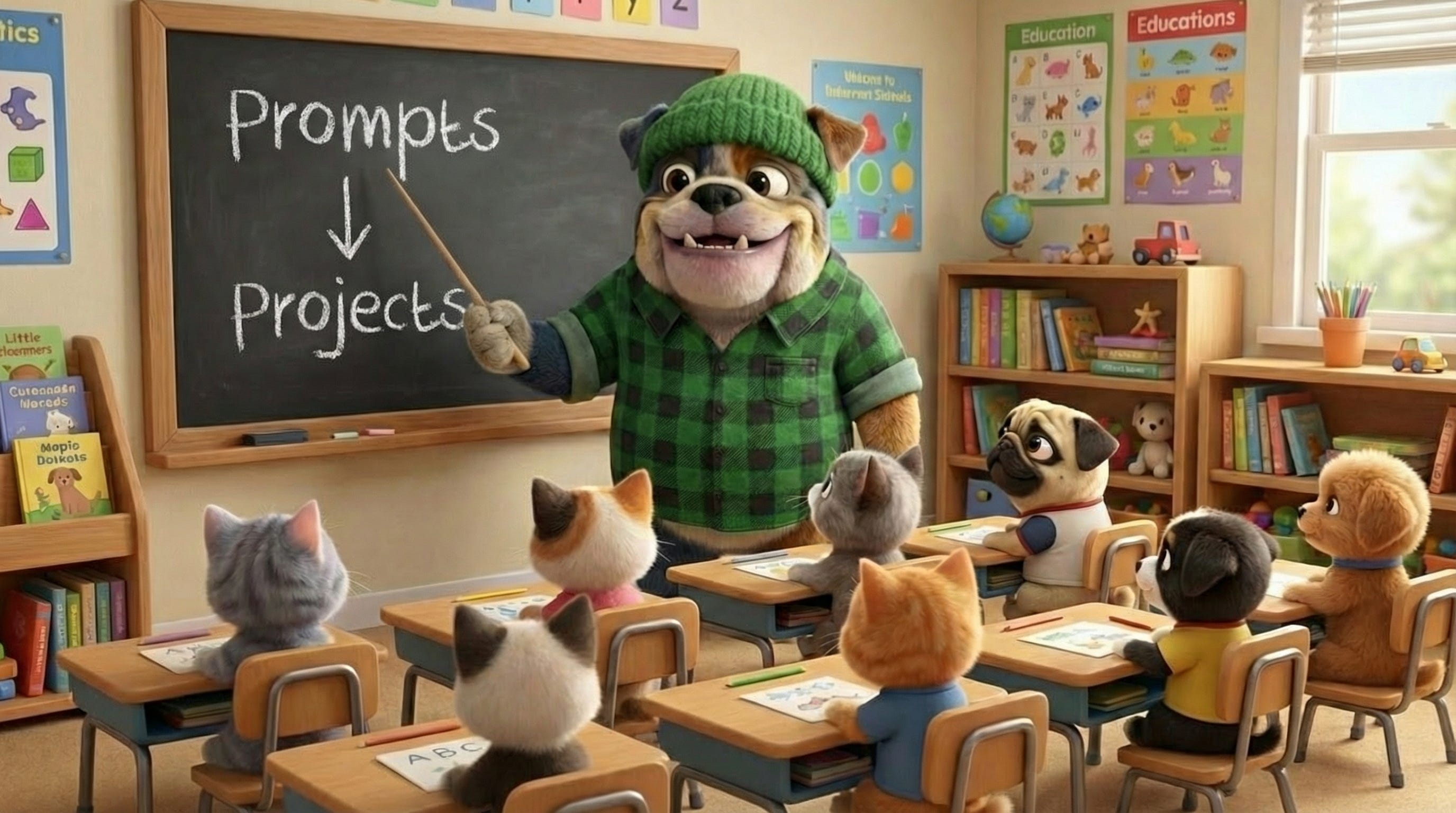
When teachers find out I use AI to created educational videos, I get a lot of questions! This workshop walks through AI prompting for different use cases: brainstorming text, generating images, creating short video clips, writing and producing original songs, and putting it all together into a complete music video. With these five skills, you can build everything from simple messages through to extended music videos that meet your needs exactly.
A note about me: I’m Dr. Carla Engelbrecht. I’ve spent 25 years in children’s educational media at Sesame Street, Netflix, and PBS Kids. I have a doctorate in educational technology from Columbia. Now on a mission to help parents, teachers, and creators use artificial intelligence thoughtfully to make content that truly supports learning.
Before we get into any prompting, I want to talk about the mindset I bring to all of my AI work, especially when kids are the audience.
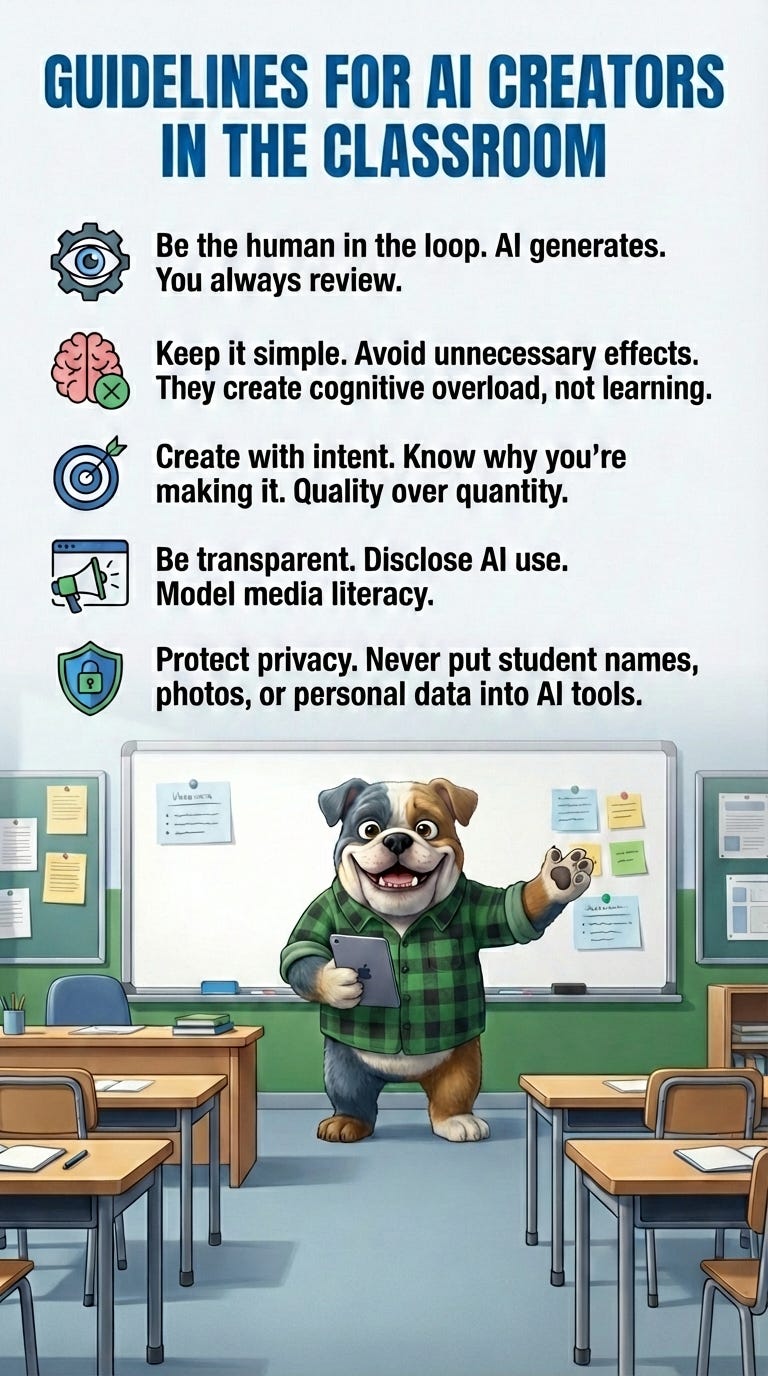
1. Human in the Loop
You are the editor-in-chief. AI generates, but you review every single thing, every single time. You have to be part of that process. I’ll show you some examples in a moment of what happens when nobody reviews the output before hitting publish, and they’re not pretty.
2. Restraint Is Key
Just because you can doesn’t mean you should. AI has made it incredibly easy to generate quantity. I’ve literally found YouTube channels that have posted a unique video every 29 minutes for five months straight. Thousands of videos, maybe a thousand followers. That content is not thoughtful and it’s not helping with learning. But restraint isn’t just about volume. It’s also about what you put into each piece. Just because you can add sparkles and sound effects and extra characters and visual fireworks doesn’t mean you should. Especially with young kids, all of that becomes cognitive overload. It gets in the way of learning instead of supporting it. Simple is better.
3. Generate with Intent
This is related to restraint, but it’s its own principle. Be thoughtful. Don’t generate endlessly. AI generation uses real energy and real resources. Aim for quality over quantity. Think about what you’re trying to accomplish before you start prompting, not after.
4. Transparency and Privacy
I believe very strongly that we need to be disclosing when we use AI, especially when kids are the audience. Technically, if you’re creating animated or cartoon content, platforms don’t require you to label it as AI-generated. But people are creating content with AI, calling it educational, and that’s sending a confusing signal to parents. I think we owe them honesty. Model the transparency you want from your students. Say “I made this using AI tools.”
Transparency extends to privacy, too. Don’t put student names, photos, or identifiable information into AI tools without explicit consent and policy review. I use my dog and my cat as subjects. I don’t put my daughter into these systems, even though the temptation to create an AI avatar of her is incredibly high. It’s not the right thing to do.
I regularly talk about the AI-generated “educational” slop that’s showing up in kids’ feeds. When the above guidelines aren’t followed, you get content that’s not just working against learning, but can be actively dangerous. The problems tend to fall into three categories: wrong information, cognitive overload, and dangerous content.
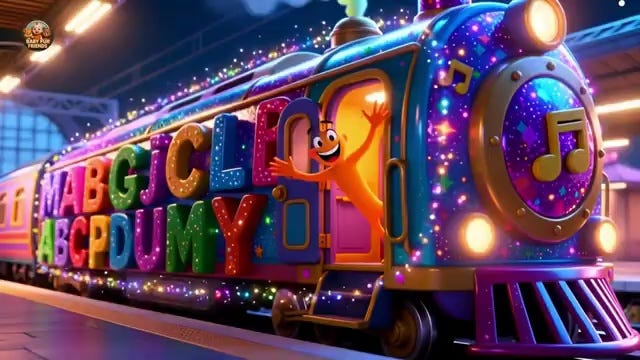
Wrong information. AI hallucinates. It generates text and visuals that look right but aren’t. AI can generate beautiful videos full of hallucinated letter-shapes that mean nothing. In an alphabet video. For toddlers learning to read. Or it can create six legged animals. Or a child biting an apple with disturbing red ooze coming out of his mouth.
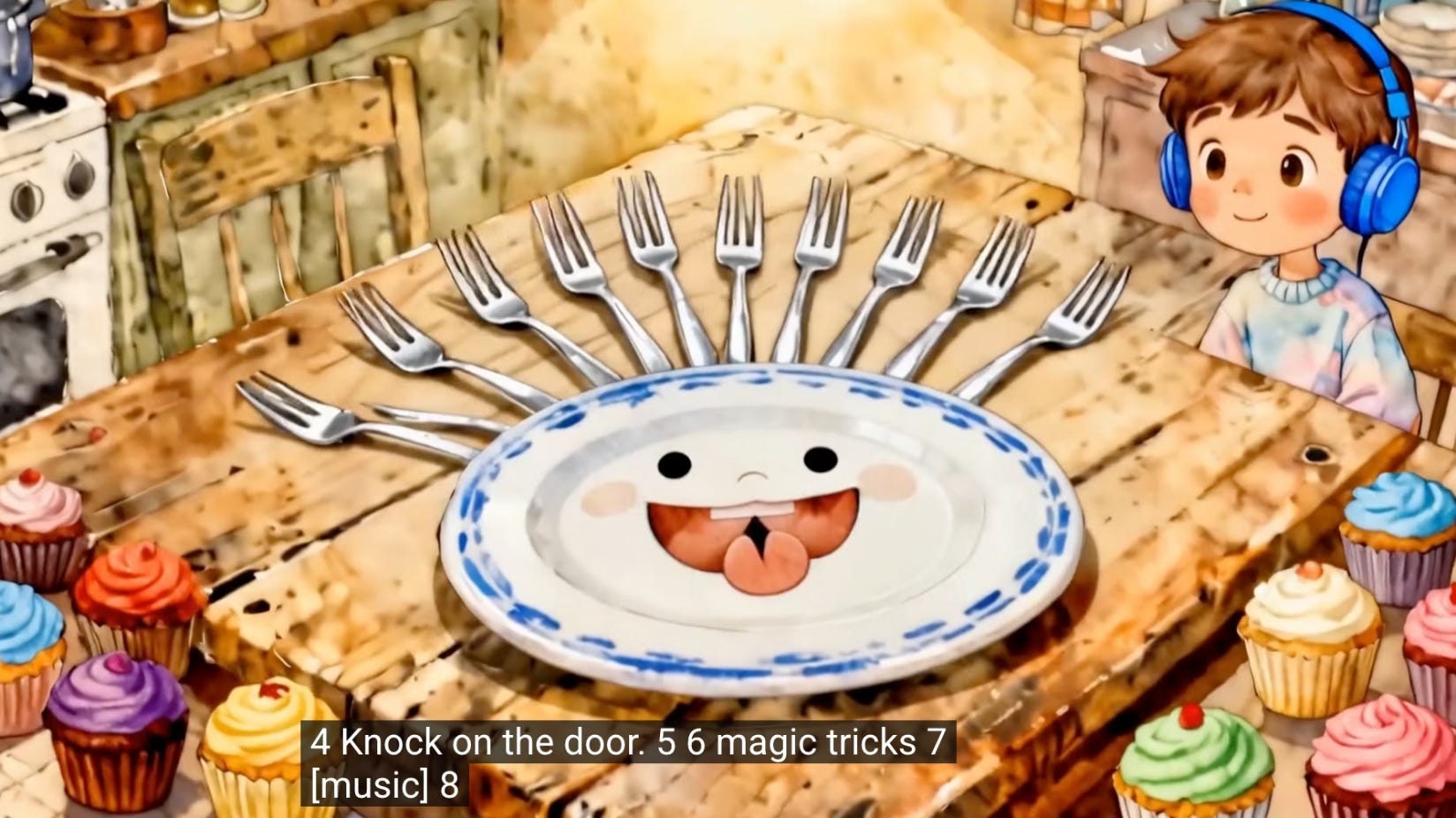
Cognitive overload. AI makes it easy to throw everything on screen at once, and that overwhelms young learners instead of supporting them. I found a video claiming to teach math with confusing nonsensical symbols all over the screen. Another one about number sense where the lyrics say “seven, eight” but there are ten forks on the table and ten cupcakes on screen. When a child needs to learn that “two” means a concrete number of items, all of that visual noise works directly against comprehension.
Dangerous content. Most alarming is when a video includes imitable behavior that is dangerous. A video teaching “E is for Elderberry” shows a live-action AI-generated character eating a raw elderberry on camera. Elderberries are poisonous when they’re not cooked. AI doesn’t flag this because it’s just pattern matching. It knows elderberry is a fruit that starts with E. It has lost the context that this is for kids and that elderberries are dangerous raw.
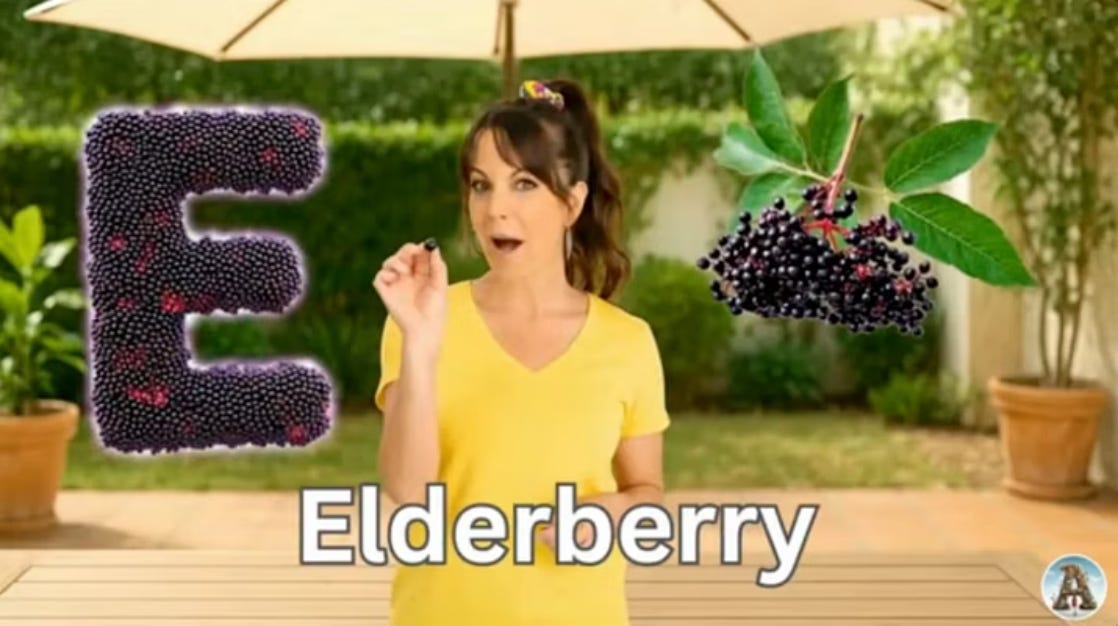
That pattern matching point is key to understanding why all three of these problems happen. These AI systems are fundamentally predicting what comes next based on what they’ve seen. If I say “twinkle, twinkle,” your brain goes “little star.” If I say “ready, set,” you think “go.” That’s what these machines are doing. So when you ask for a fruit alphabet video, it gets to E and goes, “Well, elderberry is a fruit.” It’s matched the pattern but lost the larger context. That’s why the human in the loop matters.
We’re going to create a personalized birthday messages for a fictional first grader named Marcus who loves dinosaurs and soccer. I’ll walk through five levels of complexity, and with each one, you’ll pick up prompting skills that transfer to any project.
The goal: Generate personalized birthday messages based on what you know about the student.
The tool: Claude, ChatGPT, Gemini, or any LLM.
A weak prompt:
Give me birthday message ideas for my student Marcus.
You’ll get responses and they won’t be terrible. ChatGPT gave me things like “Happy birthday Marcus, I hope today is full of fun, laughter, and something you really enjoy” and “It has been a joy watching you learn and grow this year.” Fine. Generic. You could write these yourself without any AI at all.
A stronger prompt:
My 1st grade student Marcus has a birthday coming up. He loves dinosaurs and soccer.
Give me 10 birthday messages or puns I could use. Provide a wide range of options, including dinosaur puns, soccer puns, combinations of both, and a few sincere heartfelt options.
Keep it classroom friendly and clean.
When I ran this through Claude, I got things like “Hope your birthday is T-Rex-cellent!” and “Have a ROARsome seventh birthday!” (Claude even pulled out that first graders are around seven.) “Hope you’re not extinct, you’re extraordinary!” and “Hope your birthday is a GOAL. Have a ball, Marcus!”
What made this work: Specific context (grade level, interests), asking for variety (puns AND sincere), specifying quantity (10 options to choose from), and setting constraints (classroom-appropriate).
The principle: Good brainstorming prompts give context, ask for variety, and set constraints.
One thing worth noting: even in the last couple of days, these models have been improving. The quick-and-dirty prompt will get you the not-great stuff. You need to be evolving your prompts and having a conversation with the tool.
And this skill isn’t just for birthdays. If you’re struggling to find a way to frame feedback, or you need to write a difficult note, or you just want to send a friend an upbeat message with some humor, you can apply the same approach.
The goal: Create a personalized birthday image you can print, display, or share.
The tool: Google’s Nano Banana or Imagen, Midjourney, ChatGPT, or another image generator.
A weak prompt:
Birthday picture with dinosaurs and soccer
ChatGPT added a kid at random, threw in a bunch of stuff related to his interests. There was something weird going on at the bottom, almost like a soccer bowling pin. And we had a dinosaur with five legs. Could you use it? Maybe? But why would you when a stronger prompt creates something much more engaging.
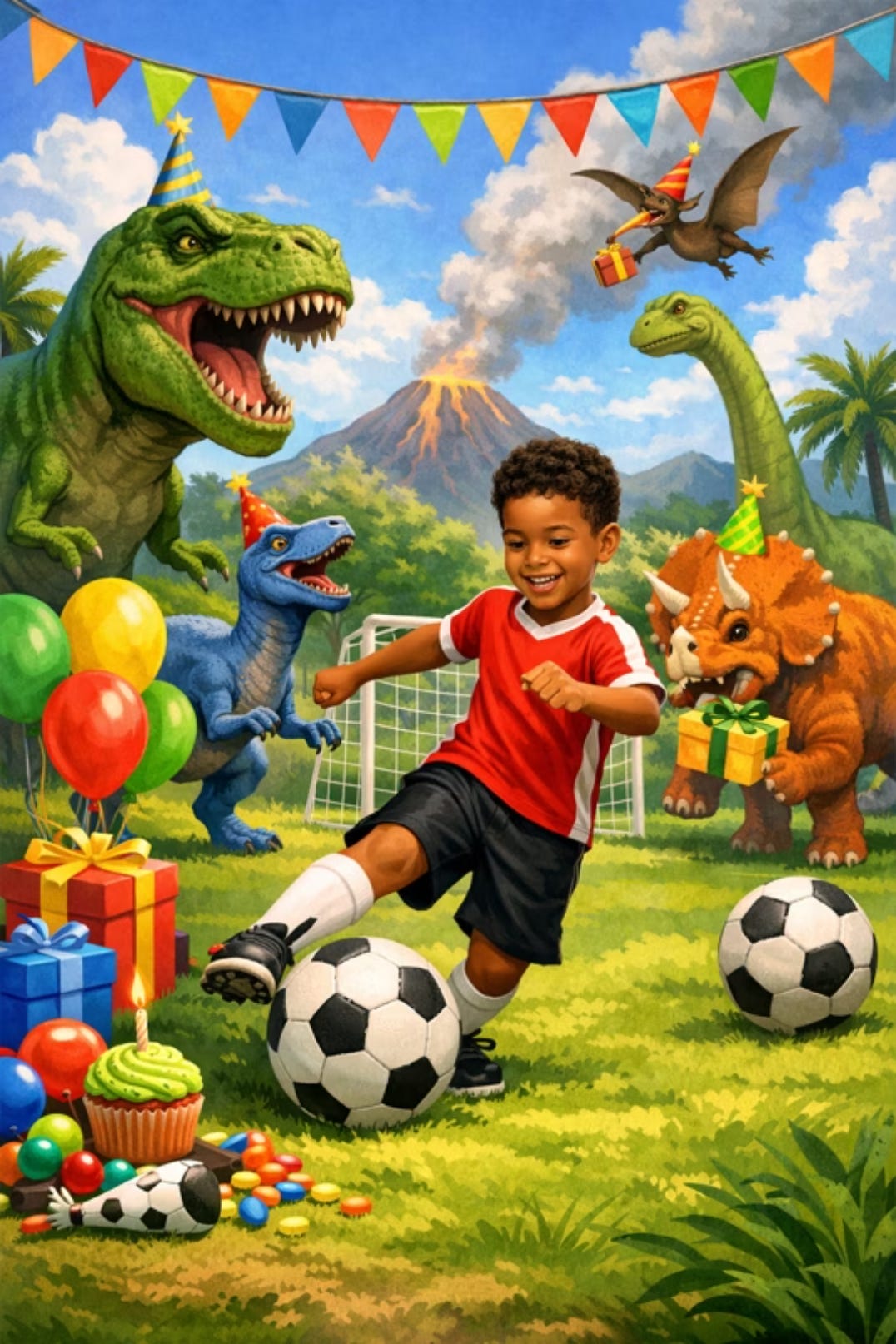
A stronger prompt:
A friendly cartoon T-Rex wearing a party hat, kicking a soccer ball. The soccer ball is flying toward a birthday cake with lit candles. Bright, cheerful colors. Simple background with confetti. Text reads “Have a Dynamite Birthday Marcus!” in large, bold, easy-to-read letters. Style: Fun children’s book illustration, clean and simple.
I used Nano Banana for this, and the first iteration came out strong. Text in images continues to get better. If you give it specific instructions and there’s not a lot of other competing visual elements, you can get readable text pretty successfully. It sometimes still goes off the rails or may take a couple of iterations, but it’s working.
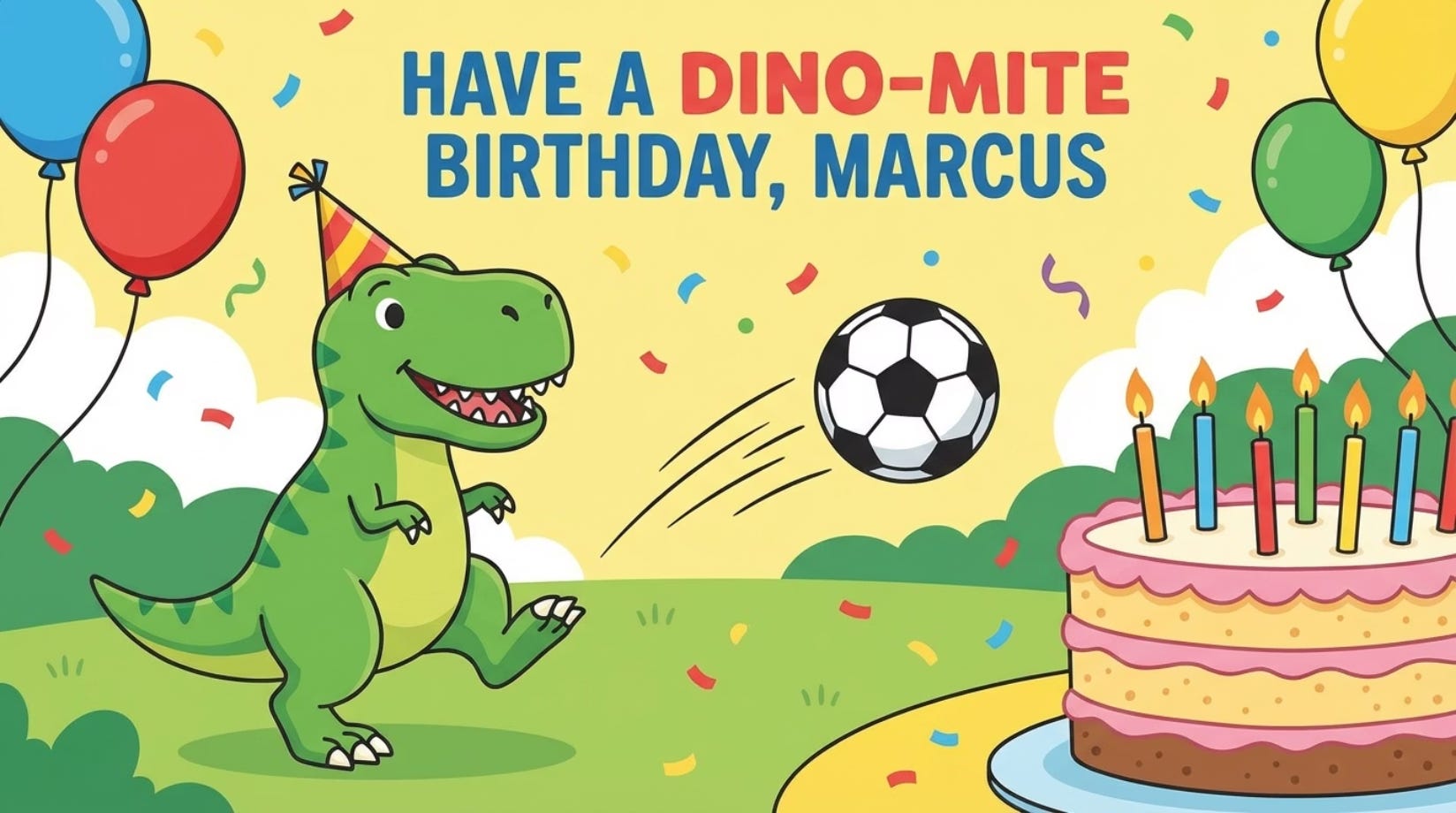
What made this work: A specific subject (friendly cartoon T-Rex, not scary), a clear action (kicking a soccer ball toward a cake), a defined style (children’s book illustration), and explicit text instructions (location, size, readability).
The principle: Image prompts need subject, action, style, and explicit text instructions.
A note on ChatGPT images: if you’re using ChatGPT for image generation, the default outputs tend to have a very specific and identifiable yellowed, cartoony style. I’d encourage you to find reference photos of styles you like and upload them so you can say “create this in this style” and break out of the default look.
The goal: Create a short animated clip (5 to 8 seconds) you can play for the class.
The tool: Google Veo, Runway, Pika, or similar video generator.
A weak prompt:
Dinosaur birthday party video
With just those four words, Veo gave me a clip of kids at a dinosaur birthday party singing “Happy Birthday.” Kind of amazing that four words produced that. But the AI randomly picked the children’s ethnicity, they didn’t blow out all the candles, it only sang part of the song, and there were probably hallucination artifacts on the kids if you looked closely. It’s that temptation of “good enough, let’s run with it.”
A stronger prompt:
Medium shot of a friendly green T-Rex with big expressive eyes, wearing a small party hat. The T-Rex is next to a soccer ball, doing a happy dance, bouncing side to side. A birthday cake with lit candles sits on a table beside him. Setting: simple colorful party room with balloons and streamers, bright cheerful lighting. Style: 3D CGI animation with soft textures, rounded shapes, bright saturated colors.
This follows a formula, and it works across pretty much every video model. The formula is:
Shot type + Subject + Action + Setting + Style
Each piece matters. “Medium shot” tells the AI how to frame it. “Friendly green T-Rex with big expressive eyes” gives specific visual details. “Happy dance, bouncing side to side” gives it a clear action. “Simple colorful party room” keeps the background uncluttered. “Soft textures, rounded shapes” creates an age-appropriate aesthetic.
Most video tools will have guides on how to best prompt their particular models, but this formula from Google’s Veo guidance carries over to pretty much every model.
The principle: Video prompts need cinematography (shot type), specific subject details, clear action verbs, and style guidance. The more structured you can be, at least right now, the better the results tend to be.
The goal: Create a short, catchy birthday song featuring the student’s name and interests.
The tool: An LLM for lyrics (I used Claude), then Suno for music generation.
This is a two-step process. Write the lyrics first with an LLM, then bring them to a music tool. I use Suno for music generation, and it’s worked really well for my use cases.
The lyrics prompt (to Claude):
Write an 8-line birthday lyric for a first grader named Marcus who loves dinosaurs and soccer.
Requirements:
4 to 6 lines total
Include his name at least twice
Use one dinosaur pun and one soccer reference
End with “Happy Birthday, Marcus!”
Make it rhyme and feel bouncy/singable
Claude gave me six lines (it listened to the 4-to-6 instruction rather than my contradictory “8-line” opening, which shows that even I confuse myself in prompts sometimes!):
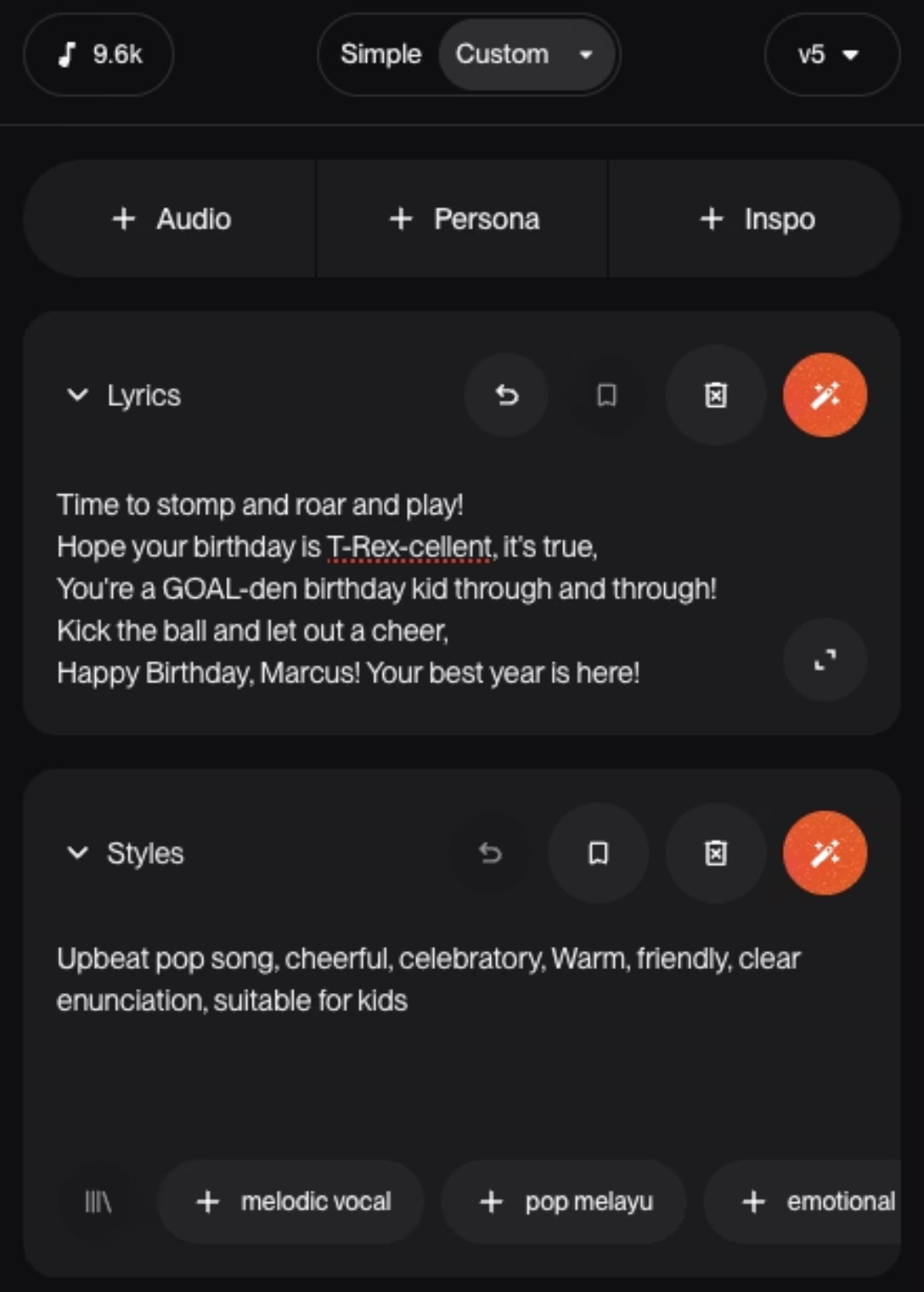
Marcus, Marcus, it’s your day It’s your time to stomp and roar and play Hope your birthday is T-Rex-cellent, it’s true You’re a golden birthday kid through and through Kick the ball, let out a cheer Happy birthday, Marcus, your best year
I changed that last line. “Your best year” didn’t quite land, so I edited it to “your best year is here.” Always be editing.
Bringing lyrics to Suno: In Suno, use the “custom” option (not “simple”). Paste your lyrics in, label sections as [Verse] or [Chorus] if applicable, and describe the style separately. For style, I used something like “upbeat pop song, cheerful, celebratory, warm, friendly, clear enunciation, suitable for kids.”
Tips for better music generation
The longer your song, the more you want to clearly label sections (chorus, bridge, verse). Structure helps these models process the information.
If you’re stuck on style descriptions, go back to Claude and ask for musical descriptions of songs you like. You can say “how would you describe the style of ‘What Does the Fox Say’?” You can’t use specific artist names in Suno (it will reject those), but you can capture the spirit.
Spell out words phonetically when it matters. If you want “dino” pronounced as “dye-no” and not “dee-no,” spell it out. If you’re working with the alphabet, do you want Zee or Zed?
Rhythm and meter really matter. Read the lyrics out loud and clap them before you put them into Suno. LLMs will prioritize rhyming over maintaining consistent meter, and they don’t necessarily understand syllable counts. The more the meter breaks, the more wonky the musical output will be.
And re-run the same prompt multiple times. With AI models, doing the same thing over and over can get you very different results each time.
The goal: A complete birthday video with custom visuals and personalized music.
The tools: Everything above, plus a video editor (I use DaVinci Resolve, which has a very robust free version; CapCut also has a free version).
The new skill here is editing. Use all of the steps above to generate the components you need for your music video, including enough video clips to cover the length of your audio. Veo and most tools generate 4 to 8 seconds per clip, so for a 20-second song, I needed at least three clips.
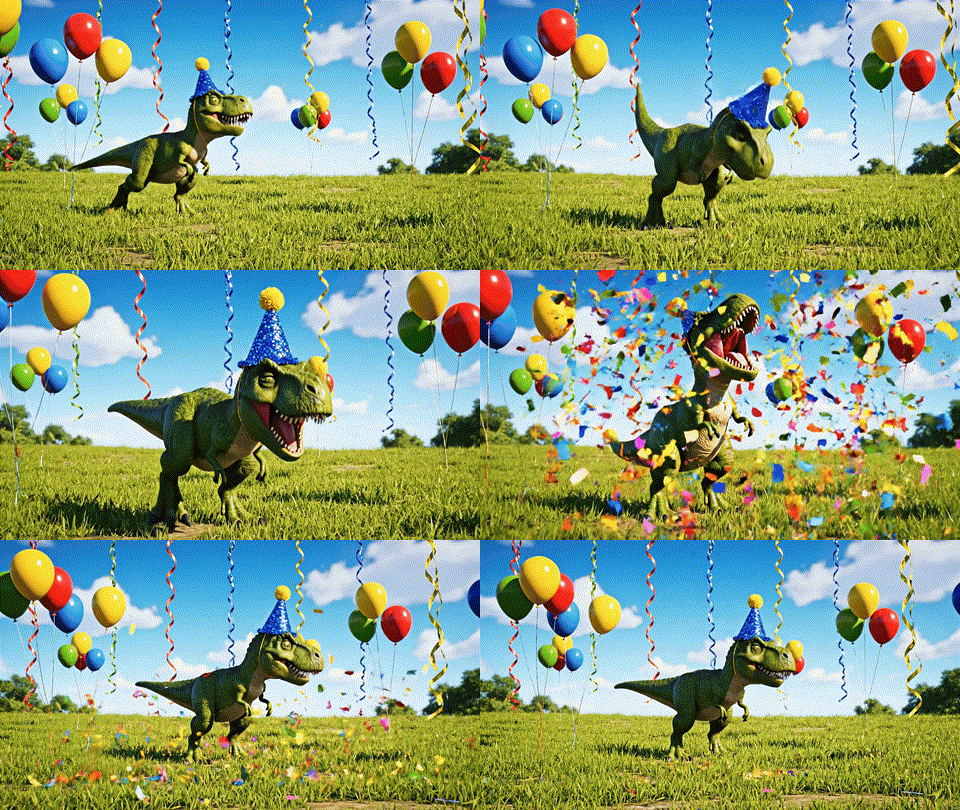
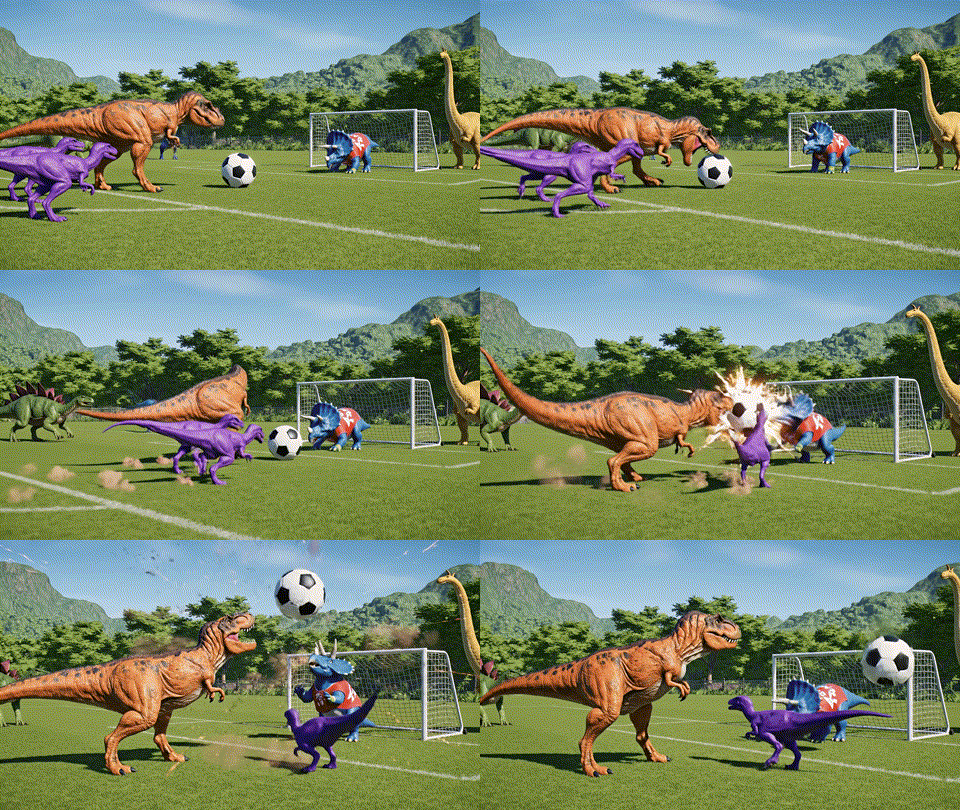
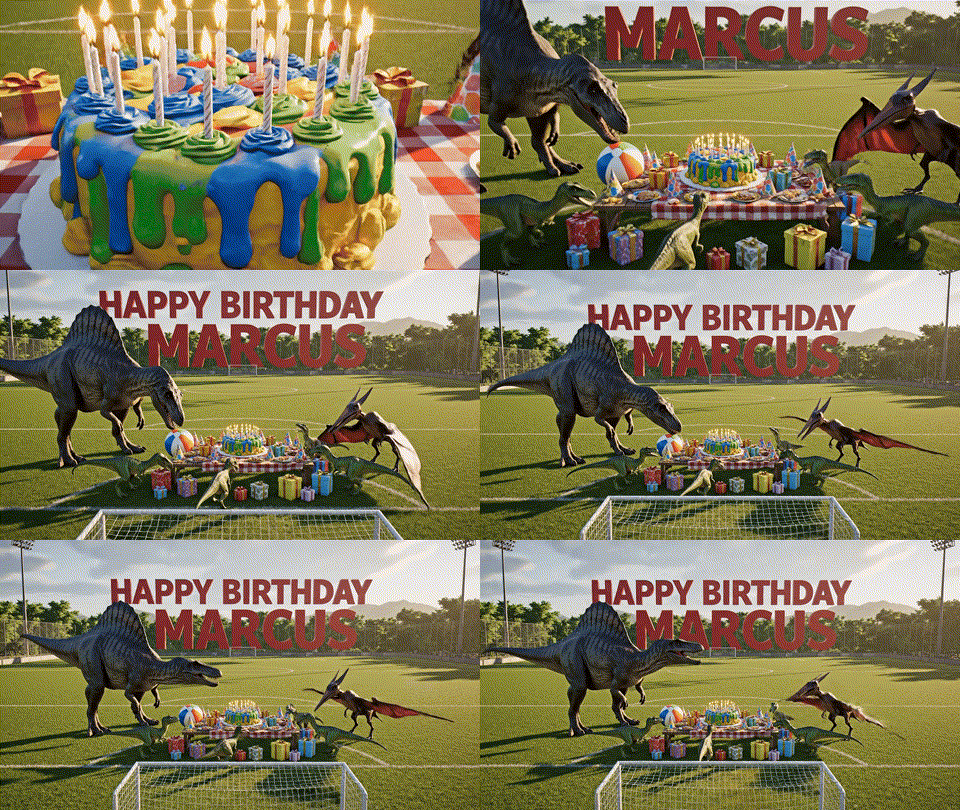
I created prompts for each segment. One was a slow crane shot starting at a close-up of a birthday cake, then ascending to reveal dinosaurs gathered around a party table on a soccer field, with “Happy Birthday Marcus” in large bold letters. Another was dinosaurs playing soccer. Another was a dinosaur with confetti. Each prompt followed that same formula: shot type, subject, action, setting, style.
Then I took those clips into DaVinci Resolve, put the song on the timeline, put the clips on the timeline, trimmed them to fit, and rendered it out.
Is it perfect? No. I have notes. There are things I’d change. But for something you can make in about 20 minutes and hand to a kid? That’s kind of amazing.
With these five skill sets (brainstorming, image generation, music generation, animation generation, and editing), you can create so many different things. The same prompting logic applies everywhere.
Here are projects I’ve done or that I hear about from teachers:
Instructional videos. How to hold scissors correctly (I made this one for a teacher who struggled to demonstrate scissor grip), how to write capital letters. I’m 20 letters into a series on writing capital letters A to Z.
Transition and routine support. Customized clean-up songs for your classroom, attendance songs, specialized timers, like a reading buddy.
Celebration and acknowledgment. Student of the week videos, birthday songs (obviously), milestone celebrations.
Content support. Word family songs, visual vocabulary for new concepts, animated versions of poems the class is studying. I’m just finishing a video about a road trip covering all 50 states, and writing an article about it because the early iterations of the rhyming were such a disaster that it was hilarious. The longer the content, the more risk of things going off the rails.
Personalized songs. I made a potty training song for a friend’s son who loves Halloween. It’s about a skeleton and a little Frankenstein kid who are learning to run to the potty when they get that feeling in their tummy. I literally got a skeleton to do a cross-legged potty dance.
Songs to label emotions. These are powerful for social-emotional learning.
Student-driven projects. If kids are old enough, they can become part of the creation process. Animate their drawings, turn their poems into songs, create video versions of their writing.
Media literacy. Show an AI image or video with errors. Have students identify what the AI got wrong. This builds critical viewing skills.
I've experimented with a lot of tools over the past year. More than I probably should admit! I've run local models on my laptop, tested every new image generator that's come out, and gone deep on comparing music tools. What follows is where I've landed for now, but I'd encourage you to experiment too. What works for my workflow might not be the best fit for yours.
For brainstorming, writing, and lyrics, Claude is my primary. It’s my brainstorming partner for almost everything. I also use Gemini, which is powerful and has nice built-in features for audio and video generation, though it tends to run academic and gives me longer outputs that aren’t always kid-friendly. It’s also been the hardest to get to adapt to my style.
For images, I lean on Google’s Nano Banana and Imagen models via Flow as well as Midjourney.
For audio, Suno is my go-to for music generation. For narration, ElevenLabs is amazing. I’ve even cloned my own voice and used it for video narration. ElevenLabs also does music now, but it’s newer and I haven’t had great results with it yet.
For video, I use Google Veo the most, accessed through Flow or AI Studio (note: AI Studio isn’t available in every country). I also like Runway. There are many others: Kling, Pika, and more coming all the time. Most offer some form of free trial or daily credits, so you can experiment before committing.
For editing, I use DaVinci Resolve, which has a robust free version. I switched from CapCut, which also has a free tier. If you get into editing and need tutorial recommendations, reach out.
If you’re just getting started, pick one tool in each category and learn it before adding more. Many offer educational pricing. Read the terms and conditions so you understand any privacy or training data implications. And check your school’s policies before using any tool with student-related content.
You now have the building blocks for five different kinds of projects: brainstormed text, custom images, short video clips, original songs, and full music videos. Each one builds on the skills before it, and every prompting principle transfers across tools. Start with a birthday message. Try an image. When you’re comfortable, make a short clip. Before you know it, you’ll be stitching together music videos for your classroom on a Tuesday afternoon.
My deep gratitude to EdTech Lab Ghana for making this session happen!
💡 Want more from Dr. Carla?
Subscribe on YouTube to get all our latest Hippo Polka videos for kids. New in 2026, I’m also posting how-to videos on YouTube.
Follow me here on Substack and on LinkedIn for more articles like this.
Share your thoughts, questions, and workshop requests directly with me at carla@hippopolka.com. I’d love to hear what’s working for your family and students (or what’s not!)
Comments
Nothing yet. Say the first thing.
Sign in to join the conversation.