
I talk about this day every year. It always falls on the 31st of March. I also mention this topic a few other times per year. Why do I keep going back to this as a topic for my newsletter? It is very simple. Many people still don’t have a backup system on their computers, or they don’t know how it really works so they never check to make sure it is working. This means their documents and those important photos that are irreplaceable are in danger of being deleted or corrupt. I really hate getting those phone calls asking for help after a computer crash.
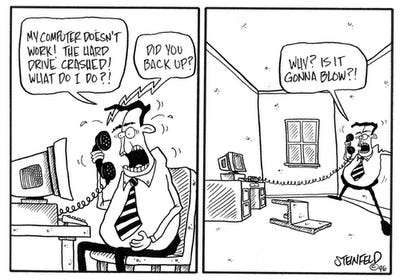
When a computer crashes there is usually a good chance that I can recover the data but there are a few problems that can make this recovery very difficult and sometimes nearly impossible. If your backup hasn’t been working or your encryption is on, but you don’t know the key, or if you are relying on a cloud sync and it has become disconnected you could lose all of your data.
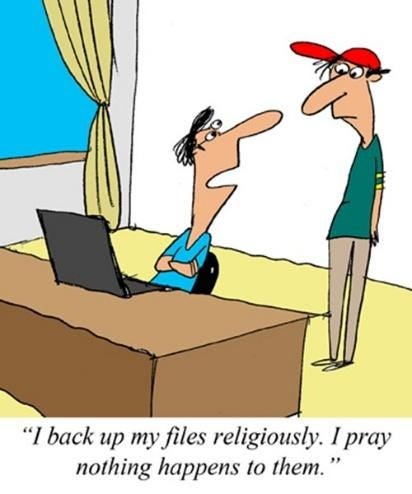
Many people think that a computer backup system is complicated and expensive, so they just take their chances. It doesn’t have to be this way. There are systems that I can set up that will only cost about $100 one time and keep your data backed up for years. There are other systems that I call set it and forget it because it happens automatically every time you are connected to the internet. These systems are a little more expensive but still only about $130 per year. Here are my go-to backup solutions:
Online Backup with BackBlaze – This is the simplest backup solution. Once it is installed on your computer it will continue to back up your data over the internet. Every time you make a change to a document or add a picture it will be immediately uploaded to your backup account. It will keep all older copies of documents for 30 days so even if you delete or overwrite a document you still have time to discover it and retrieve the file. This backup will also send you an email if they have not seen your computer in seven days. If that happens you just need to reconnect it. The annual cost for all of this is $130, no matter how much data you are protecting on your computer. If you are interested in this type of backup here is a link to it. https://www.backblaze.com/cloud-backup.html#af8497
External Hard Drive with Cobian Backup – If you purchase a 2 TB external drive, which costs around $100 you can use Cobian which is a free software to automatically make backups as often as needed on your computer. This software can be set up to backup all of your data every Friday at 4pm, for example. It also allows you to keep numerous copies of this full backup, allowing you to go back to previous versions if needed. I can help you set up a custom backup of this type.
Syncing Your Data to a Cloud – This is the easiest way to keep a copy of your data. It can be helpful if your computer fails, but your data is still at risk. Here is a video that explains the difference between a backup and a cloud sync.
So, if you value the data that is stored on your computer, getting a backup is a good idea. If you have more questions about backups or if you need help setting up either kind, just reach out and I can help. I also have maintenance plans that will, among other things, verify your backup is still working on a regular basis.
Every so often, I get a customer that sends me a picture of something that has popped up on their computer, and they want to know if they should be concerned by this or not. The picture below is from Norton, but there are many anti-virus companies that do this. I see similar forms of McAfee, AVG and Avast to name just a few.
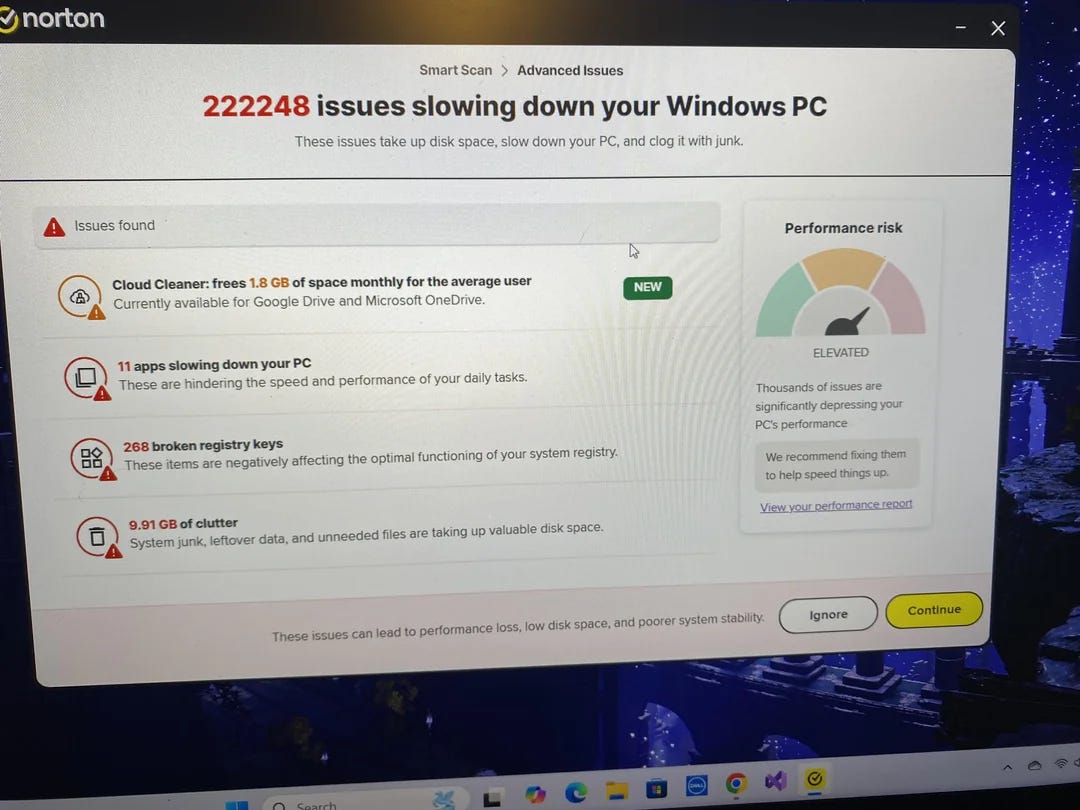
I get it, these companies want to find more ways to make money from their existing customers. That is a proven business model. My issue with this is that the extra tools they are pushing are not worth the extra money and in most cases, they are not even needed. In some cases, they can even slow your computer down. They use scare tactics to boost their bottom line. Anytime your anti-virus wants to run something like this “smart scan” don’t waste your time. It is their code for “let’s get you to buy more stuff.”
The only exceptions to this are a few tools that actually work and you might get them cheaper by purchasing from a company you already do business with. Here are the items:
VPN – If you regularly travel and use hotel and airport wifi, or if you have a lot of meetings in coffee shops and use their wifi, adding a VPN is a great idea. A VPN can certainly protect your computer while using this type of unsecured wifi. You really have no idea who could be watching you and trying to access your computer while on an open wifi system.
Password Manager – I have talked a lot about password managers and if your anti-virus offers one I think you should compare the cost to a standalone password manager. Also make sure it has all of the tools and services that the stand-alone version has. Convenience could be another reason to go with the password manager that comes with your anti-virus.
Web Protection Extensions – Many anti-viruses came with an extension for all of your web browsers that will protect you from dangerous sites and downloads. These usually don’t cost more but are just another tool included in their original price. I always recommend installing these as they are very helpful.
One last thing about anti-viruses. I do not recommend any of the free versions because there is only one reason for these companies to give you their product for free. That reason is that they can charge you in the future. I have seen people start with the free versions and before too long they are spending more than $100 per year. The free anti-virus companies are the best at scary marketing. Don’t fall for it.
As I always say, I am happy to help you find a great anti-virus and I do have strong opinions about many of them. Feel free to contact me for help with this and if you are getting the aforementioned pop-ups from your current anti-virus, I can find you one that won’t constantly bother you for more money.


The talk about how to avoid becoming a victim of scams. Email Scam Busters is your monthly resource to let you and your parents in on the latest scams they should look out fo
No posts
Comments
Nothing yet. Say the first thing.
Sign in to join the conversation.