
Unite Pro for macOS allows you to turn any website into a native Mac app.
We’ve released Unite Pro 1.6, a major update focused on accessibility, security, and the reliability issues you’ve been hitting most. This release adds native 1Password autofill support (in beta), brings VoiceOver support across Unite and every app you create with it, and fixes a longstanding bug where popup tabs opened from a site could become unresponsive and unclosable. 1.6 also speeds up typing and streaming responses in ChatGPT-style apps, adds support for creating apps from local files, fixes link-launch apps opening a duplicate home page tab, and hardens the autofill and keyboard-handling paths so sensitive input like passwords is never logged.
Users of Unite 6, Coherence X5, and Quip can upgrade to Unite Pro at a special price for a limited time.
Keep reading to learn more
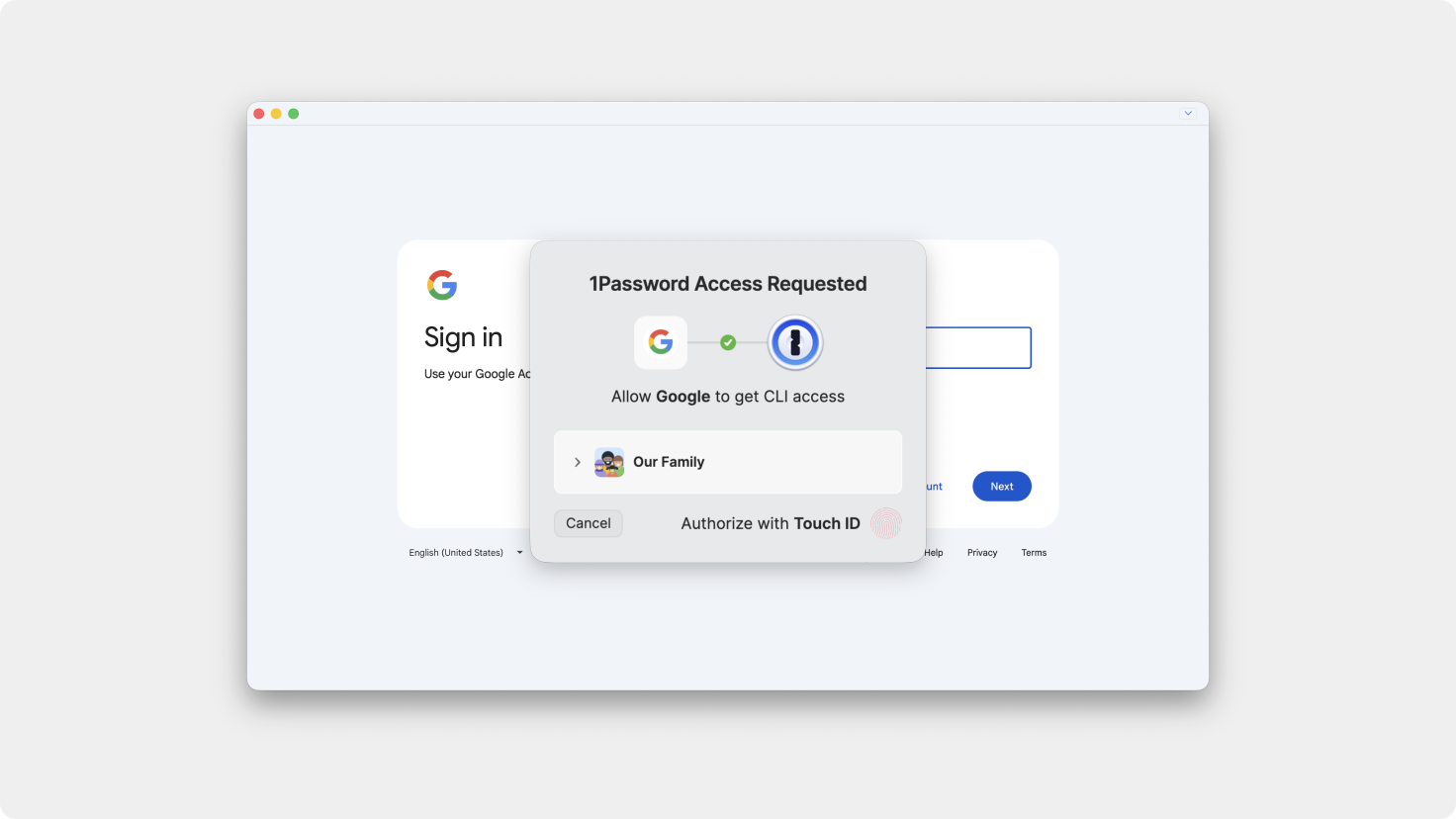
For years, Unite has shipped with its own built-in password manager. Every app you create with Unite is signed ad hoc, which is what makes it possible to build a fully unique, native Mac app on the fly instead of shipping one signed binary for everyone. But ad hoc signing also cuts you off from anything that verifies a caller’s signature before trusting it - which is exactly how Apple’s Passwords autofill and most third-party password managers decide whether to hand over your credentials. This limited us, so we built in a first-party solution.
We’ve been exploring ways around this, and 1Password’s CLI turned out to be the crack in it: unlike signature-based integrations, it authorizes access with a Touch ID prompt instead of a signature check — which means it works with ad hoc signed apps. Starting in 1.6, you can fill logins in your Unite apps straight from 1Password.
This is a beta: it fills usernames and passwords, and that’s it for now - no saving, no password generation, no passkeys yet. We’ll expand it as it proves out.
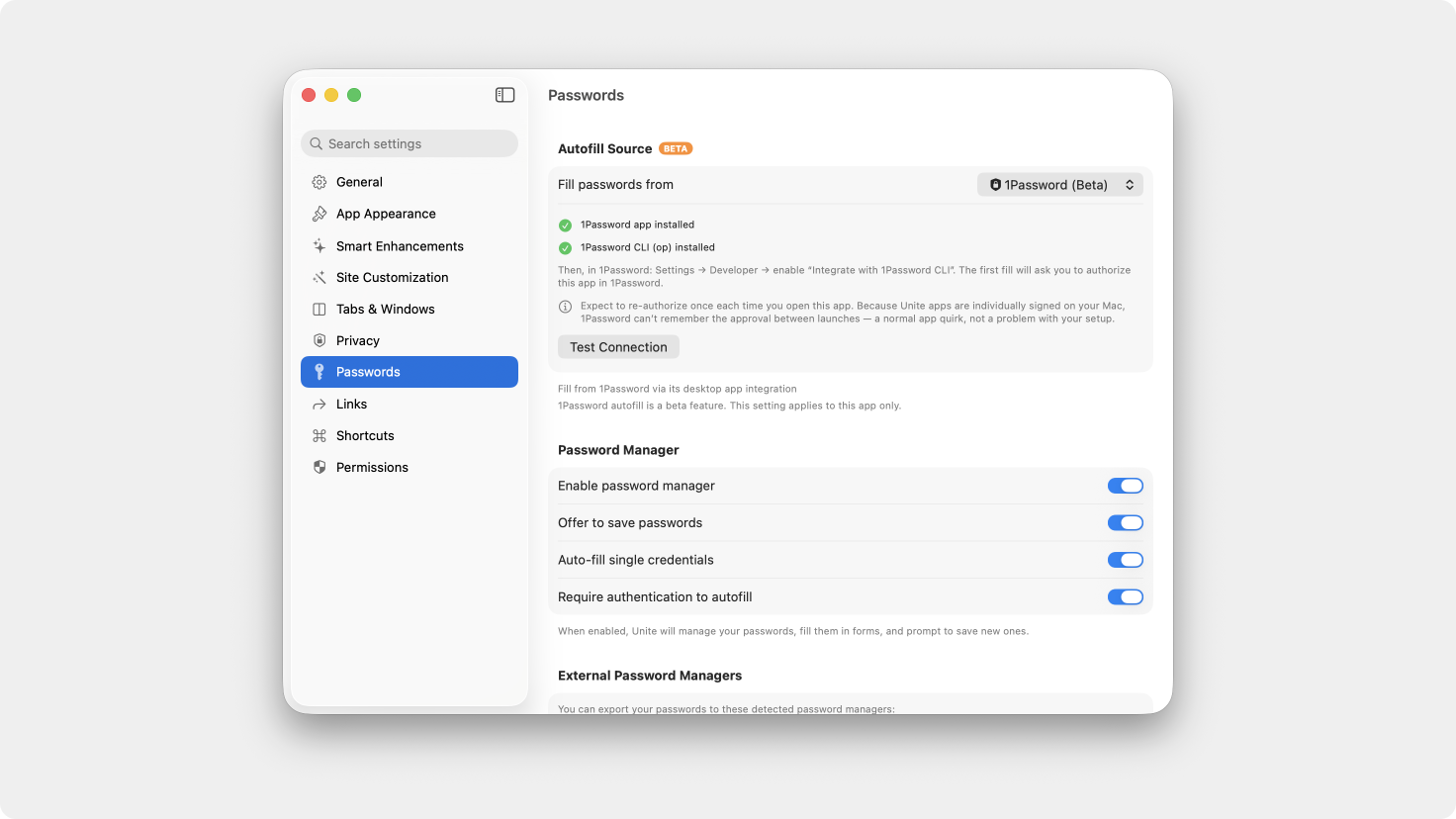
Setup: open a created app → Settings → Passwords → Fill passwords from → 1Password (beta). You’ll need 1Password’s command-line tool (op) installed and “Integrate with 1Password CLI” turned on in 1Password’s Developer settings — the app walks you through both.
Because each Unite app is signed individually, 1Password can’t remember your approval between launches, so it’ll ask you to re-authorize once each time you open the app and try to use a login.
Added proper VoiceOver labels throughout Unite and your generated apps, including settings dialogs, so screen reader users can navigate every control.
Fixed several background inefficiencies that were slowing down typing and streaming responses in ChatGPT-style apps compared to Safari or Chrome.
You can now create apps that point to local files, not just web addresses.
Fixed tabs opened by a site (via “open in new tab” links) becoming unresponsive or stuck open after a while.
Fixed tab favicons and pinned tab titles getting stuck showing an old notification count — like a tab still showing "11" long after you'd already cleared your notifications on the site.
Fixed launching an app from a link also opening an extra home page tab, added a setting to control this (”Don’t open home page when launched from a link”), fixed “Move to New Window” ignoring the current page, and fixed sidebar windows showing the app name instead of the page title until switching modes.
"Forward to default browser" now always follows your current macOS default browser, instead of getting stuck on whichever browser was default when you first turned the setting on.
Fixed whitelist patterns with wildcards (like 192.168.0.* or *://github.com/*) not matching as expected.
Unite Pro 1.x upgrades are free if you own Unite Pro.
If you’re using Unite 5 or 6, you’re eligible for a discounted upgrade to Unite Pro. Upgrade now and unlock the most powerful version of Unite ever at a special launch price.
Thank you for being part of the Unite community! As always, we’re excited to hear your feedback and help you get the most out of your Mac.
Enjoy Unite Pro! 🚀
Please do not reply directly to this email. Contact us if you need assistance with anything!
Comments
Nothing yet. Say the first thing.
Sign in to join the conversation.