
For the past couple of years, running AI has felt like turning on a tap. Fast, almost free, always on, and a wide variety to choose from.
Companies went out of the way to scale distribution and get SOTA models in the hands of the everyday consumer. Models also got better, prices dropped on the premium (or versions like Go came out), and the whole thing started to feel like a utility.

That era is not ending. But it is definitely getting more expensive, more rate-limited, and more dependent on infrastructure decisions outside your scope of influence.
Out of curiosity, I asked myself: what happens when the network goes away? What if you want something that runs entirely on your device, with no round trip to a data centre, or no API key, or no subscription?
That question led me to Google’s Gemma models. And to a genuinely interesting few days on my Pixel 10 Pro.
If you haven’t heard, Gemma is Google’s family of open-weight language models, built to run on consumer hardware rather than server racks. Think of it as the counterpart to what Ollama does on a laptop, but tuned for mobile and edge devices. Google recently revealed the 4 series at their annual I/O conference and it is supposed to be right there with the very best.
The idea is simple - no internet required, no data leaving your phone, no ongoing cost. Just a few Gigs of space on your phone. That’s it.
Sounds like a no-brainer already?
It is the kind of thing that sounded almost too good, which is probably why I wanted to poke at it.
The first thing you notice is the startup time. This is unlike a ChatGPT interface loading a web page in milliseconds. It is a model being initialised on-device, and on the Pixel 10 Pro, that can take up to a minute before you can input your first message (token). For anything time-sensitive, that gap WILL frustrate you.
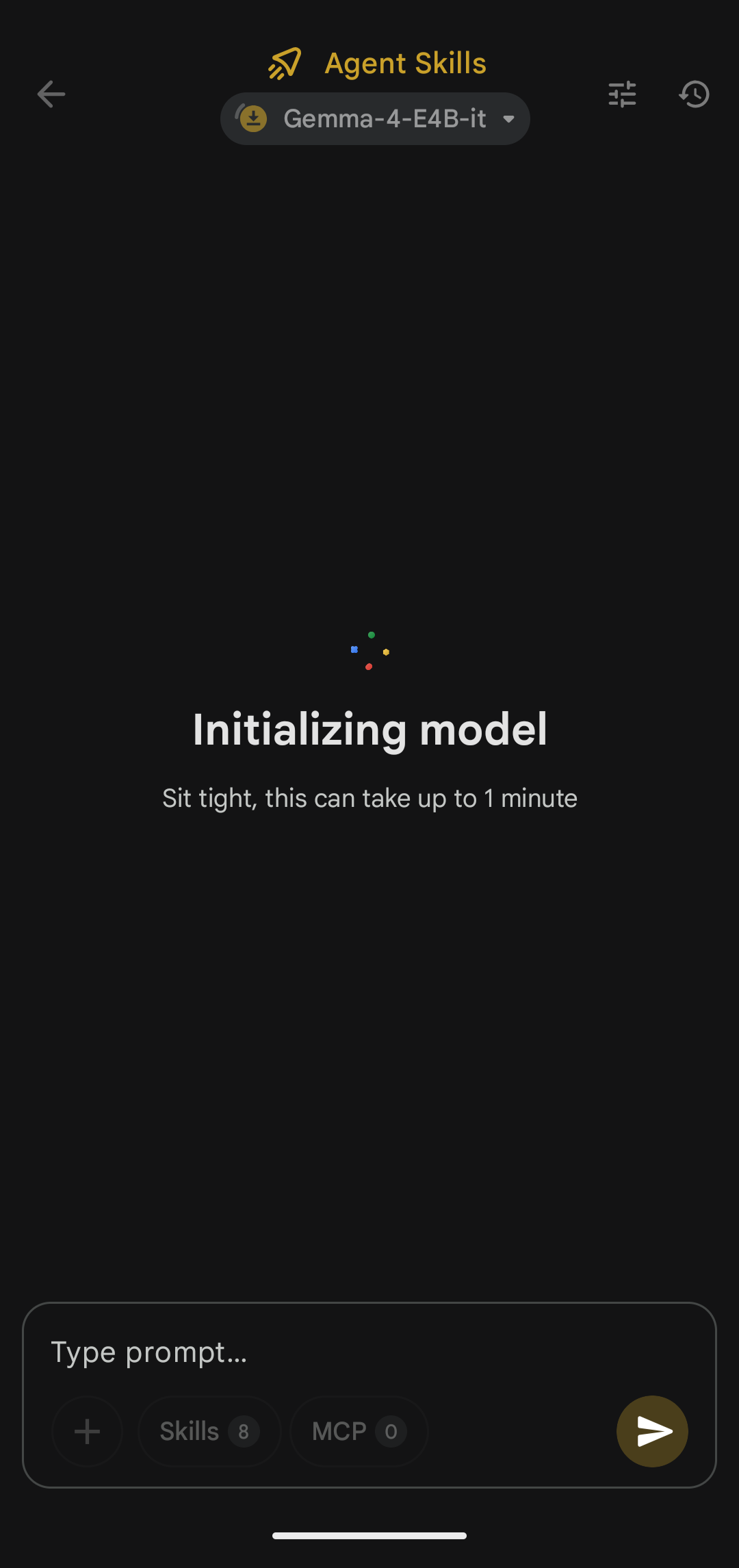
Once it is running, the response output speed is noticeably slower than what you get from cloud-hosted models.
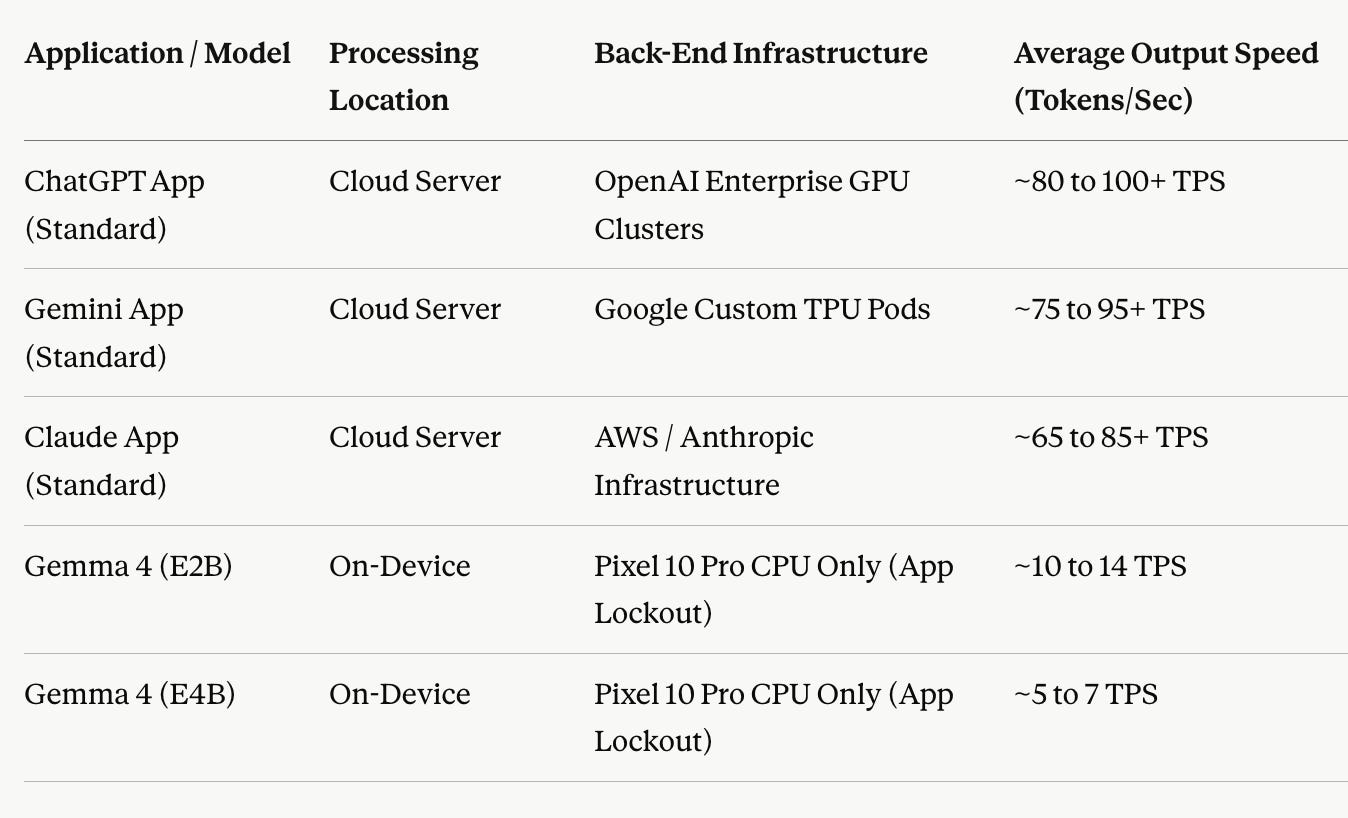
For reference, below are the average output tokens per second for various apps/models. Notice the ones running on a device are ~7-10x slower.
The Agentic experience though was far worse. The chat failed to get off the ground itself properly before I could get to any meaningful actions or look to hookup some tools. Apparently, the Pixel devices also used to have the option of a TPU accelerator (apart from the default CPU one) but that was rolled back given a horrible user experience.
Below is a short clip of how I experienced it using a starter prompt:
The knowledge cutoff is January 2025 meaning any factual knowledge post that date is not covered in the training set. Not a dealbreaker for most use cases, but worth keeping in mind if you are trying to use it for anything current.
One thing Gemma does that initially annoyed me, and then became interesting, is verbosity. Left to its own devices, it explains things thoroughly. Too thoroughly sometimes. The kind of thorough that assumes you want the full picture when you just want the answer.
You can dial this back though with a system prompt, which brings me to what I actually liked.
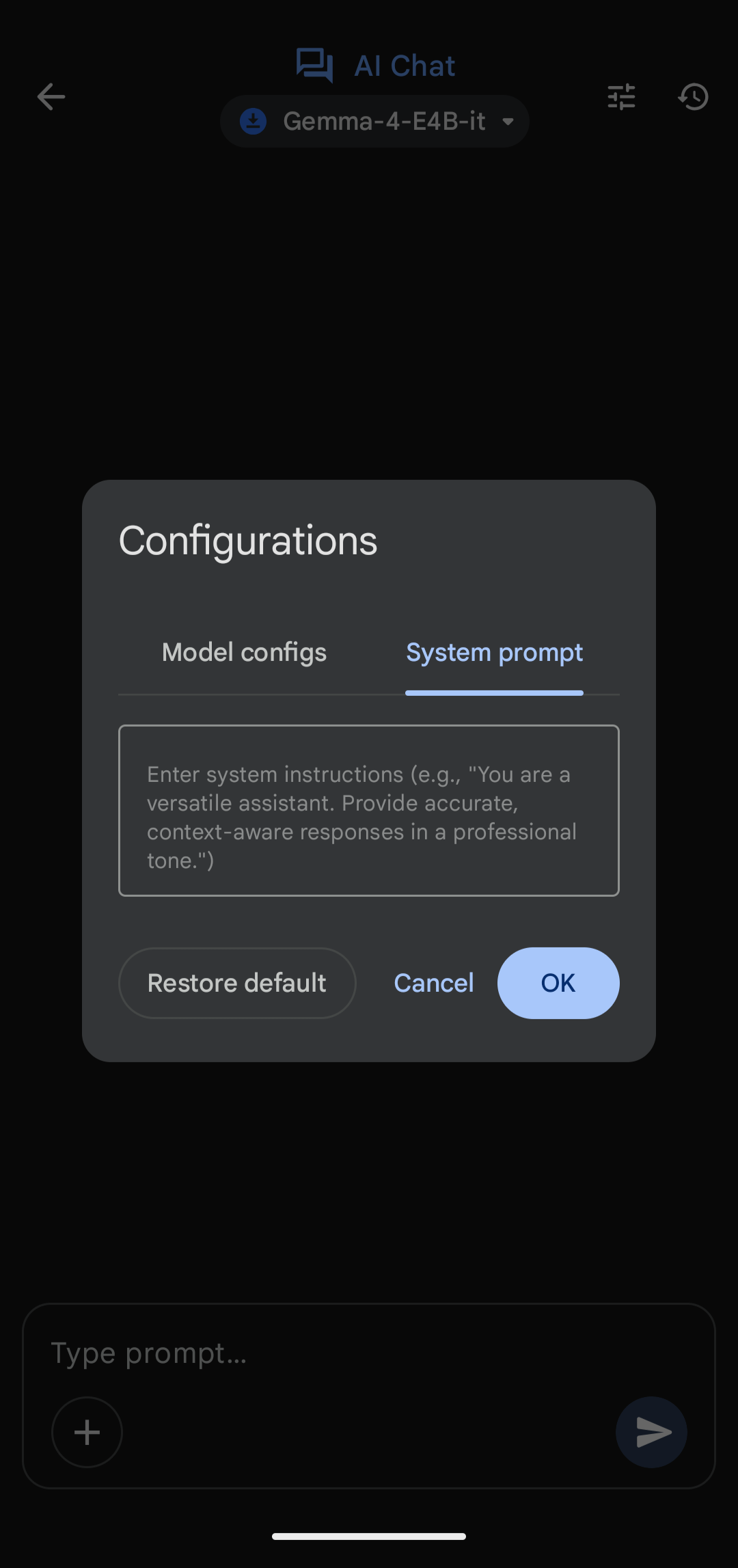
The parameter controls available in the Gemma app are better than I expected. Temperature, TopK, Speculative Decoding, Reasoning mode. You can feel the model change as you adjust them. For anyone building intuition about how language models behave, this is a surprisingly good sandbox.
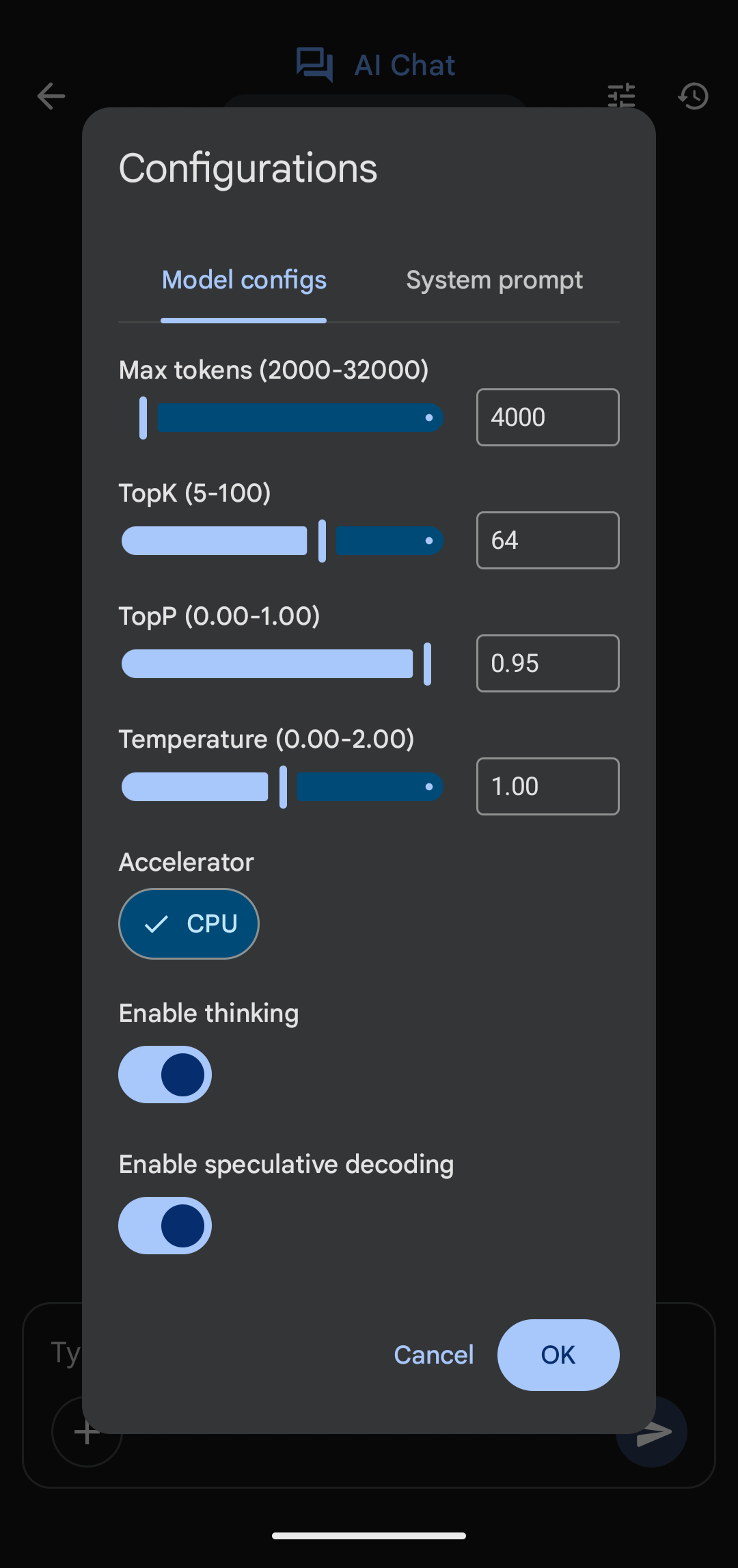
Speculative Decoding in particular is worth playing with. It generates candidate tokens in parallel using a faster model and verifies them using a second, larger model, which can speed up output noticeably without degrading quality. Seeing it work on a phone felt slightly absurd, in a good way.
I noticed the output generation became ~2x faster when I enabled Speculative Decoding without any significant loss in accuracy.
I asked for developmental milestones for a seven-week-old. Gemma answered confidently and at length, for a seven-day-old. I had been explicit and the model even understood what I was asking but just couldn’t reconcile in its head that 7 weeks old is NOT the same as one week old : )
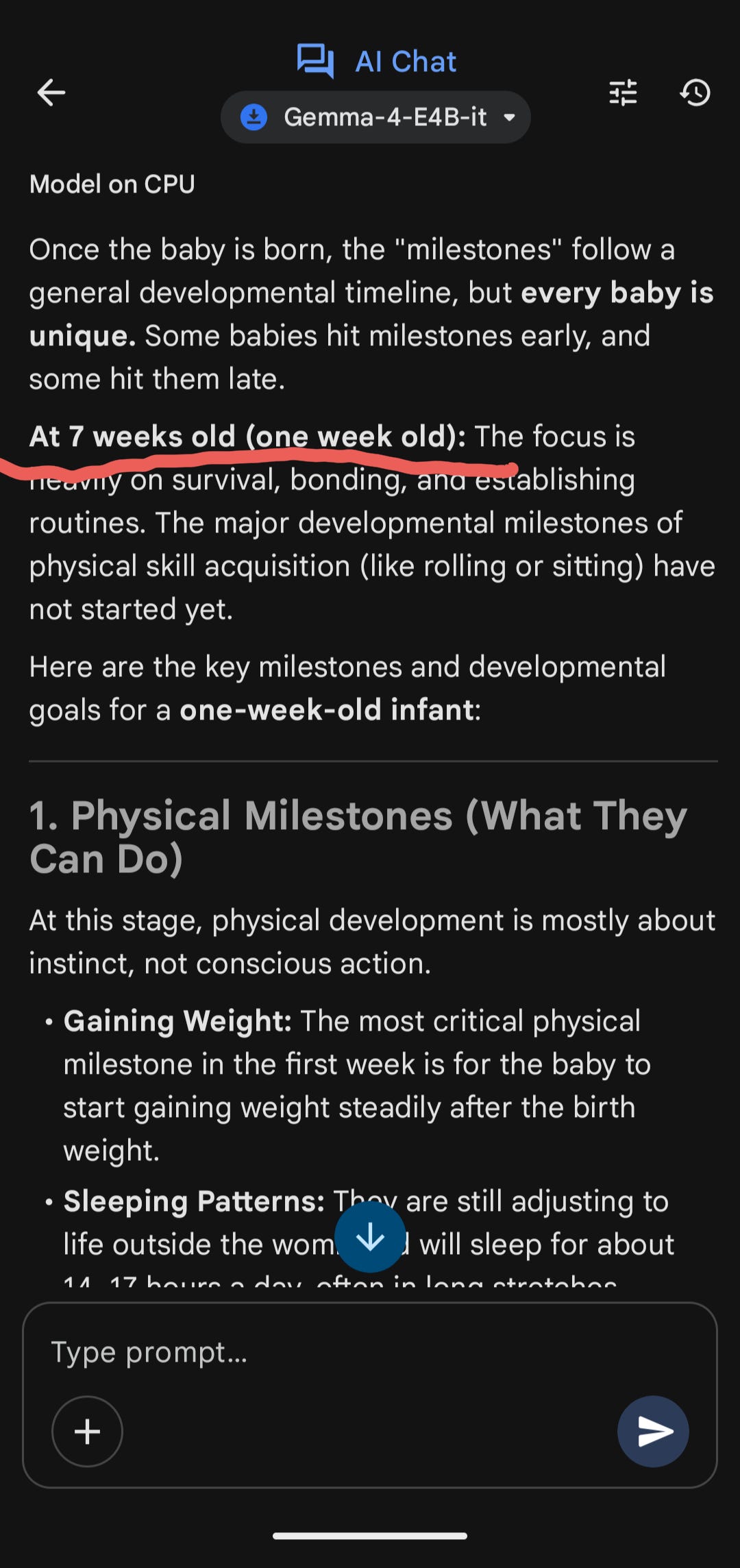
This is not an isolated failure mode though. Edge models, by design, make trade-offs. They are smaller, faster, and more constrained than their cloud counterparts. That means weaker reasoning on anything that requires careful disambiguation, nuanced context-holding, or precise instruction-following.
There is also no memory across chats.
Each conversation starts fresh. Within a session, it tracks fine. But close the app and you have to start over. For a personal assistant use case, that becomes a meaningful limitation especially given how good the cloud hosted models have become lately at maintaining memory across chats.
There is also no option to upload an image / video / document in the chat to provide more context (although there are separate modules you can use to summarise text, ask questions of an image, etc.)
So, if you are now used to providing context multi-modally, this experience will feel one from the Stone Age.
After spending time with Gemma, I went and read up on how models are actually built for edge devices. The core concept is quantization.
In normal model training, model weights are stored at high numerical precision, typically 32-bit or 16-bit floating point numbers. More precision means more accuracy, but also more memory and compute. Quantization compresses those weights, reducing them to 8-bit or even 4-bit integers. The model becomes much smaller and much faster to run, at the cost of some accuracy.
Let’s look at a simple example. If you are familiar with how models work, at the heart of every language model is a lot of matrix multiplication. The model takes your input, multiplies it against learned weight matrices, and produces an output. Those weights are typically stored as 32-bit floating point numbers, meaning each weight can take one of about 4 billion possible values.
Quantization reduces that to 8-bit integers, where each weight can only take one of 256 possible values. The matrix multiplication becomes dramatically cheaper to compute and the weights take up a fraction of the storage. A model that needed 4GB of memory might now need 1GB, i.e., quantization has the ability to reduce model size by about 75% making it suitable for devices like phones!
A mathematical example: Say you have a tiny weight matrix and an input vector:
Weights (original): [[0.847, -0.312], [0.156, 0.923]]
Input: [1.0, 0.5]
In full precision, the output is [0.847 + (-0.156), 0.156 + 0.4615] = [0.691, 0.618]
After quantization, those weights get snapped to the nearest 8-bit value:
Weights (quantized): [[0.85, -0.31], [0.16, 0.92]]
New output: [0.85 + (-0.155), 0.16 + 0.46] = [0.695, 0.620]
Small difference here. But stack hundreds of these operations across billions of weights and the rounding errors accumulate through every layer of the network.
Most of the time, the rounding error is small enough that the output is indistinguishable. But occasionally, particularly when the model needs to hold fine-grained distinctions across many steps of reasoning, those small errors compound. The answer drifts and that’s how probably a seven-week-old becomes a seven-day-old : )
I fyou have understood this, you understand a lot about what I experienced with Gemma. The slow startup, the modest output speed, the intent miss, the verbosity calibration issues. These are by design though - the shape of a model that has been compressed to fit in your pocket.
Getting Gemma running on a Pixel device is straightforward. Google has built it into the AI Edge Gallery app, which you can download directly from the Play Store.
Once you are in, you download a model variant to your device. There are a few size options. The smaller ones load faster and take up less storage. The larger ones are more capable but slower to initialise. For a first run, start with the smallest variant that fits your phone’s available storage, get a feel for the baseline, and go up from there.
The parameter controls are all exposed in the interface. Temperature adjusts how creative or conservative the outputs are. TopK limits the pool of tokens the model picks from at each step. Reasoning mode adds a chain-of-thought layer before the final response. Speculative Decoding is worth turning on if you want to squeeze more output speed out of the hardware.
One practical tip: write a system prompt before you start. Even a short one that tells the model to be concise and direct will noticeably change the experience. Without it, Gemma defaults to verbose, and you will spend the first few conversations wishing it would get to the point faster.
Also, keep an eye on the TPU accelerator when it becomes available. Combined with Speculative Decoding, it should make the experience better.
It depends on what you are optimising for.
a) If you need a backup that runs offline, works without an API key, and handles structured or well-scoped tasks reasonably well, Gemma can be a serious option.
b) The parameter playground is legitimately fun for anyone who thinks about AI product behaviour. The privacy story is solid for anything sensitive.
If you need speed, nuance, and the kind of instruction-following that handles ambiguity gracefully, this is not your daily driver. It is a tool you keep in the drawer for when the main one is unavailable.
I am also looking forward to putting it to use on upcoming flights - would be great to spend time and see if I can derive something more meaningful from these interactions.
The free compute era is not over. But learning what runs without it feels like a reasonable hedge. Edge AI is slower, smaller, and scrappier. But it is getting better with every release.
Worth knowing about before you need it.
Have you run a local model on a mobile device? Curious what your experience was. Drop a comment.
No posts
Comments
Nothing yet. Say the first thing.
Sign in to join the conversation.