
I discovered something extremely useful on Substack this week. You might already know about it. I didn’t. And the reason I stumbled onto it is embarrassingly simple: I keep missing comments, shares, and replies.
Someone will kindly mention one of my posts on Substack, and I don’t see it until weeks later, and then I feel like George in Seinfeld when he finally comes up with a good comeback.
So I went spelunking through my dashboard. The Activity tab just doesn’t catch everything. Not ideal. Often frustrating.
💥 Gratitude to my exclusive advertising sponsor, the always-free Booklinker, and the paid tool, GeniusLink. I love both💥 (affiliate link).
While digging around my dashboard to solve that problem, I found a feature I’d never noticed before.
It shows you exactly who has linked to your posts.
Not comments, restacks, Notes, or Chat. Actual links to our articles inside other Substack newsletters.
Sometimes we get a heads up; sometimes not. People might be recommending our work, and we might not even know. (If they’re not, you’ll know where to look one day soon. You’ll get there.)
Tip: Mention others in your newsletter. Maybe they’ll see the heads up and circle back to you. If not, don’t hold it against them. Sometimes finding all the activity here is a challenge.
Here’s how to find it all on the Substack website - these options aren’t on the mobile app as far as I can tell.
Go to your Publication Dashboard. If you haven’t yet created your publication, you won’t see this option.
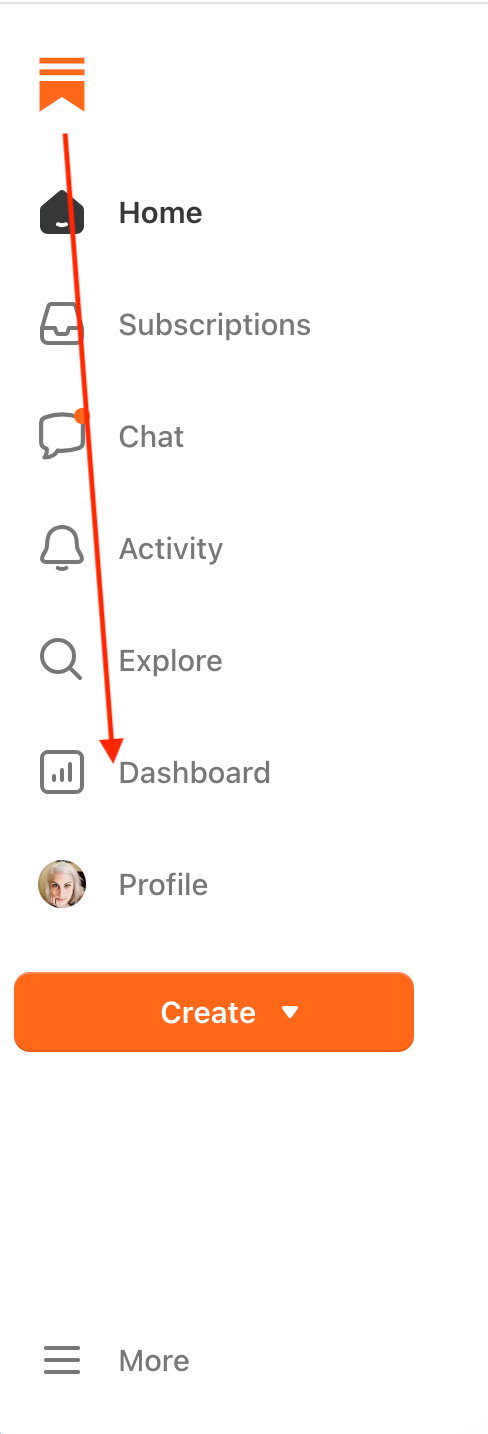
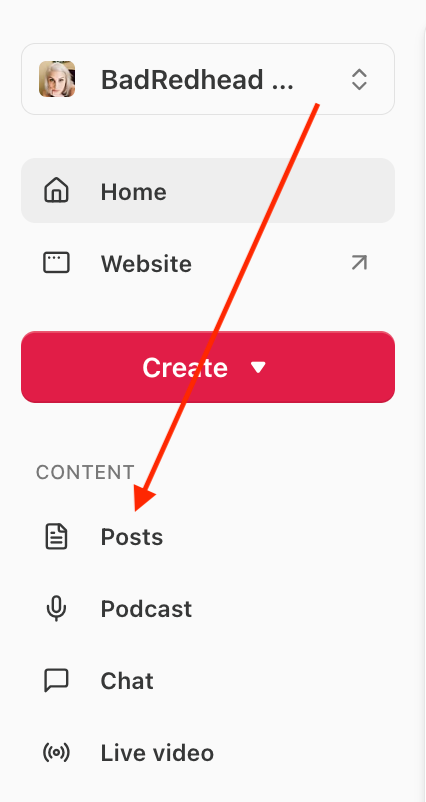
Once you’ve clicked Dashboard, the Posts option shows up on the left under Content.
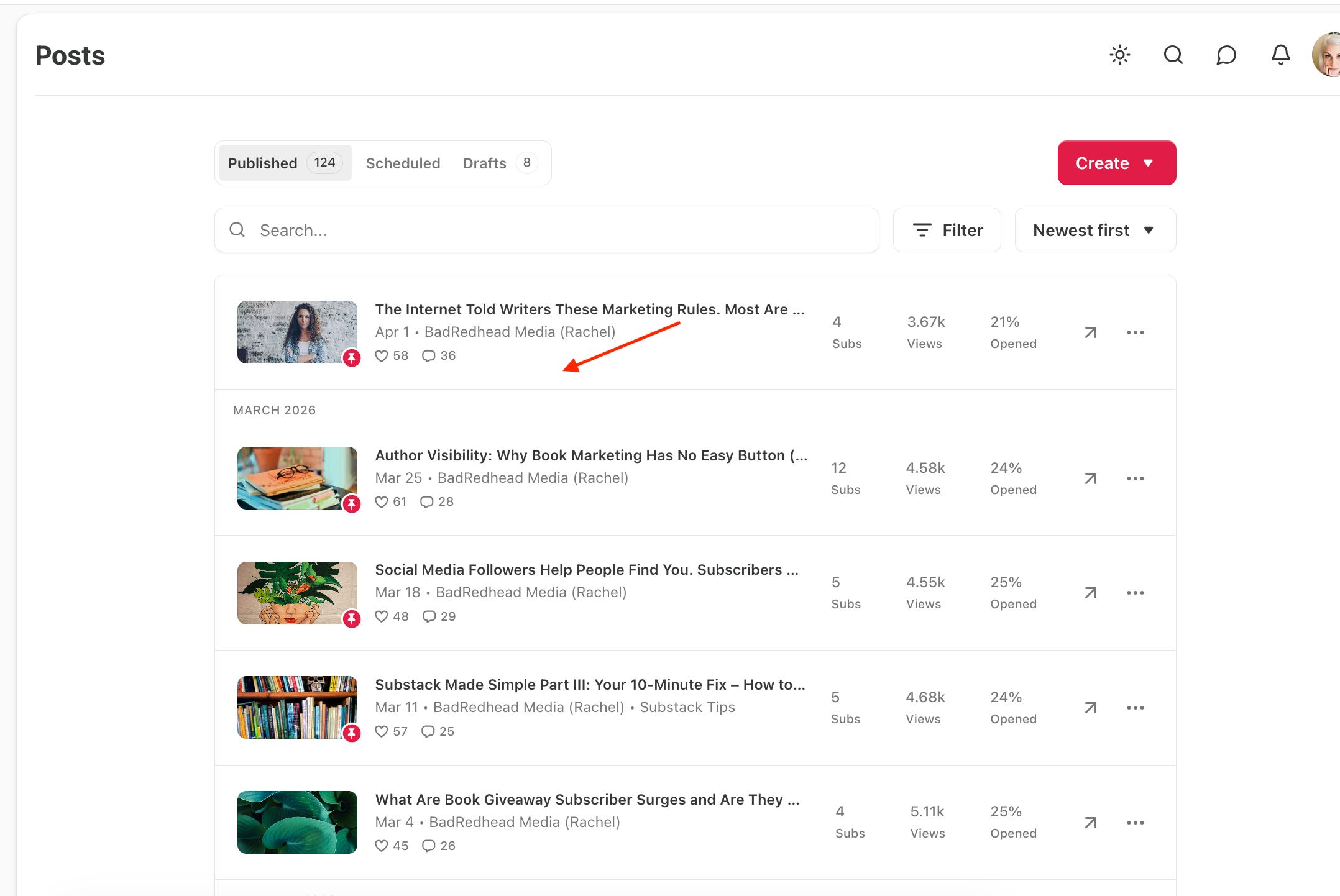
Click Posts, and all your posts line up neatly in this list below (you can filter as well). Make sure you’re on Published posts, not Scheduled or Drafts.
Click anywhere in that rectangle, NOT ON ANY COPY, not on the arrow, not on the ellipsis. Just click on a blank spot as seen below.
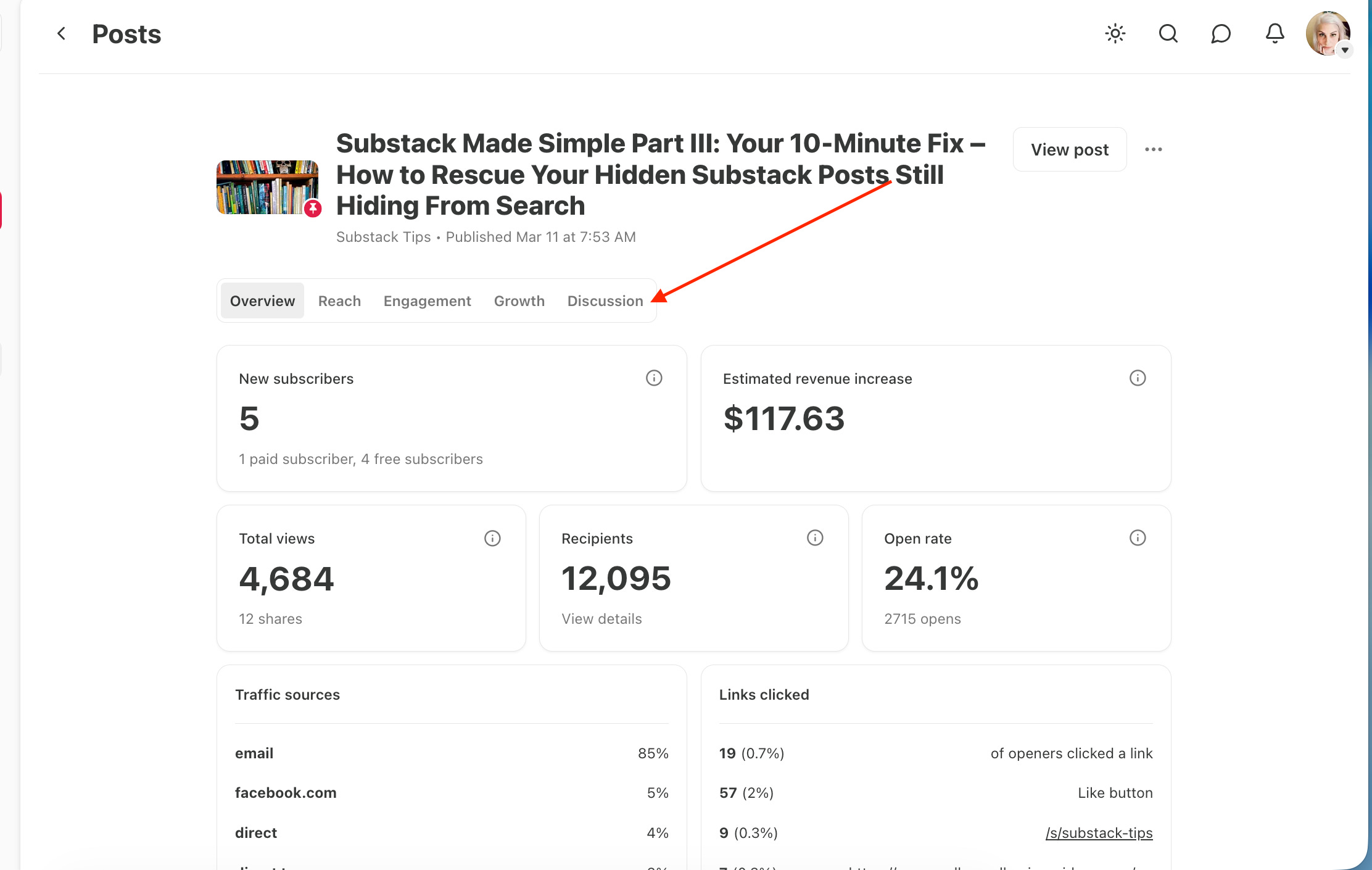
Now that you’ve clicked on that post bar, this menu below pops up. Overview is the default. Click on all the buttons to see what’s what.
But the most important button is the Discussion button. Click it.
Now you see another toolbar pop up; it looks like this, below, starting with All on the far left. Click on all of them, especially Comments and Restacks, but here, you also want to click on Links.
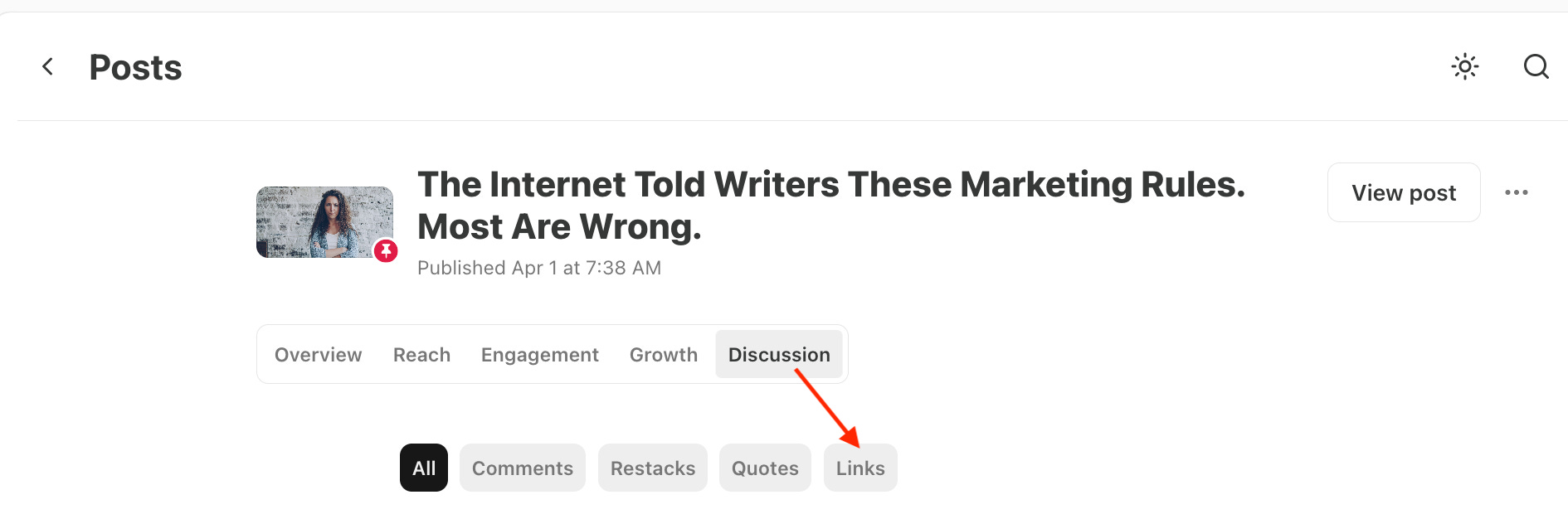
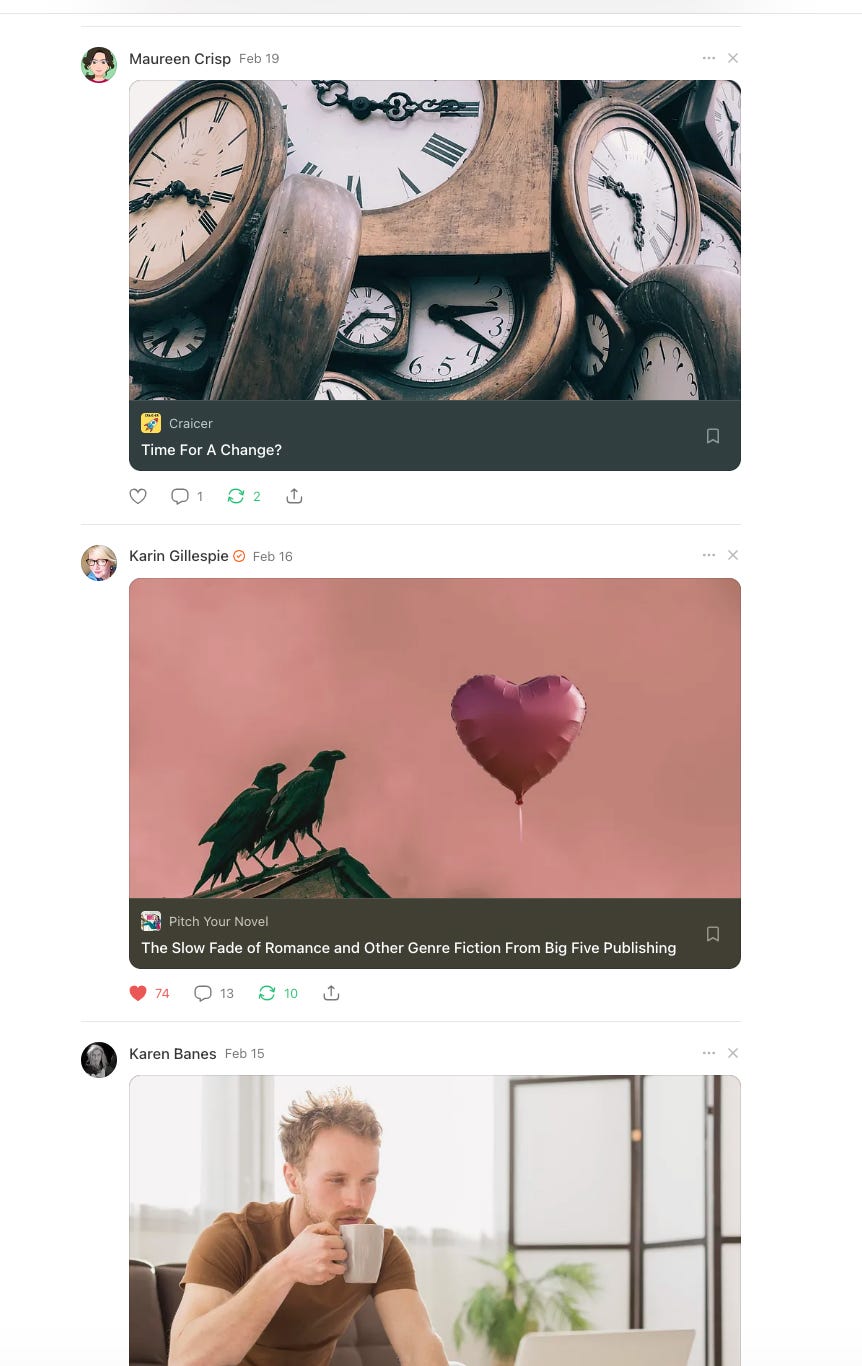
Once you get to the Links tab, you’ll see something interesting. It shows you every Substack publication that has linked to that specific post.
You might discover that someone mentioned you in their article newsletter, and you never knew. I had a few sitting there waiting for me. Now I can go say thank you like a normal human instead of responding at the next meeting.
Shoutout to the writers who mention me. I appreciate it more than you probably realize: Maureen Crisp, Karin Gillespie, and Karen Banes! 🙏
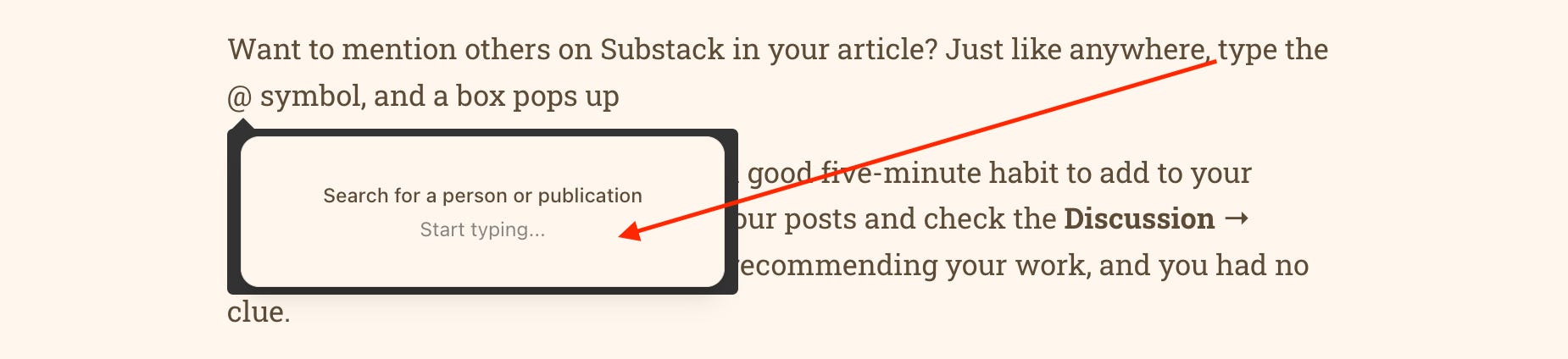
Want to mention others on Substack in your article? Just like anywhere online, type the @ symbol, and a box pops up, asking you to type in a person or publication, as you can see below:
If you’re writing on Substack, checking these analytics regularly is a good five-minute habit to add to your routine. Once a week, open a few of your posts and check the Discussion → Links tab. You may discover readers generously recommending your work, and you had no clue. I didn’t.
And if you find someone who linked to you, please, please, thank them. Connections like that are how platforms grow, and isn’t that what this whole writing gig is about?
Assignment: Go check your Links! Did you find any posts you didn’t know people shared? Cool, right?
If this tip helps you, feel free to share so other writers stop missing mentions, too. A lot of us are wandering around the dashboard, clicking random buttons, and wishing for the best. I hope this helps you today.
Not on Substack yet, and reading this in your inbox? Maybe it will give you that nudge you need to get started with your own publication.
If you’re figuring out Substack as you go (aren’t we all), you might like my free section, Substack Tips. I share what’s working, what’s not, and little tips I wish someone had told me sooner.
If these posts save you even one frustrating afternoon, please toss a coin in the BadRedhead Media tip jar. Completely optional, any amount welcome and appreciated. Genuinely appreciated. 🙏
Thanks for reading and being part of this little corner of the writing world. I’m really glad you’re here.
Comments
Nothing yet. Say the first thing.
Sign in to join the conversation.