
User Experience (UX) design is likely to remain necessary as long as there are humans using tools to accomplish goals. However, the technology is changing in some significant ways, and it will mean that UX designers will need to pivot to stay relevant. Aspects of designs that UX used to focus on are likely to be less important moving forward. As a consequence job roles, titles, and skill sets are likely to change.
Large Language Models (LLMs) are general-purpose reasoning engines that can interpret natural language, generate content, and assist with decision-making. Unlike traditional software with fixed logic, LLMs are probabilistic and context-driven, meaning the same input can produce slightly different outputs. For UX designers, this shifts the focus from designing static interfaces to designing conversational systems - including prompt structures, response clarity, trust signals, and error recovery. Key design concerns include transparency (“why did the AI say this?”), controllability, and guiding users toward effective inputs.
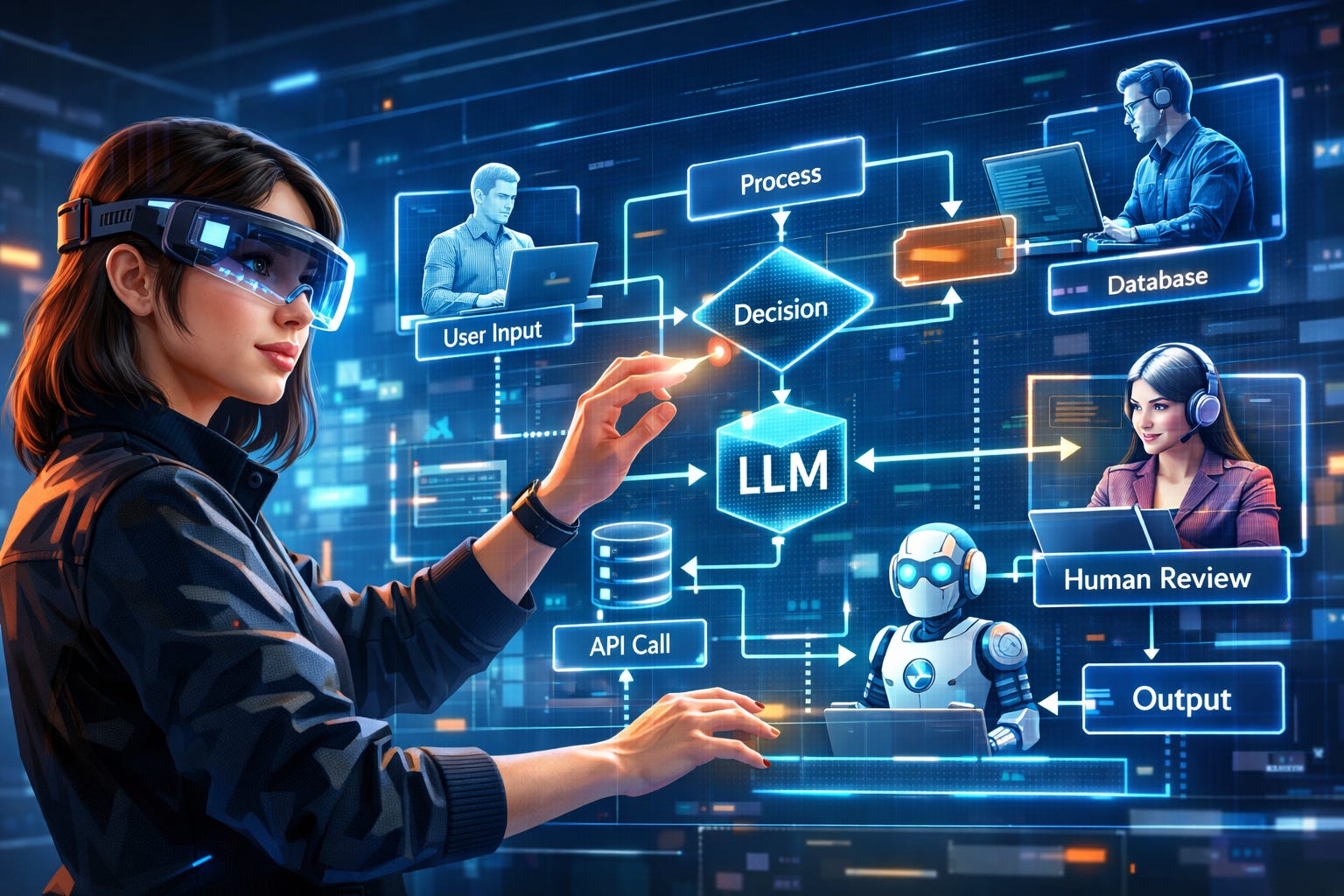
Agent workflows orchestrate multiple steps - often across tools, APIs, and data sources - into a cohesive, goal-driven process. Instead of a user manually navigating screens, an agent can plan, execute, and iterate toward a goal (e.g., “analyze this dataset and generate a report”). These workflows are typically represented as chains or graphs of actions, where each node performs a task (search, summarize, call API, etc.). For UX, this introduces the need to design process visibility, interruption points, and human-in-the-loop controls, since users must understand and trust multi-step automated behavior.
RAG combines LLMs with external data retrieval, allowing systems to ground responses in real, up-to-date, or proprietary information. Instead of relying only on training data, the system searches a knowledge base and uses those results to generate answers. For UX designers, this introduces challenges around source attribution, confidence signaling, and content scoping - users need to know where answers come from and how reliable they are. RAG also enables more domain-specific experiences (e.g., internal tools, customer support systems), which shifts UX toward designing context-aware AI interactions.
LLMs are increasingly acting as orchestration layers that call (load) real tools - APIs, databases, SaaS products—rather than just generating text. This is what makes them actually useful in production systems. From a UX perspective, this introduces the need to design around capabilities vs. permissions, execution feedback (“what just happened?”), and failure handling when external systems don’t respond. It’s also where AI shifts from “assistant” to “actor,” which has major trust implications.
AI systems are moving from stateless interactions to persistent memory - remembering user preferences, past actions, and long-term goals. This enables more personalized and proactive experiences, but introduces complexity around user control, data visibility, and correction mechanisms (“that’s not what I meant last time”). UX designers will need to define how memory is surfaced, edited, and trusted over time.
As AI systems take on more autonomy, humans increasingly shift into supervisory roles - reviewing, approving, or intervening in AI decisions. This creates a new class of UX problems around monitoring dashboards, confidence thresholds, escalation paths, and intervention timing. Designing when and how a human should step in becomes as important as the automation itself.
AI systems don’t just ship - they evolve based on feedback, usage, and evaluation metrics. This introduces UX surfaces for rating outputs, correcting errors, and training the system over time. Designers will need to think about how users contribute to improving the system without adding friction, and how feedback loops are made visible and meaningful.
In AI-driven systems, interfaces can be generated on the fly based on user intent rather than predefined layouts. For example, a user request might produce a custom dashboard, form, or visualization tailored to the task. This breaks the traditional model of fixed navigation and requires UX designers to think in terms of adaptive interface patterns and component systems that can be assembled dynamically. Key considerations include maintaining consistency, ensuring usability across unpredictable layouts, and providing users with a sense of orientation and control.
Speech interfaces are becoming more viable due to improvements in real-time transcription and conversational AI. Users can now interact with systems in a more natural, hands-free way, particularly in mobile or multitasking contexts. However, speech removes many traditional UI affordances, so designers must account for feedback loops, error correction, and context retention without visual cues. Designing for voice requires clarity, brevity, and strong mental models of system behavior, especially when users cannot “see” available options. Text-chats with AIs in minimal or generic GUIs are already common. Mixed-modality (e.g. speak to the AI, but it writes back to you) will also be ubiquitous. Gesture-based interactions are also going to become more common, particularly for common or repetitive actions (e.g. yes/no/copy/paste/submit). Submitting video or pictures to help clarify questions, or to illustrate responses is already becoming prevalent and will only expand.
AI systems can now synthesize large volumes of data into summaries, insights, and recommended actions. Instead of users manually analyzing information, the system proactively generates outputs such as reports, next steps, or prioritized tasks. For UX, this shifts the role from presenting raw data to designing decision-support systems. Designers must ensure outputs are understandable, actionable, and trustworthy, with clear links back to underlying data. It also introduces new patterns around review, validation, and editing of AI-generated content before users act on it.
GUI: Rigid graphical interfaces
Structure: Information Architecture (IA) (see related article)
Interaction: Navigation to tasks
Screen-based: Interaction design across screens
Mockups: Visual designs of screens
Deterministic behavior: System behaves predictably and consistently for the same input
Direct user control: Manipulation via mouse and keyboard
Review: Simple confirmations, status monitoring, event logs
Testing: Usability testing of static interface designs
Multi-Modal: Speech interfaces, text chat, auto-generated, minimalist GUIs
Structure: Explaining decision-making, sources and accuracy
Interaction: Intent expression and delegation of tasks
Process-based: Interaction design across multi-agent + multi-user + system use cases
Mockups: Storyboards and diagramming of processes
Probabilistic behavior: System produces variable outputs with ambiguity and uncertainty
User intent: Interaction via stated goals and requests
Review: AI supervision, intervention points, contextual confirmations, decision histories
Testing: Evaluating probabilistic, non-deterministic interactions via simulations and trace analysis
A lot of the job titles involving agent workflow configuration and design are things like: AI Engineer or AI Architect. This means that companies are trying to treat this as a technical problem and hiring engineers to do it. This is not unlike how early software companies approached software applications and the Internet. It is missing the fact that companies need designers who understand interaction design and can design usable workflows for agent-human collaboration. They have different training than engineers.
Some of the emerging titles for this space are: AI Product Designer, AI Workflow Designer, AI Automation Architect, Intelligent Systems Designer, AI Systems Designer, and AI Interaction Designer.
My personal favorite is AI Interaction Designer. Arguably we won’t be building “products” as much as we used to. Instead, we will be designing experiences, systems, and workflows. It is the interactive flows between the different agents and humans that will either allow people and companies to achieve goals, or alternatively slow them down and produce unreliable processes. Thus, emphasizing either the system or the interaction of the components within it, makes more sense.
One of the possible titles for the new emerging space is: AI Experience Design (AIXD). We used to be UX (User Experience), but increasingly there needs to be more focus on the needs of non-human agents as well. Also the human “users” may be several levels down the chain, such as a security professional that receives a detailed work order from a team of agents about how to resolve a security issue. It will also be hard to ignore that “product design” will start looking more like team-collaboration between humans and semi-autonomous agents.
It is arguable that UX should always have been more focused on use cases, workflows, and goal completion (see related article). Despite this, much of the UX field continues to be unduly focused on aesthetics, visual design, alignment, fonts, colors and similar topics. It is likely that the shift to multi-modal, dynamic, conversational interfaces will shift the focus away from graphics even more and refocus it on user-effectiveness.
It remains to be seen how simple the tools for architecting agent workflows get. Currently active job descriptions on Linked In are separating these into two different roles: “AI Engineer” (handles the underlying tool setup) and “AI Product Designers” (who presumably work with the engineer to craft the flow for the users.) However, if the tools get streamlined enough, it is quite possible these might be one combined role.
It seems likely that Design Systems will become increasingly important, because the AI itself will decide which components to use on the fly when generating ad-hoc GUIs for users’ requests. This is likely to remove a lot of manual review steps by UX teams, but it will be important to provide design pattern guidance to AIs so that they build usable interfaces. We may also have to start reviewing usability of automatic-GUIs in different scenarios.
Secondary and tertiary (indirect) users are often overlooked in UX design. These are the people who use the information that they receive from direct users. Think: Security Manager who tries to understand the report generated by the Security Engineer using the GUI. Just because a user doesn’t directly use the GUI or log in, doesn’t mean they don’t have tasks to effectively complete. Agent workflows will make indirect users more visible, and both human and non-human personas will have design requirements. It’s a brave new world.
Jeff Axup holds a Ph.D. in Interaction Design and a B.S. in Computer Science. He has 30+ years of design experience, starting with high-school newsletters on a Macintosh SE. Jeff is a UX professional with prior experience as a Director, R+D Manager, Principal Designer and Startup Founder, across of a range of security, enterprise, wearable, and AI domains. He has personal interests in the areas of: AI, algorithmic trading, sci-fi, e-MTB, kayaking and international travel.
* Thanks to LB and ChatGPT 5.2 for excellent revision comments.
No posts
Comments
Nothing yet. Say the first thing.
Sign in to join the conversation.