
I know what a client’s shoot is going to look like before we take a single photo.
Every look, every setup, her own face in all of it, sitting in a folder she can scroll on her phone. By the time she walks in, she’s more ready to go than ever before.
Thanks for reading Audrey Automates! Subscribe for free to receive new posts and support my work.
Every quarter or so we put clients in front of a camera and refresh everything: headshots, b-roll, the stuff that ends up on a sales page eight months later. It’s one of my favorite parts of the job and can be one of the most expensive days on any calendar. Hair and makeup, styling, a photographer, a studio, and a client who took the whole day off.
You get one pass at it. And we want it to be right the first time.
So before anyone shows up, we plan the whole thing with AI.

The bones of how I plan a shoot haven’t moved much in years. What’s new is that the last third of the planning, the part that used to be a mood board and a lot of hoping, now produces something we can actually look at.
Here’s the whole thing, start to finish.
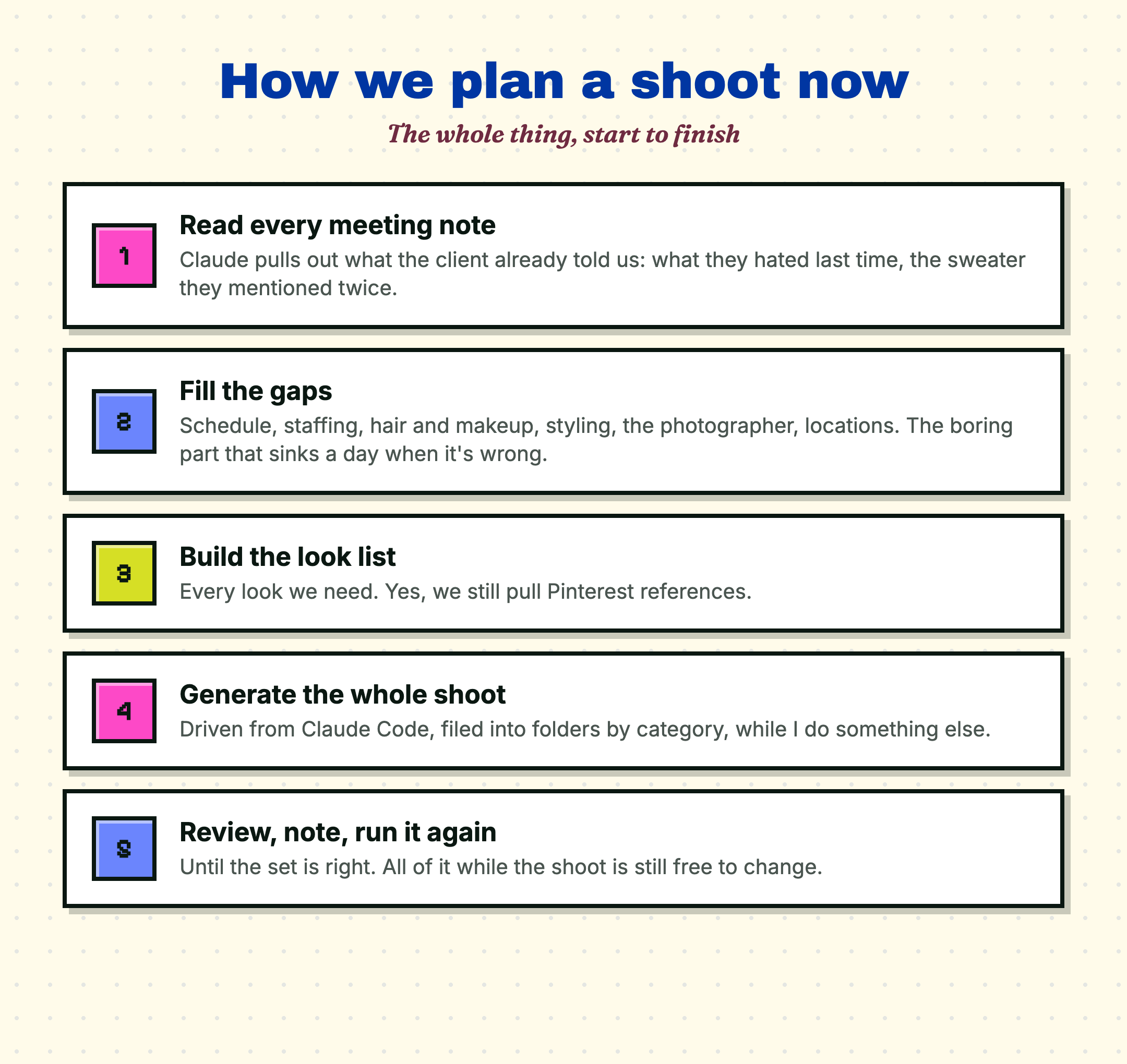
I start by reading every meeting we’ve ever had with the client. Claude goes through all of the notes and pulls out what’s already been decided: what they said they hated about their last shoot, the sweater they mentioned, the fact that they want to look approachable and less like a stuff CEO. Half of a shoot plan is already sitting in your meeting notes.
Then I fill the gaps. What’s the schedule? What staffing do we still need… hair and makeup, styling, the photographer. Locations, venues, whether we’re sourcing a studio. This is logistics and it’s boring, but it’s essential when planning the shoot day.
Finalize the looks. We build the list of every look we need. Yes, we still pull Pinterest references, but then we take it one step further…
Mock up the final images. With the client’s permission, we create them as a character in Magnific, which is an AI image tool that lets us tap into multiple models. Then I open Claude Code, connect it to Magnific through MCP (Model Context Protocol, the standard plug that lets an AI tool talk directly to another app), and describe the shots we need.
I point it at the brand ID folder. I point it at any reference images already on my computer. I tell it to use Prompty Poppins, an image-prompting skill I bought that writes far more descriptive prompts than I’d bother writing by hand. And then I tell it to generate the shots and file them into folders by category.
Then I review, give notes, and we go again until the set is right.

I’ve generated a lot of AI images by copying a prompt into a box, waiting, downloading, renaming the file, dragging it into a folder, and doing that ninety more times.
Talking to Claude Code is a different sport. I describe what I want, it writes the prompts, it makes the images, it names them, it files them. My downloads folder stays clean. I never even have to touch a browser tab.
This is the use case that made image generation feel like a tool instead of a toy for me.

The other change: we used to deliver all of this as a cute little deck. Functional, fine, nothing wrong with it.
Except every client I have opens things on their phone, and a deck on a phone is a pinch-and-zoom nightmare. So now we build the shoot plan as a small web page. Schedule, looks, references, the generated previews, all of it, and it resizes properly because it’s a website.
Same information. Roughly the same build time. Far more functional.

You don’t need an agency to do this. You need your a plan, a reference set of yourself, and one AI image tool you’re willing to learn properly instead of dabbling in.
Generate the shoot before the shoot. Look at it. And change your mind while changing your mind is still free.
Cheers,
Audrey
P.S. If you run a preview before your next shoot, reply and tell me what it changed!
Thanks for reading Audrey Automates! Subscribe for free to receive new posts and support my work.
Comments
Nothing yet. Say the first thing.
Sign in to join the conversation.