
These are the tools I open every single day. Not the shiny new thing I’m testing this week. The daily drivers that the business actually runs on.
Full honesty up front: a couple of these overlap on purpose. I like to test everything against everything, so I keep some redundancies running. Here’s the list.

My project management tool of choice. I’ve used it for more than five years, across multiple businesses and multiple teams, and the reason it’s stuck is flexibility. I’ve always managed creative teams, and creatives work differently from developers, who work differently from operators. ClickUp lets me build a system that works for my brain, then create views and workflows that support how each person on my team works best.
My creative director, who is amazing and so talented, gets overwhelmed by complicated lists. So she has a super simple checklist view of her work, because that’s what sets her up for success. My brand director is highly strategic, loves to dig in and build out her own workflows, and she can do that too. Same system, one source of truth, and every brain gets its own view of it.

My ride or die lately. It’s my note taker, and not just for meetings, for all my random thoughts too. I have a shortcut on my lock screen to open it, so when I have a thought in the middle of the night, I don’t reach for a notebook. I just start talking, get the idea out of my head, and move on.
We use it across the whole team with synced, searchable notes, so if I can’t make a client call, I can brief myself on what happened in about a minute. And at the end of every day, an automation runs with Claude that pulls every meeting note from the day, syncs them to our client management system, and sends the action items to ClickUp, delegated to the right person. Nobody is doing data entry on meeting notes. Ever.
It’s also fast, it works for phone calls, and it’s probably the most accurate tool I use.

My bestie. I live in Claude all day. It’s the LLM I go to for about 80% of what I’m doing, and I go back and forth between it and ChatGPT depending on the use case.

The other 20%, and lately that mostly means images. It crushes graphics if you know how to prompt it well. (I took Lauren DeVane’s Foundations of Fauxtography course and it leveled me up fast.)
Here’s what that looks like in practice: we’re building a client’s website right now, and she’s doing a photo shoot for it. She wanted direction from us on the photos, so we made hyper-realistic images of her and dropped them into the site design so she could see them in place. She loved them so much she asked if she still had to do the photo shoot. (My answer: Yes!!! I want real photos of you.) But that’s the level these tools are at now: the person featured looks at the image and says “this looks like me.” Instead of handing talent a mood board of reference photos, we can show everyone on the shoot exactly what the end product should be.

I use dictation all day long. I’m a verbal processor, so talking to my computer is how I move through work: Slack messages, emails, instructions to my AI tools, everything. For me it’s like talking to my team. If you’ve ever wondered how I produce so much text in a day, this is the answer. I talk it.

My browser of choice. I have a separate setup for each of my clients, which keeps their logins separate and clean, and it’s fast. They have a daily briefing feature I really like (I already build my own daily brief, but a redundancy I enjoy is still a win). And the tabs sit on the left side, not the top. My brain just works so much better with tabs on the left.

Perplexity and Manus
Anything that needs deep research goes here. For more advanced operations and calculations I go between Perplexity and Manus depending on the use case; they do different things in different ways. For research tasks I trust them over Claude or ChatGPT, because they’re built for it and they cite their sources, so I’m not left wondering what was guessed.

My email client of choice for the past 5 years. I love the keyboard shortcuts, and I love how minimalist and clean it is. Fortunately or unfortunately, a great experience matters to me, and it genuinely changes how much I use a product.
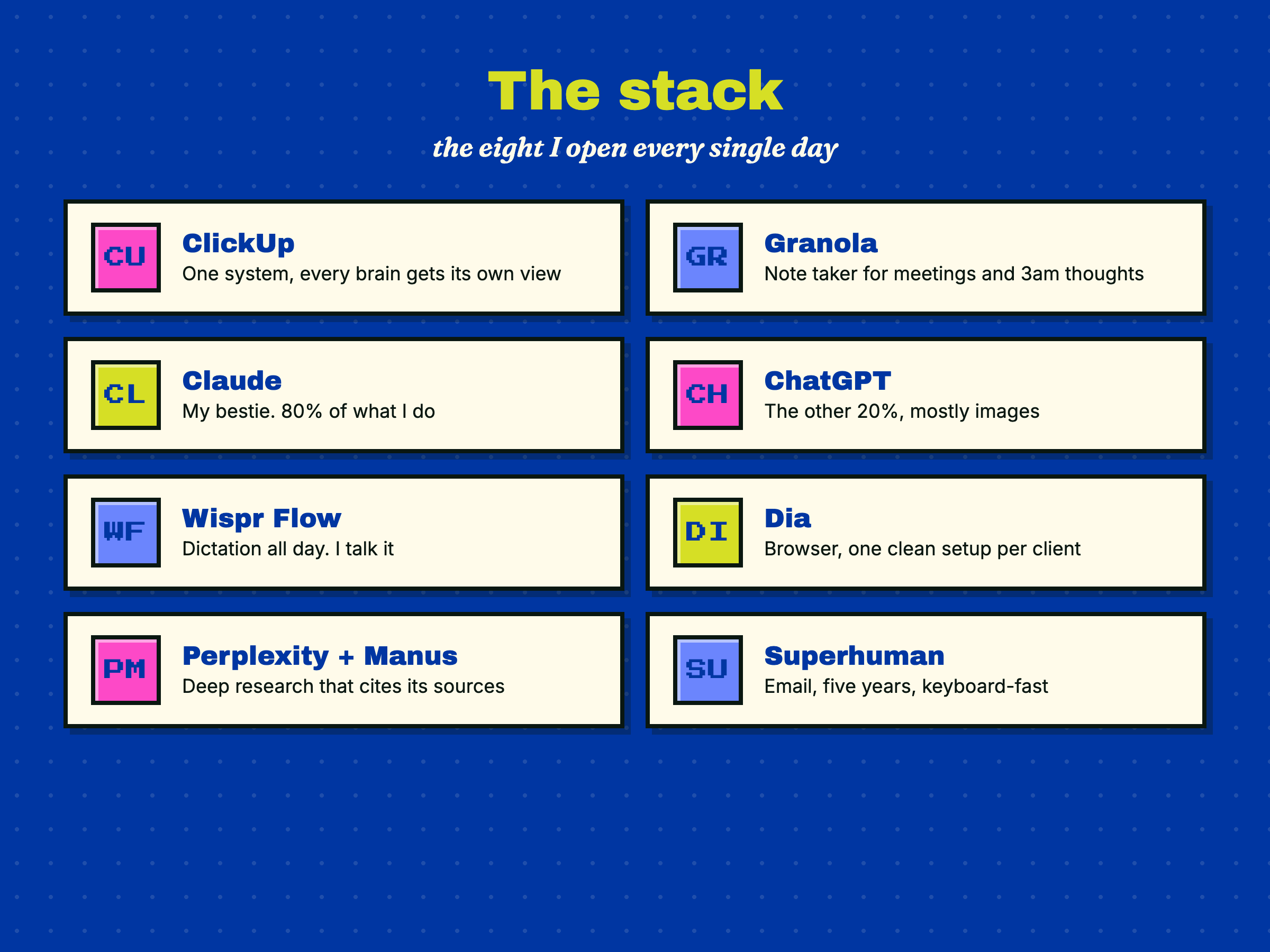
That’s the stack. None of it is exotic, and that’s on purpose: the tools that survive in my dock are the ones that fit how I already work, instead of asking me to work like someone else.
Cheers,
Audrey
PS. Some of these links may be affiliate links, which means I may get a small kickback if you sign up. I only ever share tools I actually pay for and use daily.
Comments
Nothing yet. Say the first thing.
Sign in to join the conversation.