
During our user research with development teams, one pattern kept emerging that surprised us. Teams often start with just enough detail for sizing and planning. Stories mature over time, but even then, by the time features ship, they often no longer resemble what was built. That's exactly why they need to stay living.
In many development tools, stories become museum pieces the moment you start working on them.
You write the initial requirements, assign them to the backlog, and that's it. The story body becomes a snapshot of early thinking, frozen in time, while the work often evolves outside of it. Important context gets scattered across comment threads, decisions happen in Slack, and by the time you ship, the story is completely out of date.
We think that's backwards. Stories shouldn't fossilize. They should evolve alongside the product team's understanding of the problem.
Here's how it typically goes in many tools:
Product, design, and engineering begin exploring the solution together, collaborating on a story grounded in initial requirements. As they work, edge cases emerge, designs shift, and unexpected behaviors surface.
But the story itself? Unchanged. Still showing that early version from weeks ago.
The result is important information gets scattered across different places. The story says one thing, the comments suggest another, and the implementation reflects something else entirely. When you need to understand what was built six months later, you're left piecing together scattered information from multiple sources.
Here's how a story might evolve: A payment feature starts with basic "process credit card" requirements. During development, the team discovers edge cases around failed transactions and adds retry logic. They deepen their understanding of the behavior, including edge cases and user-facing messages. In traditional tools, this context lives in comment threads, chat channels, and emails. But it should update the story itself.
This shift in editing behavior reveals something important about tool design. As Lex, one of our senior developers, explains: “In every other tool I've used, the story body becomes a fossil. In Atono, it stays alive. I actually go back and update stories as we work. That never happened before.”
That difference—between fossilization and evolution—changes how teams work.
A living story isn't just editable text. It evolves throughout the entire product lifecycle—from idea to implementation to iteration.
Persistent context, not buried updates
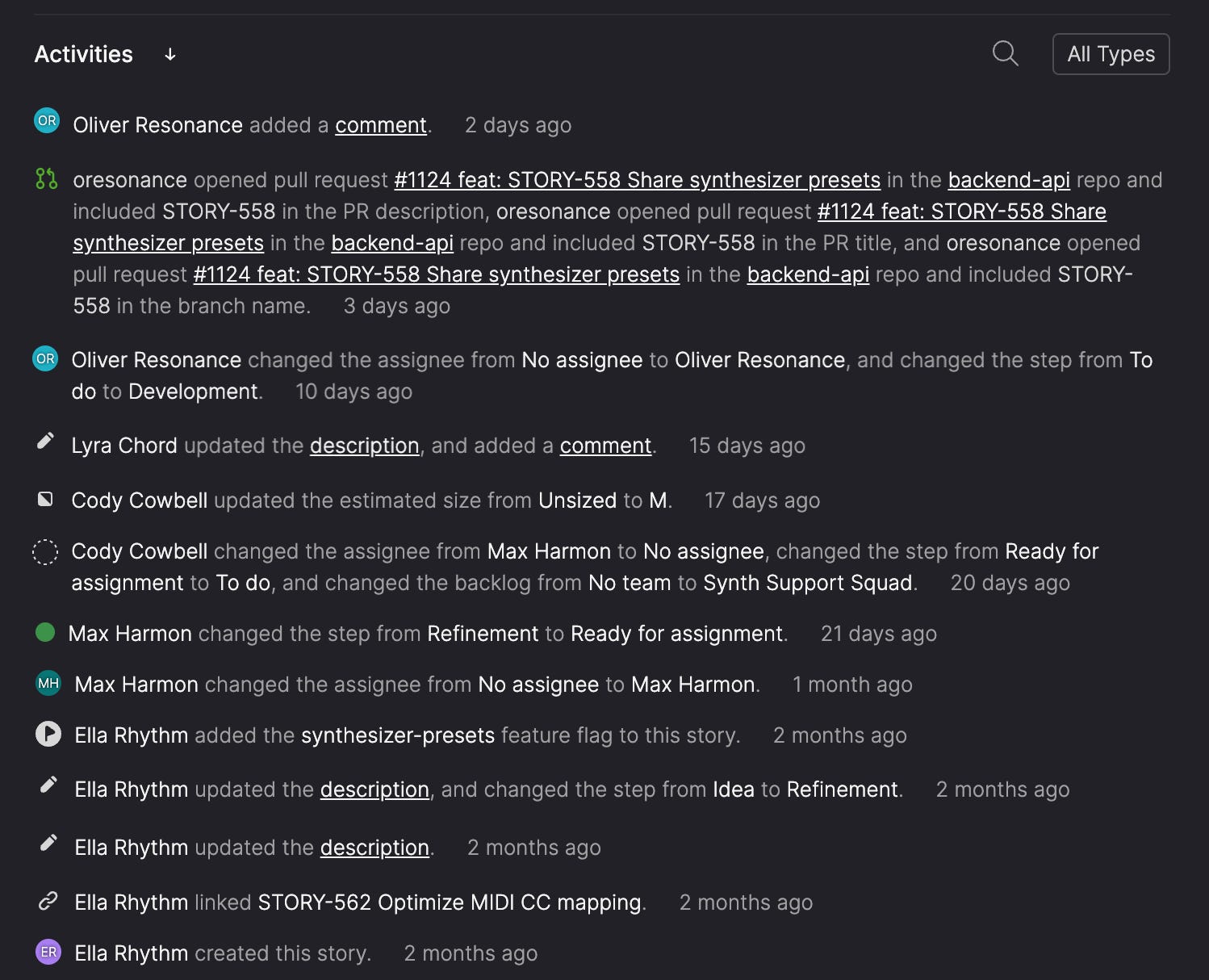
Instead of burying important updates in comment threads that get lost over time, Atono's Activities section captures the evolution of work in a structured way. This creates a clear trail of how stories develop from initial concept to final implementation, making it easy to understand not just what was built, but how decisions evolved during development.
In Atono, updates aren’t hidden in threads—they’re captured in the story’s Activity view, giving the team a transparent, timestamped record of how requirements changed and why.
Whether it's an updated requirement, an edge case, or a decision made mid-sprint—it's visible in the place where everyone looks. That reduces rework, confusion, and context switching.
Linkable acceptance criteria that stay stable
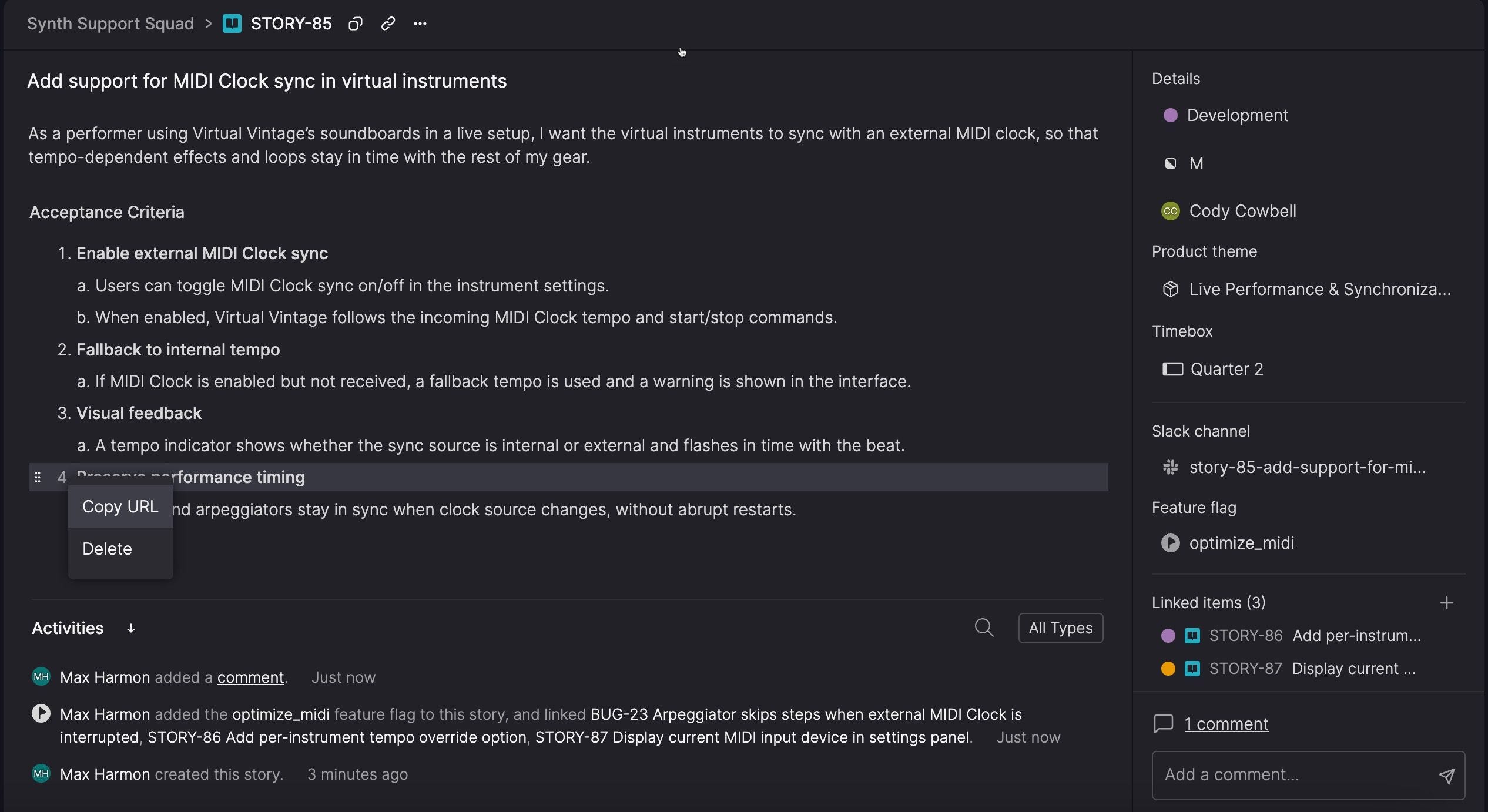
Many tools make referencing specific requirements a nightmare. “See AC #3 in STORY-47” becomes meaningless when someone reorders the list. Teams resort to awkward workarounds or avoid referencing requirements altogether.
Atono gives each acceptance criterion a persistent URL. Reorder them, edit them, nest them—the links still work. This seemingly small feature unlocks natural collaboration patterns that feel impossible elsewhere.
“The most useful feature to me is links to specific ACs,” says Lex. “In other tools, referring to 'AC 3 of story X' felt unreliable because ACs could be renumbered or removed. With Atono, I can freely reference and edit stories while keeping discussions clear and traceable.”
Built-in feature flags maintain connection
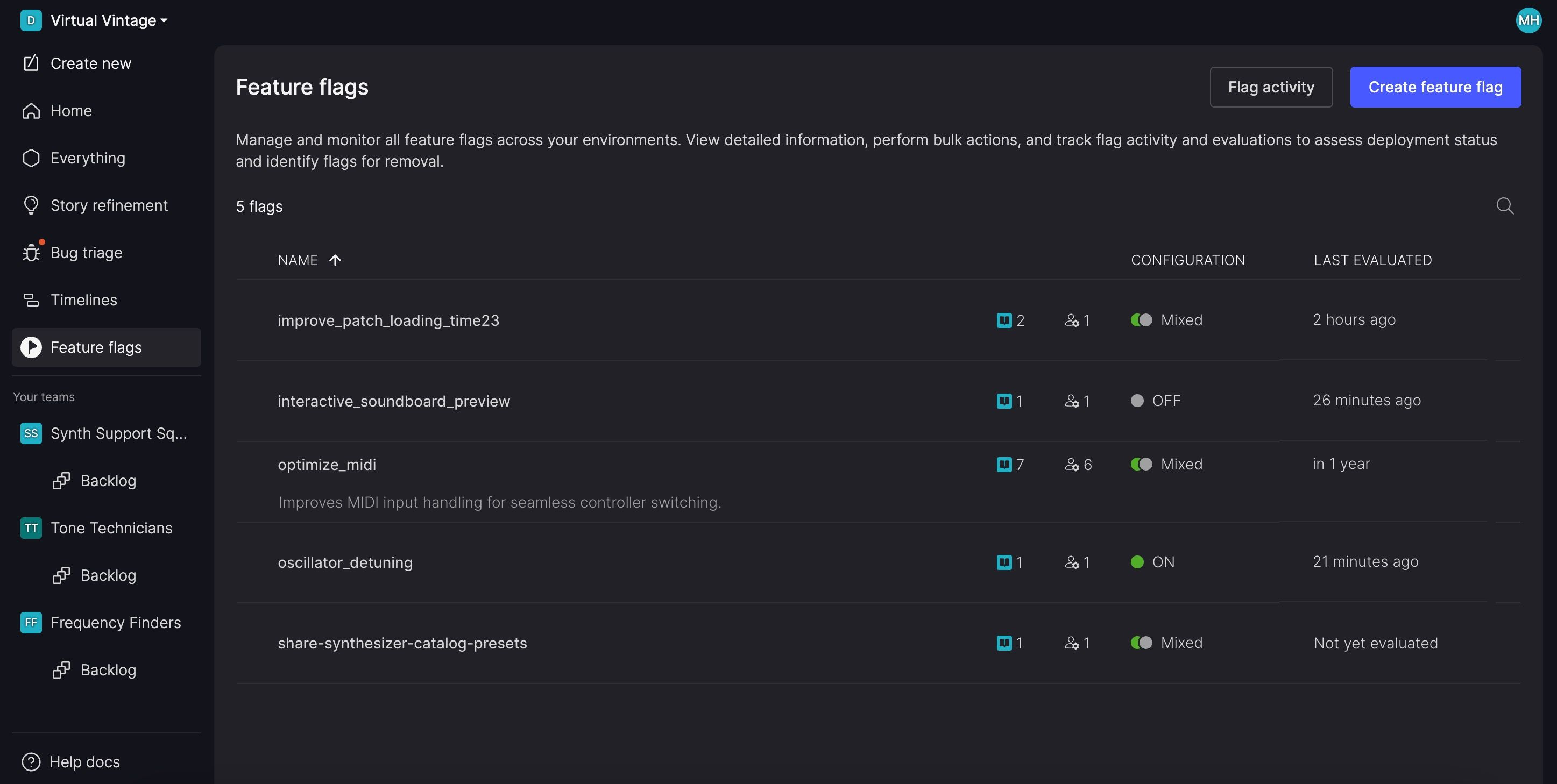
Instead of managing feature flags in a separate tool, they're embedded directly in the story. This keeps the context of what you're building connected to how you're releasing it. No more jumping between tools to understand which features are enabled where.
When you toggle a flag, you're doing it from the story that explains why that feature exists. When you're debugging a feature, you can see its flag status right alongside its requirements.
Usage insights (coming soon)
We're rolling out Feature Engagement—making it possible for the entire product team to see how often and where features tied to stories are used. This helps teams decide whether to improve, extend, or refactor features based on actual usage data, keeping the story connected to real-world impact even after shipping.
But the benefit goes beyond product decisions. When usage data isn’t limited to a handful of people with access to expensive tools, the entire team stays connected to the outcome. Designers, engineers, and QA don’t just move tickets — they see how their work is helping users.
That visibility creates a stronger sense of ownership. People stop feeling like task-runners and start acting like a team.
When stories can evolve safely, it changes how different roles interact with them.
Developers contribute to story updates
In traditional tools, editing stories can feel risky. Break the format, and people stop trusting the document. In Atono, persistent AC links and story-centric updates make editing natural and traceable, not dangerous.
As developers work, they don’t just drop comments that get lost in the noise. They refine the story itself, capturing important discoveries where they belong—right in the story.
Product managers stay connected to implementation reality
Instead of watching their early requirements drift from what was delivered, PMs can see how and why decisions evolved. They stay closer to implementation, without having to micromanage.
This context becomes crucial when fielding user feedback. When someone reports a behavior they don't like, living stories help determine whether it's broken or working as designed to support other use cases. These "bugs that aren't bugs" are often "works as designed" behaviors—and "fixing" them would break functionality needed by other customers.
This creates better product decisions over time. You're not just learning from post-mortems—you're capturing insights as they happen.
QA gets accurate testing requirements
By the time QA starts testing, the story reflects what was actually built, not what was originally planned. Edge cases discovered during development are documented. Implementation decisions that affect user experience are captured.
Instead of testing against outdated requirements and then filing bugs about “inconsistencies,” QA can validate against current reality.
Stories in Atono don’t expire once a feature ships. They keep serving your team—and AskCapy—because they reflect what was actually built, not just what was planned. That makes context easy to find for both humans and AI, long after the sprint ends.
Most teams treat stories as disposable. With Atono, they stay alive, giving engineers and AI assistants the right information to answer questions, debug faster, and guide improvements without guesswork.
When something breaks in production—or seems like it has—you need context fast. But even more importantly, when someone sees unexpected behaviour, you need to quickly determine: is it broken, or is it working as designed?
Living stories provide the design rationale, implementation decisions, and edge case handling that help you understand not just what broke, but whether the behaviour supports necessary use cases for other customers.
Individual features of living stories—persistent AC links, evolving context, embedded feature flags—work together to change how teams collaborate.
Atono keeps that context in one place instead of scattering across tools. Decisions stay where they’re relevant, not buried in comment threads, chat channels, or emails. Teams spend less time reconstructing historical decisions and more time building.
Ready to see how dynamic user stories can change your team's workflow? Create your first Atono story and experience the difference.
If you enjoyed this article, share it with someone else who might find it interesting!
Comments
Nothing yet. Say the first thing.
Sign in to join the conversation.