
Last week I told you I’d been in the lab. That I’ve been tinkering, building, and testing AI tools from a post-sales operational perspective. That I couldn’t wait to share what I’ve cooked up.
I meant it. And starting next week I’ll be dropping a deep dive every Friday - specific tools, workflows, and builds you can actually use. That I’ve tested myself.
But before I get into the what, I want to share the how. Because embedding Claude into real GTM and post-sales workflows has taught me some things I didn’t expect.. and a few I think most people aren’t talking about honestly enough.
Information lives everywhere. Slack. Teams. Your CRM. Email. Meeting notes. Google Drive. You name it.
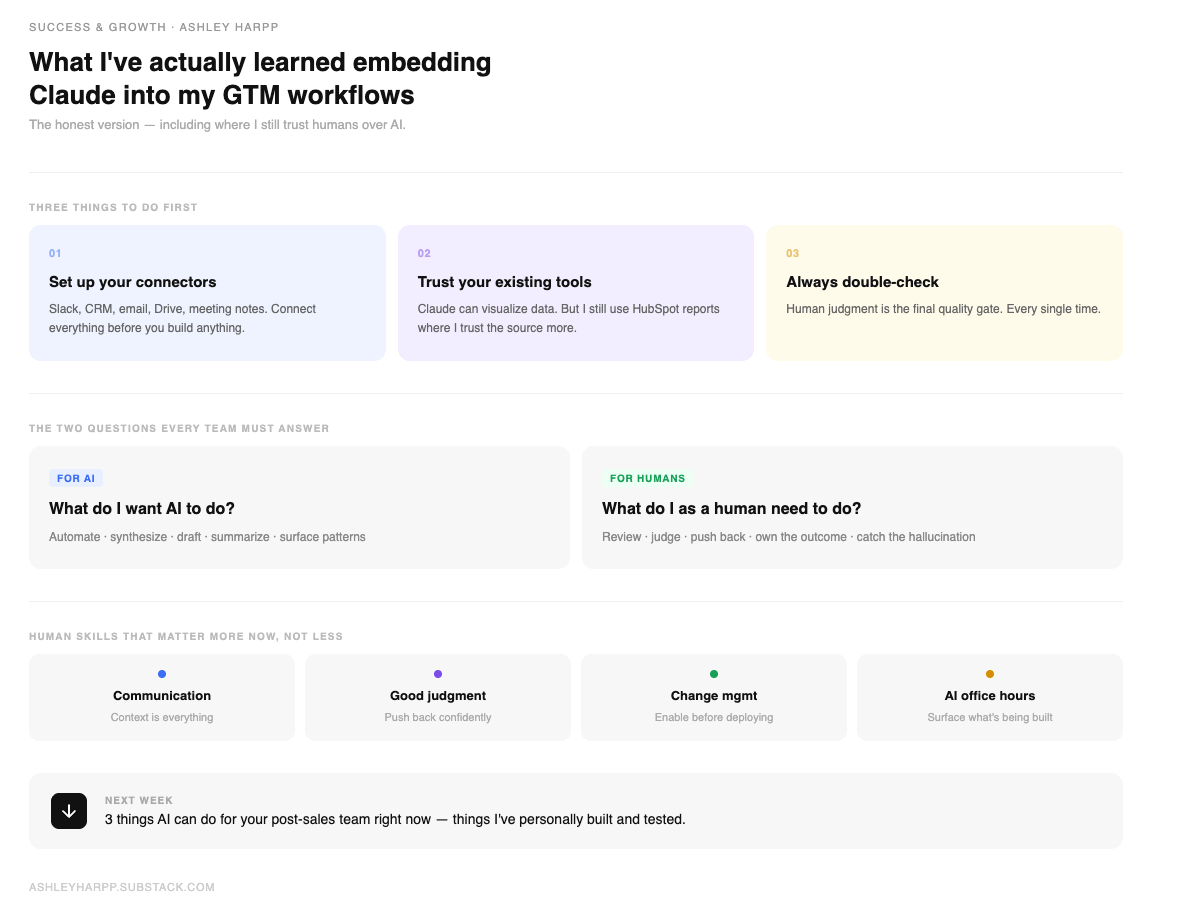
The single best thing I can recommend if you’re just getting started with AI in your workflows: set up your connectors first. Claude does a genuinely impressive job of bringing data together from across all of those sources.. but only when it actually has access to them.
AI meeting note takers, Google Drive, HubSpot as your CRM data source — get those connected before you do anything else. That’s your foundation. Without it you’re asking Claude to make decisions with half the information it needs, and the output will reflect that.
What are you using today to capture and store information? Start there. Map it out. Then connect it.
Here’s where I’ll probably get some pushback.. and I’m okay with that.
Even though Claude has the ability to build data visualizations and make data more actionable and, yes, prettier.. I still use HubSpot dashboards and reports for a lot of things. Not because Claude can’t do it. But because I trust what’s already in HubSpot. If I build a report there, I don’t have to double-check it as much.
And that leads me to my second recommendation: always double-check.
Human judgment is still very much in the picture and isn’t going anywhere anytime soon. In fact, I think we’re moving toward a world where teams are held more accountable for owning the review of AI output.. not less. If it’s a big deal, human eyes need to review it. Full stop.
Here’s the thing most people don’t say out loud: when you build something that pulls across a lot of different data sources, you’re also creating more work for yourself on the review side. That work cannot be offloaded to AI. And for that reason I think every team needs to get crystal clear on two questions early:
What do I want AI to do?
What do I as a human need to do?
Those aren’t rhetorical. Write them down. Decide them as a team. Because without that clarity, you end up with a messy middle where nobody is sure who’s checking what.. and things fall through.
We’re in the excitement phase. I get it. I’m excited too.
But as with most things, the dust will settle. And when it does, we’re going to need to get very clear on what humans actually have to bring to the table. Based on what I’ve seen so far, here’s where I’m landing:
Communication. You still need to be able to clearly communicate needs and context to AI systems. Context is king — we all know this. But it means the humans who can articulate problems precisely, who can give Claude what it needs to do good work, are going to be the ones who get the most out of it.
Good judgment. And I mean real judgment.. not just a gut feeling. AI works best when there’s enough industry or domain experience behind the human using it. Someone who can push back when Claude confidently hallucinates. Someone who knows enough to catch it. If you’re enabling your team on AI right now, how are you building that awareness? How are you making sure your team isn’t just believing everything it produces?
These aren’t soft skills anymore. They’re operational requirements needed to build and maintain this new world of AI operations.
I’ve taken several change management certification programs over my career. And the more I get into AI enablement, the more essential it becomes.
The companies that set themselves apart right now are doing this extremely well. And the data backs it up: 83% of AI pilots fail, and it’s not a technology problem. It’s a change management problem. Organizations rush to deploy tools without redesigning the work around them, and adoption stalls before it ever takes hold.
What actually works is equally clear. The companies seeing real returns are investing their AI resources in people and processes.. not just the technology itself. That ratio feels counterintuitive when everyone’s focused on which tool to buy next. But it’s the difference between a pilot that scales and one that quietly gets abandoned six months later.
A good change management process enables teams on AI ethics, fluency, best practices, risks, and the fundamentals of how these systems work under the hood. And if you want to build internal champions who can actually run that enablement inside your org, Anthropic’s Enterprise Train-the-Trainer course was built exactly for that.. free, practical, and designed for the person who wants to lead this from the inside.
Humans are still needed. The question is what for, and whether your company is actually preparing them for it. The question is what for, and how you prepare them for it.
If you’re leading AI enablement right now, here’s where I’d start:
1. Build AI fluency before you build AI workflows. Don’t hand your team tools before they understand the foundations. The “what is AI, how does it work, what are the risks” conversation has to happen first. Without it you’re setting people up to over-trust outputs and under-question results.
2. Map the human-AI split explicitly. Don’t leave it ambiguous. As a team, decide: here is what Claude handles, here is what a human reviews, here is what a human owns entirely. Write it down. Make it part of your operating model. The teams that skip this step are the ones that end up with accountability gaps when something goes wrong.
3. Run AI office hours. This one I feel strongly about. Set up a recurring internal session.. biweekly or monthly.. specifically for your team to share what they’re building with AI. What workflows have they created? What tools are they using? How does it connect to what other teams are doing?
It does two things at once. First, it surfaces what’s actually happening so information isn’t siloed across functions. Second, it gives you a healthy forum to challenge how things were built and designed. Not in a punitive way.. in the way a good engineering review works. “Walk me through your thinking. Why did you build it this way? What happens when the data is incomplete?” That kind of accountability makes the whole team sharper.
4. Make it safe to say “I don’t know.” The people most likely to get burned by AI are the ones who are too proud to admit they don’t fully understand what it’s doing. Build a culture where questioning the output is expected, not optional.
These are the ones I point to consistently:
Anthropic AI Fluency: Framework & Foundations — My top recommendation for any team getting started. Covers how to collaborate with AI effectively, ethically, and safely. Free, self-paced, and comes with a certificate. Not just for technical people.
Anthropic Enterprise Train-the-Trainer — If you're the person tasked with enabling your team on AI, start here. Anthropic built this specifically for internal champions who want to run demos, build momentum, and get their org actually using Claude effectively. Free and self-paced.
Harvard HBS AI Essentials for Business — Designed specifically for non-technical business leaders. Covers AI strategy, ethics, and how to evaluate AI initiatives without needing a technical background. Good for leaders making decisions about AI investment and adoption.
HBR: To Drive AI Adoption, Build Your Team’s Product Management Skills — A sharp read on why the skills that matter most for AI adoption aren’t technical. Defining the right problems, experimenting, and integrating solutions into real workflows. Forward this to every manager on your team.
Anthropic Claude 101 — If your team is using Claude and wants a solid practical baseline on everyday workflows, start here. Short, free, and no technical background required.
I’ve had so much fun testing, building, and enabling others on AI tools over the last few months. And I’ve landed on three specific things AI can do for your post-sales team right now that will save meaningful time.. things I’ve personally tried and tested.
Next week I’ll walk you through all three. Practical. Specific. Ready to use.
Stay tuned.
No posts
Comments
Nothing yet. Say the first thing.
Sign in to join the conversation.