The SQL IS NULL tests whether the user-specified expression is empty or not, and if it is, TRUE will return. Otherwise, it returns FALSE, and its syntax is
SELECT Column_Names
FROM Table
WHERE Expression IS NULL
SQL Server IS NULL Example
For this IS NULL function demonstration, We are going to use the [TenCustomers] table, and the data inside the table is
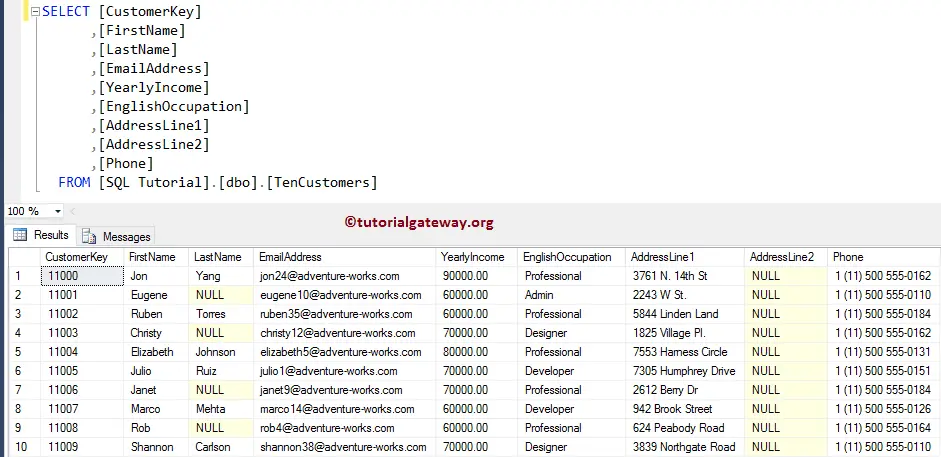
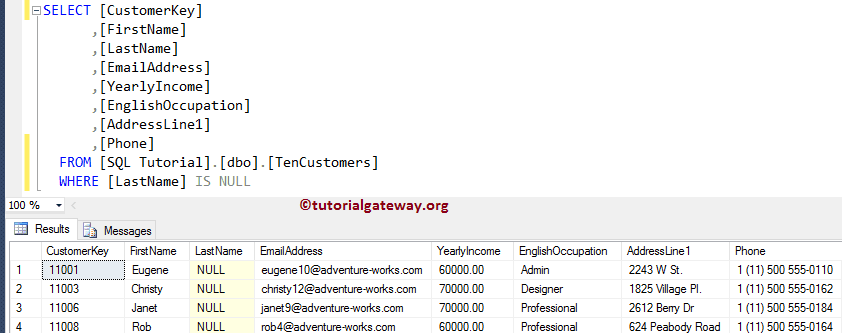
In this SELECT example, we use the IS NULL function to return all the records whose Last Name is an empty value.
SELECT [CustomerKey]
      ,[FirstName]
      ,[LastName]
      ,[EmailAddress]
      ,[YearlyIncome]
      ,[EnglishOccupation]
      ,[AddressLine1]
      ,[Phone]
  FROM [TenCustomers]
  WHERE [LastName] IS NULL
IS NULL Example 2
The below image shows the data inside the SQL Server Emp table, and it has 15 records. For more information, refer to the SQL tutorial.
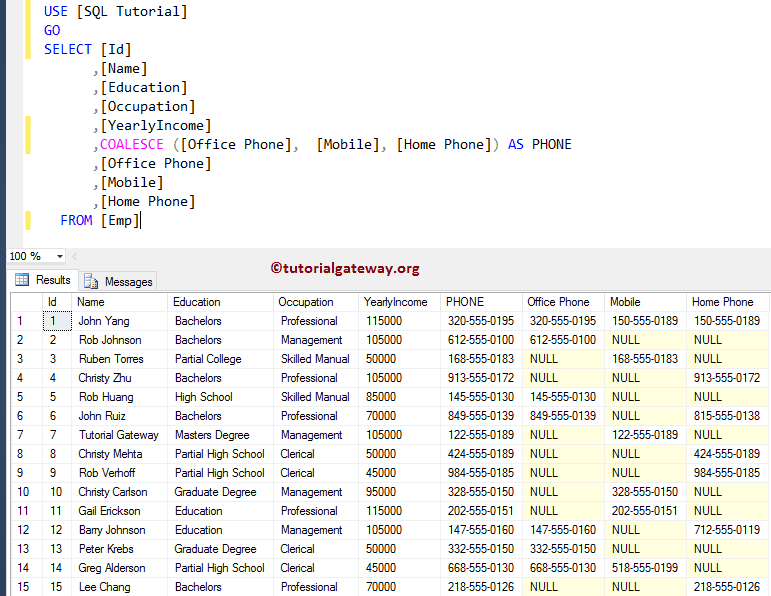
The following IS NULL query returns all the employee records whose Office Phone numbers are empty values.
SELECT [Id]
      ,[Name]
      ,[Education]
      ,[Occupation]
      ,[YearlyIncome]
      ,[Office Phone]
      ,[Mobile]
      ,[Home Phone]
  FROM [Emp]
  WHERE [Office Phone] IS NULL
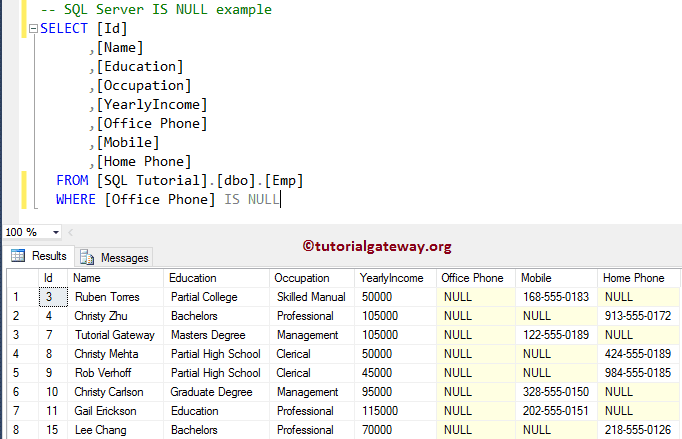
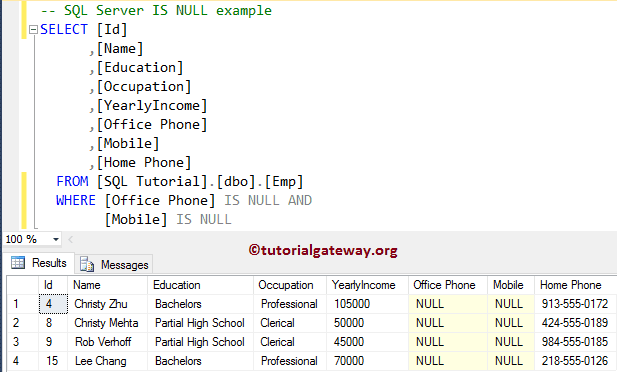
It returns the employees whose Office Phone and Mobile numbers are empty. For more NULL operations, please refer to the SQL COALESCE, SQL IS NOT NULL, and SQL ISNULL functions.
SELECT [Id]
      ,[Name]
      ,[Education]
      ,[Occupation]
      ,[YearlyIncome]
      ,[Office Phone]
      ,[Mobile]
      ,[Home Phone]
  FROM [Emp]
  WHERE [Office Phone] IS NULL AND
	[Mobile] IS NULL