The Python isspace function returns True if all the characters in a given string are whitespace characters. Otherwise, it returns False, and the syntax of this is
String_Value.isspace()
The isspace function whitespace characters
- ‘ ‘ – An empty space
- \n – New Line
- \t – Horizontal Tab
- \v – Vertical Tab
- \f – feed
- \r – Carriage return
Python isspace String Example
This example shows how to find or check spaces in a string using this isspace function. The first string is empty, but there is no empty space. The second statement has an empty space. We used a word with a combination of spaces within the third statement.
As you know, this Python method returns True only if all the string characters are empty spaces. That’s why you see the False as the output. Please refer to the Python String article from our Learn Python page to understand the creation.
str1 = ''
print(str1.isspace())

str2 = ' '
print(str2.isspace())

str3 = '  Python   '
print(str3.isspace())
False
True
False
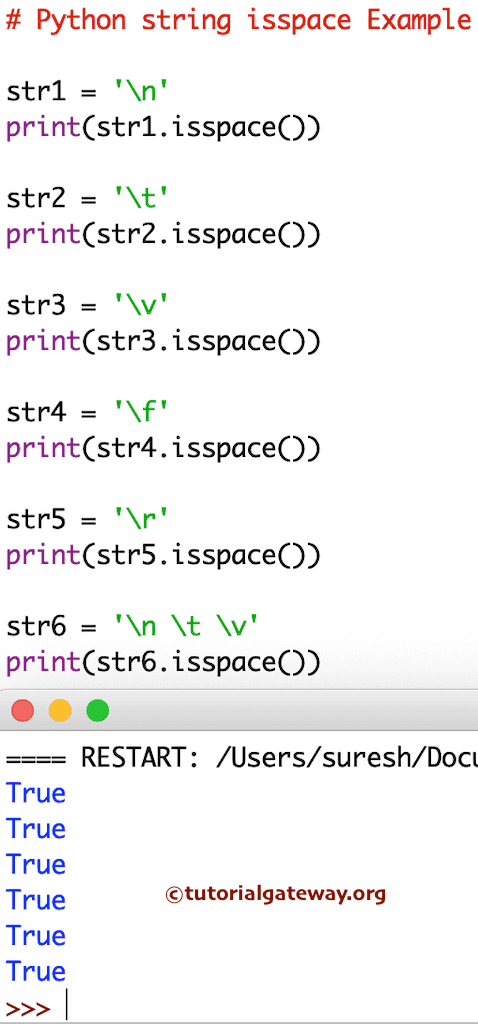
In this example, we use the isspace function against the Newline, horizontal tab, etc. These statements always return True. However, if you use them along with text, then the string’s isspace method returns false. Please refer to the Python strip function from the available Python String Methods.
str1 = '\n'
print(str1.isspace())

str2 = '\t'
print(str2.isspace())

str3 = '\v'
print(str3.isspace())

str4 = '\f'
print(str4.isspace())

str5 = '\r'
print(str5.isspace())

str6 = '\n \t \v'
print(str6.isspace())