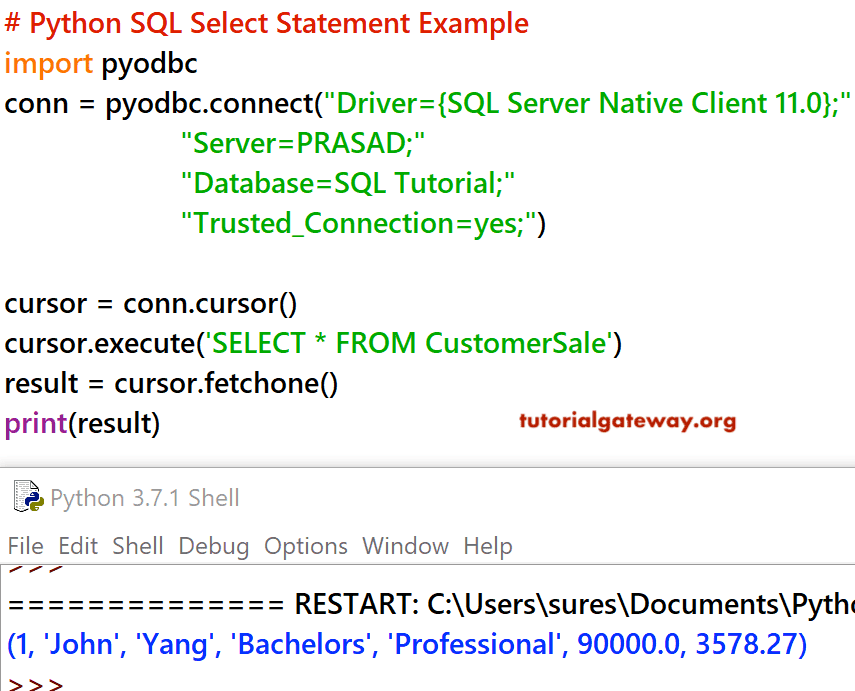
In this section, we explain to you how to write a SQL Select Statement in the Python Programming language. And how to extract or select the records from a Table.
Before we get into the Select example, please visit the Python Charts Data article to see the data we will use. Please visit the Python Programming tutorial to learn fundamentals.
Python SQL Select statement Example
In this example, we show how to use the SQL Server SELECT statement to select records from a SQL Table. Please refer to the Connect Python to SQL Server article to understand the steps involved in establishing a connection.
The following are a few of the operations we can do on SQL Server, but are not limited to them.
# Example
import pyodbc
conn = pyodbc.connect("Driver={SQL Server Native Client 11.0};"
                      "Server=PRASAD;"
                      "Database=SQL Tutorial;"
                      "Trusted_Connection=yes;")

cursor = conn.cursor()
cursor.execute('SELECT * FROM CustomerSale')

for row in cursor:
    print('row = %r' % (row,))
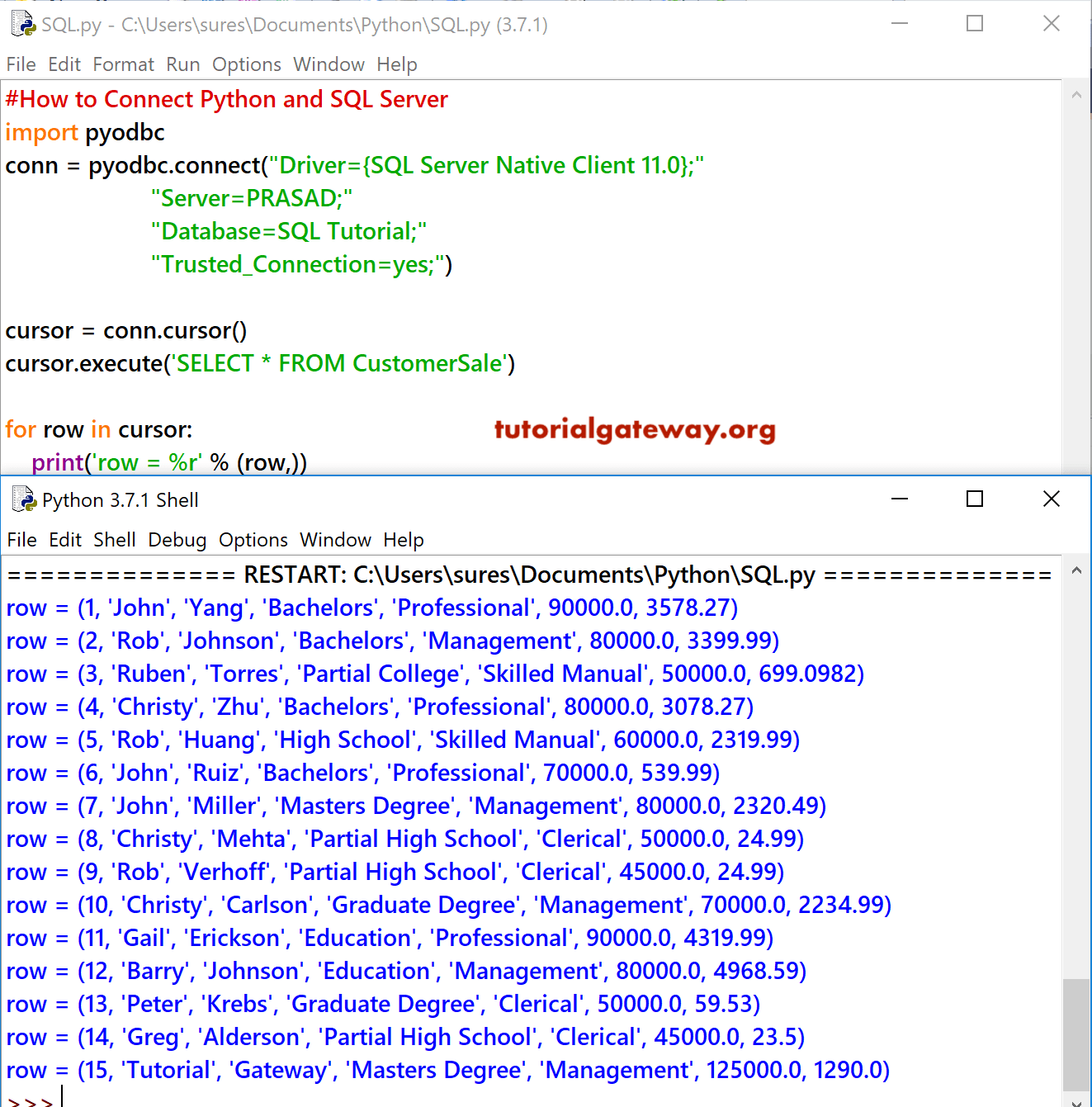
First, we imported or selected data from the Customer Sales table present in the Tutorial Database.
cursor = cursor.execute('SELECT * FROM CustomerSale')
Next, we used the Python For loop to iterate each row present in the Customer Sales table. Within the For Loop, we used the print statement to print rows.
for row in cursor:
    print('row = %r' % (row,))
Python SQL Select statement Example 2
Instead of selecting all the unnecessary columns (using * ), you can select the required columns. This example selects the Employee Id, Occupation, Yearly Income, and Sales columns from the Customer Sales table.
# Example
import pyodbc
conn = pyodbc.connect("Driver={SQL Server Native Client 11.0};"
                      "Server=PRASAD;"
                      "Database=SQL Tutorial;"
                      "Trusted_Connection=yes;")

cursor = conn.cursor()
cursor.execute('SELECT EmpID, Occupation, YearlyIncome, Sales FROM CustomerSale')

for row in cursor:
    print('row = %r' % (row,))
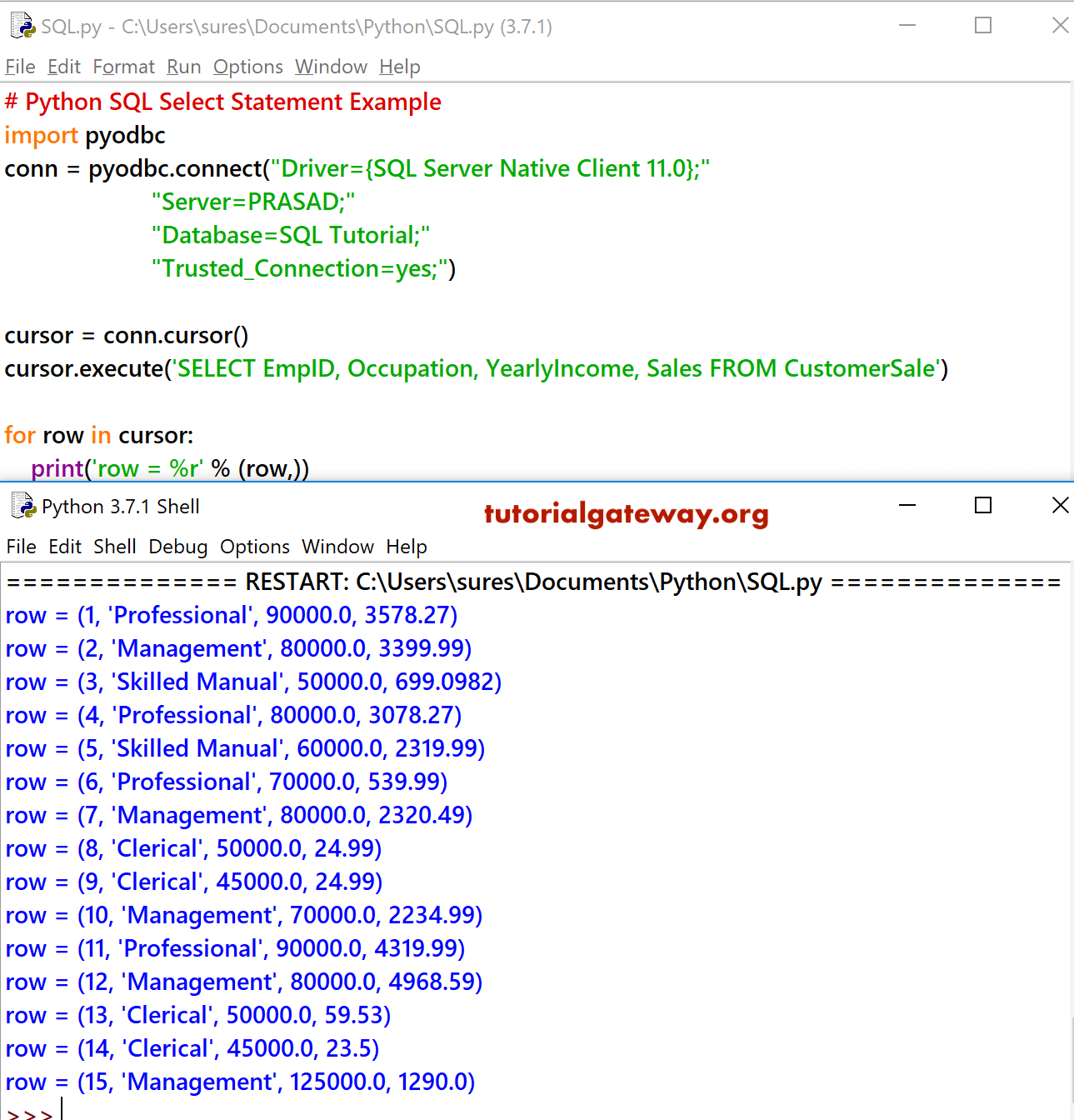
Select Database records Example 3
The cursor has many functions. You can use these cursor functions to alter the result provided by the select statement. To view the cursor function type cursor followed by . and the IDLE shows all the available ones.
For example, the Python fetchone function fetches only one row or record from a table
# Example
import pyodbc
conn = pyodbc.connect("Driver={SQL Server Native Client 11.0};"
                      "Server=PRASAD;"
                      "Database=SQL Tutorial;"
                      "Trusted_Connection=yes;")

cursor = conn.cursor()
cursor.execute('SELECT * FROM CustomerSale')
result = cursor.fetchone()
print(result)