
The Python remove function removes an item from the given set, and the syntax of this is:
setName.remove(element)
This function helps to remove any item from a given set. It is very useful if we identify the item name that we want to delete. The below code deletes 30 from an integer called removeSet.
removeSet = {10, 25, 30, 45, 50}
print("\nOld Set Items = ", removeSet)

removeSet.remove(30)
print("After Remove Method - Set Items = ", removeSet)
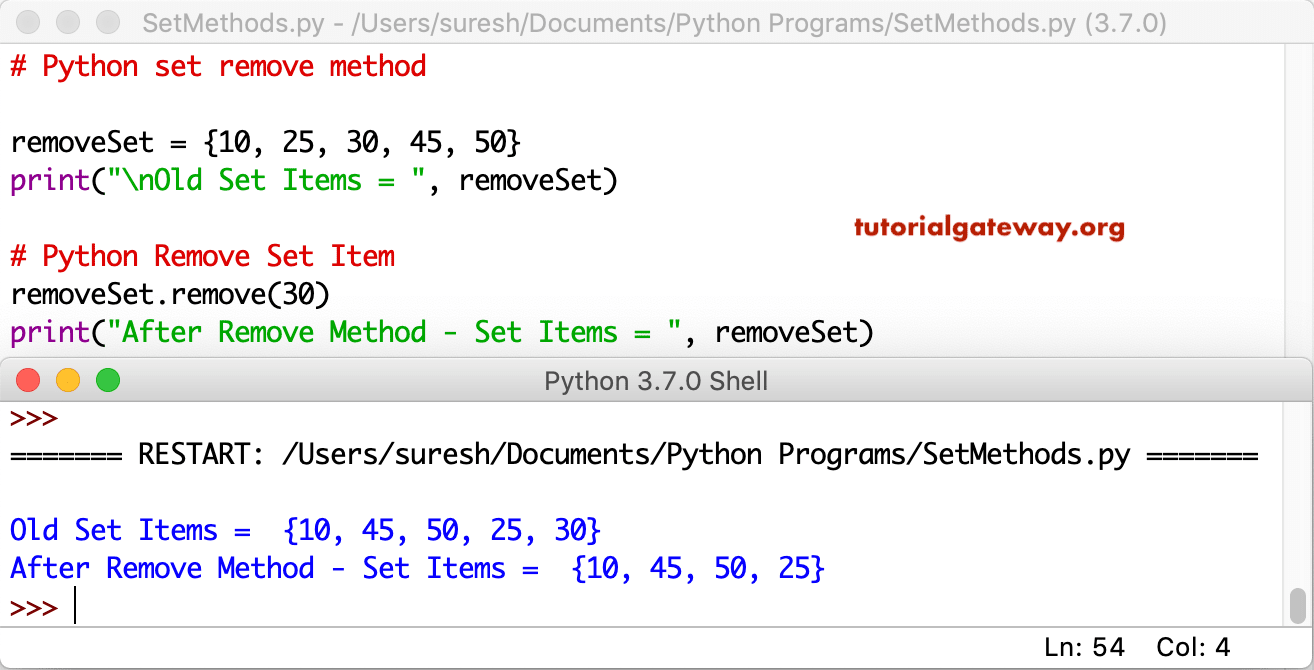
TIP: Please refer to the Python set article available on our Python tutorial page to understand the creation of sets.
How to remove the Python set item?
In this example, we declared a string, and then we used the remove function on this string set. Here, the function deletes the cherry from the fruits.
removeSet = {'apple', 'Mango', 'cherry', 'kiwi', 'orange', 'banana'}
print("\nOld Items = ", removeSet)

removeSet.remove('cherry')
print("After = ", removeSet)
Old Items =  {'orange', 'banana', 'cherry', 'kiwi', 'apple', 'Mango'}
After =  {'orange', 'banana', 'kiwi', 'apple', 'Mango'}
TIP: I also recommend referring to the Python set pop and Python set clear functions from the list of available Python set methods for other options for removing set items. Also, refer to the Python set discard.
If we know the item or the value inside the given set, use the remove method.
- After the declaration, the first statement deletes 4 from mySet. After deleting, the remaining elements adjusted themselves.
- The last statement deletes oranges from fruits.
mySet = {1, 2, 3, 4, 5, 6, 7, 8, 9}
print("Old Set Items = ", mySet)


mySet.remove(4)
print("New Set Items = ", mySet)

FruitSet = {'apple', 'Mango', 'orange', 'banana', 'cherry','kiwi'}
print("\nOld Set Items = ", FruitSet)


FruitSet.remove('orange')
print("New Set Items = ", FruitSet)
