
Python Dictionary pop function is used to remove an item at a given key position and prints the removed value. The syntax behind the dictionary pop function is shown below.
dictionary_name.pop(key, default_value)
Parameters: The dict.pop() function accepts two parameters.
- Key: The key that you want to remove from the original dictionary.
- Default_value: It is an optional argument. By default, if the given key is not found in a dict, the Python dictionary pop() function raises KeyError. To fix this KeyError, we use the default-value argument because the pop() function returns this value.
Return Value
- If the user-given key is found inside a dictionary, the dict.pop() function removes the key-value pair from the dictionary.
- If the key is not present in the dictionary, the dict.pop() raises either the KeyError or returns a default value.
Python Dictionary pop Example
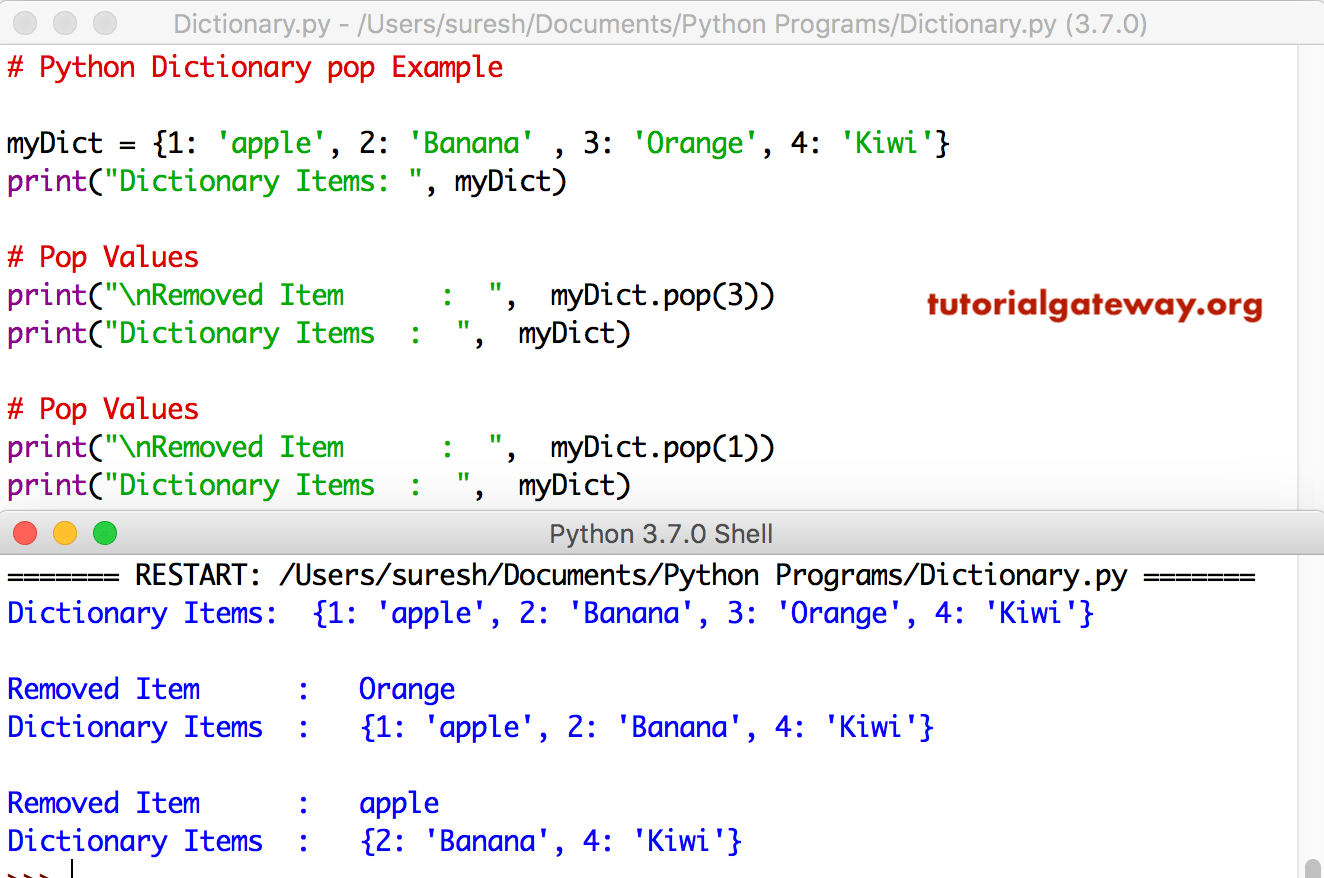
The pop function removes key-value pairs at a given key and prints the value. In the following example, we use dict.pop() to remove the 3rd and 1st key. Please refer to the Dictionaries in Python article from our Learn Python page to understand everything about them.
myDict = {1: 'apple', 2: 'Banana' , 3: 'Orange', 4: 'Kiwi'}
print("Dictionary Items: ", myDict)

print("\nRemoved Item      :  ",  myDict.pop(3))
print("Dictionary Items  :  ",  myDict)

print("\nRemoved Item      :  ",  myDict.pop(1))
print("Dictionary Items  :  ",  myDict)
Fixing dict.pop() function KeyError
In this program, we are trying to pop or remove a non-existent Dictionary item. As you can see, Python is throwing an error. For more, refer to the Python dictionary methods article.
myDict = {1: 'apple', 2: 'Banana' , 3: 'Orange', 4: 'Kiwi'}
print("Dictionary Items: ", myDict)

# Pop Non-existing Values
print("\nRemoved Item      :  ",  myDict.pop(5))
print("Dictionary Items  :  ",  myDict)
Dictionary Items:  {1: 'apple', 2: 'Banana', 3: 'Orange', 4: 'Kiwi'}
Traceback (most recent call last):
  File "/Users/suresh/Desktop/simple.py", line 5, in <module>
    print("\nRemoved Item      :  ",  myDict.pop(5))
KeyError: 5
>>>
In this Python dictionary pop program, we are using the second argument to display the default value. The below code returns Sorry!! No Item exits message if you are trying to remove the non-existing item from the dictionary.
myDict = {1: 'apple', 2: 'Banana' , 3: 'Orange', 4: 'Kiwi'}
print("Dictionary Items: ", myDict)

# Non-existing Values
print("\nRemoved Item      :  ",  myDict.pop(5, 'Sorry!! No Item exists'))
Dictionary Items:  {1: 'apple', 2: 'Banana', 3: 'Orange', 4: 'Kiwi'}

Removed Item      :   Sorry!! No Item exists
TIP: To remove and return the last dictionary item, use the Python dictionary popitem(). If the task is to empty the dictionary, use the Python dictionary clear method.
How to remove multiple keys from a Python dict?
There are several ways to remove multiple keys from a dictionary. Among them, using the built-in Python pop() function is the safest way to delete multiple dictionary keys. If the specified key is not present, it will not raise KeyError because of the default value.
In the following example, we used the list to specify multiple keys. Next, the for loop iterates over the list of keys, and the pop() function deletes the key-value pair from a dictionary if the key matches.
NOTE: If we add the State key to the list, the code below will not raise an error because we used the default value None.
emp = {'name': 'Tracy', 'age': 25, "city": "London", 'Sal': 750000}

delete_keys = ["age", "city"]

for key in delete_keys:
    emp.pop(key, None)

print(emp)
{'name': 'Tracy', 'Sal': 750000}If the task is to create a new dictionary from an existing dictionary, use the code below. While copying, we must remove or filter multiple keys in the original dictionary.
The following approach copies the original employee dictionary into a new dict by removing multiple keys. Here, the original dictionary remains unchanged, but the new dict does not have age and salary key-value pairs. Please refer to the Python dict.keys and Python dict.values functions.
emp = {'name': 'Tracy', 'age': 25, "city": "London", 'Sal': 750000}
delete_keys = ["age", "city", "country"]

new_emp = {k: v for k, v in emp.items()
    if k not in delete_keys}

print(new_emp)
{'name': 'Tracy', 'Sal': 750000}If you are very sure about the existence of the keys in a dictionary, we can use the del operator.
emp = {'name': 'Tracy', 'age': 25, "city": "London", 'Sal': 750000}

del emp["age"]
del emp["city"]
print(emp)
{'name': 'Tracy', 'Sal': 750000}What is the difference between Python dict.pop and del?
Both dict.pop() function or the del keyword removes an item from a dictionary based on the given key. However, they differ in functionality.
- dict.pop() function deletes the key-value pair based on the given key. If we assign the pop() statement to a variable, it stores and returns the value that was deleted. If the given key is not present in a dictionary, it returns a KeyError unless you provide a default value.
- del deletes the key-value pair based on the given key but does not return the removed item. As there is no option to pass a default value, it raises KeyError if the given key is not present in the dictionary.
Using Python dictionary pop() function
In the following example, we used the built-in dict.pop() function to delete a city from a given dictionary and print the deleted item as the output. In the next line, we try to delete the country (key) that does not exist in the original dictionary, and the pop() returns the default value (Second argument).
emp = {'name': 'Matt', 'age': 25, "city": "London"}

city = emp.pop('city')
print(city)
print(emp)

country = emp.pop('country', 'United Kingdom')
print(country)
print(emp)
London
{'name': 'Matt', 'age': 25}
United Kingdom
{'name': 'Matt', 'age': 25}
Using del
In the following example, the del removes the city, but there is no printing of the removed items. Next, we removed non-existent dictionary items, and the del operation raises a KeyError.
emp = {'name': 'Matt', 'age': 25, "city": "London"}

del emp['city']
print(emp)

del emp['country']
print(emp)
{'name': 'Matt', 'age': 25}
KeyError: 'country'
Python dictionary pop conditionally based on value
As we all know, the pop() function removes the dictionary item based on the given key. To conditionally remove based on value, we must use the approach below.
Here, list(fruits) returns the Python list of all the available dictionary keys. Alternatively, use the keys() function. The Python for loop iterates over the list of dictionary keys, and if the key value is 10, remove that item.
fruits = {"apple": 10, "banana": 20, "cherry": 10, "mango": 10, "kiwi":40}

for key in list(fruits):
    if fruits[key] == 10:
        fruits.pop(key)

print(fruits)
{'banana': 20, 'kiwi': 40}If you want to remove a single item based on the value, use the Python dict.get() function to get the value corresponding to the given key. If a match, delete it.
if fruits.get("mango") == 10:
    fruits.pop("mango")

print(fruits)
{'apple': 10, 'banana': 20, 'cherry': 10, 'kiwi': 40}How to pop a key from a Python nested dictionary?
Similar to the regular dict, we can use the built-in pop() function to remove a key-value pair from a nested dictionary. However, we must access the nested dict first and then apply the pop() function on it.
data = {
    "user": {
        "name": "Jonty", "age": 35,
        "city": "New York", "state": "NY"
    }
}
age = data["user"].pop("age", None)
print(age)
print(data)
35
{'user': {'name': 'Jonty', 'city': 'New York', 'state': 'NY'}}