Quick Answer
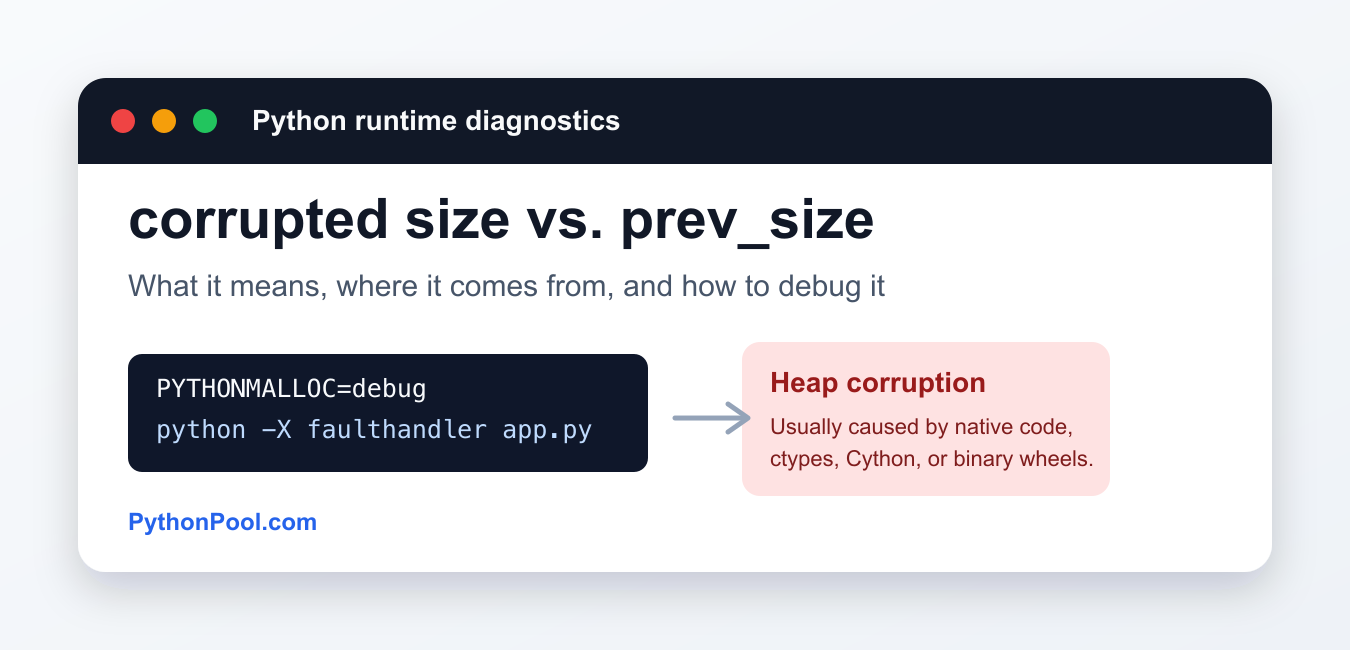
This message is usually a native-memory allocator abort, not a catchable Python exception. Reproduce it in a small environment, run with PYTHONMALLOC=debug and faulthandler, isolate binary packages, and audit ctypes, Cython, or custom extension buffer ownership.
corrupted size vs. prev_size is not a normal Python exception. On Linux systems, this message usually comes from the system memory allocator after it detects heap metadata corruption. In a Python program, that normally means native code wrote outside the memory it owned.
Pure Python code is memory safe enough that it should not overwrite allocator metadata directly. The usual source is a C extension, Cython module, ctypes call, binary wheel, image/data library, or a package compiled against incompatible native dependencies. The fix is to isolate the native boundary instead of trying to catch the message with try/except.
What the error means
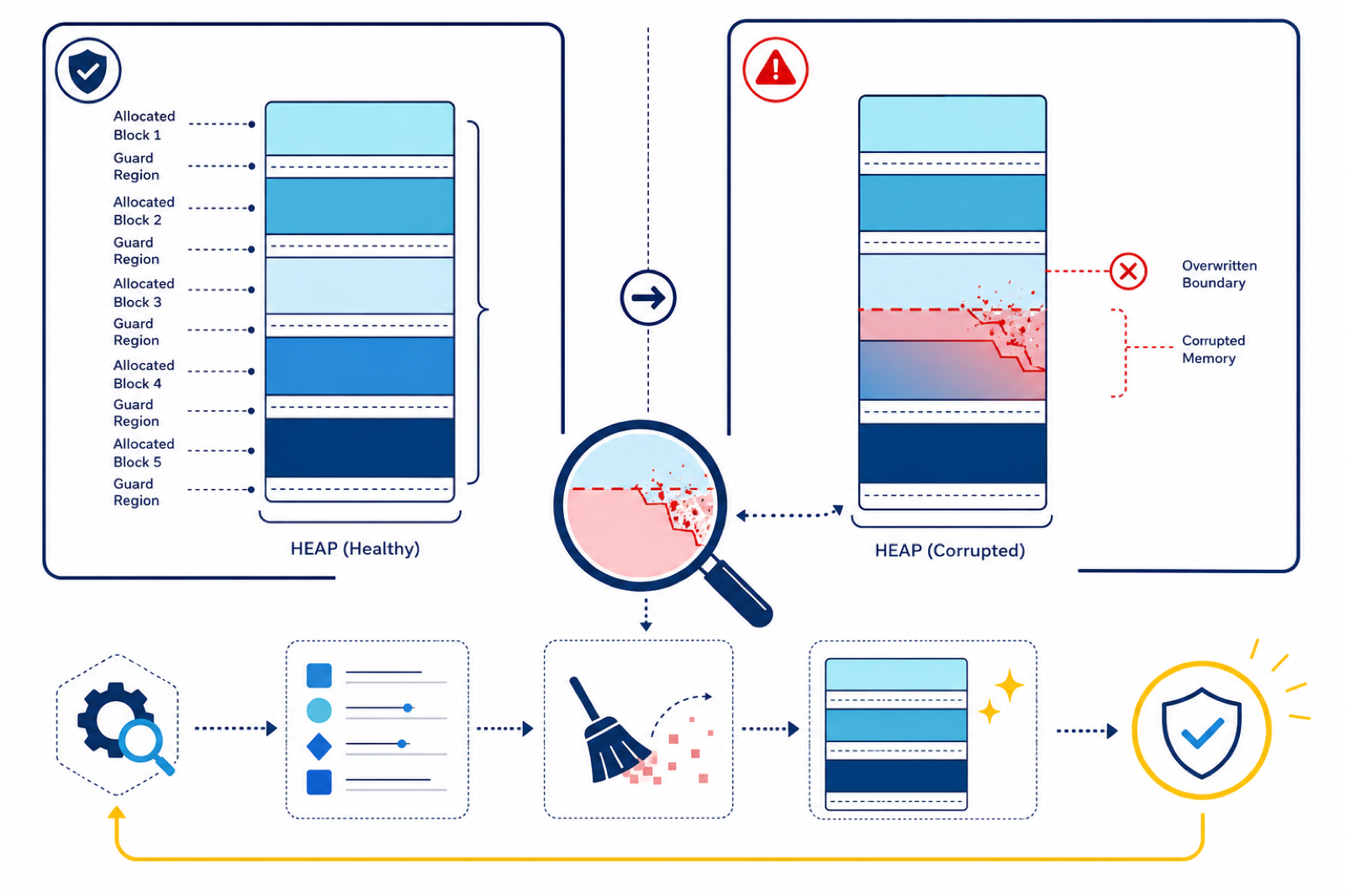
The allocator stores bookkeeping fields around heap chunks. The prev_size field helps it understand the size of a neighboring allocation. If code writes past the end of a buffer, frees memory twice, uses a pointer after it was freed, or mixes incompatible allocators, that bookkeeping can be damaged. When the allocator later checks the chunk, it may stop the process with a message such as corrupted size vs. prev_size or aborted (core dumped).
That is why the line shown in the terminal is often not the real bug. The crash can happen long after the write that corrupted memory.
Most common causes in Python projects
- A compiled package such as NumPy, OpenCV, PyTorch, TensorFlow, lxml, Pillow, or another C extension is crashing inside native code.
- A
ctypesor CFFI call uses the wrong argument types, pointer type, buffer length, or ownership rules. - A Cython or custom C/C++ extension writes past an allocated array or frees memory incorrectly.
- Binary wheels were mixed across Python versions, operating systems, CPU architectures, or incompatible system libraries.
- The process uses multiple native libraries that pass memory ownership across boundaries incorrectly.
First checks
Start by making the crash reproducible. Run the smallest script that still triggers the error, then enable Python’s fault handler and debug allocator:
PYTHONMALLOC=debug python -X faulthandler app.pyPYTHONMALLOC=debug adds extra checks around Python memory allocations, while -X faulthandler can print Python tracebacks when the interpreter receives a fatal signal. These tools may not identify every native bug, but they often show which import, function call, or data path is active when the process fails.
Isolate the package causing the crash
- Create a new virtual environment and install only the packages needed to reproduce the issue.
- Pin the Python version used by the working environment and the failing environment.
- Upgrade or reinstall the suspected package and its native dependencies.
- Remove optional acceleration packages one at a time, such as image codecs, GPU builds, or custom compiled extensions.
- If the failure started after an upgrade, compare the old and new wheels with
pip freeze.
python -m venv .venv
source .venv/bin/activate
python -m pip install --upgrade pip
python -m pip install --force-reinstall --no-cache-dir package-name
Replace package-name with the library that appears closest to the crash. If the clean environment works, the old environment probably had a broken binary install or dependency conflict.
When ctypes or Cython is involved
For ctypes, define argtypes and restype for every C function you call. Passing a Python integer where a pointer is expected, or using the wrong string/buffer type, can corrupt memory without raising a Python exception first. If you maintain Cython or C/C++ code, rebuild it with warnings enabled and use tools such as AddressSanitizer or Valgrind in a local debug build.
Also check whether ownership is clear. If Python owns a buffer, native code should not free it. If native code allocates memory, the matching native library should usually free it.
What not to do
- Do not add a broad
except Exceptionblock. The process is aborting below normal Python exception handling. - Do not assume increasing RAM will fix it. This is usually corruption, not a simple Python MemoryError.
- Do not keep reusing the same polluted environment. A clean virtual environment is faster than guessing.
- Do not confuse this allocator heap with data-structure heaps such as
heapq.
Related Python guides
- Python Memory Error
- Clear memory in Python
- No module named _ctypes
- OpenCV moments in Python
- Ignoring invalid distribution in pip
- Python virtualenv location
Official references
- Python C API: memory management
- Python command line: PYTHONMALLOC
- Python faulthandler module
- Python venv documentation
Conclusion
To fix corrupted size vs. prev_size in Python, treat it as a native-memory problem. Reproduce it in a small script, enable PYTHONMALLOC=debug and faulthandler, rebuild or reinstall suspicious binary packages, and audit any ctypes, Cython, or C extension code that touches buffers or memory ownership.
Build a Minimal Reproduction Before Reinstalling Everything
Heap corruption may be detected long after the invalid write, so the last line in the terminal is not necessarily the cause. Reduce the program to the smallest import and function call that still crashes, then compare a clean virtual environment with the failing one.
python -X faulthandler -c 'import package_name; run_reproduction()'
PYTHONMALLOC=debug python -X faulthandler reproduction.py
Record the Python version, platform, package versions, and whether the failure disappears when a native dependency is removed. For code using ctypes or Cython, verify argument types, buffer lengths, and which allocator owns each pointer.
Frequently Asked Questions
Is corrupted size vs. prev_size a normal Python exception?
Usually no. It is commonly reported by the operating system’s native memory allocator after heap metadata was corrupted, so a normal try/except block cannot reliably catch it.
Which packages can cause this kind of crash?
Any native extension can be involved, including image, numeric, data, GPU, Cython, CFFI, or ctypes-based packages. Isolate the smallest failing dependency set instead of guessing.
What does PYTHONMALLOC=debug help with?
It adds extra checks around Python memory allocation and can make some memory misuse easier to reproduce. It cannot identify every bug in external native code.
Should I just increase available memory?
No. Heap metadata corruption is usually an invalid write, use-after-free, double free, or allocator mismatch. More RAM does not repair incorrect native memory ownership.