It has been quite a long time since I last produced the LCD Dial.
In the early days, the quality of the LCD parts was fairly good. However, as demand suddenly increased, the quality of the supplied LCD modules dropped significantly. In some cases, the modules were almost unusable, so I had no choice but to stop production.
During that time, it became difficult to source high-quality LCDs, so I only made them for a few people who specifically requested them.
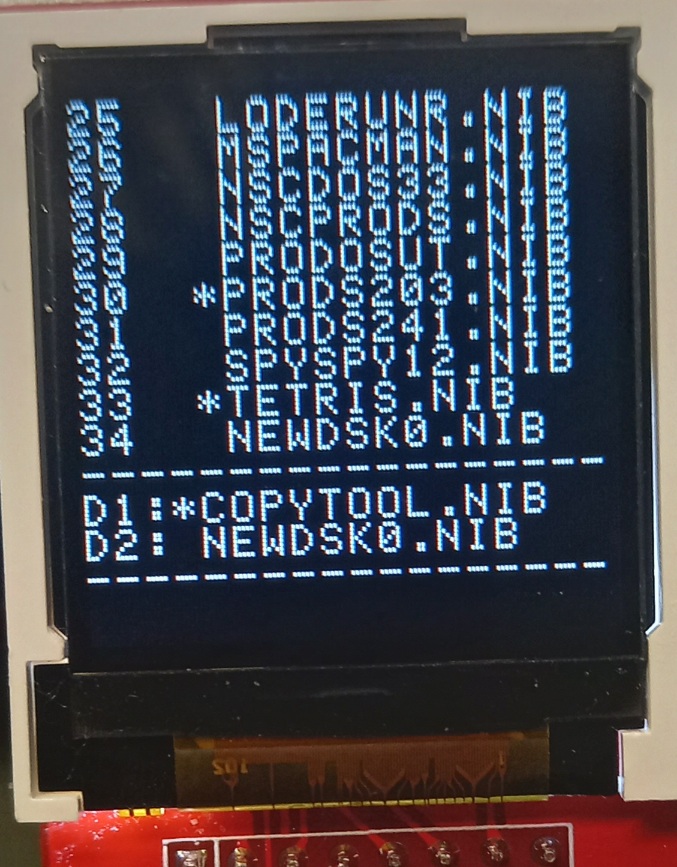
This time, I have decided to move away from the old monochrome LCD and am currently working on new firmware for an upgraded version.
Both the display capability and overall functions will be greatly improved.
The current display size is 128×128. Since future changes are not too difficult, I decided to start with this size first.
The backlight characteristics are also different, and the clearer display makes it much easier to read.
Once the firmware work is complete, I will provide the improved LCD Dial.
The number of IMS files selectable from the menu has been increased from 254 to 384.
I think this should be enough for normal use.
Volume Control
You can now increase or decrease the volume while the music is playing.
Pause / Resume During Playback
During playback, you can press the SPACE key to pause or resume the song.
JUKE BOX Support
My favorite “JUKE BOX” feature is also working well.
You can play songs continuously, and choose whether the next song should be selected upward or downward in the file list.
Progress Bar
A progress bar is shown at the bottom of the screen, so you can roughly see how far the music has progressed.
I tried to add as many useful features as possible while still keeping the performance optimized.
As a result, the Apple II can now play IMS music much better than I originally expected.
Honestly, I put a lot of passion and effort into this program.
Please listen to the music. When X-WAY is turned on in the middle of playback, you can hear the sound change.
System Requirements
Apple //e with 65C02
SD Music Deluxe card
Features
IMS music file playback support.
With Hidden Reading, there is effectively no file size limit. The sample song above is 65KB.
Remaining Work
If an instrument cannot be found, or if the included BNK file is missing, the player will load STANDARD.BNK and fill in the missing instruments automatically.
I also plan to continue speed optimization, especially for faster instrument searching in large STANDARD.BNK files.
Please consider getting an SD Music DX card, and please give lots of love to the IMS Player as well. ^^
I’ve been working on an IMS music player for the Apple II. (It required the SD Music DX OPL3 card)
IMS file: For those interested in the technical specs of the 1990s Korean Chiptune/MIDI format (.IMS) powered by Yamaha OPL chips, here is the detailed English wiki page. https://moddingwiki.shikadi.net/wiki/IMS_Format
A 20KB buffer is not enough for longer songs, so the player must read more IMS data from disk while the music is playing. I have already done similar work in my MIDI and VGM players, so I plan to bring that experience into this IMS player as well.
I’m also planning a few UI features:
A level meter, so the screen feels alive while music is playing.
A progress display, so users can roughly see where they are in the song.
There are still many details to solve, but the player is finally starting to take shape.
The previous version felt a bit plain during music playback, so after considering several options, I added a level meter.
However, the VGM and DRO formats have very little timing margin during playback, making it difficult to apply the level meter. IMF has relatively more timing flexibility, so the level meter has been applied to the IMF format first.
It is currently under testing, and if no issues are found, it will be released as an official version.




댓글을 달아 주세요