





Creating materialized views
Contents
Views can be materialized and stored in the PostHog data warehouse. This means that the view is precomputed, which can significantly improve query performance. This is useful for expensive and frequently used queries like KPI dashboards or embedded analytics queries.
There are two ways to materialize a view:
At creation time: When saving a query as a view in the SQL editor, check the Materialize this view checkbox in the "Save as view" dialog. This materializes the view immediately with a daily sync by default. You can adjust the sync frequency later in the materialization settings.
After creation: For an existing view, go to the SQL editor, select the Materialization tab below the query, click Save and materialize, and give it a name without spaces.
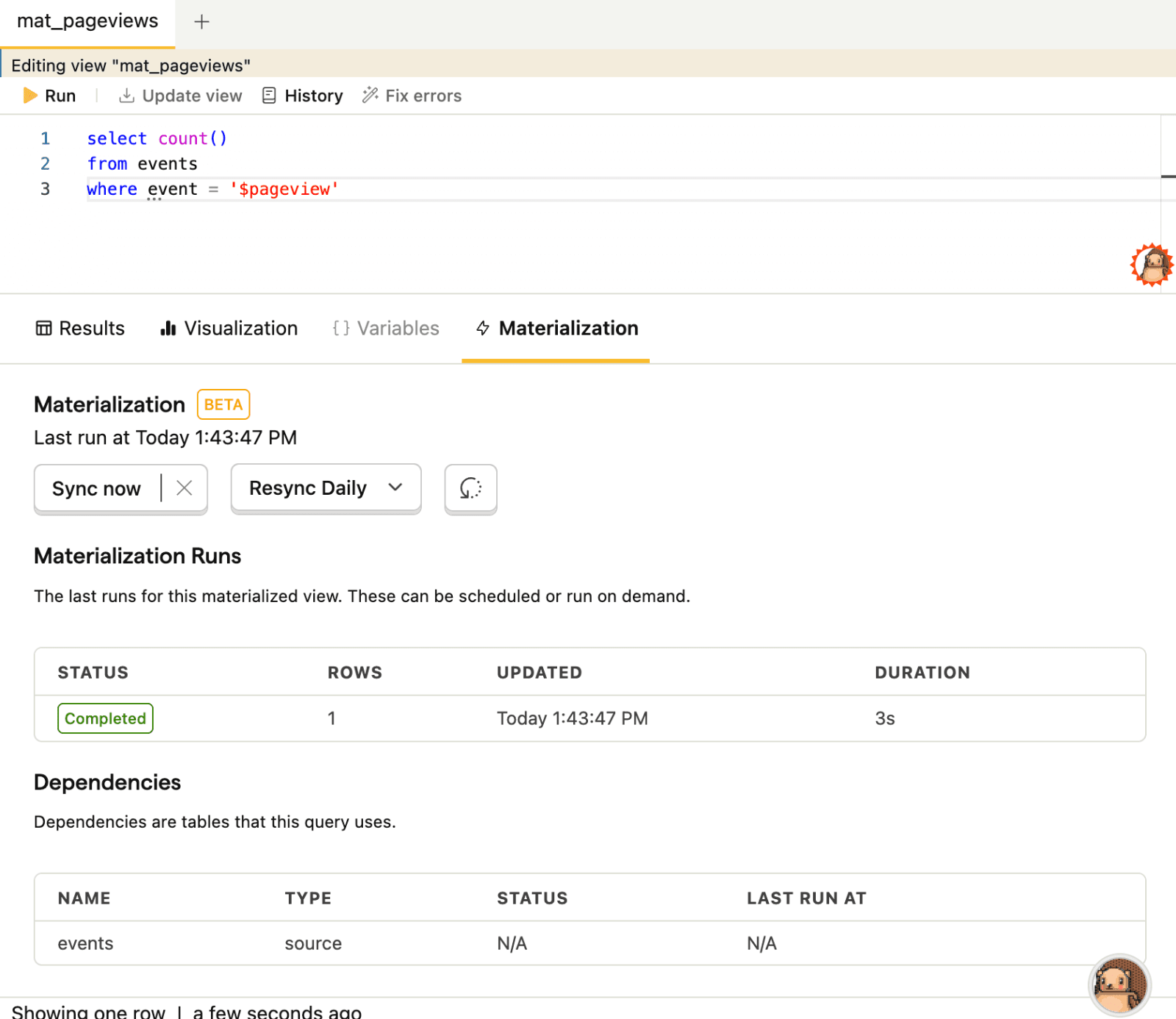
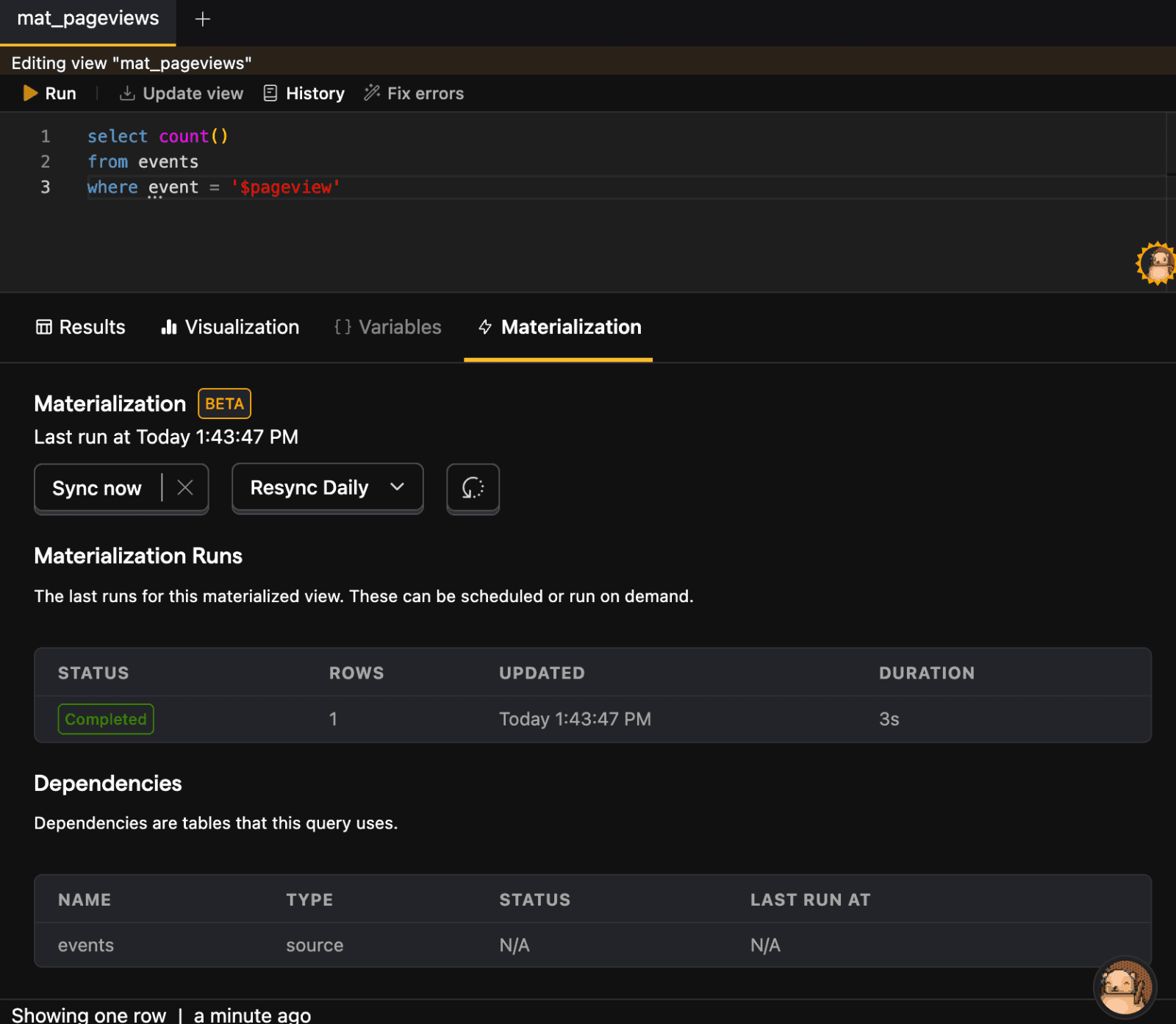
Once materialized, you can query the view like any other table.
Scheduling a materialized view
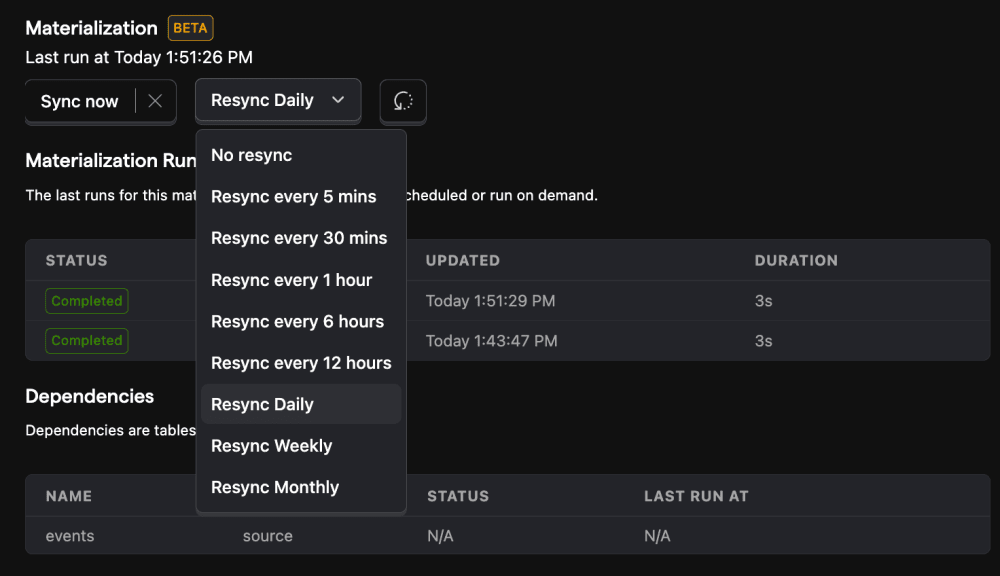
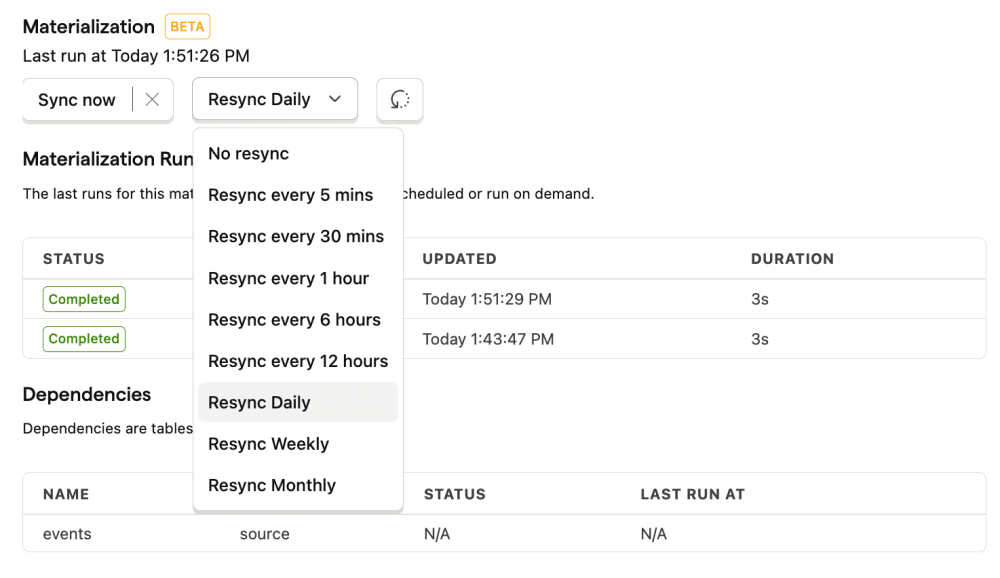
After you create a view, you can also schedule it to be updated at a specific interval, anywhere from never to every 15 minutes to every month. This is useful when you have a view that is used frequently, and you want to ensure that the data synced at a specified cadence.
For example, if you sync your billing data to Postgres using a cron job daily and link Postgres as a source in PostHog, you could set up a materialized view with that billing data to resync daily as well.
Incremental materialization
Every run of a materialized view rebuilds the whole table by default. With incremental materialization, each run reads only the rows that are new since the last run. It then updates the table in place.
Use it when the query is slow, or when the source table is large and mostly unchanging. A daily revenue rollup over two years of Stripe charges is a good example. A full rebuild reads all two years. An incremental run reads only the days that changed.
Incremental materialization is currently in beta. Contact support if you don't see the Refresh mode options on your view.
Turning on incremental refresh
You can turn it on when you save a view, or later on an existing one.
- Open the view in the SQL editor.
- Select the Materialization tab below the query.
- Under Refresh mode, select Incremental.
- Fill in the settings below, then click Save refresh mode.
The same settings appear in the Save as view dialog when you check Materialize this view.
| Setting | What to pick |
|---|---|
| Incremental column | The column that tracks which rows are new. Its value grows as rows arrive, like a timestamp or a sequential ID. Each run reads rows at or after the highest value of the last run. |
| Unique key | The columns that together identify a row, like a primary key. PostHog updates matching rows in place. Include every column the query groups by. |
| Re-read recent data | How far back before the last high point to read again. This picks up rows that arrive late. Choose no lookback, 1 hour, 1 day, or 7 days. It applies only to a date or time incremental column. |
PostHog offers only the columns that can do each job. A string or a UUID column cannot be an incremental column, because neither has a reliable order. Both can be part of a unique key.
A unique key column must never be null. A null value adds a duplicate row on every run instead of updating one. Wrap the column in coalesce() to give it a fallback value.
When PostHog rebuilds the whole table
Some runs rebuild the table from scratch, even on an incremental view:
- The first run after you materialize the view.
- Any run after you change the query, the incremental column, or the unique key.
- A run you start with the Rebuild button.
A change to Re-read recent data does not cause a rebuild. It applies from the next run.
Each run in the runs table carries a tag that says incremental or full refresh. The row count of an incremental run counts the rows it wrote, including the rows it re-read.
Use Rebuild after you correct data upstream. It takes as long as the first materialization did.
Which queries can be incremental
PostHog checks your query as you edit it. If a query cannot be incremental, the editor names the construct that blocks it, and the view stays on full refresh.
A query cannot be incremental when it uses:
LIMIT,OFFSET, orLIMIT BY, at any level. Which rows these let through changes as data arrives.- A top-level
ORDER BY. A sort has no effect on a materialized table. Sort when you query the view instead. - A top-level
SELECT DISTINCTwithout aGROUP BY. Deduplicating one window says nothing about rows in other windows. HAVING. A group can pass the condition on one run and fail it on a later one.- Window functions. Their frames reach across rows outside the window that the run recomputes.
GROUP BY CUBE,ROLLUP, orGROUPING SETS. One source row contributes to several output rows.EXCEPTorINTERSECT. One removed row can add or remove output rows anywhere.
Aggregates are supported, including count(DISTINCT ...) and exact percentiles. A grouped query has two extra rules:
- The incremental column must be one of the
GROUP BYcolumns. - The unique key must include every
GROUP BYcolumn.
Together these rules make each run recompute every group it touches in full, so no aggregate goes stale.
The editor also shows warnings that do not block the save:
now(),today(), andrand()make each run depend on when it ran. A later run can then change rows that an earlier run wrote.- An incremental column that comes from a subquery or CTE that aggregates. Results stay correct, but each run reads as much data as a full refresh.
Things to know
- An incremental run never deletes rows. If a row disappears from your source, the stored row stays until you rebuild.
- A row that arrives later than the lookback window is missed. Widen Re-read recent data, or rebuild to pick it up.
- Incremental views work in the SQL editor only. Endpoints always refresh in full.
Tips for materializing views
The purpose of materialization is to speed up queries, so you don't need to materialize views that are already fast.
You can materialize only the slow part of a larger query, like a
withexpression or a subquery. Often times, materializing a subset is a good way to create a resource that's reusable, including insights and other data warehouse views.Datasets generated from materialized views are only updated at the specified intervals and not in real-time. This means that if you have a view that is used in a dashboard or relied upon for another query, the dashboard will not update until the materialized view is updated. We offer a 15-minute refresh interval, but if the query takes longer than that to execute, it will only be updated once the query is finished and rerun at the next 15-minute interval.
Materialization runs have more compute and memory resources allocated to them than standard queries, but they still can timeout for inefficient queries. We time out after 1 hour of processing time.