Introduction
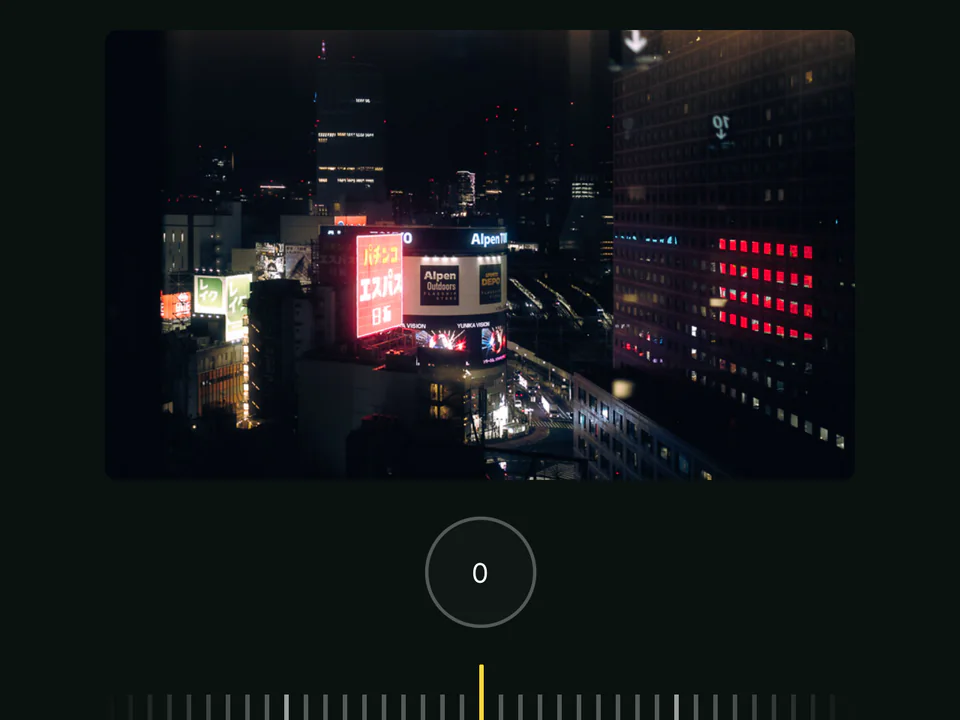
The Carousel: iOS exposure slider example recreates the smooth, tactile feel of iOS camera's exposure adjustment control. As users drag the slider, notches animate in and out with spring physics, mimicking the visual feedback of the native control.
This example uses several Motion APIs working together:
- The Motion+
Carouselcomponent for the draggable slider. useTickeranduseTickerItemhooks to track individual notch positions.useMotionValueto hold the exposure value.useTransformto derive display values.useMotionValueEventto respond to position changes.- The
animateprop to spring-animate notches as they grow and shrink.
Get started
Let's build a simple exposure slider interface with an image and circular progress indicator.
"use client"

import { motion, useMotionValue } from "motion/react"

export default function CameraExposureSlider() {
    const exposure = useMotionValue(0)

    return (
        <div className="container">
            <div className="image-container">
                <img src="your-image.jpg" alt="Sample photo" />
            </div>

            <ProgressIndicator value={exposure} />

            <div className="exposure-slider">{/* Carousel will go here */}</div>
        </div>
    )
}

function ProgressIndicator({ value }) {
    return (
        <div className="progress-circle">
            <svg viewBox="0 0 100 100">
                <circle cx="50" cy="50" r="48" className="circle-border" />
            </svg>
            <div className="progress-value">0</div>
        </div>
    )
}

function Stylesheet() {
    return <style>/** Copy styles from example source code */</style>
}- 01Let's animate!
- Import from Motion
- Generate exposure values
- Add the `Carousel` component
- Apply exposure to the image
- Sync carousel position with exposure
- Animate the progress indicator
- Create animated notches
- Track notch state
- Build the `ExposureNotch` component
- Calculate initial state
- Respond to scroll changes
- 02Conclusion