Helping you ditch the markdown viewer for good.

Write TODOs *everywhere* and view them in one place.

This plugin allows you to create and use templates in Joplin.

Create and manage Kanban boards from Joplin
Helping you ditch the markdown viewer for good.
Write TODOs *everywhere* and view them in one place.
This plugin allows you to create and use templates in Joplin.
Create and manage Kanban boards from Joplin
Create links to other notes

Line numbers, code folding, space highlighting, word count, and other options for the CodeMirror 6 editor.

Allows to open several notes at once in tabs and pin them.


Turn your notes into a powerful calculator with inline math.
Shows differences between notes. This plugin can be used to resolve conflicts and compare related notes.
Format the table under the cursor in Markdown editor

Pagination, font family and size customization for Joplin's Markdown viewer. Supports mobile and desktop. (Beta).

Combine one or more notes

Monitors a locale folder and import the files as a new note.

A plugin that makes process of resolving conflicts easier.

A note overview is created based on the defined search and the specified fields.

Displays a note preview in the note list

Plugin to create manual and automatic backups.
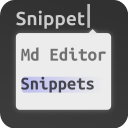
Exposes CodeMirror 6's built-in support for autocompletion and snippets.
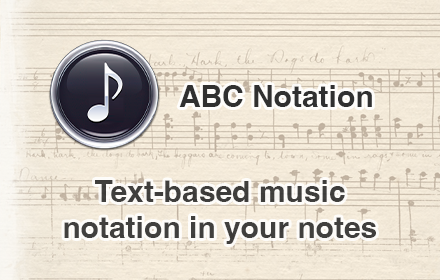
Turns ABC text notation into sheet music

Adds support for local CSS @imports and @importing CSS from notes.
Turn notes into slideshows with reveal.js!

A panel with information about the current note and an advanced search tool.

Create and edit drawings with js-draw.

Victor can be used to clear all your data - notes, notebooks, attachments, tags, etc. Convenient to start over.
Configure CodeMirror‘s Vim emulation with a very-limited, vimrc-like file.
Copy/Show the ID of a notebook. For developers. A regular user won't need this.
Helping you ditch the markdown viewer for good.
Write TODOs *everywhere* and view them in one place.
This plugin allows you to create and use templates in Joplin.
Create and manage Kanban boards from Joplin

Joplin AI assistant running a very intelligent system (GPT, Claude, Gemini, Ollama, Hugging Face, ...), including: related notes (semantic search), chat with LLMs and your notes, prompt templates, auto-tags and more.
Create links to other notes
Line numbers, code folding, space highlighting, word count, and other options for the CodeMirror 6 editor.
Outline (TOC) sidebar plugin for joplin.
Allows to open several notes at once in tabs and pin them.
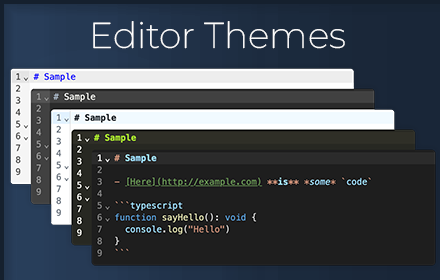
70+ editor themes, including VSCode, GitHub, and Sublime
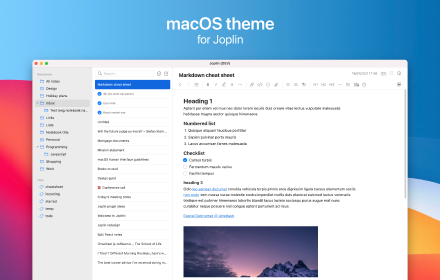
Native looking macOS theme for Joplin. Also works on non-macOS devices.
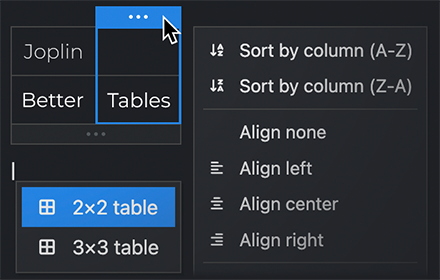
Powerful interactive table editor for Joplin notes
A simple journal. Create or open a note for today, or any selected date.
A simple calendar to show notes created on each day.
Turn your notes into a powerful calculator with inline math.

Keeps your Joplin notes safe with password and encryption.
Save any notebook, note, to-do, tag, or search as favorite in an extra panel view for quick access.
Shows differences between notes. This plugin can be used to resolve conflicts and compare related notes.
Create notes and tasks for any day in the calendar.
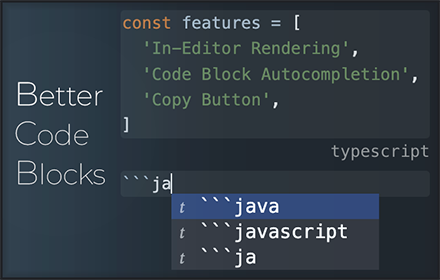
Enhances code blocks with inline rendering, autocompletion, and more!
Type inline tags or frontmatter in the note editor. View your tagged paragraphs and tasks / TODOs in a search panel, or in a generated note / kanban. Build a table view / database from notes and tags. Convert between Obsidian tags and Joplin tags.
Format the table under the cursor in Markdown editor
Pagination, font family and size customization for Joplin's Markdown viewer. Supports mobile and desktop. (Beta).

Easily manage and schedule projects, integrating tasks directly with your knowledge base.

Add a copy button to the code blocks.
Create collapsible blocks with title and extendable body, and make headings collapsible too.
Combine one or more notes
Enhance the markdown editor with live preview for math, mermaid, link, image, and more. It also includes other features for markdown rendering.

Your very own AI-powered note plugin. It's completely open-source and does not collect any logs or personal information.
Save any notebook, note, to-do, tag, or search as favorite in an extra panel view for quick access.
Easily apply color to text.
Draw.io (aka Diagram.net) integration for Joplin
Visualize the connections between Joplin notes.
Monitors a locale folder and import the files as a new note.
A collection of tools to make editing tables easier. Also supports GitHub Flavored Markdown!

A Joplin plugin to provide table rendering and table editing in the Markdown editor.
A plugin that makes process of resolving conflicts easier.
A note overview is created based on the defined search and the specified fields.
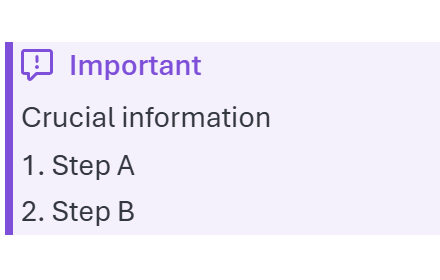
Add support for GitHub-style alerts (callouts) in the markdown editor/viewer, plus editor commands for alerts, blockquotes, and inline formatting (strikethrough, highlight, underline, superscript, subscript).
Add colors to markdown table syntax and help distinguishing different columns
An agenda/calendar/schedule panel for joplin that shows all uncompleted to-dos with a due date.
Creates backlinks to opened note, also in automatic way
Displays a note preview in the note list
Track daily habits with weekly, monthly and yearly views. Habits and their daily checks are stored in note-level metadata so they sync across desktop and mobile.

A hover-to-expand table of contents minimap for the note viewer. Shows heading tick marks on the right edge; hover to expand into a full ToC, click to jump.

VS Code/Sublime text style overlay panel to navigate through headings in the markdown editor
A complete Link System for Joplin. Referrer(aka. backlink), Quick Link, Copy Anchor, Hover to preview, Url Icon, and much more feature
Notes as nodes. Explore your Joplin knowledge graph.

Code block utilities for the markdown editor: auto-completes fenced code, copy button for code blocks, toolbar button/editor command to create code blocks

Joplin theme with colors of GitHub
Calendar plugin for Joplin

Mindmap Plugin, i18n seven languages, Import Xmind|MindManager|json|md, Export json|png|md
Make your code blocks look perfect! Support for displaying code block line numbers, support for one-click copying.
Create bidirectional to other notes

A panel to make the to-do-viewing experience slightly nicer.
A lightweight backlinks plugin.
Enables markdownIt admonition plugin, which enables formatting notes

Adds a search and replace panel to the Markdown editor.
Sort rendered tables on the fly and apply it to markdown source text. Can recognize simple cases of number, money, date and sort accordingly.

View ordinary Joplin notes as compact, colorful memo boards.
Excalidraw in Joplin

Provides interactive input support for math formulae via Katex
Import your Google Keep notes to Joplin

Create and edit Kanban boards directly in Joplin Markdown notes.
Plugin to open a choosen note each time joplin starts. It is like homepages on browsers.
Generate a mindmap using markmap

Allows you to copy text with HTML (rich text) formatting from the markdown editor (including images). Also allows you to copy as plain text (without markdown formatting)
Turn a Markdown note into an interactive, store-grouped shopping list. Items auto-sort into stores by configurable regex patterns (walking-path order); tick them off or push them to the next matching store.
Life Calendar Plugin for Joplin
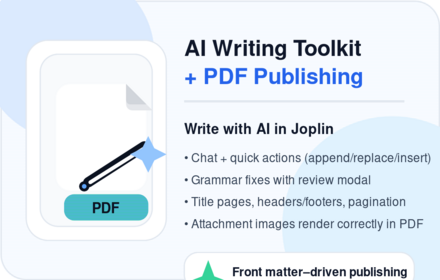
Deeply integrated AI and PDF Publishing tool for Joplin: chat, rewriting, research and grammar tools that work directly with your notes (send prompts with note context, insert/append/replace results). Sophisticated PDF publishing workflow to turn notes into beautiful documents—per-note front matter settings, title pages, headers/footers, pagination, and reliable print preview (including attachment images).
A powerful and comprehensive plugin for to-do repetition/recurrence
Plugin to create manual and automatic backups.
Create dynamic tables based on frontmatter in your notes.
Exposes CodeMirror 6's built-in support for autocompletion and snippets.
Fetch your important emails as notes.
Daily habit tracker and personal finances dashboard (income, expenses, investments) in one home screen. Data is stored as metadata on a single note so it syncs across desktop and mobile.
This plugin provides an autocomplete feature for emojis in Joplin's Markdown editor.

Render PlantUML diagram inside your Joplin notes.
Kity Minder Mindmap Tools 思维导图(脑图插件)
JSheets - use to write spreadsheets like excel in Joplin

Github Alerts or callouts, are a Markdown extension based on the blockquote syntax that you can use to emphasize critical information. They are displayed with distinctive colors and icons to indicate the significance of the content.
Resume your work exactly where you left off: remembers cursor positions, and returns to your last note when opening notebooks or the app. Features a customisable home note and automatic editor toggling on mobile.
use to write excalidraw in Joplin
Make markdown table easy

Handle some bulk operations that Joplin itself does not support and present them in a visual interface.
Turns ABC text notation into sheet music
Adds support for local CSS @imports and @importing CSS from notes.
Enhanced CodeMirror 6 theme with styling for headings, code, links, GitHub alerts, blockquotes, and table rendering. Includes keyboard shortcuts for heading levels (Ctrl+1-6), inline math notation (Ctrl+$), and comprehensive table editing tools.
Turn notes into slideshows with reveal.js!
Recent notes, shortcuts, scratchpad, and .... in a single sidebar.
An AI-powered assistant for your Joplin workspace that lets you chat with your notes, summarize content, and generate new ideas.
Execute several utilities by typing a command that starts with a slash.
Task manager for Joplin: dates, alarms, recurrence, search and linked notes. Interface in Brazilian Portuguese. Android: enable Joplin notifications. PT-BR: Tarefas no Joplin com datas, alarmes, recorrência e busca. Android: permita notificações.
Imports a Csv file or pastes a Csv text from Clipboard as table
Creates a nightly journal note summarising all notes and todos updated or completed that day, organised under a configurable Journal notebook hierarchy.
Place your cursor in front of a task in a note, run the command, and it converts the text to the right of the cursor into an @TODO line with an optional due date (defaults to tomorrow, with a click-to-pick calendar) and tags. Pairs with the Inline TODO plugin (plugin.calebjohn.todo).
Integrating Joplin with a self-hosted AI platform like Open WebUI
Adds [[wikilinks]] support to the Markdown editor and preview pane.
Link Zotero entries in notes
Flexible kanban board plugin for all your tasks
Create text spans which are click-to-copy.

Visualize connections between notes in Joplin.
Given a youtube video id or url, it inserts at the cursor position a video link

Indent wrapped lines in the markdown editor (hanging indent)
Adds a button to insert the current date (without time) into the editor.

Export notes to Microsoft Word (.docx) with images, real bordered tables, math and diagrams.

A unified sidebar that displays notebooks and notes together in a single tree view
Save the editor layout (editor/split view/viewer/rich text) for each note separately with custom tags.
Allows you to create a tasks in Todoist from Joplin and add it to your current note. A link to the Todoist task will be included in the note. A link to the note will be included in the Todoist task.
Allows to fold parts of markdown text displayed in editor

Sync Joplin notes with Google Docs
Render and edit tables visually in the Markdown editor: live table preview, inline cell editing, hover controls to add rows/columns, and a context menu for inserting, clearing and deleting rows/columns.
This plugin allows generating the table of contents related to a specific note, where each item has a checkbox. Especially useful for students, as it helps to keep track of topics and distinguish those learned from those not yet learned.
Joplin note browsing history
Format your markdown by prettier
Persistent AI chat, opt-in note retrieval, and controlled note and text-file editing.
A simple event calendar

Quickly jot down notes on startup or with a shortcut.
A panel with information about the current note and an advanced search tool.
Plugin for automatic calculations of markdown table formulas.

A simple dialogue to switch image syntax between markdown/html and losslessly resize images
Turn a note into an interactive canvas
Create and edit drawings with js-draw.
Create inline spoilers and spoiler blocks with title and extendable body.
Use a font available from Google Fonts to style the text selected in the editor.
Adds shortcuts to increase/decrease font size
Indent paragraphs with spaces instead of tabs
Adds an icon to the toolbar. When clicked, it creates a link to the note with a title matching the selected text.
Highlight/dehighlight the selected text

View and navigate backlinks and outgoing links in the markdown editor
Send a note as an email
A plugin that helps with managing embedded todo lists in notes, and parses note tags to schedule recurring items.
D&D 5e character sheets in Joplin: a D&D Beyond-style panel with import & sync from D&D Beyond, 3D dice, play sessions with roll logging to a Character Journal notebook, and full-sheet search.
Collection of commands to quickly move notes to other notebooks.
An AI-powered tag suggestion tool that analyzes note content to recommend relevant tags. Users can select from the suggestions and apply them to their notes, streamlining the organization process.

Adds various options to the right-click context menu in the Markdown Editor and commands for toggling task list items, contextual copy, and fetching link titles.

Transcribes attached audio files using the OpenAI or Google Gemini APIs and creates a transcription note with the press of a button.
An enhanced editing plugin for Joplin.
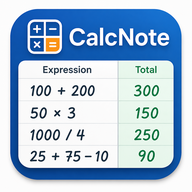
CalcNote-style expense calculator. Write Label expression | on any line and the result appears in the right column. Includes a live 75/25 split panel and a toolbar button to write results back into the note.
A joplin plugin which will lock joplin app screen when it is idle.
Keep Cursor Synced Between Editor and MD Viewer
Enables line numbers for CodeMirror editor
Victor can be used to clear all your data - notes, notebooks, attachments, tags, etc. Convenient to start over.
A simple utility to track word count and estimated reading time.
A time tracker with logs stored and synced in Joplin notes.
Change the capitalization of selected text, and case-insensitive sorting
Use locally stored BibTeX files to integrate citation into Joplin
Converts highlighted text to new one in same folder
Track daily habits with weekly, monthly and yearly views; syncs via note-level metadata. Independent, AI-assisted fork of Daily Habits by pulsarnomada9 (MIT) - see README for credit and details.
This plugin adds an icon to the toolbar. When clicked, it makes a review of the day's created/updated/completed notes and todos.
Adds the DocX format to Joplin using the Pandoc Document Converter
Provides a search UI panel patterned after VS Code, with matches per note and per-match hit highlighting
Use blockquote syntax to display the perfect hint block.
Visualizes direct and indirect dependencies of a note as a graph.
Record audio and insert it into a note.
Inline note search on '[[': with autocomplete
A plugin to reset all checkboxes in a file.
Search selected text on GPT-4o model.
Enable and disable line wrap in the editor or in the viewer
Transforms a markdown or csv table into an HTML chart
Import files from import a folder into joplin notebook as notes mit metadata (PDF text in note comment, no OCR)
A joplin plugin, encrypt selected notes on the joplin desktop client. This plugin will modify the notes according to your instructions, please read the precautions before use.
Marks words that match the highlighted selection
This plugin aim to enhance joplin experience by llm power.
用 AI 處理筆記內容 — 支援任何 OpenAI-compatible API(DeepSeek、OpenAI、Ollama、LM Studio 等)
Go to tag,notebook or note via links or via text
Plugin to get note statistics
A plugin used to paste special text into Joplin

Record voice, transcribe locally with Whisper, and create Joplin notes or to-dos
Simple plugin to export your current note as an MD file to the directory of your choice
A plugin to create variables that can be accessed through all the notes.
A Simple Task Manager Plugin for Joplin based on Todo.txt Specification

Import ChatGPT conversation archives (ZIP exports) into Joplin as notes, with support for images, audio, and video attachments
This plugin add several icons next to the note headings that you can click on to copy markdown link of the specific heading.
encode and decode sensitive string with user password.

Summarize and rewrite Joplin notes with OpenAI, 9Router, or any OpenAI-compatible chat completions API.
Flexible JSON-based query summaries for TODOs with filtering, sorting, and grouping.
Adds menu items, keyboard shortcuts and toolbar buttons to the WYSIWIG editor toolbar to apply headings level 4 to 6
使用pandoc将 Markdown 笔记导出为 Word 文档,支持图片和模板
Configure CodeMirror‘s Vim emulation with a very-limited, vimrc-like file.
Generate static blog website from your picked Joplin notes, and publish to Github Pages, with a few mouse clicks. Support preview in local
Display the icons for links in your Joplin notes.
Your attachment updater. Mass replacement of Joplin attachments (resources) such as resized image files, current music playlists, and any other attachments you need to one-off or regularly update within Joplin.
Uses a user-defined hotstring-and-hotkey dictionary to replace hotstrings in any note with replacement strings of the user's choice. To start using the plugin, make a new note and enter '!!!HOTSTRINGS!!!' as its top line.
Create a nice looking Card from a URL containing the title, description and image of the URL.
Renders ChordPro song markup with chord diagrams, transposition, capo support, multi-column layout, and dark theme
Disables the markdown renderer / PDF preview (and export) and WYSIWYG editor in Joplin for better performance
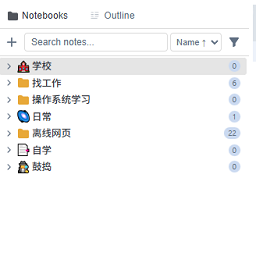
A Windows File Explorer-style tree view panel showing notebooks and notes with expand/collapse, search, sort, and new note creation.
Inserts a piece of code from code source

Paste HTML formatted text as markdown
Work faster in Rich Text Editor Tables by adding Keyboard Shortcuts for a dozen functions like add row, swap row, select and copy cell, etc.
Adds entry to right click menu in editor to get link to active note
display disk usage of resources for notebooks and notes
Scan and import files directly from your phone
Add runnable Python code blocks to your notes!
Track your habits with heatmap visualization. Embed ahabitmap code blocks in any note to display your progress.
Convert all octothorpe prefixed words into tags

Scales recipes to desired serving counts and displays helpful information in beautiful info cards.

Creates an HTTP URL to open a note in Joplin.
Simple plugin to export your current note as an MD file to the directory and Commit to Git (modify at Save Note to MD (joshchavez.dev) )
Render Typogram diagrams inside your Joplin notes.
Day, week, and month calendars populated by your notes and to-dos, with click-through to the source note. Configure with simple YAML blocks. A GTD-friendly fork of Event Calendar by Franco Speziali.

Open or create date-based daily notes from today or a calendar.
Joplin plugin based on Function Plot library to render function such as y = x * x
Allows users to summarize their notes and notebooks with AI

Mirror Joplin notes to a local Markdown directory for personal RAG workflows.
Automatically opens your diary for you every day.
A utility for changing the titles of many notes at once via prefixes, suffixes, or search and replace.
Quickly link to notes (@@), headings & anchors across all notes (@@#) and insert unique anchor ids (@@id). Adds a clickable chain link icon next to headings and anchors in the viewer.
Selected Text to Web Google Search
Natural language entry of alarm date/times
Insert the link of tags at the footer automatically
Adds to the View menu a command to toggle between WYSIWIG and Markdown editors, with a keyboard shortcut
Implements copy and paste command for notes and notebooks
render the timeline in the markdown
This plugin adds an icon to the toolbar. When clicked, it completes the selected text into a note title (in a markdown link).
Extract specific paragraphs out of Joplin notes using keywords, hashtags or custom tags

Reformat/Normalize markdown with some configurable settings
Display whitespaces in editor
Searches the current note for mentions of other notes, then makes the corresponding links. Just click the new icon in the toolbar.
Adds a panel to sort to-dos in Joplin Mobile

Publish Joplin notes to GitHub and automate build deployment through GitHub Actions
A tasks-and-notes command center panel: due dates with drag and drop and a calendar picker, checkbox progress rings, notebook and search filters, view profiles, and notebook management - on desktop and mobile.
CodeMirror
Publish/Share notes to the web using github gist. Allows for easy sharing of individual notes. Readers can comment using the gist systems
Joplin plugin to rename note attachments,

Adds a button to each code block in Joplin Markdown to copy its content.
A panel that lets you filter notebooks by name while preserving the tree structure.
Quote the Bible directly in the text editor
Imports a Calibre Db into (Sub-) Notebook. Also includes a content plugin supporting attributes (see documentation)
Create paginated 2-column documents in joplin.
Display heading levels in the markdown editor gutter
Replace Evernote links in Joplin

This detects verse references in a note and displays the verse text in a side panel from the New World Translation Bible. There are also actions to insert the verse text into your note and to open the verse directly in jw.org or jw library.
Finds blocks of javascript in the current note (blocks have to start with '```javascript' and end with '```') and runs it as a function.
TimeWise Counter is a plugin that continually calculates and displays the time remaining until a specified deadline or the time elapsed since a specified start date.

Retrieve Atlassian Jira issues information using their api in order to track the status of them from your Joplin notes.
Import your Todoist data into Joplin

Adds multiple reminder times to Joplin To-Do notes.
Export a collection of notes to static site generator project.
Link bible verses to bible verse references in editor

This plugin will periodically pull public available markdown documents into your notebook and keeps them up to date
Allows to remove images from selected note
Typesets pseudocode beautifully in Joplin.
Bidirectional sync between Joplin and Anki
Copy/Show the ID of a notebook. For developers. A regular user won't need this.
Plugin for creating block-level containers with classes for customization

AI assistant chat panel. Ask about your notes and let the AI read, search, create and edit them via your local Claude Code / GitHub Copilot CLI or the Kimi (Moonshot) API. Write operations require your confirmation.
Show user which notes are semantically similar to the one they are looking at
Copy Universal Web Link
这款专为Joplin笔记软件打造的插件,能够将Joplin中的笔记本目录精准映射到系统指定根目录下的同路径目录。借助该插件,用户可直接从 Joplin 笔记本跳转至对应的系统文件夹,轻松实现笔记目录管理与系统文件夹管理的深度融合,显著提升工作效率。
Opens a random note from your workspace
Resize the preview in the markdown mode
Add an option to trigger the synchronization after editing a note.
Add support for bytefield-svg diagrams used to describe network protocols, memory layouts and any other binary structure.
Selected Text to ToWebSearchEngine

Write styled HTML sections - cards, callouts, fancy lists, steps, timelines, grids and more - using a simple `!!! type` ... `!!!->` markdown fence.
This plugin can be used to toggle between highlights-only display or complete text of a note
Sends snippet of text to any other note from any notebook
Constantly displays the number of characters, words and lines of the current note and the current selection
A Discord Rich Presence Plugin For Joplin
Notebook Navigate from Current opend Note
Switch to designated notes using keyboard shortcuts
encode and decode sensitive string with user password.
Inline to-do queries for Joplin
Add bullets to all newlines in a note. Joplin options 'Opt-in to editor beta' is required for this to work.

Starts a new note in a default folder using a shortcut (ctrl-o)

外部编辑器不导出笔记标题和增强导入和导出对yaml元数据的支持
Render WaveDrom diagrams inside your Joplin notes.
A Joplin plugin for custom links, like `jump://?query=blabla`.
Renders chordpro in preview, and provides syntax highlighting for chordpro files in the Joplin markdown editor.
Delete folder and notes without confirmation
A Joplin plugin that helps find easily in which notes you spoke about a Bible reference.

Help user store and view chess PGN file
Create notes as bulk
Reads your dated journal notes as a continuous timeline, and opens or creates today's entry in one click.
Opens a random note from your vault
To implement Inkdrop like Status feature in Joplin
Pomodoro timer with statistics, translations and customizable design for Joplin
Sync your Readwise highlights to Joplin. Creates one note per book with all highlights, and automatically syncs in the background.
hotkey in joplin
Open source URL of the current note with a shortcut
Copies selected text or entire notes in Jira markup to the clipboard
将joplin在记笔记的同时,变成一个网文小说阅读器,a chinese net literature downloader and reader plugin for joplin.
Delete notes without confirmation
A Joplin plugin for WakaTime
Look up definitions for words directly from Joplin.
Reveal current note in navigation
Commands that insert appropriate <ruby> and <rt> tags to formatted text to display furigana.
通过邮件发送笔记

Sync your notes from your Supernote device into Joplin

Accumulate lootboxes while completing todo notes
Transform Bible Chapters
Keep syncing with your ReadCube Papers library, help you create a note for one paper and render the paper note with a formatted paper information table, automatically generate markdown style reference, and allow you to insert your annotations into the note
Quick share notes on HackMD. Hackmd共享笔记, 原项目(https://github.com/xardbaiz/joplin-plugin-hackmd/)
Monitor and automatically add hypothesis annotations to your joplin notebooks
Add an option to trigger the synchronization after editing a note.
Import your daily ActivityWatch logs in a readable format
Quick share notes on HackMD
A Joplin plugin for rendering guitar tablature using VexTab
jTab
One-click validation to ensure the current note will build as content in Hugo, the markdown-powered static site generator.
AI-based note categorisation: clusters notes semantically, suggests tags and notebook structures, and detects stale notes.
Makes numbers in bible verses superscript and bolded and remove footnotes
Sync articles and highlights from Omnivore to Joplin
This plugin imports notes from QNAP Notes Station
Suppress linebreaks between CJK characters
Export notes to NotesOn
Push Joplin search results to a TRMNL private plugin webhook
Plugin for Simsapa Dhamma Reader. Open a sidebar or double-click to lookup Pāli words in the dictionary, or search in the suttas.

Adds a one-click toolbar button (and a bindable command) to copy the current note's ID to the clipboard.
My own Joplin
Перемещение заметок внутри блокнота при пользовательской сортировке.
first plugin

Turn a note into a social post. Pick the accounts connected in Publora, then publish now, save a draft or schedule for a time you choose. Ten networks: LinkedIn, X, Instagram, Threads, TikTok, YouTube, Facebook, Bluesky, Mastodon and Telegram.
Show the list of notes in shared notebooks
Scans notes and notebooks for broken external links (link rot) with retry thresholds and Wayback Machine recovery options.
AsciiDoc live-preview editing for Joplin
Fast, offline, private grammar and spelling checking for the Joplin desktop Markdown editor, powered by Harper. Per-kind coloured underlines, a suggestion card with one-click fixes, add-to-dictionary, ignore and disable-rule, plus American, British, Australian and Canadian dialects.
A hover-expanding minimap outline for the Markdown editor and viewer: a compact stack of level-encoded bars that tracks the current section and expands into a full clickable table of contents on hover. Theme-aware, live settings, multi-window.
Helping you ditch the markdown viewer for good.
70+ editor themes, including VSCode, GitHub, and Sublime
Powerful interactive table editor for Joplin notes
Format the table under the cursor in Markdown editor
Add a copy button to the code blocks.
A Joplin plugin to provide table rendering and table editing in the Markdown editor.
Add support for GitHub-style alerts (callouts) in the markdown editor/viewer, plus editor commands for alerts, blockquotes, and inline formatting (strikethrough, highlight, underline, superscript, subscript).
Displays a note preview in the note list
A hover-to-expand table of contents minimap for the note viewer. Shows heading tick marks on the right edge; hover to expand into a full ToC, click to jump.
Github Alerts or callouts, are a Markdown extension based on the blockquote syntax that you can use to emphasize critical information. They are displayed with distinctive colors and icons to indicate the significance of the content.
Adds [[wikilinks]] support to the Markdown editor and preview pane.
Indent wrapped lines in the markdown editor (hanging indent)
A unified sidebar that displays notebooks and notes together in a single tree view
Display the icons for links in your Joplin notes.
Create a nice looking Card from a URL containing the title, description and image of the URL.
A Windows File Explorer-style tree view panel showing notebooks and notes with expand/collapse, search, sort, and new note creation.
Scales recipes to desired serving counts and displays helpful information in beautiful info cards.
Adds a button to each code block in Joplin Markdown to copy its content.
A panel that lets you filter notebooks by name while preserving the tree structure.
Imports a Calibre Db into (Sub-) Notebook. Also includes a content plugin supporting attributes (see documentation)
Write styled HTML sections - cards, callouts, fancy lists, steps, timelines, grids and more - using a simple `!!! type` ... `!!!->` markdown fence.
Accumulate lootboxes while completing todo notes
Enhances code blocks with inline rendering, autocompletion, and more!
Code block utilities for the markdown editor: auto-completes fenced code, copy button for code blocks, toolbar button/editor command to create code blocks
A panel with information about the current note and an advanced search tool.
Victor can be used to clear all your data - notes, notebooks, attachments, tags, etc. Convenient to start over.
This plugin will periodically pull public available markdown documents into your notebook and keeps them up to date
A Joplin plugin for WakaTime
Write TODOs *everywhere* and view them in one place.
This plugin allows you to create and use templates in Joplin.
Create and manage Kanban boards from Joplin
Joplin AI assistant running a very intelligent system (GPT, Claude, Gemini, Ollama, Hugging Face, ...), including: related notes (semantic search), chat with LLMs and your notes, prompt templates, auto-tags and more.
Create links to other notes
Allows to open several notes at once in tabs and pin them.
Powerful interactive table editor for Joplin notes
A simple journal. Create or open a note for today, or any selected date.
A simple calendar to show notes created on each day.
Turn your notes into a powerful calculator with inline math.
Keeps your Joplin notes safe with password and encryption.
Shows differences between notes. This plugin can be used to resolve conflicts and compare related notes.
Create notes and tasks for any day in the calendar.
Enhances code blocks with inline rendering, autocompletion, and more!
Type inline tags or frontmatter in the note editor. View your tagged paragraphs and tasks / TODOs in a search panel, or in a generated note / kanban. Build a table view / database from notes and tags. Convert between Obsidian tags and Joplin tags.
Format the table under the cursor in Markdown editor
Easily manage and schedule projects, integrating tasks directly with your knowledge base.
Add a copy button to the code blocks.
Combine one or more notes
Your very own AI-powered note plugin. It's completely open-source and does not collect any logs or personal information.
Save any notebook, note, to-do, tag, or search as favorite in an extra panel view for quick access.
Easily apply color to text.
Visualize the connections between Joplin notes.
Monitors a locale folder and import the files as a new note.
A Joplin plugin to provide table rendering and table editing in the Markdown editor.
A plugin that makes process of resolving conflicts easier.
A note overview is created based on the defined search and the specified fields.
Add colors to markdown table syntax and help distinguishing different columns
An agenda/calendar/schedule panel for joplin that shows all uncompleted to-dos with a due date.
Creates backlinks to opened note, also in automatic way
Track daily habits with weekly, monthly and yearly views. Habits and their daily checks are stored in note-level metadata so they sync across desktop and mobile.
VS Code/Sublime text style overlay panel to navigate through headings in the markdown editor
A complete Link System for Joplin. Referrer(aka. backlink), Quick Link, Copy Anchor, Hover to preview, Url Icon, and much more feature
Notes as nodes. Explore your Joplin knowledge graph.
Code block utilities for the markdown editor: auto-completes fenced code, copy button for code blocks, toolbar button/editor command to create code blocks
Calendar plugin for Joplin
Make your code blocks look perfect! Support for displaying code block line numbers, support for one-click copying.
Create bidirectional to other notes
A panel to make the to-do-viewing experience slightly nicer.
A lightweight backlinks plugin.
Sort rendered tables on the fly and apply it to markdown source text. Can recognize simple cases of number, money, date and sort accordingly.
View ordinary Joplin notes as compact, colorful memo boards.
Excalidraw in Joplin
Provides interactive input support for math formulae via Katex
Create and edit Kanban boards directly in Joplin Markdown notes.
Plugin to open a choosen note each time joplin starts. It is like homepages on browsers.
Allows you to copy text with HTML (rich text) formatting from the markdown editor (including images). Also allows you to copy as plain text (without markdown formatting)
Turn a Markdown note into an interactive, store-grouped shopping list. Items auto-sort into stores by configurable regex patterns (walking-path order); tick them off or push them to the next matching store.
Life Calendar Plugin for Joplin
Deeply integrated AI and PDF Publishing tool for Joplin: chat, rewriting, research and grammar tools that work directly with your notes (send prompts with note context, insert/append/replace results). Sophisticated PDF publishing workflow to turn notes into beautiful documents—per-note front matter settings, title pages, headers/footers, pagination, and reliable print preview (including attachment images).
A powerful and comprehensive plugin for to-do repetition/recurrence
Plugin to create manual and automatic backups.
Exposes CodeMirror 6's built-in support for autocompletion and snippets.
Fetch your important emails as notes.
Daily habit tracker and personal finances dashboard (income, expenses, investments) in one home screen. Data is stored as metadata on a single note so it syncs across desktop and mobile.
This plugin provides an autocomplete feature for emojis in Joplin's Markdown editor.
use to write excalidraw in Joplin
Handle some bulk operations that Joplin itself does not support and present them in a visual interface.
Turns ABC text notation into sheet music
Recent notes, shortcuts, scratchpad, and .... in a single sidebar.
An AI-powered assistant for your Joplin workspace that lets you chat with your notes, summarize content, and generate new ideas.
Execute several utilities by typing a command that starts with a slash.
Imports a Csv file or pastes a Csv text from Clipboard as table
Creates a nightly journal note summarising all notes and todos updated or completed that day, organised under a configurable Journal notebook hierarchy.
Place your cursor in front of a task in a note, run the command, and it converts the text to the right of the cursor into an @TODO line with an optional due date (defaults to tomorrow, with a click-to-pick calendar) and tags. Pairs with the Inline TODO plugin (plugin.calebjohn.todo).
Link Zotero entries in notes
Flexible kanban board plugin for all your tasks
Create text spans which are click-to-copy.
Visualize connections between notes in Joplin.
Given a youtube video id or url, it inserts at the cursor position a video link
Adds a button to insert the current date (without time) into the editor.
Export notes to Microsoft Word (.docx) with images, real bordered tables, math and diagrams.
A unified sidebar that displays notebooks and notes together in a single tree view
Allows you to create a tasks in Todoist from Joplin and add it to your current note. A link to the Todoist task will be included in the note. A link to the note will be included in the Todoist task.
This plugin allows generating the table of contents related to a specific note, where each item has a checkbox. Especially useful for students, as it helps to keep track of topics and distinguish those learned from those not yet learned.
Format your markdown by prettier
Persistent AI chat, opt-in note retrieval, and controlled note and text-file editing.
A simple event calendar
Quickly jot down notes on startup or with a shortcut.
A panel with information about the current note and an advanced search tool.
A simple dialogue to switch image syntax between markdown/html and losslessly resize images
Turn a note into an interactive canvas
Create inline spoilers and spoiler blocks with title and extendable body.
Use a font available from Google Fonts to style the text selected in the editor.
View and navigate backlinks and outgoing links in the markdown editor
Send a note as an email
A plugin that helps with managing embedded todo lists in notes, and parses note tags to schedule recurring items.
D&D 5e character sheets in Joplin: a D&D Beyond-style panel with import & sync from D&D Beyond, 3D dice, play sessions with roll logging to a Character Journal notebook, and full-sheet search.
Collection of commands to quickly move notes to other notebooks.
Adds various options to the right-click context menu in the Markdown Editor and commands for toggling task list items, contextual copy, and fetching link titles.
Transcribes attached audio files using the OpenAI or Google Gemini APIs and creates a transcription note with the press of a button.
An enhanced editing plugin for Joplin.
CalcNote-style expense calculator. Write Label expression | on any line and the result appears in the right column. Includes a live 75/25 split panel and a toolbar button to write results back into the note.
A joplin plugin which will lock joplin app screen when it is idle.
Victor can be used to clear all your data - notes, notebooks, attachments, tags, etc. Convenient to start over.
A simple utility to track word count and estimated reading time.
A time tracker with logs stored and synced in Joplin notes.
Converts highlighted text to new one in same folder
Track daily habits with weekly, monthly and yearly views; syncs via note-level metadata. Independent, AI-assisted fork of Daily Habits by pulsarnomada9 (MIT) - see README for credit and details.
This plugin adds an icon to the toolbar. When clicked, it makes a review of the day's created/updated/completed notes and todos.
Adds the DocX format to Joplin using the Pandoc Document Converter
Use blockquote syntax to display the perfect hint block.
Visualizes direct and indirect dependencies of a note as a graph.
Record audio and insert it into a note.
Inline note search on '[[': with autocomplete
A plugin to reset all checkboxes in a file.
Transforms a markdown or csv table into an HTML chart
Import files from import a folder into joplin notebook as notes mit metadata (PDF text in note comment, no OCR)
A joplin plugin, encrypt selected notes on the joplin desktop client. This plugin will modify the notes according to your instructions, please read the precautions before use.
Marks words that match the highlighted selection
This plugin aim to enhance joplin experience by llm power.
用 AI 處理筆記內容 — 支援任何 OpenAI-compatible API(DeepSeek、OpenAI、Ollama、LM Studio 等)
Plugin to get note statistics
A plugin used to paste special text into Joplin
Record voice, transcribe locally with Whisper, and create Joplin notes or to-dos
Simple plugin to export your current note as an MD file to the directory of your choice
A plugin to create variables that can be accessed through all the notes.
A Simple Task Manager Plugin for Joplin based on Todo.txt Specification
This plugin add several icons next to the note headings that you can click on to copy markdown link of the specific heading.
Summarize and rewrite Joplin notes with OpenAI, 9Router, or any OpenAI-compatible chat completions API.
Flexible JSON-based query summaries for TODOs with filtering, sorting, and grouping.
Adds menu items, keyboard shortcuts and toolbar buttons to the WYSIWIG editor toolbar to apply headings level 4 to 6
使用pandoc将 Markdown 笔记导出为 Word 文档,支持图片和模板
Your attachment updater. Mass replacement of Joplin attachments (resources) such as resized image files, current music playlists, and any other attachments you need to one-off or regularly update within Joplin.
Uses a user-defined hotstring-and-hotkey dictionary to replace hotstrings in any note with replacement strings of the user's choice. To start using the plugin, make a new note and enter '!!!HOTSTRINGS!!!' as its top line.
A Windows File Explorer-style tree view panel showing notebooks and notes with expand/collapse, search, sort, and new note creation.
Inserts a piece of code from code source
Paste HTML formatted text as markdown
Work faster in Rich Text Editor Tables by adding Keyboard Shortcuts for a dozen functions like add row, swap row, select and copy cell, etc.
Adds entry to right click menu in editor to get link to active note
display disk usage of resources for notebooks and notes
Scan and import files directly from your phone
Add runnable Python code blocks to your notes!
Track your habits with heatmap visualization. Embed ahabitmap code blocks in any note to display your progress.
Scales recipes to desired serving counts and displays helpful information in beautiful info cards.
Creates an HTTP URL to open a note in Joplin.
Simple plugin to export your current note as an MD file to the directory and Commit to Git (modify at Save Note to MD (joshchavez.dev) )
Day, week, and month calendars populated by your notes and to-dos, with click-through to the source note. Configure with simple YAML blocks. A GTD-friendly fork of Event Calendar by Franco Speziali.
Open or create date-based daily notes from today or a calendar.
Joplin plugin based on Function Plot library to render function such as y = x * x
Allows users to summarize their notes and notebooks with AI
Automatically opens your diary for you every day.
A utility for changing the titles of many notes at once via prefixes, suffixes, or search and replace.
Quickly link to notes (@@), headings & anchors across all notes (@@#) and insert unique anchor ids (@@id). Adds a clickable chain link icon next to headings and anchors in the viewer.
Natural language entry of alarm date/times
Implements copy and paste command for notes and notebooks
render the timeline in the markdown
This plugin adds an icon to the toolbar. When clicked, it completes the selected text into a note title (in a markdown link).
Extract specific paragraphs out of Joplin notes using keywords, hashtags or custom tags
Reformat/Normalize markdown with some configurable settings
Searches the current note for mentions of other notes, then makes the corresponding links. Just click the new icon in the toolbar.
A tasks-and-notes command center panel: due dates with drag and drop and a calendar picker, checkbox progress rings, notebook and search filters, view profiles, and notebook management - on desktop and mobile.
Publish/Share notes to the web using github gist. Allows for easy sharing of individual notes. Readers can comment using the gist systems
Joplin plugin to rename note attachments,
Adds a button to each code block in Joplin Markdown to copy its content.
Quote the Bible directly in the text editor
Create paginated 2-column documents in joplin.
Replace Evernote links in Joplin
This detects verse references in a note and displays the verse text in a side panel from the New World Translation Bible. There are also actions to insert the verse text into your note and to open the verse directly in jw.org or jw library.
Finds blocks of javascript in the current note (blocks have to start with '```javascript' and end with '```') and runs it as a function.
Export a collection of notes to static site generator project.
Link bible verses to bible verse references in editor
This plugin will periodically pull public available markdown documents into your notebook and keeps them up to date
Allows to remove images from selected note
Bidirectional sync between Joplin and Anki
Copy/Show the ID of a notebook. For developers. A regular user won't need this.
Plugin for creating block-level containers with classes for customization
AI assistant chat panel. Ask about your notes and let the AI read, search, create and edit them via your local Claude Code / GitHub Copilot CLI or the Kimi (Moonshot) API. Write operations require your confirmation.
Copy Universal Web Link
这款专为Joplin笔记软件打造的插件,能够将Joplin中的笔记本目录精准映射到系统指定根目录下的同路径目录。借助该插件,用户可直接从 Joplin 笔记本跳转至对应的系统文件夹,轻松实现笔记目录管理与系统文件夹管理的深度融合,显著提升工作效率。
Opens a random note from your workspace
Add an option to trigger the synchronization after editing a note.
Add support for bytefield-svg diagrams used to describe network protocols, memory layouts and any other binary structure.
Sends snippet of text to any other note from any notebook
Constantly displays the number of characters, words and lines of the current note and the current selection
Notebook Navigate from Current opend Note
Switch to designated notes using keyboard shortcuts
Inline to-do queries for Joplin
Starts a new note in a default folder using a shortcut (ctrl-o)
A Joplin plugin for custom links, like `jump://?query=blabla`.
Delete folder and notes without confirmation
A Joplin plugin that helps find easily in which notes you spoke about a Bible reference.
Create notes as bulk
Reads your dated journal notes as a continuous timeline, and opens or creates today's entry in one click.
Opens a random note from your vault
To implement Inkdrop like Status feature in Joplin
Pomodoro timer with statistics, translations and customizable design for Joplin
Sync your Readwise highlights to Joplin. Creates one note per book with all highlights, and automatically syncs in the background.
hotkey in joplin
Open source URL of the current note with a shortcut
Copies selected text or entire notes in Jira markup to the clipboard
Delete notes without confirmation
A Joplin plugin for WakaTime
Commands that insert appropriate <ruby> and <rt> tags to formatted text to display furigana.
通过邮件发送笔记
Sync your notes from your Supernote device into Joplin
Accumulate lootboxes while completing todo notes
Quick share notes on HackMD. Hackmd共享笔记, 原项目(https://github.com/xardbaiz/joplin-plugin-hackmd/)
Monitor and automatically add hypothesis annotations to your joplin notebooks
Add an option to trigger the synchronization after editing a note.
Quick share notes on HackMD
A Joplin plugin for rendering guitar tablature using VexTab
AI-based note categorisation: clusters notes semantically, suggests tags and notebook structures, and detects stale notes.
Makes numbers in bible verses superscript and bolded and remove footnotes
Sync articles and highlights from Omnivore to Joplin
This plugin imports notes from QNAP Notes Station
Suppress linebreaks between CJK characters
Export notes to NotesOn
Adds a one-click toolbar button (and a bindable command) to copy the current note's ID to the clipboard.
Перемещение заметок внутри блокнота при пользовательской сортировке.
Turn a note into a social post. Pick the accounts connected in Publora, then publish now, save a draft or schedule for a time you choose. Ten networks: LinkedIn, X, Instagram, Threads, TikTok, YouTube, Facebook, Bluesky, Mastodon and Telegram.
Show the list of notes in shared notebooks
Scans notes and notebooks for broken external links (link rot) with retry thresholds and Wayback Machine recovery options.
AsciiDoc live-preview editing for Joplin
Fast, offline, private grammar and spelling checking for the Joplin desktop Markdown editor, powered by Harper. Per-kind coloured underlines, a suggestion card with one-click fixes, add-to-dictionary, ignore and disable-rule, plus American, British, Australian and Canadian dialects.
70+ editor themes, including VSCode, GitHub, and Sublime
Native looking macOS theme for Joplin. Also works on non-macOS devices.
Displays a note preview in the note list
Joplin theme with colors of GitHub
Enhanced CodeMirror 6 theme with styling for headings, code, links, GitHub alerts, blockquotes, and table rendering. Includes keyboard shortcuts for heading levels (Ctrl+1-6), inline math notation (Ctrl+$), and comprehensive table editing tools.
Joplin AI assistant running a very intelligent system (GPT, Claude, Gemini, Ollama, Hugging Face, ...), including: related notes (semantic search), chat with LLMs and your notes, prompt templates, auto-tags and more.
A plugin that makes process of resolving conflicts easier.
Mindmap Plugin, i18n seven languages, Import Xmind|MindManager|json|md, Export json|png|md
Import your Google Keep notes to Joplin
Generate a mindmap using markmap
Kity Minder Mindmap Tools 思维导图(脑图插件)
JSheets - use to write spreadsheets like excel in Joplin
Turn notes into slideshows with reveal.js!
Task manager for Joplin: dates, alarms, recurrence, search and linked notes. Interface in Brazilian Portuguese. Android: enable Joplin notifications. PT-BR: Tarefas no Joplin com datas, alarmes, recorrência e busca. Android: permita notificações.
Allows you to create a tasks in Todoist from Joplin and add it to your current note. A link to the Todoist task will be included in the note. A link to the note will be included in the Todoist task.
Sync Joplin notes with Google Docs
This plugin allows generating the table of contents related to a specific note, where each item has a checkbox. Especially useful for students, as it helps to keep track of topics and distinguish those learned from those not yet learned.
Adds an icon to the toolbar. When clicked, it creates a link to the note with a title matching the selected text.
Transcribes attached audio files using the OpenAI or Google Gemini APIs and creates a transcription note with the press of a button.
Use locally stored BibTeX files to integrate citation into Joplin
Import ChatGPT conversation archives (ZIP exports) into Joplin as notes, with support for images, audio, and video attachments
encode and decode sensitive string with user password.
Summarize and rewrite Joplin notes with OpenAI, 9Router, or any OpenAI-compatible chat completions API.
Renders ChordPro song markup with chord diagrams, transposition, capo support, multi-column layout, and dark theme
Scan and import files directly from your phone
Creates an HTTP URL to open a note in Joplin.
Render Typogram diagrams inside your Joplin notes.
Display whitespaces in editor
Adds a panel to sort to-dos in Joplin Mobile
Publish Joplin notes to GitHub and automate build deployment through GitHub Actions
TimeWise Counter is a plugin that continually calculates and displays the time remaining until a specified deadline or the time elapsed since a specified start date.
Retrieve Atlassian Jira issues information using their api in order to track the status of them from your Joplin notes.
Import your Todoist data into Joplin
Typesets pseudocode beautifully in Joplin.
Selected Text to ToWebSearchEngine
encode and decode sensitive string with user password.
Add bullets to all newlines in a note. Joplin options 'Opt-in to editor beta' is required for this to work.
Render WaveDrom diagrams inside your Joplin notes.
Renders chordpro in preview, and provides syntax highlighting for chordpro files in the Joplin markdown editor.
Sync your Readwise highlights to Joplin. Creates one note per book with all highlights, and automatically syncs in the background.
将joplin在记笔记的同时,变成一个网文小说阅读器,a chinese net literature downloader and reader plugin for joplin.
A Joplin plugin for WakaTime
Look up definitions for words directly from Joplin.
Reveal current note in navigation
Sync your notes from your Supernote device into Joplin
Transform Bible Chapters
Keep syncing with your ReadCube Papers library, help you create a note for one paper and render the paper note with a formatted paper information table, automatically generate markdown style reference, and allow you to insert your annotations into the note
Import your daily ActivityWatch logs in a readable format
jTab
Push Joplin search results to a TRMNL private plugin webhook
Plugin for Simsapa Dhamma Reader. Open a sidebar or double-click to lookup Pāli words in the dictionary, or search in the suttas.
My own Joplin
first plugin
Turn a note into a social post. Pick the accounts connected in Publora, then publish now, save a draft or schedule for a time you choose. Ten networks: LinkedIn, X, Instagram, Threads, TikTok, YouTube, Facebook, Bluesky, Mastodon and Telegram.
Turn your notes into a powerful calculator with inline math.
Pagination, font family and size customization for Joplin's Markdown viewer. Supports mobile and desktop. (Beta).
Easily manage and schedule projects, integrating tasks directly with your knowledge base.
Add support for GitHub-style alerts (callouts) in the markdown editor/viewer, plus editor commands for alerts, blockquotes, and inline formatting (strikethrough, highlight, underline, superscript, subscript).
Displays a note preview in the note list
A hover-to-expand table of contents minimap for the note viewer. Shows heading tick marks on the right edge; hover to expand into a full ToC, click to jump.
View ordinary Joplin notes as compact, colorful memo boards.
Create dynamic tables based on frontmatter in your notes.
Adds support for local CSS @imports and @importing CSS from notes.
Save the editor layout (editor/split view/viewer/rich text) for each note separately with custom tags.
This plugin allows generating the table of contents related to a specific note, where each item has a checkbox. Especially useful for students, as it helps to keep track of topics and distinguish those learned from those not yet learned.
Turn a note into an interactive canvas
Highlight/dehighlight the selected text
Keep Cursor Synced Between Editor and MD Viewer
Enable and disable line wrap in the editor or in the viewer
Day, week, and month calendars populated by your notes and to-dos, with click-through to the source note. Configure with simple YAML blocks. A GTD-friendly fork of Event Calendar by Franco Speziali.
Typesets pseudocode beautifully in Joplin.
Write styled HTML sections - cards, callouts, fancy lists, steps, timelines, grids and more - using a simple `!!! type` ... `!!!->` markdown fence.
This plugin can be used to toggle between highlights-only display or complete text of a note
Help user store and view chess PGN file
Reads your dated journal notes as a continuous timeline, and opens or creates today's entry in one click.
Joplin AI assistant running a very intelligent system (GPT, Claude, Gemini, Ollama, Hugging Face, ...), including: related notes (semantic search), chat with LLMs and your notes, prompt templates, auto-tags and more.
Allows to open several notes at once in tabs and pin them.
Save any notebook, note, to-do, tag, or search as favorite in an extra panel view for quick access.
Type inline tags or frontmatter in the note editor. View your tagged paragraphs and tasks / TODOs in a search panel, or in a generated note / kanban. Build a table view / database from notes and tags. Convert between Obsidian tags and Joplin tags.
Adds a search and replace panel to the Markdown editor.
Integrating Joplin with a self-hosted AI platform like Open WebUI
Joplin note browsing history
Persistent AI chat, opt-in note retrieval, and controlled note and text-file editing.
A panel with information about the current note and an advanced search tool.
Provides a search UI panel patterned after VS Code, with matches per note and per-match hit highlighting
Search selected text on GPT-4o model.
Selected Text to Web Google Search
A panel that lets you filter notebooks by name while preserving the tree structure.
Show user which notes are semantically similar to the one they are looking at
Type inline tags or frontmatter in the note editor. View your tagged paragraphs and tasks / TODOs in a search panel, or in a generated note / kanban. Build a table view / database from notes and tags. Convert between Obsidian tags and Joplin tags.
An AI-powered tag suggestion tool that analyzes note content to recommend relevant tags. Users can select from the suggestions and apply them to their notes, streamlining the organization process.
Go to tag,notebook or note via links or via text
Convert all octothorpe prefixed words into tags
Insert the link of tags at the footer automatically
Extract specific paragraphs out of Joplin notes using keywords, hashtags or custom tags
Adds multiple reminder times to Joplin To-Do notes.
Helping you ditch the markdown viewer for good.
Write TODOs *everywhere* and view them in one place.
This plugin allows you to create and use templates in Joplin.
Create links to other notes
Line numbers, code folding, space highlighting, word count, and other options for the CodeMirror 6 editor.
Outline (TOC) sidebar plugin for joplin.
70+ editor themes, including VSCode, GitHub, and Sublime
Powerful interactive table editor for Joplin notes
Turn your notes into a powerful calculator with inline math.
Shows differences between notes. This plugin can be used to resolve conflicts and compare related notes.
Enhances code blocks with inline rendering, autocompletion, and more!
Format the table under the cursor in Markdown editor
Create collapsible blocks with title and extendable body, and make headings collapsible too.
Enhance the markdown editor with live preview for math, mermaid, link, image, and more. It also includes other features for markdown rendering.
Draw.io (aka Diagram.net) integration for Joplin
A collection of tools to make editing tables easier. Also supports GitHub Flavored Markdown!
A Joplin plugin to provide table rendering and table editing in the Markdown editor.
A plugin that makes process of resolving conflicts easier.
Add support for GitHub-style alerts (callouts) in the markdown editor/viewer, plus editor commands for alerts, blockquotes, and inline formatting (strikethrough, highlight, underline, superscript, subscript).
VS Code/Sublime text style overlay panel to navigate through headings in the markdown editor
Code block utilities for the markdown editor: auto-completes fenced code, copy button for code blocks, toolbar button/editor command to create code blocks
Enables markdownIt admonition plugin, which enables formatting notes
Provides interactive input support for math formulae via Katex
Create and edit Kanban boards directly in Joplin Markdown notes.
Allows you to copy text with HTML (rich text) formatting from the markdown editor (including images). Also allows you to copy as plain text (without markdown formatting)
Deeply integrated AI and PDF Publishing tool for Joplin: chat, rewriting, research and grammar tools that work directly with your notes (send prompts with note context, insert/append/replace results). Sophisticated PDF publishing workflow to turn notes into beautiful documents—per-note front matter settings, title pages, headers/footers, pagination, and reliable print preview (including attachment images).
Exposes CodeMirror 6's built-in support for autocompletion and snippets.
This plugin provides an autocomplete feature for emojis in Joplin's Markdown editor.
Github Alerts or callouts, are a Markdown extension based on the blockquote syntax that you can use to emphasize critical information. They are displayed with distinctive colors and icons to indicate the significance of the content.
Resume your work exactly where you left off: remembers cursor positions, and returns to your last note when opening notebooks or the app. Features a customisable home note and automatic editor toggling on mobile.
Make markdown table easy
Adds [[wikilinks]] support to the Markdown editor and preview pane.
Indent wrapped lines in the markdown editor (hanging indent)
Allows to fold parts of markdown text displayed in editor
Render and edit tables visually in the Markdown editor: live table preview, inline cell editing, hover controls to add rows/columns, and a context menu for inserting, clearing and deleting rows/columns.
This plugin allows generating the table of contents related to a specific note, where each item has a checkbox. Especially useful for students, as it helps to keep track of topics and distinguish those learned from those not yet learned.
Plugin for automatic calculations of markdown table formulas.
A simple dialogue to switch image syntax between markdown/html and losslessly resize images
Turn a note into an interactive canvas
Create and edit drawings with js-draw.
Adds shortcuts to increase/decrease font size
Indent paragraphs with spaces instead of tabs
View and navigate backlinks and outgoing links in the markdown editor
Adds various options to the right-click context menu in the Markdown Editor and commands for toggling task list items, contextual copy, and fetching link titles.
Transcribes attached audio files using the OpenAI or Google Gemini APIs and creates a transcription note with the press of a button.
An enhanced editing plugin for Joplin.
Enables line numbers for CodeMirror editor
Change the capitalization of selected text, and case-insensitive sorting
Inline note search on '[[': with autocomplete
Enable and disable line wrap in the editor or in the viewer
Record voice, transcribe locally with Whisper, and create Joplin notes or to-dos
Flexible JSON-based query summaries for TODOs with filtering, sorting, and grouping.
Configure CodeMirror‘s Vim emulation with a very-limited, vimrc-like file.
Generate static blog website from your picked Joplin notes, and publish to Github Pages, with a few mouse clicks. Support preview in local
Disables the markdown renderer / PDF preview (and export) and WYSIWYG editor in Joplin for better performance
Paste HTML formatted text as markdown
Work faster in Rich Text Editor Tables by adding Keyboard Shortcuts for a dozen functions like add row, swap row, select and copy cell, etc.
Scales recipes to desired serving counts and displays helpful information in beautiful info cards.
Adds to the View menu a command to toggle between WYSIWIG and Markdown editors, with a keyboard shortcut
Reformat/Normalize markdown with some configurable settings
CodeMirror
Display heading levels in the markdown editor gutter
Resize the preview in the markdown mode
Write styled HTML sections - cards, callouts, fancy lists, steps, timelines, grids and more - using a simple `!!! type` ... `!!!->` markdown fence.
Constantly displays the number of characters, words and lines of the current note and the current selection
A Discord Rich Presence Plugin For Joplin
Notebook Navigate from Current opend Note
外部编辑器不导出笔记标题和增强导入和导出对yaml元数据的支持
One-click validation to ensure the current note will build as content in Hugo, the markdown-powered static site generator.
AsciiDoc live-preview editing for Joplin
Fast, offline, private grammar and spelling checking for the Joplin desktop Markdown editor, powered by Harper. Per-kind coloured underlines, a suggestion card with one-click fixes, add-to-dictionary, ignore and disable-rule, plus American, British, Australian and Canadian dialects.
A hover-expanding minimap outline for the Markdown editor and viewer: a compact stack of level-encoded bars that tracks the current section and expands into a full clickable table of contents on hover. Theme-aware, live settings, multi-window.
Keeps your Joplin notes safe with password and encryption.
Monitors a locale folder and import the files as a new note.
Plugin to create manual and automatic backups.
Render PlantUML diagram inside your Joplin notes.
Export notes to Microsoft Word (.docx) with images, real bordered tables, math and diagrams.
Persistent AI chat, opt-in note retrieval, and controlled note and text-file editing.
Scan and import files directly from your phone
Simple plugin to export your current note as an MD file to the directory and Commit to Git (modify at Save Note to MD (joshchavez.dev) )
Mirror Joplin notes to a local Markdown directory for personal RAG workflows.
Imports a Calibre Db into (Sub-) Notebook. Also includes a content plugin supporting attributes (see documentation)
Write TODOs *everywhere* and view them in one place.
Joplin AI assistant running a very intelligent system (GPT, Claude, Gemini, Ollama, Hugging Face, ...), including: related notes (semantic search), chat with LLMs and your notes, prompt templates, auto-tags and more.
Save any notebook, note, to-do, tag, or search as favorite in an extra panel view for quick access.
Type inline tags or frontmatter in the note editor. View your tagged paragraphs and tasks / TODOs in a search panel, or in a generated note / kanban. Build a table view / database from notes and tags. Convert between Obsidian tags and Joplin tags.
Easily manage and schedule projects, integrating tasks directly with your knowledge base.
Save any notebook, note, to-do, tag, or search as favorite in an extra panel view for quick access.
Track daily habits with weekly, monthly and yearly views. Habits and their daily checks are stored in note-level metadata so they sync across desktop and mobile.
A panel to make the to-do-viewing experience slightly nicer.
View ordinary Joplin notes as compact, colorful memo boards.
Daily habit tracker and personal finances dashboard (income, expenses, investments) in one home screen. Data is stored as metadata on a single note so it syncs across desktop and mobile.
Handle some bulk operations that Joplin itself does not support and present them in a visual interface.
Visualize connections between notes in Joplin.
This plugin allows generating the table of contents related to a specific note, where each item has a checkbox. Especially useful for students, as it helps to keep track of topics and distinguish those learned from those not yet learned.
Track daily habits with weekly, monthly and yearly views; syncs via note-level metadata. Independent, AI-assisted fork of Daily Habits by pulsarnomada9 (MIT) - see README for credit and details.
Mirror Joplin notes to a local Markdown directory for personal RAG workflows.
A utility for changing the titles of many notes at once via prefixes, suffixes, or search and replace.
A tasks-and-notes command center panel: due dates with drag and drop and a calendar picker, checkbox progress rings, notebook and search filters, view profiles, and notebook management - on desktop and mobile.
A panel that lets you filter notebooks by name while preserving the tree structure.
This plugin will periodically pull public available markdown documents into your notebook and keeps them up to date
Sync your notes from your Supernote device into Joplin