
How to Create a Twitter Bot with Node.js

Twitter bots have been in the news over the past few years due to election meddling, not only in the United States but stretching across the globe. There are, however, good and logical reasons for creating Twitter bots. In order to see how easy it was to create a Twitter bot, for good or evil, I decided to create my own Twitter bot. Five minutes of work and I had a working bot -- let's see how it's done!
The first step in creating a Node.js Twitter bot is creating an app on the Twitter website:
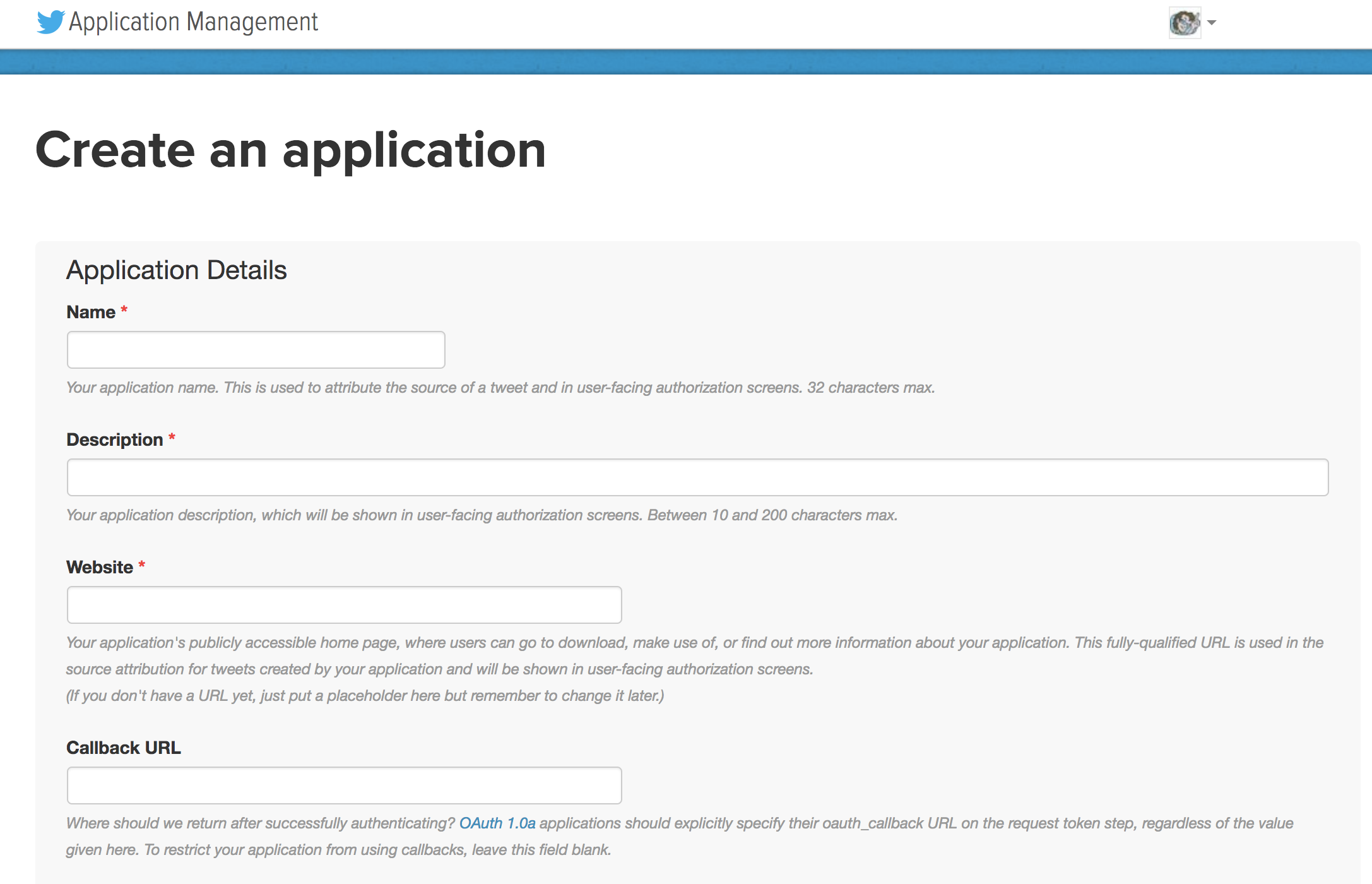
Provide the required information and you'll have the ability to create access token and consumer information.
The next step is downloading the twit Node.js resource:
yarn install twit
With twit available, create an instance of Twit with the access token consumer information you were given by the Twitter app website:
const Twit = require('twit')

const T = new Twit({
  consumer_key:         'YOUR_INFO_HERE',
  consumer_secret:      'YOUR_INFO_HERE',
  access_token:         'YOUR_INFO_HERE',
  access_token_secret:  'YOUR_INFO_HERE',
  timeout_ms:           60 * 1000,
});
Now the action can happen. Here are a few examples of basic Twitter bot functionality:
// Post a tweet
T.post(
  'statuses/update',
  { status: 'This is an automated test!' },
  (err, data, response) => {
    console.log(err, data, response);
  }
)

// Retweet a given tweet
T.post('statuses/retweet/:id', { id: '697162548957700096' })
Let's think of a more practical example: using the Stream API to "like" any tweet you are mentioned in:
const stream = T.stream('statuses/filter', { track: ['@davidwalshblog'] });

stream.on('tweet',
  tweet => {
    console.log('tweet received! ', tweet)
    T.post(
      'statuses/retweet/:id',
      { id: tweet.id },
      (err, data, response) => {
        console.log(err, data, response);
      }
    )
  }
);
Getting a Twitter bot up and running takes minimal effort, which is why it's important that services like Twitter protect its users from evil-doers. Bad guys aside, there are plenty of good reasons to create a Twitter bot, whether it be for internal analytics, promotion, or even creating your own Twitter app. Thank you to Tolga Tezel for creating an amazing JavaScript resources for interacting with Twitter!






Hi David,
This is a great introduction, however I must say that coming up with useful ways to utilize the Twitter API with these bots is the harder part. I suppose if one truly has a use for making a bot like this then that part will be self-evident.
Thanks again for the write up.
damn if you’re a beginner. NONE of this will just WORKS like that.