
Welcome aboard! We’re beyond excited to start this journey with you. This newsletter is your no-nonsense guide to practical strategies for digital growth. No jargon. No filler. Just clear, actionable steps you can start using today. Simple, direct, and effective. It’s more like a casual chat over coffee than a formal lecture.
Before we get started, I need to ask you something.
What’s tripping you up right now?
Is there a challenge you can’t shake or a tool you’re dying to figure out?
This newsletter isn’t about us sitting here, guessing what you might want to know. It’s about you. We’d much rather tackle what’s actually on your mind than throw out one-size-fits-all tips that may or may not land.
Streamline Sales with ChatGPT:
Learn how to centralize sales knowledge, generate FAQs, handle objections, and simulate real-life scenarios to upskill your sales team effectively.
Discover actionable steps to build an efficient and adaptable sales force.
Quick News & Insights:
The "PhD-Level" Agents Are Coming
Fast vs. Slow: The AI Timeline Debate
DeepSeek: Open Source is Catching Up
Trump Unveils $500 Billion 'Stargate' AI Initiative
Tool of the day: Napkin AI:
Explore how Napkin AI transforms text into visuals, making it easier to communicate complex ideas through diagrams and charts.
Sales are the lifeblood of any business, but many struggle with training. New hires face inconsistent materials, experienced reps don’t share best practices, and managers scramble to fill knowledge gaps. It’s chaotic.
We’ll show you how to use ChatGPT’s Projects Feature to help you or your sales team learn, improve, and close more deals.
Here’s how to build an efficient sales force in 6 actionable steps.
The foundation of great sales training?
Having all the right information in one place.
ChatGPT Projects allows you to upload documents and materials, making it easy to extract and organize key insights.
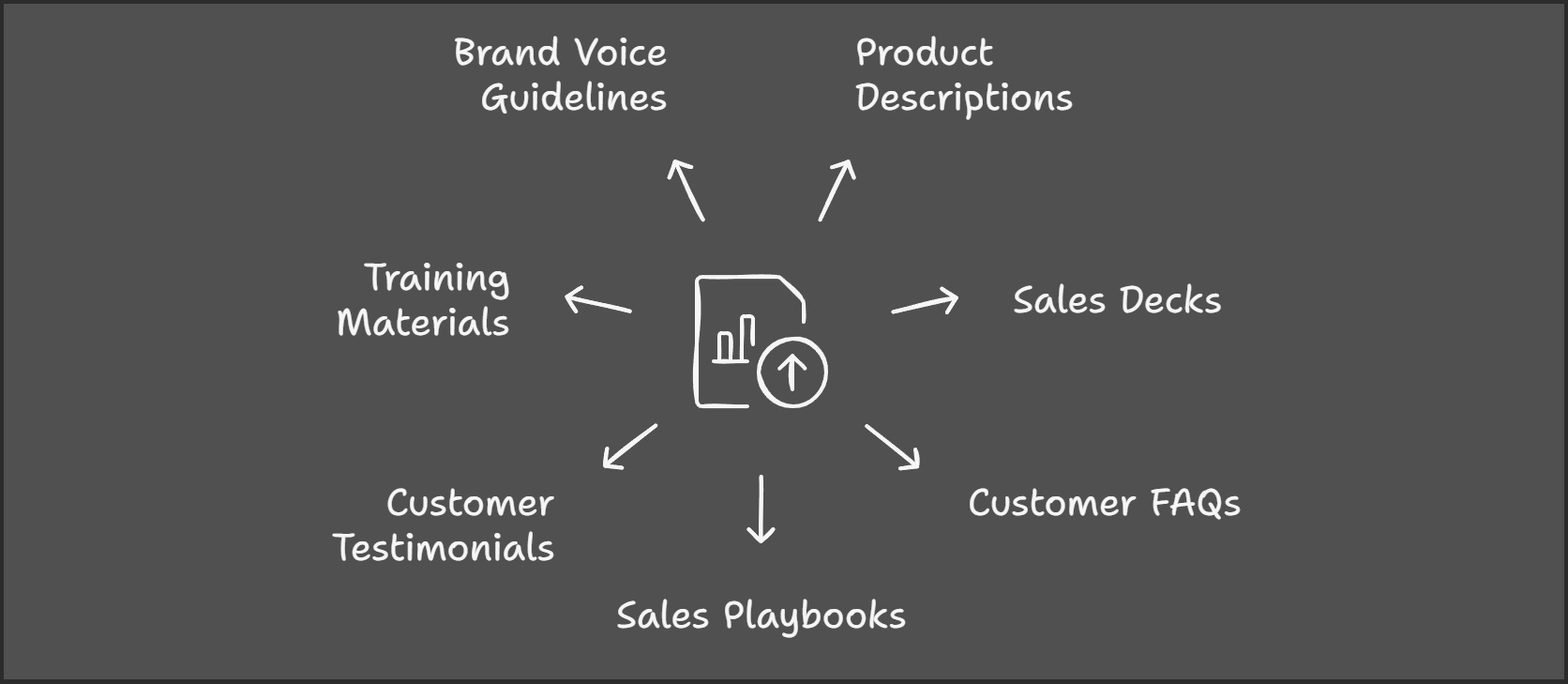
Product or service descriptions
Sales decks or presentations
Customer FAQs from your website
Sales playbooks, call scripts
Customer testimonials , case studies
Training materials your team might already be using
Brand Voice Guidelines if you want to create sales scripts, email sequences, etc
Create a ChatGPT Project. Name it something like “Sales Training Center.”
Use the file upload option in the Project view.
Upload the documents you gathered.
After you uploaded your files, click the Add Instructions buttons and use the following prompt.
Act as a Sales Development Representative (SDR) Trainer to help me create a comprehensive Sales Training Center for my team. Use the business information I provide to generate FAQs, address objections, create role-playing scenarios, draft sales scripts, and develop other training materials. Focus on practical, actionable guidance that aligns with best practices in modern sales techniques.
When creating role-plays or objection handling, assume the perspective of a prospect from [industry/target market]. Use language and scenarios that reflect real-world challenges SDRs face, such as cold calling, email outreach, lead qualification, and handling objections.
Responses should be structured, concise, and formatted for easy use in training sessions. If additional context or clarification is needed, ask me specific questions to ensure the material is tailored to my goals.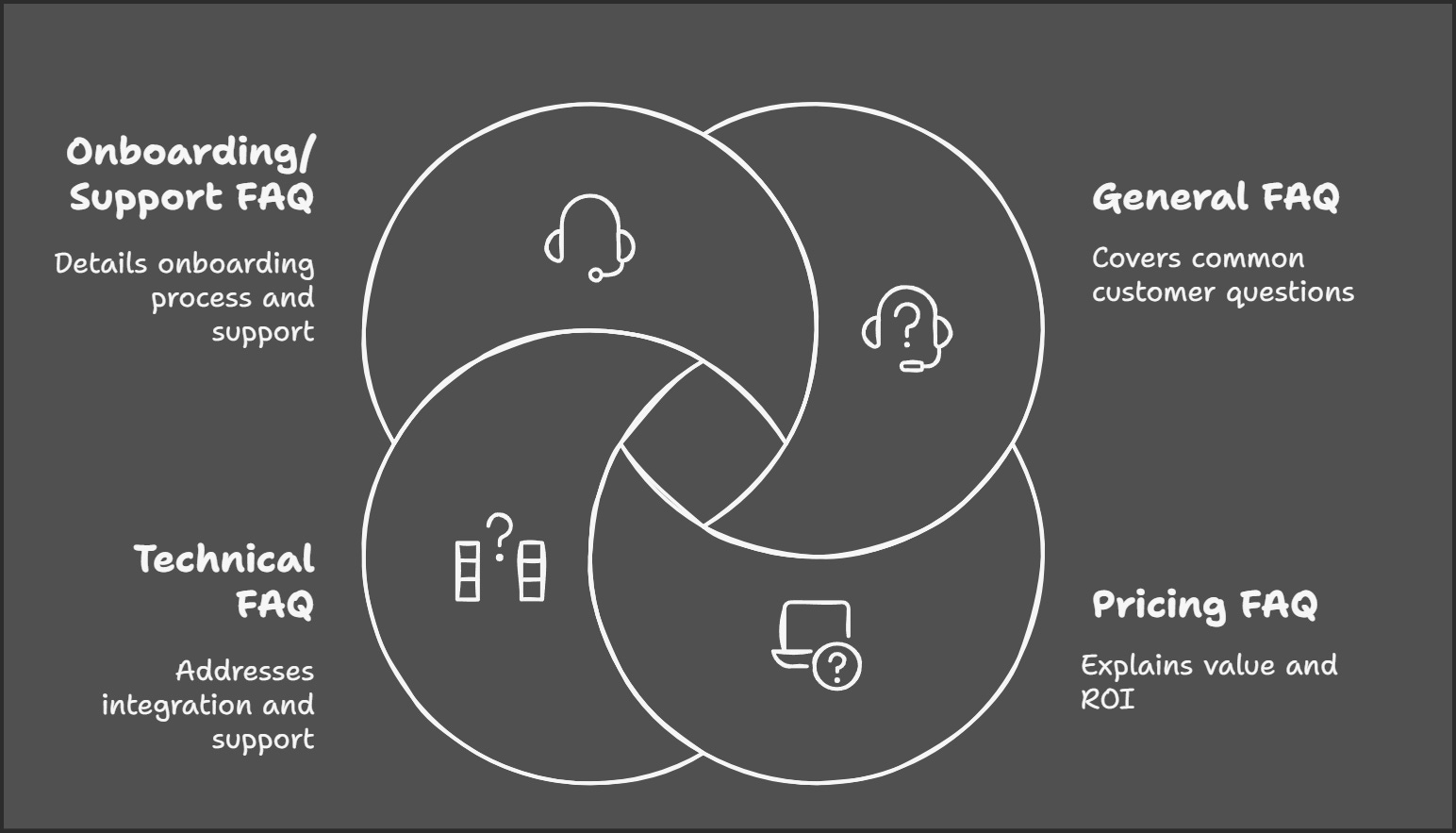
FAQs are a sales rep’s secret weapon. Ready-made answers for nearly every question a prospect might ask. With ChatGPT, you can create comprehensive FAQs in minutes instead of hours.
General FAQ Creation
Based on the uploaded documents, create an FAQ list that covers the most common questions a potential customer might ask about [product/service]. Include answers that address customer concerns.Pricing FAQ
Based on the uploaded documents, generate an FAQ about pricing for [product/service]. Focus on explaining the value and ROI, and address potential objections related to cost.Technical FAQ
Based on the uploaded documents, write a technical FAQ for [product/service]. Address questions about integration, implementation, and support.Onboarding/Support FAQ
Based on the uploaded documents, create an FAQ for the onboarding process of [product/service]. Include timelines, what’s included, and support availability.This way, your team can quickly grab focused answers while on calls or in meetings.
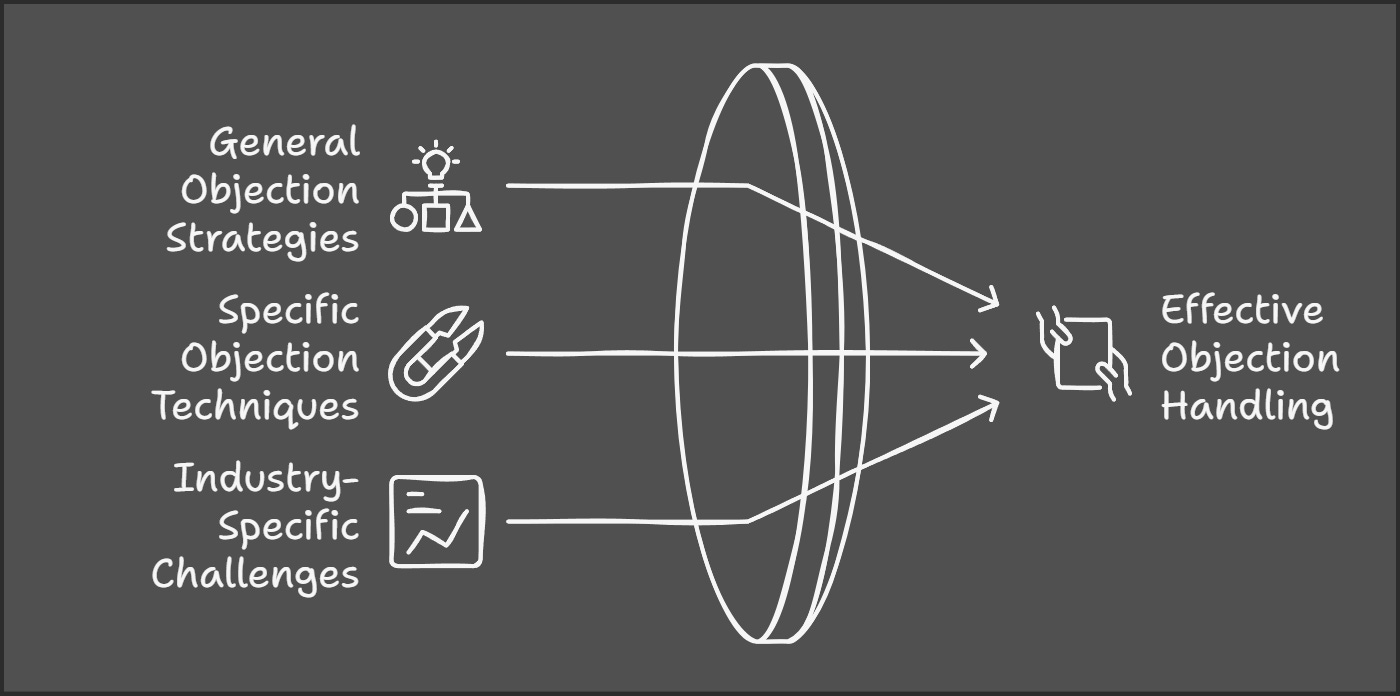
Objections are inevitable. And the better equipped you or your team is to handle them, the faster deals close. ChatGPT can help reps craft compelling, tailored responses to common objections with ease.
Objection Handling List
Based on the uploaded materials, list 10 potential objections prospects might have about [product/service] and write responses for each. Include objections related to price, ROI, competition, and implementation.Specific Objection Handling
How can a sales rep respond when a prospect says, ‘Your product is too expensive compared to competitors’?Industry-Specific Objections
Write a response to the objection, ‘This product might not work for companies in [industry],’ based on the uploaded information.ChatGPT can also recommend variations to suit different customer personalities like analytical, emotional, or value-oriented buyers.
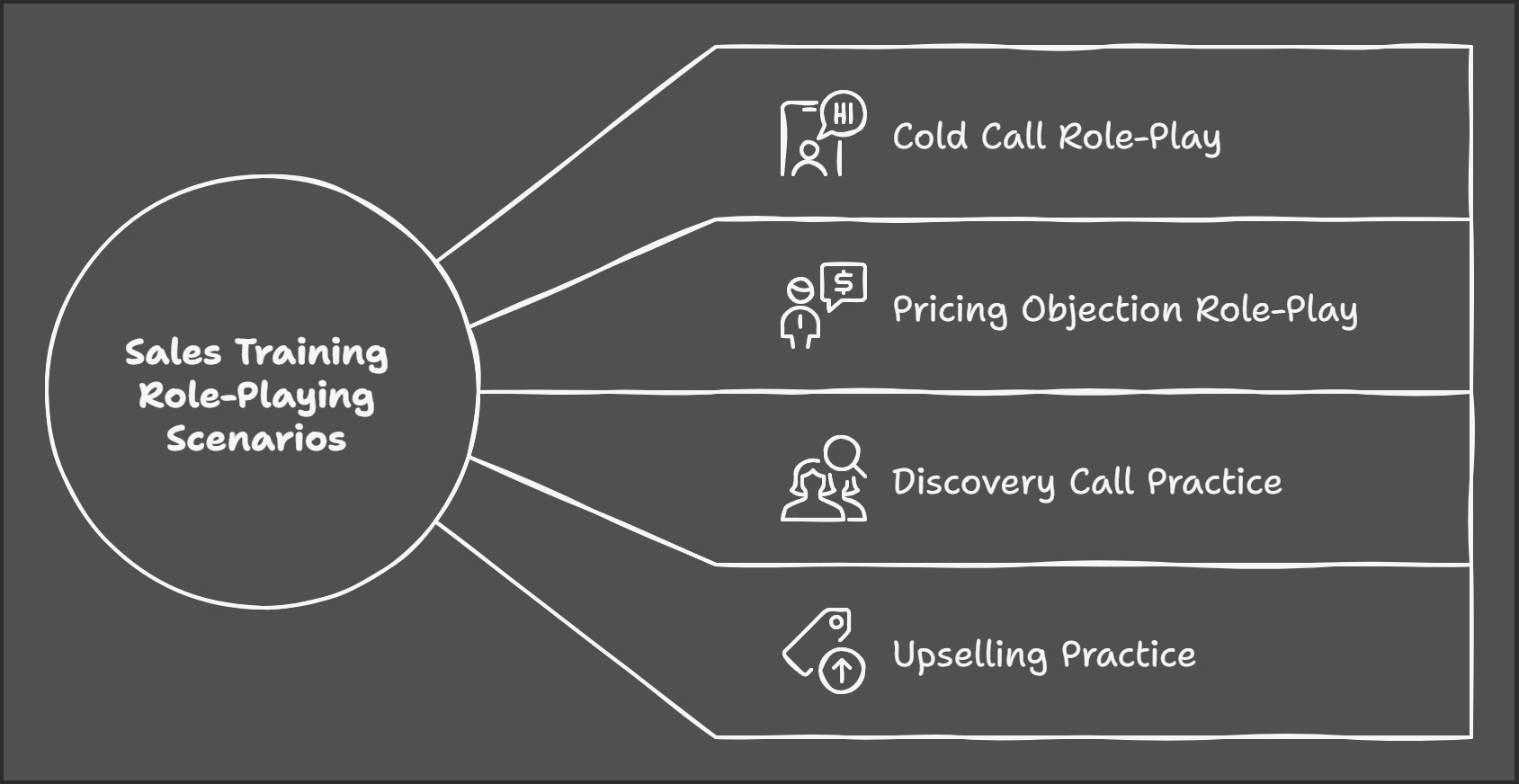
Once your team has the FAQs and objection handling down, it’s time for practice. ChatGPT can simulate real-life buyer conversations, giving your reps a safe space to master the art of persuasion.
Cold Call Role-Play
Pretend you are a prospect in [industry] with [specific pain point]. I’m calling to pitch [product/service]. Act as a challenging customer, and let me practice handling objections and answering questions.Pricing Objection Role-Play
Act as a prospect who is interested in [product/service] but hesitant due to the price. Let’s role-play how I could handle this objection.Discovery Call Practice
Simulate a discovery call with a prospect in [industry]. Ask questions to determine fit, and let me respond as if I’m the sales rep.Upselling Practice
Role-play a scenario where I’ve already closed a deal on [product/service], and I’m trying to upsell the customer on [additional feature/service].Pro Tip: Open ChatGPT on a mobile app and have a real call with it. Describe the scenario at the beginning of the call and ChatGPT will play ball. After the call, since you already have the transcript in the chat history you can ask it to make suggestions on what you can improve.
Great sales teams come armed with more than just scripts. They bring strategy, adaptability, and a deep understanding of their customers' needs. ChatGPT can be a valuable tool in this process, not only for producing effective scripts but also for generating insights, refining messaging, and personalizing communication to better connect with clients.
These materials add variety and depth to sales training, ensuring no stone is left unturned.
Cold Call Script
Write a cold call script for [product/service] targeting [industry]. The script should start with an attention-grabbing opening, highlight the key benefits, and include a closing ask for a follow-up meeting.Follow-Up Email Template
Write a follow-up email for a prospect who expressed interest in [product/service] but hasn’t responded in 3 days. Keep the tone professional but persuasive.Objection Response Script
Create a script for handling the objection, ‘I’m already using a competitor, and it works fine.’ Include steps to highlight unique selling points of [product/service].Demo Invitation Email
Write an email inviting a prospect to a product demo for [product/service]. Emphasize what they’ll gain by attending.Knowledge Check Quiz
Create a 10-question multiple-choice quiz to test sales reps on their knowledge of [product/service]. Include questions on features, benefits, and common objections.Scenario-Based Quiz
Write 5 scenario-based questions for sales reps to test their objection-handling skills. Include the correct responses and explanations for each.Product Feature Assessment
Develop a short quiz for sales reps to test their understanding of [product/service] features and how they solve customer pain points.Objection Handling Cheat Sheet
Create a one-page cheat sheet with common objections and corresponding responses for [product/service]. Format it for easy reading.Features vs. Benefits Table
Generate a quick-reference table with columns for Feature, Benefit, and Best Use Case for [product/service].Cold Call Checklist
Write a checklist for sales reps to use during a cold call for [product/service]. Include steps for preparation, key talking points, and a follow-up plan.Today’s strategies will be outdated tomorrow if you don't adapt to shifts in your product, service, or market. Regularly revisit your training materials. If pricing, features, or industry trends change, use ChatGPT to update scripts, FAQs, or role-play scenarios.
Sales training isn't just about closing deals, it's about building confident, skilled reps who can adapt to any challenge effortlessly.
Why This Works:
Saves hours on onboarding and training.
Creates alignment across your team.
Equips reps to handle any situation with confidence.
Your Next Steps:
Spend 30 minutes gathering your business documents and upload them.
Start with FAQs or objections, whichever is your biggest gap.
Schedule a role-play session with your team using AI.
Leaked whispers are saying OpenAI is about to drop some next-gen AI agents. They’re calling them "PhD-level super agents." What does that even mean? It’s debatable. These agents might be able to handle tasks so complex they could seriously shift how we work.
Right now, it’s basic stuff. But if we’ve learned anything from OpenAI, it’s this: they’ll get scary-good real fast. Benchmarkable domains = rapid evolution.
Sam Altman (OpenAI’s CEO) has been doing some rethinking. A couple of years ago, he thought we had a decade before AI really sped up. Now? He’s saying a “fast takeoff” might happen in just a few years.
Why This Matters
If he’s right, AI could leap forward faster than most people, and businesses, are ready for. If your work involves anything digital or measurable, you’re in the bullseye. Now’s the time to adapt.
DeepSeek’s new R1 model (straight outta China) is making waves. It’s almost as good as the best proprietary systems, but 95% cheaper. Yep, you read that right.
Why It’s Important
Open source is no longer “a year behind.”
Lower costs mean more accessibility.
The race between proprietary and open source just got a lot closer.
Pro tip: Keep an eye on open-source alternatives. They’re going to get real competitive.
Word on the street: OpenAI’s next big release (O3 Pro) might still cost $200/month. The thing is they’re already losing money on O1 Pro. The economics of AI are murky, to say the least.
What This Means for You
Expect some pricing experiments. AI tools might feel expensive now, but open-source options (like R1) are going to drive down costs over time.
OpenAI is working on a computer-use agent (aka "operator"), but the first version won’t be revolutionary. Early flaws include:
Clicking the wrong thing (75% fail rate).
Getting distracted by ads (AI has shiny-object syndrome too).
But don’t laugh just yet. The leap from clunky to incredible could happen within months. Remember when early GPTs sucked at math? Now they crush it.
Trump announced a significant private sector investment of up to $500 billion in artificial intelligence (AI) infrastructure within the United States. This initiative, named "Stargate," is a joint venture involving OpenAI, SoftBank, and Oracle.
The project will commence with an initial investment of $100 billion to construct data centers in Texas, with plans to expand to other states over the next four years. The Stargate initiative is expected to create over 100,000 jobs in the U.S.
With this amount of money is kinda hard to keep the hype down.
Adopt AI Early: Experiment with tools to stay ahead.
Focus on Measurable Work: Tasks with clear metrics will see the biggest AI boost.
Think Long-Term: Open source is getting better. Watch for opportunities to cut costs.
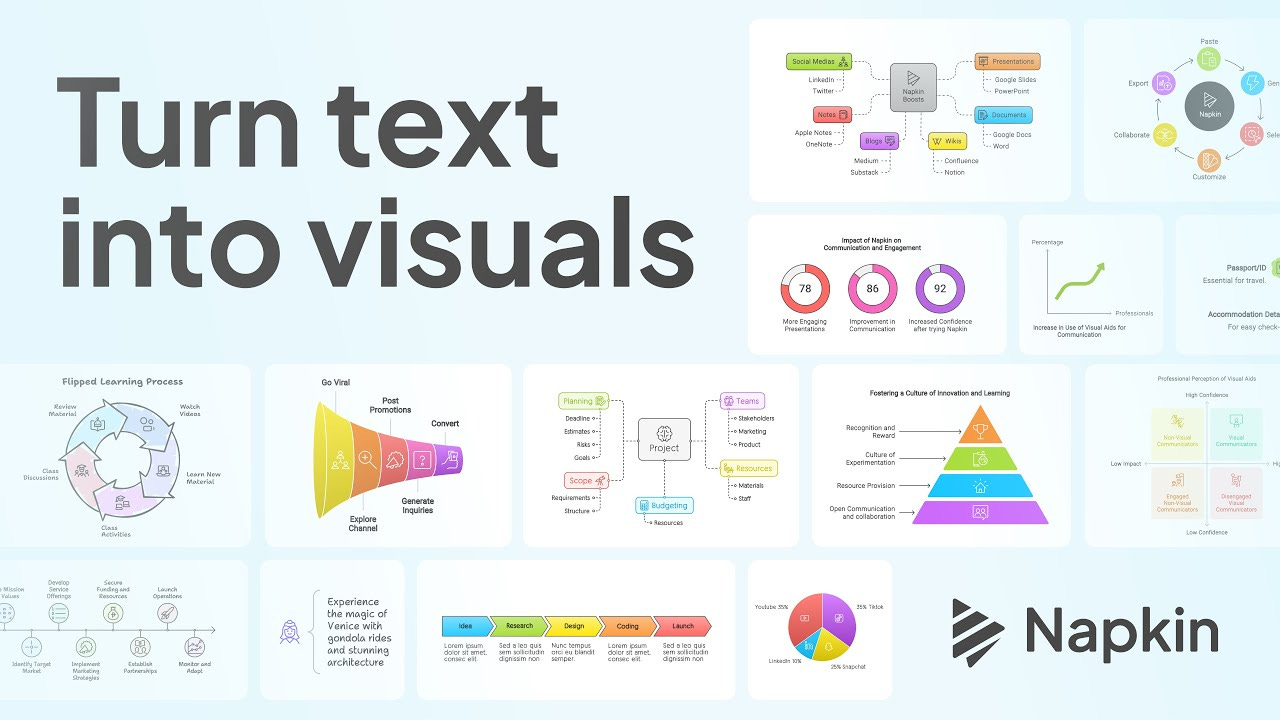
Napkin AI is an innovative tool that uses artificial intelligence to convert text into visual elements such as diagrams, flowcharts, and infographics. It is designed to enhance business storytelling and communication by making complex ideas more understandable and engaging through visuals.
Text-to-Visual Conversion: Users can paste text into Napkin AI, and it automatically generates relevant visuals like flowcharts, mind maps, and process diagrams.
Customization: The generated visuals can be customized by changing colors, fonts, shapes, and icons to match specific branding or preferences.
Export Options: Visuals can be exported as PNG, SVG, or PDF files, or shared via a link.
Free and Paid Plans: Napkin AI offers a free version, with advanced features available in paid plans. Currently is still in beta and you can enjoy the Professional Plan for free.
Presentations: Enhance slides with engaging visuals to communicate ideas more effectively.
Blog Posts: Break up text with simple, clean visuals to improve readability.
Social Media: Create eye-catching infographics for platforms like LinkedIn, Instagram, and Facebook.
Education: Use diagrams and charts to make learning more interactive and memorable.
Napkin’s AI makes it easy to transform text into visuals. Here’s how:
Highlight a Section: Select a paragraph or list from your document.
Click the Lightning Icon: Napkin’s AI will analyze the text and suggest visuals.
Pick Your Visual: Browse through options, including charts, diagrams, and icons. Choose a style that fits your document’s tone.
Most of the visuals in this newsletter were made with Napkin AI. It’s free, so why not give it a shot?
Remember, this newsletter is a two-way street.
If you’ve got questions, feedback, or even something random that’s been rattling around in your brain, hit reply and share it. We’d love to hear from you.
Leave a comment, send a DM, or use the chat, what’s on your mind right now? What’s the biggest challenge you’re facing in digital growth, sales, or AI? Let us know, and we’ll tackle it in an upcoming issue.
And that’s a wrap for this issue! Hopefully, you found a nugget or two to take with you, something to help you move the needle or spark a fresh idea.
Until next time, keep pushing forward, stay curious, and don’t forget why you started. See you in the next one!
No posts
Comments
Nothing yet. Say the first thing.
Sign in to join the conversation.