
I have wanted to play the piano for a long time.
Not concert-level. Just well enough that when I sit down at one, something recognisable comes out, instead of me poking at it like it might bite back.
Thanks for reading AI with breakfast! Subscribe for free to receive new posts and support my work.
The problem has always been the bit between wanting and doing.
I cannot read sheet music. I have never been able to find a steady pace. Every music book I have ever picked up assumes I want to learn in a way that does not really suit me.
What I know about myself is this. I like to find patterns. I can hear when something is right. And I remember melodies by turning the notes into words. Real words where the letters allow it. Made-up, almost-words where they do not.
CABBAGE. FADED. BEEF. DECADE.
A line of music as a tiny sentence I can see in my head.
That, it turns out, is how my brain reads music.
So one morning, before breakfast, I built the way I actually learn.
It is called Piano Words. pianowords.leemallon.com
The brief
A practice tool for people who learn by chunking, not by reading.
Give it a song. It shows you the melody as note-letters, grouped into the most word-like clusters it can find (CAGE, BED, DAD), with whatever loose syllables sit in between. You play along on a real piano if you have one. On the screen if you do not.
If the grouping does not click for your brain, you tap an icon between any two letters and merge them, or split them apart, until the pattern is your pattern.
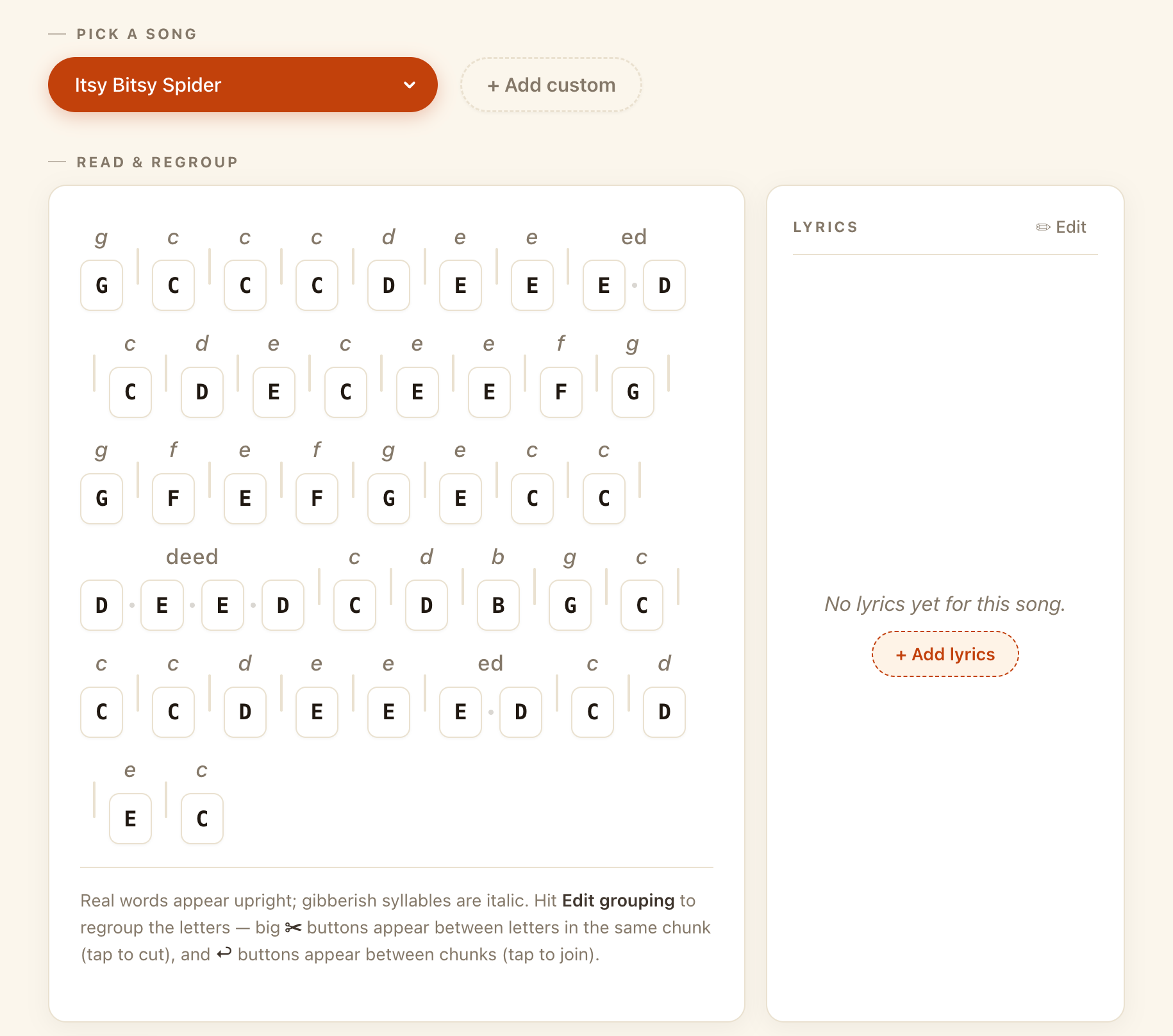
That last bit matters more than the algorithm does. The chunks have to feel obvious to you, not to the model. The tool’s first guess is a starting point, not an instruction.
Picking it up
Open the page and you get a song list. Pick Old McDonald. The melody appears as letters, already chunked into the algorithm’s best guess at word-like groups. Hit play and the page plays it back to you. Hit play yourself and it waits while you hammer it out, on a real piano or on the keyboard.
The picker is the on-ramp. The point is your own songs.
Adding your own
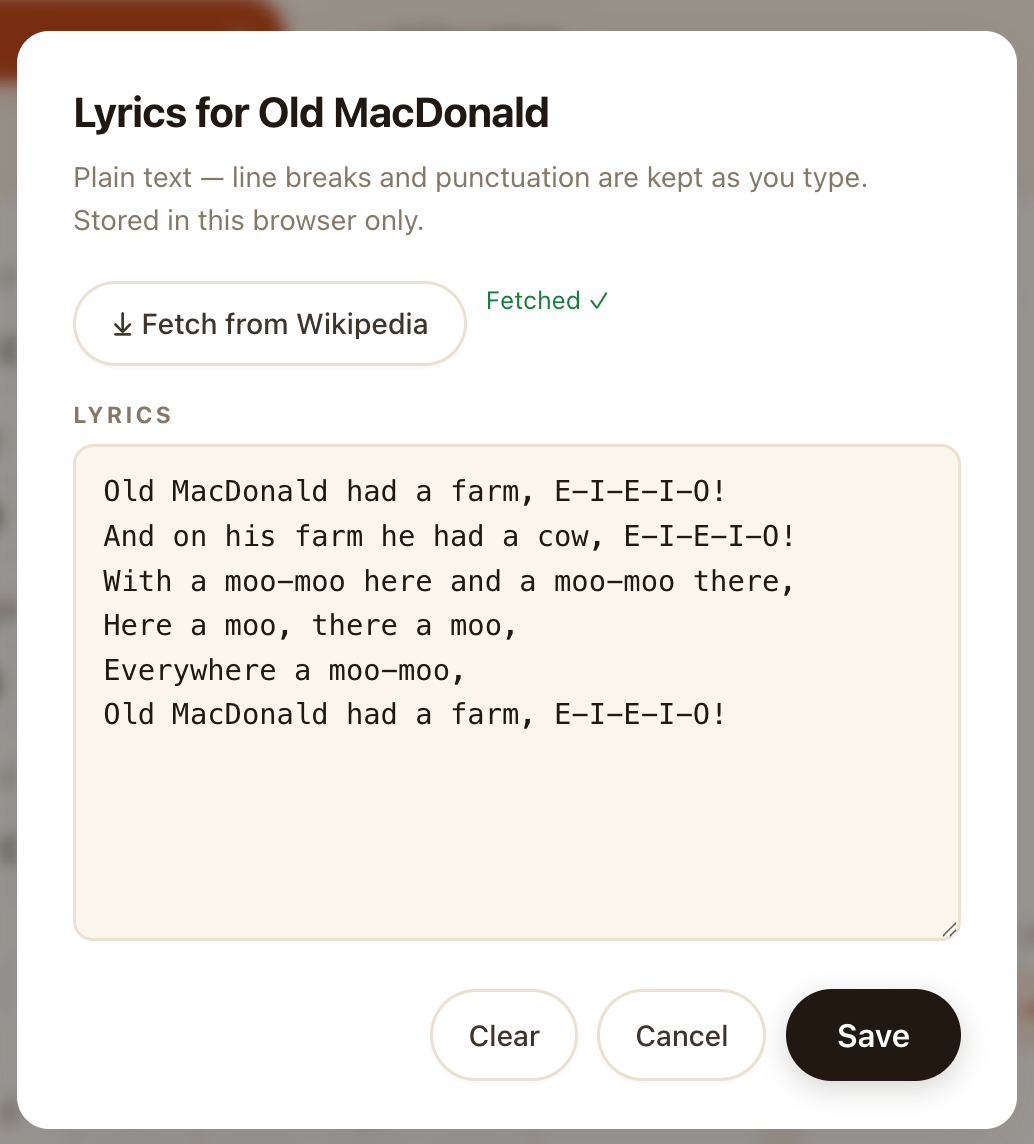
You can add a custom song by pasting in the notes. For the lyrics, you type them by hand, paste them in from wherever, or ask the tool to pull them from Wikipedia. That last one is the workaround from the policy fight (more on that in a moment). It works on some songs, half-works on others, and politely shrugs at the rest. When it works, you get an aligned lyric line in a few seconds. When it does not, you do the copy and paste yourself and move on.
Whatever you add stays in your browser. No login. No upload. Open the page tomorrow and your library is still where you left it.
The bit I didn’t expect to fight
The thing I genuinely did not see coming was the lyrics.
I wanted public-domain songs alongside the few specific pieces I had in mind. Nursery rhymes. Folk tunes. The well-worn Christmas catalogue. Anyone landing on the site should have something to play with immediately.
Public domain. Out of copyright.
Free in every meaningful sense.
When I asked Claude to help compile them with lyrics, it refused. Anthropic’s content policy will not let it reproduce song lyrics, even ones a hundred and fifty years old.
The AI guardrails do not care about copyright. They care about the shape of the request.
I worked around it by pulling lyrics from Wikipedia, which carries most of them in their article bodies. That kind of works. Some entries are clean. Some are partial. Some are wrapped in commentary you have to strip out. It is the modelling-clay version of the thing I wanted, but it is a working route.
The frontier of what AI tools will help you build is not the same as the frontier of what is technically legal.
The rails have opinions.
Sometimes the opinions are sensible. Sometimes they make you go the long way round to do something nobody, anywhere, would object to. Worth knowing before you assume the model is on your side.
The three-modes problem
This is where the build got more interesting.
The obvious version of Piano Words is the one where you stand your phone on the piano, open the page, and play along. That works. But practice does not only happen at the piano. Sometimes practice is on the sofa, no instrument, head full of a song you cannot quite hold. Sometimes practice is on a plane.
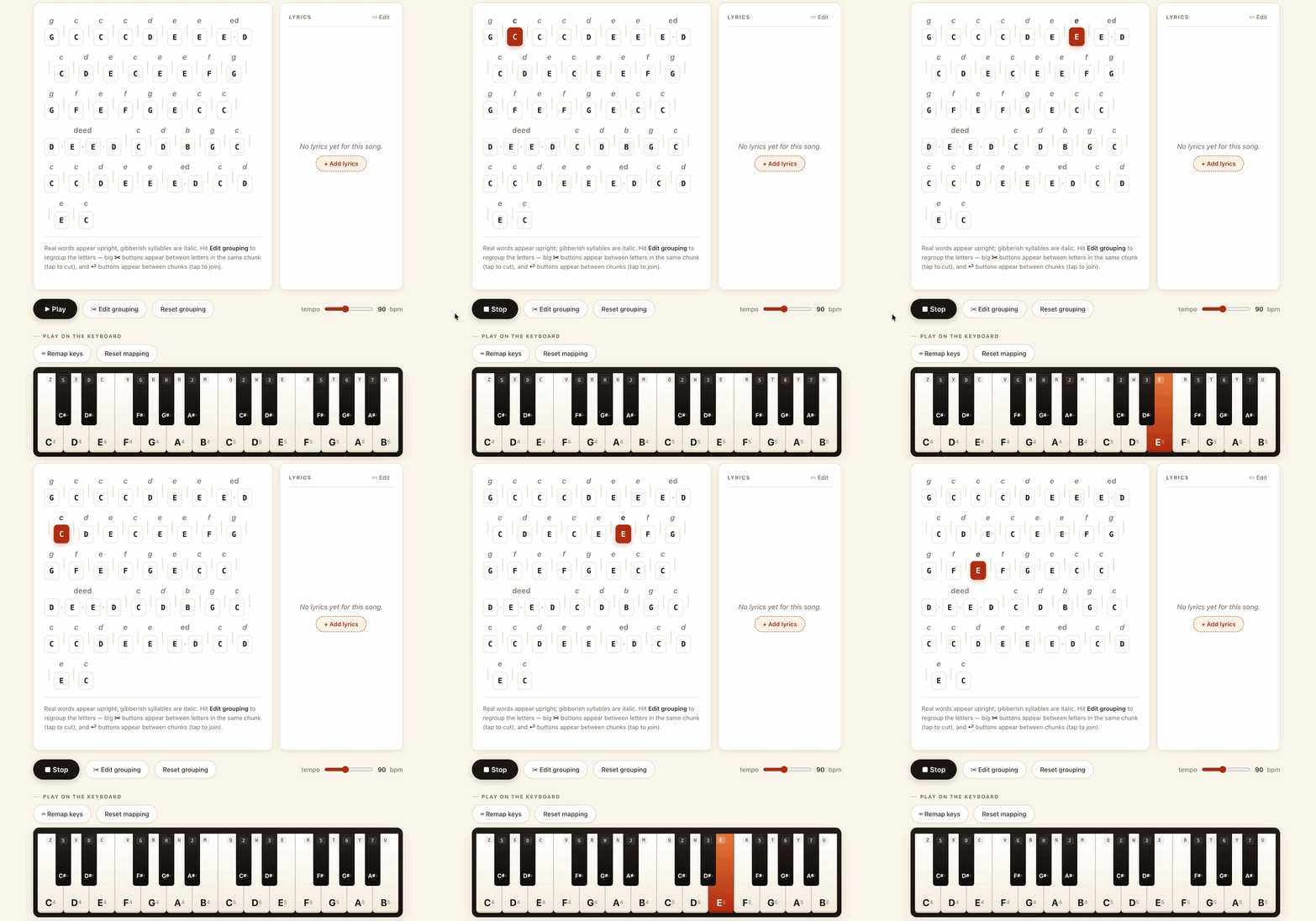
So the tool quietly notices which situation it is in, and shifts shape:
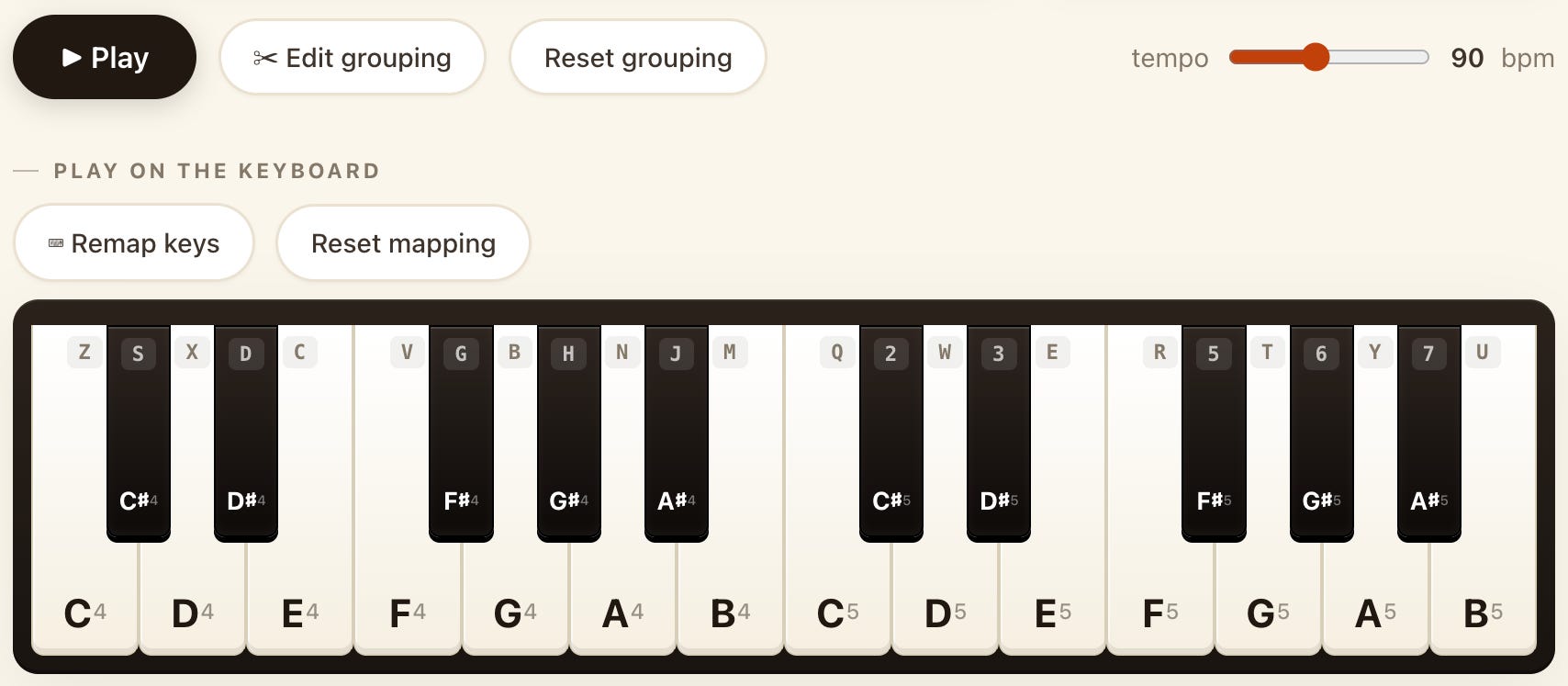
Desktop mode. You are at a laptop, no piano in the room. The keyboard becomes the instrument. Letters on the QWERTY map to notes, and you can remap them if your fingers want a different layout. You see the word patterns and hear them at the same time, which is mostly how the chunks burn in.
Mobile-as-guide mode. You are at a real piano with your phone on the music stand. The screen is a coach, not an instrument. Big readable word groupings. Big lyrics. The phone gets out of your way and lets the actual playing happen.
Mobile simulation mode. You are out and about, no piano in reach. The phone screen is the keyboard. You tap your way through the piece. Not the same as real keys, obviously, but enough to keep the patterns alive in your head between sessions.
Three different jobs. One piece of software. The trick was making it switch between them without ever asking the user which one they wanted.
Thumbs versus dividers
Here is one of those tiny build problems that turned out to matter more than the algorithm did.
On a desktop, the dividers between letters are easy. A mouse pointer is a sniper rifle. A keyboard shortcut is even easier. G on its own. EE together. BCD glued into a small made-up word. Merge, split, merge, split. Five minutes in, the melody is written in your own private alphabet. A reset button puts it back to the algorithm’s guess if you want to start again.
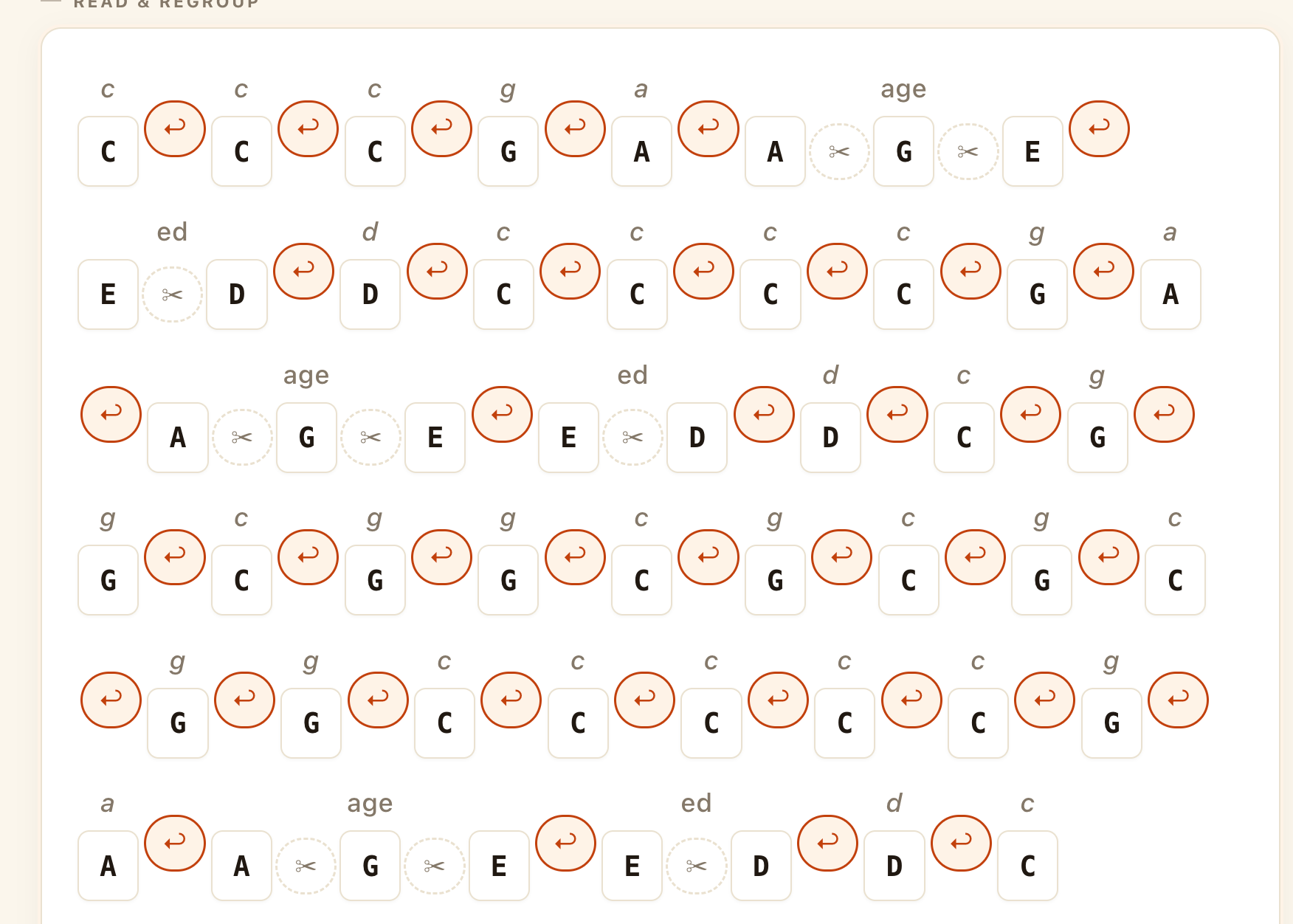
On a phone, the same dividers are a nightmare. The targets are smaller than a fingertip. You go to split DAD and accidentally fuse the next four letters together. The whole tool feels broken in the exact moment it should feel smooth.
So the mobile build has its own grouping screen. Big tappable letter tiles. Big spaces between them. A thumb-friendly grid for merging and splitting without zoom-pinching the main view.
This took longer than the music logic did. The thing that decides whether a tool sticks is rarely the cleverness in the middle. It is whether the friction at the edges is low enough that you actually open it again on the sofa, in the kitchen, on the train.
Three songs in a week
The honest measure of whether something like this works is whether I still open it on day six.
In the week since I built it, I have picked up three new songs. Not performance versions. Not impressive versions. Just I can sit at a piano and play this from memory versions. Which, given I started from zero, is more progress than the entire pile of unused music books behind me ever produced.
Piano Words is at pianowords.leemallon.com.
Tell me if your brain reads music in words too. I would love to know what your CABBAGE is.
Thanks for reading AI with breakfast! Subscribe for free to receive new posts and support my work.
Comments
Nothing yet. Say the first thing.
Sign in to join the conversation.