
If you’re running AI/ML workloads today, chances are you’ve felt the sting of GPU bills.
GPUs are the backbone of modern AI, powering everything from large language models (LLMs) to complex computer vision tasks. But they come at a premium.
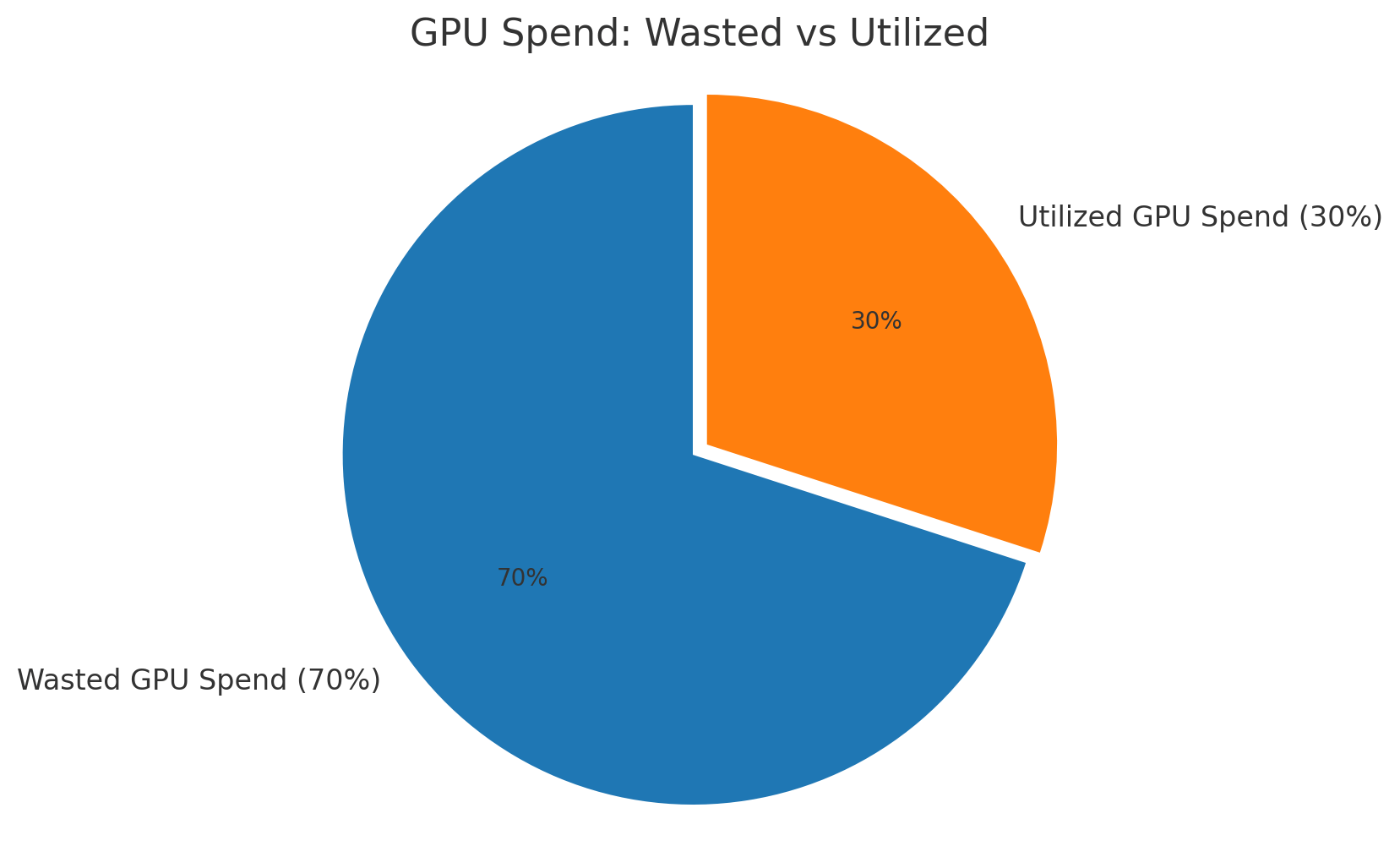
Up to 70% of GPU capacity in most organizations is either underutilized or completely idle.
That means if your monthly cloud bill is $100,000 for GPUs, roughly $70,000 is going down the drain.
Why does this happen?
It’s not because you’re bad at managing resources. It’s because the current GPU consumption model is broken.
Let’s break down why so much waste exists, and more importantly, how to fix it.
There are several reasons why GPU waste is rampant, and understanding these root causes is key to fixing the problem:
Most organizations reserve GPU instances for peak workloads, whether they’re in use or not.
The result? Your GPU sits idle for 18 out of 24 hours but you still pay for the full day.
Imagine buying 10 luxury cars just because you need all 10 for one road trip each month. For the remaining 29 days, those cars sit in the garage burning a hole in your pocket.
Teams fear job failures, so they over-provision resources “just in case.”
Need 1 GPU for inference? Let’s request 4.
Training job might spike? Double the cluster size.
This overkill approach compounds waste quickly.
When multiple workloads run on the same cluster, inefficient scheduling can create resource fragmentation.
Small gaps in GPU memory or compute capacity across nodes make those fragments unusable for large jobs.
Unlike CPUs, GPUs often lack autoscaling policies that match demand in real-time. So when workloads shrink, GPU nodes remain online, costing you money every second.
ML workflows often have containers running idle while waiting for data, checkpoints, or human approval. The GPU attached to that container? Still billed at full price.
Let’s put numbers to this.
Assume 10 A100 GPUs cost ~$3/hour each on-demand.
Running them 24/7 = $3 × 24 × 30 × 10 = $21,600 per month.
If you’re only using 30% of that capacity effectively, you’re wasting $15,000 every month.
Multiply that across multiple teams or enterprise-scale deployments, and you’re talking millions in annual waste.
The good news?
You don’t need to slash your GPU usage or compromise on performance. You just need to use what you pay for more intelligently.
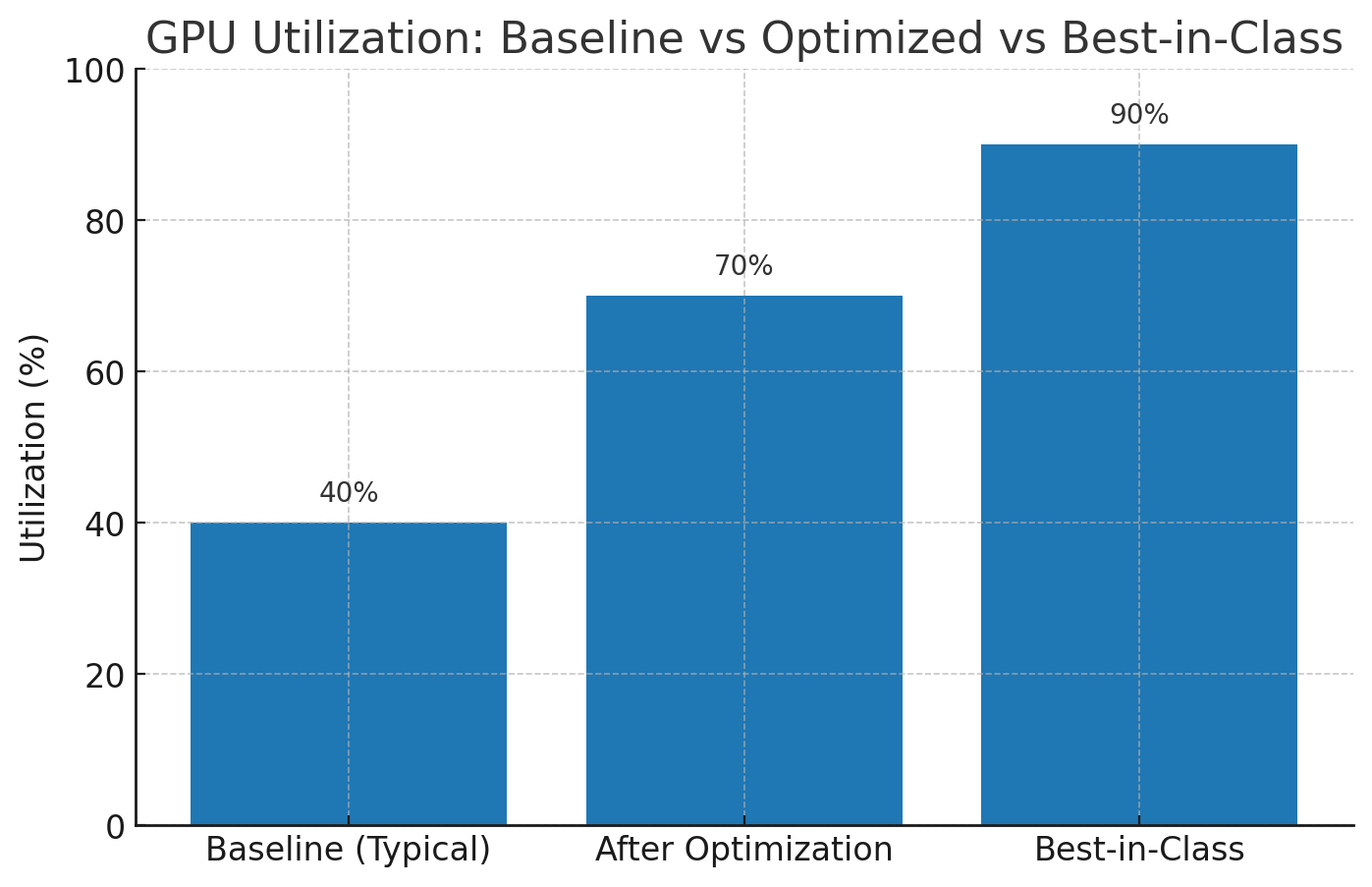
Here are five proven strategies to cut GPU waste by 50% or more:
The Problem: Dedicated GPU allocation means resources sit idle when one team isn’t using them.
The Fix:
Use GPU pooling where GPUs are dynamically assigned to workloads as needed.
Kubernetes-based GPU schedulers (like NVIDIA’s GPU Operator) can help achieve this.
Impact: Teams share a common GPU pool, eliminating the “siloed resources” problem and boosting utilization.
The Problem: GPU nodes run even when jobs aren’t scheduled.
The Fix:
Configure cluster autoscalers for GPU nodes in Kubernetes or cloud environments.
When jobs complete, scale down idle nodes automatically.
Impact: Reduce idle GPU costs dramatically, some companies save 30–40% monthly with this single change.
The Problem: Over-provisioning for safety wastes both compute and cash.
The Fix:
Analyze historical usage data with tools like Kubecost or AWS Compute Optimizer.
Match workloads to optimal GPU instance types and sizes instead of over-allocating.
Impact: Avoid paying for 4 A100s when your job only needs 1 T4.
The Problem: Inefficient models demand more GPU resources than necessary.
The Fix:
Use mixed-precision training to reduce memory footprint and speed up jobs.
Apply model pruning and quantization to slim down models for inference.
Explore distillation for large LLMs to reduce GPU intensity without sacrificing accuracy.
Impact: Reduce GPU hours per job → direct cost savings.
The Problem: Running every job on expensive on-demand GPUs inflates costs.
The Fix:
Use Spot GPUs for non-critical jobs, up to 70% cheaper than on-demand.
Implement priority-based queues to ensure high-value jobs get first access to GPUs.
Impact: Lower cost per GPU hour without sacrificing reliability for critical workloads.
Companies that optimize GPU utilization have reported:
50%+ reduction in monthly GPU bills
Faster model training times due to better scheduling
Improved developer productivity by eliminating resource bottlenecks
If your GPU bill is $100K/month, you could realistically cut that down to $50K or less, without buying new tools or hardware.
No posts
Comments
Nothing yet. Say the first thing.
Sign in to join the conversation.