
I’m sorry to say but most people are still using Claude completely wrong.
They open a new chat, ask a random question, get an answer, and close the tab. Then they come back the next day and start all over again.
A few months ago, I realized I was doing the same thing.
I was treating Claude like Google: Ask question → Get answer → Leave.
The problem is that Claude becomes exponentially more useful when it understands your work, your goals, your writing style, your projects, and the way you think.
And today, I’ll show you exactly how I would set up Claude if I were starting from scratch.
This is the same approach I would recommend to writers, developers, founders, marketers, and anyone who wants AI to become part of their workflow instead of just another chatbot.
With that said, let’s get started.
This is the biggest mistake I see people make.
They create a brand-new conversation every time they need help.
That’s like hiring an employee and forcing them to forget everything at the end of every day. That’s basically what most people do with Claude or any other AI model.
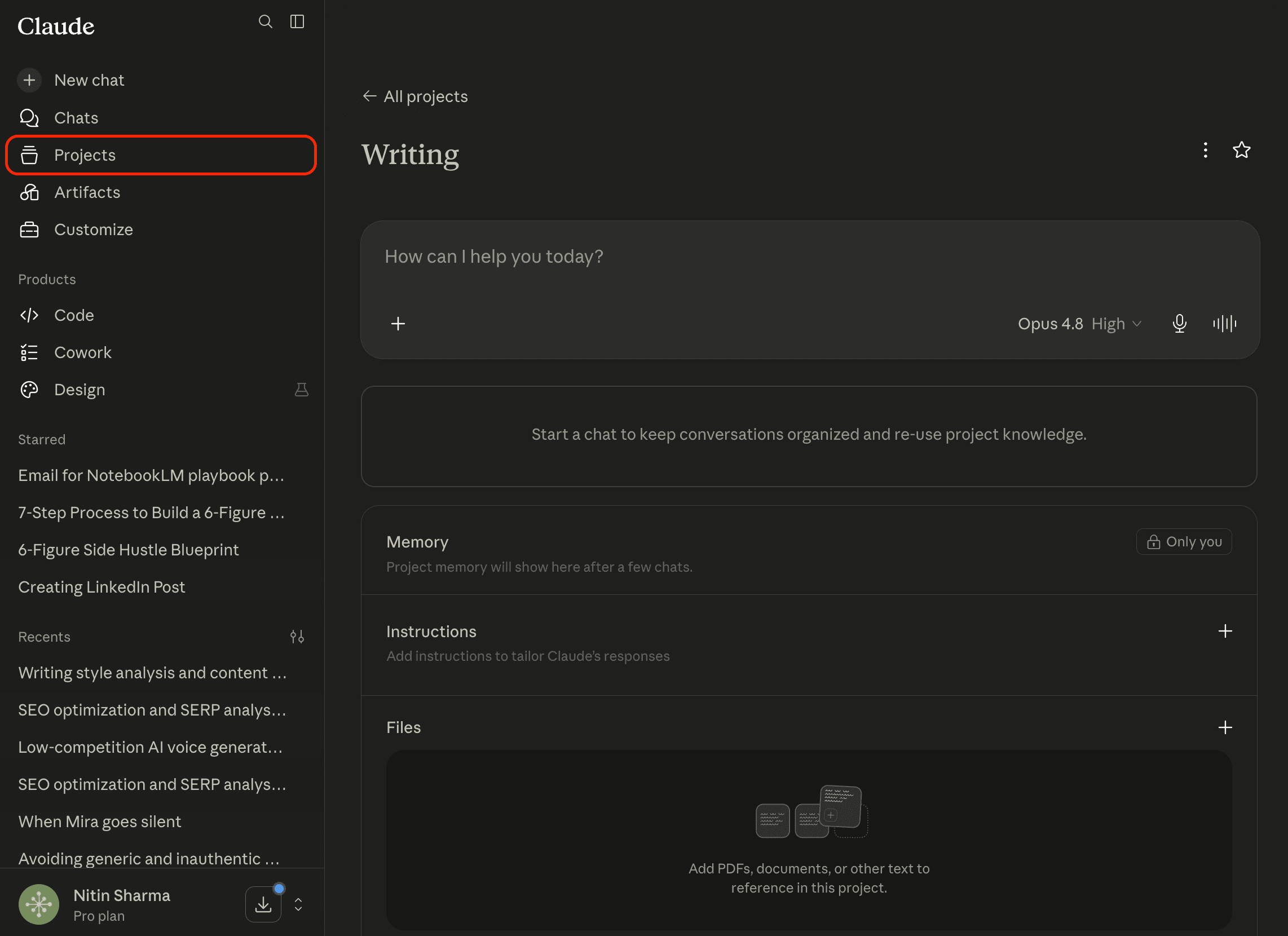
Instead, create dedicated projects for:
Writing
Coding
Business
Research
Personal Growth
Content Marketing
Now every conversation inside that project builds context.
And Claude slowly learns how you work, and the quality improves without you having to repeat yourself.
This single file can dramatically improve outputs, and most people don’t know about it.
I’m talking about creating a document file called `how-i-work.md`, or you can call it `context.md`, `writing-style.md`, `about-me.md`, `content-guidelines.md`, and so on.
Inside it, write things like:
What you do
Your goals
Your audience
Your products
Your preferred writing style
Common workflows
Things you hate
For example, my document would include:
Avoid generic advice
Use practical examples
Write in simple English, my writing style, tone
Prioritize useful information over motivation
Focus on actionable steps
Don’t sound like corporate marketing
Upload this file to Claude whenever you start a new project, and it will understand how you want information presented.
Most users never do this, and so they get the generic response.
P.S. Even when you use the best AI website builders, the best AI headshot generators, the best web scraping tools, the best AI writing tools, the best AI humanizers, and so on, try to provide some context about yourself or help the tool understand what you want. This makes the process much simpler, and you’ll get outputs that are much closer to what you’re looking for.
Just so you know:
Everything I’ve shared here is something I actually use.
If this post changed how you think about AI even a little, that didn’t happen in isolation. It came from a much bigger shift in how I use AI overall.
That’s why I put that entire system down inside “The (Unfair) AI Workflow Playbook” with everything you need.
It’s the exact set of workflows I use daily to run my work faster than feels normal, and if you apply even a few of them, you’ll save hundreds of hours.
You can spend months figuring this out on your own, or you can steal my entire playbook right now.
Most people tell Claude what they want, and very few people show it.
Yes, you read that right. The fastest way to improve output quality is to upload examples.
If you’re a writer ➙ Upload your best articles.
If you’re a marketer ➙ Upload successful campaigns.
If you’re a developer ➙ Upload code you are proud of.
Claude learns patterns surprisingly well.
Whenever I see people complain about generic AI output, my first question is: “Did you give it examples of what good looks like?”
Most of the time the answer is no, and so the generic response.
Every time you see a useful prompt, or a prompt produces an amazing result, save it.
Don’t trust yourself to remember it later because you will surely forget it.
Create a folder anywhere called: Prompt Library.
Inside it save prompts like:
Research Prompt
Editing Prompt
Content Outline Prompt
Competitor Analysis Prompt
Product Review Prompt
Newsletter Prompt
After a few weeks, you’ll have your own collection of tried-and-tested prompts that are useful for your daily tasks.
This alone can save hours every day.
Let’s say you regularly write newsletters, social media posts, product reviews, and weekly reports.
Try to create templates or a Claude Skill for each of them.
Instead of asking, “Write a newsletter”, ask, “Fill this newsletter template”.
Claude performs much better when the structure already exists.
You get consistency and predictable, high-quality output while spending less time editing.
Most users stop after the first answer, and that’s usually a big mistake.
I always add another prompt to modify the result further like the way I want.
Something like:
Review this article as a harsh editor. Find weak sections, unnecessary words, vague advice, and missing examples.
Or:
Give this draft a score out of 10 and explain why.
This second pass often improves the output dramatically.
Most people ask for the final result immediately, and that’s one of the reasons the output feels average.
Instead of: “Write a blog post about AI.”
Try:
Step 1: Research the topic
Step 2: Find interesting angles
Step 3: Create outlines
Step 4: Select the best outline
Step 5: Write the draft
Step 6: Edit for clarity
Step 7: Improve examples
Step 8: Create title options
This workflow consistently produces better content.
And the same principle works for coding, research, business planning, and marketing.
Comments
Nothing yet. Say the first thing.
Sign in to join the conversation.